|
User Manual for MAGIX Entertainment SpectraLayers Pro 5 Upgrade - Advanced Audio Spectrum Editor Software Click to enlarge the picture
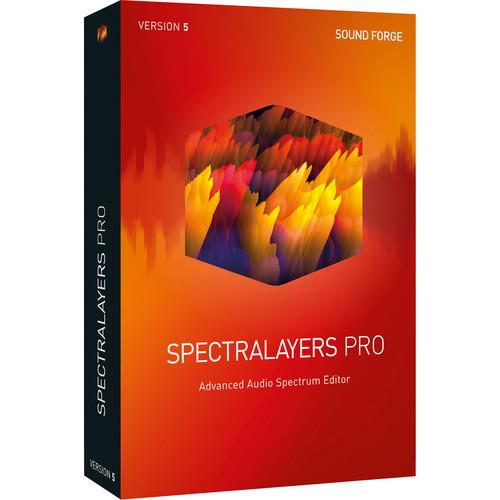 Contents of the user manual for the MAGIX Entertainment SpectraLayers Pro 5 Upgrade
- Product category: Virtual Processor Plug-Ins MAGIX Entertainment
- Brand: MAGIX Entertainment
- Description and content of package
- Technical information and basic settings
- Frequently asked questions – FAQ
- Troubleshooting (does not switch on, does not respond, error message, what do I do if...)
- Authorized service for MAGIX Entertainment Virtual Processor Plug-Ins
 |
User manual for the MAGIX Entertainment SpectraLayers Pro 5 Upgrade contain basic instructions
that need to be followed during installation and operation.
Before starting your appliance, the user manual should be read through carefully.
Follow all the safety instructions and warnings, and be guided by the given recommendations.
User manual is an integral part of any MAGIX Entertainment product,
and if it is sold or transferred, they should be handed over jointly with the product.
Following the instructions for use is an essential prerequisite for protecting
health and property during use, as well as recognition of liability on the part of the manufacturer
for possible defects should you make a warranty claim. Download an official MAGIX Entertainment user manual in which you will find instructions on how to install, use, maintain and service your product.
And do not forget – unsuitable use of a MAGIX Entertainment product will considerably shorten its lifespan!
|
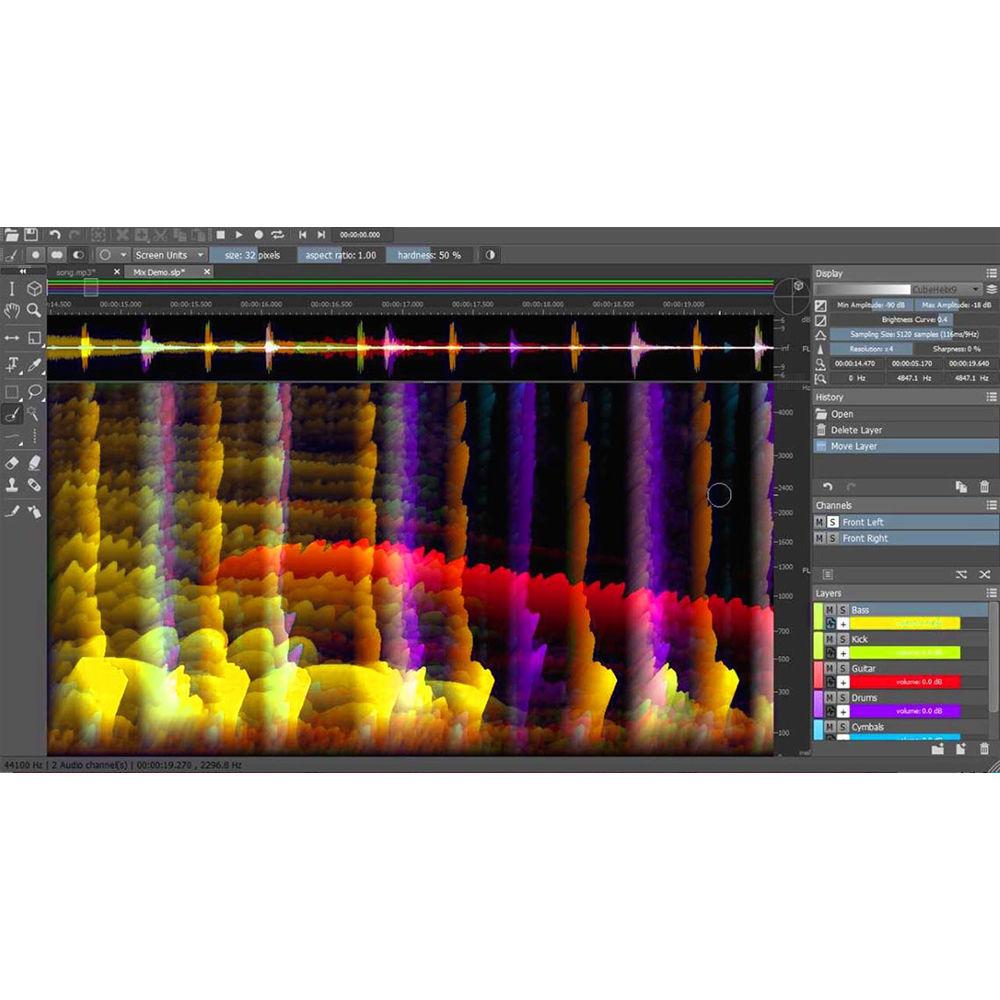
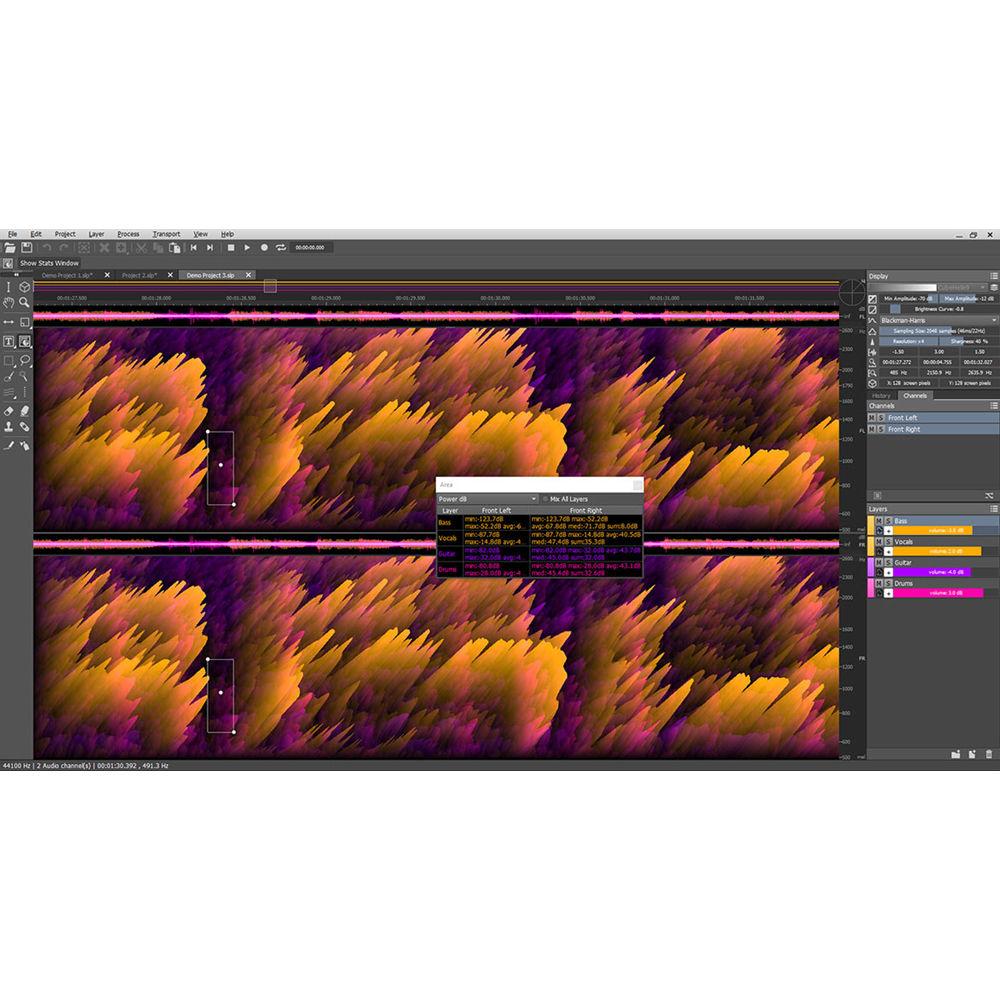
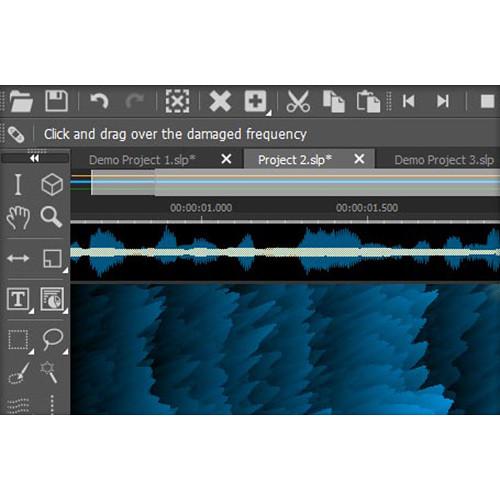
Product description MAGIX Entertainment SpectraLayers Pro 5 is advanced audio-spectrum editor software that allows you to work visually with the individual sounds in an audio file using graphic representations of their audio spectrum. The software features a high-definition Spectrogram display with a Fast Local Sharpening algorithm, which enables users to make detailed repairs with precise tools, move sounds around, reduce noise and increase clarity with pin-sharp accuracy in real time, or transform a sound file into something entirely new and different.SpectraLayers Pro 5 provides audio mastering engineers with the tools for making small fixes or radical project-wide transformations to their audio. Sound designers and remix artists are able to isolate individual sounds in an audio file, selecting material by frequency and constructing new music directly on the spectral graph. Audio archivists can make old recordings sound their best.Audio-for-video producers have the options to remove isolated sonic events and eliminate unwanted noise with extreme precision, by applying bandwidth-limited noiseprints across entire audio files. Forensic specialists can pull out target sounds for analysis, while music and dialog extraction can be performed for replacement or rights management purposes.Other features include a high-performing audio engine, and Spectral Casting and Spectral Molding functions. These two processes allow you to use the frequency spectrum of one layer as a cast or mold for carving an impression directly into the spectrum of a second layer. SpectraLayers Pro 5 is designed to work seamlessly with other DAWs. Note: This is an upgrade available to owners of any previous version of the software. What's New in Version 5 - Redesigned Interface
-
- Enhanced user interface for a smooth and fast workflow
- Improved navigation and logically grouped tools and settings
- New buttons, direct editing of wave samples, and volume control for groups
- New Hybrid Slider Value inputs can be controlled by mouse, touch, number input, or scroll wheel
- Direct Wave sample editing
- Preview is available for every tool to illustrate its functionality before it is used
- Bigger Toolkit
-
- New tools allow you to gain full control over the audio restoration and repair process
- The new Heal Action function automatically fills gaps in an audio file by reconstructing the ambient background noise around them
- The Frequency Repair tool allows you to easily repair specific, damaged frequencies using assisted frequency reconstruction and with full control over the process
- Spectral Markers allow you to draw Spectral Markers and Spectral Ranges and save them to the project files
- New High-Definition Spectrogram Display
-
- High-definition Spectrogram display with the new Fast Local Sharpening algorithm
- High-resolution display enables pin-sharp accuracy to perform precision edits in real time
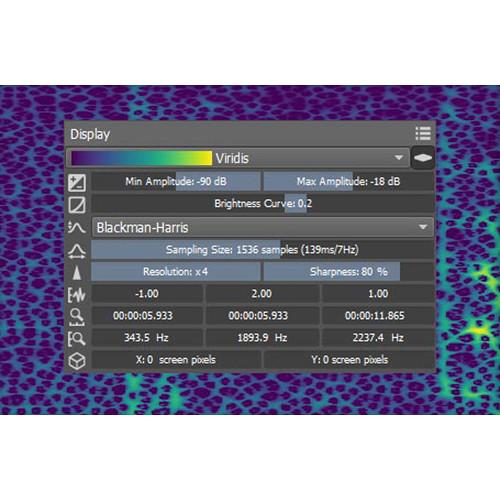
- The display has several adjustable parameters that let you focus on specific details within your audio, including Wave Range, Time Range, 3D Range, fine-tunable Frequency Resolution, and Overlap
- New Composite View
-
- New Composite View mode offers a highly-customizable range of previews of your final mix with the complete dynamic range shown across the Spectrogram
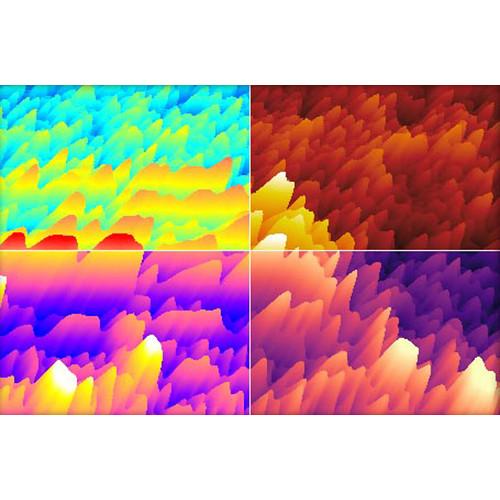
- Reveals all the layers merged together with adjustable color mapping and a color gradient of your choice to easily customize the preview of your mix
- You can still make edits in this mode and use all the precision controls
- New HD Spectrogram
-
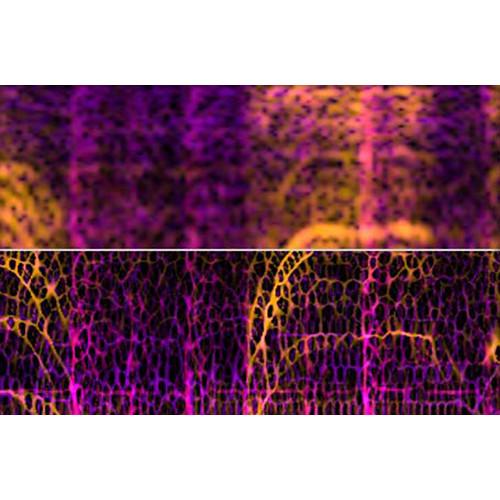
- Super-high-definition Spectrogram brings detailed and precise viewing of your audio spectrum
- Time Sharpen and Frequency Sharpen settings for high-precision editing
Key Features - Visual Spectrogram
-
- Visually work with the individual sounds in an audio file
- Rearrange, extract, and optimize sounds using layers
- High-performing audio engine
- Seamless integration with other DAWs
- Spectral Casting
-
- Use the frequency spectrum of one layer as a cast for the overall mix
- Using Spectral Casting seamlessly integrate elements such as vocals into an existing mix by precisely blanking overlapping frequencies
- Spectral Molding
-
- Spectral molding uses frequencies to identify crosses between recordings for creative sound design
- Transform a guitar recording with the acoustic texture of vocals
- Cleaning with Noise Prints
-
- Identify a noise within a waveform with just a few clicks and save it as a noise print
- Print can then be used for various types of noise reduction
Applications - Audio Mastering
-
- Repair, filter, and mix audio, from small fixes to radical, project-wide transformations
- Sound Design
-
- Isolate individual sounds in an audio file, select material by frequency, and construct new sounds directly on the spectral graph
- Audio-for-Video
-
- Apply bandwidth-limited noiseprints across entire files, or perform surgical cuts to remove isolated sonic events
- Forensic Audio Mastering
-
- Audio extraction allows you to pull target sounds for analysis, replacement, or rights management purposes
- Audio Archiving
-
- Make old recordings sound their best, with technology that transforms historical audio documents into detailed audio documents that can be edited directly in the spectral graph
- Remixing
-
- Divide an audio file into its individual components for precise processing and flexible remixing
Table of Contents
|
Upload User Manual
Have you got an user manual for the MAGIX Entertainment SpectraLayers Pro 5 Upgrade - Advanced Audio Spectrum Editor Software in electronic form? Please send it to us and help us expand our library of instruction manuals.
Thank you, too, on behalf of other users.
To upload the product manual, we first need to check and make sure you are not a robot. After that, your "Submit Link" or "Upload File" will appear.
Technical parametersMAGIX Entertainment SpectraLayers Pro Specs | System Requirements | Windows
Windows 7 (SP 1), 8, 10
Processor: Dual-core processor (quad-core processor recommended)
RAM: 4 GB RAM
Graphic Card: OpenGL 3.0-compatible graphics card, min. resolution 1280 x 768
Sound Card: Windows-compatible audio hardware
Hard drive space: 2 GB for program installation
Browser: Internet Explorer 8, Firefox 10, Google Chrome 13 or later
Mac
OS X 10.9, 10.10, 10.11, macOS 10.12
Processor: Intel dual-core processor (quad-core processor recommended)
RAM: 4 GB RAM
Graphic Card: OpenGL 3.0-compatible graphics card, min. resolution 1280 x 720
Sound Card: CoreAudio-compatible audio hardware
Hard drive space: 2 GB for program installation
Internet Connection: Required for registering and validating the program, as well as for some program features
Program requires one-time registration | | Supported File Formats | AAC: Import/export
AIFF: Import/export
Apple Core Audio Format (.caf): Import/export
Digital Dolby: Import
FLAC: Import/export
MP3: Import/export
Ogg Vorbis: Import/export
RAW/PCM: Import/export
Real Media (.rm): Export
Sun (.au, .snd): Export
Video (AVI, MXF, MP1, MP2, MP4, MKV, .vob, .wmv): Export
WAV: Import/export
WMA: Import/export |
Rating70% users recommend this product to others. And what about you?

This product has already been rated by 91 owners. Add your rating and experience with the product.
Discussion
 Ask our technicians if you have a problem with your settings,
or if anything is unclear in the user manual you have downloaded.
You can make use of our moderated discussion.
The discussion is public and helps other users of our website who may be encountering similar problems.
Ask our technicians if you have a problem with your settings,
or if anything is unclear in the user manual you have downloaded.
You can make use of our moderated discussion.
The discussion is public and helps other users of our website who may be encountering similar problems.
The discussion is empty - enter the first post
Post a new topic / query / comment:
|
|
|
| Request for user manual |
You can’t find the operation manual you are looking for? Let us know and we will try to add the missing manual:
I’m looking for a manual / Request for manual
Current requests for instruction manuals:
Call Of Duty World War Two For Xbox...
controller stratus XL...
stratus XL...
smart whatch serie S11 42mm...
Allen & Heath SQ-6 manual...
|
| Discussion |
Latest contributions to the discussion:
AEW R 4100
Name: MAURICIO ANGARITA
Audio-Technica AEW-R4100 UHF Diversity Receiver for
AEW R 4100 has the mute function blocked and does not allow audio to pass. I tried several times to turn off the mute from the transmitter but it does nothing, the mute stays on. Solution?
Thank you...
Instructions for assembling the 2015 Forecast Image Master Consoles GC3-A
Name: mike elam
Forecast Consoles GC3-A ImageMaster Editing Console
Looking for instructions for assembling this console. ...
EMPTY TONER ERROR MESSAGE AFTER REPLACING TONER
Name: LINDA BAD YELLOW EYES
Brother TN223BK Standard-Yield Toner
I HAD TO CHANGE OUT ALL THREE TONERS DUE TO LEAKS IN THE YELLOW AND CYAN. AFTER I REPLACED THEM, THE MACHINE KEEPS GIVING ME AN EMPTY TONER ERROR MESSAGE. HELP!!...
PS480D 20/24 pin Switching 480W Power Supply
Name: swkargo
Logisys 480W Power Supply
This item states in can run -5vdc .It is NOT listed on the board or I beleive is r4 is missing the resitior. Any body have thid issue. Shawn
...
Help needed
Name: Ann Carter
SanDisk 1TB Extreme Portable USB 3.1
When I click the link to download the user manual for my Sandisk Extreme external hard drive, it gives me the manual for the LG Cricket. Can you please change the link so I can download the Sandisk manual and begin using this drive? Thank you....
|
|


