|
User Manual for MAGIX Entertainment Vegas Pro 14 Edit Click to enlarge the picture
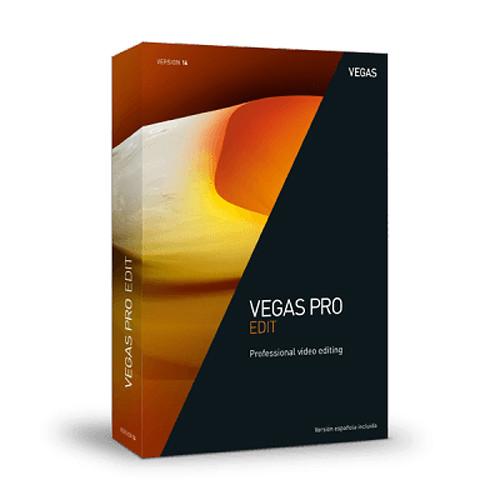 Contents of the user manual for the MAGIX Entertainment Vegas Pro 14 Edit
- Product category: Video Editing MAGIX Entertainment
- Brand: MAGIX Entertainment
- Description and content of package
- Technical information and basic settings
- Frequently asked questions – FAQ
- Troubleshooting (does not switch on, does not respond, error message, what do I do if...)
- Authorized service for MAGIX Entertainment Video Editing
 |
User manual for the MAGIX Entertainment Vegas Pro 14 Edit contain basic instructions
that need to be followed during installation and operation.
Before starting your appliance, the user manual should be read through carefully.
Follow all the safety instructions and warnings, and be guided by the given recommendations.
User manual is an integral part of any MAGIX Entertainment product,
and if it is sold or transferred, they should be handed over jointly with the product.
Following the instructions for use is an essential prerequisite for protecting
health and property during use, as well as recognition of liability on the part of the manufacturer
for possible defects should you make a warranty claim. Download an official MAGIX Entertainment user manual in which you will find instructions on how to install, use, maintain and service your product.
And do not forget – unsuitable use of a MAGIX Entertainment product will considerably shorten its lifespan!
|
Product description MAGIX Entertainment Vegas Pro 14 Edit is updated with highly-relevant new features, including Apple ProRes support.
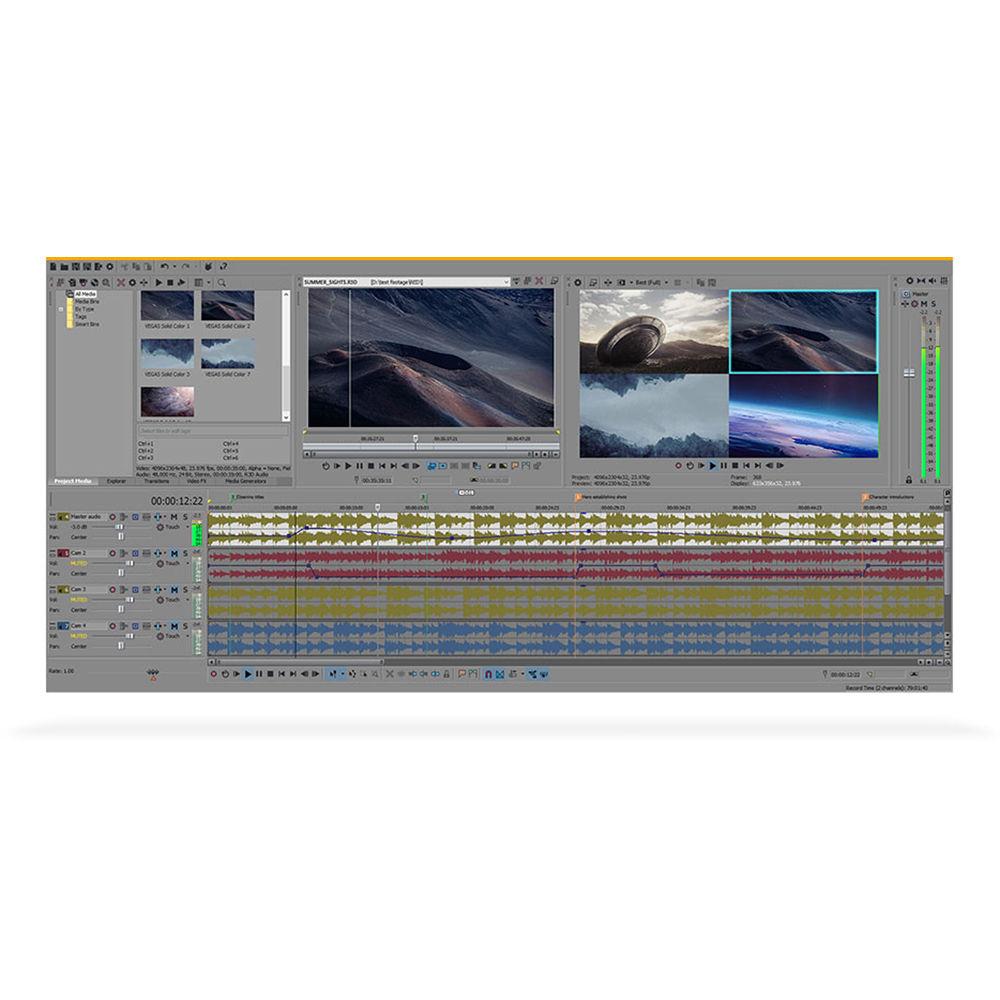
Vegas Pro 14 Edit is a comprehensive and complete video editing system. Vegas supports media in up to 4K resolution, offers GPU acceleration, features sterescopic 3D tools, and includes a full range of editing tools, from the most basic to advanced ones. Vegas has long been known as an editing system that's open to most formats and capable of editing them mixed on the same timeline, and that's still the case. Another distinguishing quality of Vegas is its powerful audio tools, which in many cases will suffice for even elaborate projects, ensuring you won't have to export to a dedicated audio editor. Vegas is also powerful— it runs exclusively on 64-bit versions of Windows 7, 8, and 10, and can take advantage of OpenCL-enabled graphics cards (GPUs) for an accelerated workflow, reduced render times, and the ability to play back high-resolution formats at full quality in real-time. Yet despite all this power, Vegas requires only a fairly modest system (please click on the Specifications tab for System Requirements). In addition, Vegas offers the ability to downscale your footage to lower-resolution proxy files so you can work even faster, especially useful for less powerful systems. In the end, however, you'll still be able to finalize everything in full quality.
Just like it's open to most formats, Vegas also offers interoperability with other NLEs, meaning you can import project files (or XML versions) into Vegas and retain most, if not all, of the edit decisions made in the third-party NLE. You can also export Vegas projects so they can be continued or completed in select other editing or finishing software. New Features in Vegas Pro 14 - Hover Scrub Technology
- Quickly scrub through footage in the Trimmer window and add In and Out points on the fly. This enables you to quickly identify just the important portion of your video clip and then add it to your timeline.
- Upscale HD Footage
- Upscale HD footage for use in 4K and UHD projects
- RED Camera Support
- Quickly and easily import and edit recordings made with the latest RED digital cameras into VEGAS Pro 14.
- Up to 40x Video Velocity
- Create extreme fast motion effects with the new higher velocity limit. Combine with the event playback rate for a maximum clip velocity of 40 times normal speed.
- Smart Zoom
- Define the focal point of your video regardless of what was originally framed in-camera. Use keyframing techniques to create exact zooms in post that your videographer didn't shoot in the field.
- Smart Adaptive Deinterlacing
- Transform even the fastest paced deinterlaced material to modern progressive footage with stunning quality and clarity.
- Script for Grouping Video and Audio Events
- Create custom scripts for combining video and audio material. Automatically group objects you have selected.
- Decide Which Resampling Mode to Use
- Set resampling mode on a project-wide basis and start all your projects with that setting if you choose to. Never spend needless time adjusting the resampling mode on individual timeline events again.
- High Frame Rate (HFR) Support
- Faster import for HFR material. Achieve the highest quality results with Vegas Pro 14.
- ProRes
- This HD-compatible intra-frame video codec offers high quality and smooth frame access for video editing and post-production.
- HEVC Support for UHD
- Achieve top quality results fast with HEVC (High Efficiency Video Coding) support, an ultra-modern codec with professional features.
Other Features - General
-
- Blu-ray and DVD Disc burning from the timeline
- Compatible with VEGAS Pro Connect iPad application
- Sony Wireless Adapter proxy-first workflow
- Interactive tutorials
- Customizable user interface
- Comprehensive window docking options
- Memory and recallable window layouts
- Grouping tracks
- Video
-
- Unlimited number of video tracks
- Advanced project archiving
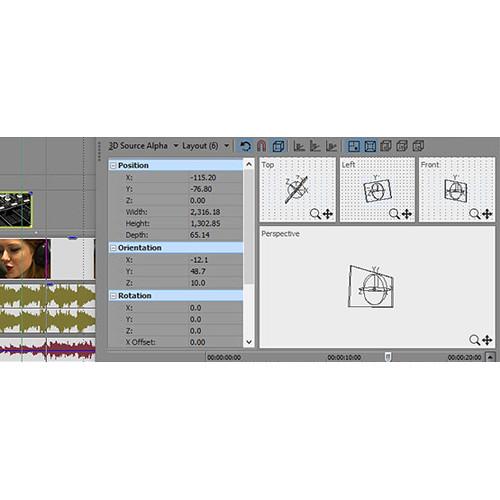
- Stereoscopic 3D editing
- Masking: Bézier tool
- Simultaneous video monitoring (local and external monitor)
- Over 390 video effects
- Color match
- Over 200 2D and 3D video transitions
- Credit rolls / text animation
- White Balance tool
- Automatic color match
- Automatic speed adjustment for clips
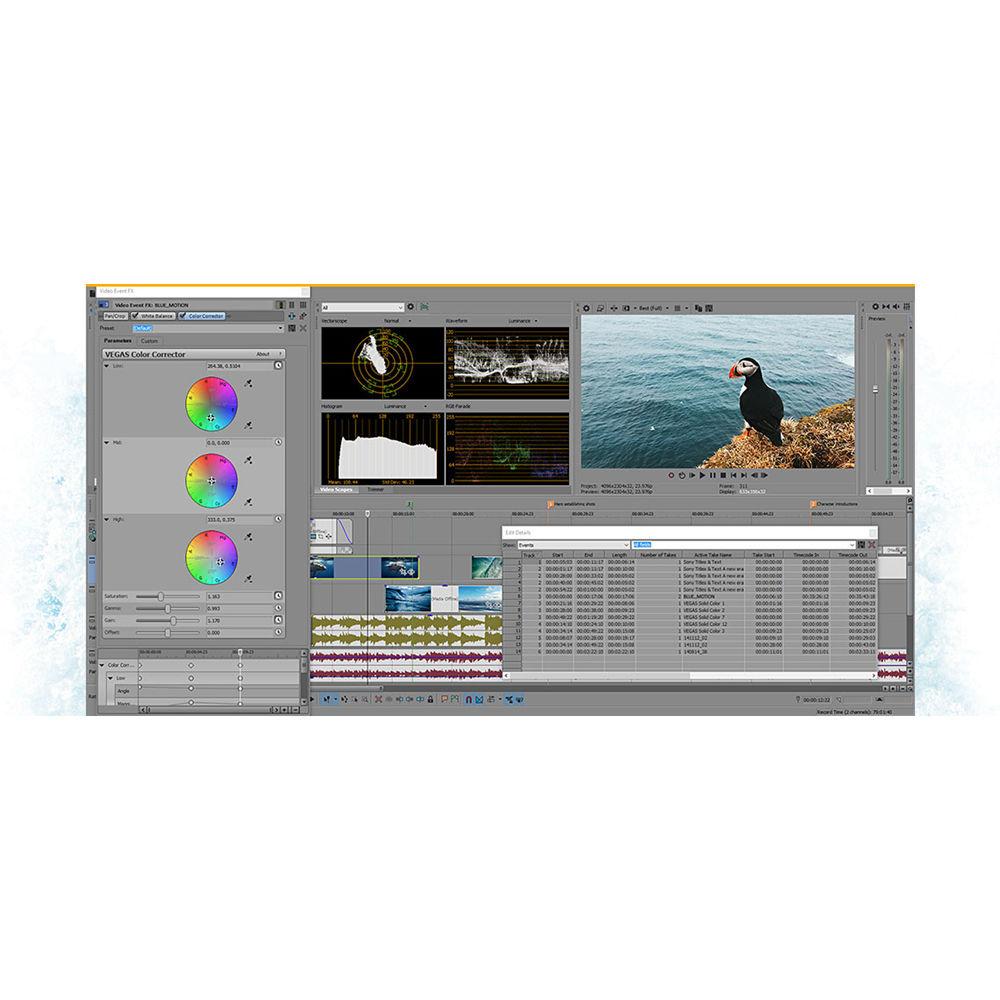
- Primary and secondary color correction
- Professional lighting effects
- Video Scopes: WFM / Vector / Parade / Histogram
- Support for 60/50p projects
- Support for Open FX plug-ins
- 32-bit float video processing
- SD / HD-SDI support
- Support for gigapixel images
- 4K project support (up to 4096 x 4096)
- CEA-608 closed captioning support
- Support for multilayer Adobe Photoshop PSD files
- Various compositing modes
- 3D compositing modes
- Audio
-
- Over 35 audio effects with 5.1 FX
- 24-bit / 192 kHz max bit depth / sampling rate
- CALM Act compliant loudness meters
- 5.1 surround mixing including film-style panning
- Dolby 5.1 surround and stereo AC-3 encoding
- Effects package folders
- VST2 plug-in effect support
- Audio envelopes
- ACID loop properties support
- On-the-fly punch-in recording
- ASIO driver support
- Zplane élastique time stretching
- Auto-input record monitoring
- Master, auxiliary, and effects bus tracks
- Multiple record takes
- Red Book Audio CD Mastering / Burning
- Editing and Media Management
-
- Project interchange
- Cursor object snapping across events and timeline
- Envelope brush painting
- Envelope automation recording
- Smart Proxy editing
- Keyboard trimming and event shuffling
- Tape-style audio scrubbing
- Project nesting
- System wide media management
- Project media tagging
- A / V synchronization detection and repair
- Real-time event reverse
- Video track motion control
- 3D track motion
- Application scripting
- Dynamic RAM preview
- Hardware / Capture / Export
-
- External control surface support
- AJA Io Express, KONA 3x, LH, LHe, LHi, LS, and LSe support (digital only)
- Blackmagic Design HD Extreme / Extreme 3D, Intensity Pro support (digital only)
- Smart Render
UPC: 639191250019 In the Box MAGIX Entertainment Vegas Pro 14 Edit (Box) Activation Dongle Table of Contents
|
Upload User Manual
Have you got an user manual for the MAGIX Entertainment Vegas Pro 14 Edit in electronic form? Please send it to us and help us expand our library of instruction manuals.
Thank you, too, on behalf of other users.
To upload the product manual, we first need to check and make sure you are not a robot. After that, your "Submit Link" or "Upload File" will appear.
Technical parametersMAGIX Entertainment ANR006773BOX-T Specs | | | Operating System | Microsoft Windows 7 (64-bit), Windows 8 (64-bit), or Windows 10 (64-bit) | | Processor | 2 GHz (multicore or multiprocessor recommended for HD or stereoscopic 3D; 8 cores recommended for 4K) | | RAM | 4 GB RAM (8 GB recommended; 16 GB recommended for 4K) | | Hard Drive Space | 500 MB hard drive space for program installation; Solid-state disk (SSD) or high-speed multi-disk RAID for 4K media | | Graphics Card | Supported NVIDIA, AMD/ATI, or Intel GPU with at least 512 MB of memory (1 GB recommended for 4K and GPU-accelerated video processing) | | Internet Connection | Required for registering and validating the program, as well as for some program functions. Program requires one-time registration. | | Supported GPUs | NVIDIA:
Requires a CUDA-enabled graphics card and driver 270.xx or later
GeForce GPUs: GeForce GTX 4xx Series or higher (or GeForce GT 2xx Series or higher with driver 297.03 later)
Quadro GPUs: Quadro 600 or higher (or Quadro FX 1700 or higher with driver 297.03 or later)
AMD/ATI
Requires an OpenCL-enabled GPU and Catalyst driver 11.7 or later with a Radeon HD 57xx or higher GPU
If using a FirePro GPU, FirePro unified driver 8.85 or later is required
Radeon HD 7xxx or higher recommended for native 4K editing
Intel
Requires an OpenCL-enabled GPU (such as HD Graphics 4000 or higher) | | Supported Formats | Import:
4K XAVC S, 4K XAVC, XDCAM EX, XDCAM Optical, DV, HDV, AVCHD, NXCAM, MOV, MP4, WMV, MPEG-1/2/4, H.264/AVC, WAV, FLAC, AAC, MP3, OGG, WMA, Surround Sound/5.1, BMP, PNG, JPEG, TIFF, OpenEXR-, DPX- and WDP image sequences
Export:
DVD, Blu-ray Disc, AVCHD Disc, (DV-)AVI, MJPEG, MXF, MOV, WMV, XAVC, XAVC S, MPEG-1/2/4, H.264/AVC, H.265/HEVC, WAV, MP3, BMP, PNG, JPEG, TIFF, OpenEXR-, DPX- and WDP image sequences | | | | Package Weight | 0.75 lb | | Box Dimensions (LxWxH) | 8.0 x 7.6 x 5.4" |
Rating100% users recommend this product to others. And what about you?

This product has already been rated by 65 owners. Add your rating and experience with the product.
Discussion
 Ask our technicians if you have a problem with your settings,
or if anything is unclear in the user manual you have downloaded.
You can make use of our moderated discussion.
The discussion is public and helps other users of our website who may be encountering similar problems.
Ask our technicians if you have a problem with your settings,
or if anything is unclear in the user manual you have downloaded.
You can make use of our moderated discussion.
The discussion is public and helps other users of our website who may be encountering similar problems.
The discussion is empty - enter the first post
Post a new topic / query / comment:
|
|
|
| Request for user manual |
You can’t find the operation manual you are looking for? Let us know and we will try to add the missing manual:
I’m looking for a manual / Request for manual
Current requests for instruction manuals:
Call Of Duty World War Two For Xbox...
controller stratus XL...
stratus XL...
smart whatch serie S11 42mm...
Allen & Heath SQ-6 manual...
|
| Discussion |
Latest contributions to the discussion:
AEW R 4100
Name: MAURICIO ANGARITA
Audio-Technica AEW-R4100 UHF Diversity Receiver for
AEW R 4100 has the mute function blocked and does not allow audio to pass. I tried several times to turn off the mute from the transmitter but it does nothing, the mute stays on. Solution?
Thank you...
Instructions for assembling the 2015 Forecast Image Master Consoles GC3-A
Name: mike elam
Forecast Consoles GC3-A ImageMaster Editing Console
Looking for instructions for assembling this console. ...
EMPTY TONER ERROR MESSAGE AFTER REPLACING TONER
Name: LINDA BAD YELLOW EYES
Brother TN223BK Standard-Yield Toner
I HAD TO CHANGE OUT ALL THREE TONERS DUE TO LEAKS IN THE YELLOW AND CYAN. AFTER I REPLACED THEM, THE MACHINE KEEPS GIVING ME AN EMPTY TONER ERROR MESSAGE. HELP!!...
PS480D 20/24 pin Switching 480W Power Supply
Name: swkargo
Logisys 480W Power Supply
This item states in can run -5vdc .It is NOT listed on the board or I beleive is r4 is missing the resitior. Any body have thid issue. Shawn
...
Help needed
Name: Ann Carter
SanDisk 1TB Extreme Portable USB 3.1
When I click the link to download the user manual for my Sandisk Extreme external hard drive, it gives me the manual for the LG Cricket. Can you please change the link so I can download the Sandisk manual and begin using this drive? Thank you....
|
|


