User Manual for MAGIX Entertainment VEGAS Pro 16 Click to enlarge the picture
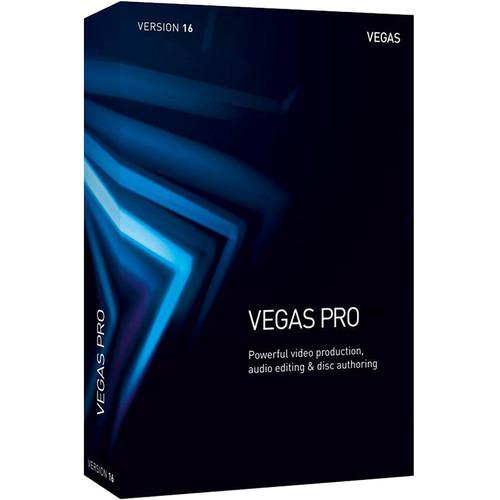 Contents of the user manual for the MAGIX Entertainment VEGAS Pro 16
- Product category: Video Editing MAGIX Entertainment
- Brand: MAGIX Entertainment
- Description and content of package
- Technical information and basic settings
- Frequently asked questions – FAQ
- Troubleshooting (does not switch on, does not respond, error message, what do I do if...)
- Authorized service for MAGIX Entertainment Video Editing
|
User manual for the MAGIX Entertainment VEGAS Pro 16 contain basic instructions
that need to be followed during installation and operation.
Before starting your appliance, the user manual should be read through carefully.
Follow all the safety instructions and warnings, and be guided by the given recommendations.
User manual is an integral part of any MAGIX Entertainment product,
and if it is sold or transferred, they should be handed over jointly with the product.
Following the instructions for use is an essential prerequisite for protecting
health and property during use, as well as recognition of liability on the part of the manufacturer
for possible defects should you make a warranty claim. Download an official MAGIX Entertainment user manual in which you will find instructions on how to install, use, maintain and service your product.
And do not forget – unsuitable use of a MAGIX Entertainment product will considerably shorten its lifespan!
|
Product description MAGIX Entertainment VEGAS Pro 16 features the full video and audio editing toolset of version 16 plus six 3rd-party plug-in packages and VEGAS DVD Architect Blu-ray/DVD disc authoring software. Between all the features, you'll have the tools to edit, color correct, repair, and enhance your videos and movies. The plug-ins consist of Tiny Planet, Bezier masking, AutoLooks, MAGIX eFX audio plug-ins, Boris FX Continuum Lights Unit, and proDAD VitaScene V3 LE. VEGAS Pro 16 is Windows-compatible. The famous Lights Unit provides lighting effects, such as glows, light leaks, and dramatic animated sci-fi lasers. VitaScene includes over 100 effects, mood filters, and more. New features in VEGAS Pro 16 include advanced motion tracking, video stabilization, dynamic interaction between storyboards and timelines, and 360° editing support.
VEGAS Pro 16 builds on the heritage of powerful and efficient operation, video/audio workflow, and open timeline. VEGAS was one of the first NLEs to let you mix virtually all file types on the same timeline without transcoding them, and that's still the case. An addition made in the previous version allows you to customize the user interface to create the environment that works best for you.
VEGAS Pro 16 supports DCI 4K resolution editing and delivery and offers stereoscopic 3D editing tools. VEGAS employs powerful hardware acceleration technologies that take advantage of NVIDIA, AMD/ATI, and Intel graphics processing power to provide faster rendering of your edits.
VEGAS is known for having many audio editing features. The audio toolset in version 16 includes 5.1 surround mixing with film-style panning, punch-in recording, time-stretching, DAW bussing functionality, and much more. In many cases, the audio features are enough for even the most elaborate projects, ensuring you won't have to export to a dedicated audio editor. - New Features
-
- HDR color support
- 360° editing
- Video stabilization
- Advanced motion tracking
- Improved high DPI scaling
- Dynamic storyboard and timeline interaction
- Project media hover scrub
- Project media in/out points
- Resizable project media thumbnails
- Preview multiple selected project media files
- Add files in bin to timeline
- Extensive backup file options
- Close gaps between events
- Select events from cursor
- Automatic subtitle creation from file or regions
- Add missing stream
- Plug-Ins
-
- Tiny Planet OFX
- Bezier masking OFX
- AutoLooks OFX
- MAGIX eFX audio plug-ins
- Boris FX Continuum Lights Unit
- proDAD VitaScene V3 LE
- General
-
- Includes VEGAS DVD Architect Blu-ray and DVD disc authoring software
- Blu-ray and DVD disc burning from the timeline
- VEGAS Pro Connect support (mobile companion app)
- Sony Wireless adapter proxy-first workflow
- Interactive tutorials
- Comprehensive window docking options
- Modern window docking controls
- Customizable UI
- Configurable visible button sets
- Savable and recallable window layouts
- UI background color options
- Adjustable button icon color strength
- Track grouping
- Application scripting
- Configurable timeline clip event headers
- Advanced project archiving
- Audio notification of completed render
- Video
-
- Unlimited video tracks
- Picture-in-picture OFX plug-in
- Crop OFX plug-in
- High frame rate (HFR) support
- Project-wide video resample mode setting
- Resample mode video property
- HEVC support
- HEVC import and export
- Simultaneous video monitoring (local and external monitor)
- 32-bit float video processing
- ACES 1.0
- LUT OFX plug-in
- SD / HD-SDI support
- Support for gigapixel images
- 4K project support (up to 4096 x 4096)
- CEA-608 closed captioning support
- Support for multilayer Adobe Photoshop PSD files
- Multiple compositing modes
- Group video and audio events script
- Stereoscopic 3D editing
- Video effects
- Smart upscale effect
- Smart zoom effect
- Smart adaptive deinterlacing
- Vignette video effect
- Filters and special effects
- Color match filter
- Over 200 2D and 3D video transitions
- Credit rolls / text animation
- Media generators
- White Balance tool
- Primary and secondary color correction
- Professional lighting effects
- Video scopes: WFM / Vector / Parade / Histogram
- Support for 50p and 60p projects
- -100 to 1000% adjustable velocity envelopes
- Support for open FX plugins
- Text and titles
- Complete XDCAM workflow
- 3D compositing mode
- Video track motion (picture in picture)
- Audio
-
- Over 35 audio effects with 5.1 FX
- 24/192 kHz Max bitrate/bit depth
- CALM Act compliant loudness meters
- 5.1 surround mixing including film-style panning
- 5.1 surround and stereo AC-3 encoding
- Effects package folders
- VST2 plug-in effect support
- Audio envelopes
- ACID loop properties support
- On-the-fly punch-in recording
- Tape-style audio scrubbing
- ASIO driver support
- Zplane élastique time-stretching
- Auto-input record monitoring
- DAW bussing functionality
- Multiple record takes
- Red Book Audio CD mastering/burning
- Editing & Media Management
-
- Instant freeze frame creation
- Selectively paste event attributes
- Project interchange
- Cursor object snapping across events and timeline
- Envelope brush painting
- Envelope automation recording
- Smart proxy editing
- Keyboard trimming and event shuffling
- Tape-style audio scrubbing
- Project nesting
- A/V synchronization detection and repair
- Real-time event reverse
- Dynamic RAM preview
- Hardware / Capture / Export
-
- Intel QSV support
- External control surface support
- AJA Io Express, KONA 3x, LH, LHe, LHi, LS, and LSe support (digital only)
- GPU hardware acceleration
- Blackmagic Design HD Extreme/Extreme 3D, Intensity Pro support (digital only)
- Smart render
Table of Contents
|
Upload User Manual
Have you got an user manual for the MAGIX Entertainment VEGAS Pro 16 in electronic form? Please send it to us and help us expand our library of instruction manuals.
Thank you, too, on behalf of other users.
To upload the product manual, we first need to check and make sure you are not a robot. After that, your "Submit Link" or "Upload File" will appear.
Technical parametersMAGIX Entertainment Vegas Pro 16 Specs | | | Operating System | Microsoft Windows 7 (64-bit), Windows 8 (64-bit), or Windows 10 (64-bit) | | CPU | 2.5 GHz 4-core processor (3 GHz and 8 cores recommended for 4K) | | RAM | 8 GB (16 GB recommended; 32 GB recommended for 4K) | | Hard Drive Space | 1.5 GB hard-disk space for program installation; solid-state disk (SSD) or high-speed multi-disk RAID for 4K media | | Supported GPUs | NVIDIA:
1 GB recommended for 4K - required for Smart Zoom/Smart Scale/Smart adaptive deinterlacing, and GPU-accelerated video processing. For hardware rendering (NVEnc): GeForce 600 series onwards (6xx, 7xx, 9xx, 10xx), Quadro Kxxx, Mxxx and Pxxx.
AMD/ATI:
Requires an OpenCL-enabled GPU and Catalyst driver 11.7 or later with a Radeon HD 57xx or higher GPU. If using a FirePro GPU, FirePro unified driver 8.85 or later is required.
Intel:
Intel Skylake or newer processor required for QSV accelerated 8-bit HEVC/AVC decoding and encoding, Intel KabyLake or newer processor required for QSV accelerated 10-bit HEVC encoding and decoding. | | Other | Microsoft .NET Framework 4.0 SP1 (included) | | Language Options | English, French, German, Spanish | | | | Import | Video:
AAC, AA3, AVI, BMP, MPEG-1, MPEG-2, MPEG-4, WMV, HEVC
Audio:
AAC, AIFF, FLAC, LPEC, MP3, OGG, PCA, W64, WAV, WMA
Image:
BMP, JPEG, PNG, TIFF, WDP, WMPhoto, DDS, DPX, EXR
Other:
AAF, Premiere/After Effects (.prproj), Final Cut Pro 7/DaVinci Resolve (.xml), Final Cut Pro X (.fcpxml), EDL Text File (.txt), Broadcast Wave Format, DVD Camcorder Disc, Closed Captioning | | Export | Video:
AVC/AAC, AVCHD, AVI, HEVC, MOV, MPEG-1, MPEG-2, MPEG-4, MVC, RM, WMV, XAVC S
Audio:
AAC, AIFF, FLAC, LPEC, MP3, OGG, PCA, W64, WAV, WMA
Image:
BMP, JPEG, PNG, TIFF, WDP, WMPhoto, DDS, DPX, EXR
Other:
VEGAS Project Archive (.veg, .vf), Pro Tools AAF File (.aaf), Media Composer AAF File (.aaf), Premiere/After Effects (.prproj), Final Cut Pro 7/DaVinci Resolve (.xml), Final Cut Pro X (.fcpxml), EDL Text File (.txt), XDCAM Disc |
Rating20% users recommend this product to others. And what about you?

This product has already been rated by 91 owners. Add your rating and experience with the product.
Discussion
 Ask our technicians if you have a problem with your settings,
or if anything is unclear in the user manual you have downloaded.
You can make use of our moderated discussion.
The discussion is public and helps other users of our website who may be encountering similar problems.
Ask our technicians if you have a problem with your settings,
or if anything is unclear in the user manual you have downloaded.
You can make use of our moderated discussion.
The discussion is public and helps other users of our website who may be encountering similar problems.
The discussion is empty - enter the first post
Post a new topic / query / comment:
|
|


