User Manual for Marshall Electronics V-R173-IMD-3GTE 17.3" Rackmout Production Monitor with Desktop Stand Click to enlarge the picture
 Contents of the user manual for the Marshall Electronics V-R173-IMD-3GTE 17.3" Rackmout Production
- Product category: Production Monitors Marshall Electronics
- Brand: Marshall Electronics
- Description and content of package
- Technical information and basic settings
- Frequently asked questions – FAQ
- Troubleshooting (does not switch on, does not respond, error message, what do I do if...)
- Authorized service for Marshall Electronics Production Monitors
 |
User manual for the Marshall Electronics V-R173-IMD-3GTE 17.3" Rackmout Production contain basic instructions
that need to be followed during installation and operation.
Before starting your appliance, the user manual should be read through carefully.
Follow all the safety instructions and warnings, and be guided by the given recommendations.
User manual is an integral part of any Marshall Electronics product,
and if it is sold or transferred, they should be handed over jointly with the product.
Following the instructions for use is an essential prerequisite for protecting
health and property during use, as well as recognition of liability on the part of the manufacturer
for possible defects should you make a warranty claim. Download an official Marshall Electronics user manual in which you will find instructions on how to install, use, maintain and service your product.
And do not forget – unsuitable use of a Marshall Electronics product will considerably shorten its lifespan!
|
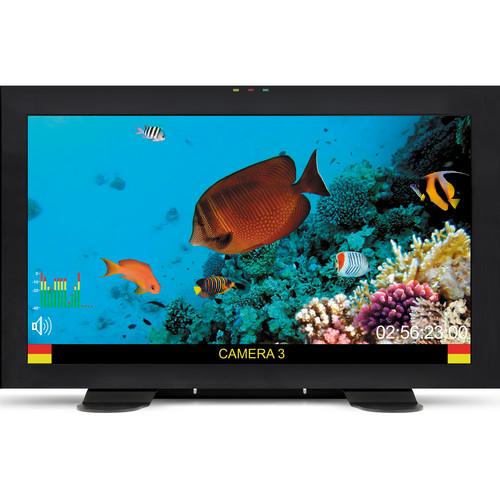
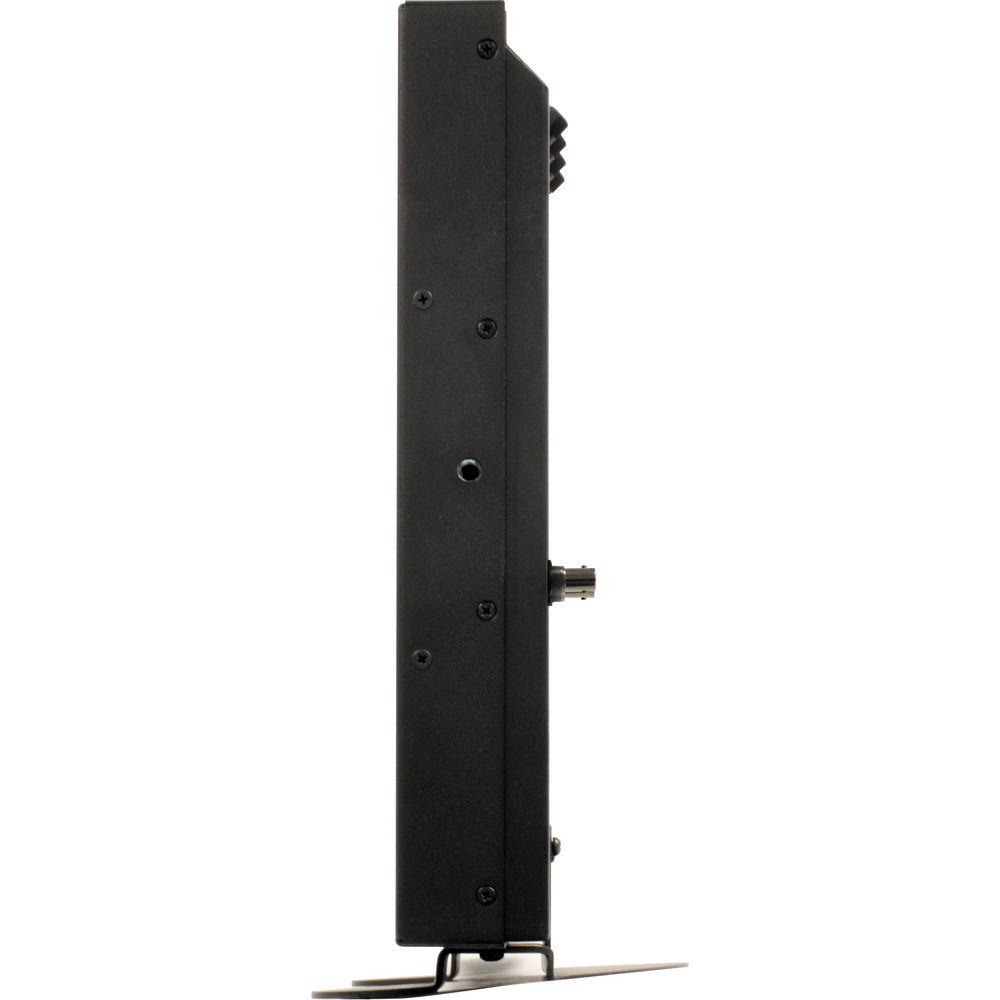
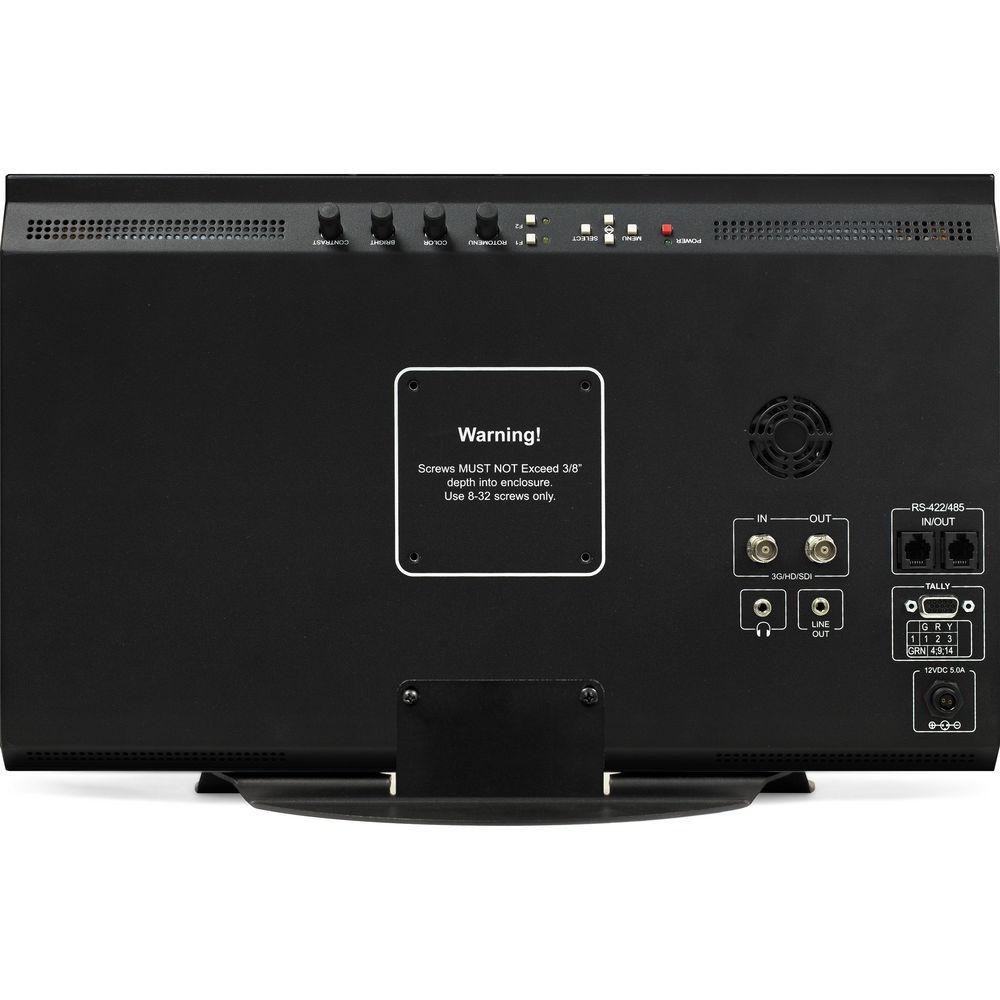
Product description The Marshall Electronics V-R173-IMD-3GTE 17.3" Rackmout Production Monitor with Desktop Stand has a native resolution of 1920 x 1200 and supports a number of SDI signals, including 3G-SDI (Level A and Level B), HD-SDI, and SD-SDI. The monitor includes removable rack ears for installation in standard 19", 6 RU rack systems and features a VESA 75 hole pattern on the back for attachment to desktop mounts, c-stand adapters, carts, stands, or other common display mounting hardware. It has an SDI input with loopthrough, tally and GPI ports, two serial ports for remote control, and headphone and line-level audio outputs.
The monitor can accept SD and HD resolutions up to 1920 x 1080, and a variety of frame rates up to 60p. It will also support various 24 fps signals, including 23.98p, 23.98sF, 24p native, and 24sF, and can provide deinterlacing where required via several user-selectable deinterlacing modes. This model also includes a desktop stand. - LED and OSB Tally
- Displays yellow, red, or green tally lights above the display when connected to tally source via the HD-15 tally/GPI input. In addition, an OSD (on screen display) tally can be enabled through the menu
- Anc. Time Code
- Time code de-embedded from the vertical ancillary data (VANC) portion of the SDI signal can be superimposed on screen. Two types of time code can be selected to display on the screen: LTC (linear time code) or VITC (vertical interval time code)
- Audio Monitor
- When enabled, an indicator icon displays whether embedded audio is present in the SDI video signal
- Maker and Title-Safe Overlays
- Overlay safety makers to ensure important visual elements are contained within the delivery frame. Supports 16:9, 4:3, 1.85:1, 2:35:1, 14:9, and 13:9 aspect ratios. The safe zone can be adjusted in increments between 80 and 95%
- Status Display
- Display the video standard of the incoming SDI signal in the top left corner of the screen
- Film Indicator
- When enabled, a green square appears in the top left corner of the screen whenever a film cadence is detected
- Motion Display
- Allows you to display inter-field motion as false color (green) on the screen. This feature is used to visualize how the deinterlacer is detecting motion in the content
- Monochrome Mode
- In this mode, only the luminance portion of the image will be displayed, rendered as a grayscale picture
- Blue-Only Mode
- This mode only display the blue component of the image, and is typically used for monitor calibration
- Pixel-to-Pixel Mode
- This mode bypasses the monitor's internal scaling function and displays images in their native resolution and aspect ratio, with a one-to-one mapping of incoming image pixels to screen pixels
- Deinterlacer Mode
- Allows you to set the type of deinterlacing algorithm used:
- Auto Mode: The deinterlacer defaults to Motion Adaptive mode (see below), but uses Film Mode whenever a film cadence is detectedwhenever possible
- Motion Adaptive Mode: The image processor uses a motion adaptive de-interlacing algorithm and film cadence detection is disabled. Motion adaptive interlacing uses a variety of real-time algorithms to perform the best possible deinterlacing based on the content
- Field to Frame Mode: Each incoming field is scaled to a full progressive frame by the scaler
- Interpolate (Bob) Mode: Each field is scaled to a full progressive frame by interpolating the missing lines from the adjacent lines
- Static Mesh (Weave) Mode: The Deinterlacer combines or "weaves" each pair of fields into a progressive frame
- Film Mode
- Uses specialized algorithms to correctly deinterlace content that originated in either 24fps or 25fps
- Save Defaults
- Saves current values of the Color, Brightness, and Contrast controls as the default values. The defaults can then be accessed by pushing the knob twice
- User Presets
- Save monitor settings to one of six presets for later recall. Each preset saves all monitor settings except for IMD configuration
- User Configurable GPI
- Each pin on general-purpose input (GPI) can be configured to enable, disable or set a specific function. These include: Tally, Monochrome Mode, Blue Only Mode, Pixel to Pixel, Audio Monitor, OSD Tally, IMD, Color Temperature and Gamma, Aspect Ratio, Anc. Time Code, and Marker Level
UPC: 801813172201 In the Box Marshall Electronics V-R173-IMD-3GTE 17.3" Rackmout Production Monitor with Desktop Stand Power Supply Rack Ears Desktop Stand Limited 1-Year Warranty, Extendable to 2-Year with Product Registration Table of Contents
|
Upload User Manual
Have you got an user manual for the Marshall Electronics V-R173-IMD-3GTE 17.3" Rackmout Production Monitor with Desktop Stand in electronic form? Please send it to us and help us expand our library of instruction manuals.
Thank you, too, on behalf of other users.
To upload the product manual, we first need to check and make sure you are not a robot. After that, your "Submit Link" or "Upload File" will appear.
Technical parametersMarshall Electronics V-R173 Specs | Screen Size | 17.3" | | Display Area | 15 x 8.5" / 381.9 x 214.8 mm | | Resolution | 1920 x 1200 | | Viewing Angle (H/V) | 160° x 140° | | Brightness | 400 cd/m2 | | Contrast Ratio | 600:1 | | Inputs | 1 x 3G-SDI on BNC female
1 x DC power on 2-pin twist lock male
1 x Tally / GPI on HD-15 female | | Outputs | 1 x 3G-SDI loopthrough on BNC female
1 x Audio line out on 3.5 mm mini jack female
1 x Headphone out on 3.5 mm mini jack female | | Remote Control Interface | 2 x RS-422 / RS-485 on RJ-12 (modular 6P6C) connector | | Supported Resolutions | SDI / HD-SDI
525i: 59.94
625i: 50
720p: 23.98, 24, 25, 29.97, 30, 50, 59.94, 60
1080p: 23.98, 23.98sF, 24, 24sF, 25, 29.97, 30
1035i: 59.94, 60
1080i: 50, 59.94, 60
3G-SDI Level A
1080p / 4:2:2 10-bit: 50, 59.94, 60 - RGB, RGB+A, YCbCr, YCbCr+A
1080p / 4:4:4 10-Bit: 23.98p, 23.98sF, 24p, 24sF, 25, 25sF, 29.97p, 29.97sF, 30p, 30sF - RGB, RGB+A, YCbCr, YCbCr+A
1080i / 4:4:4 12-bit: 50, 59.94, 60 - RGB, YCbCr
720p / 4:4:4 10-bit: 23.98p, 24p, 25p, 29.97, 30p, 50, 59.94, 60 - RGB, RGB+A, YCbCr, YCbCr+A
3G-SDI Level B
1080p / 4:2:2 10-bit: 50, 59.94, 60 - YCbCr, YCbCrA
1080p / 4:2:2 12-bit: 23.98p, 23.98sF, 24p, 24sF, 25, 25sF, 29.97p, 29.97sF, 30p, 30sF - YCbCr, YCbCrA
1080i / 4:2:2 10-bit: 50, 59.94, 60 - YCbCr, YCbCrA
2x HD 1080p / 4:2:2 10-bit: 23.98p, 23.98sF, 24p, 24sF, 25, 25sF, 29.97p, 29.97sF, 30p, 30sF - YCbCr
2x HD 1080i / 4:2:2 10-bit: 50, 59.94, 60 YCbCr
2x HD 720p / 4:2:2 10-bit: 23.98p, 24p, 25p, 29.97, 30p, 50, 59.94, 60 - YCbCr | | Operating Temperature | 32°F to 104°F / 0°C to 40°C | | Storage Temperature | -4°F to 120°F / -20°C to 50°C | | Power Requirements | Device: 12 VDC - 5.0 A / 60 W
Power Supply: 100 to 240 VAC / 50 or 60 Hz | | VESA Hole Pattern | 75 x 75 mm | | Dimensions (WxHxD) | Without Rack Ears: 17.1 x 10.4 x 1.5" / 43.4 x 26.4 x 3.8 cm
With Rack Ears: 18.7 x 10.4 x 1.5" / 47.5 x 26.4 x 3.8 cm | | Weight | 8 lb / 3.6 kg with rack ears and without stand | | | | Package Weight | 12.0 lb | | Box Dimensions (LxWxH) | 26.0 x 17.0 x 8.0" |
Rating80% users recommend this product to others. And what about you?

This product has already been rated by 82 owners. Add your rating and experience with the product.
Discussion
 Ask our technicians if you have a problem with your settings,
or if anything is unclear in the user manual you have downloaded.
You can make use of our moderated discussion.
The discussion is public and helps other users of our website who may be encountering similar problems.
Ask our technicians if you have a problem with your settings,
or if anything is unclear in the user manual you have downloaded.
You can make use of our moderated discussion.
The discussion is public and helps other users of our website who may be encountering similar problems.
The discussion is empty - enter the first post
Post a new topic / query / comment:
|
|


