|
User Manual for Matrox Monarch LCS Lecture Capture Appliance Click to enlarge the picture
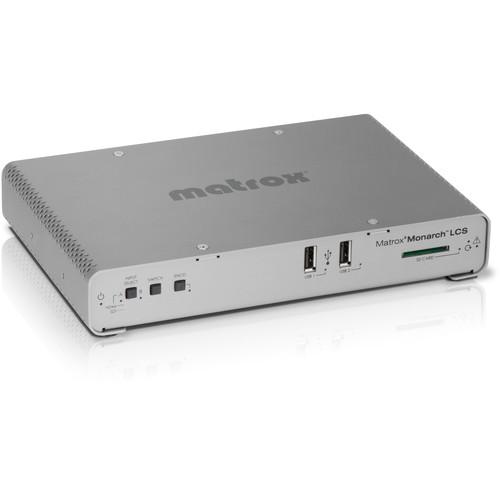 Contents of the user manual for the Matrox Monarch LCS Lecture Capture Appliance
- Product category: Streaming Media Solutions Matrox
- Brand: Matrox
- Description and content of package
- Technical information and basic settings
- Frequently asked questions – FAQ
- Troubleshooting (does not switch on, does not respond, error message, what do I do if...)
- Authorized service for Matrox Streaming Media Solutions
 |
User manual for the Matrox Monarch LCS Lecture Capture Appliance contain basic instructions
that need to be followed during installation and operation.
Before starting your appliance, the user manual should be read through carefully.
Follow all the safety instructions and warnings, and be guided by the given recommendations.
User manual is an integral part of any Matrox product,
and if it is sold or transferred, they should be handed over jointly with the product.
Following the instructions for use is an essential prerequisite for protecting
health and property during use, as well as recognition of liability on the part of the manufacturer
for possible defects should you make a warranty claim. Download an official Matrox user manual in which you will find instructions on how to install, use, maintain and service your product.
And do not forget – unsuitable use of a Matrox product will considerably shorten its lifespan!
|
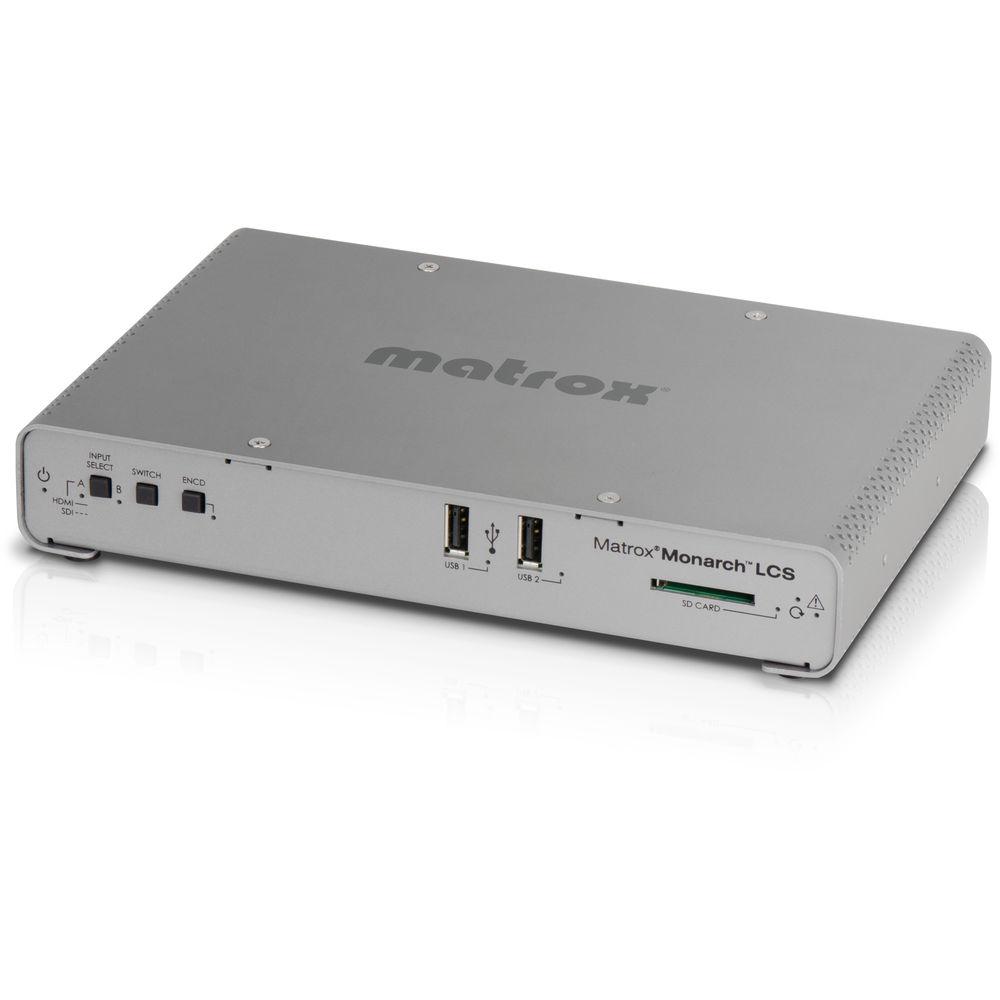
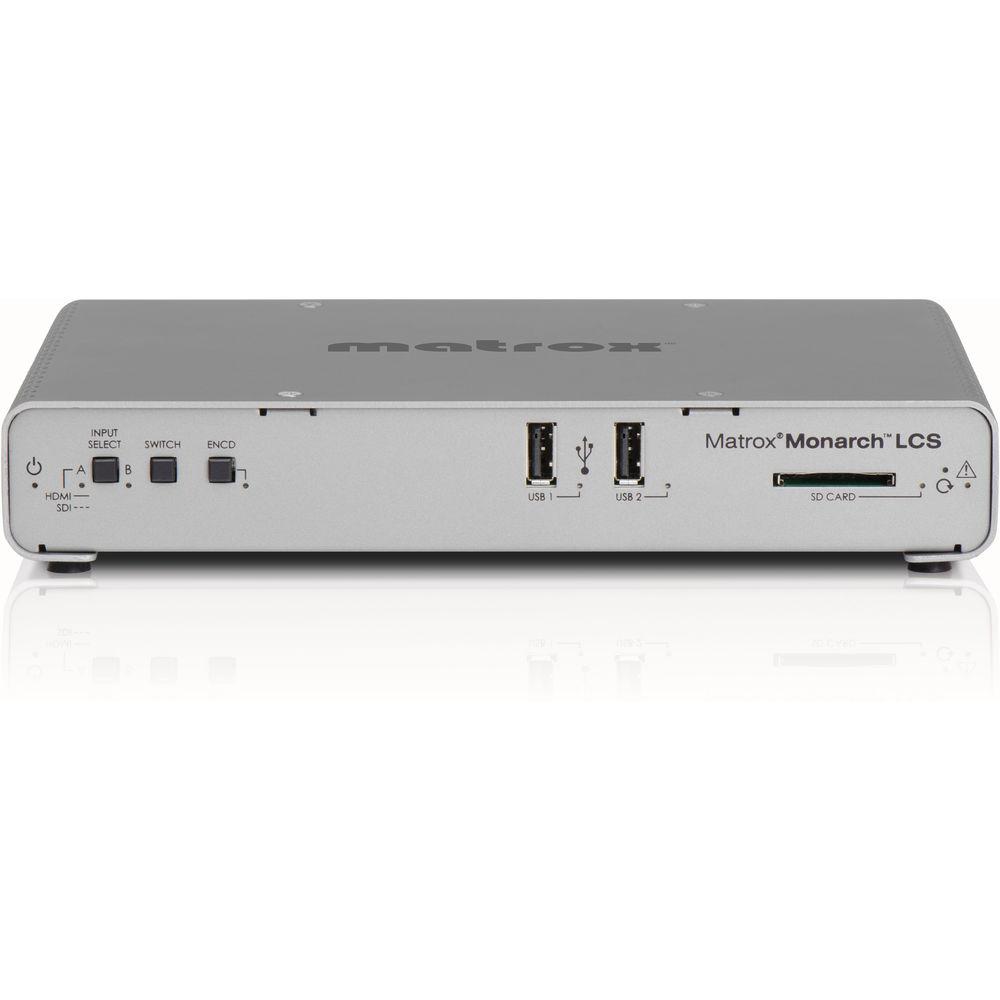
Product description - Make Every Classroom a Lecture Capture Room with Matrox Monarch LCS
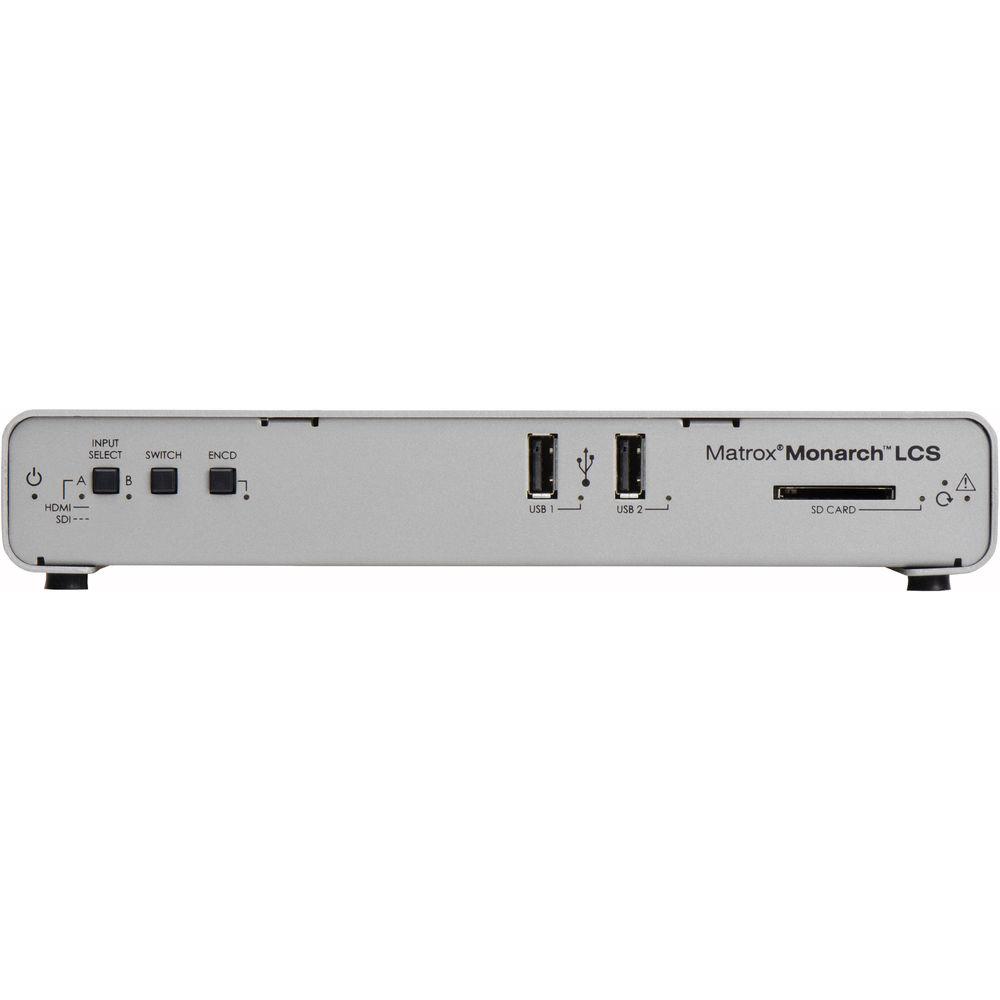
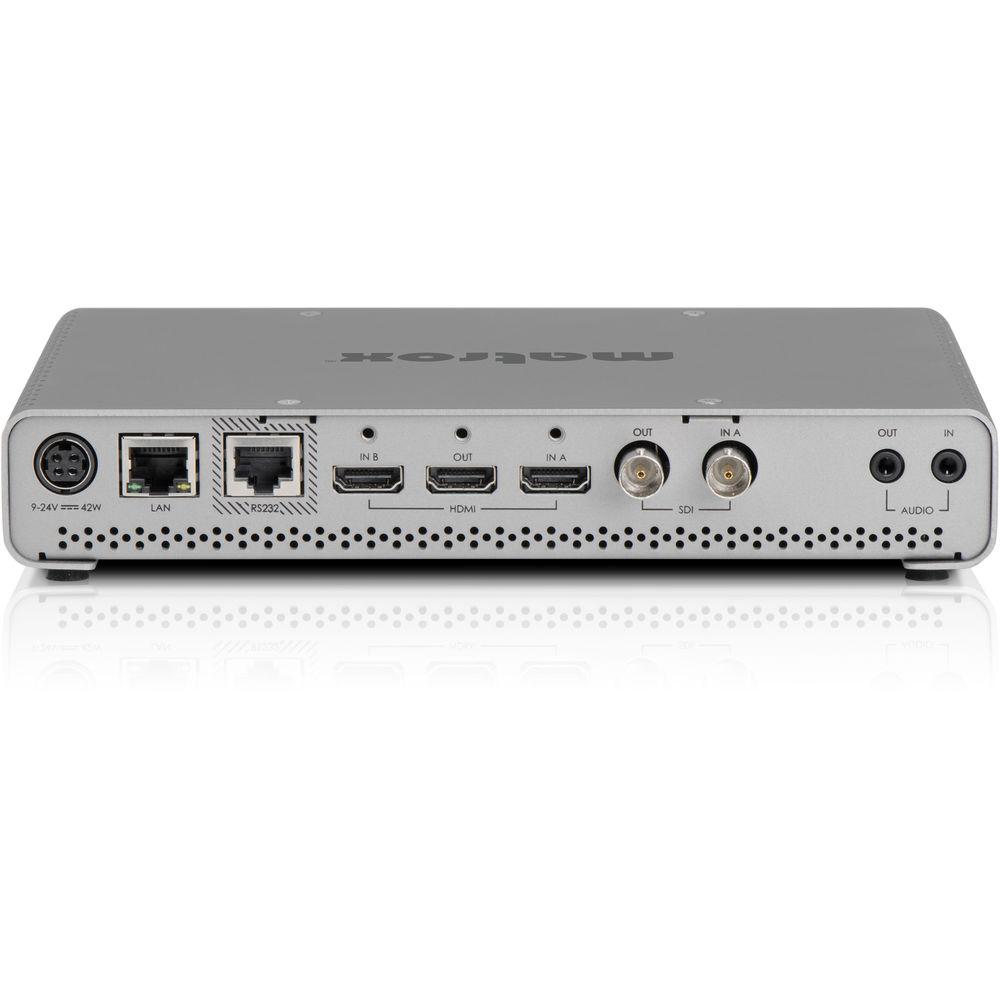
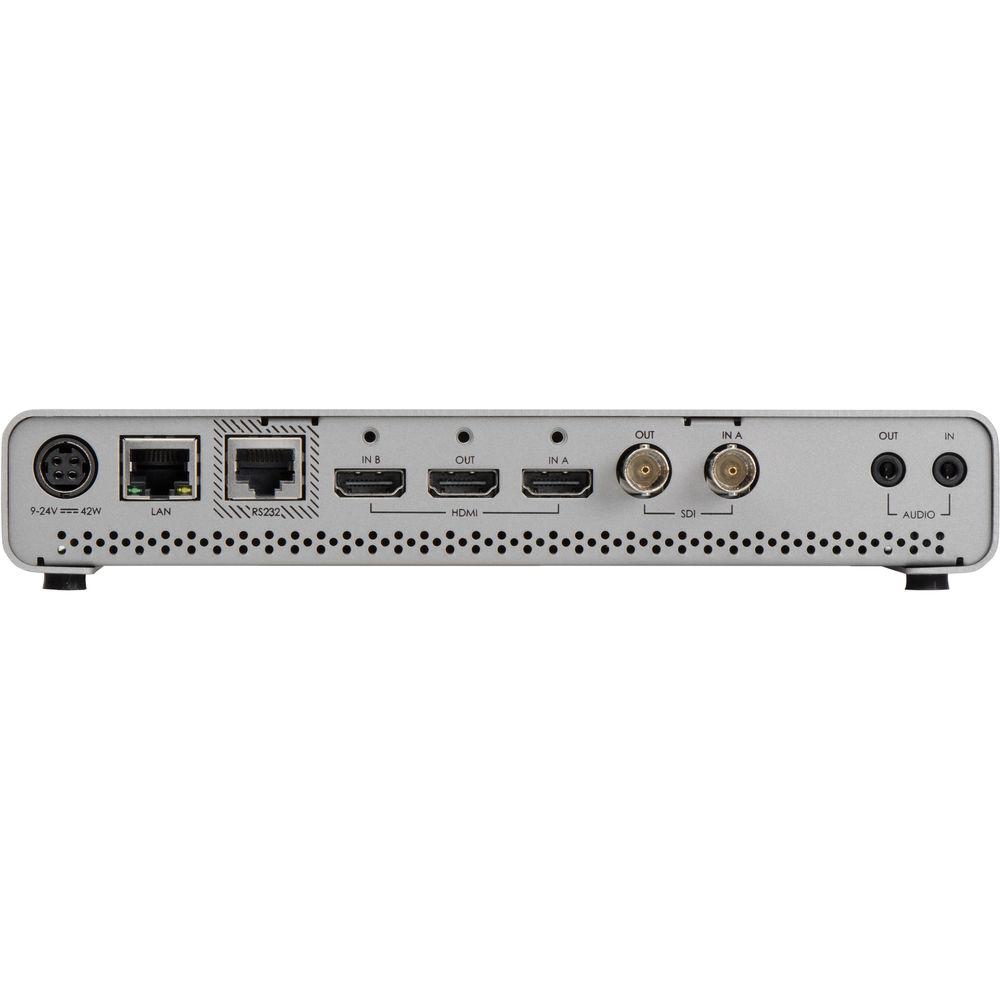
The Monarch LCS Lecture Capture Appliance from Matrox allows you to simultaneously stream and record HDMI/SDI-based video. Expanding on the Monarch HDX, the Monarch LCS features two HDMI inputs, one for video sources and one for computer sources, plus one SDI input. Its dual encoders can process up to two of these three inputs simultaneously. Live content preview is available in both HDMI and SDI outputs. The Monarch LCS is designed to provide a mix of live video footage and/or SDI/HDMI presentation material. Suitable for on-line courses or lectures, video of the instructor can be displayed alongside the class material being referenced. The Monarch LCS's two H.264 encoders can process each HDMI/SDI signal at up to 1080p30 resolution. These dual streams make multiple modes including PiP, side by side, and dual isolated layouts possible. Select newer third-party video players enable viewers as well as operators to choose layouts. Switcher mode is another Monarch LCS option, offering operators on-the-fly input selection throughout their event. Mismatched audio and video signals are a thing of the past thanks to the Monarch LCS's frame synchronizer. Frame rate differences are eliminated by synching the computer and audio signals to the video camera signal. The Monarch LCS Command Center offers easy operation via any device (tablet, etc.) supporting standard web-browsing software (Internet Explorer and Safari fully validated). There are preset encoding and layout options for effortless operation or you can create and save up to eight user-defined setting profiles. Advanced network administrators can employ any VMS software (available separately) to use command controls with the Monarch LCS. - Multiple Operating Modes
- The user can choose between multiple operating modes with preset layouts or can actively alternate inputs in Switcher Mode.
- Viewer Defined Layouts
- In Isolated mode, the Monarch LCS can be used with select third-party players that allow viewers to choose between layout options.
- High Streaming Rate
- Choose individual encoding settings for each of the Monarch LCS's two channels. A total of up to 20 Mbps, 1080p30 encoding capacity can be shared across the dual streams.
- Integrates Easily with Asset Management Software
- The Monarch LCS is designed to work with existing network infrastructures using third-party video or lecture management software such as OpenCast or Moodle. It also integrates easily with open-source scheduling programs such as Google Calendar. 1
Please Note:
The scheduler feature will be available in a future release of Monarch LCS. close - Simple or Advanced Operation Options
- Accessible through any web-browser–equipped device on its network, the Monarch LCS Command Center provides a variety of control options. One-click encoding and multiple presets simplify operation for novice users while advanced operators can create and save up to eight custom profiles.
- Multiple Destination Options
- The Monarch LCS records content in MOV or MP4 files, ensuring playback on almost all devices. Record to USB drives, SD cards, or network-mapped drives for use with distance-learning software. It uses RTMP or RTSP protocols to deliver live streams to local servers or cloud-based networks. 2
Please Note: USB: Powered USB drives recommended
SD/SDHC: NTFS-formatted SDXC cards required, Class 10 recommended close - HDMI and SDI Inputs
- Both HDMI and SDI video inputs are supported, offering the option of using whichever best suits your needs. Either embedded HDMI or analog audio can be used as audio sources.
- Frame Synchronization Between Inputs
- The Monarch LCS resolves any viewing issues arising from varying resolution and frame rates among video, audio, and computer-based content. These different signals are synchronized before encoding, ensuring perfectly aligned video and audio feeds. Integrated frame syncs also correct any breaks in the input signal continuity, providing uninterrupted streaming and recording.
- Live Production Preview Output
- Both the SDI and HDMI outputs remain active while the Monarch LCS is in use. Each output can be mapped to either input. The HDMI output also offers a preview option when the content output is matched to the frame size of the encoding parameters.
- Additional Features
-
- Integrates with Crestron control systems via the Monarch LCS Control API
- Use the Matrox Utils application to remotely manage, update, and reboot all Monarch devices on your network
- Enterprise-level users can configure their options with the Monarch LCS Dev Tools application
- HTTP computer-based control via browser using Monarch LCS Command Center
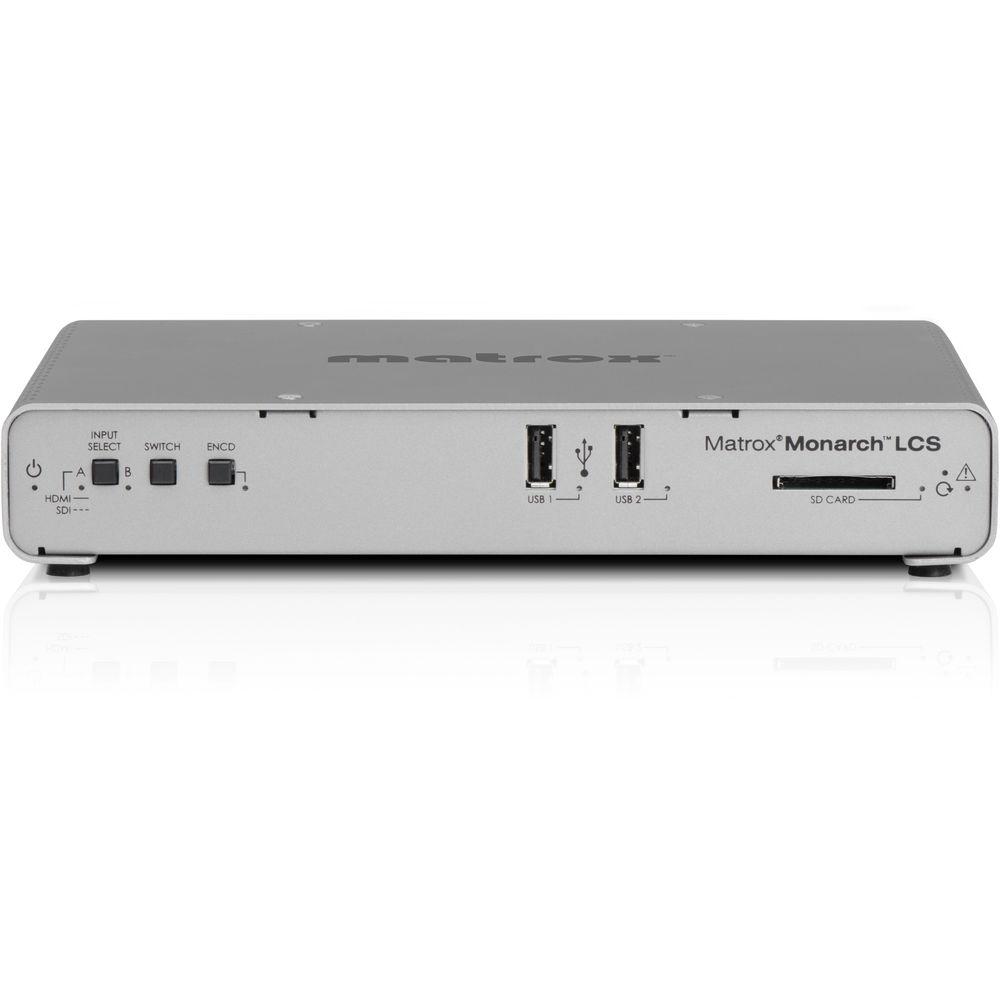
- On-unit control buttons offer an alternative to using the Command Center
- Media slots and control buttons are located on the front of the unit for easy access
- Fit up to two Monarch LCS units on an optional 1 RU rack tray
UPC: 790750248950 In the Box Matrox Monarch LCS Lecture Capture Appliance External Power Supply with Power Cord Limited 2-Year Warranty with Telephone Support Table of Contents
|
Upload User Manual
Have you got an user manual for the Matrox Monarch LCS Lecture Capture Appliance in electronic form? Please send it to us and help us expand our library of instruction manuals.
Thank you, too, on behalf of other users.
To upload the product manual, we first need to check and make sure you are not a robot. After that, your "Submit Link" or "Upload File" will appear.
Technical parametersMatrox MHLCS/I Specs | | | HDMI Video Input | HDMI Video Input 1 (Video Sources) (Auto-Detected):
1080p 25/29.97/30/50/59.94/60
1080i 50/59.94
720p 50/59.94/60
HDMI Video Input 2 (Computer Sources) (Auto-Detected):
1080p 50/60
1080i 25/29.97
720p 50/60
HDMI Specs:
HDMI YCbCr 4:2:2 /RGB
HDMI embedded 2-channel audio
HDCP not supported | | HDMI Video Output | Preview Output of Video Input Signals:
HDMI YCbCr 4:2:2 /RGB
HDMI embedded 2-channel audio | | SDI Video Input | 1 x SDI Video Input (Auto-Detected):
1080p 25/29.97/30/50/59.94/60
1080i 50/59.94
720p 50/59.94/60
576i 50
486i 59.94
SDI Specs:
SDI embedded 8-channel, 24-bit, 48 kHz audio
SDI compliant with SMPTE 259M/292M/424M (level A)/425M
Terminated 75 Ohms BNC connector
Full audio and VANC preservation | | SDI Video Output | Preview Output of Video Input Signals:
SDI compliant with SMPTE 259M/292M/424M (level A)/425M
SDI embedded 8-channel, 24-bit, 48 kHz audio
75 Ohms BNC connector | | Audio Input | Embedded Audio: First two channels processed
Unbalanced analog stereo input, 1/8" (3.5 mm) jack
Input Impedance: High | | Audio Output | Embedded Audio: Passthrough of up to 8 channels
Unbalanced analog stereo output, 1/8" (3.5 mm) jack
Output Impedance: 25 Ohms
THD+N at 1 kHz, 10 Ohms, nominal level <0.05%
Frequency Response: 20 Hz-20 kHz +/- 1 dB
Channel Separation, Nominal Level: -85 dB
Signal-to-Noise Ratio: -88 dB | | | | Encoder | H.264/MPEG-4 Part 10 (AVC) | | Encoding Resolutions | Selectable Range: 128 x 128 to 1920 x 1920 | | Maximum Bit Rate | Streaming or Recording (One Encoder): 16 Mbps
Streaming (Two Encoders): 8 Mbps per channel
Recording (Two Encoders): 10 Mbps per channel | | Encoding Frame Rates | 12.5, 14.98, 15, 25, 29.97, 30, 59.94, 60 | | Encoding Profiles | Baseline, main, high | | Encoding Controls | 2, 3, 3.1, 4, 4.1 level support
GOP size
Variable bit rate support
Average maximum/minimum data rate controls
Deblocking filter | | | | Standard | AAC-LCS | | Sample Frequency | Digitized from Analog Source: 32, 44.1, 48 kHz | | Channels | 2 Stereo (L&R) | | Bit Rates | 32 to 256 kbps | | | | Downscaling | 10-bit downscaler and deinterlacer | | | | Recording File Size | Maximum: 300 minutes | | Recording Formats | MOV (2 channels of embedded AAC audio)
MP4 (2 channels of embedded AAC audio) | | File System Options | FAT32
NTFS | | Recording Options | 2 x USB 2.0
1 x SD/SDHC card slot
Network-Mapped Drive: via Windows Share or NFS protocols | | Supported Media Card Types | SD/SDHC Cards: NTFS-formatted SDXC cards only
Class 10 recommended | | | | Streaming Protocols | RTSP
RTMP
IPv4 Support
Unicast, Multicast: 3-10 Clients | | Data Ports | 1 x Auto-sensing 10/100/1000 Base-T Ethernet RJ45 port
1 x RS-232 The RS-232 port is currently deactivated | | Supported Browsers | Microsoft Internet Explorer
Apple Safari | | Supported Operating Systems | Mac OS X El Capitan
Microsoft Windows 8.1 (64-bit) (requires Microsoft .NET Framework) | | | | Power Input | 9-24 VDC
Connector: DIN 4
Total Consumption: 20-30 W (42 W maximum) | | Power Supply | Line Voltage: 100-240 VAC
Frequency: 50-60 Hz
Input Connector: IEC320-C8
Output Connector: Locking power DIN 4
Output: 12 VDC (42 W) | | AC Power Adapter | US/UK/EU | | | | Operating Temperature | 32-104°F (0-40°C) | | Humidity Range | Operating: 20-80% (non-condensing)
Storage: 5-95% (non-condensing) | | Maximum Altitude | Operation: 9843 ft (3000 m)
Transportation: 39,370 ft (12,000 m) | | | | Dimensions (LxWxH) | 8.5 x 5.59 x 1.47" (21.59 x 14.2 x 3.73 cm) | | Weight | 1.3 lb (0.6 kg) | | | | Package Weight | 4.1 lb | | Box Dimensions (LxWxH) | 14.1 x 8.6 x 3.4" |
Rating60% users recommend this product to others. And what about you?

This product has already been rated by 27 owners. Add your rating and experience with the product.
Discussion
 Ask our technicians if you have a problem with your settings,
or if anything is unclear in the user manual you have downloaded.
You can make use of our moderated discussion.
The discussion is public and helps other users of our website who may be encountering similar problems.
Ask our technicians if you have a problem with your settings,
or if anything is unclear in the user manual you have downloaded.
You can make use of our moderated discussion.
The discussion is public and helps other users of our website who may be encountering similar problems.
The discussion is empty - enter the first post
Post a new topic / query / comment:
|
|
|
| Request for user manual |
You can’t find the operation manual you are looking for? Let us know and we will try to add the missing manual:
I’m looking for a manual / Request for manual
Current requests for instruction manuals:
Call Of Duty World War Two For Xbox...
controller stratus XL...
stratus XL...
smart whatch serie S11 42mm...
Allen & Heath SQ-6 manual...
|
| Discussion |
Latest contributions to the discussion:
AEW R 4100
Name: MAURICIO ANGARITA
Audio-Technica AEW-R4100 UHF Diversity Receiver for
AEW R 4100 has the mute function blocked and does not allow audio to pass. I tried several times to turn off the mute from the transmitter but it does nothing, the mute stays on. Solution?
Thank you...
Instructions for assembling the 2015 Forecast Image Master Consoles GC3-A
Name: mike elam
Forecast Consoles GC3-A ImageMaster Editing Console
Looking for instructions for assembling this console. ...
EMPTY TONER ERROR MESSAGE AFTER REPLACING TONER
Name: LINDA BAD YELLOW EYES
Brother TN223BK Standard-Yield Toner
I HAD TO CHANGE OUT ALL THREE TONERS DUE TO LEAKS IN THE YELLOW AND CYAN. AFTER I REPLACED THEM, THE MACHINE KEEPS GIVING ME AN EMPTY TONER ERROR MESSAGE. HELP!!...
PS480D 20/24 pin Switching 480W Power Supply
Name: swkargo
Logisys 480W Power Supply
This item states in can run -5vdc .It is NOT listed on the board or I beleive is r4 is missing the resitior. Any body have thid issue. Shawn
...
Help needed
Name: Ann Carter
SanDisk 1TB Extreme Portable USB 3.1
When I click the link to download the user manual for my Sandisk Extreme external hard drive, it gives me the manual for the LG Cricket. Can you please change the link so I can download the Sandisk manual and begin using this drive? Thank you....
|
|


