User Manual for Maxon CINEMA 4D Broadcast R17 - Competitive Discount Click to enlarge the picture
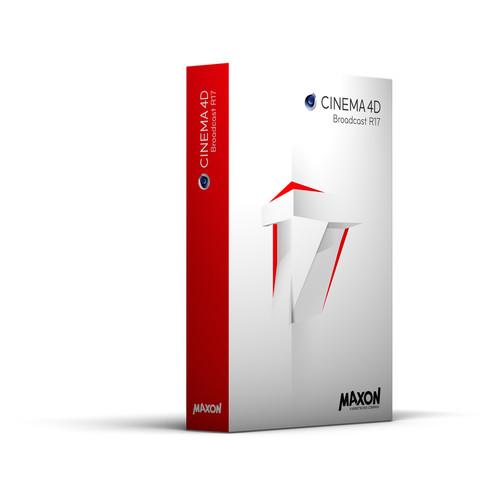 Contents of the user manual for the Maxon CINEMA 4D Broadcast R17 -
- Product category: Animation & CAD Software Maxon
- Brand: Maxon
- Description and content of package
- Technical information and basic settings
- Frequently asked questions – FAQ
- Troubleshooting (does not switch on, does not respond, error message, what do I do if...)
- Authorized service for Maxon Animation & CAD Software
|
User manual for the Maxon CINEMA 4D Broadcast R17 - contain basic instructions
that need to be followed during installation and operation.
Before starting your appliance, the user manual should be read through carefully.
Follow all the safety instructions and warnings, and be guided by the given recommendations.
User manual is an integral part of any Maxon product,
and if it is sold or transferred, they should be handed over jointly with the product.
Following the instructions for use is an essential prerequisite for protecting
health and property during use, as well as recognition of liability on the part of the manufacturer
for possible defects should you make a warranty claim. Download an official Maxon user manual in which you will find instructions on how to install, use, maintain and service your product.
And do not forget – unsuitable use of a Maxon product will considerably shorten its lifespan!
|
Product description Maxon CINEMA 4D Broadcast is a 3D motion graphics software for creating dynamic broadcast graphics, featuring specific tools for creating motion graphics, including cloning tools and advanced rendering. It also offers a large library of sophisticated 3D models, cameras, lighting setups, video clips, and much more. CINEMA 4D Broadcast also stands out for its powerful export options. You can export multi-layer images directly into popular compositing software such as After Effects, Motion, Final Cut Pro, Combustion, and others. Sharing many common elements with 2D motion graphics software, CINEMA 4D Broadcast offers a smaller learning curve for existing motion graphics artists who want to add 3D to their toolset. R17 (Release 17) adds new spline tools (Pen, Sketch, Smooth, Arc, Boolean Commands), new take system, new color chooser, a global material override feature, and a completely reworked content library to CINEMA 4D Broadcast.
CINEMA 4D Broadcast is made up of select features of CINEMA 4D Studio, which is the complete CINEMA 4D toolset that also features tools for Sculpting, MoGraph, Dynamic Animation, Character Animation, Hair Simulation, and more. Whenever you're ready for more tools, you can upgrade to CINEMA 4D Studio for a fully comprehensive workflow. Note: This Competitive Discount is valid for government and non-profit organizations, owners of any CINEMA 4D software in any version and release, and owners of any other 3D applications. New Features in CINEMA 4D Broadcast R17 - Take System
- The new Take System goes beyond the functionality of a regular Render Layer System. Whether you use Cinema 4D or a third-party render engine, you will enjoy the flexible scene management offered by the Take System. Create numerous independent takes of your scene and change almost any parameter for intuitive variations -- all saved in one scene file eliminating file management hassles and wasted disk space. Nested parent-children take relationships let you easily hierarchize your versions, while the new Token System takes care of the file naming headache when rendering multiple takes in one go. Maintain complete versioning and variation control while saving precious time exploring all possibilities and responding to client change requests.
- New Color Chooser
- Color your 3D world using a color wheel, photo reference, screen picker, customizable swatch library, or one of many color models. Simplify any image using Photo Mosaic mode and quickly generate color swatches from a photo. Pick out harmonies in a way that will really complement your scene. Your colors highly enhanced.
- New Spline Tools
- Working with lines is now a lot more intuitive in Cinema 4D. Manipulate points, lines, tangents, and arcs with an intuitive user interface. Convert to polygon shapes. Leverage Boolean operators like Intersect, Subtract, Union.
- Material Override
- Generate clay renders with just a few clicks of the mouse using the new Material Override. Replace all or only selected materials from your scene with a basic material with an easy and intuitive workflow. You can also exclude specific channels such as transparency, alpha, displacement, and others from the material override, if desired.
- Updated Content Libraries
- Updated with ready-to-use objects, materials, surfaces, scenes, and presets. Parametric objects such as book shelves -- including the books -- let you drag and drop a completely customized living room in a snap.
All Features - Platform
-
- Cross-platform support for Mac and Windows
- 64-bit architecture
- OpenGL 3.2 support
- Extensive API: C++, Python, C.O.F.F.E.E.
- Interface & Workflow
-
- Context-sensitive, fully-searchable HTML help
- Commander
- To Do List
- Multiple projects open at once
- Customizable toolbars, layouts, menus
- Light and dark interface schemes
- Unlimited view windows
- Heads-up display
- Custom pop-up menu
- Non-modal tools with real-time feedback
- Collapsible Managers & Palettes
- Selection / display filters
- Custom User Data per object
- Doodle viewport annotation tool
- Layer system for object and material management
- XRef external instancing / referencing system
- Tablet support for Wacom and other pen tablets
- 3dconnexion 3DMouse support
- Stereo display in Viewport
- OpenGL Viewport
- Object highlighting
- Available in 11 languages
- Arabic interface support
- OS X Lion full screen support
- Retina icons
- Solo button
- Annotations tag
- User Participation
- New Crashhandler
- Take System
- New Color Chooser
- Camera
-
- Camera, Target Camera, Stereo Camera
- Motion Camera
- Camera Composition Helpers
- Camera Focus Picker
- Camera Morph
- Camera Crane
- Data Exchange / Format Support
-
- QuickTime support
- AVI support (Win)
- Image formats - float with layers: PSD, TIFF, OpenEXR
- Image formats - float: HDR, DPX, RLA, RPF
- Image formats: BMP, IFF, JPG, PICT, PNG, TARGA
- QuickTime VR object, panorama
- CINEWARE compatible
- After Effects compositing exchange with 3D data
- NUKE exchange
- Photoshop exchange
- Apple Motion compositing exchange with 3D data
- Apple Final Cut Pro compositing exchange (Mac)
- Digital Fusion compositing exchange (Win)
- Shake compositing exchange
- Support for DXF, DWG, 3DS, DAE, FBX, DEM, LWS, STL, VRML2, OBJ, COLLADA, Alembic
- BodyPaint 3D exchange - 3ds Max, Maya, Softimage, Lightwave
- Support for most current FBX and Alembic formats (FBX 2014 & Alembic 1.5)
- Modeling Tools
-
- Parametric object primitives
- Scene Objects: Floor, Sky, Environment, Stage, Foreground, Background
- Parametric spline primitives
- Extrude, Lathe, Loft, Sweep
- Polygonal modeling tools with N-gon support
- Subdivision surfaces
- Generators: Metaball, Boolean, Symmetry, Array, Atom Array, Instance, Connect, Spline Mask, Python
- PolyPen Tool
- Spline Tools: Pen, Sketch, Smooth, Arc, Boolean Commands
- Bevel Deformer
- Enhanced Cogwheel
- Improved Symmetry Object
- Deformer Falloff
- Mesh Check
- UV Editing
-
- UV Editor
- Interactive UV mapping by projection types
- Optimal UV mapping to automatically remove seams
- LSCM unwrapping and relaxing
- ABF unwrapping and relaxing
- UV Peeler
- UVs for Caps
- UV Enhancements
- Materials & Texturing
-
- Transparency with absorption, total internal reflections, exit reflections
- Blurry reflections and transparencies
- Normal Maps: tangent, object, or world
- Displacement: intensity (centered), red/green, and RGB
- Choose Photoshop PSD layers per usage
- Animated textures (MOV, AVI, sequence) with Viewport preview
- Selectable viewport resolution and channel display per material
- Shading Models: Lambertian, Oren-Nayar
- Fresnel Shader including physically correct IOR
- Noise Procedural shader with 32 different noise algorithms
- Layer shader
- Proximity-based Proximal shader
- Procedural surface shaders
- Texture Baking: surface color, illumination, Ambient Occlusion, Normals, displacement, and more
- Sub-Surface Scattering
- Brick, Wood, Weathering, Pavement and Normalizer Shaders
- 3D Painting with layers, all blend modes, and Photoshop file compatibility
- Multi-brush painting of multiple material channels in single stroke
- Raybrush painting directly onto rendered result
- Projection painting
- Exchange projections with Photoshop
- Camera Mapping
- ProjectionMan camera mapping workflow tool
- Texture Manager
- Brick Shader Enhancements
- Reflectance Channel
- 12 Material Channels: Color, Diffusion, Luminance, Transparency, Reflection, Environment, Fog, Bump, Normal, Alpha, Glow, Displacement
- Lighting
-
- Light Types: Omni, Spot, Infinite, Area, Square Spot, Parallel Spot, Square Parallel Spot
- Hard, Soft, Area shadows
- Visible, Volumetric, and Inverse Volumetric lighting
- Noise within light illumination and/or visibility
- Include/exclude light diffusion, specular, shadow per object
- Custom lens flares
- Color temperature in Kelvin
- Photometric brightness setting in Candela and Lumen
- Rendering
-
- Render up to 128,000 pixels square / 32 bits per pixel
- Bucket rendering
- Render instances
- Color profile support
- Camera white balance
- Linear workflow
- Adaptive anti-aliasing
- Multi-Pass output
- Object buffers - specify unique alpha channels per object
- Ambient Occlusion
- Global Illumination (IR 2.0, QMC, mixed)
- Physical Renderer with physical camera, high-quality depth of field, high-quality motion blur
- Stereo rendering
- Position Pass
- 3D Sound Rendering
- Picture Viewer: RAM player, color correction, image merge, anaglyph preview, and more
- Watermark post effect
- Render Queue batch rendering system
- Universal Sampler (GI-QMC)
- Radiosity maps
- Subsurface-Scatering
- Embree Integration
- Light Mapping
- Normal Pass
- Team Render (Number of Nodes) (x 3)
- Team Render Server (Number of Nodes) (x 3)
- Global Material Override
- Animation
-
- Easy one-click keyframe Position, Scale, Rotation, Point Level animation, and user-defined parameters
- Record dot animation of all animatable parameters
- Automatic keyframing
- Cappucino - real time keyframing
- PowerSlider animation toolbar for playback and keyframe manipulation
- Timeline - up to 4 timeline windows with customizable track display and dopesheet or F-Curve view modes
- F-Curve Snapshot and Reduced Modification curves
- Constant Velocity option per track
- Keyframe reduction
- Keyframe baking
- ASCII animation import
- Non-linear animation / motion mixing system
- Constraints: PSR, Up-Vector, Clamp, Mirror, Parent, Aim, Spring
- Driver tag
- XPresso - node-based Expression Editor
- Virtual Walk-through tool - first-person scene navigation and animation
- Interaction Tag
- Animation Dots
- Motion Tracker
- Graph View for Motion Tracker
- Lens Distortion Support for Motion Tracker
- Dynamic Animation
-
- Basic particle system
- Rigid Body dynamics for MoGraph objects
- MoGraph Tools
-
- Cloner object
- Fracture object
- Matrix object
- MoInstance object
- MoText object
- Tracer object
- Spline Mask object
- MoSpline parametric spline generator with L-system functionality
- Effectors for Position, Scale, Rotation, Color, Time using Falloff, Shader, Random, Formula, Delay, C.O.F.F.E.E., Python, Inheritance, Sound, Spline, Step, Target, Time or
- Volume effectors
- PolyFX polygon fracture deformer
- MoGraph Selection tag
- Beat Shader
- MoGraph Multi-shader
- MoExtrude
- Character Animation Tools
-
- Joints with full dynamic IK
- Skin Deformer supports linear, spherical, and blended deformation based on joints
- Weight Manager and tools
- Auto weighting
- Mirror, Naming, and Paint Tools
- Weight effector
- Point Cache tag
- Content
-
- Essential presets and demo scenes
- Broadcast Library, including materials, cameras, and objects
- Completely reworked Content Library
- Natively Supported Formats
- *Below are all the formats supported in CINEMA 4D Studio R17, which is the complete CINEMA 4D toolset. Some of these formats may not be supported in CINEMA 4D Broadcast R17.
3D Formats
- 3D Studio .3ds (R/W)
- Alembic (R/W)
- Biovision .bvh (R)
- Collada .dae (R/W)
- DEM (R)
- DXF (R/W)
- DWG (R)
- Direct 3D .x (W)
- FBX (R/W)
- IGES (R) (does not support all possible variations)
- LightWave 3D .lws .lwo (R)
- RIB (W)
- SketchUp .skp (R)
- STL (R/W)
- VRML2 .wrl (R/W)
- Wavefront .obj (R/W)
Compositing Formats (Write Only)
- After Effects (3D)
- Final Cut (2D, Mac only)
- Shake (2D)
- Motion (3D, Mac only)
- NUKE (2D)
- Fusion (2D, Windows only)
2D Image and Animation Formats (R/W)
- TIFF
- BodyPaint 3D
- Photoshop PSD
- Targa TGA
- HDRI
- DPX
- Open EXR
- BMP
- PICT
- IFF
- JPEG
- RLA
- RPF
- PNG
- QuickTime (if available)
- AVI (Windows only)
2D Vector Formats
- Illustrator (R/W)
- EPS (R)
Table of Contents
|
Upload User Manual
Have you got an user manual for the Maxon CINEMA 4D Broadcast R17 - Competitive Discount in electronic form? Please send it to us and help us expand our library of instruction manuals.
Thank you, too, on behalf of other users.
To upload the product manual, we first need to check and make sure you are not a robot. After that, your "Submit Link" or "Upload File" will appear.
Technical parametersMaxon R17 Specs | | | Delivery Method | Download | | Version | Standard | | | | Supported Operating Systems | Windows Server 2012
Windows 7
Windows 8
Windows 10
Windows 8.1
macOS X 10.8.5 or Later | | Memory Requirement | 4 GB | | Storage Requirement | 7 GB | | CPU Requirement | Mac:
Intel Core 2 Solo and Faster
Windows:
Intel Pentium 4 and Faster or
AMD Athlon64 and Faster | | OpenGL Graphics Requirement | 3.2 |
Rating80% users recommend this product to others. And what about you?

This product has already been rated by 82 owners. Add your rating and experience with the product.
Discussion
 Ask our technicians if you have a problem with your settings,
or if anything is unclear in the user manual you have downloaded.
You can make use of our moderated discussion.
The discussion is public and helps other users of our website who may be encountering similar problems.
Ask our technicians if you have a problem with your settings,
or if anything is unclear in the user manual you have downloaded.
You can make use of our moderated discussion.
The discussion is public and helps other users of our website who may be encountering similar problems.
The discussion is empty - enter the first post
Post a new topic / query / comment:
|
|


