User Manual for McDSP Live Pack v5 Upgrade to Live Pack HD v6 Click to enlarge the picture
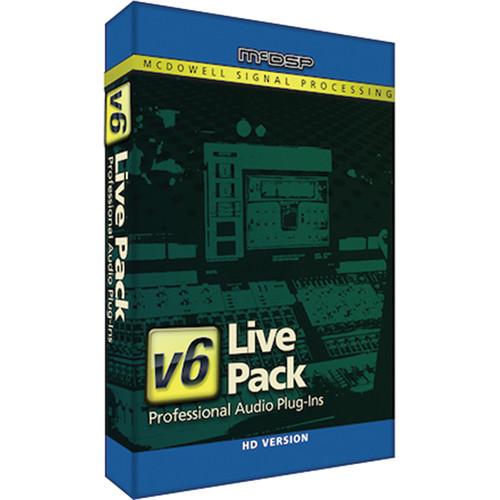 Contents of the user manual for the McDSP Live Pack v5 Upgrade to
- Product category: Virtual Processor Plug-Ins McDSP
- Brand: McDSP
- Description and content of package
- Technical information and basic settings
- Frequently asked questions – FAQ
- Troubleshooting (does not switch on, does not respond, error message, what do I do if...)
- Authorized service for McDSP Virtual Processor Plug-Ins
 |
User manual for the McDSP Live Pack v5 Upgrade to contain basic instructions
that need to be followed during installation and operation.
Before starting your appliance, the user manual should be read through carefully.
Follow all the safety instructions and warnings, and be guided by the given recommendations.
User manual is an integral part of any McDSP product,
and if it is sold or transferred, they should be handed over jointly with the product.
Following the instructions for use is an essential prerequisite for protecting
health and property during use, as well as recognition of liability on the part of the manufacturer
for possible defects should you make a warranty claim. Download an official McDSP user manual in which you will find instructions on how to install, use, maintain and service your product.
And do not forget – unsuitable use of a McDSP product will considerably shorten its lifespan!
|
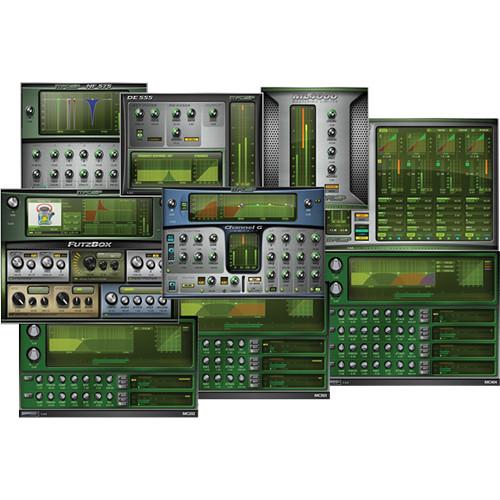
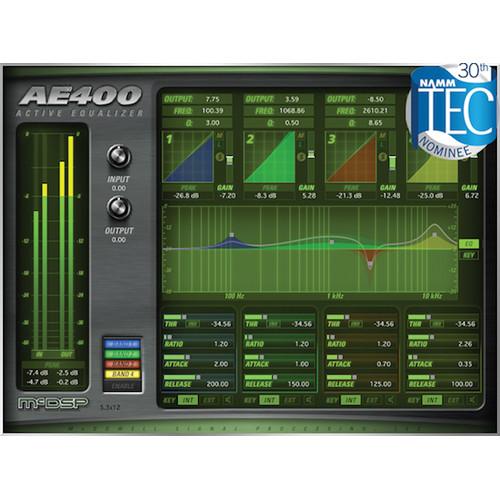
Product description The Live Pack v5 Upgrade to Live Pack HD v6 from McDSP is a collection of plug-ins for mixing live performances, which feature ultra low latency, sonic flexibility, and seamless integration with the Avid VENUE live sound system (sold separately). It can be used by (front of house) FOH or monitoring engineers in applications such as live stage, theater, houses of worship, and more.In addition to supporting the Avid VENUE systems (S3L, S3L-X), Live Pack v6 plug-ins will also run on Mac and Window computers as AAX DSP/Native formats on Pro Tools HD, LE, and M-Powered systems, as well as on any Audio Unit (AU) or VST compatible DAW. Note: This item is for registered owners of the Live Pack HD v5 who wish to upgrade to the Live Pack HD v6. - AE400 Active EQ v6 (HD, Download) The AE400 Active EQ v6 from McDSP is four completely overlapping bands of fixed and active equalization for Mac and Windows computers with Q (bandwidth), fixed gain, and active gain controls. It is designed for post production, studio production, and live sound applications.The AE400 plug-in provides a key filter for each band and allows the active gain response to be as selective or broad as needed based on the Q (bandwidth) control. Each band can use the input signal or selected side chain signal to trigger the active EQ response.The active EQ bands can be controlled via the response plot itself, or from the text readouts above and below the response plot. The AE400's active EQ response is determined by each band's threshold, attack and release settings. Additionally, a ratio control determines the input signal level sensitivity to further articulate how the active EQ will reach its maximum active equalization.Peak signal text readouts for each active EQ band's key signal allow quick setup of each band's active EQ threshold, and are located underneath the band's dynamics plots. Input and output controls, individual band bypass, band control linking, and band key signal monitoring round out the features of the AE400.The HD plug-ins provide AAX DSP for use with Pro Tools HD, but also includes AAX Native, Audiosuite, Audio Units and VST versions for use with other DAWs including Logic, Digital Performer (DP), Cubase, and Ableton Live.
- Four fully overlapping fixed and active EQ bands
- Independent control over all active EQ parameters per band
- Unique active EQ ratio response control
- Double-precision processing
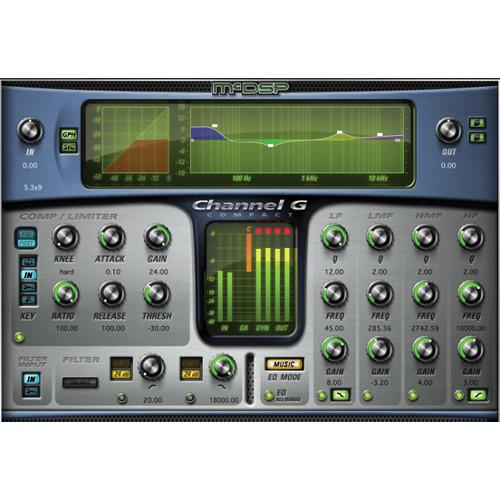
- Channel G Compact v6 - Console Style Dynamics and EQ Plug-In (HD, Download) The Channel G Compact v6 from McDSP is a compressor/limiter which has a four-band EQ with shelving and parametric sections and high pass/low pass filters with selectable slopes of up to 12 and 24 dB/Oct; however, it is designed to deliver the same sonic experience as Channel G but with a smaller DSP footprint. It can be used with Mac and Windows computers by engineers, producers, and musicians in music and post applications. It also integrates with the Avid D-Control and D-Command control surfaces as well as the Venue D-Show and Profile live sound consoles.Some other features of Channel G Compact are the analog saturation modeling, the double precision processing, and the ultra low latency. In addition, it is available in mono and stereo configurations.The HD plug-ins provide AAX DSP for use with Pro Tools HD, but also includes AAX Native, Audiosuite, Audio Units and VST versions for use with other DAWs including Logic, Digital Performer (DP), Cubase, and Ableton Live.
- High-pass and low-pass filters with selectable slopes of up 12 and 24 dB/Oct
- Full featured compressor/limiter
- Four-band EQ with shelving and parametric sections
- Compressor/limiter operation pre- or post-EQ section
- Analog Saturation modeling
- Double-precision processing
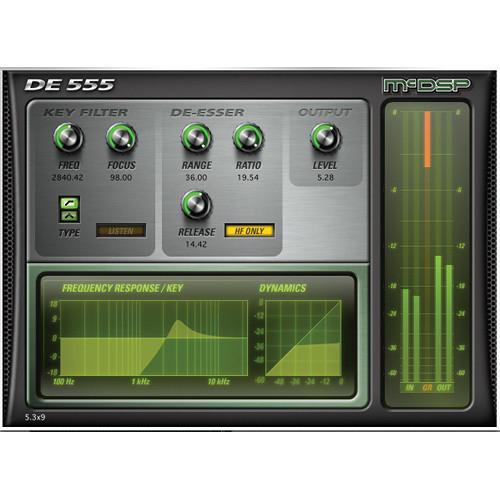
- DE555 v6 - De-Esser Plug-In (HD, Download) The DE555 v6 from McDSP is a de-esser with intelligent signal analysis that delivers transparent, precise de-essing at any signal level. It can be used on Mac and Windows computers by engineers, producers, and musicians in applications for post production, voice-overs, broadcast TV, and more.The DE555 is an intelligent de-esser. Among its features are that it requires no manual input threshold adjustment, has continuously adjustable ratio and release controls to fine-tune the de-essing amount, plus a high frequency (HF) only mode for reducing the signal level of only the 'sss' and not the original dialog.Key filter options include high pass and band pass filtering whose focus control further enhances the key filter's ability to separate 'essing' from actual dialog. The key filter output can also be monitored using the real-time display of de-essing amounts and key filter responses.The HD plug-ins provide AAX DSP for use with Pro Tools HD, but also includes AAX Native, Audiosuite, Audio Units and VST versions for use with other DAWs including Logic, Digital Performer (DP), Cubase, and Ableton Live.
- Advanced de-essing technology
- Unique key filter focus and de-essing controls
- Real-time metering and key filter response plot
- High-frequency (HF) only option
- Double-precision processing
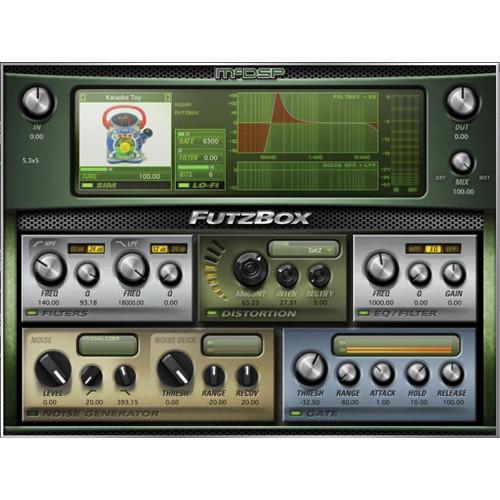
- FutzBox v6 - Lo-Fi Distortion Effects Plug-In (HD, Download) The FutzBox from McDSP is a distortion and noise generator plug-in for creating low-fidelity versions of audio signals. It can be used on Mac and Windows computers to create distorted versions of dialog and other tracks in applications for post production, broadcast TV, recordings, and more. In addition, simulations of radios, cellphones, and televisions are now available in a single software product.FutzBox uses simulations called SIMs (Synthetic Impulse Models) that provide accurate modeling in an optimized format allowing it to use less DSP power than conventional convolution based products. Furthermore, SIMs can be scaled in real-time and changed on the fly.Some other features of FutzBox include a filter and EQ, distortion, a noise generator, and gating for increasing the sonic destruction possibilities. Original and distorted audio can be mixed in real-time to accommodate scene changes or other automation requirements.The HD plug-ins provide AAX DSP for use with Pro Tools HD, but also includes AAX Native, Audiosuite, Audio Units and VST versions for use with other DAWs including Logic, Digital Performer (DP), Cubase, and Ableton Live.
- Library of Synthetic Impulse Models (SIMs)
- Configurable Futz effects including filtering, EQ, and distortion
- Flexible noise generator with ducking capability
- Hyper-sensitive gate for signal dropout effects
- Double-precision processing
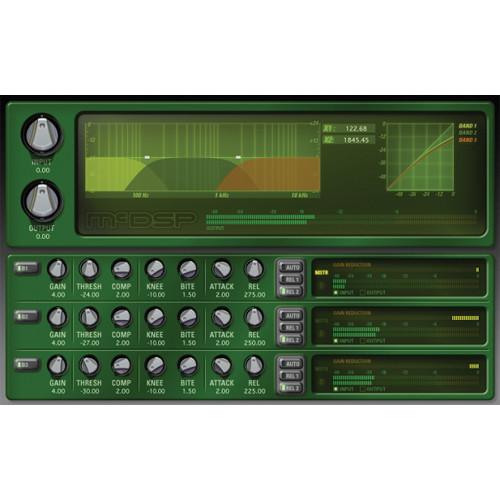
- MC2000 v6 (HD, Download) The MC2000 v6 from McDSP is a collection of three pro-quality multiband compressor plug-ins designed to emulate the sounds of vintage and modern compressors. It can be used on Mac and Windows computers by musicians, producers, and engineers for applications such as studio recordings, broadcast TV, voice-overs, films, and more.The MC2000 gives the user complete control of multiband dynamic compression. Common controls such as output (make-up gain), threshold, compression (ratio), attack, and release are provided. Non-standard Knee and BITE controls allow unique and unprecedented articulation of compression characteristics. Multiple peak detection circuit types provide flexibility only previously achieved by owning several compression units. Steep 24 dB/Oct crossover filters minimize signal leakage into adjacent compression bands.The HD plug-ins provide AAX DSP for use with Pro Tools HD, but also includes AAX Native, Audiosuite, Audio Units and VST versions for use with other DAWs including Logic, Digital Performer (DP), Cubase, and Ableton Live.
- Compression-curve modeling
- Multiple peak detection circuits
- Adjustable crossover filters
- Multiband control linking
- Analog Saturation modeling
- Double-precision processing
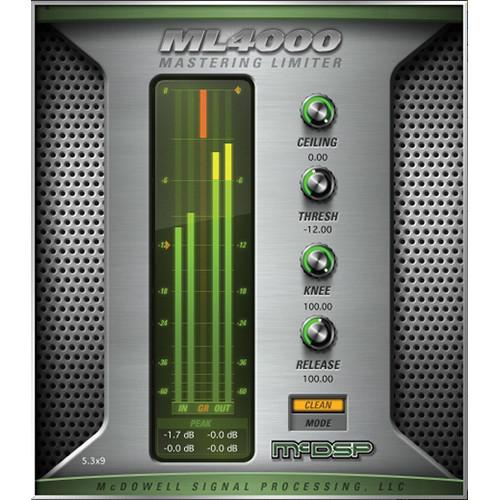
- ML4000 v6 - Mastering Solution Plug-In (HD, Download) The ML4000 v6 Plug-In from McDSP is a high-resolution limiter and multiband dynamics processor for Mac and Windows computers. It can be used by engineers, producers, and musicians for music, mastering, post, and live sound applications.The ML4000 is two plug-ins. The ML1 mastering limiter uses a flexible brick wall look-ahead design that is coupled with multiple stages of limiting for superior peak detection. The unique knee and mode controls allow the ML1 to handle any kind of material with a variety of responses ranging from transparent to aggressive.In addition, the ML4 multiband dynamics processor includes a 4-band gate, expander (upwards or downwards), and a compressor fed into the same limiter algorithm found in the ML1. Each band's gate, expander, and compressor can be configured separately or linked together. Steep 24 dB/oct crossover filters minimize signal leakage into adjacent bands.The ML4 crossover page shows the overall frequency response in real-time of the input, output, or total dynamics effect, on top of the graphically adjustable crossover frequencies. Accurate output adjustment is fast and simple with output ceiling control, large meters, and meter level text readouts.The HD plug-ins provide AAX DSP for use with Pro Tools HD, but also includes AAX Native, Audiosuite, Audio Units and VST versions for use with other DAWs including Logic, Digital Performer (DP), Cubase, and Ableton Live.
- Unique limiter knee and mode controls
- Simultaneous display of gate, expander, and compressor
- Multiple real-time metering options
- Adjustable crossover filters
- Multiband control linking
- Analog Saturation modeling
- Double-precision processing
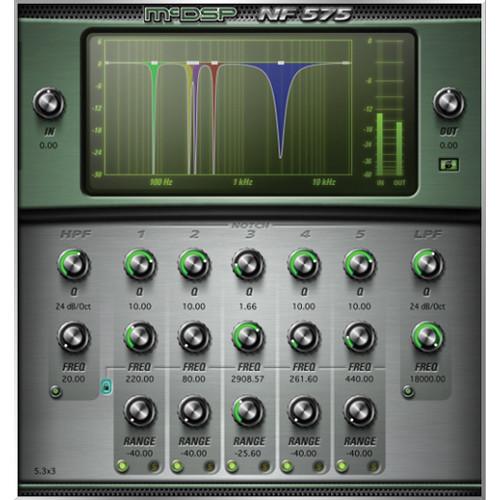
- NF575 v6 Noise Filter - High Resolution Filter Set Plug-In (HD, Download) The NF575 v6 Noise Filter from McDSP is a set of accurate high-pass and low-pass filters designed to reduce low-frequency rumble and high-frequency hiss in audio signals. It can be used on Mac and Windows computers by engineers, producers, and musicians in audio applications such as broadcast TV, recordings, post production, films, voice-overs, and more.Some other features of the NF575 include selectable slopes of 6, 12, 18, 24, 30, and 36 dB/octave, whose frequency control range covers the entire audible spectrum. This makes the NF575 filters extremely flexible. In addition, advanced notch filters allow the user to select the amount of signal cut, cut frequency, and width (Q). All five NF575 notch filters can be linked harmonically to address common cyclical noise problems such as 60 Hz hum.The HD plug-ins provide AAX DSP for use with Pro Tools HD, but also includes AAX Native, Audiosuite, Audio Units and VST versions for use with other DAWs including Logic, Digital Performer (DP), Cubase, and Ableton Live.
- High-Pass Filtering (HPF) with slopes up to 36 dB/octave
- Low-Pass Filtering (LPF) with slopes up to 36 dB/octave
- Five bands of notch filtering with linkable frequency control
- Analog saturation modeling
- Double-precision processing
In the Box Bundle Items AE400 Active EQ v6 (HD, Download) atuadquwaaxswfzdarwdzewfauyaw Channel G Compact v6 - Console Style Dynamics and EQ Plug-In (HD, Download) DE555 v6 - De-Esser Plug-In (HD, Download) FutzBox v6 - Lo-Fi Distortion Effects Plug-In (HD, Download) MC2000 v6 (HD, Download) ML4000 v6 - Mastering Solution Plug-In (HD, Download) NF575 v6 Noise Filter - High Resolution Filter Set Plug-In (HD, Download)
Also Includes Note: *Coming soon Table of Contents
|
Upload User Manual
Have you got an user manual for the McDSP Live Pack v5 Upgrade to Live Pack HD v6 in electronic form? Please send it to us and help us expand our library of instruction manuals.
Thank you, too, on behalf of other users.
To upload the product manual, we first need to check and make sure you are not a robot. After that, your "Submit Link" or "Upload File" will appear.
Technical parameters - AE400 Active EQ v6 (HD, Download)
| System Requirements | Mac
Mac OS X 10.5.x (Leopard), 10.6.x (Snow Leopard), 10.7.x (Lion), 10.8.x (Mountain Lion), 10.9.x (Mavericks), 10.10.x (Yosemite)
Windows
Windows XP, Vista, and Windows 7 | | Format Specifications | HD v6: AAX DSP (32/64-bit), AAX Native (32/64-bit), Audiosuite, AU (64-bit), VST (64-bit) plug-in formats supported | | System Compatibility | McDSP HD and Native plug-ins are compatible with Pro Tools HDX, Pro Tools HD, Pro Tools LE and Pro Tools M-Powered systems as well as Audio Unit and VST compatible DAWs including Logic, Digital Performer (DP), Ableton Live, Reaper and others McDSP plug-ins work with iLok Cloud. AAX, AU and VST plug-ins work with iLok Cloud. | - Channel G Compact v6 - Console Style Dynamics and EQ Plug-In (HD, Download)
| System Requirements | Mac
Mac OS X 10.5.x (Leopard), 10.6.x (Snow Leopard), 10.7.x (Lion), 10.8.x (Mountain Lion), 10.9.x (Mavericks), 10.10.x (Yosemite)
Windows
Windows XP, Vista, and Windows 7 | | Format Specifications | HD v6: AAX DSP (32- / 64-bit), AAX Native (32- / 64-bit), Audiosuite, AU (64-bit), VST (64-bit) plug-in formats supported | | System Compatibility | McDSP HD and Native plug-ins are compatible with Pro Tools HDX, Pro Tools HD, Pro Tools LE and Pro Tools M-Powered systems as well as Audio Unit and VST compatible DAWs including Logic, Digital Performer (DP), Ableton Live, Reaper and others McDSP plug-ins work with iLok Cloud. AAX, AU and VST plug-ins work with iLok Cloud. | - DE555 v6 - De-Esser Plug-In (HD, Download)
| System Requirements | Mac
Mac OS X 10.5.x (Leopard), 10.6.x (Snow Leopard), 10.7.x (Lion), 10.8.x (Mountain Lion), 10.9.x (Mavericks), 10.10.x (Yosemite)
Windows
Windows XP, Vista, and Windows 7 | | Format Specifications | HD v6: AAX DSP (32- / 64-bit), AAX Native (32- / 64-bit), Audiosuite, AU (64-bit), VST (64-bit) plug-in formats supported | | System Compatibility | McDSP HD and Native plug-ins are compatible with Pro Tools HDX, Pro Tools HD, Pro Tools LE and Pro Tools M-Powered systems as well as Audio Unit and VST compatible DAWs including Logic, Digital Performer (DP), Ableton Live, Reaper and others | Note: Note: McDSP plug-ins work with iLok Cloud. AAX, AU and VST plug-ins work with iLok Cloud. - FutzBox v6 - Lo-Fi Distortion Effects Plug-In (HD, Download)
| System Requirements | Mac
Mac OS X 10.5.x (Leopard), 10.6.x (Snow Leopard), 10.7.x (Lion), 10.8.x (Mountain Lion), 10.9.x (Mavericks), 10.10.x (Yosemite)
Windows
Windows XP, Vista, and Windows 7 | | Format Specifications | HD v6: AAX DSP (32- / 64-bit), AAX Native (32- / 64-bit), Audiosuite, AU (64-bit), VST (64-bit) plug-in formats supported | | System Compatibility | McDSP HD and Native plug-ins are compatible with Pro Tools HDX, Pro Tools HD, Pro Tools LE and Pro Tools M-Powered systems as well as Audio Unit and VST compatible DAWs including Logic, Digital Performer (DP), Ableton Live, Reaper and others McDSP plug-ins work with iLok Cloud. AAX, AU and VST plug-ins work with iLok Cloud. | - MC2000 v6 (HD, Download)
| System Requirements | Mac
Mac OS X 10.5.x (Leopard), 10.6.x (Snow Leopard), 10.7.x (Lion), 10.8.x (Mountain Lion), 10.9.x (Mavericks), 10.10.x (Yosemite)
Windows
Windows XP, Vista, and Windows 7 | | Format Specifications | HD v6: AAX DSP (32- / 64-bit), AAX Native (32- / 64-bit), Audiosuite, AU (64-bit), VST (64-bit) plug-in formats supported | | System Compatibility | McDSP HD and Native plug-ins are compatible with Pro Tools HDX, Pro Tools HD, Pro Tools LE and Pro Tools M-Powered systems as well as Audio Unit and VST compatible DAWs including Logic, Digital Performer (DP), Ableton Live, Reaper and others McDSP plug-ins work with iLok Cloud. AAX, AU and VST plug-ins work with iLok Cloud. | - ML4000 v6 - Mastering Solution Plug-In (HD, Download)
| System Requirements | Mac
Mac OS X 10.5.x (Leopard), 10.6.x (Snow Leopard), 10.7.x (Lion), 10.8.x (Mountain Lion), 10.9.x (Mavericks), 10.10.x (Yosemite)
Windows
Windows XP, Vista, and Windows 7 | | Format Specifications | HD v6: AAX DSP (32- / 64-bit), AAX Native (32- / 64-bit), Audiosuite, AU (64-bit), VST (64-bit) plug-in formats supported | | System Compatibility | McDSP HD and Native plug-ins are compatible with Pro Tools HDX, Pro Tools HD, Pro Tools LE and Pro Tools M-Powered systems as well as Audio Unit and VST compatible DAWs including Logic, Digital Performer (DP), Ableton Live, Reaper and others McDSP plug-ins work with iLok Cloud. AAX, AU and VST plug-ins work with iLok Cloud. | - NF575 v6 Noise Filter - High Resolution Filter Set Plug-In (HD, Download)
| System Requirements | Mac
Mac OS X 10.5.x (Leopard), 10.6.x (Snow Leopard), 10.7.x (Lion), 10.8.x (Mountain Lion), 10.9.x (Mavericks), 10.10.x (Yosemite)
Windows
Windows XP, Vista, and Windows 7 | | Format Specifications | HD v6: AAX DSP (32- / 64-bit), AAX Native (32- / 64-bit), Audiosuite, AU (64-bit), VST (64-bit) plug-in formats supported | | System Compatibility | McDSP HD and Native plug-ins are compatible with Pro Tools HDX, Pro Tools HD, Pro Tools LE and Pro Tools M-Powered systems as well as Audio Unit and VST compatible DAWs including Logic, Digital Performer (DP), Ableton Live, Reaper and others McDSP plug-ins work with iLok Cloud. AAX, AU and VST plug-ins work with iLok Cloud. |
Rating70% users recommend this product to others. And what about you?

This product has already been rated by 18 owners. Add your rating and experience with the product.
Discussion
 Ask our technicians if you have a problem with your settings,
or if anything is unclear in the user manual you have downloaded.
You can make use of our moderated discussion.
The discussion is public and helps other users of our website who may be encountering similar problems.
Ask our technicians if you have a problem with your settings,
or if anything is unclear in the user manual you have downloaded.
You can make use of our moderated discussion.
The discussion is public and helps other users of our website who may be encountering similar problems.
The discussion is empty - enter the first post
Post a new topic / query / comment:
|
|


