|
User Manual for Microsoft LifeCam Studio Click to enlarge the picture
 Contents of the user manual for the Microsoft LifeCam Studio
- Product category: WebCams & Accessories Microsoft
- Brand: Microsoft
- Description and content of package
- Technical information and basic settings
- Frequently asked questions – FAQ
- Troubleshooting (does not switch on, does not respond, error message, what do I do if...)
- Authorized service for Microsoft WebCams & Accessories
 |
User manual for the Microsoft LifeCam Studio contain basic instructions
that need to be followed during installation and operation.
Before starting your appliance, the user manual should be read through carefully.
Follow all the safety instructions and warnings, and be guided by the given recommendations.
User manual is an integral part of any Microsoft product,
and if it is sold or transferred, they should be handed over jointly with the product.
Following the instructions for use is an essential prerequisite for protecting
health and property during use, as well as recognition of liability on the part of the manufacturer
for possible defects should you make a warranty claim. Download an official Microsoft user manual in which you will find instructions on how to install, use, maintain and service your product.
And do not forget – unsuitable use of a Microsoft product will considerably shorten its lifespan!
|
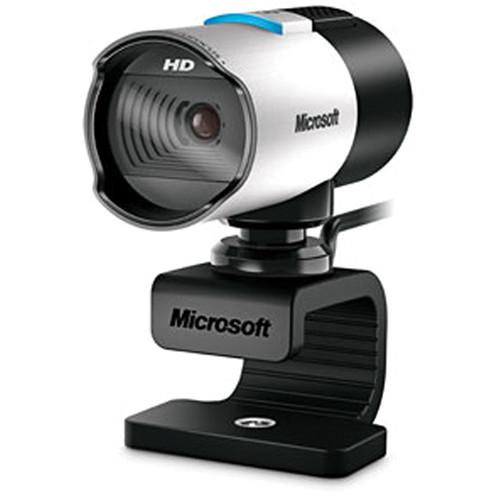
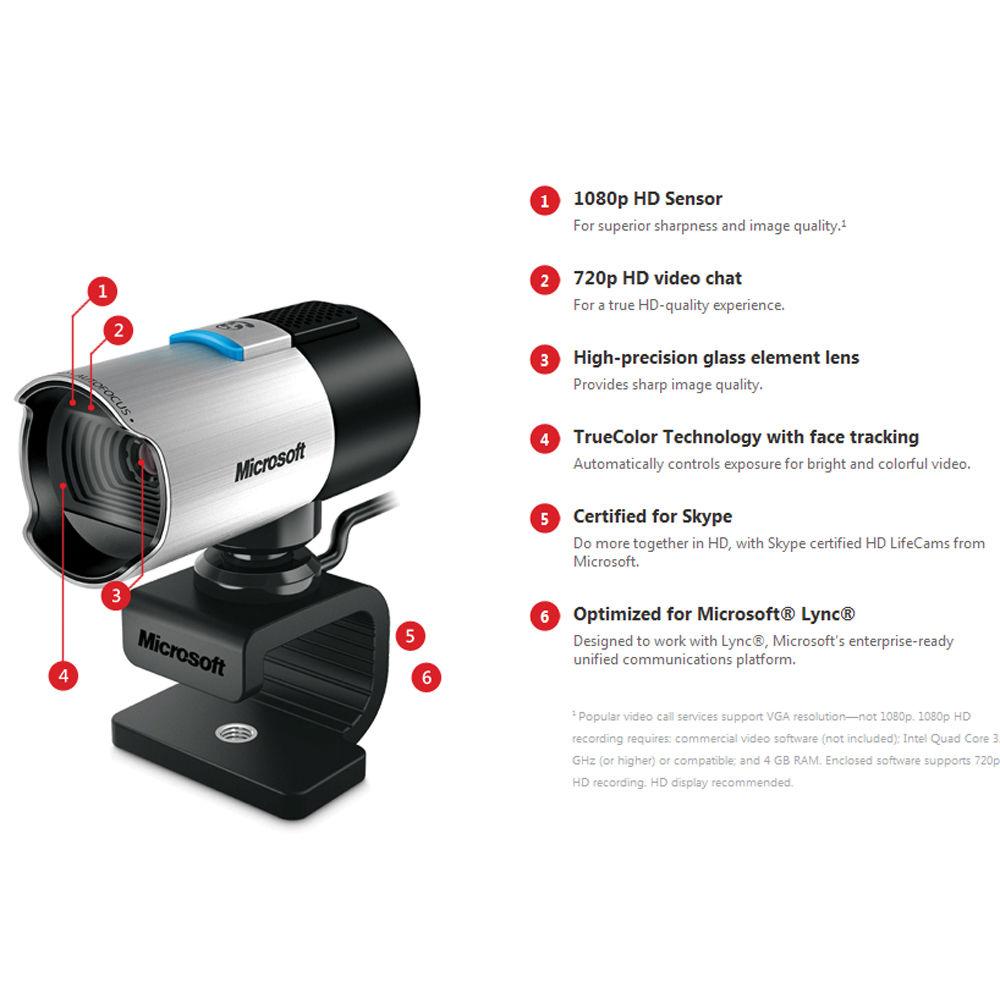
Product description The gray LifeCam Studio from Microsoft is a high definition webcam with a resolution of 1920 x 1080 allowing for video recordings of up to 1080p. For conducting video calls, the LifeCam Studio supports resolutions of up to 720p, using a compatible video conferencing service. It features CMOS sensor technology for better picture quality. The 75° diagonal field of view makes it easy to capture wide-angle pictures and video, while the 360° rotation capability offers an all-around view. With a wideband microphone, you have the ability to capture quality audio when chatting and recording video. - 1080p HD sensor offers superior sharpness and image quality
- 720p video chat software supports HD recording
- High-precision glass element lens provides sharp image quality
- TrueColor Technology with face tracking automatically controls exposure for bright and colorful videos
- 360° rotation provides for an all-around view
- Optimized for Microsoft Lync, an enterprise-ready unified communication platform
- Wideband microphone for natural and detailed audio sound recording
- Wide-angle lens to capture more people and surroundings
- Ready to be mounted on a standard tripod (Tripod not included)
UPC: 885370428179 In the Box Microsoft LifeCam Studio Limited 3-Year Warranty More from Manufacturer Table of Contents
|
Upload User Manual
Have you got an user manual for the Microsoft LifeCam Studio in electronic form? Please send it to us and help us expand our library of instruction manuals.
Thank you, too, on behalf of other users.
To upload the product manual, we first need to check and make sure you are not a robot. After that, your "Submit Link" or "Upload File" will appear.
Technical parametersMicrosoft Q2F-00013 Specs | | | Interface | USB 2.0 | | Operating System | Windows 8.1/8 and 10
Limited functionality with Windows 7 and Mac OS 10.7, 10.8, 10.9, and 10.10 | | Sensor Technology | CMOS sensor technology | | Resolution | Sensor Resolution: 1920 x 1080
Still Image: 5 megapixel (2560 x 2048 pixel, interpolated) photos | | Frames Per Second | Up to 30 frames per second at 720p | | Field of View | 75° diagonal | | Image Features | Automatic face tracking
Digital pan, digital tilt, and 3x digital zoom
Auto focus from 0.1 m to ≥ 10 m
Automatic image adjustment with manual override | | Windows Live Integration Features | Video Conversation Feature: Windows Live call button delivers one touch access to video conversation
Call Button Life: 10,000 actuations
Webcam Controls and Effects: LifeCam Dashboard provides access to animated video special effect features and webcam controls
Windows Live Photo Gallery integration
Windows Live Movie Maker Integration | | Microphone | Integrated omni-directional wideband microphone | | Frequency Response | 100 Hz - 18 kHz | | Mounting | Desktop and CRT universal attachment base
Notebook and LCD universal attachment base
Tripod universal attachment base | | | | System Requirements | VGA Video Calling: Intel Dual-Core 1.6 GHz or higher
1 GB RAM
720p HD Recording: Intel Dual-Core 3.0 GHz or higher
2 GB RAM
1.5 GB hard drive space
Display adapter capable of 16-bit color depth or higher
2 MB or higher video memory
Windows-compatible speakers or headphones
USB 2.0
Broadband internet access required (access fees may apply)
CD-ROM
Microsoft LifeCam software version 3.5
The Microsoft LifeCam Studio has basic video and audio functionality with Windows Live Messenger, AOL Instant Messenger, Yahoo! Messenger, Skype, and Microsoft Office Communicator | | | | Operating Temperature | 32 to 104°F (0 to 40°C) | | Operating Humidity | <5 to 80% relative humidity (non-condensing) | | Storage Temperature | -40 to +140°F (-40 to +60°C) | | Storage Humidity | <5 to 65% relative humidity (non-condensing) | | | | Country of Manufacture | People's Republic of China (PRC) | | ISO 14001 Qualified Manufacturer | Yes | | ISO 9001 Qualified Manufacturer | Yes | | Restriction on Hazardous Substances | This device complies with all applicable worldwide regulations and restrictions including, but not limited to:
EU directive 2002/95/EC on the Restriction of the Use of Certain Hazardous Substances in Electrical and Electronic Equipment and EU Registration Evaluation and Authorization of Chemicals (REACH) regulation regarding Substances of Very High Concern | | FCC ID | This device complies with Part 15 of the FCC Rules and Industry Canada ICES-003
Operation is subject to the following two conditions:
This device may not cause harmful interference, and this device must accept any interference received, including interference that may cause undesired operation
FCC standards compliant
For home and office use | | Agency and Regulatory Marks | ACMA Declaration of Conformity (Australia and New Zealand)
ICES-003 report on file (Canada)
EIP Pollution Control Mark, EPUP (China)
CE Declaration of Conformity, Safety and EMC (European Union)
WEEE (European Union)
VCCI Certificate (Japan)
CITC Letter (Kingdom of Saudi Arabia)
KCC Certificate (Korea)
GOST Certificate (Russia)
UkrSEPRO Certificate (Ukraine)
FCC Declaration of Conformity (USA)
UL and cUL Listed Accessory (USA and Canada)
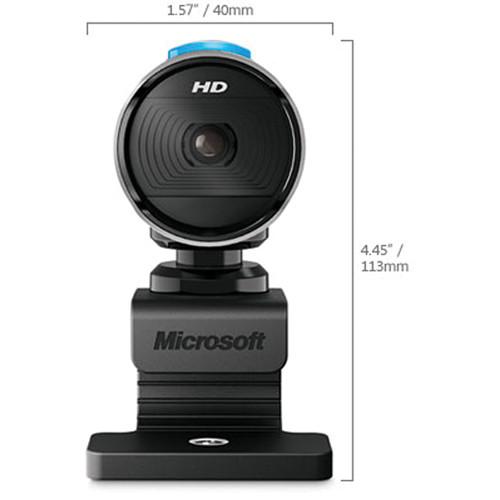
CB Scheme Certificate (International) | | Windows Certification Kit (WCK) | ID: 1609318 (32-bit) and 1604420 (64-bit) Microsoft Windows 8.1 | | | | Cable Length | 72.0" +6/-0 (1829 + 152/-0 mm) | | Dimensions (W x H x D) | 2.36 x 1.77 x 4.48" (60.00 x 45.00 x 114.00 mm) | | Weight | 4.52 oz (128 g) | | | | Package Weight | 0.8 lb | | Box Dimensions (LxWxH) | 5.5 x 5.5 x 2.4" |
Rating84% users recommend this product to others. And what about you?

This product has already been rated by 76 owners. Add your rating and experience with the product.
Discussion
 Ask our technicians if you have a problem with your settings,
or if anything is unclear in the user manual you have downloaded.
You can make use of our moderated discussion.
The discussion is public and helps other users of our website who may be encountering similar problems.
Ask our technicians if you have a problem with your settings,
or if anything is unclear in the user manual you have downloaded.
You can make use of our moderated discussion.
The discussion is public and helps other users of our website who may be encountering similar problems.
Post new comment to Microsoft LifeCam Studio
| Subject: Manual for Microsoft LifeCam Studio Q2F-00013 | | Date: 09.03.2021 04:42:43 | Name: Nur Basuki Rachmanto | Is there any user manual for this product?
What is the function of the button on top of it (showing the blue light). I have pushed the button but there's no reaction. I formerly thought it was the button to mute the audio and video, but while I'm Zooming with this lifecam nothing happened. | | Post reply |
Post a new topic / query / comment:
|
|
|
| Request for user manual |
You can’t find the operation manual you are looking for? Let us know and we will try to add the missing manual:
I’m looking for a manual / Request for manual
Current requests for instruction manuals:
Call Of Duty World War Two For Xbox...
controller stratus XL...
stratus XL...
smart whatch serie S11 42mm...
Allen & Heath SQ-6 manual...
|
| Discussion |
Latest contributions to the discussion:
AEW R 4100
Name: MAURICIO ANGARITA
Audio-Technica AEW-R4100 UHF Diversity Receiver for
AEW R 4100 has the mute function blocked and does not allow audio to pass. I tried several times to turn off the mute from the transmitter but it does nothing, the mute stays on. Solution?
Thank you...
Instructions for assembling the 2015 Forecast Image Master Consoles GC3-A
Name: mike elam
Forecast Consoles GC3-A ImageMaster Editing Console
Looking for instructions for assembling this console. ...
EMPTY TONER ERROR MESSAGE AFTER REPLACING TONER
Name: LINDA BAD YELLOW EYES
Brother TN223BK Standard-Yield Toner
I HAD TO CHANGE OUT ALL THREE TONERS DUE TO LEAKS IN THE YELLOW AND CYAN. AFTER I REPLACED THEM, THE MACHINE KEEPS GIVING ME AN EMPTY TONER ERROR MESSAGE. HELP!!...
PS480D 20/24 pin Switching 480W Power Supply
Name: swkargo
Logisys 480W Power Supply
This item states in can run -5vdc .It is NOT listed on the board or I beleive is r4 is missing the resitior. Any body have thid issue. Shawn
...
Help needed
Name: Ann Carter
SanDisk 1TB Extreme Portable USB 3.1
When I click the link to download the user manual for my Sandisk Extreme external hard drive, it gives me the manual for the LG Cricket. Can you please change the link so I can download the Sandisk manual and begin using this drive? Thank you....
|
|


