User Manual for Microsoft Office 365 Business Premium Click to enlarge the picture
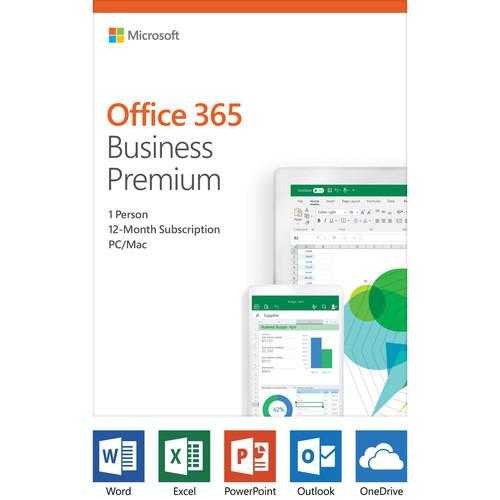 Contents of the user manual for the Microsoft Office 365 Business Premium
- Product category: Home & Office Microsoft
- Brand: Microsoft
- Description and content of package
- Technical information and basic settings
- Frequently asked questions – FAQ
- Troubleshooting (does not switch on, does not respond, error message, what do I do if...)
- Authorized service for Microsoft Home & Office

 |
User manual for the Microsoft Office 365 Business Premium contain basic instructions
that need to be followed during installation and operation.
Before starting your appliance, the user manual should be read through carefully.
Follow all the safety instructions and warnings, and be guided by the given recommendations.
User manual is an integral part of any Microsoft product,
and if it is sold or transferred, they should be handed over jointly with the product.
Following the instructions for use is an essential prerequisite for protecting
health and property during use, as well as recognition of liability on the part of the manufacturer
for possible defects should you make a warranty claim. Download an official Microsoft user manual in which you will find instructions on how to install, use, maintain and service your product.
And do not forget – unsuitable use of a Microsoft product will considerably shorten its lifespan!
|
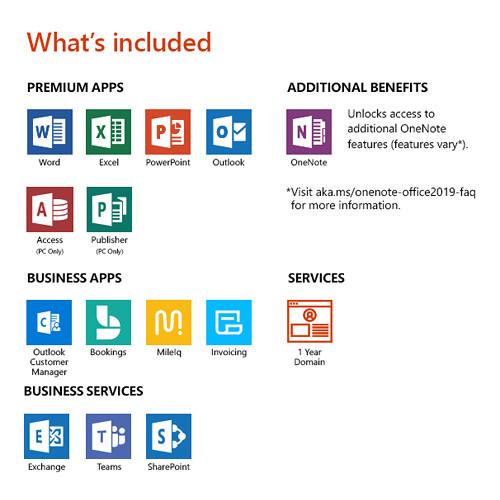
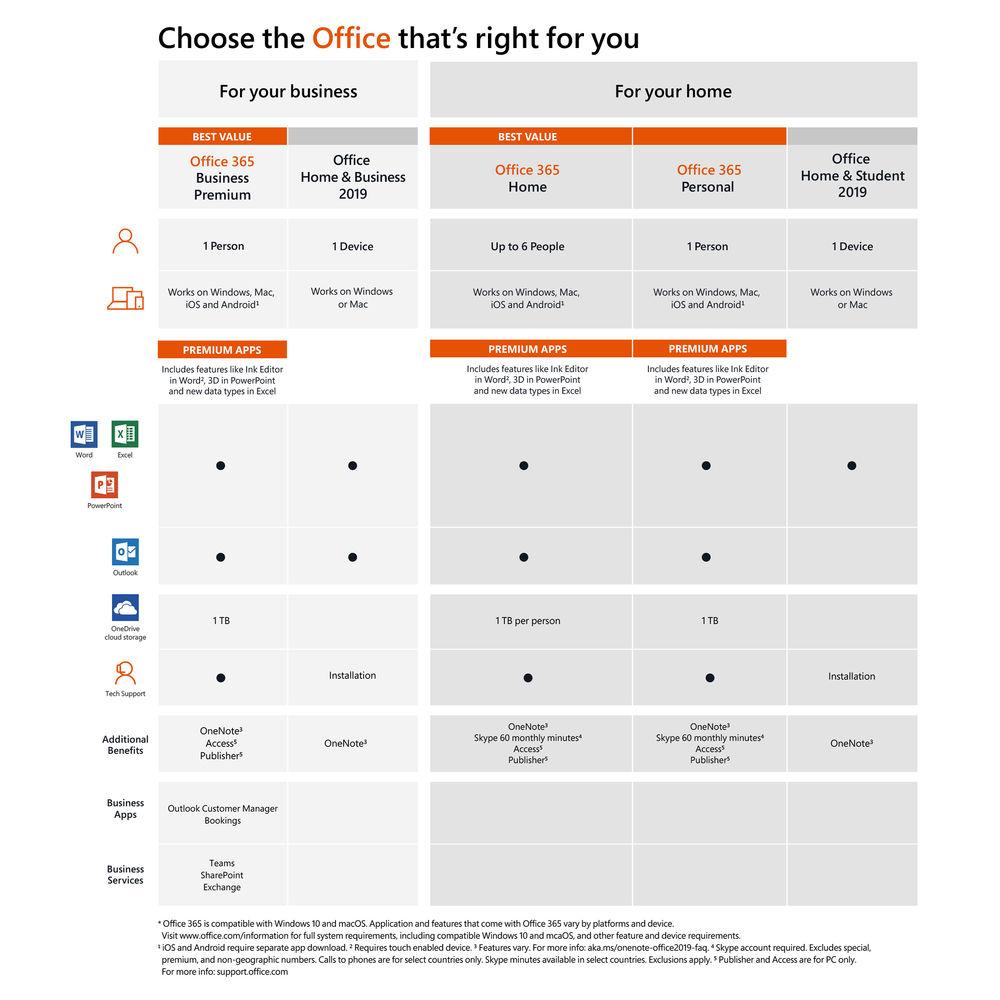
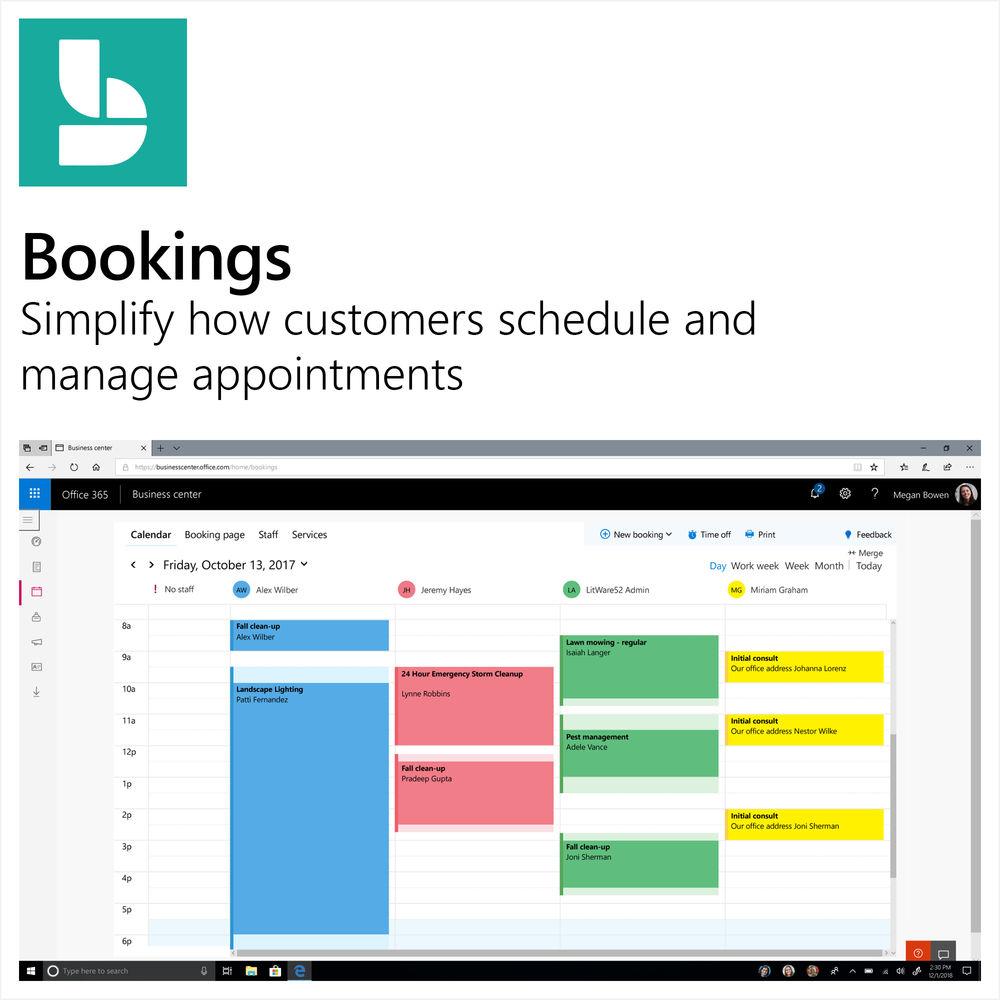
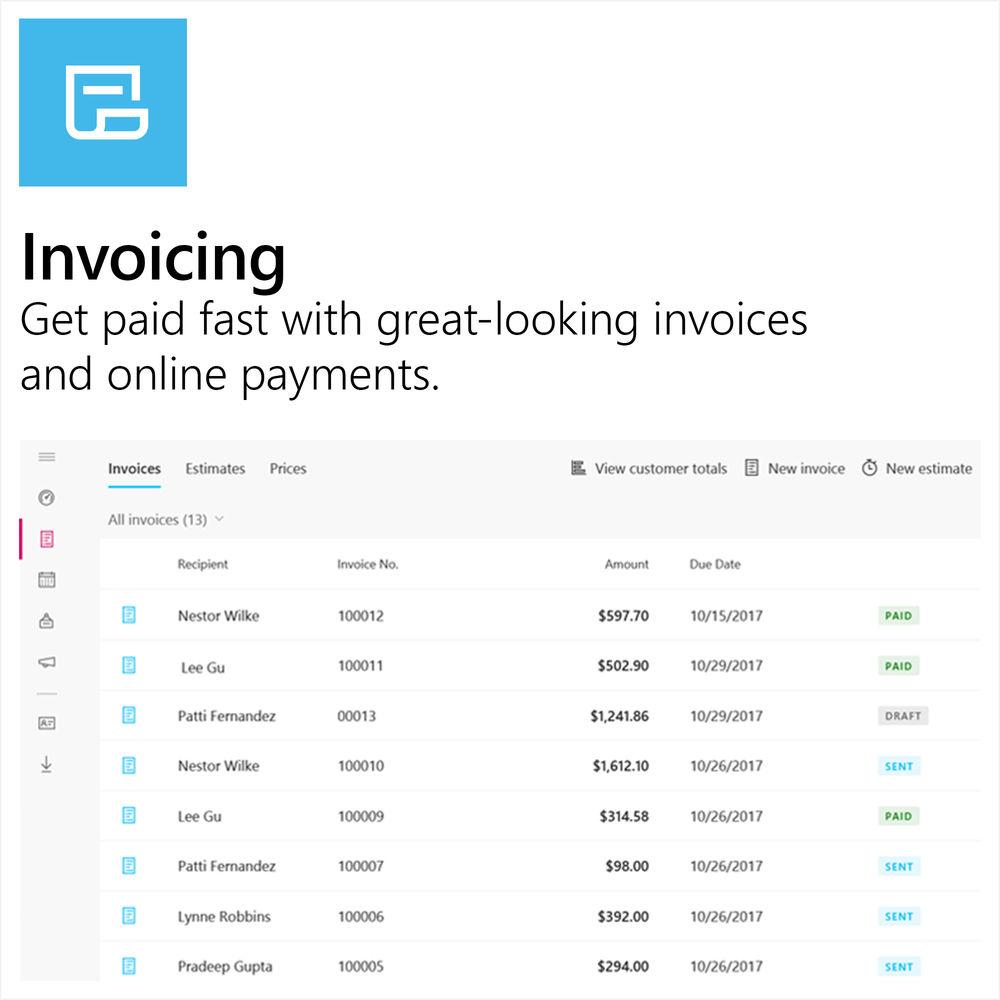
Product description This license card of Microsoft Office 365 Business Premium is a one-year subscription to Microsoft Word, Excel, PowerPoint, Outlook, OneNote, Publisher, and Access. This subscription includes one user license, which covers fully installed and always up to date Office apps on five phones, five tablets, or five Windows PCs or Macs. With Office 365, you have the ability to store your documents and files in the cloud with up to 1TB of OneDrive storage space per user. Once your files are stored, simply sign into to your Office account to access your files from virtually any Internet-connected computer, as well as other select devices. Along with cloud storage, you can also share documents and files via Microsoft Outlook, providing email, shared calendars, and task-list tools. Each user gets a 50GB mailbox and can send attachments up to 150MB. You can also connect with your teams with Microsoft Teams, where you'll have access to chat, content, people, and tools. You also have access to business apps, like Outlook Customer Manager, Microsoft Invoicing, Microsoft Bookings, and MileIQ. Please be aware that Publisher and Access are only available for Windows PCs and are not compatible with Mac. Internet access is required to install and activate all releases of Office using the product key. Office 365 also requires Internet access to manage your subscription account, for example to install Office on other computers or to change billing options. Additionally, Internet access is required to access documents stored on OneDrive, unless you install the OneDrive desktop app. Customers with an active Office 365 subscription will be entitled to the newest versions when available. General Features - Monthly Updates
- Fully-installed and always up-to-date versions of Outlook, Word, Excel, and PowerPoint for Windows or Mac, OneNote (features vary), and Access and Publisher (Windows PC only).
- Email and Calendars
- Use business-class email through a rich and familiar Outlook experience you can access from your desktop or from a web browser. Get a 50GB mailbox per user and send attachments up to 150MB.
- Work Across Multiple Devices
- Get the fully installed Office apps on multiple Windows PCs/Macs, tablets, and phones (including Windows, iOS, and Android).
- 1TB Secure Cloud Storage
- Get 1TB of OneDrive cloud storage, to edit and share documents, photos, and more, on all your devices.
- Apps to Run Your Business
- Manage your business better with Microsoft Invoicing, Microsoft Bookings, and MileIQ.
- Connect and Collaborate
- Use Yammer and Microsoft Teams, where chat, content, people, and tools live together, to provide instant access to everything your teams may need.
- Professional Digital Storytelling
- With Sway, you can easily create engaging, interactive web-based reports, presentations, newsletters, trainings, and more, right from your phone, tablet, or browser. Sways are easy to share and look great.
- Web and Mobile App Development
- Quickly build and publish custom business apps for web and mobile with PowerApps. Choose from templates or start from scratch to extend your business data with no coding required.
- Tools to Grow Your Business
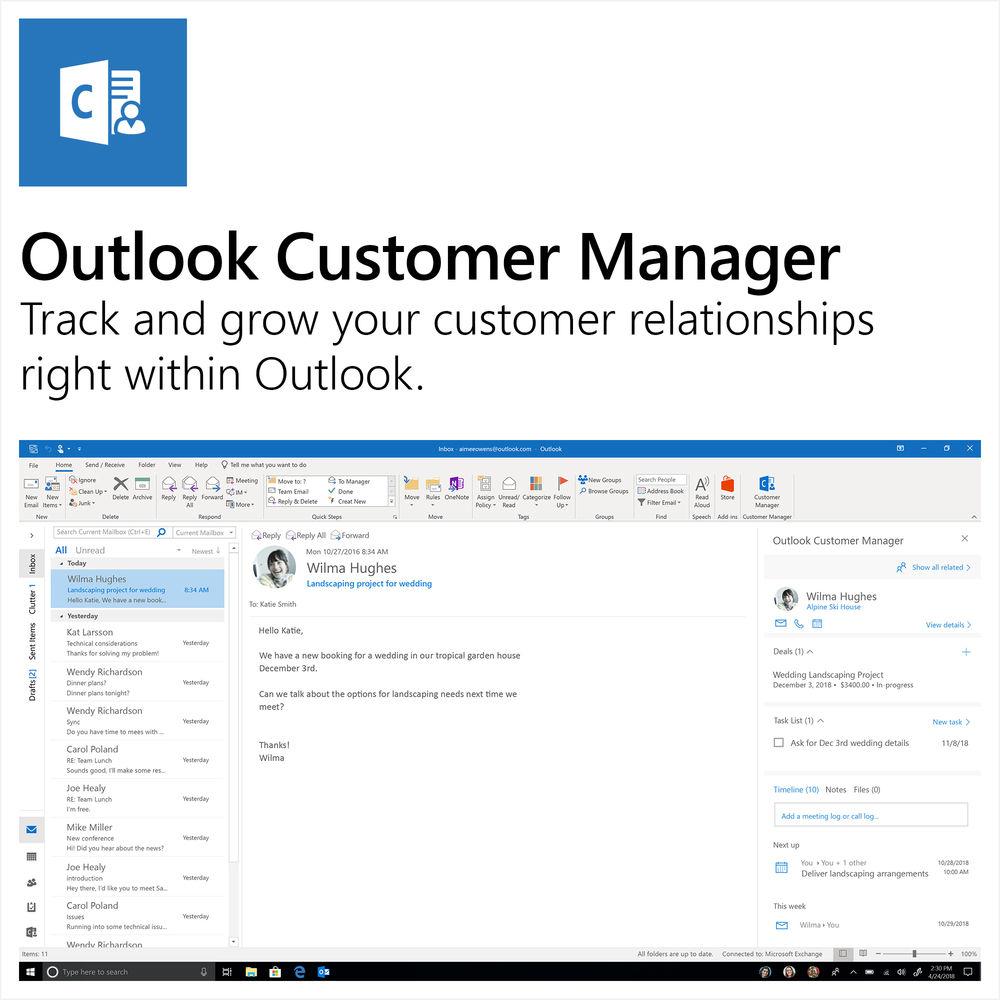
- Get discovered and nurture customer relationships with Outlook Customer Manager.
- Instant Messaging and Online Meetings
- Communicate with text, voice, or video calls with Microsoft Teams. Host online meetings using one-click screen sharing and HD video conferencing.
- Intranet and Team Sites
- Inform and engage your organization and connect people to content, expertise, and processes with team sites through SharePoint. Tell your story with beautiful communicate sites.
- Workday Management
- Microsoft StaffHub is purpose-built for the Firstline Workforce to manage their work day - schedule management, information sharing, and the ability to connect to other work-related apps and resources.
- Intelligent Search and Discovery
- Unlock creativity in your organization with search across Office 365 based on personalized insights. Discover content and expertise with the power of the Microsoft Graph, using your connection and collaboration patterns. Access intelligent search across a range of experiences, including SharePoint, Delve and Office applications.
- Workflow Automation
- Build automated workflows between apps and services to get notifications, synchronize files, collect data, and more with Microsoft Flow - no coding required.
UPC: 889842380897 In the Box Microsoft Office 365 Business Premium (1-User License / 1-Year Subscription / Product Key Code) Key Card with Activation Code Table of Contents
|
Upload User Manual
Have you got an user manual for the Microsoft Office 365 Business Premium in electronic form? Please send it to us and help us expand our library of instruction manuals.
Thank you, too, on behalf of other users.
To upload the product manual, we first need to check and make sure you are not a robot. After that, your "Submit Link" or "Upload File" will appear.
Technical parametersMicrosoft Office 365 Specs | Delivery Method | Product Key Code | | | | Supported OS Versions | Windows 10, 7, 8.1, Server 2008 R2, Server 2012, Server 2012 R2 (32/64-Bit) | | Storage Requirements | 3 GB | | Processor Requirement | 1 GHz | | RAM Requirement | 2 GB | | Minimum Display Resolution | 1024 x 768 | | | | Supported OS Versions | 10.10 - | | Storage Requirements | 6 GB | | Processor Requirement | Intel | | RAM Requirement | 4 GB | | Minimum Display Resolution | 1280 x 800 | | | | Operating System Version | Android 4.4 and Later
iOS 10 and Later | | | | Internet Connection Required | Yes | | | | Package Weight | 0.11 lb | | Box Dimensions (LxWxH) | 5.8 x 4.5 x 0.8" |
Rating90% users recommend this product to others. And what about you?

This product has already been rated by 03 owners. Add your rating and experience with the product.
Discussion
 Ask our technicians if you have a problem with your settings,
or if anything is unclear in the user manual you have downloaded.
You can make use of our moderated discussion.
The discussion is public and helps other users of our website who may be encountering similar problems.
Ask our technicians if you have a problem with your settings,
or if anything is unclear in the user manual you have downloaded.
You can make use of our moderated discussion.
The discussion is public and helps other users of our website who may be encountering similar problems.
The discussion is empty - enter the first post
Post a new topic / query / comment:
|
|


