|
User Manual for Microsoft Xbox Elite Wireless Controller Click to enlarge the picture
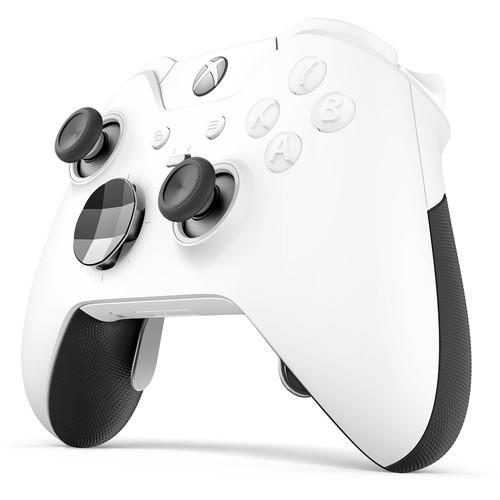 Contents of the user manual for the Microsoft Xbox Elite Wireless Controller
- Product category: Gaming Controllers Microsoft
- Brand: Microsoft
- Description and content of package
- Technical information and basic settings
- Frequently asked questions – FAQ
- Troubleshooting (does not switch on, does not respond, error message, what do I do if...)
- Authorized service for Microsoft Gaming Controllers
 |
User manual for the Microsoft Xbox Elite Wireless Controller contain basic instructions
that need to be followed during installation and operation.
Before starting your appliance, the user manual should be read through carefully.
Follow all the safety instructions and warnings, and be guided by the given recommendations.
User manual is an integral part of any Microsoft product,
and if it is sold or transferred, they should be handed over jointly with the product.
Following the instructions for use is an essential prerequisite for protecting
health and property during use, as well as recognition of liability on the part of the manufacturer
for possible defects should you make a warranty claim. Download an official Microsoft user manual in which you will find instructions on how to install, use, maintain and service your product.
And do not forget – unsuitable use of a Microsoft product will considerably shorten its lifespan!
|
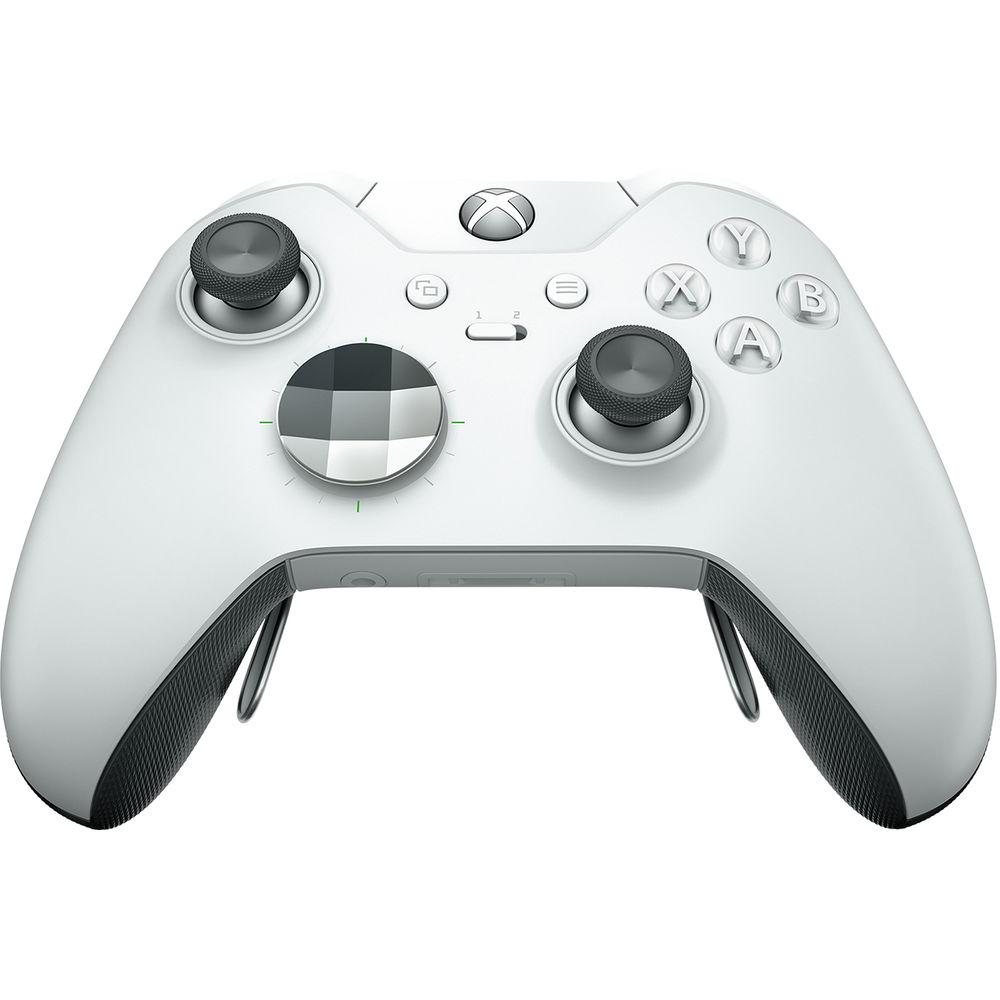
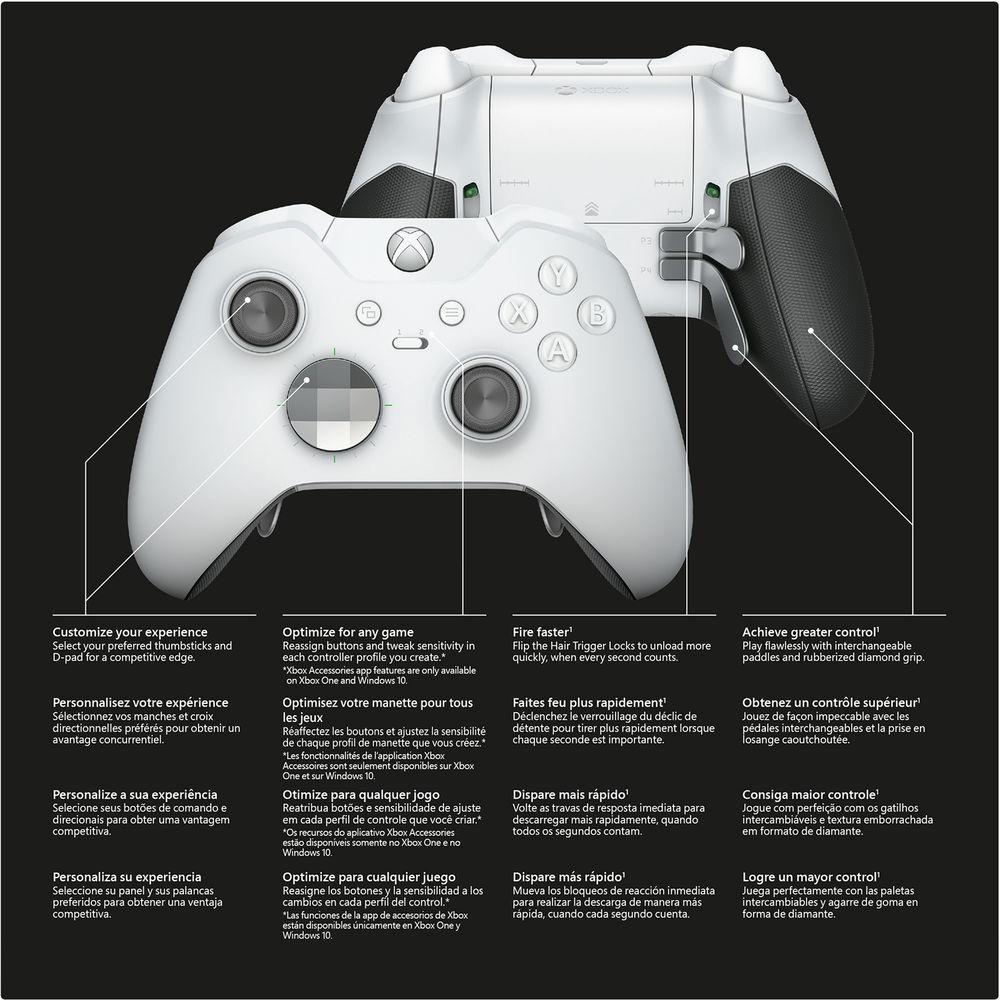
Product description The Microsoft Xbox Elite Wireless Controller is designed to meet the needs of competitive gamers. Designed in collaboration with pro-level players, the Xbox Elite controller unlocks your full potential and adapts to your unique play style. Experience game-changing accuracy, faster speed, and a tailored feel.The Xbox Elite controller has a redesigned, faceted D-pad for ergonomics that can be swapped out for a traditional plus-shaped one. Microsoft also added a 3.5mm headphone jack next to their proprietary port to support more headsets. Choose between three different sets of thumbsticks for better control and reassign the any of the buttons to better suit your taste. The four back paddles can be customized as well, allowing you to input commands without moving your thumbs. The Impulse Triggers are available for supported games and you can customize the rumble motors within the app. Independently controllable Hair Trigger Locks shorten the range on the controller's triggers, minimizing the motion required to fire a shot and reset.An app available on the Xbox One and Windows 10 allows you to customize your Xbox Elite controller to your preferences. Features - Improve Your Performance & Fit
- Swap between a variety of metal thumbsticks and D-pads for personalized control and ergonomics. Discover configurations that can improve accuracy, speed, and reach with thumbsticks of different shapes and sizes. The Xbox Elite controller adapts to your hand size and play style. You'll experience better control whether you play FPS, racing, fighting, or other genres. The redesigned, faceted D-pad enables easier and more reliable combo execution, while the traditional D-pad provides precise control to change weapons or call in a strike.
- Control, Combinations, & Confidence
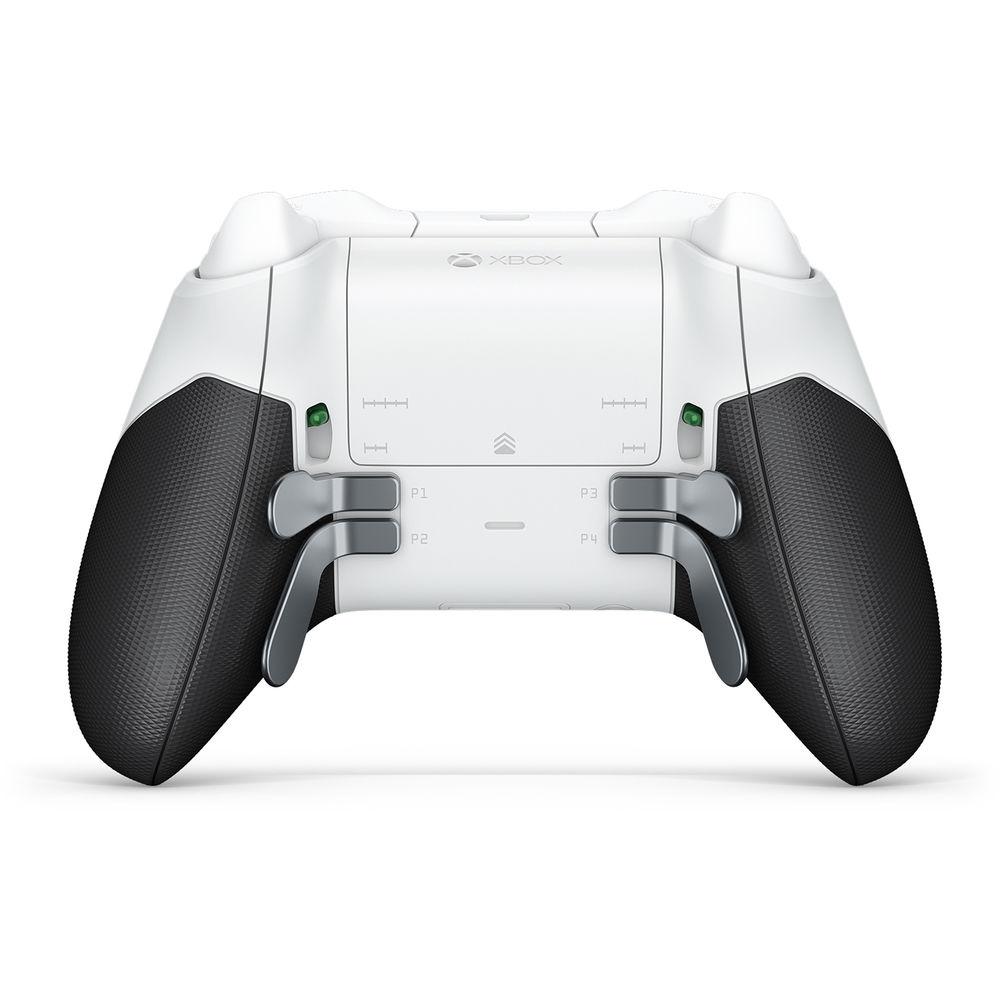
- The Xbox Elite Wireless Controller has four slots for interchangeable paddles. Easily attach and remove them without any tools. Choose to attach some or all of the paddles, and configure the controller to your preference. The paddles give your fingers more control, so you can execute devastating moves and experience more efficient control. Now you don't have to take your thumbs off the thumbstick to execute intricate jump, aim, and shoot combinations. With the app, you can assign a wide range of inputs to each paddle.
- Fire Faster with Hair Trigger Locks
- With the flip of the Hair Trigger Locks, you can fire more quickly and save valuable time with each trigger pull. Hair Trigger Locks stop the trigger movement after the shot and get you ready for the next one. Simply flip the switch again to get back to full-range trigger motion. Each trigger has its own Hair Trigger Lock for independent control. Within the app, you can further fine-tune trigger settings.
- Freedom & Flexibility
- Customize your experience even further with an app. Adjust trigger min/max values, thumbstick sensitivities, button assignments, and more, so the controls are exactly the way you want them. Assign any of 14 inputs to the ABXY buttons, paddles, D-pad, triggers, and thumbstick clicks. Create as many controller profiles as you like in the app and have tailored settings for any game. Load two profiles on the controller and instantly change between them with the built-in Profile Switch.
- Designed for Gamers
- Every surface and detail is designed to meet the rigorous demands of competitive gamers. Stainless steel thumbstick shafts, D-pads, and paddles are built to last. Low-friction, reinforced rings around each thumbstick minimize wear and provide smooth action. The rubberized diamond grip gives the controller a more substantial feel while providing more stability. The enhanced grip also allows you to hold the controller with less effort, so you can play longer and more comfortably. The soft-touch finish on the top case provides a quality feel and nonslip control.
- Customization
- Each profile you create in the app is stored in the cloud, and 2 profiles can be saved onto the controller itself. So no matter where you game, your profiles can always be with you.
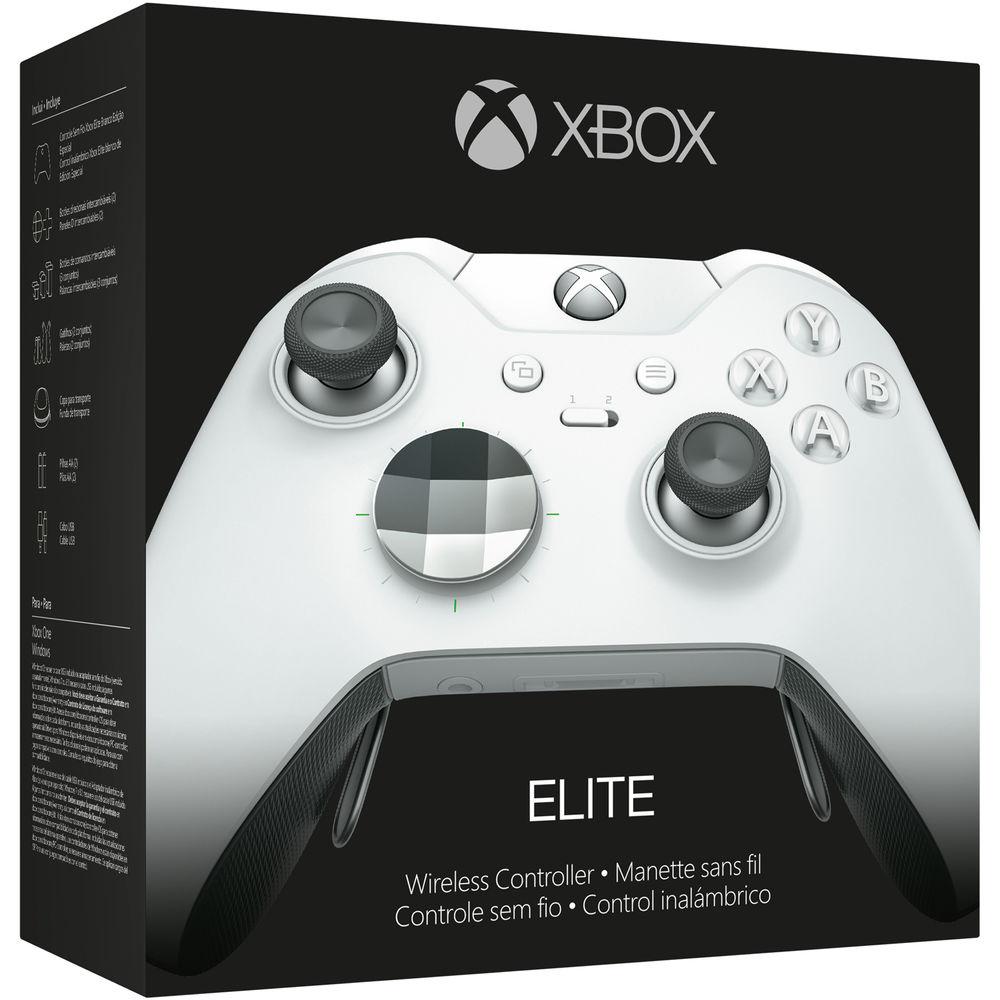
The Xbox Elite Wireless Controller comes with a carrying case and variety of interchangeable components. In the box, you'll find: - Xbox Elite Wireless Controller
- Carrying case
- Set of 4 paddles
- Set of 6 thumbsticks: standard (2), tall (2), and domed (2)
- Set of 2 D-pads: faceted and standard
- USB cable
- AA batteries
- Quick Setup Guide and Product Manual
UPC: 889842338164 In the Box Microsoft Xbox Elite Wireless Controller (White) Carrying Case 4 x Paddles 2 x Standard Thumbsticks 2 x Tall Thumbsticks 2 x Domed Thumbsticks 2 x AA Batteries USB Cable Limited 90-Day Warranty Table of Contents
|
Upload User Manual
Have you got an user manual for the Microsoft Xbox Elite Wireless Controller in electronic form? Please send it to us and help us expand our library of instruction manuals.
Thank you, too, on behalf of other users.
To upload the product manual, we first need to check and make sure you are not a robot. After that, your "Submit Link" or "Upload File" will appear.
Technical parametersMicrosoft Elite Specs | Platform | Microsoft Xbox One
PC running Windows 7 or later*
*PC use requires included USB cable or Wireless Adapter (available Holiday 2015). Drivers available on Xbox's official website. | | Connectivity | Wireless
Wired via included 9' (2.7 m) USB cable*
*Data transfers through the USB cable when connected to the controller and console/PC. | | Audio | 1 x 1/8" (3.5 mm) stereo headset jack
1 x Microsoft proprietary port*
*Compatible with the Xbox One Stereo Headset Adapter and all other 1st party Xbox One controller accessories. | | Power | 2 x AA batteries
Compatible with the Xbox One Play & Charge Kit (sold separately) | | Buttons & Controls | - A, B, X, and Y
- D-pad up, down, left, and right
- Left and right bumpers
- Left and right trigger activation
- Left and right thumbstick click
| | Weight | 12.3 oz (+/- 0.5 oz) / 348g (+/- 15g)*
*When 4 paddles, faceted D-pad, AA batteries, and standard thumbsticks are attached. | | | | Package Weight | 2.5 lb | | Box Dimensions (LxWxH) | 8.8 x 8.2 x 8.0" |
Rating100% users recommend this product to others. And what about you?

This product has already been rated by 64 owners. Add your rating and experience with the product.
Discussion
 Ask our technicians if you have a problem with your settings,
or if anything is unclear in the user manual you have downloaded.
You can make use of our moderated discussion.
The discussion is public and helps other users of our website who may be encountering similar problems.
Ask our technicians if you have a problem with your settings,
or if anything is unclear in the user manual you have downloaded.
You can make use of our moderated discussion.
The discussion is public and helps other users of our website who may be encountering similar problems.
The discussion is empty - enter the first post
Post a new topic / query / comment:
|
|
|
| Request for user manual |
You can’t find the operation manual you are looking for? Let us know and we will try to add the missing manual:
I’m looking for a manual / Request for manual
Current requests for instruction manuals:
Call Of Duty World War Two For Xbox...
controller stratus XL...
stratus XL...
smart whatch serie S11 42mm...
Allen & Heath SQ-6 manual...
|
| Discussion |
Latest contributions to the discussion:
AEW R 4100
Name: MAURICIO ANGARITA
Audio-Technica AEW-R4100 UHF Diversity Receiver for
AEW R 4100 has the mute function blocked and does not allow audio to pass. I tried several times to turn off the mute from the transmitter but it does nothing, the mute stays on. Solution?
Thank you...
Instructions for assembling the 2015 Forecast Image Master Consoles GC3-A
Name: mike elam
Forecast Consoles GC3-A ImageMaster Editing Console
Looking for instructions for assembling this console. ...
EMPTY TONER ERROR MESSAGE AFTER REPLACING TONER
Name: LINDA BAD YELLOW EYES
Brother TN223BK Standard-Yield Toner
I HAD TO CHANGE OUT ALL THREE TONERS DUE TO LEAKS IN THE YELLOW AND CYAN. AFTER I REPLACED THEM, THE MACHINE KEEPS GIVING ME AN EMPTY TONER ERROR MESSAGE. HELP!!...
PS480D 20/24 pin Switching 480W Power Supply
Name: swkargo
Logisys 480W Power Supply
This item states in can run -5vdc .It is NOT listed on the board or I beleive is r4 is missing the resitior. Any body have thid issue. Shawn
...
Help needed
Name: Ann Carter
SanDisk 1TB Extreme Portable USB 3.1
When I click the link to download the user manual for my Sandisk Extreme external hard drive, it gives me the manual for the LG Cricket. Can you please change the link so I can download the Sandisk manual and begin using this drive? Thank you....
|
|


