|
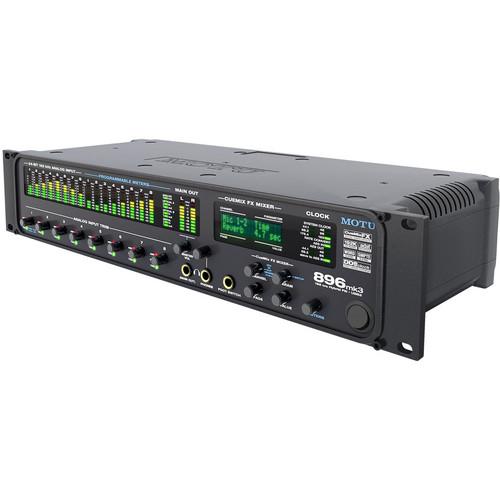
User Manual for MOTU 896mk3 - FireWire USB 2.0 Hybrid Audio Interface Click to enlarge the picture
 Contents of the user manual for the MOTU 896mk3 - FireWire USB 2.0
- Product category: Audio Interfaces & Systems MOTU
- Brand: MOTU
- Description and content of package
- Technical information and basic settings
- Frequently asked questions – FAQ
- Troubleshooting (does not switch on, does not respond, error message, what do I do if...)
- Authorized service for MOTU Audio Interfaces & Systems
 |
User manual for the MOTU 896mk3 - FireWire USB 2.0 contain basic instructions
that need to be followed during installation and operation.
Before starting your appliance, the user manual should be read through carefully.
Follow all the safety instructions and warnings, and be guided by the given recommendations.
User manual is an integral part of any MOTU product,
and if it is sold or transferred, they should be handed over jointly with the product.
Following the instructions for use is an essential prerequisite for protecting
health and property during use, as well as recognition of liability on the part of the manufacturer
for possible defects should you make a warranty claim. Download an official MOTU user manual in which you will find instructions on how to install, use, maintain and service your product.
And do not forget – unsuitable use of a MOTU product will considerably shorten its lifespan!
|
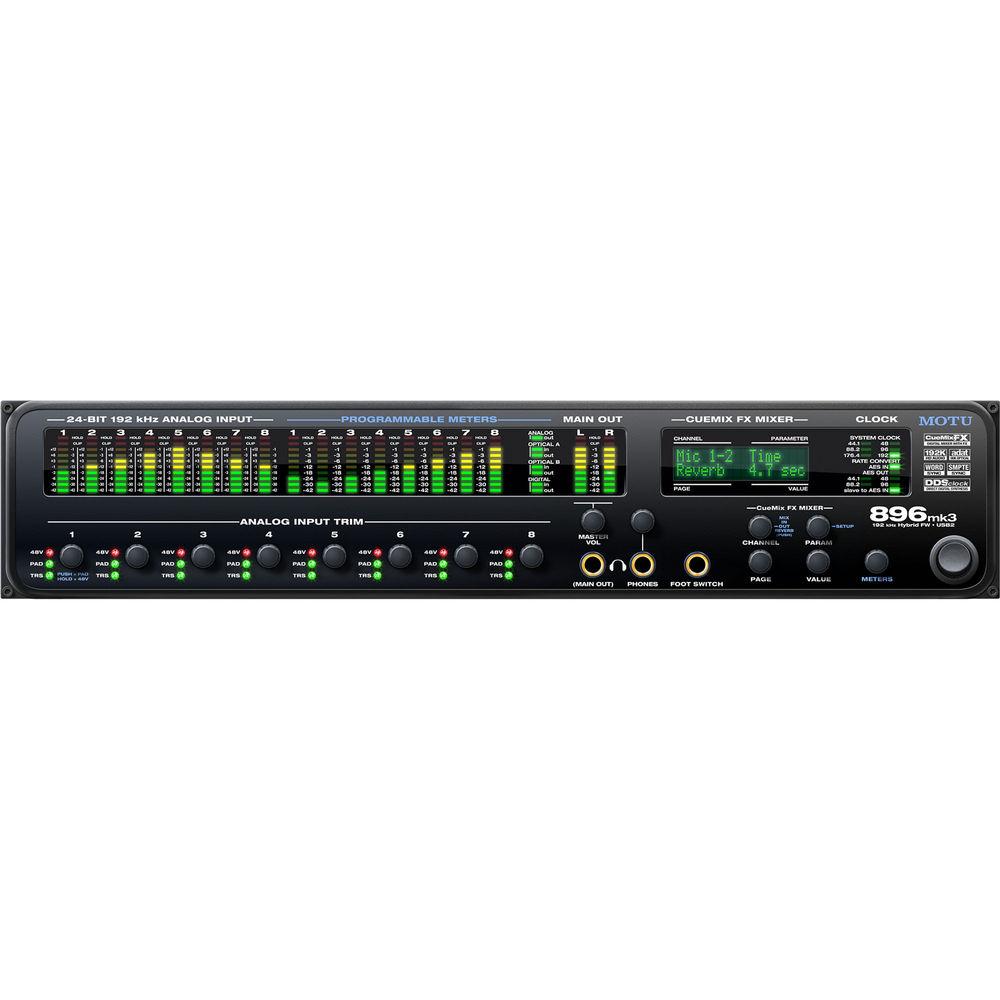
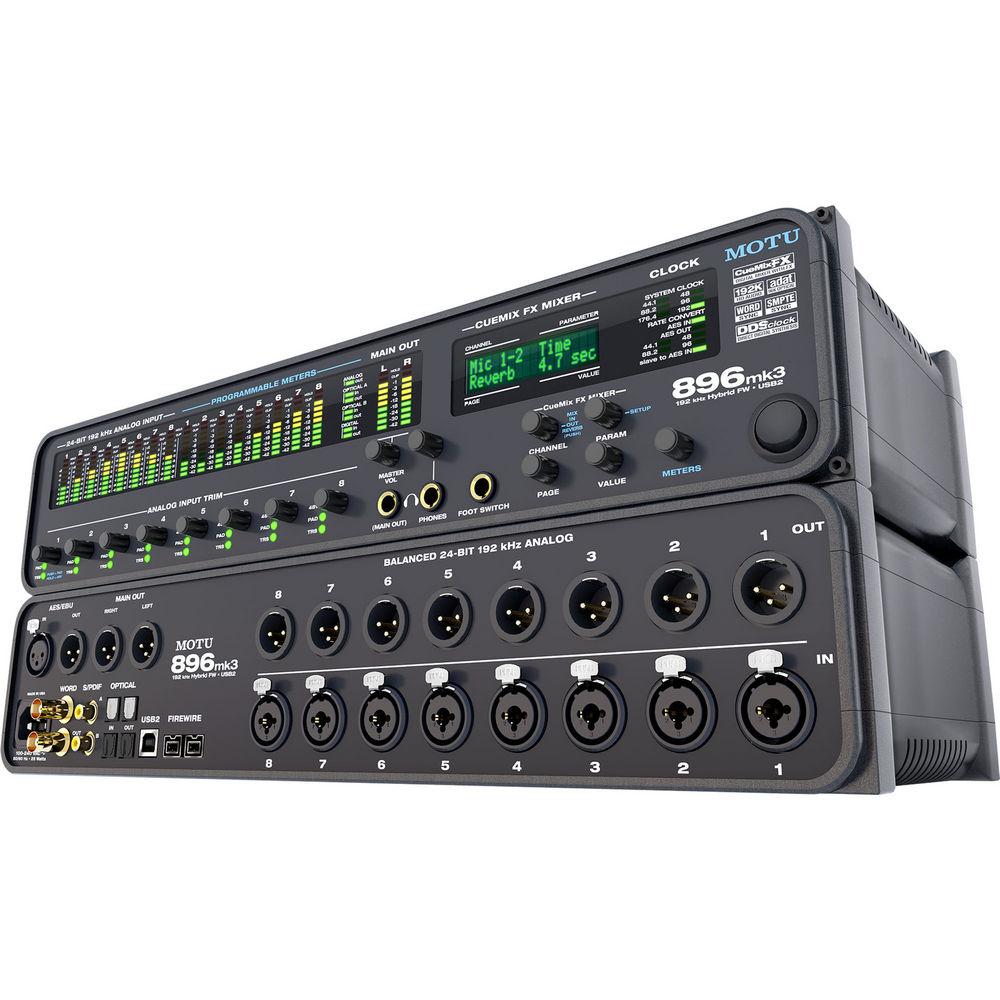
Product description The 896mk3 from MOTU is a hybrid digital audio interface that features both FireWire and USB 2.0 connectivity. The interface can also function as a rack-mount, standalone mixer without the need for a computer. It provides eight channels of 24-bit/192kHz analog recording and playback, combined with sixteen channels of optical digital I/O, stereo AES/EBU, S/PDIF, and separate analog main outs.
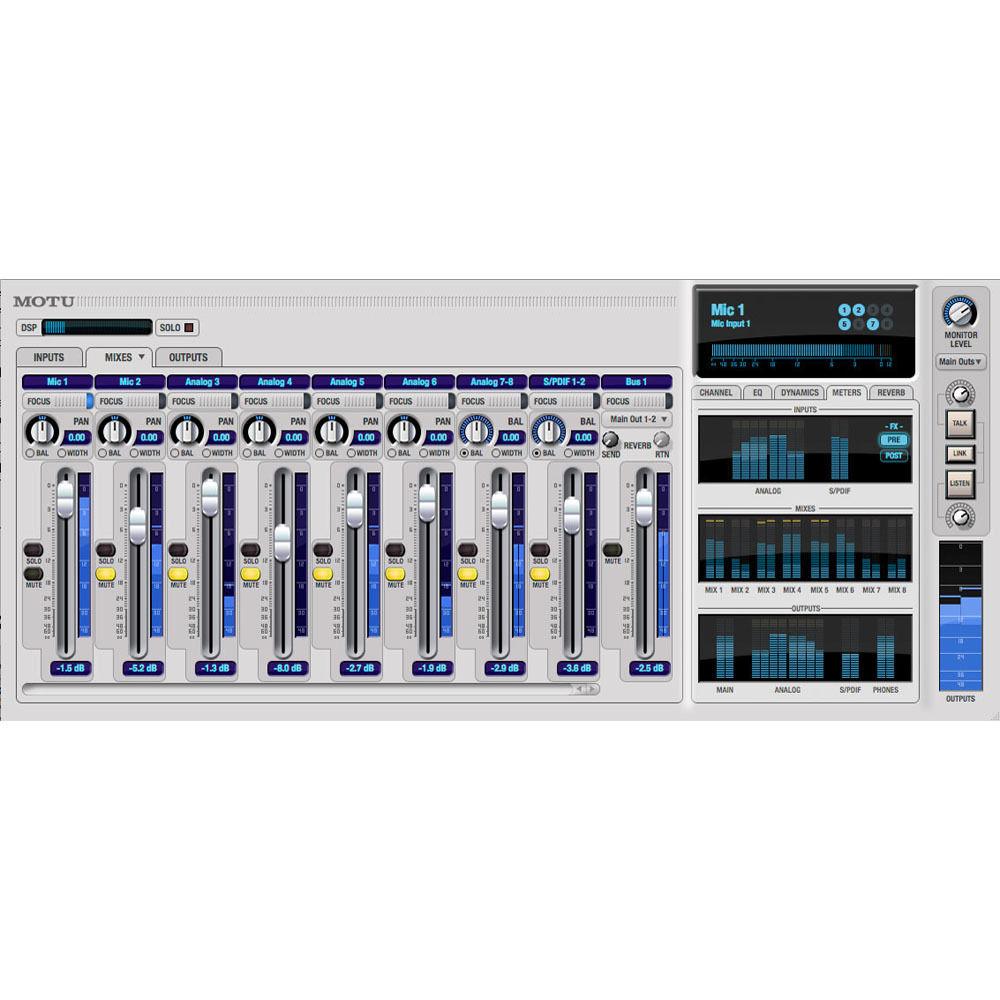
An on-board CueMix FX digital mixer allows for routing guitars, synthesizers, keyboards, drum machines and even effects processors with no latency and no processor strain on the host computer. Hardware DSP-driven effects processing can be applied to inputs, outputs and busses independent of the host computer.
DSP effects include the Classic Reverb with reverb times of up to sixty seconds, and a seven-band parametric EQ featuring filter types modeled after British analog console EQs. Also included are a conventional compressor and the Leveler, an accurate model of the legendary LA-2A optical compressor that provides automatic gain control.
All analog inputs are equipped with V-Limit, a hardware limiter that helps prevent digital clipping from overloaded input signals. Additional protection can be applied to the microphone/guitar inputs by enabling the Soft Clip feature, which engages just before clipping and helps reduce perceptible distortion.
Powered monitors can be plugged directly into the outputs of the interface and the output attenuated from the software or a front-panel control. Main out volume is not limited to stereo operation, and includes quad, 5.1, 7.1 and even user-defined configurations are available. Additional programming allows for all thirty-two outputs to be controlled with the master volume knob. -
- Hybrid FireWire/USB2 connectivity - connect to your computer via plug-and-play FireWire or hi-speed USB2
- CueMix FX is a flexible 28 input/16 bus mixer with on-board DSP effects, including reverb with sends/returns, plus EQ and compression on every input and output
- 28 inputs / 32 outputs (at 44.1/48kHz)
- No channel sharing - the microphone inputs, AES/EBU and S/PDIF I/O, headphone out and main outs are all handled as separate channels
- Front-panel control with access to any setting in a mix directly from the front panel
- Stand-alone operation - program your mixes at the studio and then bring the unit to a gig without a computer
- Need to tweak the mix? Do it on site using the back-lit LCD and front-panel controls
- Multiple CueMix FX mixes (create different monitor mixes for the main outs and headphones or add send/return loops for outboard gear with no latency)
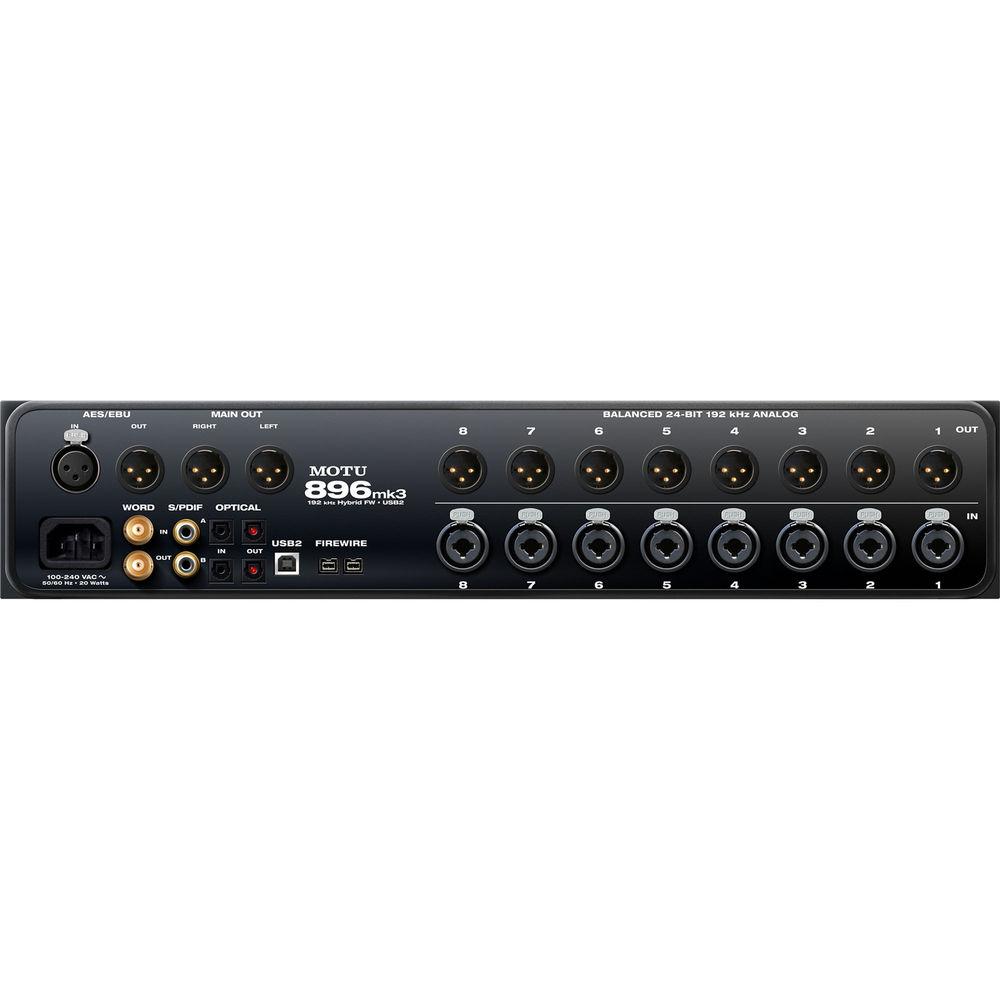
- Eight rear panel combo jacks provide 1/4" or XLR microphone input with phantom power, pad and plenty of gain
- Clip protection - input limiter prevents digital clipping and distortion from overloaded signal levels up to +12dB over zero
- Eight 24-bit/192kHz analog inputs and outputs on XLR jacks
- Precision Digital Trim digitally controls analog trim on all analog inputs while providing accurate adjustments in 1.0dB increments
- Fine-tune the balance of your analog inputs and then save/recall trim configurations
- Flexible optical I/O - 16 channels of ADAT Lightpipe, 8 channels of SMUX (96kHz) or two pairs of stereo TOSLink
- Mix and match formats between the two banks
- Expandable by adding additional interfaces for more I/O as needs grow
- Separate XLR main outs and front-panel headphone jacks, each with independent volume control
- 24-bit/96kHz AES/EBU stereo I/O
- 24-bit/96kHz S/PDIF stereo I/O
- Wordclock in and out
- CueMix FX includes audio analysis visual diagnostic tools for the stereo audio signals, from an accurate guitar/instrument tuner to phase and polarity measurement tools, to a full-fledged oscilloscope
- Resolve directly to time code, with no additional synchronizer required via one of the analog input jacks
- Includes a DSP-driven phase-lock engine with sophisticated filtering that provides fast lockup times and sub-frame accuracy
- MOTU SMPTE Console software (for Mac OS X and Windows 7/Vista) provides a complete set of tools to generate SMPTE for striping, regenerating or slaving other devices to the computer
- Foot switch input (conveniently located on the front panel) connects a standard foot pedal switch (sold separately) for hands-free punch-in and punch-out while recording
- Map the pedal to any keystroke function in the host software
- Includes native 32- and 64-bit drivers for Mac OS X and Windows 7/Vista, including ASIO, WDM, Wave, Core Audio, and Core MIDI
- Supports all popular Mac and Windows audio software
- 100% compatible with all host-based effects processing in today's popular audio programs
- Includes AudioDesk full-featured sample-accurate workstation software for the Macintosh with recording, editing, mixing, real-time 32-bit effects processing and sample-accurate sync
- Plug-and-play operation with Mac or PC via FireWire or high-speed USB 2.0
- Front panel volume control for monitoring
- Stereo, Quad, 6.1, 7.1 and user-defined surround monitoring setups available
- Two front panel headphone jacks with independent volume controls
- Comprehensive front panel metering for all analog and digital audio I/O
- Dedicated front panel clock status LEDs
- Internal universal 100~240V, 50/60Hz auto switching power supply
UPC: 839128005785 In the Box MOTU 896mk3 - FireWire/USB 2.0 Hybrid Audio Interface AC Power Cable 9-Pin to 9-Pin IEEE 1394 FireWire B Cable USB Cable Software CD ROM Limited 2-Year Warranty Guides & Manuals Table of Contents
|
Upload User Manual
Have you got an user manual for the MOTU 896mk3 - FireWire USB 2.0 Hybrid Audio Interface in electronic form? Please send it to us and help us expand our library of instruction manuals.
Thank you, too, on behalf of other users.
To upload the product manual, we first need to check and make sure you are not a robot. After that, your "Submit Link" or "Upload File" will appear.
Download User ManualThe user manual for the MOTU 896mk3 - FireWire USB 2.0 Hybrid Audio Interface can be downloaded in PDF format at the link stated below.
Technical parametersMOTU 896mk3 Specs | | | Max Sample Rate/Resolution | 192 kHz / 24-Bit | | | | Host Connection | 9-Pin FireWire (FireWire 400)
USB Type-B (USB 2.0) | | Analog I/O | 8 x Combo XLR / 1/4" Input
8 x XLR 3-Pin Balanced Output
2 x XLR 3-Pin Monitor Output
2 x 1/4" (6.3 mm) TRS Headphone Output
1 x 1/4" (6.3 mm) Footswitch Input | | Digital I/O | 1 x XLR 3-Pin Female / AES/EBU Input
1 x XLR 3-Pin Male / AES/EBU Output
2 x TOSLINK / ADAT Input
2 x TOSLINK / ADAT Output
1 x RCA Coaxial / S/PDIF Input
1 x RCA Coaxial / S/PDIF Output
1 x BNC (Word Clock) Input
1 x BNC (Word Clock) Output | | MIDI I/O | None | | | | Sample Rates | 44.1, 48, 88.2, 96, 176.4, and 192 kHz | | Bit Depth | 24-Bit | | Sync Sources | ADAT, AES/EBU, S/PDIF, and Word Clock | | | | OS Compatibility | macOS 10.5.8 or Later
macOS 10.6
macOS 10.7
Windows Vista
Windows 7 | | Processor Requirement | Mac:
1 GHz PowerPC G4
PC:
1 GHz Intel Pentium | | RAM Requirements | 1 GB (2 GB Recommended) | | Storage Requirements | 250 GB | | Required Hardware | Available FireWire Port or USB 2.0 Port | | | | AC Input Power | 100 to 240 VAC at 50/60 Hz | | | | Dimensions | 19 x 7 x 3.5" / 483 x 178 x 89 mm | | | | Package Weight | 10.4 lb | | Box Dimensions (LxWxH) | 23.5 x 14.2 x 6.5" |
Rating80% users recommend this product to others. And what about you?

This product has already been rated by 40 owners. Add your rating and experience with the product.
Discussion
 Ask our technicians if you have a problem with your settings,
or if anything is unclear in the user manual you have downloaded.
You can make use of our moderated discussion.
The discussion is public and helps other users of our website who may be encountering similar problems.
Ask our technicians if you have a problem with your settings,
or if anything is unclear in the user manual you have downloaded.
You can make use of our moderated discussion.
The discussion is public and helps other users of our website who may be encountering similar problems.
The discussion is empty - enter the first post
Post a new topic / query / comment:
|
|
|
| Request for user manual |
You can’t find the operation manual you are looking for? Let us know and we will try to add the missing manual:
I’m looking for a manual / Request for manual
Current requests for instruction manuals:
Call Of Duty World War Two For Xbox...
controller stratus XL...
stratus XL...
smart whatch serie S11 42mm...
Allen & Heath SQ-6 manual...
|
| Discussion |
Latest contributions to the discussion:
AEW R 4100
Name: MAURICIO ANGARITA
Audio-Technica AEW-R4100 UHF Diversity Receiver for
AEW R 4100 has the mute function blocked and does not allow audio to pass. I tried several times to turn off the mute from the transmitter but it does nothing, the mute stays on. Solution?
Thank you...
Instructions for assembling the 2015 Forecast Image Master Consoles GC3-A
Name: mike elam
Forecast Consoles GC3-A ImageMaster Editing Console
Looking for instructions for assembling this console. ...
EMPTY TONER ERROR MESSAGE AFTER REPLACING TONER
Name: LINDA BAD YELLOW EYES
Brother TN223BK Standard-Yield Toner
I HAD TO CHANGE OUT ALL THREE TONERS DUE TO LEAKS IN THE YELLOW AND CYAN. AFTER I REPLACED THEM, THE MACHINE KEEPS GIVING ME AN EMPTY TONER ERROR MESSAGE. HELP!!...
PS480D 20/24 pin Switching 480W Power Supply
Name: swkargo
Logisys 480W Power Supply
This item states in can run -5vdc .It is NOT listed on the board or I beleive is r4 is missing the resitior. Any body have thid issue. Shawn
...
Help needed
Name: Ann Carter
SanDisk 1TB Extreme Portable USB 3.1
When I click the link to download the user manual for my Sandisk Extreme external hard drive, it gives me the manual for the LG Cricket. Can you please change the link so I can download the Sandisk manual and begin using this drive? Thank you....
|
|



