|
User Manual for MOTU 8D 8-Channel Interface with AES EBU & S PDIF Click to enlarge the picture
 Contents of the user manual for the MOTU 8D 8-Channel Interface with AES
- Product category: Audio Interfaces & Systems MOTU
- Brand: MOTU
- Description and content of package
- Technical information and basic settings
- Frequently asked questions – FAQ
- Troubleshooting (does not switch on, does not respond, error message, what do I do if...)
- Authorized service for MOTU Audio Interfaces & Systems
 |
User manual for the MOTU 8D 8-Channel Interface with AES contain basic instructions
that need to be followed during installation and operation.
Before starting your appliance, the user manual should be read through carefully.
Follow all the safety instructions and warnings, and be guided by the given recommendations.
User manual is an integral part of any MOTU product,
and if it is sold or transferred, they should be handed over jointly with the product.
Following the instructions for use is an essential prerequisite for protecting
health and property during use, as well as recognition of liability on the part of the manufacturer
for possible defects should you make a warranty claim. Download an official MOTU user manual in which you will find instructions on how to install, use, maintain and service your product.
And do not forget – unsuitable use of a MOTU product will considerably shorten its lifespan!
|
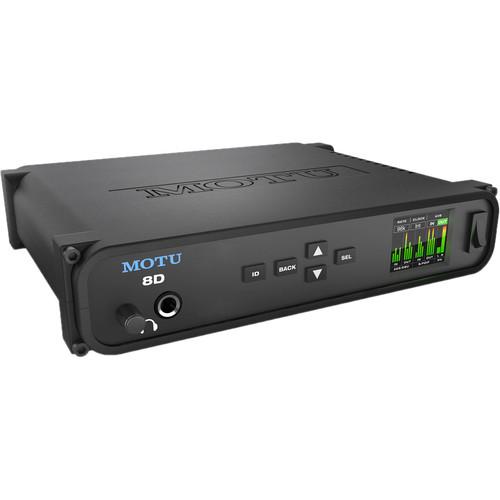
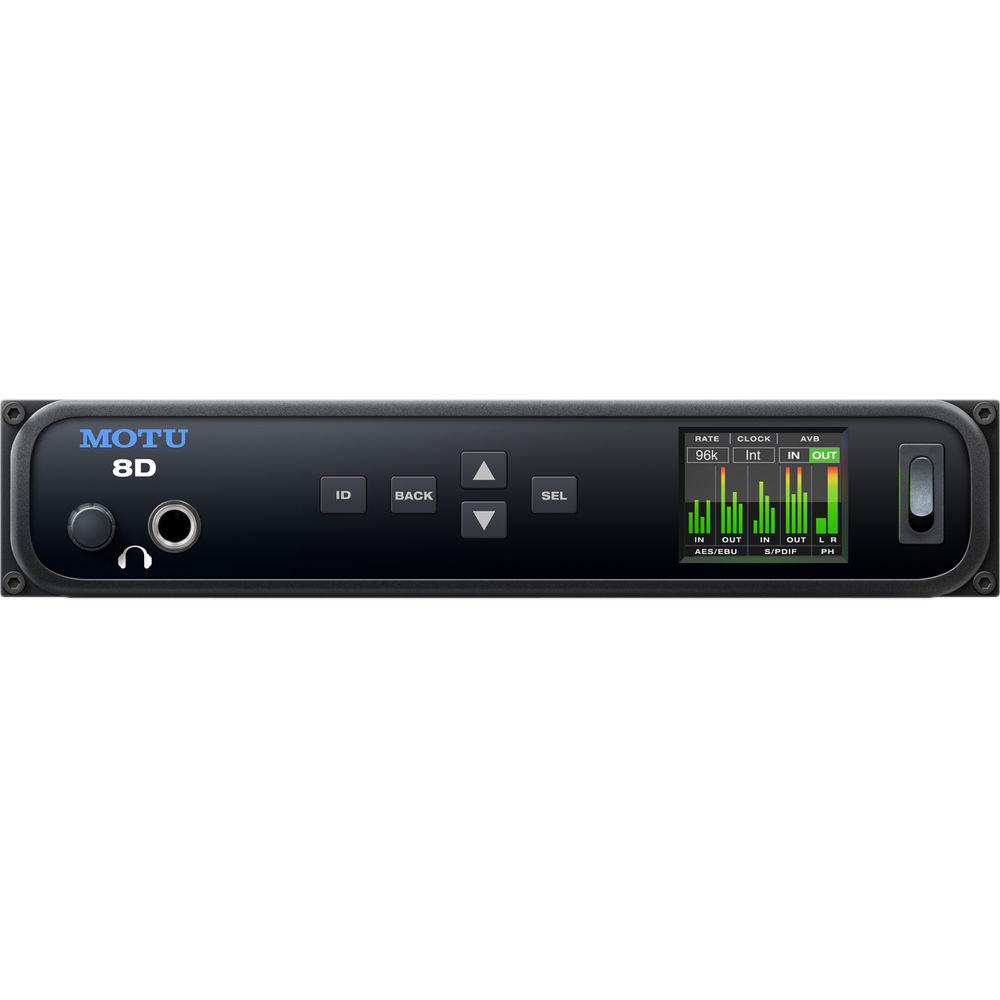
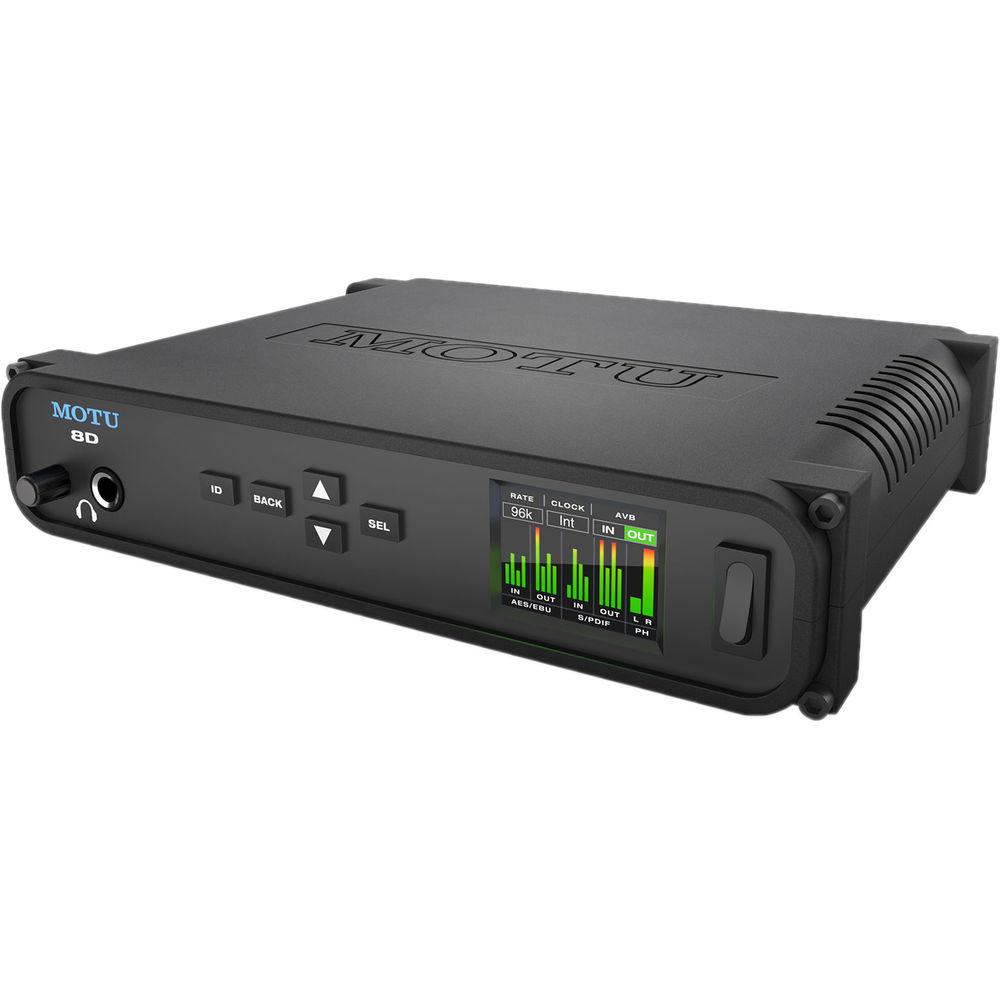
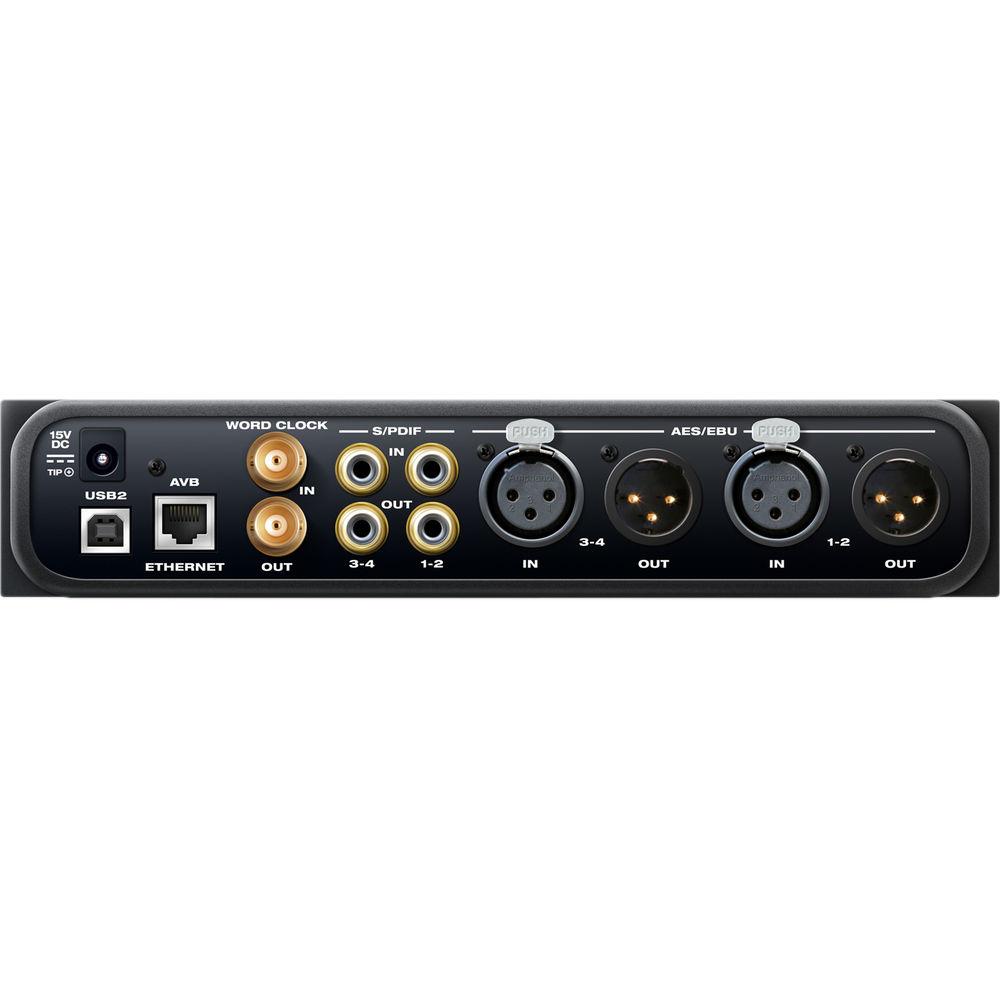
Product description Flexibly route, monitor, link, and apply effects to digital audio with ease using MOTU’s 8D. The device acts as an interface, router, splitter, mixer, and converter in one, giving you numerous and multi-faceted connections for feeding digital audio into and out of your host computer, as well as across AVB/TSN infrastructures.The device features a USB 2.0 connection—class compliant and compatible with both USB 3.0 connections and iOS—as well as AES-EBU connections via XLR, S/PDIF I/O via RCA, and up to 32 channels of AVB-TSN I/O by means of an Ethernet CAT5e connection. In total, 210 simultaneous channels of I/O are achievable, while a headphone output, located on the front panel and sporting its own volume control, provides the ability to monitor any stereo source of your choice.All AES-EBU and S/PDIF channels sport the ability to convert sample rates to facilitate a more hassle-free transfer of digital audio, achieving this conversion even if the 8D is not resolved with its connected devices. Indeed, this unit can operate as part of a larger ecosystem of MOTU devices, all linking over an AVB-TSN and controllable wirelessly over Wi-Fi. For this express purpose, the MOTU Pro Audio Control web app has been created, working across platforms to provide seamless integration, manipulation, and coordination of digital audio. Any network you set up in such a fashion will function with ultra-low latency, even whilst handling hundreds of channels over long cable runs.Also, included with the 8D is a 32-bit, floating-point DSP engine. This engine provides a routing matrix with 48 channels and 12 stereo busses, as well as effects modelled on several prized pieces of hardware, audio analysis tools, and the AudioDesk DAW for Mac and Windows platforms. - 8 Channels of Digital Audio I/O and Conversion with SRC
- Four channels of AES3 (AES/EBU) digital I/O, plus four channels of S/PDIF digital audio I/O, with sample rate conversion on all inputs.
- Flexible, Router, Converter and Splitter
- You can send any input to any output, or split an input to multiple output channels, and convert formats to AES3, S/PDIF, AVB-TSN and USB. This includes routing to and from your computer, as well as any devices on an AVB-TSN network.
- Standalone Operation with Wireless Control
- You can connect a standard Wi-Fi router with a standard Ethernet cable for wireless control of device settings, routing/splitting, 48-channel mixing and DSP effects. Indeed, you can control everything from your favorite web browser on a laptop, tablet, and smartphone, all while connected to your local Wi-Fi network.
- DSP Mixing and Effects Processing
- Included are a flexible 48-input digital mixer with seven stereo aux busses, three stereo groups, and access to 32 network inputs, as well as DSP effects, such as reverb, 4-band EQ, gate and compression. Some notable modules include emulations of the LA-2A, as well as a model of British analog-console EQ.
- Low-Latency MOTU drivers
- Universal connectivity over high-speed USB 2.0 (3.0 and iOS compatible), as well as AVB. These drivers deliver low-latency and solid performance.
- Comprehensive Metering
- The full-color, front-panel LCD lets you view all signal activity at a glance with detailed metering for all I/O. You can access hardware settings from an easy-to-read menu.
- Convenient Headphone Monitoring
- Assignable front-panel headphone output with volume control allows for monitoring of any stereo channel pair.
- Word Clock I/O
- Standard word-clock, BNC I/O for resolving to other digital audio gear, or house sync.
- 32-Bit Floating-Point Processing
- The 8D's mixing and effects DSP engine delivers high headroom.
- Expandable
- Add a 2nd MOTU AVB-equipped interface by means of a CAT-5e Ethernet cable. You can connect up to five MOTU interfaces using a MOTU AVB Switch (available separately).
- AVB-TSN Audio Networking
- Build a network with multiple interfaces and computers using standard AVB-TSN switches and network cabling, with low network latency, even over long cable runs (100m point to point). Stream hundreds of audio channels among devices and computers on the network.
- Audio Analysis Tools
- Tools for audio analysis includes a full-screen real-time FFT display, spectrogram "waterfall" display, full-featured oscilloscope, X-Y plot, and phase analyzer.
- AudioDesk Software
- Included with the 8D is AudioDesk workstation software for Mac and Windows, which features 24-bit recording, sample-accurate editing and 32-bit mixing and mastering.
- Compatibility with Mac and Windows Software
- The 8D ships with Core Audio drivers for Mac OS X for compatibility with virtually all Core Audio-compatible apps. Also included are ASIO and Wave drivers for Windows 7, 8 and 10, ensuring compatibility with practically all ASIO- and Wave-compatible audio apps.
UPC: 839128006065 In the Box MOTU 8D 8-Channel Interface with AES/EBU & S/PDIF USB Cable DC Power Adapter Rackmount Kit with Brackets & Screws Limited 2-Year Warranty Table of Contents
|
Upload User Manual
Have you got an user manual for the MOTU 8D 8-Channel Interface with AES EBU & S PDIF in electronic form? Please send it to us and help us expand our library of instruction manuals.
Thank you, too, on behalf of other users.
To upload the product manual, we first need to check and make sure you are not a robot. After that, your "Submit Link" or "Upload File" will appear.
Technical parametersMOTU 8D Specs | | | Channels of I/O | Analog:
8 Inputs / 8 Outputs at 48 kHz
8 Inputs / 8 Outputs at 96 kHz
Digital:
64 Inputs / 64 Outputs at 48 kHz
32 Inputs / 32 Outputs at 96 kHz
24 Inputs / 24 Outputs at 192 kHz | | Max Sample Rate/Resolution | 96 kHz / 24-Bit | | Display and Indicators | 1 x Graphic LCD (Menu Navigation, Metering) | | | | Host Connection | 1 x USB Type-B (USB 2.0)
1 x RJ45 (AVB/TSN) USB 3.0 and iOS compatible | | Analog I/O | 1 x 1/4" (6.3 mm) TRS Headphone Output
1 x 1/4" (6.3 mm) TRS Headphone Output | | Digital I/O | 2 x XLR 3-Pin Female / AES/EBU Input
2 x XLR 3-Pin Male / AES/EBU Output
2 x RCA Coaxial / S/PDIF Input
2 x RCA Coaxial / S/PDIF Output
1 x BNC (Word Clock) Input
1 x BNC (Word Clock) Output
1 x RJ45 / AVB/TSN In/Out
1 x BNC (Word Clock) Input
1 x BNC (Word Clock) Output | | MIDI I/O | None | | | | Frequency Response | Headphone Outputs:
22 Hz to 20 kHz +0/-0.15 dB | | Gain Range | Headphone Outputs:
128 dB | | Headphone Output Power | 80 mW (Max) | | Dynamic Range | Outputs:
108 dBA | | THD+N | Headphone Outputs:
-100 dB | | | | Sample Rates | 44.1, 48, 88.2, 96, 176.4, and 192 kHz | | | | OS Compatibility | Windows 7 or Later
macOS 10.8 or Later macOS 10.11 with Thunderbolt port on Mac required for operation as an AVB Ethernet audio interface. | | Processor Requirement | Mac:
1 GHz Intel
PC:
1 GHz Intel Pentium | | RAM Requirements | 2 GB (4 GB Recommended) | | Storage Requirements | 500 GB | | Required Hardware | Available USB 3.0 Port | | | | AC/DC Power Adapter | 12 to 18 VDC at 1.0 A (Included) | | | | Dimensions | 8.7 x 7 x 1.8" / 22 x 17.8 x 4.5 cm | | Weight | 2.0 lb / 0.9 kg | | | | Package Weight | 4.34 lb | | Box Dimensions (LxWxH) | 15.1 x 11.5 x 5.45" |
Rating100% users recommend this product to others. And what about you?

This product has already been rated by 24 owners. Add your rating and experience with the product.
Discussion
 Ask our technicians if you have a problem with your settings,
or if anything is unclear in the user manual you have downloaded.
You can make use of our moderated discussion.
The discussion is public and helps other users of our website who may be encountering similar problems.
Ask our technicians if you have a problem with your settings,
or if anything is unclear in the user manual you have downloaded.
You can make use of our moderated discussion.
The discussion is public and helps other users of our website who may be encountering similar problems.
The discussion is empty - enter the first post
Post a new topic / query / comment:
|
|
|
| Request for user manual |
You can’t find the operation manual you are looking for? Let us know and we will try to add the missing manual:
I’m looking for a manual / Request for manual
Current requests for instruction manuals:
Call Of Duty World War Two For Xbox...
controller stratus XL...
stratus XL...
smart whatch serie S11 42mm...
Allen & Heath SQ-6 manual...
|
| Discussion |
Latest contributions to the discussion:
AEW R 4100
Name: MAURICIO ANGARITA
Audio-Technica AEW-R4100 UHF Diversity Receiver for
AEW R 4100 has the mute function blocked and does not allow audio to pass. I tried several times to turn off the mute from the transmitter but it does nothing, the mute stays on. Solution?
Thank you...
Instructions for assembling the 2015 Forecast Image Master Consoles GC3-A
Name: mike elam
Forecast Consoles GC3-A ImageMaster Editing Console
Looking for instructions for assembling this console. ...
EMPTY TONER ERROR MESSAGE AFTER REPLACING TONER
Name: LINDA BAD YELLOW EYES
Brother TN223BK Standard-Yield Toner
I HAD TO CHANGE OUT ALL THREE TONERS DUE TO LEAKS IN THE YELLOW AND CYAN. AFTER I REPLACED THEM, THE MACHINE KEEPS GIVING ME AN EMPTY TONER ERROR MESSAGE. HELP!!...
PS480D 20/24 pin Switching 480W Power Supply
Name: swkargo
Logisys 480W Power Supply
This item states in can run -5vdc .It is NOT listed on the board or I beleive is r4 is missing the resitior. Any body have thid issue. Shawn
...
Help needed
Name: Ann Carter
SanDisk 1TB Extreme Portable USB 3.1
When I click the link to download the user manual for my Sandisk Extreme external hard drive, it gives me the manual for the LG Cricket. Can you please change the link so I can download the Sandisk manual and begin using this drive? Thank you....
|
|


