User Manual for MOTU Digital Performer 10 - Audio MIDI Music Production Software Click to enlarge the picture
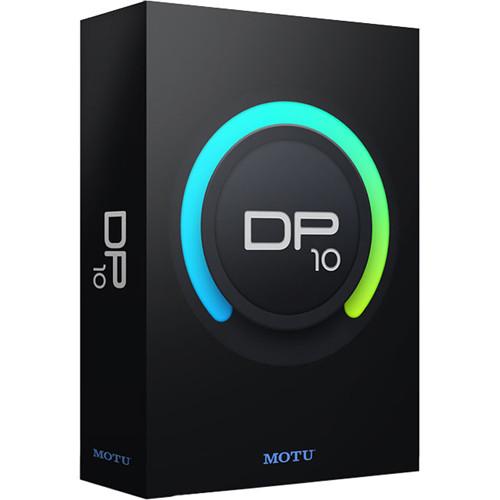 Contents of the user manual for the MOTU Digital Performer 10 - Audio
- Product category: Music Production Software MOTU
- Brand: MOTU
- Description and content of package
- Technical information and basic settings
- Frequently asked questions – FAQ
- Troubleshooting (does not switch on, does not respond, error message, what do I do if...)
- Authorized service for MOTU Music Production Software
 |
User manual for the MOTU Digital Performer 10 - Audio contain basic instructions
that need to be followed during installation and operation.
Before starting your appliance, the user manual should be read through carefully.
Follow all the safety instructions and warnings, and be guided by the given recommendations.
User manual is an integral part of any MOTU product,
and if it is sold or transferred, they should be handed over jointly with the product.
Following the instructions for use is an essential prerequisite for protecting
health and property during use, as well as recognition of liability on the part of the manufacturer
for possible defects should you make a warranty claim. Download an official MOTU user manual in which you will find instructions on how to install, use, maintain and service your product.
And do not forget – unsuitable use of a MOTU product will considerably shorten its lifespan!
|
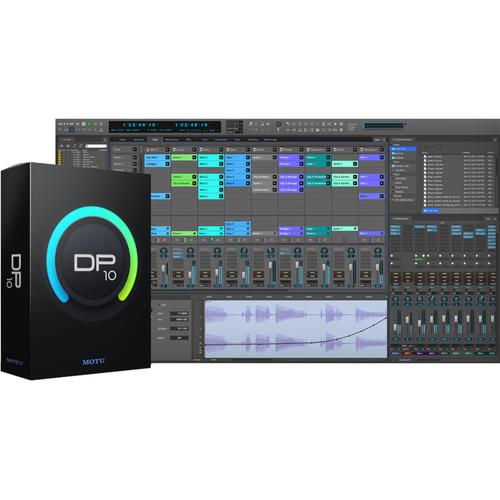
Product description Which DAW is Right for You? Read More MOTU Digital Performer 10 is powerful audio/MIDI music production software offering unlimited tracks, sequences, and songs for songwriting, beat-making, live performance, film and video soundtracks, audio post production, surround mixing, and other professional audio production tasks. It provides versatile programming, recording, editing, arranging, mixing, processing, and mastering functions in a consolidated and customizable single-window workspace that streamlines workflows. Version 10 boasts: real-time clip importing and triggering for individual clips or multitrack groups; fast access to plug-ins, clips, and loops via a content browser; and flexible, transparent time stretching powered by Zynaptiq.The supplied 5GB soundbank of multisample instruments, synths, loops, and phrases enables expressive and inspiring compositions for all genres of music. Digital Performer's expansive plug-in collection includes dynamics and time-based processors, models of guitar amplifiers, cabinets, and stompboxes, virtual instruments, and much more. Selectable waveform/spectrogram views, a quick-search command to find any feature, and primary-/secondary-tool toggling make common operations even more efficient. Thanks to support for Audio Units, VST (versions 1, 2, and 3), and MAS (MOTU Audio System), the Mac- and Windows-compatible Digital Performer software can host your favorite third-party plug-ins. Note: This upgrade is for owners of a previous version of Digital Performer. - What's New in Version 10
-
- Clips Window: Trigger individual or multitrack loops and phrases from your laptop or controller in real-time for live performance or on-the-fly creation
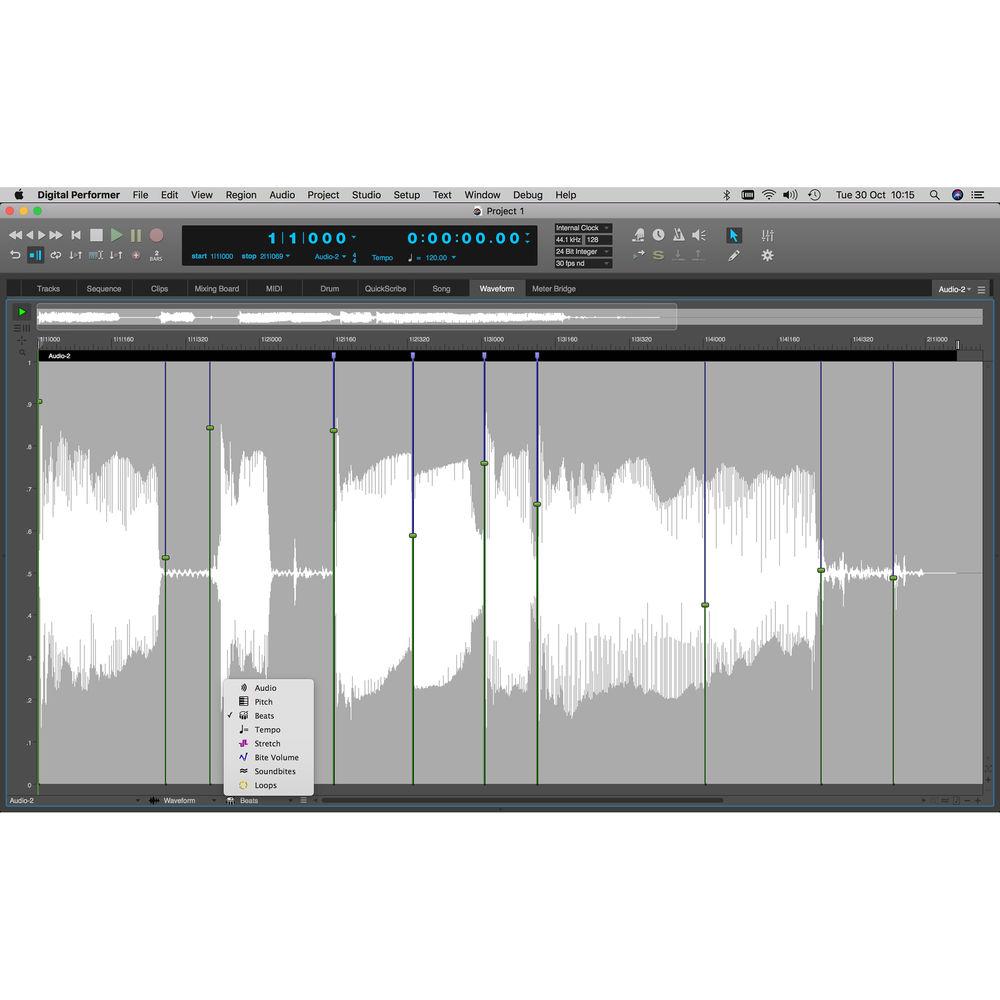
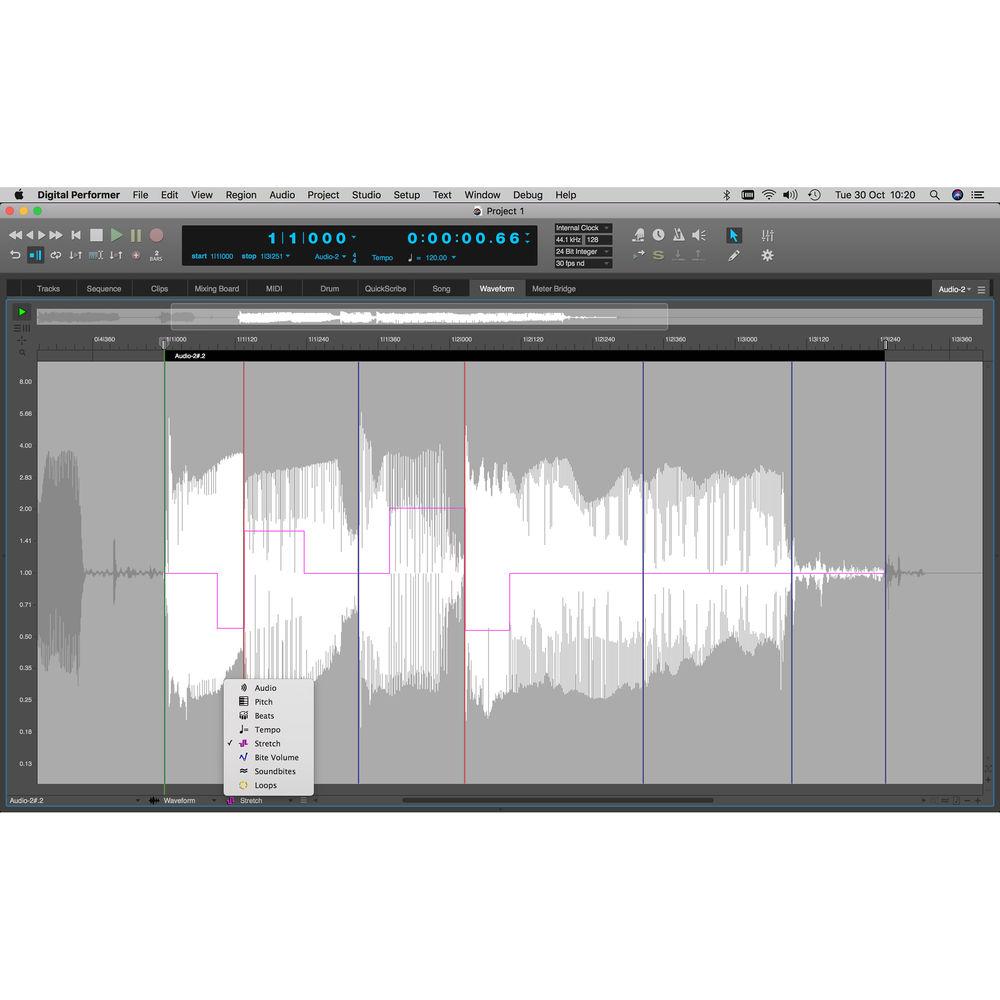
- Stretch Audio: Powered by ZTX PRO technology from Zynaptiq, Stretch allows flexible, high-quality audio manipulation from precision editing of individual beats to global tempo changes
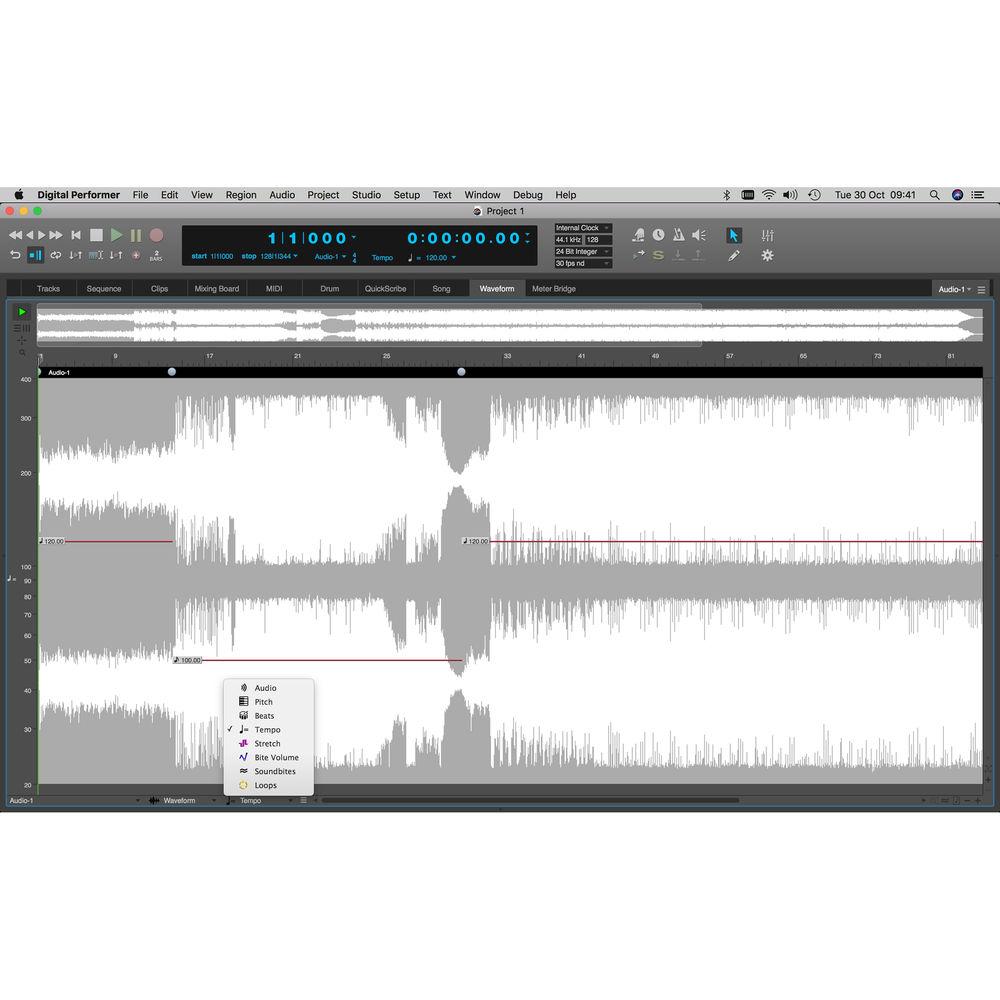
- Beat Detection 2.0: Determine tempo from rhythmic audio sources such as individual loops, multichannel stems, or even full mixes
- Content Browser: Get instant access to virtual instruments, loops, clips, and plug-ins for fast drag-and-drop additions into your project
- VCA Faders: Use a VCA fader to control any number of tracks, create unlimited VCA groups, control VCAs with other VCAs, and apply mix automation to VCAs without overwriting sub-fader automation
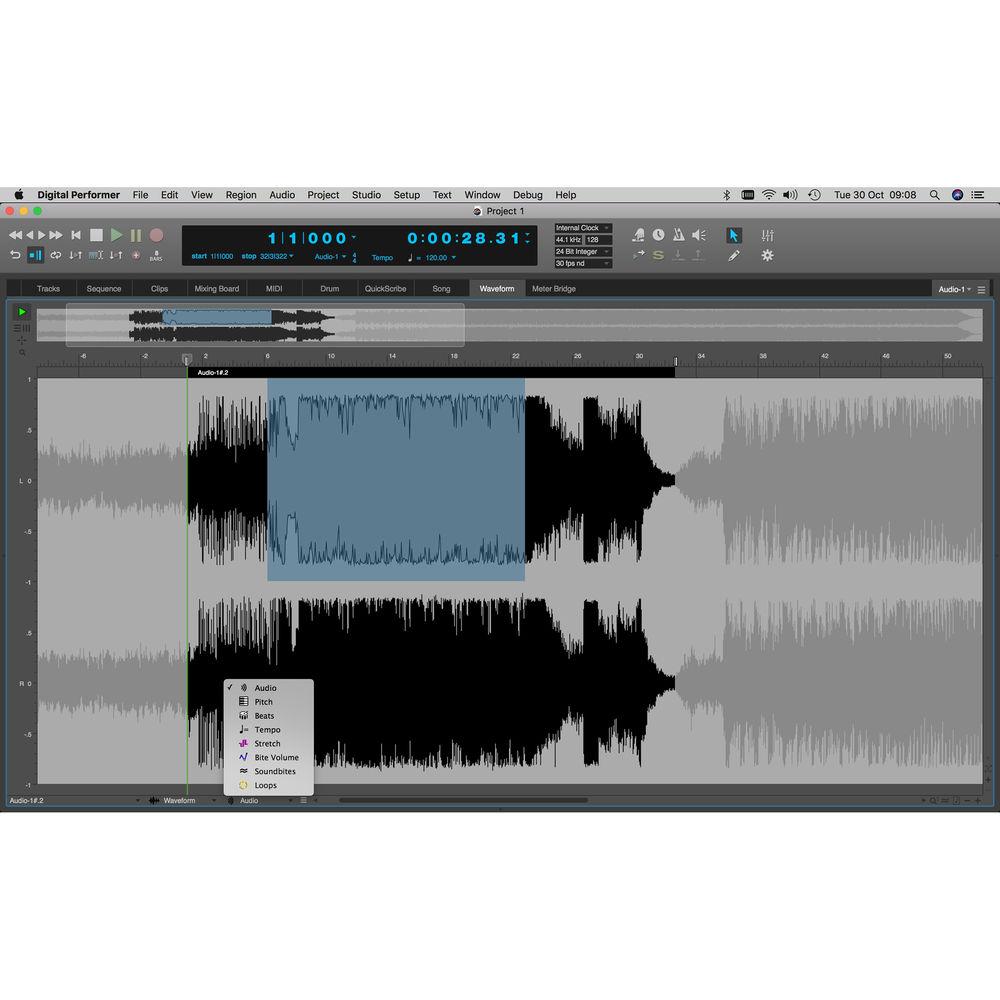
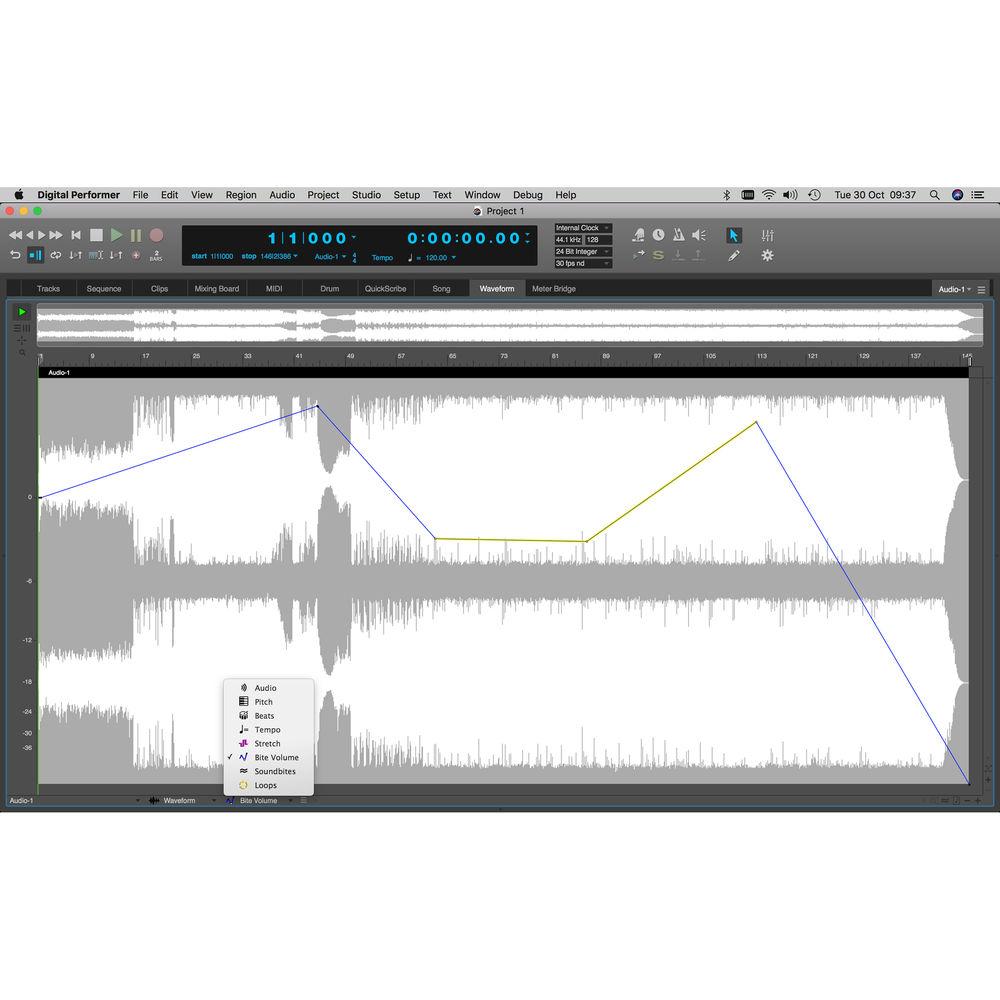
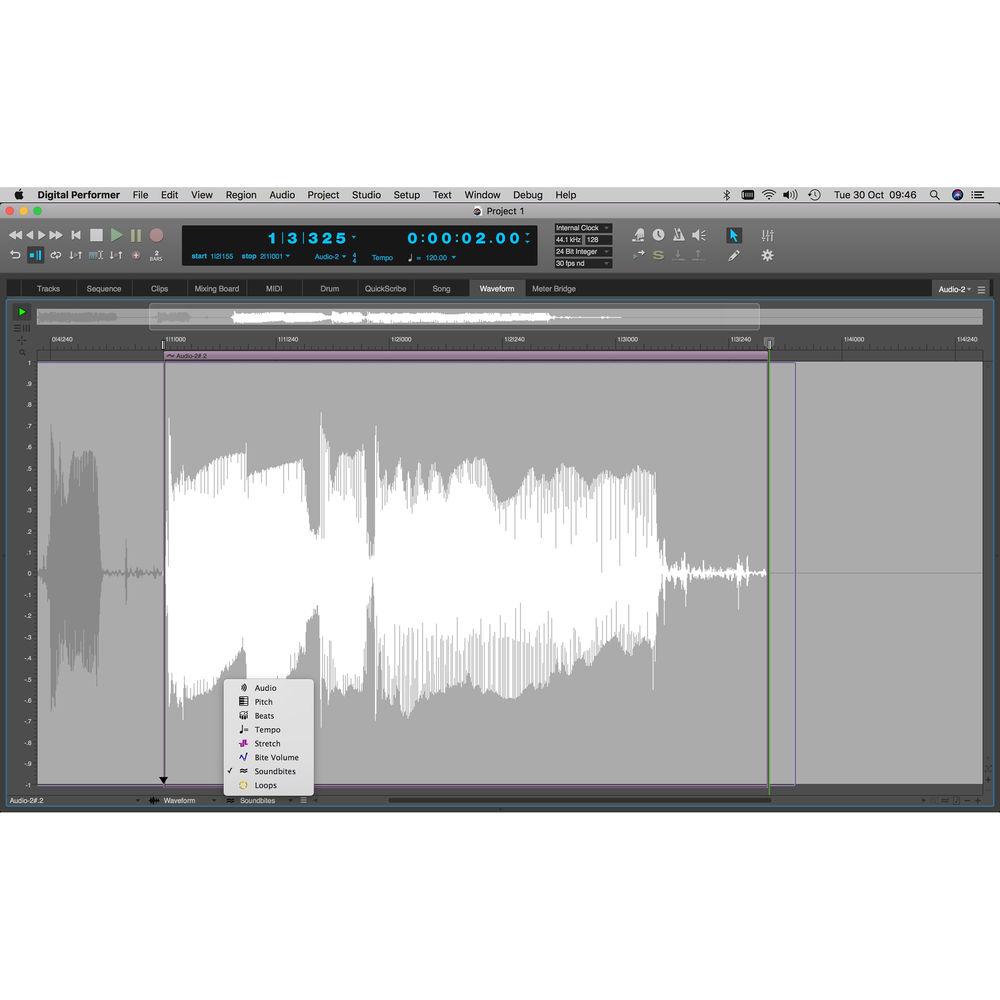
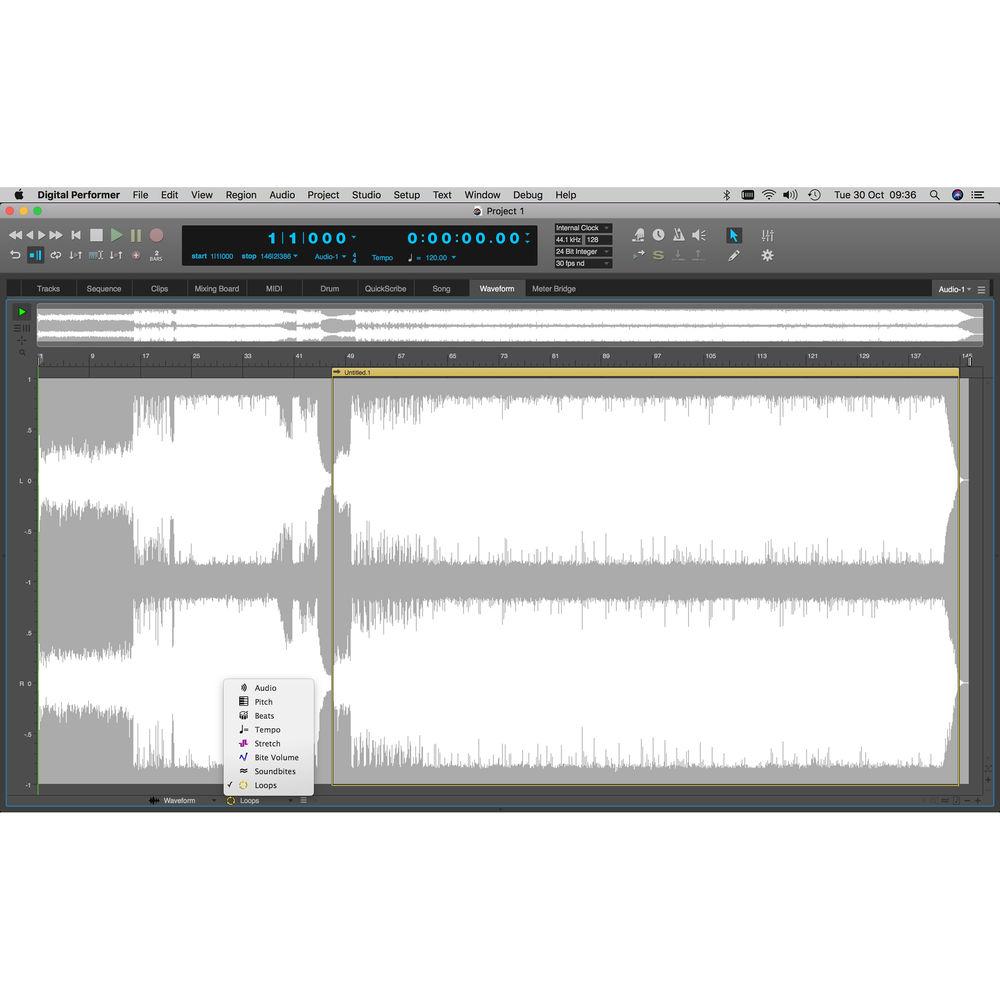
- Streamlined Waveform Editor: All-in-one environment for sample-level editing with waveform/spectrogram views, precision beat editing, elastic audio stretching, pitch correction, embedded tempo maps, and more
- VST3 Support: Digital Performer supports VST3-compatible virtual instruments and plug-ins, and reamins compatible with VST2 and VST1 plug-ins
- MOTU Instruments Soundbank: An expansive 5GB library with over 300 different instruments, 1100 instrument presets, and 500 loops
- Free Loops and Sample Packs: 6GB of free loops and sample packs from leading sample content providers
- Scalable UI: Press a simple shortcut to scale DP's entire UI larger or smaller to achieve the perfect degree of clarity for your eyes
- Run Command: Gain instant access to any feature in Digital Performer by typing Shift + Spacebar to open the Run Command window; start typing, and all features matching what you type instantly appear
- Workflow Enhancements: Programmable skip buttons, consolidated zooming, Region menu presets, absolute/relative grid snapping, faster tool editing, CC data quantization, CC data replacement during overdubbing, MIDI note display with velocity and note name, and more efficient event list editing
- MasterWorks Series
-
MasterWorks Equalizer- Modeled analog console EQ inspired by legendary British analog console
- Graphic editing with real-time FFT
- Seven filters
- Modeled gain and Q behavior
- Four EQ styles
MasterWorks FET-76- Accurate model of the 1176LN Limiting Amplifier introduced by UREI in 1968 (the D/E revisions).
- Models FETs (Field Effect Transistors) to control audio gain reduction, with very fast responses
- Provides the same controls and sound as the original analog hardware, including the ability to press multiple ratio buttons at one time for aggressive compression settings
MasterWorks Leveler- Accurate model of the LA-2A optical leveling amplifier, known for its Automatic Gain Control (AGC) characteristics
- Four different LA-2A models - Slow Vintage, Fast Vintage, Slow Modern, and Fast Modern
MasterWorks Compressor- Precision three-band compressor
- Graphically adjustable crossover frequencies
- Individual solo/bypass controls
- Precision peak/RMS metering
- 64-bit internal processing
MasterWorks Limiter- Precision limiting
- 64-bit floating point processing
MasterWorks Gate- Stereo gating with sidechain and lookahead
- Independent control of the left and right channel of stereo signals
- Trigger the gate with sidechain input, in stereo or separately for each channel
- Creative Music Production
-
MegaSynth- Combines polyphonic octave generation with flexible signal routing, envelopes, and LFOs
- Generates octave, suboctave, and square wave tones based on the input signal
- Mix, route, and process four signals (voices) in a virtually infinite number of ways
- Programmable pattern generator
- Macros that simultaneously control multiple parameters
- Envelope follower
ProVerb- CPU-efficient convolution reverb plug-in
- Delivers the sound of realistic acoustic spaces from soaring cathedrals to studio plates
- Dozens of presets
eVerb- CPU-efficient classic synthesized reverb with dozens of presets
- In-depth programming and graphic control
Springamabob- Vintage spring tank reverb
- Authentic reproduction of three different spring tanks
- Long double
- Long triple
- Short triple
Plate- Classic plate reverb effect
- Reproduces the classic sound of the plate reverbs of the 1950s, 60s and 70s
- Up to six seconds of reverb
- Detailed control over frequency distribution, filtering, mix, predelay, crossover frequencies, and diffusion
Ensemble Chorus- Subtly transforms vocal tracks or instruments into richly chorused multiple voices spread across the stereo soundstage
- An ideal companion to ProVerb, it can also be used effectively as a standalone processor for thickening up a group of voices, making a guitar swirl, or other chorusing effects
- Results range from subtle and refined to drastic and bizarre
Subkick- Produces synthesized sub-bass frequencies
- Triggered by a kick drum or similar transient-laden, rhythmic audio signal
Multimode Filter- Automatable filter effects including sweeps, beat-synced rhythmic burble, talkbox chatter, etc. Draw automation curves, play notes on a MIDI keyboard, twist LFO knobs, or push envelope depths. Use the modulation wheel to sweep, twist, contort and otherwise animate low-pass, high-pass, peak and notch filter effects
Sonic Modulator- Modulation machine
- Incoming signal is split into two separate frequency bands and all settings can be applied independently to each band
- Four phase-syncable LFOs and an amplitude envelope, combined with pitch, filter, amplitude and delay modulators
- Everything is beat syncable
- Dozens of presets
Pattern Gate- Rhythm-based effect
- Choice of metric resolution, pattern length, and depth (mix) for fully (or partially) muted steps
- Click the sixteen LED-illuminated pads to program rhythmic patterns in seconds
- Three-stage envelope provides fine-tuned control over the shape (attack/sustain/release) of each played step
- LFO can be applied to any of the shape parameters, such as attack, release, depth, or sustain (or any combination)
Delay- Dozens of presets
- Edit parameters with the precision of millisecond timing,or dial-in rhythmic pulsations locked to the beat and tempo of a sequence
- 5.1 surround mix compatible
- Guitar FX
-
MegaSynth- Combines polyphonic octave generation with flexible signal routing, envelopes, LFOs, a pattern generator, and macros
- Generates octave, suboctave, and square-wave tones based on the input signal
- Mix, route, and process four signals (voices) in a virtually infinite number of ways with creative processing
- Programmable pattern generator
- Macros control multiple parameters at once
- Envelope follower
Micro G- Polyphonic octave generator for guitar
- Subtractive synth processor
- Generates octave, suboctave, and square-wave tones
- Gain triggered filter sweep
Micro B- Polyphonic octave generator for bass guitar
- Adds octave, sub-octave, and square wave tones
- Polyphonic synthesis for enhanced bottom end
MultiFuzz- Accurate reproduction of Craig Anderton's Quadra Fuzz multiband distortion kit
- Four independent frequency bands
- Each band has its own distortion controls
ACE30- Accurate model of the Vox AC30/6 and AC30 CC2X
- Three preamp circuits
- Two impedance levels
- Tremolo circuit with independent control
- Vintage and modern tones
- Gibson and Fender tone circuits
Soloist- Two channel Mesa Dual Rectifier Solo Head amplifier of the '90s
- Component model of the silicon diode rectifiers
- Tight attacks, added brightness, and substantial headroom
- Offers red and orange channels
Custom '59- Three iconic guitar amps modeled in one plug-in
- Fender Bassman, Marshall JTM45, and Marshall JCM800
Live Room | G- Physically modeled guitar speaker cabinet
- Four microphones, mixable positions (close, near, and far)
- Two mono plus one stereo microphone channel each with their own predelay, sidechain output, 3-band EQ, solo/mute and volume
Live Room | B- Physically modeled bass guitar speaker cabinet
- Four microphones, mixable positions (close, near, and far)
- Two mono plus one stereo microphone channel each with their own predelay, sidechain output, 3-band EQ, solo/mute and volume
Live Stage- CPU efficient cabinets for live performance
- Single microphone version of Live Room | G and Live Room | B
Analog Chorus- Authentic analog chorus modeled after Boss CE Chorus Ensemble series of foot pedals from the late 1970s and early '80s
- Includes the CE-2 and CE-3
- Simple controls and very low CPU overhead
Tuner- Tune a guitar, bass, sax, or other pitched instrument
- Load it as a plug-in before or after any other plug-in inserts
- Includes adjustable tuning reference and test tone generation
- Virtual Instruments
-
MX4- Combines several core synthesis techniques in a unified, hybrid synthesis engine
- Delivers fresh and vintage sounds
- One window control interface
- Unlimited voices
- Unlimited polyphony
- EDM soundbank developed by Erik Norlander
BassLine- Analog-style monophonic bass synthesizer with controls dedicated solely to the bass
- Single oscillator that blends two waveforms (saw and square)
- One low-pass filter with cutoff and resonance, simple decay envelopes for the filter and amplifier, and several additional analog synthesizer features
PolySynth- Retro analog pad synthesizer with the distinct look of the classic Roland Juno 106
- Digital controlled oscillator (DCO) can be adjusted with varying amounts of detune, triangle wave, sawtooth, rectangle (square) wave, sub-oscillator 1 and 2, and noise
- Single LFO can modulate pitch, pulse width, or filter depth
- Resonant low-pass filter with frequency and resonance controls, key tracking, velocity control, and an ADSR envelope
- Chorus and distortion
Modulo- Subtractive synthesizer
- Two oscillators plus noise, 58 available digital waveforms for each oscillator, oscillator phase and symmetry modulation, two LFOs, resonant multimode filter, three envelopes, and a 5 x 7 modulation matrix
- Built-in bank and patch management features, and dozens of clearly organized presets
Nanosample- Easy way to play samples
- Drag an audio file from any other DP window or from the computer desktop, and then drop it into the LCD display to instantly play it from a MIDI controller
- Basic sampler features include setting a sample start/end time, setting a crossfade loop, applying the multimode filter and automating cutoff frequency or other parameters, applying an envelope to the amplitude or filter, and adding LFO effects
Model12- 12-part programmable drum module
- Each part has two sends for applying any effects or external processing
- Velocity parameter maps note-on velocity to pitch, allowing you to bend up or down into the root pitch of the drum, depending on how hard a drum pad or MIDI controller key is struck
- This and other similar techniques can be applied to sample start, filter cutoff, and other parameters
- Choose either a decay or gated envelope for each part independently
- Multimode filter on each part for a wide range of filter effects, all applied simultaneously
Proton- Two-operator FM synthesizer
- Easily programmable with a streamlined 2-op architecture driven by a wavetable knob instead of the complexity of additional operators
- Real-time display shows the spectral content or periodic waveform being generated by the current settings
- Additional controls include an FM LFO, modulation pitch envelope, FM amount envelope and overall ADSR envelope
- General Features
-
- Complete desktop studio production with unlimited sequences, songs, V-racks, tracks, audio voices, and undo history
- Up to 2048 mono buses (1024 stereo buses)
- Up to 20 sends per channel
- Supports 16- and 24-bit integer formats, plus 32-bit float
- Sample rates up to 192 kHz
- Channel formats of mono, stereo, quad, LCRS, 5.1, 6.1, 7.1, and 10.2
- SMPTE timecode formats of 30 (drop and non-drop), 29.97 (drop and non-drop), 25, 24, and 23.976 fps
- Supports plug-ins in Audio Units (Mac only), VST2, VST3, and MAS formats
- Wide audio file compatibility including AIFF, WAV, Broadcast WAV, Sound Designer II, MP3, MP4, ACID, Apple Loops, REX, QuickTime, AAC, and many more
-
- MIDI, audio, and virtual instruments
- Consolidated Window with quick access to the Sequence Editor, Mixing Board, and Waveform Editor amongst others with tabs across the top of the window
- Customizing the workspace with various themes
- Custom level meters
- Custom waveform colors
- Floatable Control Panel provides essential information in a compact strip across the top of the computer screen
- Extensive customization of the workspace
- Work with multiple sequences in a single project
- Track folders and groups provide clarity by organizing tracks
- Sample-accurate editing
- Up to two trillion PPQ MIDI resolution
- Recording and playback features including editing during playback, partial-solo mode, configurable event chasing, scrubbing, advanced click programming, input filtering, and quantizing
- Multitrack recording of both MIDI and audio simultaneously, manual and auto punch-in, overdub recording, recording while slaved to external sync
- POLAR loop recorder inspired by the Echoplex tape delay allows you to continuously loop-record vocal comps, beat-boxing, guitar, or pretty much anything, overdubbing each pass to build up vocal stacks or layered audio loops of any length with any number of layers
- Step record
- Record an unlimited number of takes and then combine them into the perfect composite or comp take
- Comprehensive MIDI and audio editors
- Sequence Editor provides detailed multitrack overview of all MIDI, audio, and instrument tracks
- Track list
- Piano-roll style editing for MIDI and instrument tracks
- Grid editor for drums and percussive material
- Singletrack, endlessly scrolling music notation editor
- Multitrack notation editor for lead sheets, scores, and parts with page layout
- Waveform editor
- Event list
- Automation lanes display automation data for audio, MIDI, and instrument tracks in their own lanes
- Spectral display offers a visual representation of audio based on frequency and intensity. Vertical positions represent frequency, while brightness represents intensity
-
- Mixing Board window provides an integrated mixing environment for MIDI, audio, and instrument tracks in channel configurations from stereo up to 10.2 surround, along with real-time effects processing, and virtual instrument plug-ins
- Inline multiband EQ and dynamics processing in each Mixing Board channel
- Complete mix automation
- Work with audio, instrument, and MIDI automation side by side
- Draw automation by hand using a variety of tools with various shapes
- Record in real-time with mouse gestures or a hardware control surface
- Overwrite new automation or trim existing curves, in real time
- Take automation snapshots across any or all tracks
- Create beat-based, tempo-locked automation effects
- Plug-ins can be fully automated with ramps, stair steps or other behaviors appropriate for each parameter
- Channel Strip sidebar cell in the main window displays all the mixer channel settings for the track being worked on
- Every edit window can display a miniature mixer channel for quick access to mix settings for the track being edited
- Mix Mode menu in the Mixing Board lets you create, save, edit, and switch between multiple mix downs of your project
- Control surface support with third-party surfaces such as the Avid Artist Series controllers, Mackie Control Universal, or other HUI-compatible controllers
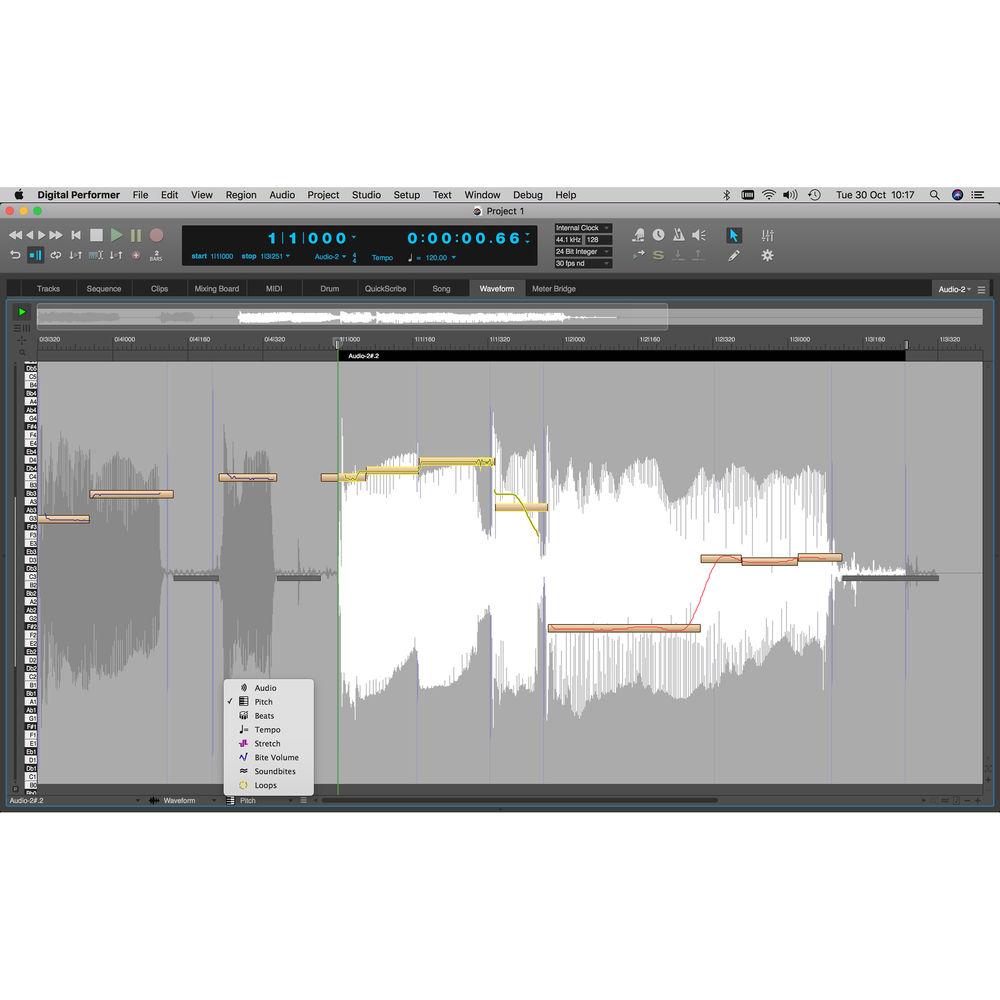
- Correct pitch or transpose audio graphically
- Pitch effects
- Scale the pitch curve
- Quantize pitch
- Transpose and harmonize pitch
- Audio to MIDI data
- DP Control App provides wireless control of the software (downloadable)
- V-Rack loads virtual instruments and effects that are available to all sequences in a project
- Use V-Racks to build a mastering chain to which you feed the master output from multiple sequences to achieve absolute consistency during mastering
- V-Racks also useful for virtual instruments or effects processing during live performance
- Create professional-looking lead sheets, scores, and parts using sophisticated music notation transcription
- Accurate real-time MIDI transcription
- Dynamics, text, and score arrangement
- Onscreen page layout
- Create and print lead sheets complete with multistanza lyrics, transposable chord symbols, and score arrangement features
- QuickScribe film cues view for scoring to picture
- MusicXML export transfers QuickScribe's notation to other notation programs, such as Finale and Sibelius
- Live search for enhanced workflow
- Right-click menus
UPC: 839128006140 Table of Contents
|
Upload User Manual
Have you got an user manual for the MOTU Digital Performer 10 - Audio MIDI Music Production Software in electronic form? Please send it to us and help us expand our library of instruction manuals.
Thank you, too, on behalf of other users.
To upload the product manual, we first need to check and make sure you are not a robot. After that, your "Submit Link" or "Upload File" will appear.
Technical parametersMOTU Digital Performer 10 Specs | | | Supported Operating Systems | Windows 7
Windows 10
macOS X 10.11
macOS X 10.12 or Later | | Memory Requirement | 4 GB (8 GB Recommended) | | CPU Requirement | Windows, Mac:
1.83 GHz Intel Core Duo and Faster | | Display Resolution Requirement | 1024 x 768 (1280 x 1024 Recommended) |
Rating80% users recommend this product to others. And what about you?

This product has already been rated by 52 owners. Add your rating and experience with the product.
Discussion
 Ask our technicians if you have a problem with your settings,
or if anything is unclear in the user manual you have downloaded.
You can make use of our moderated discussion.
The discussion is public and helps other users of our website who may be encountering similar problems.
Ask our technicians if you have a problem with your settings,
or if anything is unclear in the user manual you have downloaded.
You can make use of our moderated discussion.
The discussion is public and helps other users of our website who may be encountering similar problems.
The discussion is empty - enter the first post
Post a new topic / query / comment:
|
|


