|
User Manual for MOTU Ethno Instrument 2 - Virtual Instrument Click to enlarge the picture
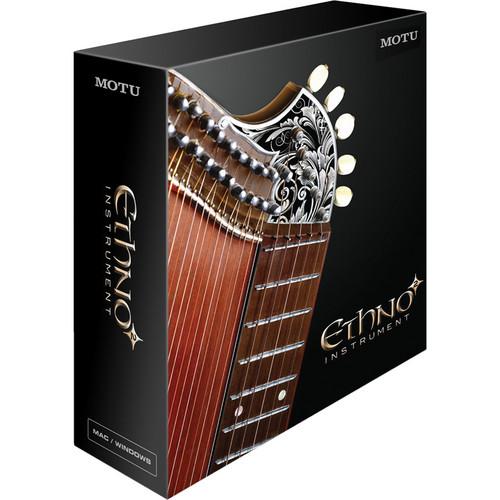 Contents of the user manual for the MOTU Ethno Instrument 2 - Virtual
- Product category: Virtual Instruments MOTU
- Brand: MOTU
- Description and content of package
- Technical information and basic settings
- Frequently asked questions – FAQ
- Troubleshooting (does not switch on, does not respond, error message, what do I do if...)
- Authorized service for MOTU Virtual Instruments
|
User manual for the MOTU Ethno Instrument 2 - Virtual contain basic instructions
that need to be followed during installation and operation.
Before starting your appliance, the user manual should be read through carefully.
Follow all the safety instructions and warnings, and be guided by the given recommendations.
User manual is an integral part of any MOTU product,
and if it is sold or transferred, they should be handed over jointly with the product.
Following the instructions for use is an essential prerequisite for protecting
health and property during use, as well as recognition of liability on the part of the manufacturer
for possible defects should you make a warranty claim. Download an official MOTU user manual in which you will find instructions on how to install, use, maintain and service your product.
And do not forget – unsuitable use of a MOTU product will considerably shorten its lifespan!
|
Product description Ethno Instrument 2 from MOTU is a virtual instrument that delivers expressive ethnic instrument sounds, combined with authentic world music loops and phrases, in a single window. The 21GB library delivers a huge collection of multi-sample instruments from all over the world, recorded with pristine audio fidelity. Instrument browsing and searching can be invoked by category or geographic region. Additionally, hundreds of authentic loops and phrases are available, instantly tempo-locked to your host software's time line. Slice loops with one click to trigger each beat from your keyboard, or drag and drop them directly into your host software tracks. The included convolution reverb allows you to place your music in real acoustic spaces, from primordial caves, to towering forests, to remote canyons. Create entire songs with unlimited parts and mix them in Ethno or your host software via multiple outputs. Or run Ethno stand-alone to turn your computer into a world instrument powerhouse with disk streaming and multiple outputs. Note: Software authorized via included iLok. Overview -
- Virtual instrument with instant access to 21GB of world instrument sounds, loops and phrases together in one window
- Browse sounds by category or by region of the world
- Search for presets directly in the browser by typing any name or keyword text
- Create layered stacks in seconds
- Tempo-sync features let you browse and play loops in tempo with your music
- Sliced loops let you rearrange beats or play them via your MIDI controller
- Drag n' drop audio phrases and loops directly into your host software, tempo-locked to your project time line
- Unique "Slice" button instantly divides loop into slices that you can play individually from your MIDI keyboard, drum pad or other MIDI controller
- Drag n' drop sliced loops as MIDI data into MIDI tracks in your host software for unlimited reprogramming using the MIDI sequencing features of your host software
- Very high-quality loop and phrase time-stretching, even at extremely slow or fast tempos, with technology licensed from the IRCAM Institute for audio research in Paris
- Convolution reverb provides authentic acoustic spaces, from natural settings like caves and forests to spacious concert halls and soaring cathedrals
- Apply microtonal tuning and scales from around the globe to any Ethno instrument sound
- Download and import free Scala-format micro-tuning files from the Internet, or create your own micro-tuning scales
- Advanced programming for live performance, including key switching, velocity cross-fades and zone splits
- Many key-switch presets for expressive performance of many instruments
- Supports unlimited parts and up to 64 MIDI channels (stand-alone or with supporting hosts)
- Unlimited polyphony and ultra-low software latency
- Submix to 17 stereo output pairs
- Disk streaming (per part) conserves RAM resources and quickens load times
- Supports all major Mac/PC plug-in formats - standalone version included
- Superb sound quality with the 32-bit UVI Engine XT, acclaimed worldwide for its lush and powerful sound
- Fast operation - instant access to all parameters in one window
- Multi-timbral - create stacks and layers in seconds
- Expert mode - add, remove and layer instruments on the fly, as you play
- Individual controls for each instrument, loop and phrase, including ADSR envelope, LFO (for vibrato, tremolo, etc.), tone controls, tuning and velocity response
- Multis - create, save, load and share entire ensembles of any size and scope
- Version 1 compatibility ensures that if you upgrade to Version 2, all of your Version 1 compositions remain intact
New for Version 2 -
- Over 875 instrument presets
- New sounds from Asia, Africa, Europe, the Balkans, the British Isles, Latin America, Australia, and many other locations around the globe
- Featured sounds include Taiko drums, large African drums, 30 new instruments from India, hundreds of urban India loops, Balkanish voices, Arabic voices, Persian voices, an extensive new collection of gongs and bells, extended cymbalum and much more
- Preset browser organizes instrument sounds by geographic region and by category to make it quick and easy for you to find the instrument you are looking for
- If necessary, presets are organized into sub-menus with scroll bars to help you locate sounds quickly
- Use the Search Instruments feature to quickly find presets - type in any text string and all presets with that name instantly appear in the list
- You can keep the browser open while auditioning and loading presets into parts - this lets you build entire ensembles of any size quickly, thanks to the instrument's unlimited parts
- Key-switch presets for expressive performance are provided in several preset forms, to allow for the many stylistic variations that musicians evoke from their instrument
- Many instrument presets, both from Version 1 and Version 2, are programmed with key-switch presets
Detailed Features 1 -
- Authentic Tuning
- Utmost care was taken to capture in the finest detail the authentic tuning and unique character of each instrument
- World instruments have unique tonality or tuning, so many of the instrument's presets are provided in two forms - the original ("-o") tuning, which preserves each note of the instrument exactly as it would be played by the musician, and in conventional western chromatic tuning, which saves you from having to remap or tune each note
- Micro-Tuning
- Browse dozens of micro-tuning presets from all over the world, and then play authentic non-western tempered scales of any size (from 5 to 24 tones) via any standard MIDI controller
- Microtonal scale presets are organized by world region and by scale system
- You can freely apply any micro-tuning scale to any instrument preset you wish, allowing you to mix and match micro-tuning scales with sounds from anywhere around the globe- for example, a micro-tuning scale from Indonesia could be applied to a Celtic harp sound from Ireland
- Choose from thousands more scales, or create your own
- The microtonal scale presets were developed by a world expert in micro-tuning and conform to the Scala open file standard (.scl) for micro-tuning
- You can visit the Scala web site, browse thousands of micro-tuning files, download them for free and simply drag and drop them into Ethno 2 to add them as user presets
- Loops
- Over 7,600 loops and phrases
- Loops are typically several bars long and include one or more related instruments played in stylistically authentic fashion - loops are different from phrases because they are designed to play seamlessly over and over
- Browsing loops and phrases with Ethno's browser makes it quick and easy to find the sound you are looking for
- If necessary, presets are organized into sub-menus with scroll bars to help you locate sounds quickly
- Use the Search Loops feature to quickly find loops and phrases - type in any text string and all presets with that name instantly appear in the list
- Loading multiple presets is quick - you can keep the browser open while auditioning and loading presets into parts letting you build entire ensembles of any size with unlimited parts
- Sliced Loops
- Sometimes you want to play the entire loop, but other times you want access to each individual beat slice
- Many of the loops in Ethno Instrument are rhythmic in nature, but many consist of other instruments, such as guitar or vocals played in rhythmic fashion
- Loops can be instantly divided into individual slices with a single click of the "Map" button, allowing you to play each individual slice from your MIDI keyboard, drum pad or other MIDI controller
- Phrases
- Phrases effectively convey the authenticity and unique character of an instrument or voice by capturing the playing technique or singing style of the original musician
- Phrases differ from loops in that they typically wouldn't be played continuously - in fact, you might find that the most effective use of phrases is to play them only once or twice during your composition, to give it that little bit of extra intrigue and depth
Detailed Features 2 -
- Drag and Drop
- When you want to do more with a loop or phrase, Ethno Instrument lets you drag and drop it directly into the audio tracks of your host audio software (if it supports standard Windows or Mac OS X drag and drop functionality)
- Loops and phrases drag and drop as standard audio clips (regions) in your host software, where they can be freely handled as normal audio
- You can drag and drop from the plug-in version or the stand-alone version
- You can drag and drop sliced loops as MIDI data into MIDI tracks in your host software for unlimited reprogramming using the MIDI sequencing features of your host software
- Tempo, Transports and Time Stretching
- Ethno provides a wide range of features, independently for each loop, to handle all of the scenarios encountered when synching or time stretching using an easy, flexible and capable playback engine
- The software employs a combination of beat slicing and very high-quality time-stretching technology to play loops at an extremely wide range of tempos without sacrificing sound quality or rhythmic accuracy
- Time-stretching presets are provided for various types of material (vocals, percussive, etc.) to further maintain excellent sound quality at all tempos
- Convolution Reverb
- Convolution is a process where the characteristics of a real acoustic space are directly sampled, such as a cave, forest, canyon, theater, cathedral or concert hall - the resulting impulse response (IR) consists of an audio file that holds the actual sound decay characteristics of the acoustic space
- By sophisticated signal processing, that impulse response can then be applied to the loops, phrases and instrument presets in Ethno Instrument, making them sound exactly as if it were being heard in the acoustic environment captured by the impulse response
- A wide variety of convolution reverb spaces are included, plus "fast" reverbs that work well on slower computers
- Dynamic Performance with Expert Mode
- Expert mode lets you dynamically add, remove and stack (layer) multiple instruments, loops and phrases as you play them from your MIDI controller
- Bring instruments in and out, on the fly, using key switches, velocity ranges or note ranges - you can even cross-fade between instruments by sending continuous MIDI data (expression controllers) from a mod wheel or other device
- Achieve incredibly realistic, dynamic performances from Ethno Instrument using MIDI continuous controller data from your mod wheel, foot pedal, automated fader control surface or other MIDI control source
- Most of Ethno Instrument's parameters can be mapped to external control, giving you hands-on, real-time expressive control over your sounds
- You can even assign MIDI modulation to crucial individual parameters such as filter cutoff frequency for even deeper expressiveness
- Supports the scroll wheel on your mouse to quickly adjust settings or choose an instrument
UPC: 839128005754 In the Box MOTU Ethno Instrument 2 - Virtual Instrument Software DVDs iLok Key Table of Contents
|
Upload User Manual
Have you got an user manual for the MOTU Ethno Instrument 2 - Virtual Instrument in electronic form? Please send it to us and help us expand our library of instruction manuals.
Thank you, too, on behalf of other users.
To upload the product manual, we first need to check and make sure you are not a robot. After that, your "Submit Link" or "Upload File" will appear.
Technical parametersMOTU 8710 Specs | | | Mac | PowerPC G4 1GHz or faster CPU, including PowerPC G5 CPUs and all Intel processors (multi-processor or multi-core PowerMac G5 or Intel processors are recommended)
OS X version 10.4.11, 10.5, or 10.6
A minimum of 1GB RAM is required - at least 2GB is highly recommended
A large hard drive (preferably at least 100GB) with enough space to hold the 21GB soundbank files, formatted as Mac OS Extended (HFS+) - journaling can be on or off
Available USB port for iLok key
CD/DVD drive for installation
Audio software that hosts MAS, Audio Units, RTAS or VST instrument plug-ins As Ethno has 34 outputs, the host needs to support instruments with greater than 32 outputs | | PC | Pentium IV 1GHz or faster CPU - for native 64-bit operation a 64-bit CPU is required (multi-processor or multi-core PCs are recommended)
Windows XP, Vista or Windows 7 - for native 64-bit operation a 64-bit version of Windows 7 or Windows Vista is required
A minimum of 1GB RAM is required - at least 2GB is highly recommended
A large hard drive (preferably at least 100GB) with enough space to hold the 21GB soundbank files, formatted as NTFS
Available USB port for iLok key
CD/DVD drive for installation
Audio software that hosts RTAS or VST instrument plug-ins As Ethno has 34 outputs, the host needs to support instruments with greater than 32 outputs | | | | Package Weight | 1.4 lb | | Box Dimensions (LxWxH) | 10.1 x 8.6 x 3.1" |
Rating100% users recommend this product to others. And what about you?

This product has already been rated by 05 owners. Add your rating and experience with the product.
Discussion
 Ask our technicians if you have a problem with your settings,
or if anything is unclear in the user manual you have downloaded.
You can make use of our moderated discussion.
The discussion is public and helps other users of our website who may be encountering similar problems.
Ask our technicians if you have a problem with your settings,
or if anything is unclear in the user manual you have downloaded.
You can make use of our moderated discussion.
The discussion is public and helps other users of our website who may be encountering similar problems.
The discussion is empty - enter the first post
Post a new topic / query / comment:
|
|
|
| Request for user manual |
You can’t find the operation manual you are looking for? Let us know and we will try to add the missing manual:
I’m looking for a manual / Request for manual
Current requests for instruction manuals:
Call Of Duty World War Two For Xbox...
controller stratus XL...
stratus XL...
smart whatch serie S11 42mm...
Allen & Heath SQ-6 manual...
|
| Discussion |
Latest contributions to the discussion:
AEW R 4100
Name: MAURICIO ANGARITA
Audio-Technica AEW-R4100 UHF Diversity Receiver for
AEW R 4100 has the mute function blocked and does not allow audio to pass. I tried several times to turn off the mute from the transmitter but it does nothing, the mute stays on. Solution?
Thank you...
Instructions for assembling the 2015 Forecast Image Master Consoles GC3-A
Name: mike elam
Forecast Consoles GC3-A ImageMaster Editing Console
Looking for instructions for assembling this console. ...
EMPTY TONER ERROR MESSAGE AFTER REPLACING TONER
Name: LINDA BAD YELLOW EYES
Brother TN223BK Standard-Yield Toner
I HAD TO CHANGE OUT ALL THREE TONERS DUE TO LEAKS IN THE YELLOW AND CYAN. AFTER I REPLACED THEM, THE MACHINE KEEPS GIVING ME AN EMPTY TONER ERROR MESSAGE. HELP!!...
PS480D 20/24 pin Switching 480W Power Supply
Name: swkargo
Logisys 480W Power Supply
This item states in can run -5vdc .It is NOT listed on the board or I beleive is r4 is missing the resitior. Any body have thid issue. Shawn
...
Help needed
Name: Ann Carter
SanDisk 1TB Extreme Portable USB 3.1
When I click the link to download the user manual for my Sandisk Extreme external hard drive, it gives me the manual for the LG Cricket. Can you please change the link so I can download the Sandisk manual and begin using this drive? Thank you....
|
|


