|
User Manual for MSI 17.3" GE75 Raider Gaming Laptop Click to enlarge the picture
 Contents of the user manual for the MSI 17.3" GE75 Raider Gaming Laptop
- Product category: Notebooks MSI
- Brand: MSI
- Description and content of package
- Technical information and basic settings
- Frequently asked questions – FAQ
- Troubleshooting (does not switch on, does not respond, error message, what do I do if...)
- Authorized service for MSI Notebooks


 |
User manual for the MSI 17.3" GE75 Raider Gaming Laptop contain basic instructions
that need to be followed during installation and operation.
Before starting your appliance, the user manual should be read through carefully.
Follow all the safety instructions and warnings, and be guided by the given recommendations.
User manual is an integral part of any MSI product,
and if it is sold or transferred, they should be handed over jointly with the product.
Following the instructions for use is an essential prerequisite for protecting
health and property during use, as well as recognition of liability on the part of the manufacturer
for possible defects should you make a warranty claim. Download an official MSI user manual in which you will find instructions on how to install, use, maintain and service your product.
And do not forget – unsuitable use of a MSI product will considerably shorten its lifespan!
|
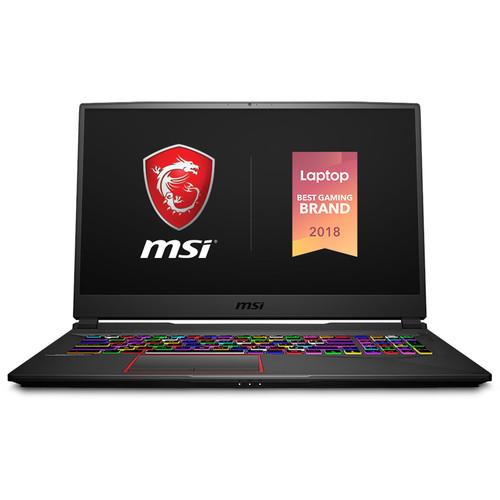
Product description Gaming Laptops The 17.3" GE75 Raider Gaming Laptop from MSI is a gaming-focused system designed for on-the-go gamers with the aesthetics to match. It has multiple features to assist you on the battlefield including a 144 Hz display, a RGB backlit keyboard, and Killer internet connectivity. Specs-wise, it's equipped with a 2.2 GHz Intel Core i7-8750H six-core processor, 16GB of DDR4 RAM, and an NVIDIA GeForce RTX 2080 graphics card. Thanks to its dedicated GPU, you'll be able to play graphically demanding games.
Its 17.3" IPS display features a 1920 x 1080 Full HD resolution for crisp and clear details as well as 72% NTSC and 100% sRGB coverage for better colors. For storage, it has a 512GB PCIe NVMe M.2 SSD and a 1TB 7200 rpm hard drive. Should you need more space, you can connect external storage solutions using its multiple USB ports, one of which features a reversible Type-C interface. Other integrated features include 802.11ac Wi-Fi, Bluetooth 5.0, a webcam, speakers, subwoofers, HDMI and mini DisplayPort outputs, and a 3.5mm combo audio jack. The operating system installed is Windows 10 Home (64-Bit). - NVIDIA GeForce RTX 20-Series
- NVIDIA GeForce RTX 20-series graphics cards are built on the Turing architecture featuring AI and ray tracing technologies for enhanced detail quality. With a dedicated graphics card, you'll be able to enable additional in-game graphical options and crank up visual settings to enjoy games at their best.
- Display
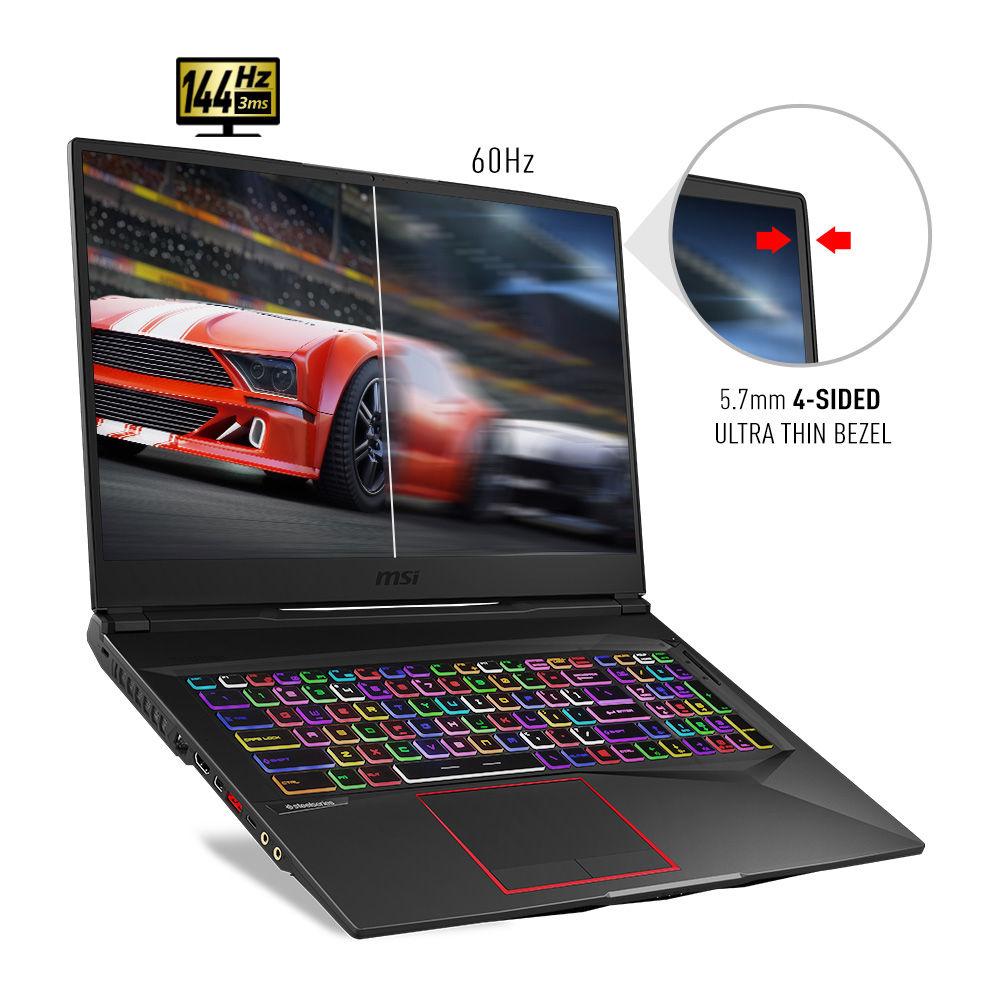
- The display on this laptop features thin bezels, just 0.22" thin, as well as gaming-friendly features such as a 144 Hz refresh rate and a 3ms response time. Additionally, it's built on an IPS panel that provides you with wide viewing angles and vivid colors.
- SteelSeries Per-Key RGB Keyboard
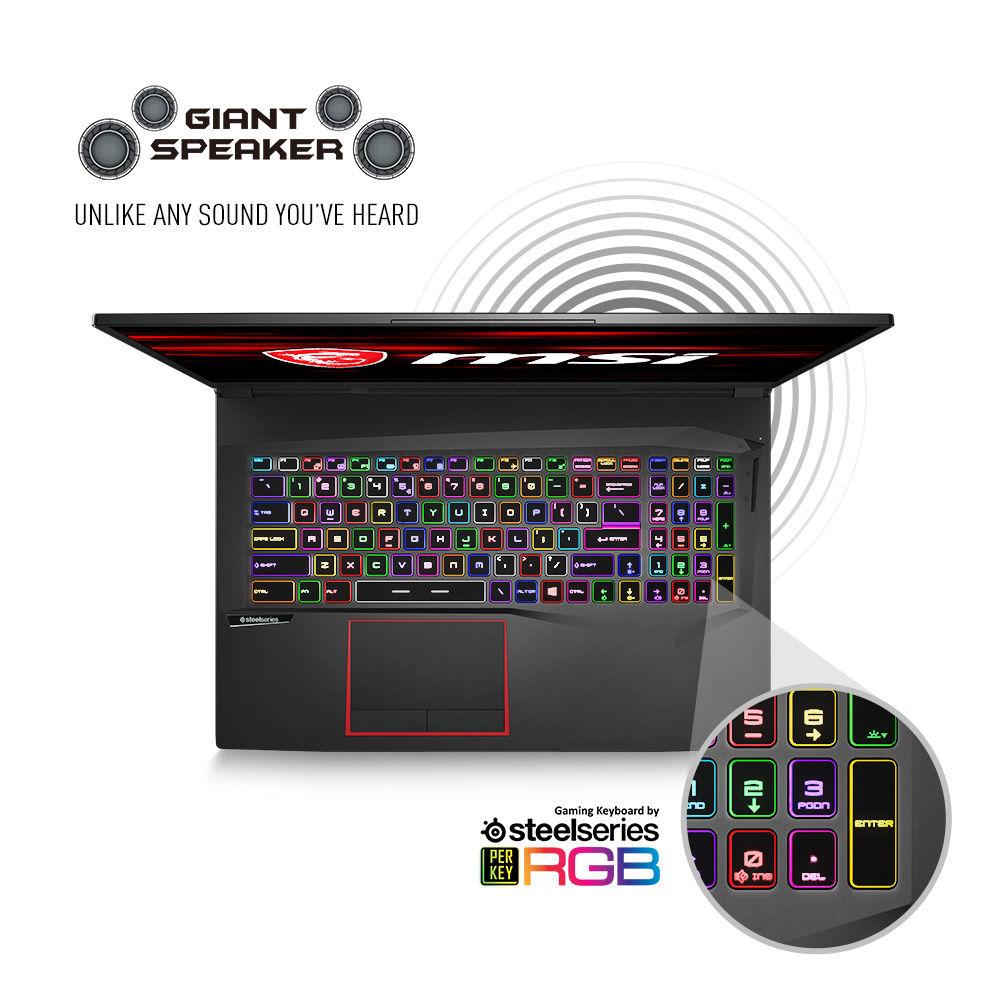
- Customize your keyboard's lighting with SteelSeries' per-key RGB backlit keyboard. It can also provide you with haptic feedback on select games for a more immersive experience.
- Cooler Boost 5
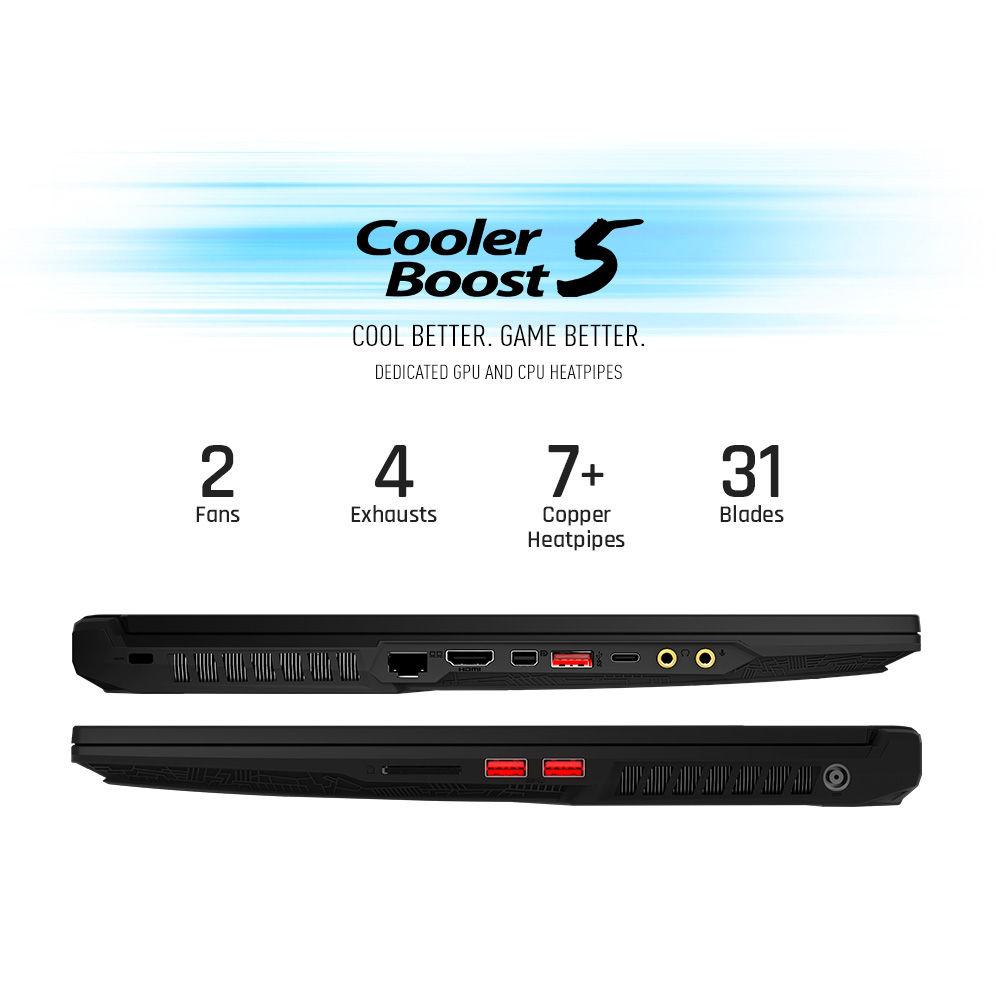
- MSI's Cooler Boost 5 features a total of eight heatpipes for the CPU and GPU for efficient cooling.
- Shift
- The Shift function provides you with one-click system optimization including: Turbo, Sport, Comfort, and ECO modes.
- Storage
- NVMe PCIe SSDs operate much faster than standard SATA HDDs, allowing you to boot and load-up applications much faster.
- Audio
- The GE75 Raider is built with large speakers and subwoofers for your enjoyment. Alternatively, it also features an ESS Sabre Hi-Fi DAC with support for up to 24-bit/192 kHz sampling when you feel like using headphones. Completing the audio package, this system also has Nahimic 3 and Nahimic VR for complete control over your listening experience.
- MSI App Player
- Developed with BlueStacks, the MSI App Player lets you play mobile games on your PC.
- Killer Wireless
- Equipped with Killer Ethernet and Killer Wi-Fi, this laptop provides you with gaming-prioritized connectivity. If needed, you can also manually manage the bandwidth for your connected devices.
Windows 10 - Start Menu
- After its hiatus in Windows 8, the Start Menu has returned. Utilizing a combination of the traditional menu system and Windows 8's Live Tiles, the improved Start Menu gives you more information at a glance, showing notification information alongside your applications and other pinned items.
- Cortana
- Microsoft's digital personal assistant, Cortana can answer your questions with information gleaned from both your device and the internet at large. You can type or even talk with her, if your system has a microphone. Using her Notebook, Cortana keeps track of your needs and wants, and she learns over time to improve her information gathering skills.
- Microsoft Edge
- After nearly 20 years, Microsoft has finally replaced its Internet Explorer web browser. With Microsoft Edge, users can write directly on web pages and share notes with friends and colleagues. It also improves the online reading experience by adding a distraction-free mode and read-it-later functionality. Edge also has built-in Cortana integration; you can have her help you find a restaurant, make a reservation, and pull up directions without leaving your browser.
- Windows Store
- For Windows 10, Microsoft has unified the Windows Store. Now, apps for PCs, tablets, and phones will all be accessible from one place. And with support for Universal Apps, one version of an app can work across all your compatible devices automatically.
- Windows Continuum
- Windows 10 was designed for a variety of screen sizes and input styles, and with its Continuum feature, it automatically adapts to fit your needs. A Windows 10 tablet on its own requires a touch-centric approach, but attaching a mouse and keyboard will shift everything to a more traditional interface. You can even attach an external monitor to your Windows 10 phone for a near-desktop experience. But it's not just the operating system; Windows Universal Apps take advantage of Continuum as well.
- Xbox on Windows 10
- Gaming is a big focus of Windows 10. Xbox integration allows for PC players to match up against Xbox One players on supported games, and if you have an Xbox One, you can even stream compatible titles to your PC. Native support for recording with the new Game DVR feature makes it easy to capture and share your gameplay. The new DirectX12 takes better advantage of multi-core processors, giving games a performance boost, even on older hardware. Windows 10 also features native support for virtual reality headsets, such as the Oculus Rift.
UPC: 824142176160 In the Box MSI 17.3" GE75 Raider Gaming Laptop Power Cable & Adapter Limited 1-Year Warranty Table of Contents
|
Upload User Manual
Have you got an user manual for the MSI 17.3" GE75 Raider Gaming Laptop in electronic form? Please send it to us and help us expand our library of instruction manuals.
Thank you, too, on behalf of other users.
To upload the product manual, we first need to check and make sure you are not a robot. After that, your "Submit Link" or "Upload File" will appear.
Technical parametersMSI Raider Specs | Operating System | Windows 10 Home (64-Bit) | | | | CPU | 2.2 GHz Intel Core i7-8750H 6-Core | | Maximum Boost Speed | 4.1 GHz | | Memory Type | 2666 MHz DDR4 | | Total Installed Memory | 16 GB | | Memory Configuration | 1 x 16 GB | | Maximum Memory Capacity | 32 GB | | Memory Slot Type | 260-Pin SO-DIMM | | Available Memory Slots | 1 | | Buffered Memory | No | | ECC Memory | No | | Graphics Type | Dedicated | | GPU | NVIDIA GeForce RTX 2080 with 8 GB GDDR6 VRAM | | | | Panel Type | IPS | | Size | 17.3" | | Aspect Ratio | 16:9 | | Resolution | 1920 x 1080 | | Touchscreen | No | | Refresh Rate | 144 Hz | | Response Time | 3 ms | | | | Total Installed Capacity | 1.512 TB | | Solid State Storage | 1 x 512 GB M.2 NVMe PCIe | | Hard Disk Storage | 1 x 1 TB 2.5" SATA (7200 rpm) | | | | Ports | 2 x USB Type-A (USB 3.1 Gen 1)
1 x USB Type-A (USB 3.1 Gen 2) | | USB Type-C Ports | 1 x USB 3.1 Gen 2 | | Display | 1 x HDMI
1 x Mini DisplayPort 1.2 | | Audio | 1 x 1/8" / 3.5 mm Headphone/Microphone Input/Output | | Media Card Slots | 1 x SDXC | | | | Ethernet | 1 x RJ45 (Gigabit) | | Wi-Fi | Wi-Fi 5 (802.11ac); Dual-Band (2.4 & 5 GHz) | | MU-MIMO Support | 2 x 2 | | Bluetooth | 5.0 | | NFC | No | | Webcam | User-Facing: 720p | | | | Battery Chemistry | Lithium-Ion | | Watt Hours / Type | 65 Wh | | Cells | 6 | | | | Keyboard | Notebook Keyboard with Backlight | | Pointing Device | TouchPad | | | | Power Supply | 280 W | | Dimensions | 15.6 x 1.1 x 10.6" / 396.2 x 27.9 x 269.2 mm | | Weight | 5.8 lb / 2.6 kg | | | | Package Weight | 10.95 lb | | Box Dimensions (LxWxH) | 20.5 x 13.5 x 4.0" |
Rating70% users recommend this product to others. And what about you?

This product has already been rated by 98 owners. Add your rating and experience with the product.
Discussion
 Ask our technicians if you have a problem with your settings,
or if anything is unclear in the user manual you have downloaded.
You can make use of our moderated discussion.
The discussion is public and helps other users of our website who may be encountering similar problems.
Ask our technicians if you have a problem with your settings,
or if anything is unclear in the user manual you have downloaded.
You can make use of our moderated discussion.
The discussion is public and helps other users of our website who may be encountering similar problems.
The discussion is empty - enter the first post
Post a new topic / query / comment:
|
|
|
| Request for user manual |
You can’t find the operation manual you are looking for? Let us know and we will try to add the missing manual:
I’m looking for a manual / Request for manual
Current requests for instruction manuals:
Call Of Duty World War Two For Xbox...
controller stratus XL...
stratus XL...
smart whatch serie S11 42mm...
Allen & Heath SQ-6 manual...
|
| Discussion |
Latest contributions to the discussion:
AEW R 4100
Name: MAURICIO ANGARITA
Audio-Technica AEW-R4100 UHF Diversity Receiver for
AEW R 4100 has the mute function blocked and does not allow audio to pass. I tried several times to turn off the mute from the transmitter but it does nothing, the mute stays on. Solution?
Thank you...
Instructions for assembling the 2015 Forecast Image Master Consoles GC3-A
Name: mike elam
Forecast Consoles GC3-A ImageMaster Editing Console
Looking for instructions for assembling this console. ...
EMPTY TONER ERROR MESSAGE AFTER REPLACING TONER
Name: LINDA BAD YELLOW EYES
Brother TN223BK Standard-Yield Toner
I HAD TO CHANGE OUT ALL THREE TONERS DUE TO LEAKS IN THE YELLOW AND CYAN. AFTER I REPLACED THEM, THE MACHINE KEEPS GIVING ME AN EMPTY TONER ERROR MESSAGE. HELP!!...
PS480D 20/24 pin Switching 480W Power Supply
Name: swkargo
Logisys 480W Power Supply
This item states in can run -5vdc .It is NOT listed on the board or I beleive is r4 is missing the resitior. Any body have thid issue. Shawn
...
Help needed
Name: Ann Carter
SanDisk 1TB Extreme Portable USB 3.1
When I click the link to download the user manual for my Sandisk Extreme external hard drive, it gives me the manual for the LG Cricket. Can you please change the link so I can download the Sandisk manual and begin using this drive? Thank you....
|
|


