|
User Manual for Native Instruments Maschine Jam Production and Performance System Click to enlarge the picture
 Contents of the user manual for the Native Instruments Maschine Jam Production and
- Product category: Control Surfaces Native Instruments
- Brand: Native Instruments
- Description and content of package
- Technical information and basic settings
- Frequently asked questions – FAQ
- Troubleshooting (does not switch on, does not respond, error message, what do I do if...)
- Authorized service for Native Instruments Control Surfaces
 |
User manual for the Native Instruments Maschine Jam Production and contain basic instructions
that need to be followed during installation and operation.
Before starting your appliance, the user manual should be read through carefully.
Follow all the safety instructions and warnings, and be guided by the given recommendations.
User manual is an integral part of any Native Instruments product,
and if it is sold or transferred, they should be handed over jointly with the product.
Following the instructions for use is an essential prerequisite for protecting
health and property during use, as well as recognition of liability on the part of the manufacturer
for possible defects should you make a warranty claim. Download an official Native Instruments user manual in which you will find instructions on how to install, use, maintain and service your product.
And do not forget – unsuitable use of a Native Instruments product will considerably shorten its lifespan!
|
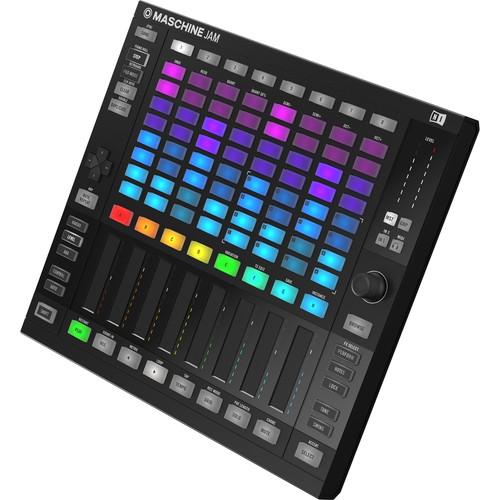
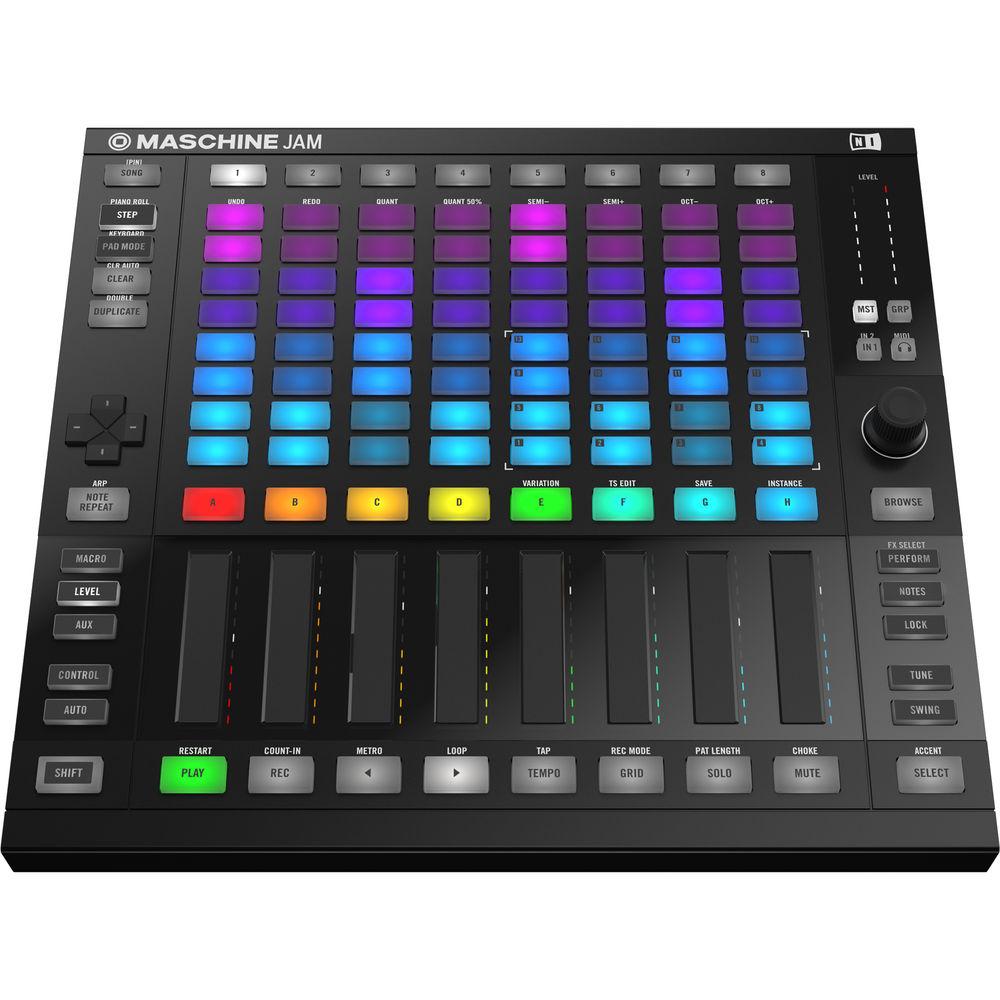
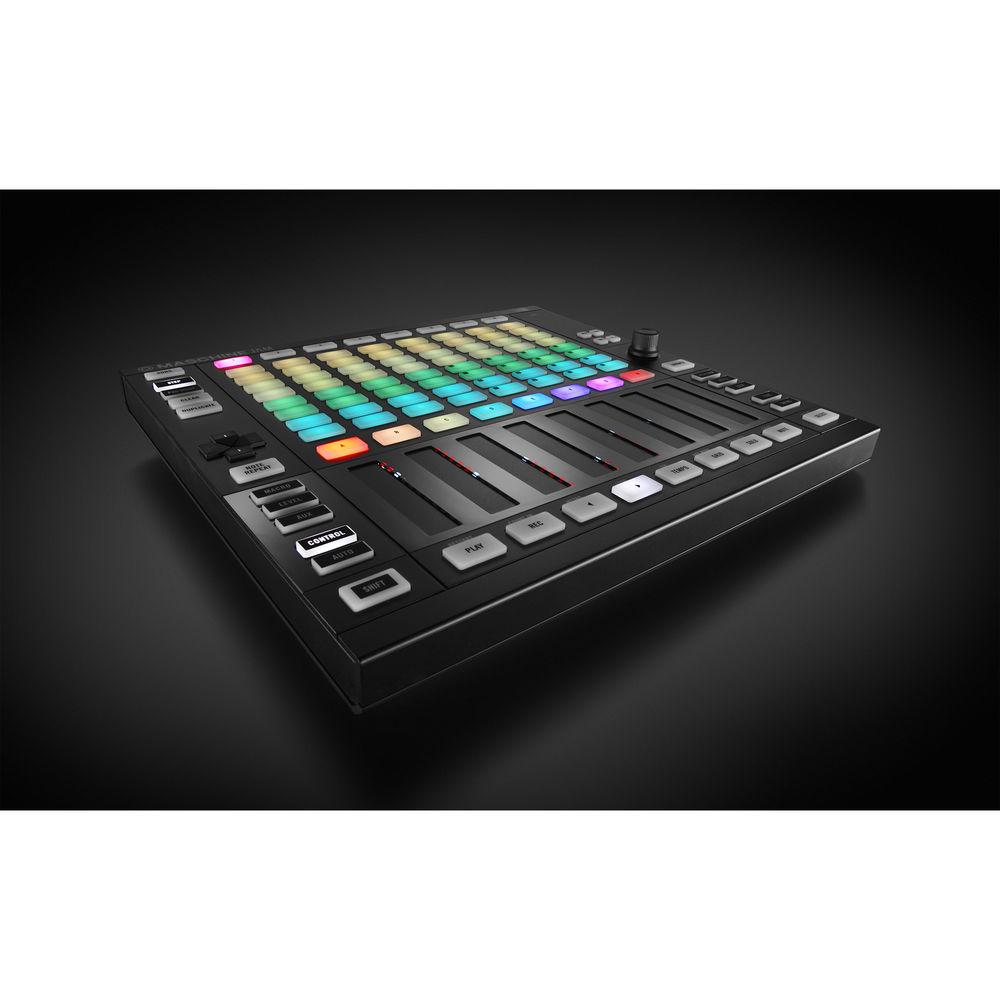
Product description Native Instruments Maschine Jam Multi-Touch System's Inspiring Tools Read More The Maschine Jam from Native Instruments is a modern production and performance system for intuitive sequencing and track building. Utilizing the 8x8 multi-color click-pad matrix, producers can sketch patterns with advanced multitrack step-sequencing, input notes and chords, or pattern-sequence on the fly. The eight dual-touch sensitive Smart Strips let you tweak up to eight parameters simultaneously and offer the ability to play melodies, chords, and input notes. These integrated performance FX allow for cutting-edge ways to shape sounds in new ways.
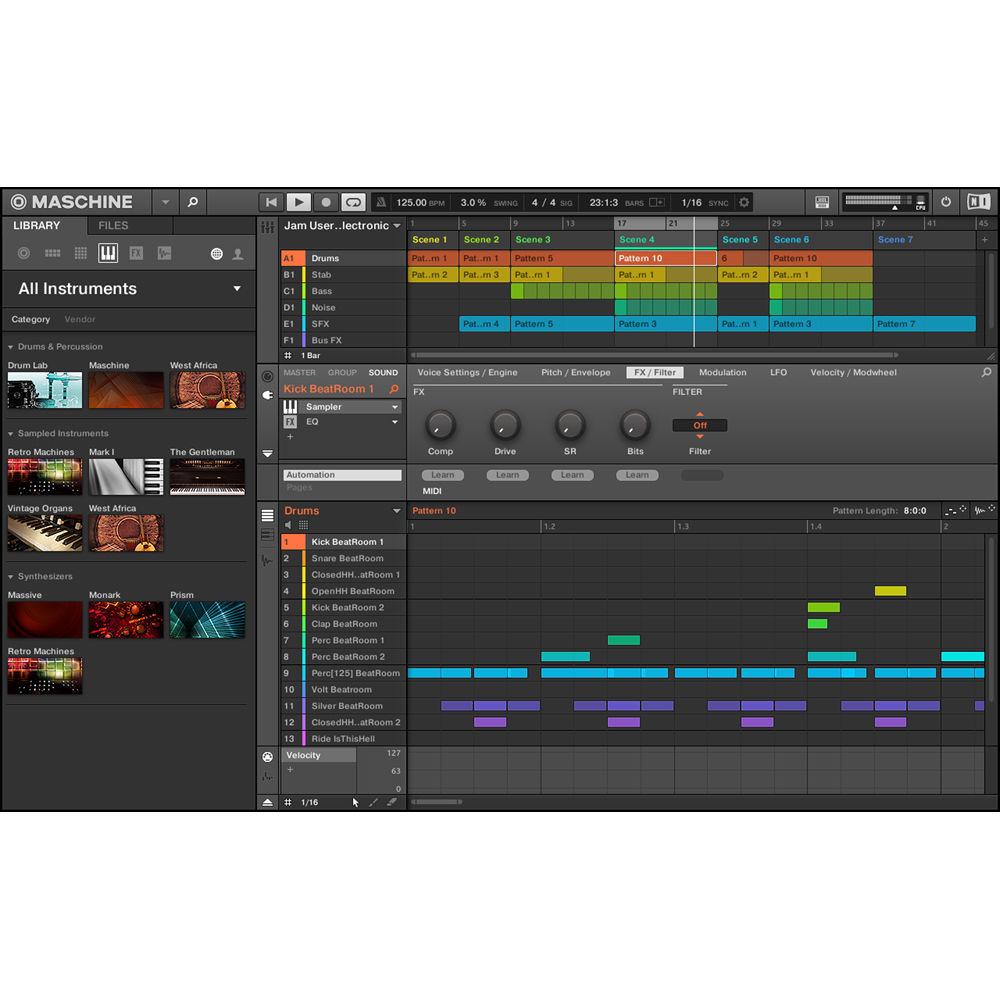
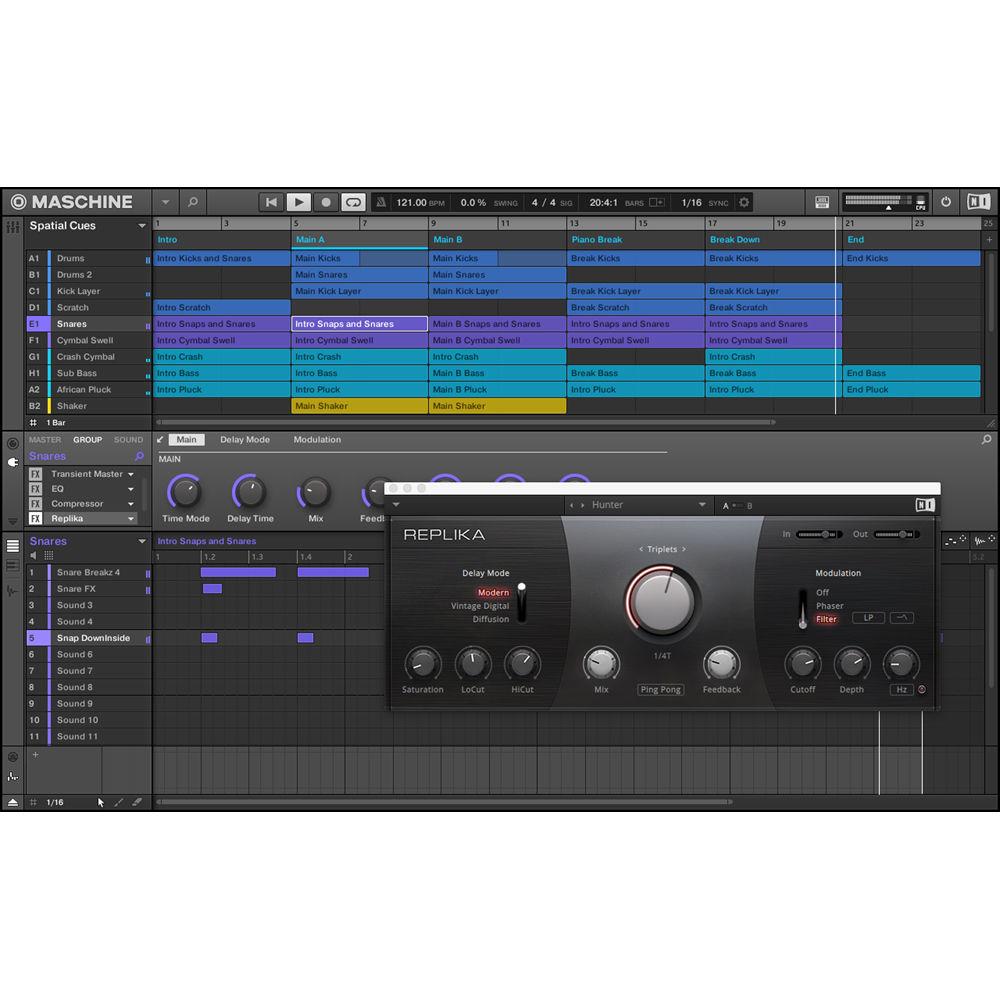
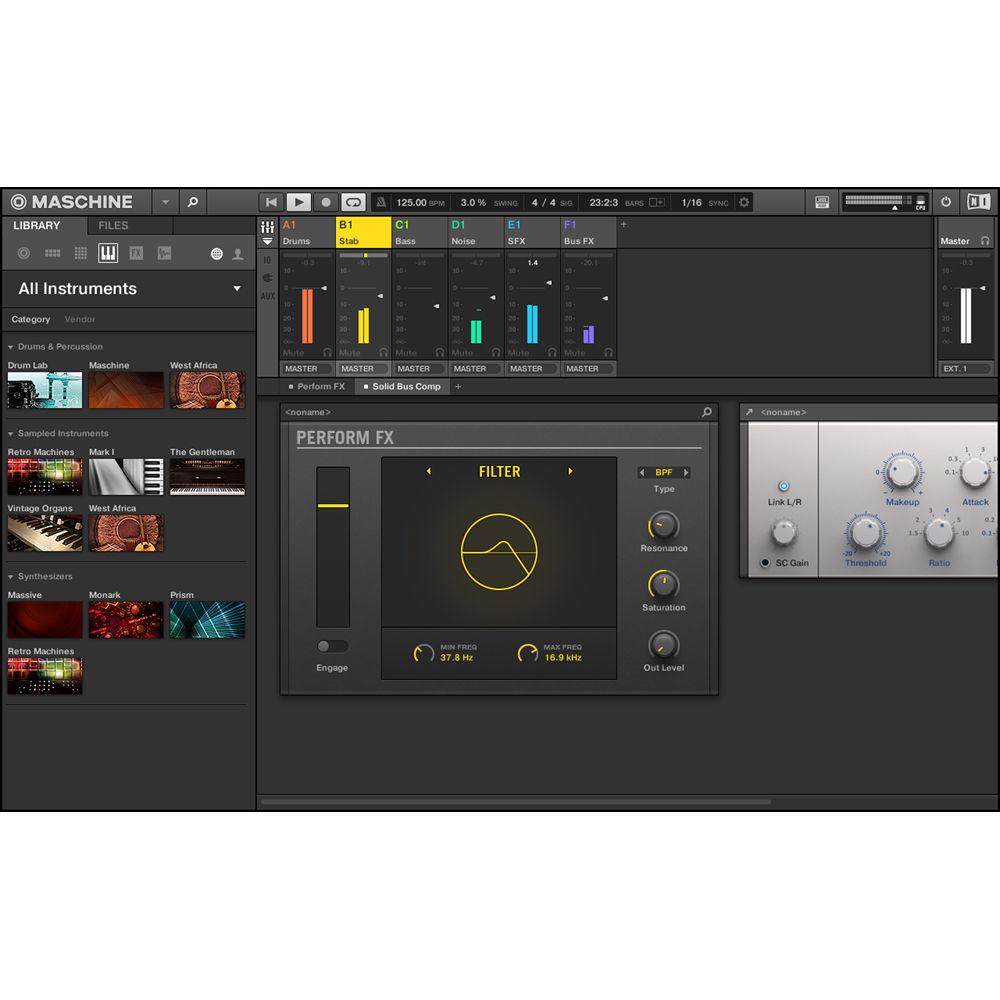
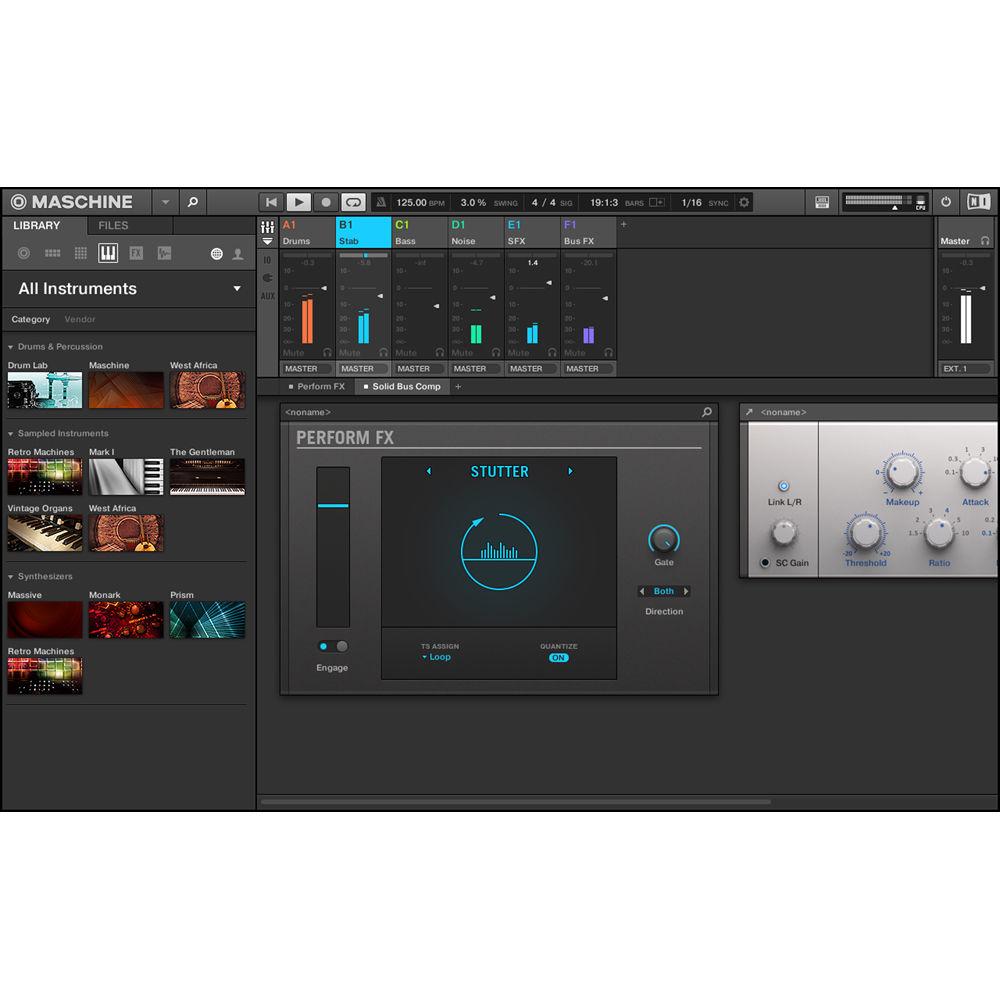
The included Maschine software comes loaded with an 8GB sound library with over 8000 samples, 445 full drum kits, 380 multi-sampled instruments, 400 sliced loops, 1200 patterns, and 38 projects. Included within the Maschine library are the Drum Synth plug-ins, which include Kick, Snare, Hi-Hats, Toms, Percussion, and Cymbal. Each drum synth offers multiple sound engines to deliver a broad pallet of sounds, from classic electronic drum machines to ultra-realistic acoustic modeling.Also included are Performance FX including Filter, Flanger, Burst Echo, Reso Echo, Ring, Stutter, Tremolo, and Scratcher. And if that's not enough, Maschine ships with its own creative suite of 24 effects including compressors, tape and tube saturations, a transient designer, reverb, EQs, and more. All effects can be chained or combined with VST/AU plug-ins to further expand the sonic pallet. Also included with Maschine Jam is the NI Komplete 11 Select, a software suite of 11 premium instruments and effects with over 25GB of sounds. Maschine Jam ships with a USB cable, mounting stand, and a $25 e-voucher good for purchases from the NI Online Shop. - Key Features
-
- 8x8 multicolor click-pad matrix for pattern jamming, note input, and step-sequencing
- Tweak up to 8 parameters simultaneously with two hands using dual-touch Smart Strips
- Perform FX feature lets you shape your sound in new ways
- Advanced multitrack step-sequencing using up to 8 sounds simultaneously
- Play melodies and chords with the 8x8 pad matrix or via note input with the Smart Strips
- One-touch access to patterns and scenes for instant jamming and track-arrangement sketching
- The touch-sensitive encoder prompts the software to display the corresponding parameter
- Full integration with the entire KOMPLETE and MASCHINE ranges and 3rd party NKS plug-ins, plus full VST support
- Included stand can be mounted to the hardware for improved ergonomics
- Works as an advanced DAW controller with included mappings for Ableton Live and more
- Keyboard Mode
-
- Explore melodies and harmonies with the click-pads using MASCHINE's Keyboard mode
- Select your scale and chord values to start playing
- The Arpeggiator can turn simple melodies into intricate melodic patterns
- Sketch-A-Track
-
- Maschine Jam is the go-to instrument for building tracks with immediate, intuitive sequencing
- Flesh out your ideas by constructing and re-constructing with patterns on the fly, and group them as scenes you can arrange from the ground up
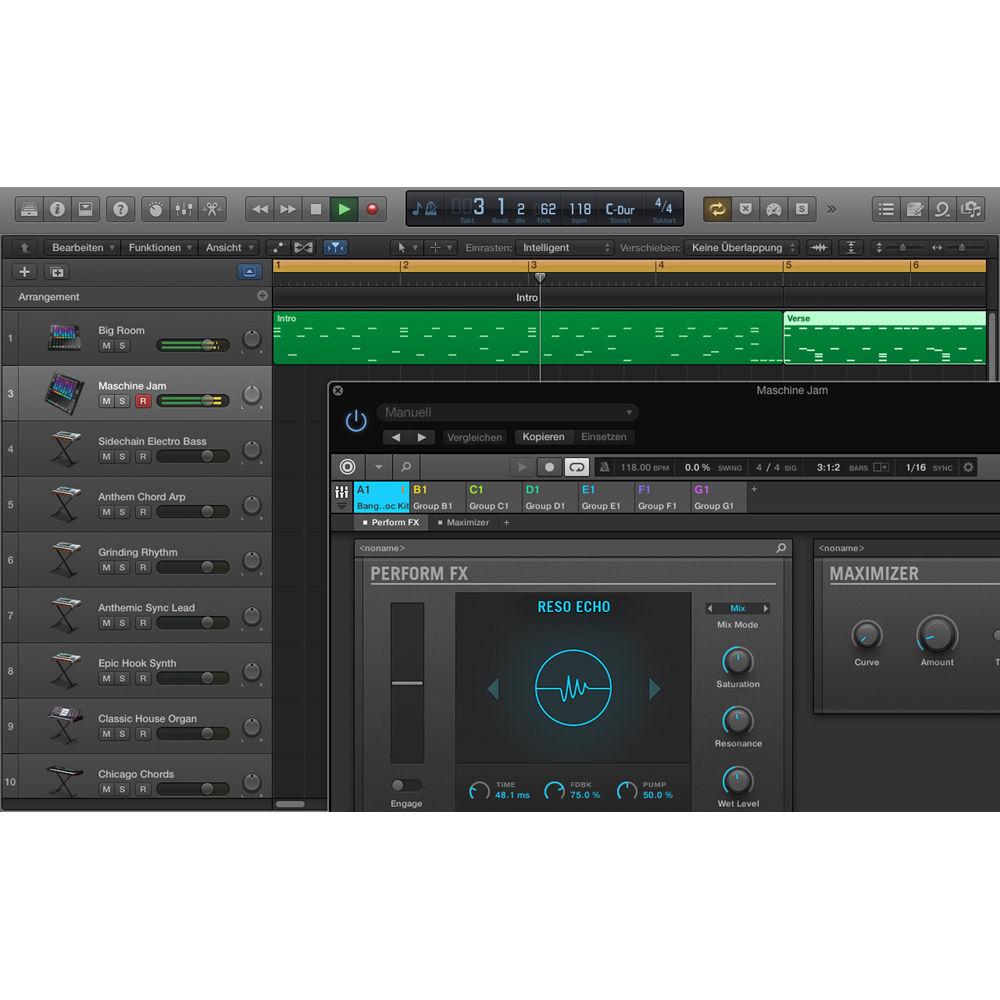
- When you’re done, you can quickly import audio from Maschine into your DAW for further refining
- Note Sequencing
-
- Step sequencing not only works for rhythms, but also for melodies
- Use Maschine Jam's powerful Piano Roll mode to program notes directly with the 8x8 click-pad matrix
- Creative Performance Features
-
- The latest Maschine software delivers cutting-edge features that make Maschine Jam a creative powerhouse. Define values like scale and note length, and edit inspirational sequences created by the Variation Engine
- Combine multiple instrument or effect parameters to control with the Smart Strips using built-in macros
- And add depth and complexity to sounds using advanced motion-sensitive Perform FX with the Smart Strips to uncover all new sonic dimensions
- Intuitive Hardware
-
- Smart Strips: Eight dual-touch sensitive Smart Strips let you tweak up to eight parameters simultaneously. Play melodies and chords via note input, and shape sounds with Perform FX – all using two fingers per strip for unique results
- D-Pad and Touch-Sensitive Encoder: Find samples, instruments, and effects fast using the D-pad and touch-sensitive encoder to navigate advanced tag-based libraries in Browse mode. Maschine software reacts to the encoder when touched to instantly display key parameter overlays
- Click-Pad Matrix: Trigger patterns and scenes with one-touch simplicity using the 8x8 click-pad matrix for instant jamming and arrangement sketching. You can also use the pads for step-sequencing or playing your sequences in Keyboard or Pad mode
- Dedicated LED Meters: Maschine Jam’s Smart Strips are each fitted with multi-color LED level meters to show effect, volume, pan, aux, and layered Group macros parameters that you can map to the strips
- Locking: Quickly mutate sounds to create extraordinary build-ups using the Lock feature. Take a snapshot of the current parameters with the Lock button, mess with your sounds, and press Lock again to return to the snapshot. Save your ‘locks’ and recall them anytime
- Software
-
- Expanded Universe of Sound: The Native Kontrol Standard extended plug-in format, Maschine Jam and the entire Maschine range interact seamlessly with the world of Komplete and NKS-ready third-party software. Browse and load presets instantly. And tweak key parameters pre-assigned to the Smart Strips for performance-ready sound shaping
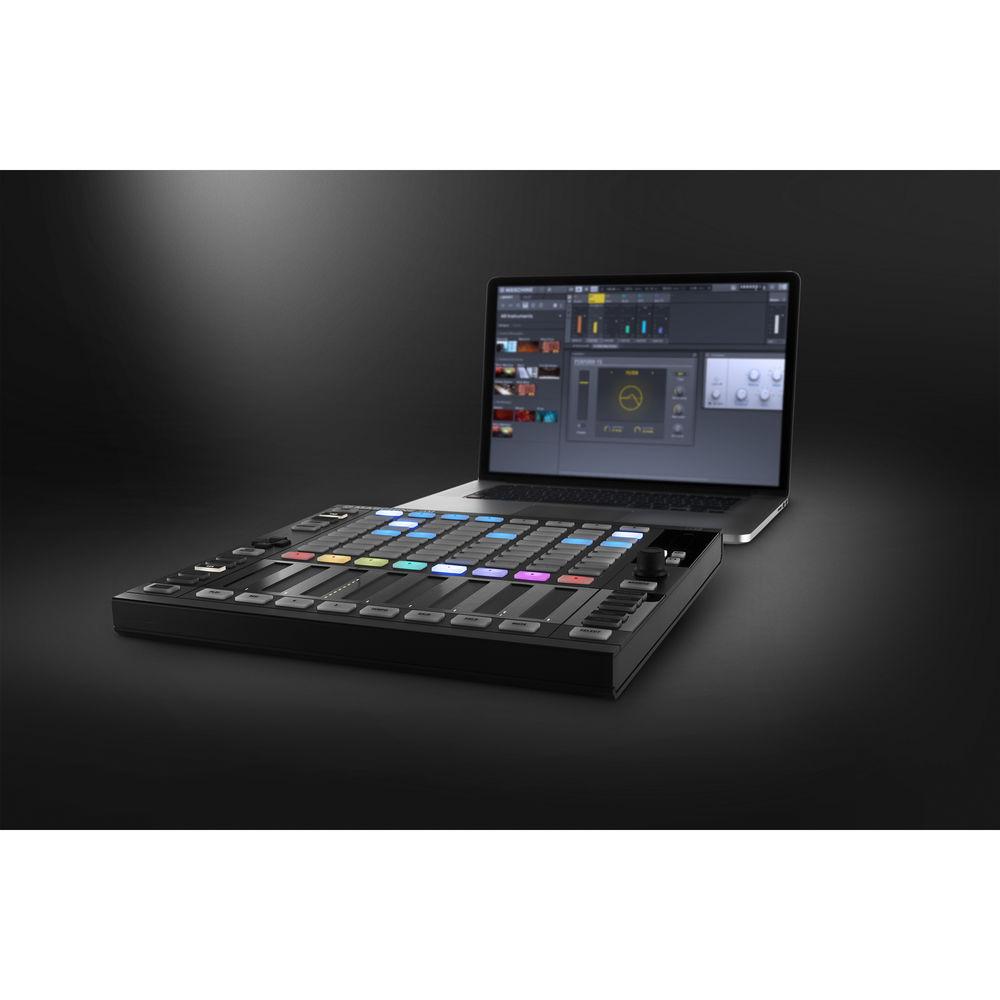
- Maschine Jam uses Maschine software to seamlessly integrate into any DAW and fit right in with your studio setup – stand-alone or as a plug-in. And in MIDI mode, you can easily map Maschine Jam to your favorite software
- Maschine Jam also includes an advanced template for Ableton Live that lets you sequence and launch clips from the pad matrix, or play notes and control send levels with the powerful Smart Strips
- Komplete 11 Select Library
-
- Massive
- Reaktor Prism
- Monark
- The Gentleman
- Drumlab
- Retro Machines MK2
- Vintage Organs
- Discovery Series: West Africa
- Scarbee Mark 1
- Solid Bus Comp
- Replika
In the Box Native Instruments Maschine Jam Production and Performance System Mounting Stand USB Cable MASCHINE 2.0 Software with 9 GB Sound Library Komplete 11 Select with 25 GB of Sound $25 E-Voucher for NI Online Shop Limited 1-Year Warranty Table of Contents
|
Upload User Manual
Have you got an user manual for the Native Instruments Maschine Jam Production and Performance System in electronic form? Please send it to us and help us expand our library of instruction manuals.
Thank you, too, on behalf of other users.
To upload the product manual, we first need to check and make sure you are not a robot. After that, your "Submit Link" or "Upload File" will appear.
Technical parametersNative Instruments 23848 Specs | Mac System Requirements | Mac OS X 10.10 or 10.11 (latest update), Intel Core i5, 2 GB RAM
USB 2.0 Port, 29 GB free disk space for complete installation | | Windows System Requirements | Windows 7, 8, or 10 (latest Service Pack, 32/64-bit), Intel Core 2 Duo or AMD Athlon 64 X2, 2 GB RAM
USB 2.0 Port, 29 GB free disk space for complete installation | | Supported Interfaces | Stand-alone
VST
Audio Units
AAX 32 and AAX 64
ASIO
CoreAudio
WASAPI | | Controls | 64 x Multi-color, high-quality, illuminated step matrix buttons
8 x Touch-Strips with real-time multi color indication, multi touch (Smart Strip functionality)
8 x Multi-color group buttons and 8 multicolor scene buttons
31 x Back-lit click buttons
1 x Touch sensitive push encoder
1 x Back-lit Directional Pad
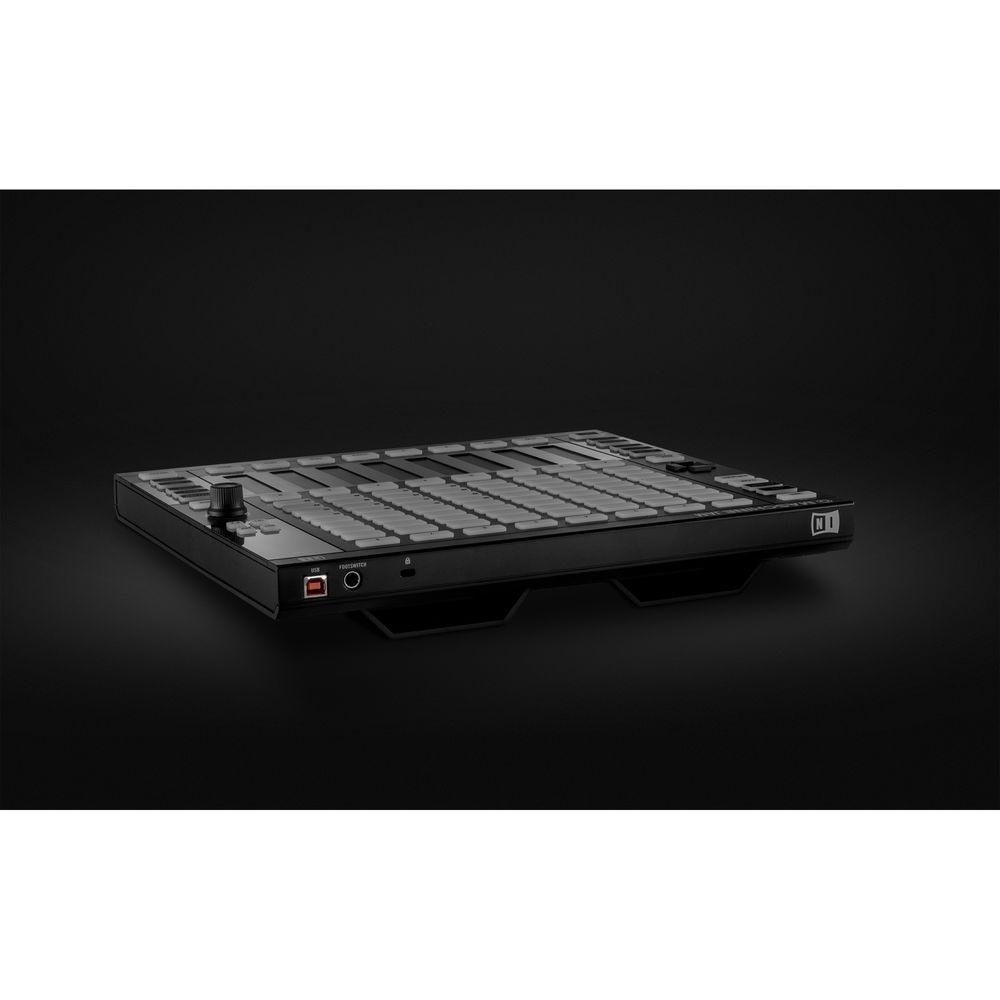
1 x Foot-switch input | | USB | USB 2.0, 3.0 | | Metering | Smart Strips are each fitted with multi-color LED level meters to show effect, volume, pan, aux, and layered Group macros parameters that you can map to the strips | | Footswitch Input | 1 x footswitch in | | Kensington Security Slot | Yes | | Additional Info | Native 64-bit support for stand-alone and plug-in versions
Maschine requires activation: Activate using the serial number on the flyer inside the box
Maschine software, Maschine Factory Library, and Komplete 11 Select are provided as downloads after registration – an internet connection is required. Once installed, all products can be used offline | | Stand | Included stand can be mounted to the hardware | | Power | Bus powered | | Dimensions (W x L x H) | 12.6 x 11.6 x 1.2" / 320.0 x 294.6 x 30.5 mm | | Weight | 5.9 lb / 2.7 kg | | | | Package Weight | 7.2 lb | | Box Dimensions (LxWxH) | 14.8 x 13.6 x 3.7" |
Rating100% users recommend this product to others. And what about you?

This product has already been rated by 07 owners. Add your rating and experience with the product.
Discussion
 Ask our technicians if you have a problem with your settings,
or if anything is unclear in the user manual you have downloaded.
You can make use of our moderated discussion.
The discussion is public and helps other users of our website who may be encountering similar problems.
Ask our technicians if you have a problem with your settings,
or if anything is unclear in the user manual you have downloaded.
You can make use of our moderated discussion.
The discussion is public and helps other users of our website who may be encountering similar problems.
The discussion is empty - enter the first post
Post a new topic / query / comment:
|
|
|
| Request for user manual |
You can’t find the operation manual you are looking for? Let us know and we will try to add the missing manual:
I’m looking for a manual / Request for manual
Current requests for instruction manuals:
Call Of Duty World War Two For Xbox...
controller stratus XL...
stratus XL...
smart whatch serie S11 42mm...
Allen & Heath SQ-6 manual...
|
| Discussion |
Latest contributions to the discussion:
AEW R 4100
Name: MAURICIO ANGARITA
Audio-Technica AEW-R4100 UHF Diversity Receiver for
AEW R 4100 has the mute function blocked and does not allow audio to pass. I tried several times to turn off the mute from the transmitter but it does nothing, the mute stays on. Solution?
Thank you...
Instructions for assembling the 2015 Forecast Image Master Consoles GC3-A
Name: mike elam
Forecast Consoles GC3-A ImageMaster Editing Console
Looking for instructions for assembling this console. ...
EMPTY TONER ERROR MESSAGE AFTER REPLACING TONER
Name: LINDA BAD YELLOW EYES
Brother TN223BK Standard-Yield Toner
I HAD TO CHANGE OUT ALL THREE TONERS DUE TO LEAKS IN THE YELLOW AND CYAN. AFTER I REPLACED THEM, THE MACHINE KEEPS GIVING ME AN EMPTY TONER ERROR MESSAGE. HELP!!...
PS480D 20/24 pin Switching 480W Power Supply
Name: swkargo
Logisys 480W Power Supply
This item states in can run -5vdc .It is NOT listed on the board or I beleive is r4 is missing the resitior. Any body have thid issue. Shawn
...
Help needed
Name: Ann Carter
SanDisk 1TB Extreme Portable USB 3.1
When I click the link to download the user manual for my Sandisk Extreme external hard drive, it gives me the manual for the LG Cricket. Can you please change the link so I can download the Sandisk manual and begin using this drive? Thank you....
|
|


