User Manual for Native Instruments MASCHINE MK3 - Groove Production Studio Click to enlarge the picture
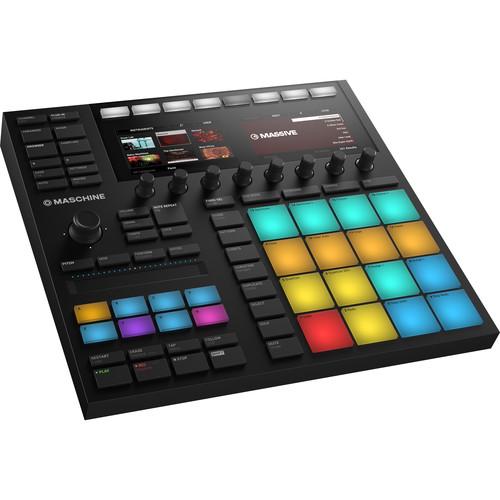 Contents of the user manual for the Native Instruments MASCHINE MK3 - Groove
- Product category: Drum Machines Native Instruments
- Brand: Native Instruments
- Description and content of package
- Technical information and basic settings
- Frequently asked questions – FAQ
- Troubleshooting (does not switch on, does not respond, error message, what do I do if...)
- Authorized service for Native Instruments Drum Machines
 |
User manual for the Native Instruments MASCHINE MK3 - Groove contain basic instructions
that need to be followed during installation and operation.
Before starting your appliance, the user manual should be read through carefully.
Follow all the safety instructions and warnings, and be guided by the given recommendations.
User manual is an integral part of any Native Instruments product,
and if it is sold or transferred, they should be handed over jointly with the product.
Following the instructions for use is an essential prerequisite for protecting
health and property during use, as well as recognition of liability on the part of the manufacturer
for possible defects should you make a warranty claim. Download an official Native Instruments user manual in which you will find instructions on how to install, use, maintain and service your product.
And do not forget – unsuitable use of a Native Instruments product will considerably shorten its lifespan!
|
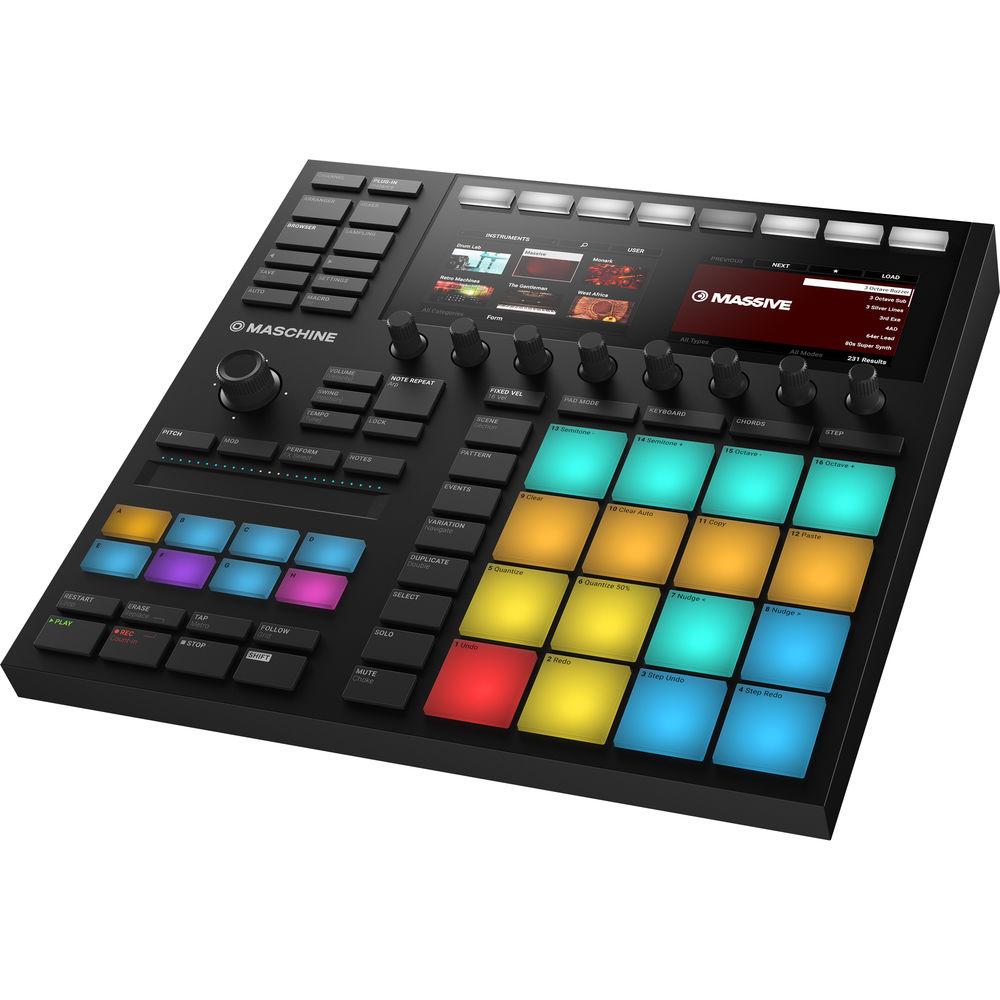
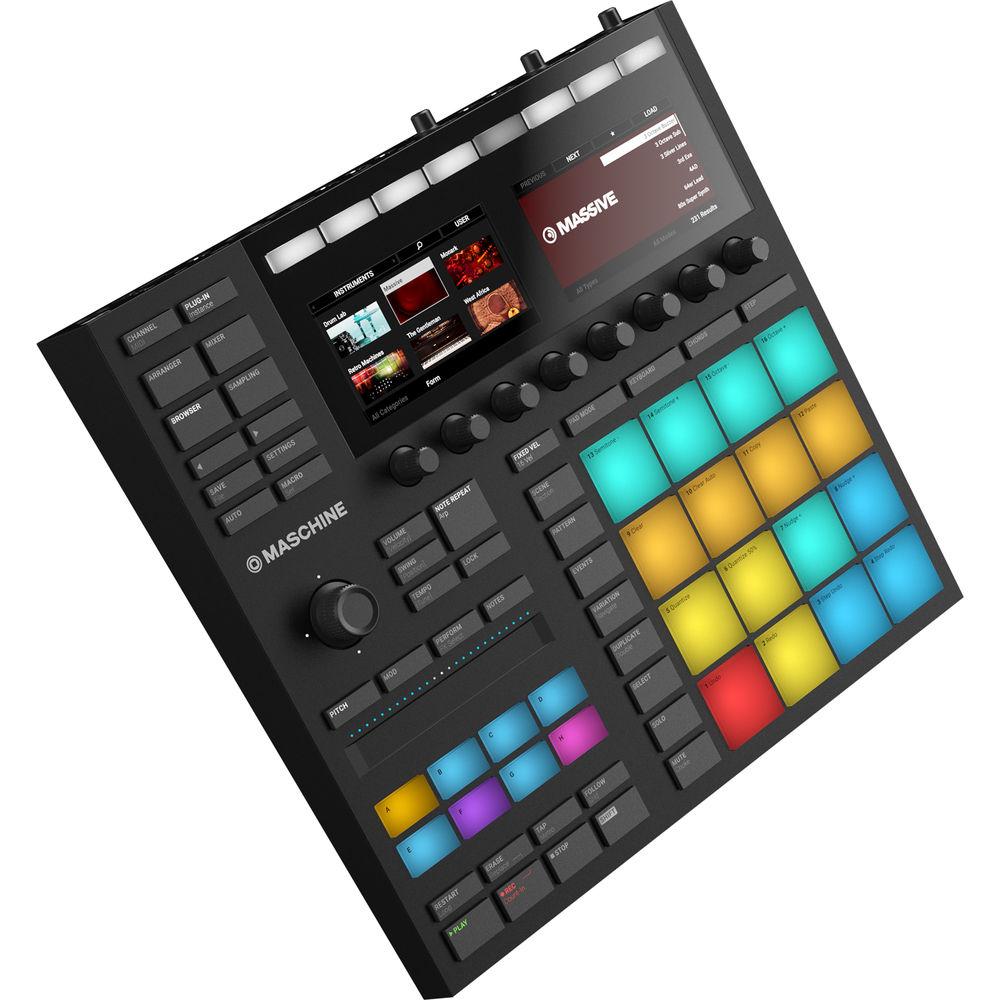
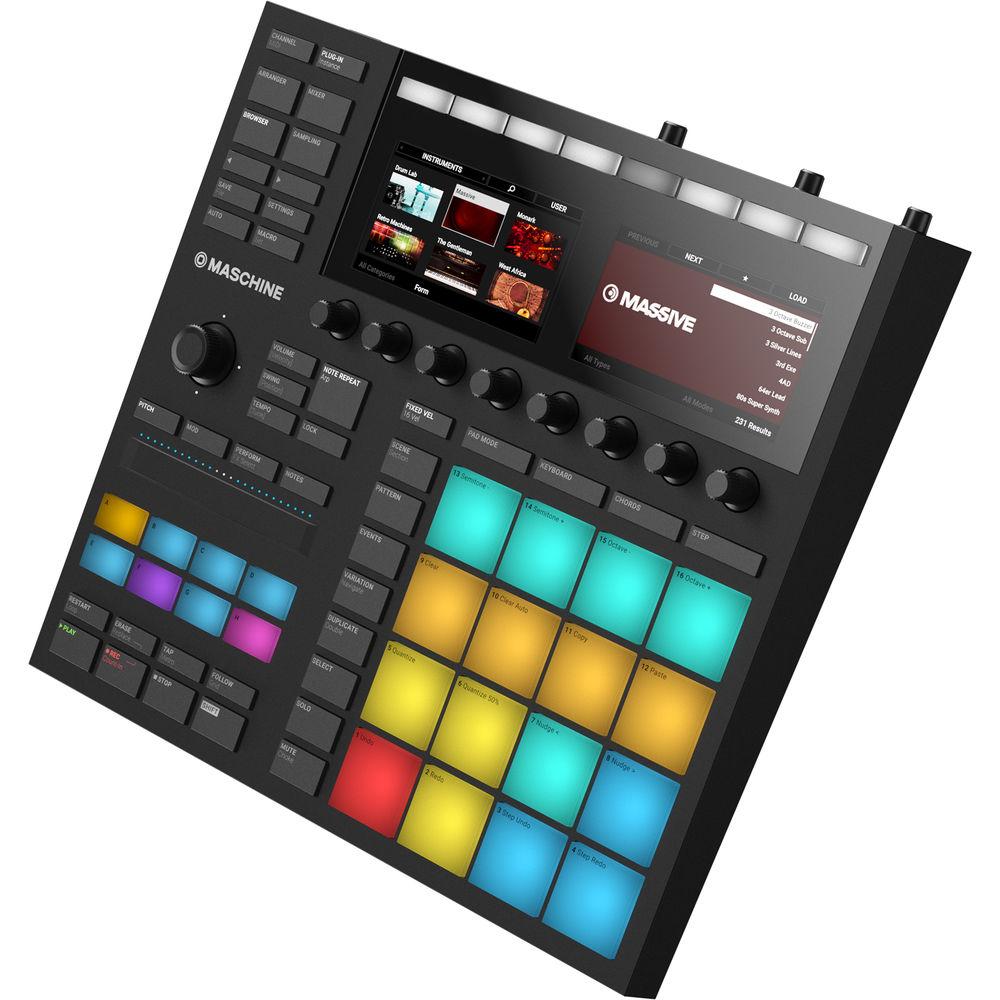
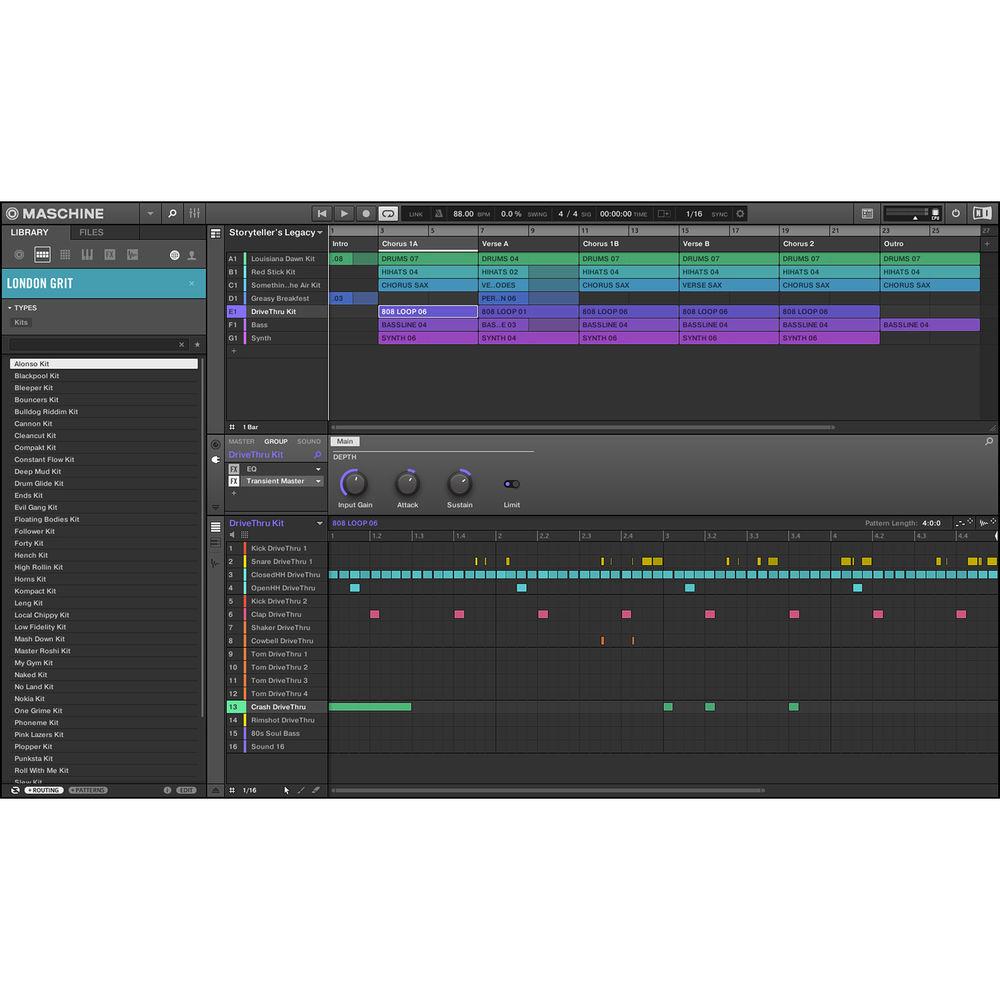
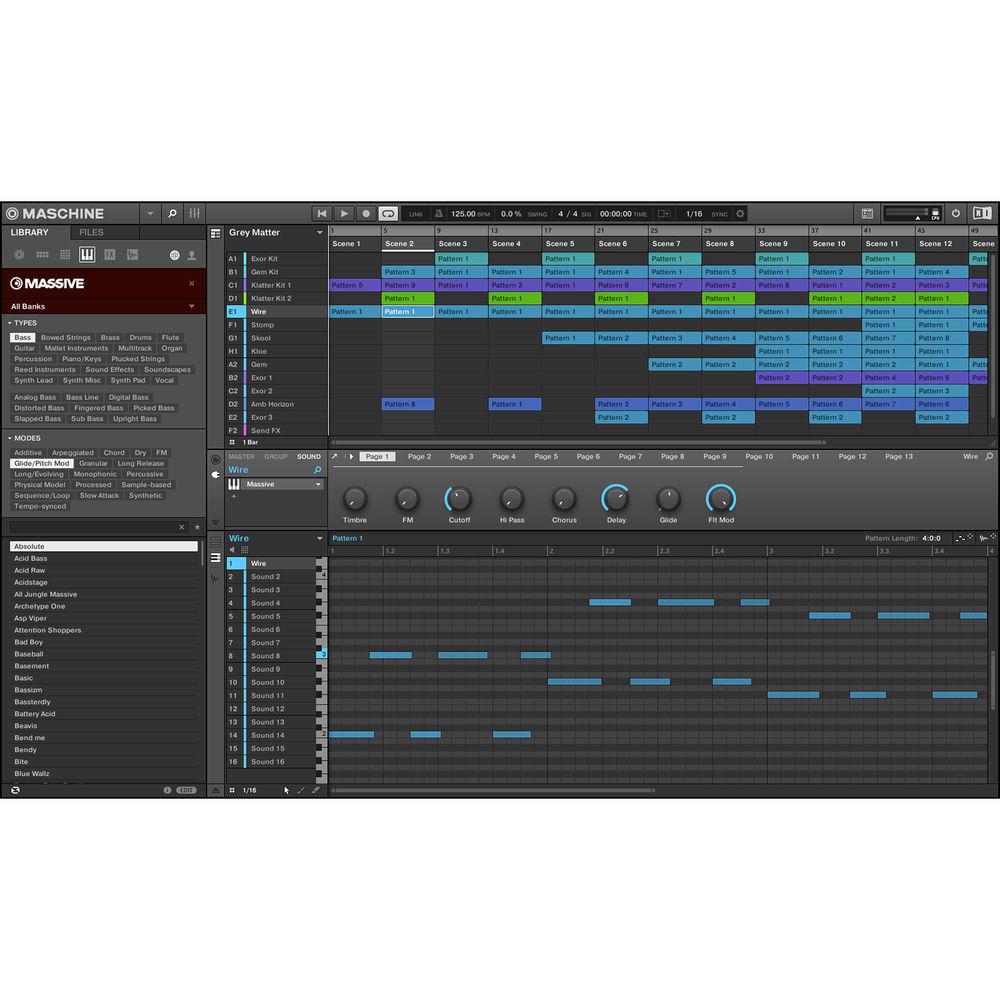
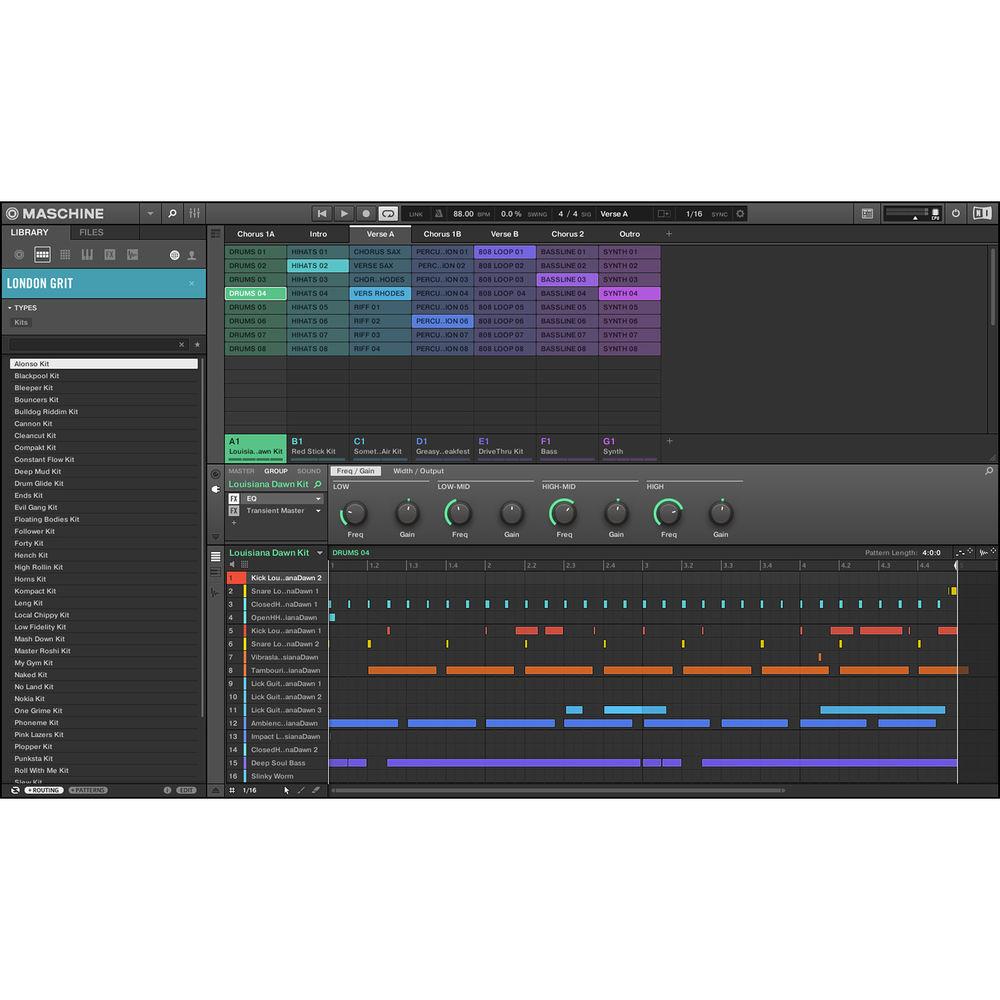
Product description The black Native Instruments MASCHINE MK3 Groove Production Studio is a professional production and performance system, designed for both Mac and Windows. This combination hardware controller and integrated software offers a classic groove-box workflow, with a fast and intuitive interface that is designed to boost your speed and increase your focus. With the ability to act as a sequencer, sampler, VST/AU plug-in host, and multi-effects unit, the MASCHINE MK3 supports beat-making, live performance, and more—all with the benefit of collaborative computer software. The software is stocked with an 8GB sample library that includes drum kits, synth sounds, loops, and more. The touch-sensitive pads make it easy to sequence drum patterns, bass lines, loops, etc. Plus, with color-coding, you can assign certain colors to certain instruments so you'll always know what's what without having to test it.The hardware interface features a professional-quality, 24-bit/96 kHz USB audio interface with stereo line inputs and outputs, as well as a microphone input and separate headphone output. The controller also features 16 extra-large, multi-colored, illuminated pads with velocity and aftertouch, 2 high-resolution full color displays, 8 touch-sensitive endless rotary potentiometers, 50 backlit buttons, 1 four-directional push encoder, 1 dual-touch Smart Strip, and 8 multi-colored group buttons. There are MIDI input and output ports (5-pin DIN) for connecting additional keyboards and controllers.The MASCHINE MK3 provides the flexibility of computer-based music production with straightforward, two-handed control for composing, performing, browsing, sampling, slicing, sound-shaping, and tweaking effects. You can easily load your samples, effects, and plug-ins through the software, and then control them with the pads and knobs—there's no need to touch the computer's mouse or keyboard. And, you can always expand your sound with optional MASCHINE Expansions. The Native Instruments MASCHINE MK3 ships with a USB cable and a power adapter. What's New in MK3 - Bigger Pads
- Big, bold, and in your face, the larger pads create more room for complex moves like flams and rolls. New technological updates make the pads more sensitive to lighter touches, for more expressive playing. Also, since the center-to-center distance is the same, your muscle memory and workflow don't have to change
- More Pads & Buttons
- The 47 white, backlit click-buttons provide direct physical response; and with the colored transport controls, the MK3 hardware provides a wealth of physical and visual excitement for intuitive beat making
- Studio-Grade Audio Interface
- MASCHINE now comes with a studio-grade, 24-bit / 96 kHz audio interface for precision sound. Simply patch in a synth or add a dynamic mic for quick recording and sampling. Stereo line and MIDI ports make it an ideal centerpiece for any studio. Plus, it's USB-powered, so you can record anywhere with your laptop, or plug in the included power supply unit for brighter pads
- Faster Workflow
- The new hardware layout cuts through the clutter to help you stay focused and get your ideas out fast. Instead of being hidden behind a shift-function button, some of the most-used features and functions can now be accessed directly with one touch
- Pad Input Mode Buttons: Play drum rhythms, program patterns, or play melodies and chords, switching easily with the click of a button
- Lock Button: Take parameter snapshots, tweak settings, and return to the original settings to discover new transitions
- Macro Button: Simply touch a knob to assign your favorite parameters to macros and start tweaking
- Note Repeat Button: Play fills and arps during a performance with a larger, easier-to-find button
- Updated Transport Section: Transport buttons now include deeper integration with most DAWs and direct access to Follow and Tempo Tap
- Fixed Velocity Button: Program accents and ghost notes quickly with 16 fixed velocity levels, or get a smooth, constant volume when triggering samples
- Updated File Management: Open a recent project, make changes, and save it as a new file without ever touching the mouse via new Save and Open buttons
- Expanded Control Section: Quickly jump between views with one-touch access to the Arranger, Mixer, Sound Browser, or Sampler
- Eight Touch-Sensitive Knobs
- Go beyond tweaking with eight touch-sensitive knobs. Touch once to activate special contextual menus, such as tag clouds, sound settings, and FX parameters. You can also map your most frequently used FX, instruments, or plug-in parameters to macros with the touch of a button
- Smart Strip for New Ways to Play
- The Smart Strip opens MASCHINE up to whole new ways of playing. Use it like a keyboard wheel to pitch-bend and modulate sounds. Add new sonic textures, builds, or transitions with advanced performance FX like stutter and scratch. Or strum samples, synths, and drums like a guitar
- MASCHINE Software Updates
-
- Ideas View: With MASCHINE 2.6.5, Ideas view was added to make sketching and arranging tracks more intuitive. Record alternate musical phrases or play different beats nonstop. Then mix and match until you find a groove you like
- Parameter Snapshot Morphing: Lock lets you freeze your current settings, tweak a sound, change an envelope, and return to your initial settings at the press of a button. Combine it with the new Morph function to discover new transitions or add improvisation during a performance
- Variation Engine: The new Variation Engine is perfect for adding texture to a track or sparking new ideas. Use Randomize to create new patterns and melodies on the fly. Or add a little swing to your drums with Humanize
MASCHINE Sound Details - The Library
- The included MASCHINE software comes loaded with an 8GB sound library, created by renowned sound designers and artists. 8627 samples, 445 full drum kits, 388 multi-sampled instruments, 403 sliced loops, 1200 patterns, and 38 projects, plus five powerful drum synths—a sonic palette as vast as your imagination
- Drum Synth Plug-Ins
- Create your own perfectly tuned electronic and acoustic drum sounds in truly professional quality. Six monophonic drum plug-ins built exclusively for MASCHINE 2 give you any percussive sound you need. All fully tweakable, automatable from the hardware, and built with NI’s DSP expertise
- Kick: Nine engines deliver powerful low end. Four are based on classic analog machines—fat, punchy, deep, dusty, and everything in between. The other five deliver some of the most realistic acoustic-sounding kicks you’ve ever heard. And a broad sweet spot means you get pro sound no matter what you dial in
- Snare: Thick, harsh, bold, deep, filtered—create any electronic snare imaginable. Or create realistic acoustic snare sounds and tweak with the total control that a real snare can’t give you. Nine engines to choose from, plus a dedicated clap engine for both electronic and acoustic claps
- Hi-Hats: No samples here. Three different engines produce the full range of hi-hat sounds, from classic analog hi-hats, digital, robotic sounds, or thick, crunchy sounds from a new, grain-based oscillator. And a few quick tweaks take you beyond simple hi-hat sounds, deep into creative territory
- Toms: Three engines let you craft a full set of toms fast. Digital sounds from percussive to bell-like to completely alien, and acoustic sounds so warm and fat you won’t believe they’re not samples. Added control over pitch bend and advanced parameters give you total flexibility. All on the hardware, and super intuitive
- Percussion: Three engines, no limits. The fractal engine delivers electronic percussion, from bell-like and metallic to sub-heavy and twisted. The shaker engine gives you acoustic shakers and maracas, and the kettle engine offers rich, resonant timpani. All sounds are mapped across the keyboard for pitched percussion and melodic accents
- Cymbal: The Crash engine delivers everything from a 909-like crash to more acoustic-sounding cymbals. The Ride engine can be adjusted to sound as if the cymbal is being struck on its edge or bell
- Bass Synth Plug-In
- Create rich bass tones with this monophonic bass synth, exclusive to MASCHINE. Design and shape with intuitive, fun, and fully automatable controls, including filter, mod envelope, decay, drive, and glide time, directly from the hardware. Morph seamlessly between waveforms—from sine to saw to square—to create your own unique sounds, with no synth programming knowledge required. Or load any of the pro-designed presets to get studio-ready bass for any genre, from booming subs to dripping acid
- Perform FX
- Enliven your sounds with MASCHINE 2.5 software’s advanced Perform FX. Designed for spontaneous, tactile control in recording or live performance, these eight complex multi-effects alter motion, space, dynamics, and more for added expression
- Filter: An analog-modeled high-, low-, and band-pass filter capable of yielding raw, natural-sounding results using saturation and resonance. Roll off the highs for a thick, murky veil, or use the resonance to create sounds that float into self-oscillation infinity
- Flanger: A comb-filter effect with more than a few tricks up its sleeve. Get performance-ready flanger or phaser effects, or expose its wild side—setting higher decay and frequency values unleashes flutter effects similar to ping-pong delay
- Burst Echo: A warm, versatile echo with plenty of character, designed for spontaneous splashes of echo. Strong, responsive attacks that taper off into hazy trails are well suited for dub and can also be tweaked for more extreme sound design
- Reso Echo: A complex resonant echo with advanced feedback and saturation that verge on psychedelic tendencies. Echoes range from a tight, punchy resonant hum to ambiguous howling sounds from another dimension
- Ring: Built on a carefully selected bank of ring modulators, Ring adds a bell-like quality to melodic sound sources. Using the additional plate reverb, tweak a knob or Smart Strip to hand-pick individual notes and keep them ringing into the stratosphere
- Stutter: Turn the intensity up, and down again, with Stutter. This beat-mangling effect adds creative dynamics like glitches, fills, and expressive pitch-bending crescendos to drum patterns and more
- Tremolo: A no-frills tremolo and vibrato effect that’s perfect for creating motion and wobble on the fly. Instantly add expression with multiple modes, Rate, and Depth ranges, and use the Stereo knob to create auto-pan motion effects
- Scratcher: Scratcher warps your sounds with turntable motion effects that can get other-worldly. Apply a ‘brake’ to a sound, then scratch with it—just like on vinyl. Or use the pitch shifter delay to thicken the sound and create alien-sounding sweeps
- Komplete 11 Select
- Premium instrument and effect package for all styles of music
- Massive: Heavyweight synthesizer combining analog architecture with wavetable synthesis—perfect for heavy basses and piercing leads
- Reaktor Prism: Unique and responsive polyphonic modal synthesizer with versatile sound-shaping capabilities
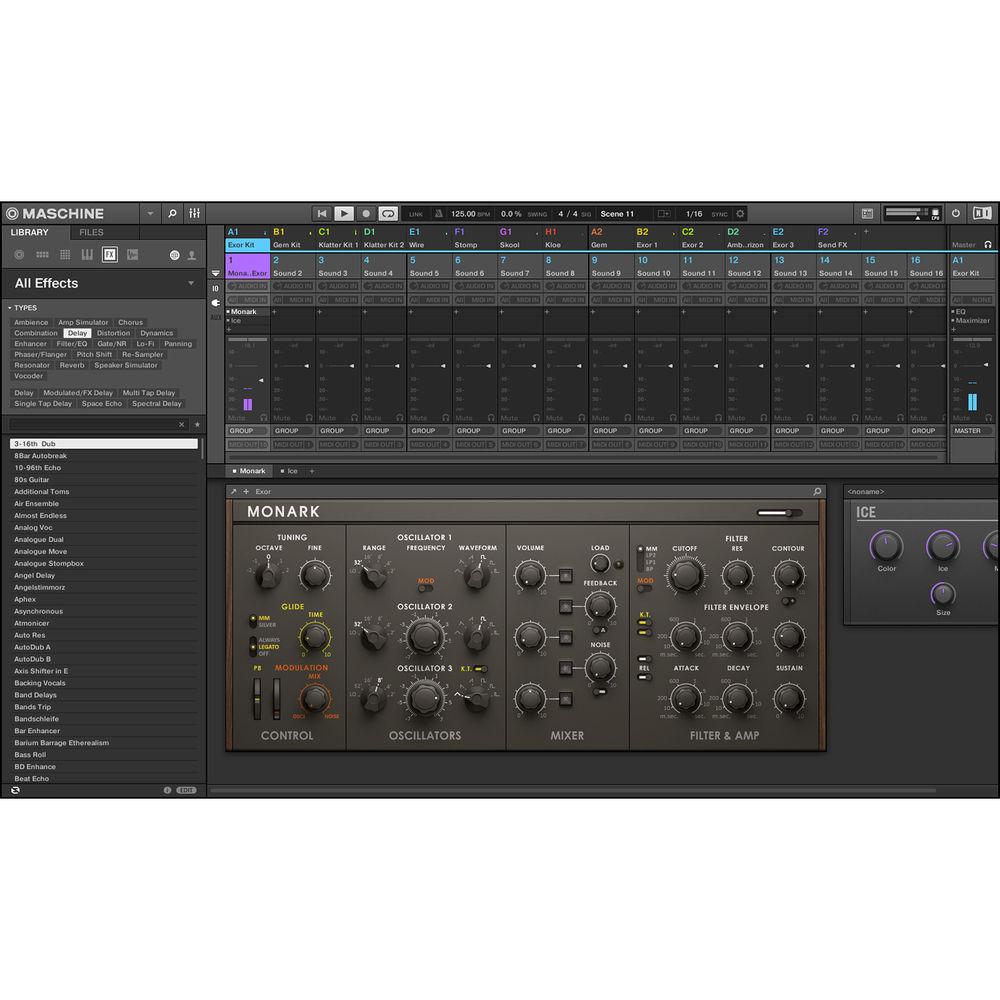
- Monark: Capable software version of the more highly regarded analog monosynths. Every nuance has been meticulously studied to bring the spirit of this legend to REAKTOR in definitive detail
- The Gentleman: Classic piano that delivers balanced tone, a wide dynamic range, and a lush sound. Your new standard vintage upright
- Drumlab: A sonic laboratory that combines pristine acoustic samples with a punchy, electronic edge in an "all-in-one" intuitive interface
- Retro Machines MK2: Offers over 20 legendary vintage instruments from the '70s and '80s—lovingly sampled and refined for one of the world’s leading sample platforms, KONTAKT 5
- Vintage Organs: Offers access to the sounds of the golden age. Based on high-quality recordings of classic organs, Vintage Organs is full of character
- West Africa: Delivers vibrant percussion and expressive melodic instruments, playable solo or as polyrhythmic ensembles, plus an intuitive pattern sequencer
- Scarbee Mark I: Offers the sound of a highly regarded electric piano, professionally sampled, with its sonic character in tact
- Solid Bus Comp: Inspired by a legendary bus compressor from a famous British console, the Solid Bus Compressor delivers power and punch without sacrificing clarity
- Replika: Packs two professional-quality delays and a powerful diffusion algorithm into a sleek, streamlined interface
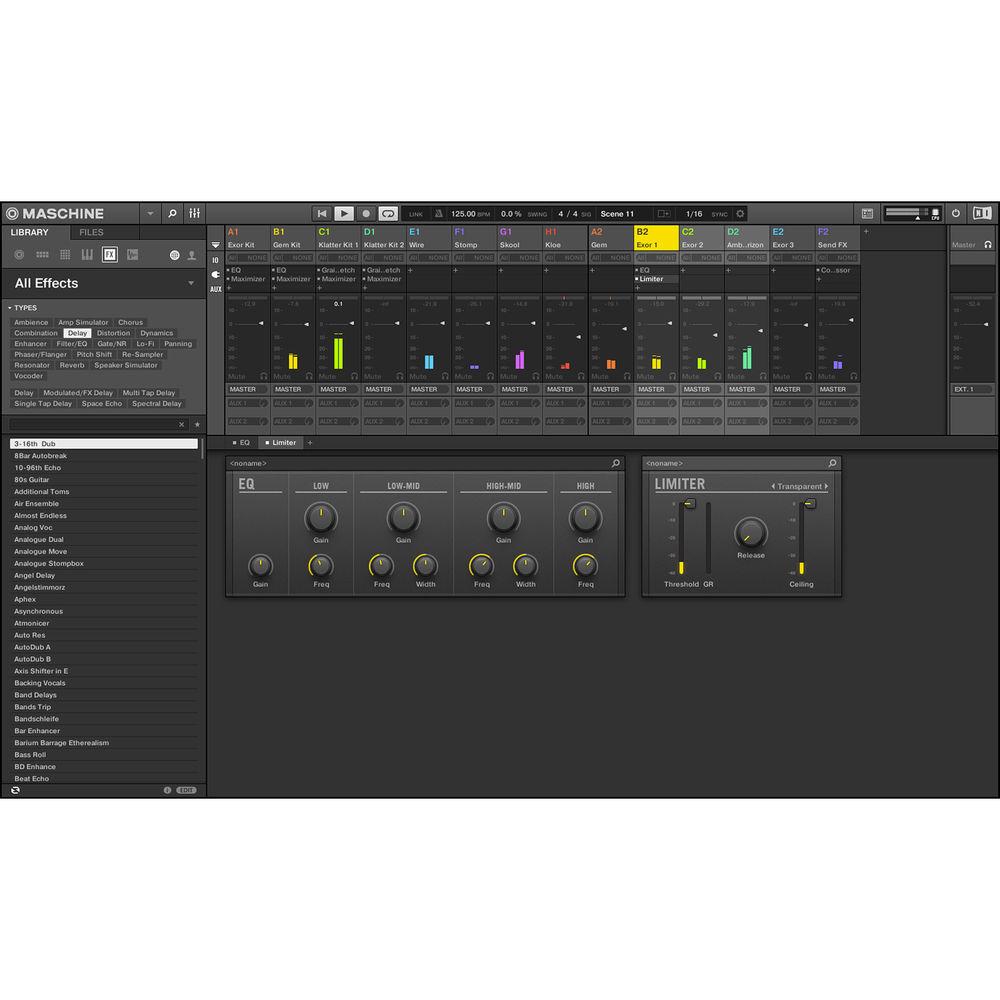
- Effects: Load 24 effects straight from the hardware. Compressors, tape and tube saturators, a transient designer, reverbs, filters and EQs, plus creative tools such as grain-delay, ice verb, freq shifter, and more. Chain an unlimited number of effects, and combine the on-board effects with other VST/AU plug-ins
- MASCHINE Expansions
- Sonically specialized packages created by renowned sound designers and artists. These ready-to-rumble kits consist of drum one-shots, matched kits, multi-sampled instruments, fresh presets for the KOMPLETE instruments and drum synths included in MASCHINE, and pre-programmed patterns and songs
In the Box Native Instruments MASCHINE MK3 - Groove Production Studio (Black) USB Cable Power Adapter Limited 1-Year Warranty Table of Contents
|
Upload User Manual
Have you got an user manual for the Native Instruments MASCHINE MK3 - Groove Production Studio in electronic form? Please send it to us and help us expand our library of instruction manuals.
Thank you, too, on behalf of other users.
To upload the product manual, we first need to check and make sure you are not a robot. After that, your "Submit Link" or "Upload File" will appear.
Technical parametersNative Instruments MASCHINE MK3 Specs | Displays | 2 x extra-large, high-resolution color displays | | Controls | 16 x high-quality, multi-color, illuminated pads with velocity and aftertouch
8 x multi-color group buttons
8 x endless rotary touch-sensitive encoders
50 x backlit click buttons
1 x dual-touch smart strip
1 x four-directional push encoder
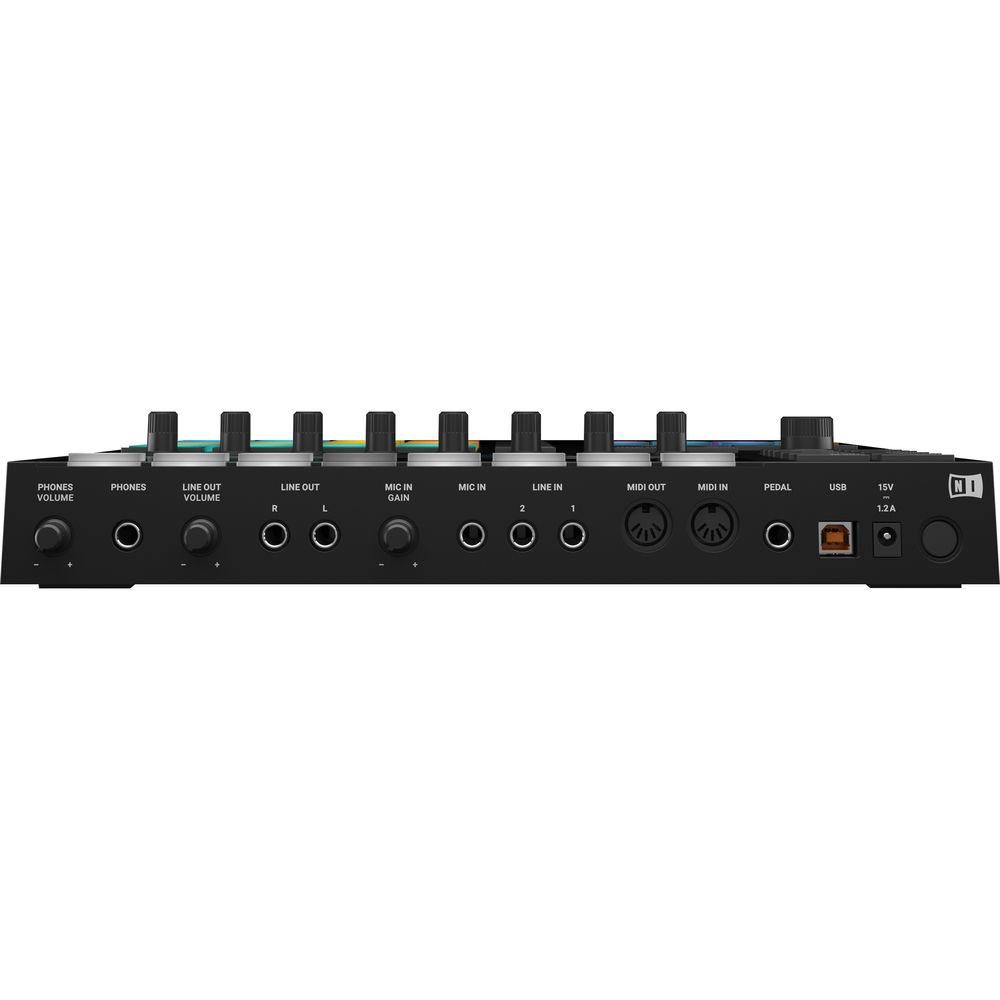
1 x footswitch or pedal input (1/4" / 6.35 mm) | | Audio Interface | Built-In USB Audio Interface: 24-bit / 96 kHz | | Inputs | Mic: 1 x 1/4" / 6.35 mm for use with a dynamic microphone
Line: 2 x 1/4" / 6.35 mm TRS | | Outputs | Line: 2 x 1/4" / 6.35 mm TRS
Headphone: 1 x 1/4" / 6.35 mm TRS | | USB | USB 2.0, 3.0 | | MIDI I/O | In: 5-pin DIN
Out: 5-pin DIN | | Kensington Security Slot | Yes | | Windows System Requirements | Windows 7, 8, or 10 (latest Service Pack, 32-/64-bit)
Processor: Intel Core i5 or equivalent
Memory: 2 GB RAM (4 GB recommended)
USB 2.0 port
9 GB free disk space for MASCHINE software and MASCHINE Library
18 GB free disk space for KOMPLETE 11 SELECT
An Internet connection and a graphics card which supports OpenGL 2.1 or higher are required to download and activate MASCHINE software. Once installed and activated, all products can be used offline
| | Mac System Requirements | Mac OS X 10.11 or macOS 10.12 (latest update)
Processor: Intel Core i5
Memory: 2 GB RAM (4 GB recommended)
USB 2.0 port
9 GB free disk space for MASCHINE software and MASCHINE Library
18 GB free disk space for KOMPLETE 11 SELECT
An Internet connection and a graphics card which supports OpenGL 2.1 or higher are required to download and activate MASCHINE software. Once installed and activated, all products can be used offline
| | Additional Info | Supported Interfaces: Standalone, VST, Audio Units, AAX 32 and AAX 64, ASIO, CoreAudio, WASAPI
Please Note: Native 64-bit support for standalone and plug-in versions
MASCHINE Requires Activation: Activate using the serial number on the flyer inside the box
In case of graphics issues, please install the latest drivers for your GPU. This can be necessary even if Windows reports them as up to date
MASCHINE software, MASCHINE Factory Library, and KOMPLETE 11 SELECT are provided as downloads after registration | | Dimensions (W x L x H) | 12.6 x 11.9 x 1.6" / 320.0 x 301.0 x 41.0 mm | | Weight | 4.9 lb / 2.2 kg | | | | Package Weight | 7.45 lb | | Box Dimensions (LxWxH) | 15.1 x 14.7 x 4.9" |
Rating80% users recommend this product to others. And what about you?

This product has already been rated by 78 owners. Add your rating and experience with the product.
Discussion
 Ask our technicians if you have a problem with your settings,
or if anything is unclear in the user manual you have downloaded.
You can make use of our moderated discussion.
The discussion is public and helps other users of our website who may be encountering similar problems.
Ask our technicians if you have a problem with your settings,
or if anything is unclear in the user manual you have downloaded.
You can make use of our moderated discussion.
The discussion is public and helps other users of our website who may be encountering similar problems.
The discussion is empty - enter the first post
Post a new topic / query / comment:
|
|


