|
User Manual for Nektar Technology Panorama P6 - Keyboard Controller Click to enlarge the picture
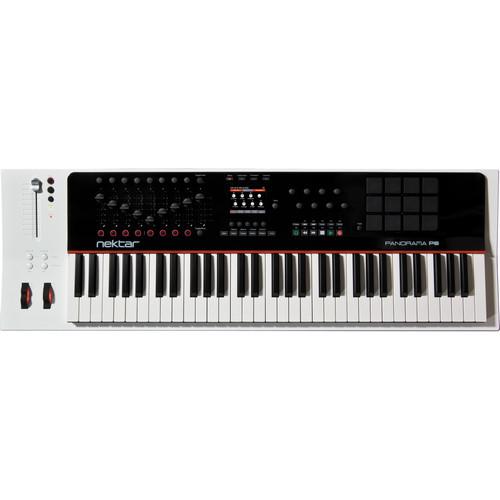 Contents of the user manual for the Nektar Technology Panorama P6 - Keyboard
- Product category: Keyboard Controllers Nektar Technology
- Brand: Nektar Technology
- Description and content of package
- Technical information and basic settings
- Frequently asked questions – FAQ
- Troubleshooting (does not switch on, does not respond, error message, what do I do if...)
- Authorized service for Nektar Technology Keyboard Controllers
 |
User manual for the Nektar Technology Panorama P6 - Keyboard contain basic instructions
that need to be followed during installation and operation.
Before starting your appliance, the user manual should be read through carefully.
Follow all the safety instructions and warnings, and be guided by the given recommendations.
User manual is an integral part of any Nektar Technology product,
and if it is sold or transferred, they should be handed over jointly with the product.
Following the instructions for use is an essential prerequisite for protecting
health and property during use, as well as recognition of liability on the part of the manufacturer
for possible defects should you make a warranty claim. Download an official Nektar Technology user manual in which you will find instructions on how to install, use, maintain and service your product.
And do not forget – unsuitable use of a Nektar Technology product will considerably shorten its lifespan!
|
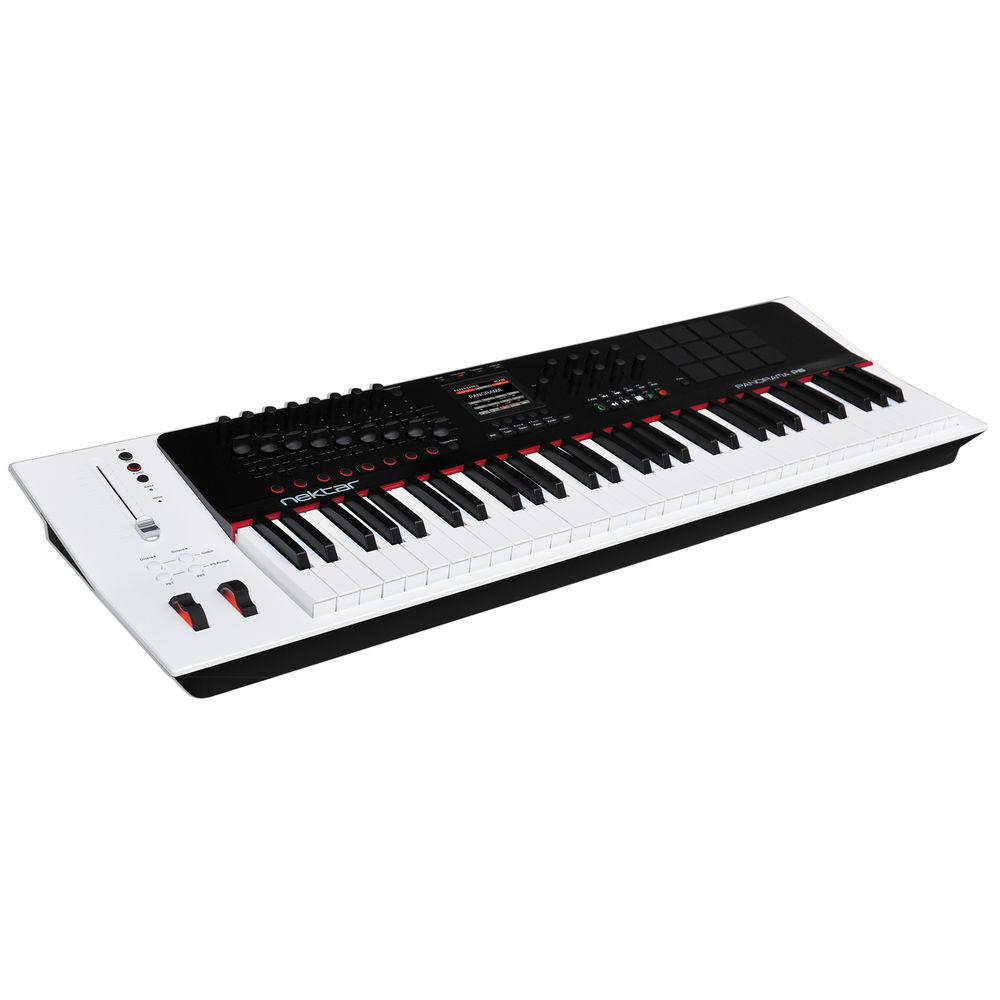
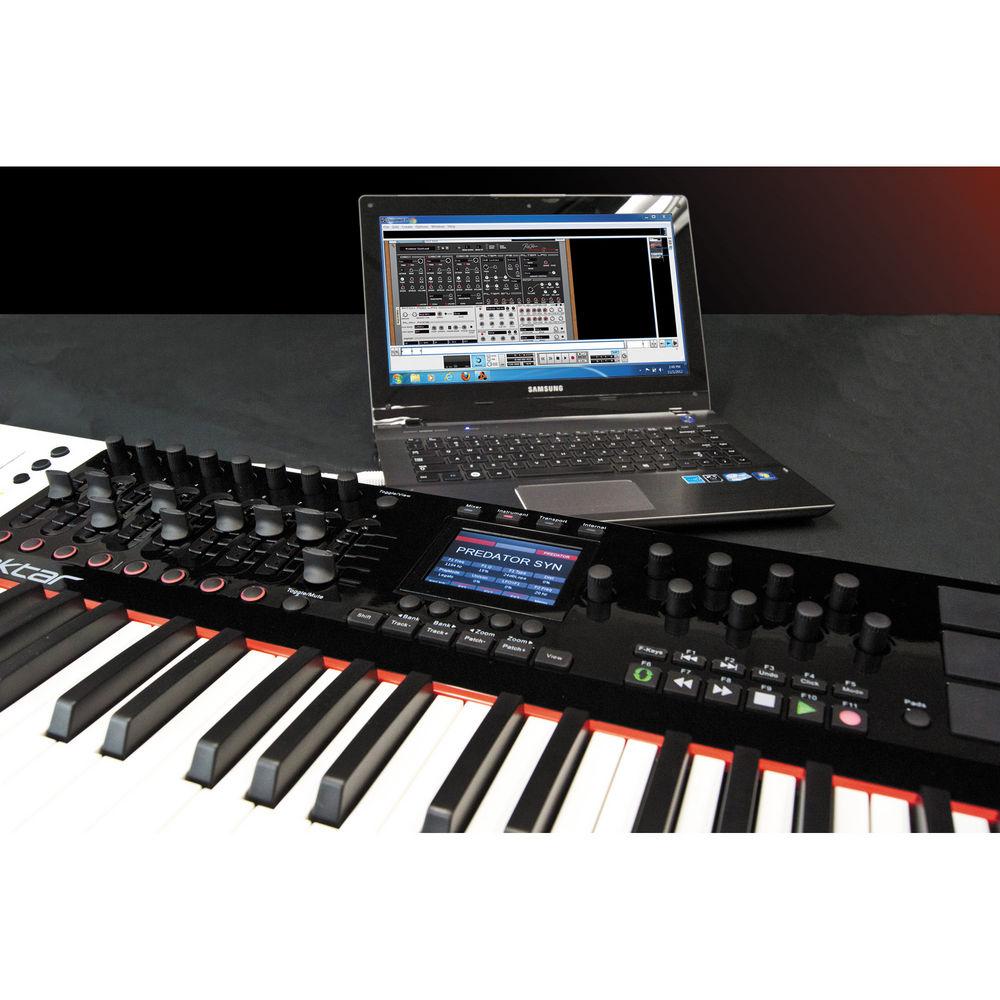
Product description The Panorama P6 from Nektar Technology is a 61-key controller with a comprehensive Reason implementation that makes it feel like one is controlling hardware in real-time. Additional extensive programming options for controlling other ReWired DAWs, virtual instruments and MIDI hardware enhance performance and creativity.
The keyboard and pads have a solid feel and respond in a dynamic manner. Velocity sensitivity allows for complex expression. Combined with ninety-three real-time controls available at any one time, and cross-platform computer compatibility, makes the Panorama P6 the definitive keyboard controller for Reason and other MIDI software and hardware. - DAW Control
- Deep Integration without the need for mapping of the following software:
- Apple Main Stage 3
- Cocos Reaper
- Bitwig Studio
- Cubase
- Logic Pro
- Reason
- Reason Integration
-
- One button press completely reconfigures the keyboard and allows for switching between controlling Reason's mixer, instruments, or transport
- Similar to multiple control surfaces in one, with the benefits of complete integration
- Popup menus provide deep access to all areas with parameters pre-assigned in a logical way
- Every single device is mapped with parameter names and values clearly visible in the display
- Allows for operating Reason as if it's hardware
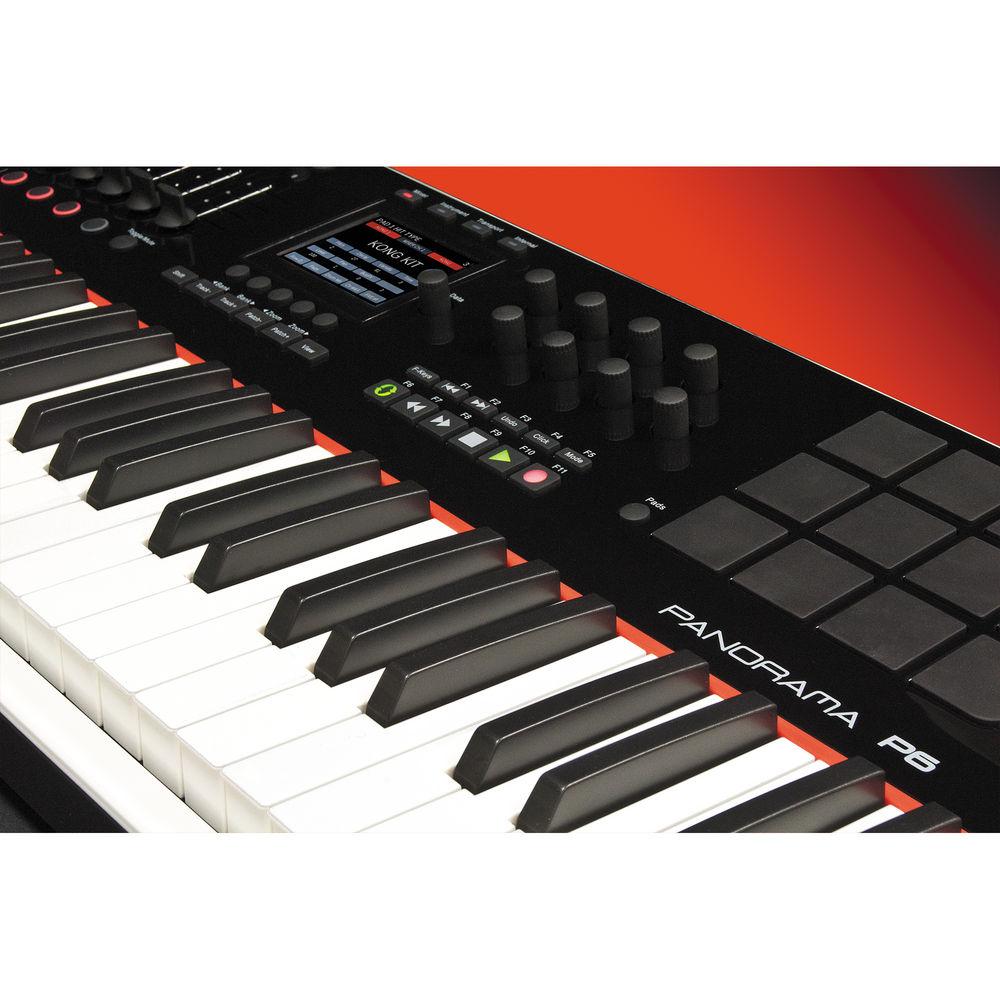
- Re-designed Kong, ReDrum and Dr OctoRex interfaces for improved beat creation including colored graphic pads on the TFT display and drum parameters selectable by hitting the corresponding pad
- Kong pad 1 and ReDrum channel 1 can be triggered via the foot switch socket
- Internal Mode
-
- 4th mode provides access to all the internal options so you can set up presets for DAWs ReWired to Reason, or to control external MIDI hardware
- All 93 real-time controls can be programmed to send MIDI messages in the keyboard's Internal mode
- Programming is straight forward with all parameters clearly visible simultaneously on the 3.5" TFT display
- Changes made are instantaneous so you can check the result immediately or even program dynamically as you work
- Dedicated Transport Controls
-
- All main transport functions are available at any one time via eleven dedicated transport buttons
- Provides one button access to L/R locator positions, undo, click on/off, recording mode, cycle on/off, rewind, forward, stop, play and record
- The three Reason modes automatically map the transport buttons and even send transport messages to a ReWired DAW
- Improved Transport mode with icons showing status for click, Q-record, cycle and pre-count
- Button for quantize added along with some re-organization that eliminated the need for another menu level to access some functions
- Looper addition to Transport mode
- With the looper active, the pads act as an array of loop markers automatically set across a Reason song at an adjustable loop length
- Randomize function allows the randomization of device parameters that are currently in view on Panorama's display
- Pads
-
- Twelve velocity and pressure-sensitive pads with choice of seven velocity curves for expressive percussive performances
- Easy to program using the "Learn Note" function
- "Velocity Spread" feature quickly spreads one note across all the pads, each with its own fixed velocity, making it easier to create consistent and nuanced dynamics
- "Scale-Function" assigns each pad to pitches within any of the pre-defined 30+ scales, a quick and easy way to change pad assignments, great for percussive performances with any keyboard sound while freely changing intervals or transposing the whole set on the fly
- Reason devices such as ReDrum, Dr. Octo Rex and Kong are automatically assigned to pads in the keyboard's Instrument mode with an additional four virtual pads available when needed
- Increased pad sensitivity so the pads can be triggered with the lightest of touch
- Reason Channel Controls
-
- Regardless of which Reason mode you are in, or how far down you are in a menu, you always have instant access to volume, solo and mute controls for the current mixer channel
- The 100 mm ALPS fader and two LED buttons can be locked to a specific mixer channel, or set to follow your track selection
- ALPS fader is motorized so its position updates automatically to match your virtual Reason mixer
- By entering the dedicated Fader menu you can use the data encoder to control pan or sends parameters, or change the fader assignment to control Master or Control Room, all without affecting whatever else you are doing
- Mixer channel signal indicators show if a signal is present for any of the eight channels visible on Panorama's Mixer view
- ASCII/QWERTY Macros
-
- By pressing a single button you can send out for example, a command to copy, move L/R location points and paste commands, or open the editor and magnify to maximum all at the same time
- Macro feature can send up to eight keystroke commands in one sequence from the keyboard to the computer
- With any one of 36 programmable buttons and 12 pads assignable to macros, this feature can really provide time-saving and interesting workflow ideas
- Presets and Maps
-
- Little to no setup required for the Reason user
- Presets can be setup for a ReWired DAW, VI or other software/hardware combination using the keyboard's Internal mode
- User settings are stored in non-volatile memory and retained even when the keyboard is switched off, with plenty of storage space available
- Twenty preset locations store settings for the sixteen encoders, nine faders and ten buttons with an additional five keyboard, ten F-Keys and twenty Pad map locations storing all settings for their respective functional area
- Preset can be loaded with any combination of maps plus you can load maps independently without affecting your other assignments
- Presets and map changes assignable to any button making it possible to recall any given preset or map at the push of a button
- Options for assigning next or previous are available with the new default assignment of the Patch- and Patch+ buttons
- Secondary encoder curve assignment to be triggered by the PB-buttons allows immediate switching between an acceleration curve and a new linear option
- Formatting of Reason parameter values that are not formatted by the application including EQ and Dynamics parameters
- Instant view of F-keys assignments when the F-keys shift button is pressed
UPC: 859383002169 In the Box Nektar Technology Panorama P6 - Keyboard Controller USB Cable (Standard) USB Type A to Micro B Cable Limited 1-Year Warranty Quick start Guide PDF 396.4kbdwbecbacswseyavcbcreexv Table of Contents
|
Upload User Manual
Have you got an user manual for the Nektar Technology Panorama P6 - Keyboard Controller in electronic form? Please send it to us and help us expand our library of instruction manuals.
Thank you, too, on behalf of other users.
To upload the product manual, we first need to check and make sure you are not a robot. After that, your "Submit Link" or "Upload File" will appear.
Technical parametersNektar Technology Panorama P6 Specs | | | Keyboard | 61 Keys, Semi-Weighted Action with Aftertouch and Velocity | | MIDI Control Surfaces | 1 x Wheel (Pitch-Bend)
1 x Wheel (Modulation)
12 x Pads (Pressure/Velocity-Sensitive)
16 x Rotary Encoders
9 x Sliders
10 x Buttons (Assignable) | | Performance Functions | Multi-Zone Programming, Octave Shift, Transport Controls, Transpose | | | | I/O | 2 x 1/4" (6.3 mm) TS Expression Pedal/Sustain Input
1 x Micro-USB Bus-Power Input
1 x USB Type-B Host Connection
1 x 5-Pin MIDI Output | | OS Compatibility | macOS 10
Windows Vista
Windows 7 | | | | Power Options | Dual USB Bus-Power, USB Bus-Power | | | | Package Weight | 21.1 lb | | Box Dimensions (LxWxH) | 41.0 x 15.0 x 6.0" |
Rating100% users recommend this product to others. And what about you?

This product has already been rated by 41 owners. Add your rating and experience with the product.
Discussion
 Ask our technicians if you have a problem with your settings,
or if anything is unclear in the user manual you have downloaded.
You can make use of our moderated discussion.
The discussion is public and helps other users of our website who may be encountering similar problems.
Ask our technicians if you have a problem with your settings,
or if anything is unclear in the user manual you have downloaded.
You can make use of our moderated discussion.
The discussion is public and helps other users of our website who may be encountering similar problems.
The discussion is empty - enter the first post
Post a new topic / query / comment:
|
|
|
| Request for user manual |
You can’t find the operation manual you are looking for? Let us know and we will try to add the missing manual:
I’m looking for a manual / Request for manual
Current requests for instruction manuals:
Call Of Duty World War Two For Xbox...
controller stratus XL...
stratus XL...
smart whatch serie S11 42mm...
Allen & Heath SQ-6 manual...
|
| Discussion |
Latest contributions to the discussion:
AEW R 4100
Name: MAURICIO ANGARITA
Audio-Technica AEW-R4100 UHF Diversity Receiver for
AEW R 4100 has the mute function blocked and does not allow audio to pass. I tried several times to turn off the mute from the transmitter but it does nothing, the mute stays on. Solution?
Thank you...
Instructions for assembling the 2015 Forecast Image Master Consoles GC3-A
Name: mike elam
Forecast Consoles GC3-A ImageMaster Editing Console
Looking for instructions for assembling this console. ...
EMPTY TONER ERROR MESSAGE AFTER REPLACING TONER
Name: LINDA BAD YELLOW EYES
Brother TN223BK Standard-Yield Toner
I HAD TO CHANGE OUT ALL THREE TONERS DUE TO LEAKS IN THE YELLOW AND CYAN. AFTER I REPLACED THEM, THE MACHINE KEEPS GIVING ME AN EMPTY TONER ERROR MESSAGE. HELP!!...
PS480D 20/24 pin Switching 480W Power Supply
Name: swkargo
Logisys 480W Power Supply
This item states in can run -5vdc .It is NOT listed on the board or I beleive is r4 is missing the resitior. Any body have thid issue. Shawn
...
Help needed
Name: Ann Carter
SanDisk 1TB Extreme Portable USB 3.1
When I click the link to download the user manual for my Sandisk Extreme external hard drive, it gives me the manual for the LG Cricket. Can you please change the link so I can download the Sandisk manual and begin using this drive? Thank you....
|
|


