User Manual for Nero Standard 2018 Click to enlarge the picture
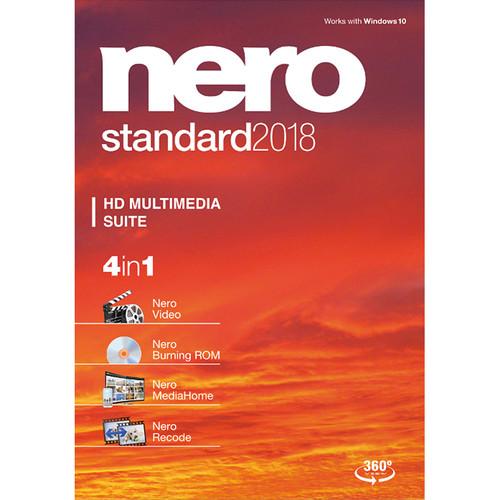 Contents of the user manual for the Nero Standard 2018
- Product category: Optical Media Burning & Ripping Software Nero
- Brand: Nero
- Description and content of package
- Technical information and basic settings
- Frequently asked questions – FAQ
- Troubleshooting (does not switch on, does not respond, error message, what do I do if...)
- Authorized service for Nero Optical Media Burning & Ripping Software
|
User manual for the Nero Standard 2018 contain basic instructions
that need to be followed during installation and operation.
Before starting your appliance, the user manual should be read through carefully.
Follow all the safety instructions and warnings, and be guided by the given recommendations.
User manual is an integral part of any Nero product,
and if it is sold or transferred, they should be handed over jointly with the product.
Following the instructions for use is an essential prerequisite for protecting
health and property during use, as well as recognition of liability on the part of the manufacturer
for possible defects should you make a warranty claim. Download an official Nero user manual in which you will find instructions on how to install, use, maintain and service your product.
And do not forget – unsuitable use of a Nero product will considerably shorten its lifespan!
|
Product description Nero's Standard 2018 is a suite of downloadable software programs that allows you to manage audio and video files as well as edit and save them to optical discs. With this suite, you can duplicate home movie DVDs or convert them into a format that's tailored for mobile devices. - Video 2018 (Download) Easily create entertaining home and social media videos with Nero Video 2018 non-linear video editing software, compatible with Windows. Nero Video 2018 supports up to 4K resolution in a variety of file formats, so you have the flexibility of working with different sources, including smartphones.
Nero Video lets you edit manually in expert mode, edit quicker in express mode, or simply plug your footage into one of over 50 built-in video templates. Whichever mode you choose, your videos will be enhanced with titles, transitions, effects, background music, and more. New features include new templates, a one-click black bar remover, and vertical video editing for smartphone footage.
If you choose to export to a DVD or Blu-ray discs, Nero Video allows you to create disc menus and create disc covers, so your projects will look professional and complete.
Nero also offers free-to-download mobile apps for iOS/Android that give you flexible playback and streaming functionality for use in conjunction with Nero Video 2018 or independently. Please see the Features section below for information on each app. - Key Features
-
- Supports up to 4K resolution in a variety of file formats
- Edit manually in expert mode, edit quicker in express mode, or plug your footage into 50+ built-in templates
- Apply titles, transitions, effects, background music, and more
- New Features: New templates, a one-click black bar remover, and vertical video editing for smartphone footage
- Create DVD and Blu-ray disc menus and disc covers
- Free-to-Download Playback/Streaming Apps
- Nero also offers free-to-download mobile apps for iOS/Android that give you flexible playback and streaming functionality for use in conjunction with Nero Video 2018 or independently.
Nero Streaming Player App
With the Nero Streaming Player App, you can easily and wirelessly play the pictures, movies, and music stored on your mobile devices on smart TVs, PlayStation, or other devices in your home network. And whether it's a song, a slideshow of photos, or a movie from your media archive, you can also use your mobile device screen as a remote control to play your PC-based media wirelessly on the largest screen in your home. (For iOS 8.0+ and Android 4.0+.)
Nero MediaHome WiFi Sync App
The Nero MediaHome WiFi Sync App lets you wirelessly transfer media from your mobile device to your PC and from your PC to your mobile device — with automatic format conversion. Simply ensure that your mobile device and your PC are registered on the same network and let the app do its work. (For iOS 8.0+ and Android 4.0+.)
Nero TuneItUp Cleaner & Booster App
Clean out the junk from your Android phone. The Nero TuneItUp Cleaner & Booster App scans your phone and gives it the tune-up it needs. (Android only.)
Nero BackItUp
Connect your Android phone with your computer via Nero AirLink, which guarantees easy discovery and connectivity and makes your backup process even more comfortable. All that's required is a Wi-Fi connection. You no longer need to use cloud services, as you can save you data in a secure environment on your own PC. (Android only.)
Nero AirBurn App
Memories that you only had on your smartphone or tablet can now quickly be burned to CD, DVD, or Blu-ray disc using the Nero AirBurn App. Simply select your files, send them to your PC with the app, and Nero Burning ROM will launch your burning project. (iOS and Android.)
Nero KnowHow App
The Nero KnowHow App contains all the tips, tricks, and expert advice that will have the biggest impact on your projects. With its replies to your Frequently Asked Questions (FAQ), manuals, video tutorials, and access to the user forum and glossary, all your questions about Nero products and your specific needs are answered. (iOS and Android.) - Burning ROM 2018 (Download) With the downloadable Burning Rom 2018 from Nero you can rip, copy, and burn a variety of audio and video files to CDs, DVDs, and Blu-ray Discs.
Rip your favorite songs from audio CDs and save them to your computer, smartphone or MP3 player as this software supports a variety of audio files including MP3, MP3 PRO, ACC, FLAC, and APE file formats. Not only do you get the audio file, NERO Burning ROM 2018 even captures the song titles and album art thanks to built-in GraceNote technology. You can even take your ripped files with you by copying the files to a CD, DVD, or Blu-ray Disc with the same quality and sound of the original file or burn them to the same optical media along with the ability to fine tune your multimedia content.
Whether ripping, copying, or burning, Nero Burning ROM 2018 offers enhanced security with SecurDisc 4.0 which utilizes 256-bit encryption, digital signature, and password protection to ensure your burned files remain safe and secure. - Copy and Import Data and Music
- Want to copy and import data and music and burn them to your preferred type of disc? Want to keep data safe and secure? Want to create discs with maximum reliability? No problem with this version of Nero Burning ROM, which uses SecurDisc 4.0 and much more to ensure the best results.
- Rip
- If you need to save your audio CDs and individual songs as files on your PC, smartphone or MP3 player, just convert them to the required format quickly and accurately. Nero Burning ROM supports a variety of file types including MP3, MP3 PRO through AAC and FLAC to APE - including song titles and album details. Now original album art is integrated into the audio file thanks to built-in Gracenote technology, allowing you to easily browse your playlists and play your music in complete comfort.
- Copy
- Would you like to share your movies and play your favorite songs in the car or living room? Copy CDs, DVDs and Blu-ray Discs with quality and sound that are in no way inferior to the original. Audio CDs are also quickly reproduced - including CD text and original album details along with original album art.
Note: Copy capabilities are only for non-copy protected media - Burn
- Create ISO images or burn your video disc structures and disc images to new media. Burned audio CDs gain even more richness of sound, thanks to filters and other adjustments as well as automatic sound improvement that allows you to match the sound to your taste. What's more, Gracenote technology means you can now also have original album art on MP3 CDs and MP3 DVDs for your car radio. And with the Nero CoverDesigner you can create genuine visual works of art from your burned pieces.
- Protect
- Secure your files using SecurDisc 4.0 technology. With 256-bit encryption, digital signature and password protection, no one but you can access your burned data archive. With Nero Burning ROM 2018 even scratched discs will still be playable thanks to adjustable data redundancy.
- MediaHome 2018 (Download) MediaHome 2018 from Nero is a downloadable Windows software program that lets you archive, sort, create, play, and steam multimedia files. MediaHome supports nearly any video and audio format and can be used with audio CDs and DVDs. It helps you organize multimedia files with an enhanced media library feature that is designed for music, videos, photos, movies, and TV shows. Once organized, you can stream the content to a connected smart TV, and with the Nero MediaHome WiFi Sync App, multimedia files are easily transferred to and from iOS and Android devices. Moreover, MediaHome 2018 can automatically add music album covers and movie posters to your files.
- Recode 2018 (Download) The downloadable Nero Recode 2018 software program extracts content from CDs, DVDs, and Blu-ray discs, so you can enjoy the media on multiple devices. The program is compatible with Windows-based systems and supports nearly all formats. When compared to the previous version of Recode, the 2018 edition uses an optimized encoding technology that processes tasks quickly and easily. You can use Recode 2018 to create job lists for scheduled conversions and convert media files into 2D, HD, and SD formats. It also guides you through finding an optimal format for your mobile device or game console. Additionally, 1-click trimming tools are available to improve multimedia files by offering rotate, crop, and cut functions.
- Import content from nearly any Blu-ray discs, AVCHDs, or DVDs
- Extracts video files to 2D, HD, and SD formats
- Converts multimedia files for mobile device and game console use
- Gracenote automatically adds music album artwork
- Free Nero MediaHome WiFi Sync app for transferring media to portable devices
- 1-click trimming tools correct video orientation as well as rotate, crop, and cut videos
In the Box Bundle Items Video 2018 (Download) rdazrctsdwxbtetzvzevfztacbcxav Burning ROM 2018 (Download) MediaHome 2018 (Download) Recode 2018 (Download) Table of Contents
|
Upload User Manual
Have you got an user manual for the Nero Standard 2018 in electronic form? Please send it to us and help us expand our library of instruction manuals.
Thank you, too, on behalf of other users.
To upload the product manual, we first need to check and make sure you are not a robot. After that, your "Submit Link" or "Upload File" will appear.
Technical parameters - Video 2018 (Download)
| System Requirements | Operating System:
Windows 10 (32-/64-bit)
Windows 8.1 (32-/64-bit)
Windows 8 (32-/64-bit)
Windows 7 SP1 Home Premium, Professional, or Ultimate (32-/64-bit)
For Ultra HD 4K Playback, Editing, and Encoding:
64-bit operating system
Intel Core i7-2600K 3.4 GHz or above
AMD FX 8320 3.5 GHz or above
4 GB RAM
NVIDIA CUDA-enabled graphics cards below series 600
For HD Video Editing:
Intel Core II Duo 2.2 GHz processor
AMD Athlon 64 X2 5200+ 2.6 GHz or above
2 GB RAM
For HD Video Editing with High Bitrates:
Intel Core I3
AMD Phenom II X4 or above
4 GB RAM
For SD Video Editing:
2 GHz AMD or Intel processor
1 GB RAM
For H.265 / HEVC Files (High Efficiency Video Coding) Video Editing, Playback, and Transcoding:
Intel Core i7-6700 (4 GHz) or above
8 GB RAM or above
64-bit Windows operating systems recommended
Hardware accelerated decoding of 8-bit HEVC source files with graphics card from Intel HD 515 or later and NVIDIA GTX 960Ti
Hardware accelerated decoding of 10-bit HEVC source files with Intel graphics cards HD 620 or later and NVIDIA graphics cards GTX 1060 or later
5 GB hard drive space for a typical installation of all components (including templates, content, and temporary disk space)
Microsoft DirectX 9.0-compliant graphics card with 3D acceleration, 16-bit color, and a minimum of 128 MB video memory is required (32-bit, true color, 256 MB dedicated video RAM, and support for Shader Model 3.0 is recommended)
CD, DVD, and/or Blu-ray disc recordable or rewritable drive for burning and video authoring
DirectX 9.0c revision 30 (August 2006)
Windows Media Player 9 | | Supported Video Formats and Codecs | Advanced Streaming Format (ASF)
Audio Video Interleave (AVI, NVAVI)
Digital Video (DV, DVSD)
QuickTime Movie (MOV)
DVD Video Object (VOB)
MPEG Video (MPG, MPEG, MPE, M1V, M2P, M2V, MOD, MP2V)
MPEG-2 Transport Stream Files (M2TS, M2T, MTS, TS, TOD, TRP)
MPEG-4 Video (MP4, DIVX)
Windows Media Video (WMV)
Flash Video (FLV)
Matroska Video (MKV)
Microsoft Vista TV Recording (DVR-MS)
Video CD Movie (DAT)
AVC Blu-ray Disc Video Format (BSF)
Third Generation Partnership Project Movie (3GP)
DVD Movie Info (IFO)
Motion JPEG Video (MJPEG)
MicroMV Video (MMV)
Windows 7 Media Center TV Format (WTV) | | Supported Audio Formats and Codecs | Advanced Audio Coding elementary stream (AAC)
Audio Interchange File Format (AIFF, AIF)
Compact Disc Digital Audio (CDA) - not encoding
Dolby Digital (AC3)
Moving Picture Experts Group Audio Layer 3 (MP3 / mp3PRO)
MPEG-4 Audio (MP4, M4A)
Ogg Vorbis (OGG, OGA)
PCM WAV file, ADPCM Wav file (WAV, WAVE)
Windows Media Audio (WMA)
Free Lossless Audio Codec (FLAC)
MPEG Audio (MP2, MP2A, MPA, MPA2, M2A)
Monkey's audio (APE)
Matroska audio (MKA) | | Supported Image Formats | Bitmap (BMP)
Device Independent Bitmaps (DIB)
Graphics Interchange Format (GIF)
Icon Image File (ICO)
JPEG File Interchange Format (JFIF)
Joint Photographic Expert Group (JPEG, JPG, JPE)
Picture Exchange (PCX)
Portable Network Graphics (PNG)
Portable Pixel Map (PPM)
Targa Image File (TGA)
Tagged Image File Format (TIFF, TIF)
Windows Metafile Format (WMF)
Portable Bitmap (PBM) | | Supported Media for Burning | CD-R
CD-RW
DVD±R
DVD±RW
DVD-RAM
DVD±R DL
BD-R
BD-RE
BD-R DL
BD-RE DL | | Supported Disc Formats | Nero Image (NRG)
CUE-Image - import only
ISO Image
Video CD
Super Video CD
DVD-Video
DVD+VR
DVD-VFR
DVD-VR - import only
AVCHD video
BDMV video
BDAV - import only | | Supported Formats for Playlists | Windows Media Player Playlists (WPL)
iTunes Playlists | - Burning ROM 2018 (Download)
| System Requirements | Minimum System Requirements
• Windows 7 SP1 Home Premium, Professional or Ultimate (32/64 bit), Windows 8 (32/64 bit), Windows 8.1 with April 2014 Update (32/64 bit), Windows 10 (32/64 bit)
• 2 GHz AMD or Intel processor
• 1 GB RAM
• 500 MB hard drive space for a typical installation of all components (including temporary disk space)
• CD, DVD, or Blu-ray Disc recordable or rewritable drive for burning
• For some services an Internet connection is required
• Internet connection charges are the user's responsibility
• For further requirements please check www.nero.com
• Nero AirBurn App: Android 4.0 and higher, iOS 8.0 and higher
• Nero KnowHow App: Windows 10 and higher, Android 4.0 and higher, iOS 8.0 and higher
Note:
• On 64 bit operating systems, applications run in 32 bit emulation mode
• The devices must be correctly installed and recognized by the operating system for the product to work properly
• Installation of the latest WHQL certified device drivers is strongly recommended
Special Minimum Requirements for LightScribe and Labelflash
• LightScribe compatible recorder and medium
• LightScribe host software must be installed
• Labelflash compatible recorder and medium | | Supported Media | CD-R
CD-RW
DVD
Rating70% users recommend this product to others. And what about you?

This product has already been rated by 98 owners. Add your rating and experience with the product.
Discussion
 Ask our technicians if you have a problem with your settings,
or if anything is unclear in the user manual you have downloaded.
You can make use of our moderated discussion.
The discussion is public and helps other users of our website who may be encountering similar problems.
Ask our technicians if you have a problem with your settings,
or if anything is unclear in the user manual you have downloaded.
You can make use of our moderated discussion.
The discussion is public and helps other users of our website who may be encountering similar problems.
The discussion is empty - enter the first post
Post a new topic / query / comment:
|
|
|
| Request for user manual |
You can’t find the operation manual you are looking for? Let us know and we will try to add the missing manual:
I’m looking for a manual / Request for manual
Current requests for instruction manuals:
Call Of Duty World War Two For Xbox...
controller stratus XL...
stratus XL...
smart whatch serie S11 42mm...
Allen & Heath SQ-6 manual...
|
| Discussion |
Latest contributions to the discussion:
AEW R 4100
Name: MAURICIO ANGARITA
Audio-Technica AEW-R4100 UHF Diversity Receiver for
AEW R 4100 has the mute function blocked and does not allow audio to pass. I tried several times to turn off the mute from the transmitter but it does nothing, the mute stays on. Solution?
Thank you...
Instructions for assembling the 2015 Forecast Image Master Consoles GC3-A
Name: mike elam
Forecast Consoles GC3-A ImageMaster Editing Console
Looking for instructions for assembling this console. ...
EMPTY TONER ERROR MESSAGE AFTER REPLACING TONER
Name: LINDA BAD YELLOW EYES
Brother TN223BK Standard-Yield Toner
I HAD TO CHANGE OUT ALL THREE TONERS DUE TO LEAKS IN THE YELLOW AND CYAN. AFTER I REPLACED THEM, THE MACHINE KEEPS GIVING ME AN EMPTY TONER ERROR MESSAGE. HELP!!...
PS480D 20/24 pin Switching 480W Power Supply
Name: swkargo
Logisys 480W Power Supply
This item states in can run -5vdc .It is NOT listed on the board or I beleive is r4 is missing the resitior. Any body have thid issue. Shawn
...
Help needed
Name: Ann Carter
SanDisk 1TB Extreme Portable USB 3.1
When I click the link to download the user manual for my Sandisk Extreme external hard drive, it gives me the manual for the LG Cricket. Can you please change the link so I can download the Sandisk manual and begin using this drive? Thank you....
|
|


