User Manual for Nero Video 2019 Click to enlarge the picture
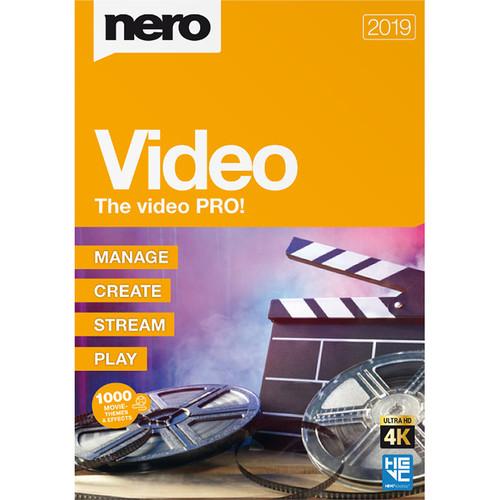 Contents of the user manual for the Nero Video 2019
- Product category: Video Editing Nero
- Brand: Nero
- Description and content of package
- Technical information and basic settings
- Frequently asked questions – FAQ
- Troubleshooting (does not switch on, does not respond, error message, what do I do if...)
- Authorized service for Nero Video Editing
|
User manual for the Nero Video 2019 contain basic instructions
that need to be followed during installation and operation.
Before starting your appliance, the user manual should be read through carefully.
Follow all the safety instructions and warnings, and be guided by the given recommendations.
User manual is an integral part of any Nero product,
and if it is sold or transferred, they should be handed over jointly with the product.
Following the instructions for use is an essential prerequisite for protecting
health and property during use, as well as recognition of liability on the part of the manufacturer
for possible defects should you make a warranty claim. Download an official Nero user manual in which you will find instructions on how to install, use, maintain and service your product.
And do not forget – unsuitable use of a Nero product will considerably shorten its lifespan!
|
Product description Nero Video 2019 is a simple-to-use consumer video editing software that lets you easily make home movies, commercial video presentations, and other personal projects. There's an Advanced Editing mode where you can access all the tools of the application, and there are many quick editing functions, including an Express Editing mode in which you plug in your content and Nero Video automatically does the rest of the work for you. There are also many templates, with themes revolving around family, parties, children, travel, action, and more. Additionally, there's a vertical video template that simplifies work with smartphone footage. Nero Video 2019 is Windows compatible.
Import photos and up to UHD 4K videos from your phone or camera and create fun video projects or elaborate slideshows, all complete with music, effects, titles, transitions, keyframe animations, and more. Effects include tiltshift, old film, and slow-motion. You can also burn your finished projects to DVD or Blu-ray discs with themed menus directly from the program if you have a disc burner.
Nero Video 2019 includes free access to the Nero Wi-Fi Transfer app (iOS/Android), which will let you easily transfer photos and videos to your computer for editing. - Key Features
-
- Windows-compatible consumer video editing software
- Advanced Editing mode
- Express Editing mode
- 1-Click Video Story
- Slideshow creator
- Numerous themed templates
- Effects, transitions, titles, keyframe animations, and music
- Vertical video template for smartphone footage
- Import up to UHD 4K videos (directly or wirelessly via an included Wi-Fi transfer app for iOS/Android)
- Burn to DVD or Blu-ray discs with themed menus
Table of Contents
|
Upload User Manual
Have you got an user manual for the Nero Video 2019 in electronic form? Please send it to us and help us expand our library of instruction manuals.
Thank you, too, on behalf of other users.
To upload the product manual, we first need to check and make sure you are not a robot. After that, your "Submit Link" or "Upload File" will appear.
Technical parametersNero Video 2019 Specs | Minimum System Requirements | Operating System:
32-/64-Bit Windows 10, 8.1, 8, 7 SP1 Home Premium/Professional/Ultimate
For UHD 4K Video Playback, Editing, and Encoding:
Intel Core i7-2600K (3.4 GHz) or above, AMD FX 8320 (3.5 GHz) or above, and 4 GB RAM; for NVIDIA CUDA Enabled Graphics Cards below Series 600, Installation of Driver Version Earlier than Version 340.43 is Required
For HD Video Editing & Authoring:
Intel Core II Duo 2.2 GHz Processor, AMD Athlon 64 X2 5200+ 2.6 GHz or above, 2 GB RAM (for Editing HD Video with High Bit Rates, Intel Core i3, AMD Phenom II X4, or Higher Processors and 4 GB RAM Recommended)
For SD Video Editing & Authoring:
2 GHz AMD or Intel Processor, 1 GB RAM
5 GB Hard Drive Space
Up to 50 GB Hard Drive Space for Disk Images and Temporary Files
Microsoft DirectX 9.0 Compliant Graphics Card with 3D Acceleration, 16-Bit Color, and Minimum of 128 MB Video Memory Required (32-Bit, True Color, 256 MB Dedicated Video RAM, and Support for Shader Model 3.0 Recommended)
For Burning and Video Authoring:
CD, DVD, or Blu-ray Disc Recordable or Rewritable Drive
DirectX 9.0c Revision 30 (August 2006)
Windows Media Player 9
Internet Explorer 11 and Higher | | Supported Video Formats and Codecs | Advanced Streaming Format (ASF)
Audio Video Interleave (AVI, NVAVI)
Digital Video (DV, DVSD)
QuickTime Movie (MOV)
DVD Video Object (VOB)
MPEG Video (MPG, MPEG, MPE, M1V, M2P, M2V, MOD, MP2V)
MPEG-2 Transport Stream Files (M2TS, M2T, MTS, TS, TOD, TRP)
MPEG-4 Video (MP4, DIVX)
Windows Media Video (WMV)
Flash Video (FLV)
Matroska Video (MKV)
Video CD Movie (DAT)
AVC Blu-ray Disc Video Format (BSF)
Third Generation Partnership Project Movie (3GP)
DVD Movie Info (IFO)
Motion JPEG Video (MJPEG)
MicroMV Video (MMV) | | Supported Audio Formats and Codecs | Advanced Audio Coding Elementary Stream (AAC)
Audio Interchange File Format (AIFF, AIF)
Compact Disc Digital Audio (CDA) - Not Encoding
Dolby Digital (AC3)
Moving Picture Experts Group Audio Layer 3 (MP3 / mp3PRO)
MPEG-4 Audio (MP4, M4A)
Ogg Vorbis (OGG, OGA)
PCM WAV File, ADPCM WAV File (WAV, WAVE)
Windows Media Audio (WMA)
Free Lossless Audio Codec (FLAC)
MPEG Audio (MP2, MP2A, MPA, MPA2, M2A)
Monkey's Audio (APE)
Matroska Audio (MKA) | | Supported Image Formats | Bitmap (BMP)
Device Independent Bitmaps (DIB)
Graphics Interchange Format (GIF)
Icon Image File (ICO)
JPEG File Interchange Format (JFIF)
Joint Photographic Expert Group (JPEG, JPG, JPE)
Picture Exchange (PCX)
Portable Network Graphics (PNG)
Portable Pixel Map (PPM)
Targa Image File (TGA)
Tagged Image File Format (TIFF, TIF)
Windows Metafile Format (WMF)
Portable Bitmap (PBM) | | Supported Media for Burning | CD-R
CD-RW
DVD±R
DVD±RW
DVD-RAM
DVD±R DL
BD-R
BD-RE
BD-R DL
BD-RE DL | | Supported Disc Formats | Nero Image (NRG)
CUE-Image - Import Only
ISO Image
Video CD
Super Video CD
DVD-Video
DVD+VR
DVD-VFR
DVD-VR - Import Only
AVCHD Video
BDMV Video
BDAV - Import Only | | Supported Formats for Playlists | Windows Media Player Playlists (WPL)
iTunes Playlists |
Rating90% users recommend this product to others. And what about you?

This product has already been rated by 83 owners. Add your rating and experience with the product.
Discussion
 Ask our technicians if you have a problem with your settings,
or if anything is unclear in the user manual you have downloaded.
You can make use of our moderated discussion.
The discussion is public and helps other users of our website who may be encountering similar problems.
Ask our technicians if you have a problem with your settings,
or if anything is unclear in the user manual you have downloaded.
You can make use of our moderated discussion.
The discussion is public and helps other users of our website who may be encountering similar problems.
Post new comment to Nero Video 2019
| Subject: Nero Video 2019 User Manual | | Date: 28.01.2023 02:00:44 | Name: Paul L Drown Jr | | I would like to download Nero Video 2019 User Manual PDF | | Post reply |
| Subject: User Manual | | Date: 13.12.2021 17:45:14 | Name: Chris Godfrey | | Please can I download PDF User Manual for Nero Video | | Post reply |
Post a new topic / query / comment:
|
|


