|
User Manual for NewBlueFX Titler Pro 6 Click to enlarge the picture
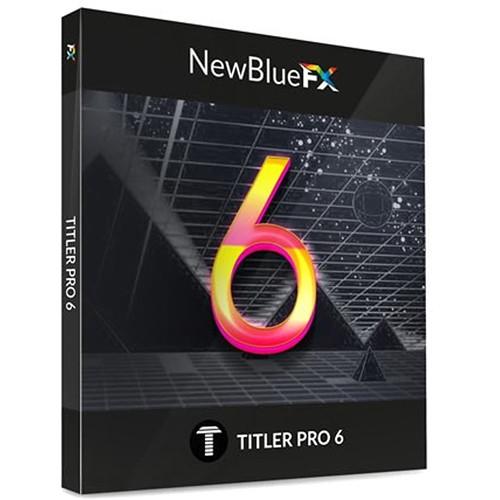 Contents of the user manual for the NewBlueFX Titler Pro 6
- Product category: Video Editing Plug-Ins NewBlueFX
- Brand: NewBlueFX
- Description and content of package
- Technical information and basic settings
- Frequently asked questions – FAQ
- Troubleshooting (does not switch on, does not respond, error message, what do I do if...)
- Authorized service for NewBlueFX Video Editing Plug-Ins


 |
User manual for the NewBlueFX Titler Pro 6 contain basic instructions
that need to be followed during installation and operation.
Before starting your appliance, the user manual should be read through carefully.
Follow all the safety instructions and warnings, and be guided by the given recommendations.
User manual is an integral part of any NewBlueFX product,
and if it is sold or transferred, they should be handed over jointly with the product.
Following the instructions for use is an essential prerequisite for protecting
health and property during use, as well as recognition of liability on the part of the manufacturer
for possible defects should you make a warranty claim. Download an official NewBlueFX user manual in which you will find instructions on how to install, use, maintain and service your product.
And do not forget – unsuitable use of a NewBlueFX product will considerably shorten its lifespan!
|
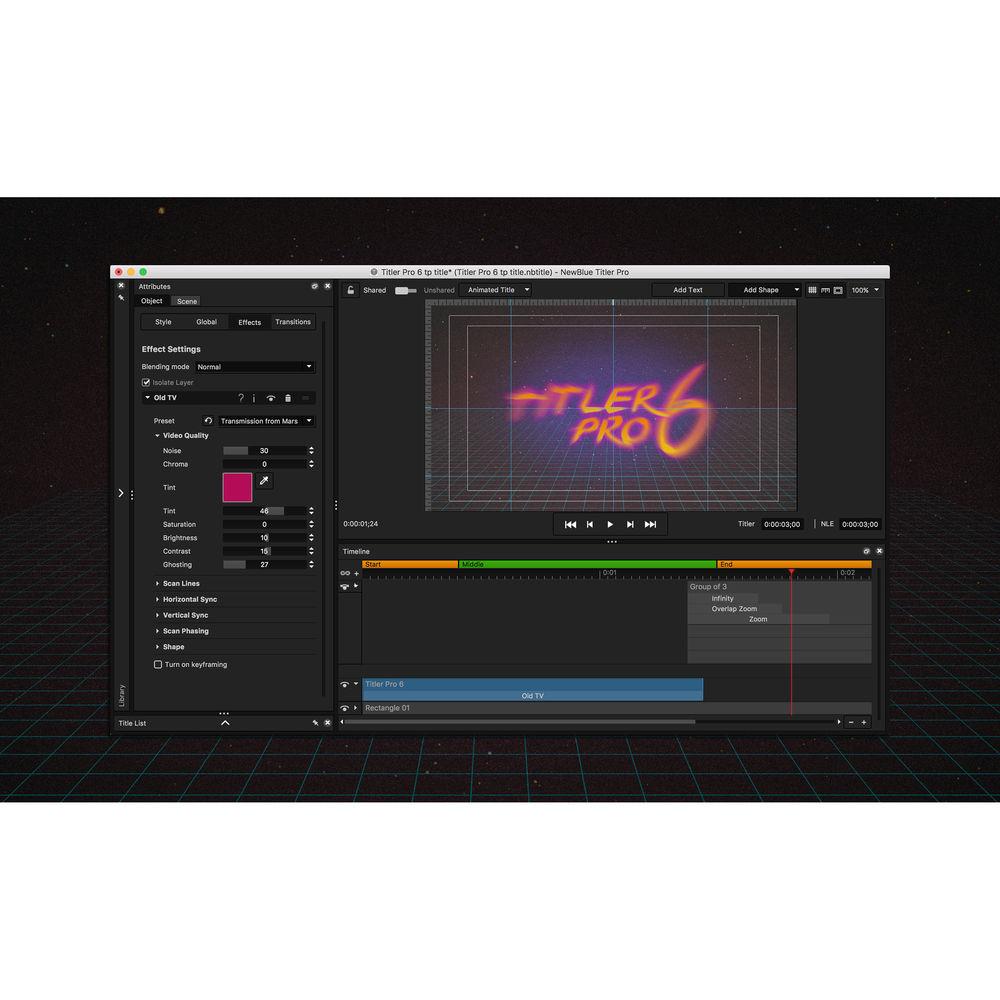
Product description NewBlueFX Titler Pro 6 is a 2D/3D titling application that can be used standalone or as a plug-in within compatible applications. When used as a plug-in, it allows you to drag-and-drop built-in templates directly into your timeline and adjust them. There are over 200 templates to choose from. You can also create your own keyframed designs from scratch in the Title Designer, where you can use provided content as well as import your own images to create 2D and 3D titles. You can rotate your text and objects on their X, Y, and Z axes, add depth through text-extrusion and bevels, and enrich your designs with lighting controls and style layers.
Titler Pro 6 is compatible with After Effects, Premiere, Avid, FCP X, EDIUS, Resolve, Vegas Pro, and HitFilm Pro. When used standalone, it lets you export titles as .mov files, which you can import into your NLE and add to your timeline as regular clips.
Titler Pro now includes all the effects and transitions from the entire NewBlueFX line in the Title Designer, whereas before they had to be purchased separately. (But, please note, these effects/transitions can only be used for the titles -- they can't be used for clips in your timeline. For your clips they still have to be purchased separately).
Want to make some quick changes? Titler Pro's Multi-Title Management feature allows you to see every title in your timeline from one simple interface, and it lets you instantly change text, color, and other attributes across hundreds of templates. You can also link titles to a template to make a single edit that updates all the connected titles at once.
New features include a zoom workspace, new text controls, and an improved timeline. This Titler Pro license can be used on up to two computers, and in as many compatible host applications as you would like at the same time. - New Features
- Effects & Transitions
All effects and transitions from the entire NewBlueFX line are now available in Title Designer. (Please note, these effects/transitions can only be used for the titles—they can't be used for clips in your timeline. For your clips they have to be purchased separately).
Zoom Workspace
Fine-tune adjustments with precision and get a closer look at your designs with the new Zoom option.
Undo History Menu
The revamped History Menu allows you to quickly undo or go back to a previous point in your design.
Timeline Improvements
Zoom around the playhead, snap trims to the playhead, and enjoy a paragraph nudge shortcut.
Drag-and-Drop Variable Management
Organize the order of your variables for easy template use.
New Text Controls
All caps and small caps controls, new cut text to box fit mode, and full justify text option.
Masking Blend Mode
Conceal objects by creating masks with videos, shapes, and texts. All Features - Compatible Host Applications
-
- Adobe After Effects CC
- Adobe Premiere CC
- Titler Standalone Host
- Avid Media Composer & Symphony 6+
- Apple Final Cut Pro X
- Grass Valley EDIUS 7 & 8
- Blackmagic DaVinci Resolve 11+
- Sony/MAGIX Vegas Pro 10+ (64-bit OpenX)
- HitFilm Pro 3+
- Workflow
-
- 100% GPU-accelerated
- 2D and 3D vector text
- Drag-and-drop animations
- Multi-title workflow (Quick Edit)
- NLE background video playback
- Paragraph multi-select
- Title project management in library
- Custom saving to library
- Title caching for better performance
- Multiple interface skins
- Quick-edit library
- Preview and render quality options
- Intel HD graphics support
- Transform and text-editing modes
- Range select with lasso
- Smart library
- Flexible interface panels
- Multi-title management
- Still mode
- Zoom workspace
- Undo history menu
- Timeline zoom around playhead
- Snap trims to playhead
- Paragraph nudge shortcut
- Drag-and-drop variable management
- Design
-
- Simple shapes
- XYZ rotation in 3D space
- Style presets
- Add effects to style layers
- Custom 3D bevels
- True motion blur
- Multiple light sources
- Stereoscopic output (side by side)
- Wide-angle camera lens control
- Normal-map-textured materials
- Depth-of-field control
- Blending modes
- Additive blend mode
- Object locking
- Bounding box object masking
- Video trimmer
- Color and gradient variables
- Bevel preset thumbnails
- Animation
-
- Transitions effects
- Manual keyframing of paragraph
- Manual keyframing of effects
- Manual keyframing of transitions
- Light keyframing
- Text-to-text transitions
- Elastic duration management
- Multi-revolution counts on keyframes
- Fluid motion transitions and effects
- Kinetic motion transitions and effects
- Cinema collection of title templates
- All effects and transition included in Title Designer
- Layout
-
- Rulers & adjustable guidelines
- Safe margin options
- Marking grid
- Snapping to grid or guideline
- Alignment menu
- Grouping
- Text fit modes (wrap and scale)
- Arrange Layers menu
- Move objects arrow shortcuts
- Kerning control with Alt key + arrow key
- All caps and small caps controls
- Cut text to box fit mode
- Full justify text option
- Import/Export
-
- Import video (.mp4, .mpeg, .mov, .avi)
- Import image (.jpg, .png)
- Vector import (.eps)
- Video and still file export with alpha (.mov, .png)
- Import/export project with assets
- PSD import
- OpenFX support
- Save to Library
- Remember last saved and open locations
- Avid TT promote
- After Effects import
Table of Contents
|
Upload User Manual
Have you got an user manual for the NewBlueFX Titler Pro 6 in electronic form? Please send it to us and help us expand our library of instruction manuals.
Thank you, too, on behalf of other users.
To upload the product manual, we first need to check and make sure you are not a robot. After that, your "Submit Link" or "Upload File" will appear.
Technical parametersNewBlueFX Titler Pro 6 Specs | | | Delivery Method | Download | | Version | Standard | | Number of Users Supported | 1 | | Number of Devices Supported | 2 | | | | Supported Operating Systems | Windows 7 or Later
macOS X 10.1 or Later | | VRAM Requirement | 1 GB (Minimum)
2 GB (Recommended) | | OpenGL Graphics Requirement | 2.1 |
Rating80% users recommend this product to others. And what about you?

This product has already been rated by 37 owners. Add your rating and experience with the product.
Discussion
 Ask our technicians if you have a problem with your settings,
or if anything is unclear in the user manual you have downloaded.
You can make use of our moderated discussion.
The discussion is public and helps other users of our website who may be encountering similar problems.
Ask our technicians if you have a problem with your settings,
or if anything is unclear in the user manual you have downloaded.
You can make use of our moderated discussion.
The discussion is public and helps other users of our website who may be encountering similar problems.
Post new comment to NewBlueFX Titler Pro 6
| Subject: manual | | Date: 11.04.2023 22:11:28 | Name: Henk Driessen | i 'M LOOKING FOR THE MANUAL PRO6
| | Post reply |
Post a new topic / query / comment:
|
|
|
| Request for user manual |
You can’t find the operation manual you are looking for? Let us know and we will try to add the missing manual:
I’m looking for a manual / Request for manual
Current requests for instruction manuals:
Call Of Duty World War Two For Xbox...
controller stratus XL...
stratus XL...
smart whatch serie S11 42mm...
Allen & Heath SQ-6 manual...
|
| Discussion |
Latest contributions to the discussion:
AEW R 4100
Name: MAURICIO ANGARITA
Audio-Technica AEW-R4100 UHF Diversity Receiver for
AEW R 4100 has the mute function blocked and does not allow audio to pass. I tried several times to turn off the mute from the transmitter but it does nothing, the mute stays on. Solution?
Thank you...
Instructions for assembling the 2015 Forecast Image Master Consoles GC3-A
Name: mike elam
Forecast Consoles GC3-A ImageMaster Editing Console
Looking for instructions for assembling this console. ...
EMPTY TONER ERROR MESSAGE AFTER REPLACING TONER
Name: LINDA BAD YELLOW EYES
Brother TN223BK Standard-Yield Toner
I HAD TO CHANGE OUT ALL THREE TONERS DUE TO LEAKS IN THE YELLOW AND CYAN. AFTER I REPLACED THEM, THE MACHINE KEEPS GIVING ME AN EMPTY TONER ERROR MESSAGE. HELP!!...
PS480D 20/24 pin Switching 480W Power Supply
Name: swkargo
Logisys 480W Power Supply
This item states in can run -5vdc .It is NOT listed on the board or I beleive is r4 is missing the resitior. Any body have thid issue. Shawn
...
Help needed
Name: Ann Carter
SanDisk 1TB Extreme Portable USB 3.1
When I click the link to download the user manual for my Sandisk Extreme external hard drive, it gives me the manual for the LG Cricket. Can you please change the link so I can download the Sandisk manual and begin using this drive? Thank you....
|
|


