|
User Manual for NewTek TriCaster Advanced Edition 3 Software Update for Standard Edition Systems Click to enlarge the picture
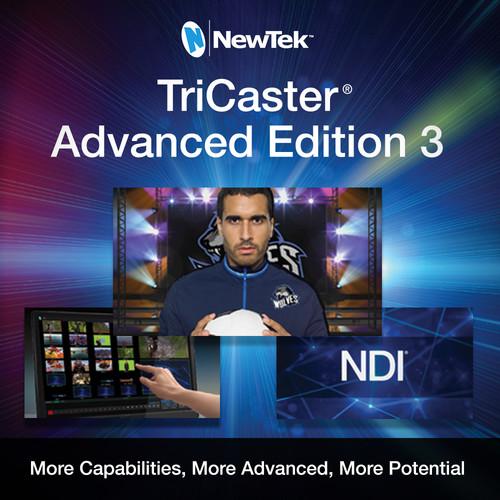 Contents of the user manual for the NewTek TriCaster Advanced Edition 3 Software
- Product category: Switcher Software NewTek
- Brand: NewTek
- Description and content of package
- Technical information and basic settings
- Frequently asked questions – FAQ
- Troubleshooting (does not switch on, does not respond, error message, what do I do if...)
- Authorized service for NewTek Switcher Software
|
User manual for the NewTek TriCaster Advanced Edition 3 Software contain basic instructions
that need to be followed during installation and operation.
Before starting your appliance, the user manual should be read through carefully.
Follow all the safety instructions and warnings, and be guided by the given recommendations.
User manual is an integral part of any NewTek product,
and if it is sold or transferred, they should be handed over jointly with the product.
Following the instructions for use is an essential prerequisite for protecting
health and property during use, as well as recognition of liability on the part of the manufacturer
for possible defects should you make a warranty claim. Download an official NewTek user manual in which you will find instructions on how to install, use, maintain and service your product.
And do not forget – unsuitable use of a NewTek product will considerably shorten its lifespan!
|
Product description Expand the capabilities of your TriCaster switcher with TriCaster Advanced Edition 3 Software from NewTek. Because Advanced Edition 3 is only a software update, the physical setup of your switcher does not change, but the capabilities of the very same hardware are expanded. This software update is compatible with the TriCaster 8000, 860, 855, 460, 455, 410, and Mini.
This version is for TriCaster customers who have Standard Edition and do not have any version of Advanced Edition already installed. A serial number is required for purchase.
The TriCaster Advanced Edition 3 software update offers numerous enhancements such as full NDI integration in IP workflows. The software now supports up to 8 or 12 external inputs, depending on your model, and up to 4 video mix outputs with full NDI support. The number of supported PTZ cameras has also been expanded to 8 or 12 cameras, depending on the model of your system. The control interface has been enhanced adding different types of display layouts for different experience levels. The interface can also be accessed with a touchscreen display that supports Windows 7 for handy touch-based control. The 8000, 860, and 460 models benefit from the new full-motion composition engine which supports advanced positioning, keyframing, and effects.
Advanced Edition 3 allows you to livestream to various services such as Facebook Live, Microsoft Azure, Periscope, Twitch, and YouTube Live, and you can share media to numerous social network accounts and export to online video sites. You can also map real-time data into your graphics from various external sources such as spreadsheets or browser data. The update adds 5 animation buffers for effects and motion graphics, makes room to add custom transitions in your playlists, and features more overlays.
See below for the full list of features and enhancements in TriCaster Advanced Edition 3. New Features - Multiviewer Volume Sliders
- Optionally manage audio levels from the viewports of the multiviewer with volume control sliders built into the on-screen VU meters.
- Buffer Controls
- Manage buffer configuration quickly and easily with an icon-based control scheme made up of individual, interactive buttons for configuration, asset management, title editing, and unloading.
- Configuration Menu Grouping and Nesting
- Access and manage the configurable elements of any input source more efficiently with tab-based grouping of related functions and the ability to expand or collapse menus as needed.
- Intelligent Configuration Panels
- Save time during set up with context-sensitive configuration panels that include all applicable controls, automatically store designated settings, and dynamically update as you cycle through different input and source types.
- Layer Management
- Identify, monitor, and manage switcher BKGD, DSK, and KEY layer video sources in real time, with an even more intuitive layout and enhanced controls that include full-time, full-motion confidence monitors and an integrated layer priority system.
- COMP Panel Control
- Access, assign, and apply COMP presets for TriCaster 8000, 860, and 460 directly from the configuration panel of any M/E bus.
- Multiviewer Transport Controls
- Optionally operate media players directly from the multiviewer with individual transport controls built into the viewports of applicable sources.
- Playlist Panel Control
- Access the active playlist and control panel for any media player directly from the configuration panel.
- Touchscreen Support
- Optionally connect a compatible touchscreen display to interact with the user interface and perform live production functions using simple, familiar touch gestures (touchscreen display must support Windows 7).
- Data Presets
- Store frequently used text and images as accessible presets to accelerate graphics production and live titling workflows.
- Device Webpage
- Access the discrete device webpage served by any applicable input source (such as the NewTek NDI PTZ Camera) directly from its input configuration panel.
- PTZ Capacity
- Enjoy the capacity and flexibility to assign a different PTZ camera to each and every external source available, up to 8 or 12 depending on your system model.
- PTZ Control Panels
- Operate supported PTZ cameras more efficiently and with a higher degree of precision, with individual PTZ control panels and preset bins integrated into their corresponding input configuration panels.
- Adaptive Monitoring
- Maximize your screen usage with smart workspaces that automatically adjust the size and layout of multiviewer windows according to your user interface configuration and the available space on your display.
- Sports Title Templates
- Choose from a variety of live title templates designed to enhance sports productions, including scoreboard graphics with integrated DataLink fields for input of real-time scoring and game clock data.
- Title Export
- Open any title template, edit to preference, then export the completed asset as a new file available for immediate production use, sharing, or adding to your content library.
- General Enhancements
- Various user-focused, operational enhancements include streamlined user interface elements, new visual indicators, more intuitive controls, helpful hover tooltips, and other functional and workflow modifications.
- Notifications Activity Center
- Keep close tabs on system activity, including file imports, routine notifications, and error messages, and perform select related functions with a convenient in-session panel.
- Notifications Counter
- Determine the presence and number of new system notifications with a convenient counter badge for the dashboard icon.
- Notifications Priority
- Identify the urgency of system notifications and level of action required with a color-coded priority system for the dashboard icon.
- External Recorders
- Optionally capture up to 4 external NDI sources over the network.
- High-Bitrate MP4 Recording
- Optionally record video from your production to high-bitrate MP4 files to suit your format preference or workflow demands.
- External Replay Clips
- Optionally add real-time video clips captured from external NDI sources to DDRs for playback and replay.
- Hardware-Based Encoding
- Live stream higher-quality, higher-resolution video with hardware-based encoding and optimized allocation of associated system resources.
- Switching Express Mode
- Collapse the default panes of the user interface in favor of single-stripe switcher, expanded multiviewer, and streamlined workflow supporting automatic transitions, intuitive DSK delegation and application, and enhanced touchscreen operation.
- Source Switching
- Optionally select and switch between live sources by clicking or tapping on the viewport of the desired source in the multiviewer, rather than pressing switcher buttons.
- LiveMatte Pro
- Composite multiple video signals, enable green-screen and matte effects, or configure live virtual sets with pristine quality, using the most advanced version of NewTek's real-time chromakeying technology to date.
All Other Features Audio - Audio Output
- Deliver pitch-perfect sound mixes for any production, supplying audio signals via four IP-ready, quad-channel output buses.
- Audio Recording Source
- Select the sound that accompanies each video recording, with independent audio configuration for each recording channel.
- Audio Routing
- Independently route any combination of audio input channels to any combination of audio mixer buses with four 4 x 4 routers available for every audio input.
- Dante Audio Networking
- Interface with compatible audio devices over IP that support the Dante networking protocol from Audinate. Requires separately available Dante Virtual Soundcard license from Audinate.
- Level Control
- Fine-tune sound with independent control for every channel of every audio source.
- Media File Audio Level
- Save time configuring audio levels for non-native clips and sound files by assigning a preset level to all files added to media players.
- Noise Gate
- Manage audio signals with greater precision using noise gate settings in the audio mixer to exclude low-level sounds.
- VU Meters
- Achieve higher-quality sound, monitoring and adjusting audio levels with increased accuracy using an enhanced VU meter interface.
Configuration - Auto Color
- Optionally enable automatic color matching between video inputs to account for variable lighting conditions and camera settings.
Control - Control Panel Mapping
- Access additional video sources directly from companion control panels, with revised button mapping for the TriCaster Advanced Edition 3 switcher layout.
- Control Panel Support
- Pair your choice of companion control panels with your TriCaster Advanced Edition 3 system, with universal support for all current models.
- Web Interface
- Access resources and manage elements of live operation from the browser of any supported device on the same network with a system-specific web-based interface.
Data - DataLink
- Map real-time data from internal and external sources to titles, comments, file names, and other fields in graphics templates.
- DataLink Extension
- Add the DataLink extension to the Google Chrome browser of any networked computer to send text or images from the web across the network to your system for use in titles and graphics.
- DataLink File Watcher
- Transform raw spreadsheet data from CSV, XML or ASCII files into production-ready title pages that can be edited and updated in real time.
- Metadata
- Attach comments to sources, clips, and images to serve as internal data sources for DataLink operations.
Integration - Router Support
- Select and switch between router sources directly from the user interface when connected to a compatible upstream video router.
IP - Advanced IP Workflow
- Enjoy full support for end-to-end IP video workflows, with comprehensive implementation of NDI on all external inputs and mix outputs, and the ability interconnect with hundreds of compatible hardware and software products over the network.
- NDI
- Send and receive video, audio, and data over IP to and from compatible production systems, devices, and applications across the network with integrated Network Device Interface (NDI) technology.
Macro Automation - Macro Triggers
- Assign multiple triggers to the same macro for increased flexibility in activating automated command sequences.
- Multi-Step Macros
- Insert pauses and manual cues to create multi-step macro command sequences that allow you to account for and adjust to real-time production pacing.
- State Change Macros
- Configure macros to trigger automatically according to internal events and state changes, including audio, media playback, tally, and specific switcher actions.
Monitoring - Blue Only Option
- Calibrate video signals with greater flexibility and accuracy with a Blue Only viewport overlay compatible with any monitor.
- Display Outputs
- Customize every screen in your setup to your workflow, choosing from more selections to monitor, display, or project using the supplemental display outputs.
- Live Output Monitoring
- Work with higher quality video output previews, taking advantage of enhanced signal processing and full field-rate deinterlacing.
- Monitor Proc Amps
- Compensate for environmental lighting conditions and external display settings with configurable color settings for the User Interface, Multiview, and display outputs.
- Multiview Scopes
- Calibrate video signals with greater precision with the ability to show large waveform and vectorscope displays within the Multiview.
- Workspace Configuration
- Configure your TriCaster 8000, 860, or 460 monitoring to preference with additional workspace layouts, video preview windows, and display output options.
Multimedia - Alpha Grab
- Grab full-resolution still images from local bins, complete with alpha channel transparency for real-time export or post-production use.
- Animation Buffers
- Add 5 animation buffers to your TriCaster 860, 460, 410, or Mini system to access and play back stored animations, motion graphics, and video loops.
- Extend Play
- Enable an optional AutoPlay setting to continue playback of video clips even when a custom Out point is set or a DDR is no longer selected on the Program row.
- Grab Configuration
- Grab stills directly from the viewport of any external video source or simultaneously capture stills from any combination of the four mix outputs.
- Paragraph Text
- Easily incorporate longer-form explanations, descriptions, quotes, and more with title templates that support text in paragraph format.
- Playlist Effects
- Add custom transitions between playlist items and combine real-time, slow-mo, and fast-mo with per-clip playback speed settings.
- Real-Time Clip Editing
- Change the duration of loaded media by adjusting the start and end points, split a clip into separate playlist items, and cue to a specific frame by changing the play position to the desired point in the file.
Operation - Auto-Detect
- Reduce setup time with automatic detection of resolution and frame rate for most session-format SDI cameras.
- Button Lock
- Protect your live production from error or accidental operation by locking control panel buttons to their current state.
- Frame Sync
- Optionally disable the internal frame synchronizer for TriCaster 860 and 460 to ensure the lowest possible throughput latency for genlocked sources.
- Undo/Redo
- Erase the effects of recent actions, returning to prior switcher states with convenient undo and redo commands.
Outputs - Clean M/E Output
- Optionally output a "clean" version of the video mix from any M/E bus for simulcasting, sub-mixing, archive, or distribution purposes.
- IP Outputs
- Supply up to 4 independently configurable video mix outputs to the network via NDI, allowing other receiving devices connected to the network to use the signals for input or delivery.
- NDI Source Output
- Automatic translation of locally connected video sources to NDI for output to the network and use by other NDI-enabled devices throughout your studio, facility, or pipeline.
Publishing - Export Workflow
- Publish more files to more places in more formats, using an enhanced publishing workflow that also supports live import, export, and transcoding right from the Export queue.
- Multi-Account Publishing
- Reach more friends, fans, and followers with no extra effort required, publishing media to multiple user accounts on the same social network simultaneously.
- Social Media Targets
- Login and publish media to even more popular social media destinations directly from your system, including Imgur, LinkedIn, Vid.me, and Vimeo.
Recording - MP3 Audio Recorder
- Optionally capture an audio-only recording of any selectable input or output with an independently configurable MP3 audio recorder.
- Session Recordings Folder
- Locate and verify active and completed recordings more quickly with a dedicated Session Recordings browser folder.
Replay - In-Show Replay Controls
- Capture and replay highlights with on-screen controls and other replay elements, including intro and outro transitions, clip speed and duration, angle selection, and auto-playback action.
Streaming - Live Streaming Presets
- Simplify your streaming workflow with easier setup and new one-click presets to include Facebook Live, Microsoft Azure, Periscope, Twitch, and YouTube Live.
- Multi-Platform Live Streaming
- Attract more viewers and reach different audiences by live streaming to multiple platforms and services simultaneously.
Switching - Auto Labeling
- Maintain visual confirmation of active live inputs with the option to allow switcher buttons to be automatically labeled for their corresponding NDI sources.
- External Input Configuration
- Independently configure each external input on the switcher for any connected camera, hardware video source, or IP video source.
- Input Filtering
- Easily locate and select the desired input from the list of all available hardware and NDI sources with a precision filtering system.
- KEY Layer
- Create more sophisticated TriCaster 410 and Mini visuals with the addition of a second KEY layer to each M/E for applying titles, graphics, and video overlays.
- Mix/Effects Re-Entry
- Cascade mix effects and produce incredible layered compositions with every TriCaster 860 and 460 M/E bus now including all other M/E buses as available sources.
- Mix/Effects Source Layers
- Increase the maximum number of sources for mix/effects compositions and select virtual sets on TriCaster 860 and 460 with support for up to 4 sources on every M/E.
- Overlays
- Display more titles, graphics, and video layers on TriCaster 860 and 460, with the switcher now supporting 4 DSK overlays and each M/E now supporting 4 KEY layers.
- PREVIZ
- Configure and preview settings for the switcher or M/Es with sandbox-style control on a discrete bus, then take live or apply across multiple buses with copy-and-paste simplicity.
- Switcher Banks
- Access and mix with all sources from the switcher, including every external input and buffer, with two tabbed button banks and 16 MEM slot presets.
- Switcher Inputs
- Access more live sources with the number of external inputs on the switcher increasing from 6 to 8 for TriCaster 460, 410, and Mini, and from 10 to 12 for TriCaster 8000 and 860.
Virtual Sets - Augmented Reality Effects
- Add another dimension to virtual set scenes with augmented reality effects that track with LiveSet zoom and pan movements, including the Parallax setting for enhanced motion.
- LiveSet Lens Flares
- Add an extra touch of realism to live virtual set presentations with the option to display animated lens flares that respond to changes in virtual camera positions.
- LiveSet Presets
- Configure and save 8 additional shot presets for any LiveSet effect on TriCaster 410 and Mini, for a total of 16.
Visual - Border Effects
- Create and customize on-screen elements by adding borders and shadows to video layers.
- Box Effects
- Use a variety of included box effects to creatively frame two or more video sources sharing the screen simultaneously.
- Edge Feathering
- Optionally soften the edges of TriCaster 860 and 460 visuals to present a more gradual transition between video layers.
- COMP Engine
- Create and store sophisticated compositions and DVE-style motion sequences with a full-motion composition engine supporting advanced configuration, positioning, keyframing, and effects integrated into the TriCaster 8000, 860, and 460 switcher and M/Es.
- Image Processing
- Present even more polished visuals with enhanced processing of still images and graphics, plus higher-quality LiveSet rendering and scaling.
- Real-Time Motion Tracking
- Map keyed TriCaster 860 and 460 visuals to follow the motion of on-camera elements, with support for tracking scale, aspect ratio, position, and rotation.
- Visual Enhancements
- Enjoy more creative options for compositing and transitioning, to include the integration of a luma key setting for LiveMatte, and the addition of additive and non-additive fade transitions.
Workflow - File Format Interoperability
- Work with a wider range of stored media file formats natively and interchangeably, including JPEG-XR, JPEG2000, and WebP.
- IP Tally
- Provide visual indication of on-air status over the network to compatible systems that are sending output over IP to TriCaster.
- LTC
- Automate external timecode configuration including 24-hour wraparound, simply by plugging in a compatible LTC timecode source.
Table of Contents
|
Upload User Manual
Have you got an user manual for the NewTek TriCaster Advanced Edition 3 Software Update for Standard Edition Systems in electronic form? Please send it to us and help us expand our library of instruction manuals.
Thank you, too, on behalf of other users.
To upload the product manual, we first need to check and make sure you are not a robot. After that, your "Submit Link" or "Upload File" will appear.
Rating80% users recommend this product to others. And what about you?

This product has already been rated by 07 owners. Add your rating and experience with the product.
Discussion
 Ask our technicians if you have a problem with your settings,
or if anything is unclear in the user manual you have downloaded.
You can make use of our moderated discussion.
The discussion is public and helps other users of our website who may be encountering similar problems.
Ask our technicians if you have a problem with your settings,
or if anything is unclear in the user manual you have downloaded.
You can make use of our moderated discussion.
The discussion is public and helps other users of our website who may be encountering similar problems.
The discussion is empty - enter the first post
Post a new topic / query / comment:
|
|
|
| Request for user manual |
You can’t find the operation manual you are looking for? Let us know and we will try to add the missing manual:
I’m looking for a manual / Request for manual
Current requests for instruction manuals:
Call Of Duty World War Two For Xbox...
controller stratus XL...
stratus XL...
smart whatch serie S11 42mm...
Allen & Heath SQ-6 manual...
|
| Discussion |
Latest contributions to the discussion:
AEW R 4100
Name: MAURICIO ANGARITA
Audio-Technica AEW-R4100 UHF Diversity Receiver for
AEW R 4100 has the mute function blocked and does not allow audio to pass. I tried several times to turn off the mute from the transmitter but it does nothing, the mute stays on. Solution?
Thank you...
Instructions for assembling the 2015 Forecast Image Master Consoles GC3-A
Name: mike elam
Forecast Consoles GC3-A ImageMaster Editing Console
Looking for instructions for assembling this console. ...
EMPTY TONER ERROR MESSAGE AFTER REPLACING TONER
Name: LINDA BAD YELLOW EYES
Brother TN223BK Standard-Yield Toner
I HAD TO CHANGE OUT ALL THREE TONERS DUE TO LEAKS IN THE YELLOW AND CYAN. AFTER I REPLACED THEM, THE MACHINE KEEPS GIVING ME AN EMPTY TONER ERROR MESSAGE. HELP!!...
PS480D 20/24 pin Switching 480W Power Supply
Name: swkargo
Logisys 480W Power Supply
This item states in can run -5vdc .It is NOT listed on the board or I beleive is r4 is missing the resitior. Any body have thid issue. Shawn
...
Help needed
Name: Ann Carter
SanDisk 1TB Extreme Portable USB 3.1
When I click the link to download the user manual for my Sandisk Extreme external hard drive, it gives me the manual for the LG Cricket. Can you please change the link so I can download the Sandisk manual and begin using this drive? Thank you....
|
|


