User Manual for NewTek TriCaster Mini Advanced HD-4 Educational Version with Educational Curriculum Click to enlarge the picture
 Contents of the user manual for the NewTek TriCaster Mini Advanced HD-4 Educational
- Product category: Switcher Software NewTek
- Brand: NewTek
- Description and content of package
- Technical information and basic settings
- Frequently asked questions – FAQ
- Troubleshooting (does not switch on, does not respond, error message, what do I do if...)
- Authorized service for NewTek Switcher Software
 |
User manual for the NewTek TriCaster Mini Advanced HD-4 Educational contain basic instructions
that need to be followed during installation and operation.
Before starting your appliance, the user manual should be read through carefully.
Follow all the safety instructions and warnings, and be guided by the given recommendations.
User manual is an integral part of any NewTek product,
and if it is sold or transferred, they should be handed over jointly with the product.
Following the instructions for use is an essential prerequisite for protecting
health and property during use, as well as recognition of liability on the part of the manufacturer
for possible defects should you make a warranty claim. Download an official NewTek user manual in which you will find instructions on how to install, use, maintain and service your product.
And do not forget – unsuitable use of a NewTek product will considerably shorten its lifespan!
|
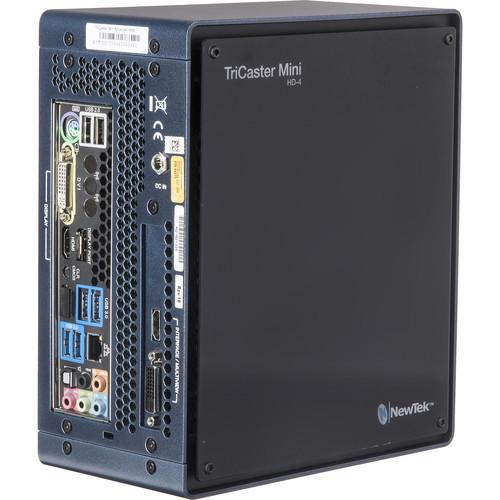
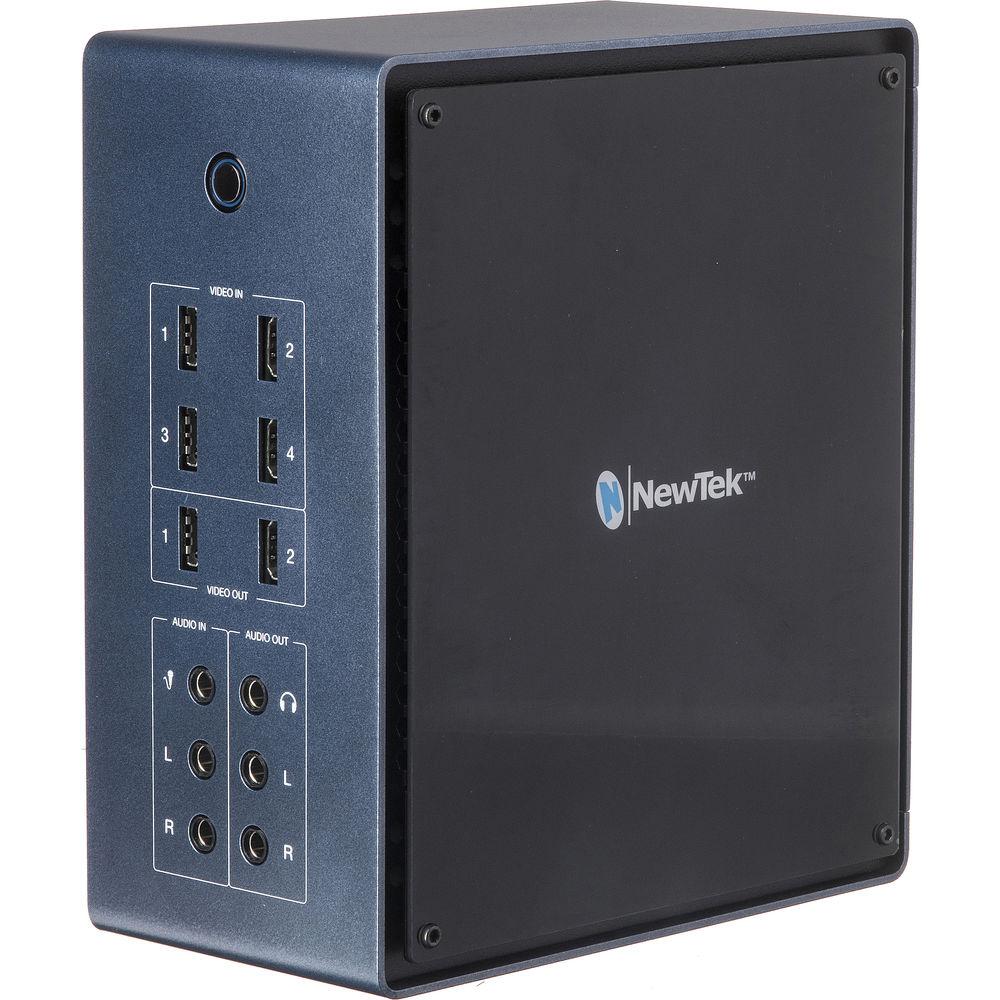
Product description The NewTek TriCaster Mini Advanced HD-4 Educational Version with Educational Curriculum is available to schools and educational institutions only. It consists of the TriCaster Mini Advanced HD-4 and is supplied with an electronic educational curriculum on a USB flash drive. The TriCaster is a compact, all-in-one multimedia solution that allows you to simultaneously broadcast, stream, and record live productions from virtually anywhere. The eight-input switcher makes it easy to switch between four HDMI or eight NDI video sources, mix audio, add graphics and titles, and add advanced effects like virtual sets and animated transitions. Using the same intuitive and fully featured control software as the rest of the TriCaster professional line, the TriCaster Mini is suited for both new users and seasoned pros. In addition to the four HDMI inputs, you can choose from four NDI devices on the network, including computers, PTZ cameras, or even wireless capture devices. Two HDMI outputs are provided for sending the Program output with audio to external devices, with video-only HDMI and DVI outputs available for monitoring the multiview output and user interface.The TriCaster Mini can record up to four simultaneous video input or output signals at full resolution to the internal 750GB storage drive, providing up to 15 hours of HD video recording. You can also record to external drives connected via USB 3.0. The TriCaster Mini supports live streaming with presets available for industry-standard live content delivery networks such as YouTube and Facebook Live. Additionally, you can save a web-ready streaming file for later upload to popular social media or video-on-demand sites.A cable retention bracket comes included, which doubles as a handle for the TriCaster Mini. Also included are a keyboard and mouse, which provide cordless operation via wireless Bluetooth technology. You can also add the optional TriCaster Mini Control Panel for traditional tactile control with T-bar and illuminated buttons. - Educational Version
- This is the same as the non-educational version, except it is only available to schools and educational institutions only, and is not available for teachers or students.
- Included Educational Curriculum
- The included educational curriculum comes on a USB flash drive and is used to teach your students how to use the TriCaster Mini Advanced HD-4.
- All-In-One Multimedia Studio
- The TriCaster Mini Advanced makes it possible for anyone to start creating multimedia content without the need for additional software or equipment. With just one system, you can switch between eight video sources, mix audio, add graphics and titles, and add advanced effects like virtual sets and animated transitions. You can also network with computers and wireless devices for presentations and screen sharing, stream to the web, publish to social media sites, and record content for later viewing.
- Compact, Travel-Ready Size
- The compact size of the TriCaster Mini Advanced allows you to produce and stream content from virtually anywhere. It's small enough to fit into a backpack for easy travel, and doesn't require a studio full of gear to use.
- Network Device Interface
- The Advanced TriCaster software built into the switcher provides compatibility with NewTek's NDI A/V protocol, as well as Audinate's Dante audio protocol (requires separate Dante Virtual Soundcard license). All available video and audio inputs can be utilized by network connectivity, allowing video and audio devices to exist on a standard IP network without the need for routing expensive and cumbersome video and audio cables.
- Robotic Camera Support
- Access up to four live Pan-Tilt-Zoom (PTZ) robotic cameras via standard serial and network protocols, with native preset system and user interface control over camera orientation, zoom, focus, and iris.
- Multichannel Audio Mixer
- The multichannel audio mixer within the TriCaster software lets you manage camera audio, including internal and external audio sources, outputs, recorded audio, stream audio, and headphone output. It supports Master and Aux output mixes.
- Pan control, solo auditioning, seven-band equalizer, and stereo compressor/limiter per input and output, with per-input audio delay control
- Multi-bus routing of audio source channels to any combination of outputs, with independent level control over channels 1/2 and 3/4 for quad sources
- Audio-follow-video system enabling audio to follow multiple video sources, with support for unlimited audio grouping combinations
- Digital audio inputs equipped with audio time base synchronizers
- Supports companion iPad audio mixing app and Avid Artist Mix audio control surface
- Recording
- Record up to four simultaneous video input or output signals at full resolution in QuickTime, MPEG-2, AVI, or H.264 file formats to internal or external storage.
- Storage
- Recorded media is stored to internal 750GB storage drive, accommodating approximately up to 15 hours of HD video recording. Media can also be recorded to external storage drives connected via USB 3.0.
- Built-In Wi-Fi
- Built-in Wi-Fi enables wireless connection to local network for streaming, publishing, and networking.
- Streaming
- TriCaster Mini supports HD live streaming with presets with common streaming profiles and custom multi-bit rate streaming profiles (including RTMP streaming and browser-based streaming applications), and autosave of web-ready stream files for video on demand (VOD) upload.
- Publishing
- Upload video and images directly to social media sites such as YouTube, Facebook, and Twitter; export content to FTP servers, and copy files to attached or networked storage locations.
- Monitoring
- An external monitor is required for viewing the user interface and for multiview display. The TriCaster Mini has HDMI and DVI outputs for hooking up an external display.
- Multimedia
- Five digital media players are provided for video, graphics, and sounds. You can also access up to 15 additional graphic sources instantly during live production with still and title buffers.
- Mix Effects
- The TriCaster Mini features four M/E buses, each with independent switcher and key layer, for advanced video mixing, compositing, effects, and virtual sets.
- Mix mode enables secondary switcher operation for output, submix, or recording, with Program/Preview workflow and transitions
- Effects mode enables multilayer compositing, effects generation, and virtual set application, with per-source 3D DVE, scaling, cropping, and keying
- Transitions and Effects
- The built-in effects engine lets you apply transitions, animation stores, and real-time 3D video warping. An Animation Store Creator is included for creating custom effects.
- Virtual Sets
- Over thirty HD live virtual sets are provided with multiple camera angles, shot presets, realistic virtual camera movements, and real-time reflections, plus support for custom holographic virtual sets.
- Macros
- Use macros to record your favorite go-to settings, commands, or operation sequences, and then create custom one-step shortcuts to simplify or automate control. Support for standard MIDI protocol enables third-party MIDI device control of TriCaster operations via macros.
- Grab Stills
- Grab full resolution, de-fielded still images from Program output, and freely choose to add grabs to Publish queue, Media Player presets, and Buffer destinations.
In the Box NewTek TriCaster Mini Advanced HD-4 Educational Version with Educational Curriculum USB Flash Drive with Curriculum Keyboard Mouse Cable Retention Bracket Limited 1-Year Warranty Table of Contents
|
Upload User Manual
Have you got an user manual for the NewTek TriCaster Mini Advanced HD-4 Educational Version with Educational Curriculum in electronic form? Please send it to us and help us expand our library of instruction manuals.
Thank you, too, on behalf of other users.
To upload the product manual, we first need to check and make sure you are not a robot. After that, your "Submit Link" or "Upload File" will appear.
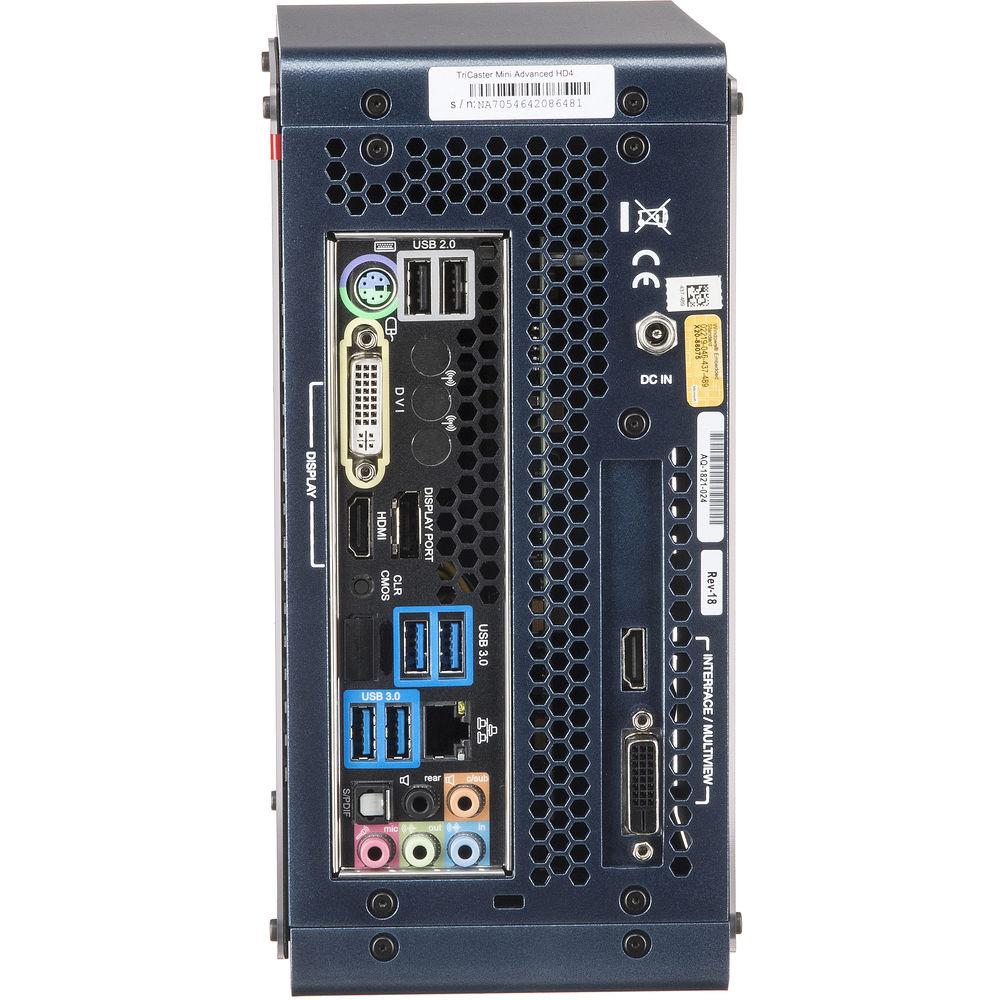
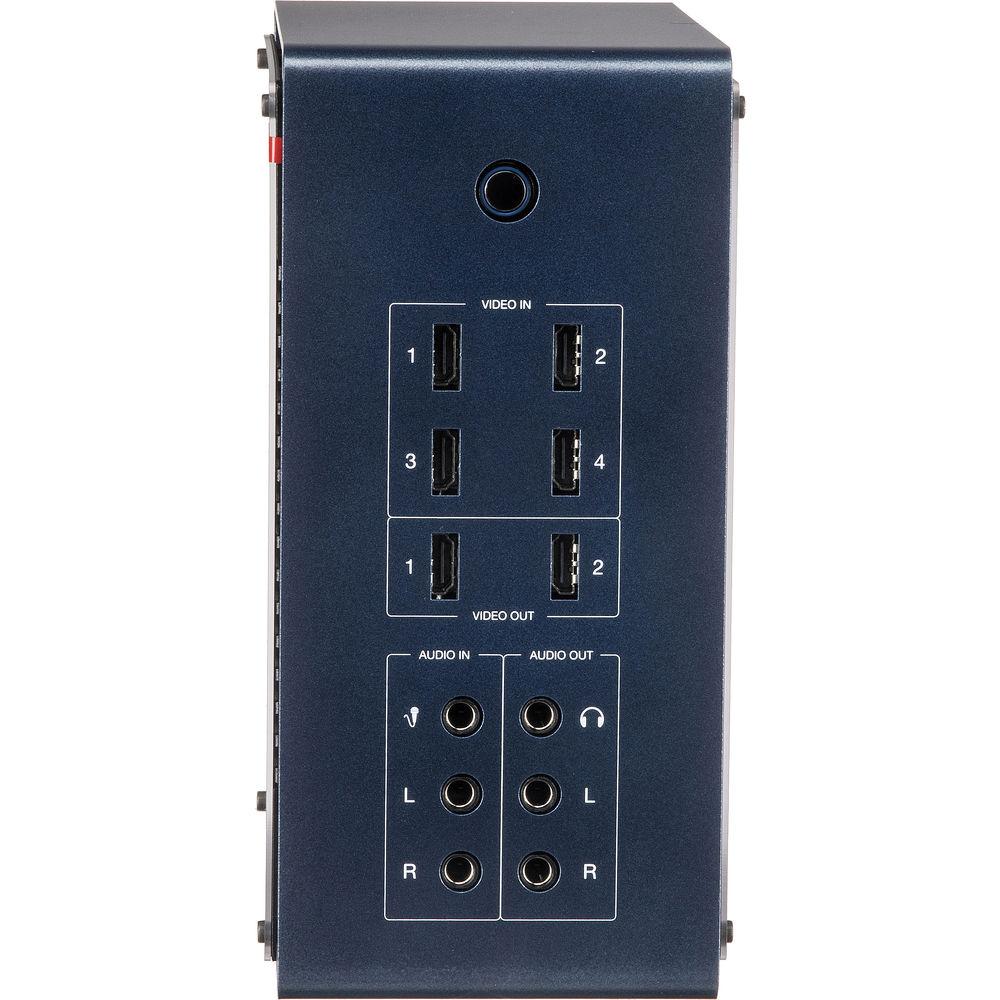
Technical parametersNewTek FG-002068-R001 Specs | Video Inputs | HDMI: 4 x HDMI type A
NDI: Up to 8 compatible devices | | Video Output | HDMI: 2 x HDMI type A
Display: 1 x DisplayPort, 1 x HDMI, 1 x DVI
Interface/Multiview: 1 x HDMI, 1 x DVI | | Other I/O | Ethernet: 1 x RJ45
USB 3.0: 4 x USB Type-A
USB 2.0: 2 x USB Type-A
Audio: 1 x Analog multichannel, 1 x optical S/PDIF | | Media | Five integrated digital media sources for video, graphics, and sounds (two DDRs, two GFX, and Sound), and 15 buffers | | Downstream Keyer | Two primary DSK channels
One additional key layer per M/E bus (each with independent transition controls, 3D DVE, scaling, cropping, and integrated TransWarp effects) | | Audio Inputs | Line Level: 2 x 1/4" (left and right channels)
Microphone: 1 x 1/4" | | Audio Outputs | Line Level: 2 x 1/4" (left and right channels)
Headphone: 1 x 1/4" | | Video Resolution | 1080p 30/24
1080i 60
720p 60/30/24
480i 60 | | Playback Media Formats | Video: AVI, DV, DVCPro, DVCProHD, FLV, F4V, H.263, H.264, MOV, MKV, MJPEG, MPEG (1, 2, all profiles, program, or transport streams), MP4, WMV, WebM, and more
Image: PSD, PNG, TGA, BMP, JPEG, EXR, RAW, TIF, and more
Audio: AIFF, MP3, WAV, and more | | Latency | Between 1 and 2 frames | | Processing | Video: 4:4:4:4, 32-bit floating point
Audio: Four channels, 96 kHz, 32-bit floating point | | Recording | Up to four simultaneous video input or output signals in QuickTime (XDCAM HD compatible, 4:2:2 encoding, 24-bit audio), MPEG-2 (High or Normal profile), AVI (SpeedHQ), or H.264 (High or Web quality) file formats | | Storage | 1 x 750 GB internal drive, approximately 15 hours of HD video | | Display | None | | Dimensions | 4.6 x 9.2 x 7.9" / 11.7 x 23.4 x 20.1 cm | | Weight | 9 lb / 4.1 kg | | | | Package Weight | 18.0 lb | | Box Dimensions (LxWxH) | 22.0 x 17.0 x 11.5" |
Rating60% users recommend this product to others. And what about you?

This product has already been rated by 79 owners. Add your rating and experience with the product.
Discussion
 Ask our technicians if you have a problem with your settings,
or if anything is unclear in the user manual you have downloaded.
You can make use of our moderated discussion.
The discussion is public and helps other users of our website who may be encountering similar problems.
Ask our technicians if you have a problem with your settings,
or if anything is unclear in the user manual you have downloaded.
You can make use of our moderated discussion.
The discussion is public and helps other users of our website who may be encountering similar problems.
The discussion is empty - enter the first post
Post a new topic / query / comment:
|
|


