User Manual for NewTek TriCaster TC1 MAX Bundle Click to enlarge the picture
 Contents of the user manual for the NewTek TriCaster TC1 MAX Bundle
- Product category: Production Switchers NewTek
- Brand: NewTek
- Description and content of package
- Technical information and basic settings
- Frequently asked questions – FAQ
- Troubleshooting (does not switch on, does not respond, error message, what do I do if...)
- Authorized service for NewTek Production Switchers
 |
User manual for the NewTek TriCaster TC1 MAX Bundle contain basic instructions
that need to be followed during installation and operation.
Before starting your appliance, the user manual should be read through carefully.
Follow all the safety instructions and warnings, and be guided by the given recommendations.
User manual is an integral part of any NewTek product,
and if it is sold or transferred, they should be handed over jointly with the product.
Following the instructions for use is an essential prerequisite for protecting
health and property during use, as well as recognition of liability on the part of the manufacturer
for possible defects should you make a warranty claim. Download an official NewTek user manual in which you will find instructions on how to install, use, maintain and service your product.
And do not forget – unsuitable use of a NewTek product will considerably shorten its lifespan!
|
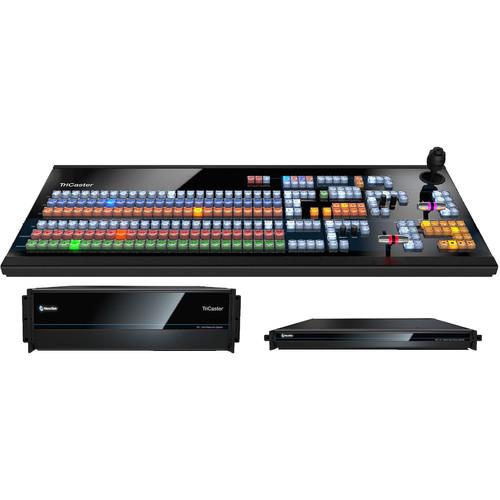
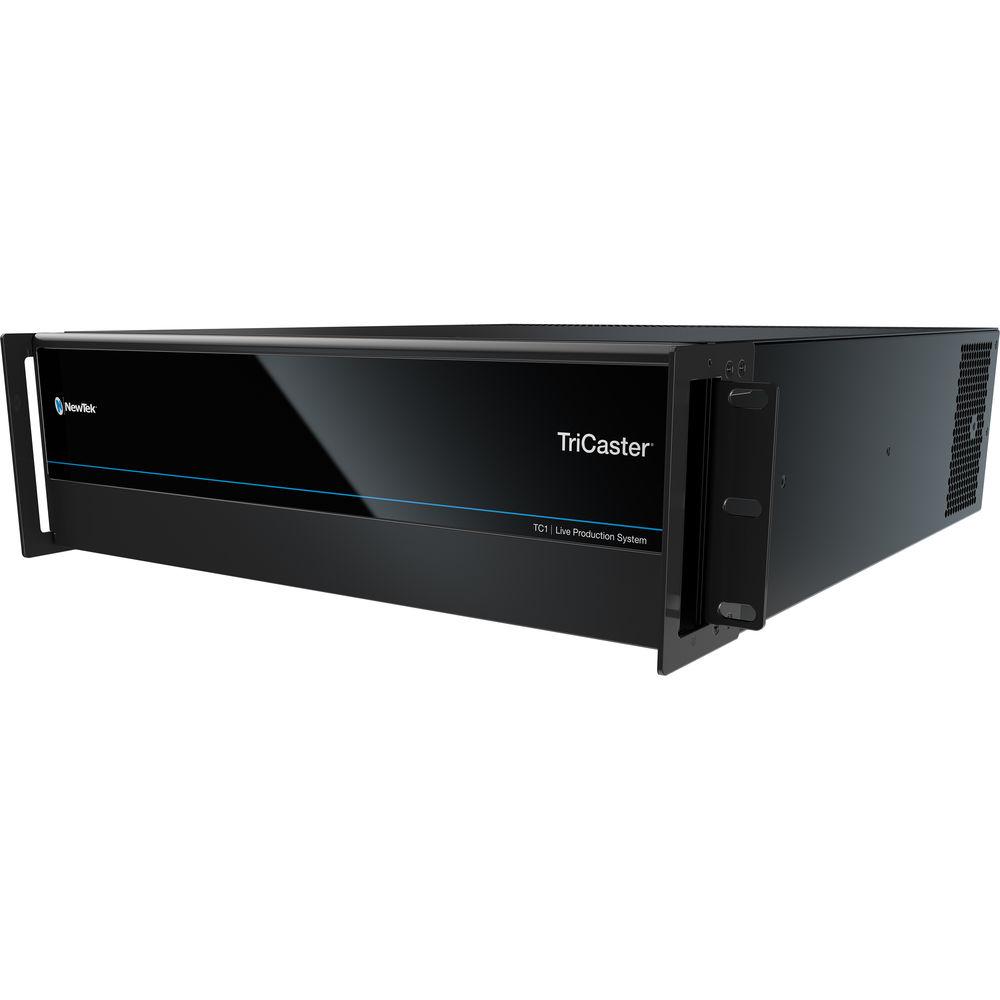
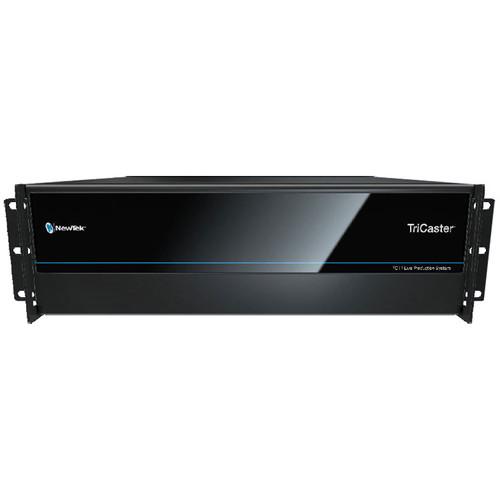
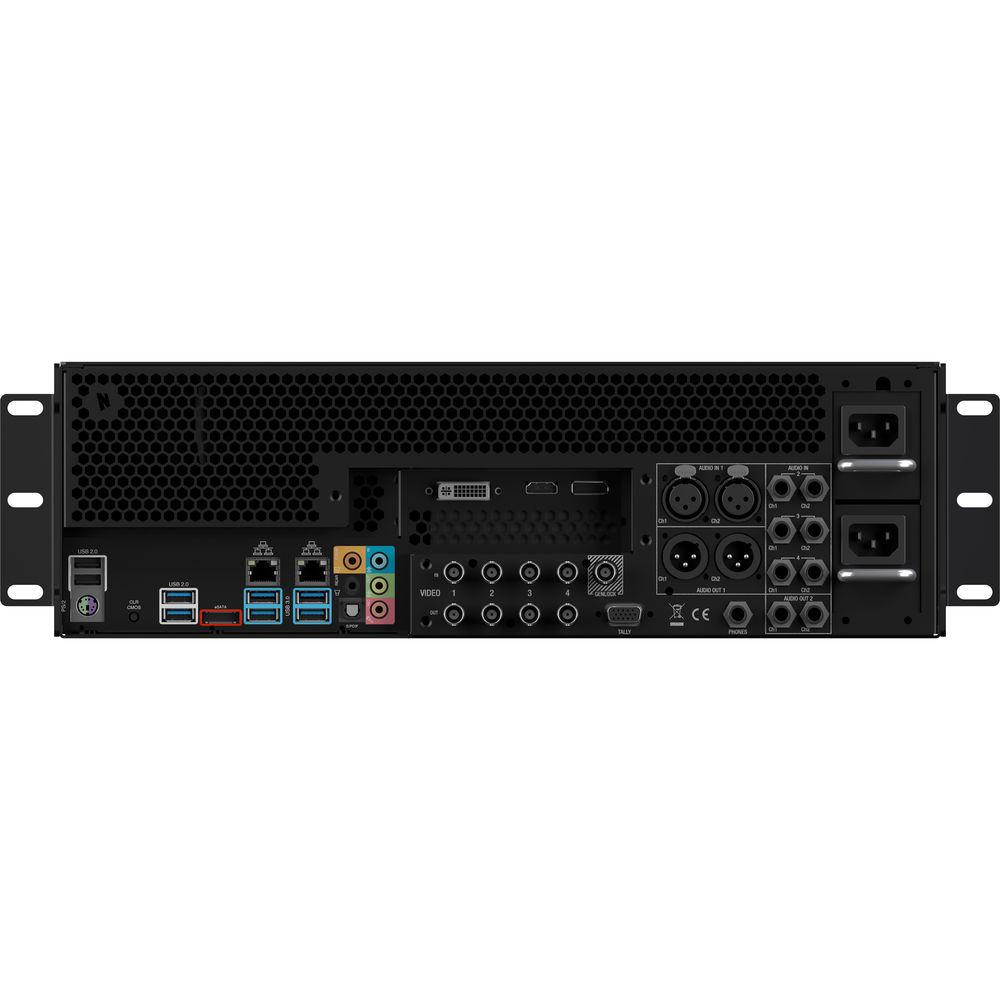
Product description Make yourself a fully functional NDI-based studio with the NewTek TriCaster TC1 MAX Bundle. This bundle is comprised of the NewTek TriCaster TC1 rackmount switcher, a TriCaster NC1 rackmount 8-channel NDI I/O module, and a two-stripe Large Control Panel for the TC1 switcher.The TC1 switcher has local SDI I/O for SD, HD, or 4K signals, and it connects with the NC1 module to add an additional eight channels of I/O. Four channels of I/O on the NC1 can be ganged together for 4K capabilities. Since the module and the switcher connect via Ethernet, the two can be placed physically anywhere on the same local network without any video or audio quality penalties. Connect the Large Control Panel and get precise control of the TC1's functions at your fingertips. See below for more information on the individual items included in this kit. - TriCaster TC1 (3 RU, Redundant Power Supply) Produce professional live and recorded content in SD, HD, or UHD 4K with the NewTek TriCaster TC1. Its 16 potential video sources can be used simultaneously, regardless of resolution. And with NewTek's Network Device Interface (NDI), many types of video sources can be connected directly via standard network infrastructure. The unit itself contains four SDI inputs and outputs for direct connection of broadcast video and audio sources. HDMI, DisplayPort, and DVI can be used for displaying multiview screens. Embedded audio and local XLR or 1/4" balanced audio can be mixed and manipulated using the internal digital audio mixer.All the performance of the TC1 is available in a 3 RU form factor with a redundant 500W PSU, for an extra degree of protection against electrical failure. Control surfaces, monitors, and NDI video converters can be purchased separately to expand the functionality of the TC1. Whether broadcasting sports, talk shows, concerts, worship services, or anything else, the TriCaster TC1 is a solid center point with which to bring together your broadcast infrastructure.
Quick Features - Native software-driven processing, for increased production power and flexibility.
- Comprehensive camera coverage and multi-source video mixing, including 16 external inputs and four M/E buses.
- Integrated video servers allowing playback, replay, and live editing without any additional hardware.
- Multichannel ISO recording to full-resolution QuickTime and H.264 files for VOD, post-production, and archival.
General Features - UHD 4K Support
- Produce programs, performances, events, and live sports in UHD (Ultra High-Definition) 4K resolution with support for native 2160p video at 60 fps. TriCaster TC1 allows you to switch, stream, and record UHD video without compromising the frame rate or the number of available inputs.
- Built-In Video Servers
- No decks needed—just add your files with two built-in video servers for on-demand and automated playback, including auto-advancing playlists, on-cue instant replay, live-edited highlight reels, and much more. With responsive player controls, presets, real-time editing tools, selectable transitions, and playlist effects, you have everything needed to cue from your stored media.
- Multi-Source Video Mixing
- With 36 source channels, including 16 external inputs, you can easily create content using any combination of compatible video sources, including 3G-SDI, HD-SDI, and PTZ cameras, mobile devices, Skype TX video calls, computers, gaming systems, streaming media, video files, graphics, images, animations, and more.
- Multichannel Skype
- Conduct a live Skype video call with any remote guest, anywhere in the world, with the TriCaster TC1's direct Skype TX software integration. The studio-grade version of the popular app, Skype TX enhances the real-time interaction with broadcast quality video and balanced audio, allowing you to present production-ready conversations, interviews, reports, and more—regardless of the caller's device.
- Recording and Replay
- Capture different angles and record multiple channels of full-resolution video to QuickTime or H.264 files. From archiving the master cut for your content library, to ingesting the raw camera footage for post-production, to caching production extras and presentation materials for on-demand—even capturing real-time highlights for instant replay—the TriCaster TC1 easily handles the work of multiple professional decks without the added expense.
- Dual-Channel Live Streaming
- Stream live to your choice of new media platforms, including user-friendly presets for Facebook Live, Microsoft Azure, Periscope, Twitch, YouTube Live, and more. With two streaming encoders included, you can easily deliver platform-specific content while opening new sponsorship and revenue opportunities.
- Social Media Integration
- Share real-time updates and on-demand content across your social media accounts, uploading images and video directly to Facebook, Imgur, LinkedIn, Twitter, Vimeo, YouTube, and more—complete with comments and hashtags. Plus, with integrated DataLink, you can add posts and photos from your social networks in on-screen graphics, for a truly interactive experience.
- Multiple Control Options
- With software-based control, a choice of two separately available companion control panels, and optional web-based interface, the TriCaster TC1 is designed to suit the operator and environment for nearly any production.
- Live Sound Experience
- Set the tone for your production with comprehensive audio integration, including a software-based audio mixer, support for digital, analog, and network audio, professional DSPs, fader control, VU metering, Talk Back communication, and 4x4x4 channel routing to four audio mix outputs.
- Macro Automation
- Increase efficiency and productivity with a comprehensive macro automation system that allows you to record, store, edit, and automate your favorite settings and custom command sequences. You can even choose to run macros manually from any combination of compatible control interfaces—or set the TriCaster TC1 to perform actions automatically.
- Creative Elements
- Consider the screen a blank canvas and unleash your inner artist with multi-bus mix effects, zero-latency video re-entry, real-time animated titles, data-driven graphics, custom animated transitions, a full-motion composition engine, and more.
- Real-Time Monitoring and Multiviewers
- See everything happening during your production with fully adjustable single-screen or multi-screen monitoring. With three customizable multiviewers, configurable windows and workspace layouts, operator confidence monitors, visual indicators, scopes, and more, you can easily personalize the TriCaster TC1 environment to your preference.
- Video Tools
- Perfect your presentation with configurable color correction tools, 3D object positioning, and smooth-edge cropping. Apply Picture in Picture effects with optional borders. Use key and fill to produce new composite scenes from different foreground and background elements. Even map live video to moving props and set pieces with real-time motion tracking.
- Live Chroma Key
- With NewTek's powerful LiveMatte technology built into every source channel and M/E, you have 40 fully configurable keyers to create composite scenes from live video, graphics, and virtual sets for reports, presentations, demonstrations, and more.
- Built-In Virtual Sets
- Save on studio and set expenses without sacrificing production value. With integrated LiveSet technology, the TriCaster TC1 can transport your talent into professionally designed virtual environments, complete with multiple angles, virtual camera movements, real-time reflections, specular highlights, animated lens flares, and stunning augmented reality effects. Select from more than 30 included virtual sets, purchase your choice of premium ready-made sets, or create endless custom environments with the separately available optional Virtual Set Editor software.
Other Features - Apple AirPlay
- Native support for input of compatible iOS mobile devices via Apple AirPlay
- Video Output
- Configurable for up to four independent video mix outputs, with simultaneous delivery via IP and SDI
- Stream Outputs
- Dual resolution-independent streaming video outputs, independently configurable, with simultaneous stream archive
- DataLink
- Integrated DataLink technology enabling real-time automated data input from internal and external sources, including web pages, spreadsheets, scoreboards, databases, RSS feeds, watch files, XML, CSV, ASCII, and more
- Macros
- Record, store, edit, and automate commands and user-configured operation sequences
- Attach to control panel buttons, keyboard shortcuts, hotspots, MIDI and X-keys buttons, or GPI triggers
- Attach to internal events and state changes, including audio, media playback, tally, and specific switcher actions
- Supports control via web-based interface
- Frame Grab
- Grab full-resolution, deinterlaced still images from external video sources and outputs
- Export
- Export video and image files to social media, FTP, local or external volumes, and network servers, with optional transcoding
- Audio Mixer
- Integrated multichannel audio mixer with support for quad-channel audio, DSPs, and 4x4x4 audio input routing
- Network Audio
-
- Native support for network audio input and output via NDI
- Embedded audio supported for all NDI input and output video signals
- Integrated support for Dante networking protocol from Audinate (requires separately available Dante Virtual Soundcard license from Audinate)
- Support for AES67 protocol via compatible WDM audio drivers (requires separately available third-party virtual sound card license)
- Wide Media File Format Support
- Import, store, and play back multimedia files, with optional transcoding, including:
- Video: AVI, DV, DVCPro, DVCProHD, FLV, F4V, H.263, H.264, MOV, MKV, MJPEG, MPEG, MP4, WMV, WebM, and more
- Image: PSD, PNG, TGA, BMP, JPEG, JPEG-XR, JPEG2000, EXR, RAW, TIF, WebP, and more
- Audio: AIFF, MP3, WAV, and more
- Monitoring
- Support for up to three multiviewer displays with configurable workspaces and viewports
- Signal Analysis
- Integrated waveform and vectorscope, full field rate with digital calibration, color preview, and support for ITU-R Rec. 709
- NC1 Studio I/O Module (1 RU) NewTek's NC1 Studio I/O Module is the bridge to your NDI infrastructure. Able to translate up to eight channels of SDI video (two channels in UHD 4K), this NC1 module can be set up anywhere across your network to transmit and receive SD, HD, or UHD video in a studio environment. Eight mini BNC terminals can connect to video sources, audio sources, decks, or monitors, and can each be configured for input or output. Since the module only needs to attach to your network, you can deploy multiple modules in different locations inside your network, instantly integrating that location into your production. Multiview video can also be locally displayed via HDMI or DVI. This unit mounts in a standard 19" equipment rack, so you can add more units for a greater number of inputs and outputs at a given location.
Quick Features - Translate up to eight SDI or IP video sources to NDI, and deliver to the network from any location
- Configurable to accept up to two UHD 4K sources up to 60 fps with quad-link SDI
- Mix and match sources, including SDI input devices, as well as RTMP, RTSP, and HTTP streams
- Integrate with compatible systems and devices across your network for switching, streaming, display, and delivery
- Stack modules in a single location or station in multiple locations to meet the demands of your productions
- Built-in video server function with extensive file format support, including full-resolution UHD 4K playback
- Real-time input, conversion, and transmission of common IP video stream formats, including RTMP, RTSP, and HTTP
- Flexible audio integration supporting input and delivery of digital, analog and network audio, including Dante and AES67
Note: Dante and AES67 require separately available virtual sound card licenses - Dedicated multiviewer with selectable workspace layouts and customizable viewports
- Precision color calibration with independently configurable color correction tools and integrated waveform and vectorscope
- Native-resolution recording to external or network attached storage for archive and post-production
- Remote control and monitoring from the web browser of any networked device, including iOS and Android devices
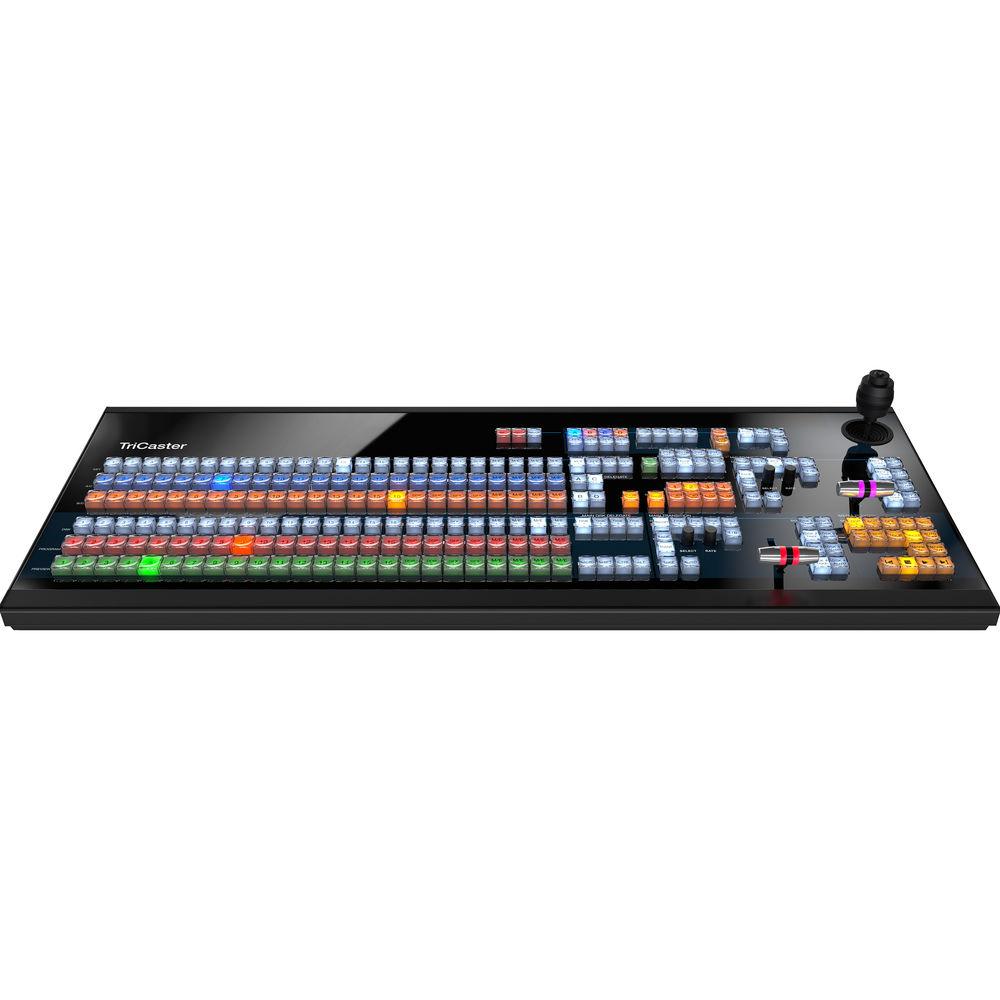
- Large Control Panel for TriCaster TC1 Plug in the NewTek Large Control Panel for TriCaster TC1 and switch your entire production. The surface itself has 24 switcher source buttons and 24 M/E source buttons arranged in 2 stripes. More advanced control can be had by using the two T-bars and 3-axis joystick. This control panel connects via Gigabit NIC and includes a separate power supply for powering.
In the Box Bundle Items TriCaster TC1 (3 RU, Redundant Power Supply) cadswzzetuywawwa NC1 Studio I/O Module (1 RU) Large Control Panel for TriCaster TC1 User Manual PDF 10.2mb Table of Contents
|
Upload User Manual
Have you got an user manual for the NewTek TriCaster TC1 MAX Bundle in electronic form? Please send it to us and help us expand our library of instruction manuals.
Thank you, too, on behalf of other users.
To upload the product manual, we first need to check and make sure you are not a robot. After that, your "Submit Link" or "Upload File" will appear.
Technical parameters - TriCaster TC1 (3 RU, Redundant Power Supply)
| | | Inputs | Supports any combination of up to 16 simultaneous inputs of SDI or NDI at up to UHD 4K at 59.94 fps.
16 x NDI
4 x BNC, SD/HD/3G-SDI
1 x Stereo balanced XLR line input
3 x Stereo balanced TRS line input | | Resolution Support | Built-In SD/HD/3G-SDI:
1080p 23.976/24/25/29.97/50/59.94
1080i 50/59.94
720p 23.976/24/25/29.97/50/59.94
NTSC
PAL
NDI: Up to UHD 4K at 59.94 fps | | Outputs | NDI (configurable for 4 mix outputs or 1 UHD 4K output)
4 x BNC, SD/HD/3G-SDI (configurable for 4 mix outputs, or 1 UHD 4K output via quad-link 3G-SDI)
1 x DVI (user interface with multiviewer)
1 x HDMI (multiviewer)
1 x DisplayPort (multiviewer)
1 x 1/4" TRS, headphone | | Other I/O | 1 x BNC, Genlock
1 x HD15 GPI, tally
2 x RJ-45, gigabit Ethernet
6 x USB 3.0 Type-A
2 x USB 2.0 Type-A
1 x eSATA
1 x PS/2 | | Processing | Video: Floating point, YCbCr +A, 4:4:4:4
Audio: Floating point, 96 kHz | | Standards | Video: SMPTE 2036, SMPTE 424M (level A), SMPTE 292M, SMPTE 259M, ITU-R BT.656
Audio: SMPTE RP-155 | | Latency | 1-1.5 frames | | Mix / Effect Buses | 4 x M/E Buses Supporting Video Re-Entry:
• 1 x Mix/Effect channel per bus with support for up to 4 sources
• 4 x Key layers per bus
• 9 x Memory slots per bus
1 x Previz configuration and preview bus | | DSK | 4 x DSK channels | | Media | 5 x Media Players:
• 2 x DDR
• 2 x GFX
• 1 x Sound
15 x Media Buffers:
• 10 x Animation buffers
• 5 x Graphic buffers
30 x Clip players (available for use as transitions or media, depending on function) | | Keyers | 16 x Input keyers
4 x Media player keyers
4 x M/E keyers
1 x Previz keyer
15 x Buffer keyers | | Recording | 6 x Configurable Channels via IsoCorder Technology:
• 4 x QuickTime archival video recorders (XDCAM HD compatible, 4:2:2 encoding with 24-bit audio and timecode)
• 2 x H.264 distribution video recorders (multiple profiles)
• 1 x MP3 audio recorder | | PTZ | Support for up to 8 simultaneous pan-tilt-zoom (PTZ) robotic cameras via serial and network protocols, including RS-232, RS-422, and IP, with integrated controls and preset system | | | | Storage | 2 x 3 TB HDD | | System Drive | 120 GB SSD | | Power Supply | Redundant 500 W | | | | Dimensions | 19 x 5.25 x 19.6" / 48.3 x 13.34 x 49.7 cm (with rack ears attached)
Rackmount: 3 RU | | Weight | Not specified by manufacturer | | | | Box Dimensions (LxWxH) | 28.0 x 25.0 x 14.0" | - NC1 Studio I/O Module (1 RU)
| Video I/O | Local:
8 x Mini-BNC, SD/HD/3G-SDI (configurable for single channel or quad-link input or output)
Network:
8 x NDI I/O
2 x HDMI multiviewer outputs | | Audio I/O | Local:
8 x Mini-BNC, SD/HD/3G-SDI I/O
Network:
8 x NDI I/O | | Other I/O | 2 x RJ45, gigabit Ethernet
4 x USB 3.0 Type-A
2 x USB 2.0 Type-A
1 x PS/2 | | IP Video Inputs | Supports RTMP, RTSP, and HTTP | | Resolution Support | Built-in SD/HD/3G-SDI:
3840 x 2160 23.976/24/25/29.97/50/59.94
1080p 23.976/24/25/29.97/50/59.94
1080i 50/59.94
720p 23.976/24/25/29.97/50/59.94
NTSC
PAL
NDI: Up to UHD 4K at 59.94 fps | | Processing | Video: Floating point, YCbCr +A, 4:4:4:4
Audio: Floating point, 96 kHz | | Video Standards | Video: SMPTE 424M (Level A), SMPTE 292M, SMPTE 259M, ITU-R BT.656
Audio: SMPTE RP-155 | | Power Supply | 280 W redundant | | Dimensions | 19 x 1.75 x 16.75" / 48.3 x 4.5 x 42.5 cm (with rack ears attached)
1 RU | | Weight | Not specified by manufacturer | | | | Box Dimensions (LxWxH) | 24.1 x 24.0 x 8.0" | - Large Control Panel for TriCaster TC1
| Controls | Stripes: 2 x Panel stripes
Source Buttons: 24 x Switcher source buttons, 24 x M/E source buttons
Joystick: 1 x 3-axis multi-mode joystick
T-Bar: 2 x Multi-mode T-bars | | Connectivity | 1 x Gigabit NIC | | Dimensions | 34.1 x 3.2 x 13.8" / 86.6 x 8.1 x 35.1 cm | | Weight | Not specified by manufacturer | | | | Box Dimensions (LxWxH) | 41.5 x 21.0 x 12.0" |
Rating80% users recommend this product to others. And what about you?

This product has already been rated by 02 owners. Add your rating and experience with the product.
Discussion
 Ask our technicians if you have a problem with your settings,
or if anything is unclear in the user manual you have downloaded.
You can make use of our moderated discussion.
The discussion is public and helps other users of our website who may be encountering similar problems.
Ask our technicians if you have a problem with your settings,
or if anything is unclear in the user manual you have downloaded.
You can make use of our moderated discussion.
The discussion is public and helps other users of our website who may be encountering similar problems.
The discussion is empty - enter the first post
Post a new topic / query / comment:
|
|


