|
User Manual for NewTek VS-100 TalkShow Video Calling System Click to enlarge the picture
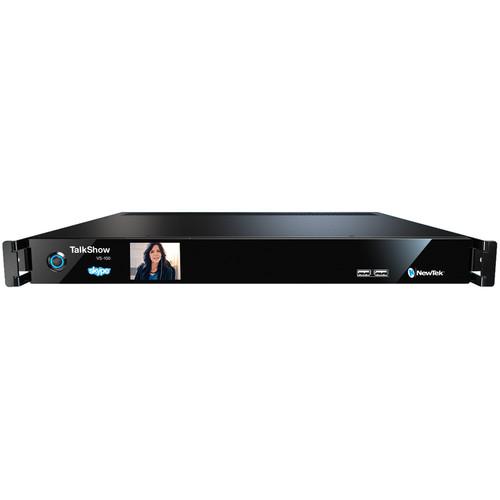 Contents of the user manual for the NewTek VS-100 TalkShow Video Calling System
- Product category: Signal Converters NewTek
- Brand: NewTek
- Description and content of package
- Technical information and basic settings
- Frequently asked questions – FAQ
- Troubleshooting (does not switch on, does not respond, error message, what do I do if...)
- Authorized service for NewTek Signal Converters
 |
User manual for the NewTek VS-100 TalkShow Video Calling System contain basic instructions
that need to be followed during installation and operation.
Before starting your appliance, the user manual should be read through carefully.
Follow all the safety instructions and warnings, and be guided by the given recommendations.
User manual is an integral part of any NewTek product,
and if it is sold or transferred, they should be handed over jointly with the product.
Following the instructions for use is an essential prerequisite for protecting
health and property during use, as well as recognition of liability on the part of the manufacturer
for possible defects should you make a warranty claim. Download an official NewTek user manual in which you will find instructions on how to install, use, maintain and service your product.
And do not forget – unsuitable use of a NewTek product will considerably shorten its lifespan!
|
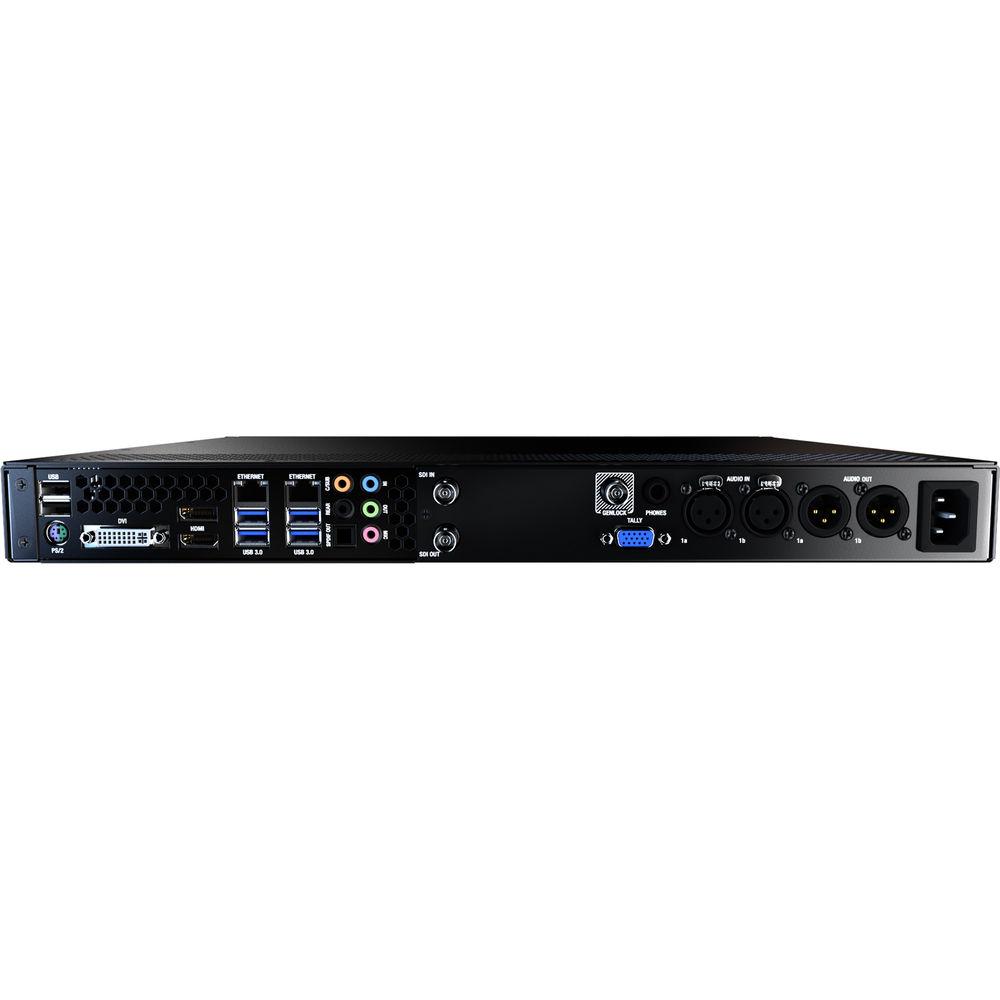
Product description Skype provides a great way for guests and correspondents to remote in to a live broadcasts, unfortunately relying on consumer hardware is fraught with glitches and interruptions. Packaged neatly within a 1RU rackmountable frame, the VS-100 TalkShow Video Calling System from NewTek is a bespoke computer running Skype TX software that is purpose-built for integrating Skype calls into live TV/Web broadcasts. It features dual Ethernet ports for TriCaster and 3Play users plus HD-SDI video in and out as well as balanced XLR audio in and out for hardware-based switchers. Quality settings and scaling are handled within the built-in software, helping eliminate many of the artifacts and aspect ratio issues encountered when simply scan-converting the output of a computer. It also features controls for tweaking the caller's audio, helping ensure both picture and sound are up to broadcast requirements.
Apart from quality, the VS-100 mitigates other pitfalls associated with relying on normal Skype software and consumer computers for critical live applications. In particular, interruptions from other calls, personal data getting mingled in by accident, or IT related problems such as the software freezing or crashing. And in case something goes wrong on the caller's end, there is an option to automatically cutaway to a user-defined still image until a good quality signal is restored or the director is able to cut to a new subject. Key Benefits - Works with Any Skype User
- Record on-air conversations with anyone, anywhere in the world who has a Skype account or can download the Skype client
- Eliminate the Satellite Truck
- Have correspondents "phone" in their reports over Skype to eliminate the need for a broadcast truck or rental of studio space with a satellite link
- Works Like Any Video Source
- Add behind-the scenes technical quality control to call audio and video, just like any in-studio production source
- Get Higher Quality Results
- Avoid the conversion loss, aspect-ratio squashing, and video artifacts of using desktop video with scan converters
- Reliability of a Dedicated Professional Solution
-
- Avoid the risk of consumer-technology glitches, call interruptions, or computer crashes on the receiving end
- Reduce the risks associated with mixing personal communication applications with professional systems
- Remove the unexpected interruptions of conventional software, OS, firewall, and IT policies that make it inconvenient to air video calls from traditional laptops and computer screens
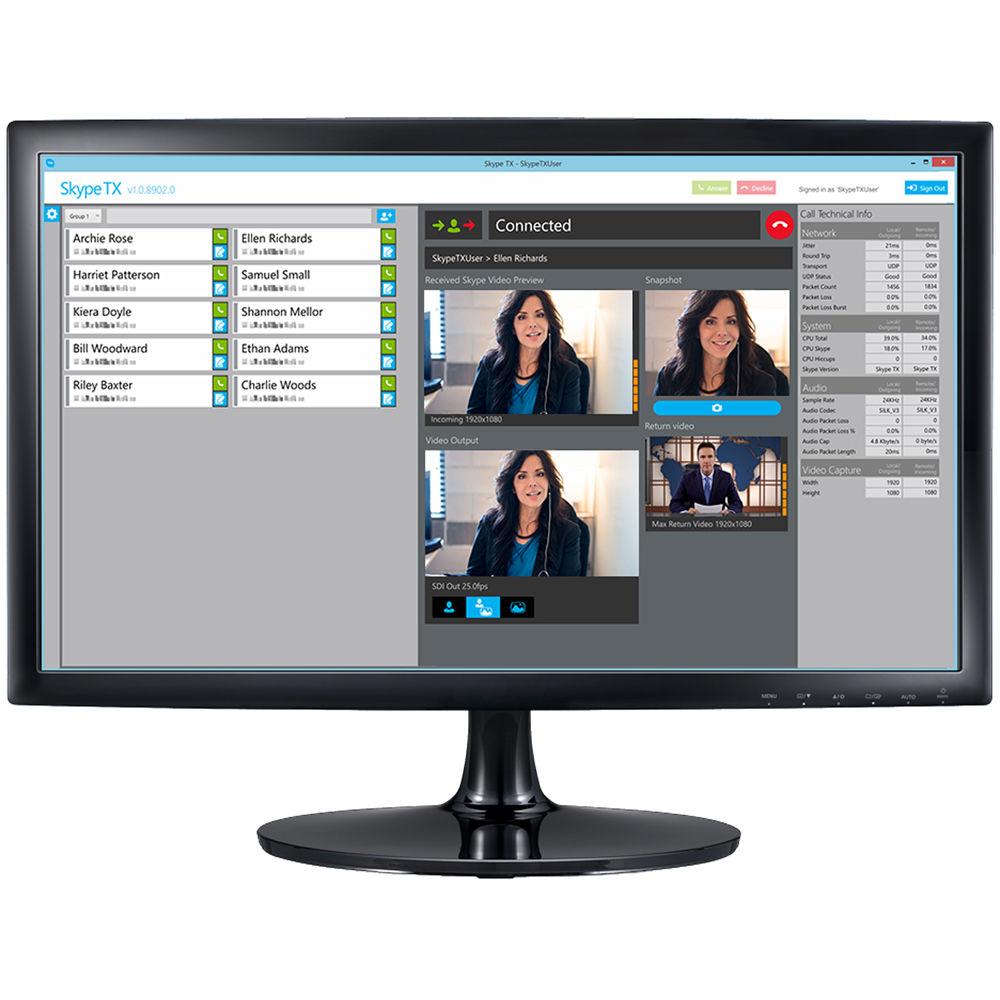
Software Features - Studio-Grade Skype TX software
- Skype TX is a special, broadcast edition of Skype that provides audio and video free from notifications, adds, or other pop-ups, is designed to avoid aspect ratio mis-matches, and supports multiple calls at once
- Tally Notification of Video Calls
- Allows operators to see when TalkShow Skype feeds are currently live in a program
- Add TalkShow Units for Multiple Skype Calls
- Add TalkShow units and manage all within a single interface that offers previews, continuous call quality monitoring, and contact management. Use SkypeTX Control software - rather than direct keyboard and mouse operation - to manage multipe systems in simultaneous call/multiple TalkShow unit environments
- Built-In Video Quality Checks
- Failover to a custom still image when unforeseen bandwidth constraints occur below operator-defined preset value
- Quality Optimizations
- Uses a proprietary, real-time video processing engine that incorporates scaling, format conversion, aspect ratio conversion, and color correction routines. In addition, the software limits the return video resolution in order to prioritize quality for the incoming call video
Hardware Features - HD-SDI Input and Output
- Output a live video call to any production switcher with SDI and receiver SDI video from a router or any production source to send a return image back to remote caller over IP
- Dual Channel Ethernet Connectivity
- Integrate with other NewTek systems. Output over Ethernet to the 3Play integrated sports production system or TriCaster multi-camera production system, while reserving the SDI hardware connection for other feeds
- XLR Audio Input and Output
- Bring in professional quality audio to send out over the return feed, and output incoming audio over a professional quality connector for integration via your studio's analog audio mixer
- Image Adjustments
- Built-in image adjustment includes full proc-amp controls and automatic color correction
- Audio Controls
- Audio controls include compressor/limiter, graphic equalizer, and adjustable head-room
- GPI Tally Port
- Incorporate a tally system via the HD15 GPI (general purpose input) connector
- HDMI and DVI Outputs
- The integrated GPU features one HDMI and one DVI output for local monitoring
- Front Panel Display
- Rack-viewable RGB preview of Skype video calls, VU metering, caller, time, status, tally (on air) notification, and more
- Rackmountable 1RU Form Factor
- The standard 1RU rackmount design makes the VS-100 hardware and easy fit for integration alongside your existing studio hardware
In the Box NewTek VS-100 TalkShow Video Calling System Limited 1-Year Warranty User Manual PDF 3.1mbuteybtxw Table of Contents
|
Upload User Manual
Have you got an user manual for the NewTek VS-100 TalkShow Video Calling System in electronic form? Please send it to us and help us expand our library of instruction manuals.
Thank you, too, on behalf of other users.
To upload the product manual, we first need to check and make sure you are not a robot. After that, your "Submit Link" or "Upload File" will appear.
Technical parametersNewTek FG-000866-R001 Specs | | | Video Input | 1 x HD-SDI plus embedded audio (for return signal from mixer to remote caller) | | Audio Inputs | 2 x Balanced XLR (+4 dBU reference level) | | Video Outputs | 1 x HD-SDI plus embedded audio (for Skype call output to video mixer input)
1 x DVI on GPU (for local monitoring)
1 x HDMI on GPU (for local monitoring) | | Audio Outputs | 2 x Balanced XLR (+4 dBU reference level)
1 x 1/4" Stereo headphone jack (for Skype program audio) | | GPI / Tally | 1 x GPI on HD15 connector | | Reference | 1 x Reference input (black burst / bi-level and tri-level support) | | Network | 2 x Gigabit Ethernet ports | | Virtual I/Os | AirSend I/O:
1 x Network video input
1 x Network video output
1 x Network audio input
1 x Network audio output
Tally from mixer over local network | | | | Operating System | Windows 8.1 Embedded | | Software | Skype TX
TalkShow control software providing A/V connection configuration
Audio EQ, compressor/limiter
Video proc amps and AutoColor control
Genlock configuration | | Call Management | Direct mouse and keyboard USB interface required for Skype TX management software in single call / single TalkShow unit environment
Over-the-network from SkypeTX control software in simultaneous call / multiple TalkShow unit environments | | | | CPU | 4th Generation i7 Quad-Core | | Graphics Hardware | Intel HD4600 GPU | | RAM | 8 GB | | Storage | 1 x 120 GB SSD
eSATA for adding external drives | | | | Power Requirements | Internal PSU: 110 to 220 VAC | | Enclosure | 1RU rack-mount metal case with rear-mounted connection panel and front-mounted in-call display monitor | | Dimensions | 19 x 1.8 x 16.8" / 48.3 x 4.4 x 42.5 cm | | Weight | 10 lb / 4.5 kg | | | | Package Weight | 25.8 lb | | Box Dimensions (LxWxH) | 26.0 x 24.0 x 9.5" |
Rating80% users recommend this product to others. And what about you?

This product has already been rated by 19 owners. Add your rating and experience with the product.
Discussion
 Ask our technicians if you have a problem with your settings,
or if anything is unclear in the user manual you have downloaded.
You can make use of our moderated discussion.
The discussion is public and helps other users of our website who may be encountering similar problems.
Ask our technicians if you have a problem with your settings,
or if anything is unclear in the user manual you have downloaded.
You can make use of our moderated discussion.
The discussion is public and helps other users of our website who may be encountering similar problems.
The discussion is empty - enter the first post
Post a new topic / query / comment:
|
|
|
| Request for user manual |
You can’t find the operation manual you are looking for? Let us know and we will try to add the missing manual:
I’m looking for a manual / Request for manual
Current requests for instruction manuals:
Call Of Duty World War Two For Xbox...
controller stratus XL...
stratus XL...
smart whatch serie S11 42mm...
Allen & Heath SQ-6 manual...
|
| Discussion |
Latest contributions to the discussion:
AEW R 4100
Name: MAURICIO ANGARITA
Audio-Technica AEW-R4100 UHF Diversity Receiver for
AEW R 4100 has the mute function blocked and does not allow audio to pass. I tried several times to turn off the mute from the transmitter but it does nothing, the mute stays on. Solution?
Thank you...
Instructions for assembling the 2015 Forecast Image Master Consoles GC3-A
Name: mike elam
Forecast Consoles GC3-A ImageMaster Editing Console
Looking for instructions for assembling this console. ...
EMPTY TONER ERROR MESSAGE AFTER REPLACING TONER
Name: LINDA BAD YELLOW EYES
Brother TN223BK Standard-Yield Toner
I HAD TO CHANGE OUT ALL THREE TONERS DUE TO LEAKS IN THE YELLOW AND CYAN. AFTER I REPLACED THEM, THE MACHINE KEEPS GIVING ME AN EMPTY TONER ERROR MESSAGE. HELP!!...
PS480D 20/24 pin Switching 480W Power Supply
Name: swkargo
Logisys 480W Power Supply
This item states in can run -5vdc .It is NOT listed on the board or I beleive is r4 is missing the resitior. Any body have thid issue. Shawn
...
Help needed
Name: Ann Carter
SanDisk 1TB Extreme Portable USB 3.1
When I click the link to download the user manual for my Sandisk Extreme external hard drive, it gives me the manual for the LG Cricket. Can you please change the link so I can download the Sandisk manual and begin using this drive? Thank you....
|
|


