User Manual for Nikon COOLPIX A Digital Camera - Refurbished Click to enlarge the picture
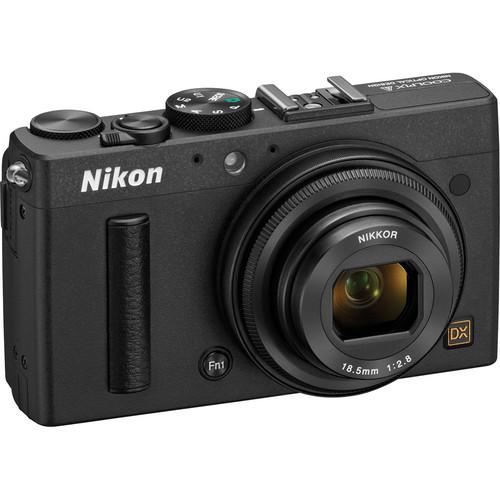 Contents of the user manual for the Nikon COOLPIX A Digital Camera -
- Product category: Uncategorized Nikon
- Brand: Nikon
- Description and content of package
- Technical information and basic settings
- Frequently asked questions – FAQ
- Troubleshooting (does not switch on, does not respond, error message, what do I do if...)
- Authorized service for Nikon Uncategorized
 |
User manual for the Nikon COOLPIX A Digital Camera - contain basic instructions
that need to be followed during installation and operation.
Before starting your appliance, the user manual should be read through carefully.
Follow all the safety instructions and warnings, and be guided by the given recommendations.
User manual is an integral part of any Nikon product,
and if it is sold or transferred, they should be handed over jointly with the product.
Following the instructions for use is an essential prerequisite for protecting
health and property during use, as well as recognition of liability on the part of the manufacturer
for possible defects should you make a warranty claim. Download an official Nikon user manual in which you will find instructions on how to install, use, maintain and service your product.
And do not forget – unsuitable use of a Nikon product will considerably shorten its lifespan!
|
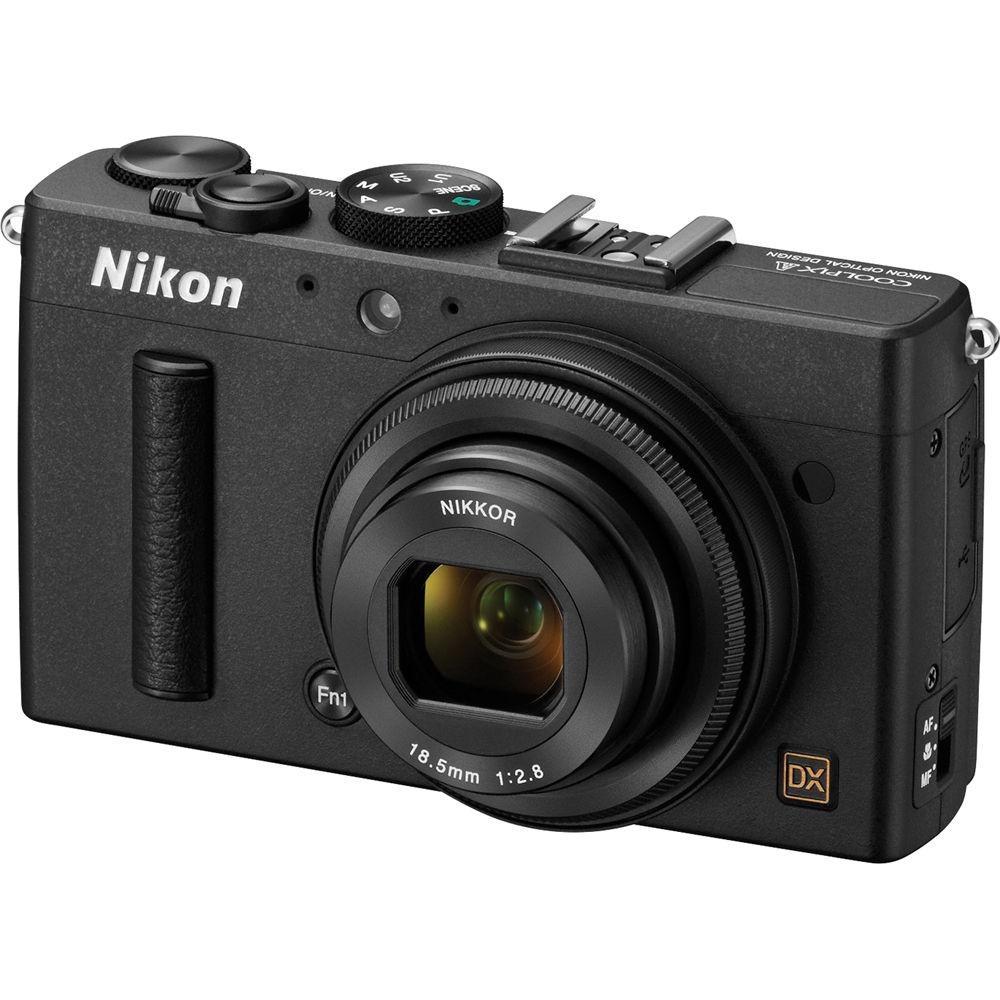
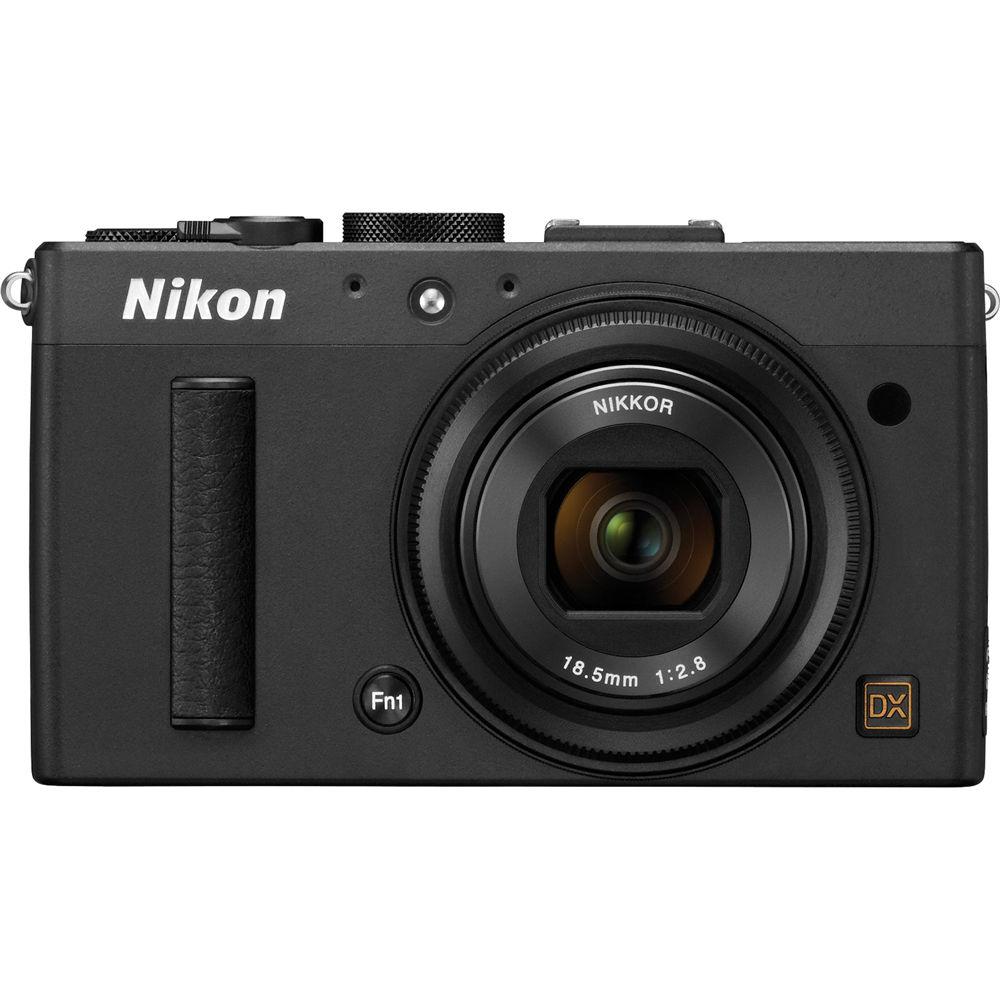
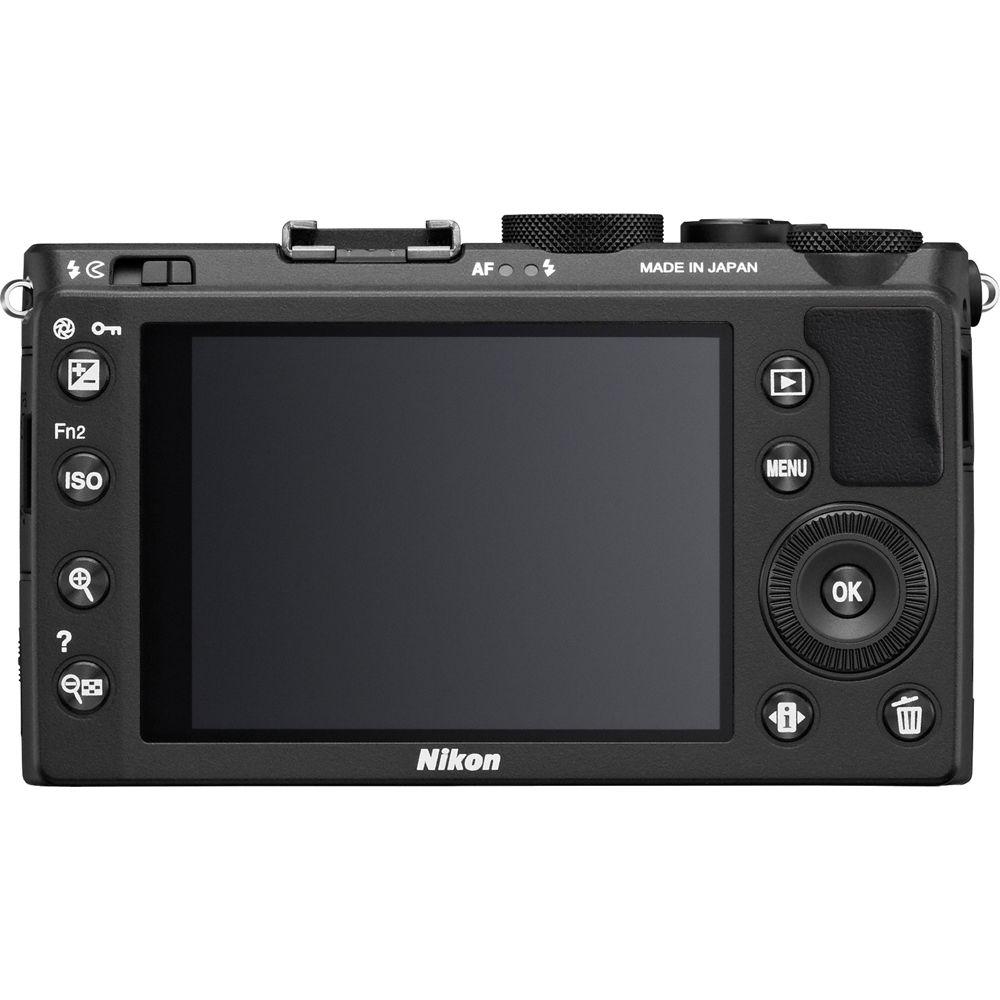
Product description The black Nikon COOLPIX A Digital Camera is a point-and-shoot equipped with a 16.2MP DX-format CMOS sensor for clear, detailed images--even in low light. The lack of an optical low-pass filter enables maximized resolution for exceptionally sharp details. The NIKKOR prime lens features a focal length of 18.5mm (35mm equivalent: 28mm) for wide-angle shooting, as well as a fast f/2.8 maximum aperture. Frame shots using the large 3.0-inch LCD monitor, which has a resolution of 921k pixels. Record Full HD 1080p video with stereo sound, and connect the supplied EG-CP16 cable for playback on your TV. Capture RAW (NEF) still images for a higher level of creative control.
Manual options like focus ring adjustment allow you to wield precision control over your compositions. Most of the operation system and the GUI are consistent with Nikon DSLRs. The Mode dial makes it easy to choose from AUTO, P (with Program shift), S, A and M exposure control modes, as well as two of your own personalized setting configurations: U1 and U2. Exposure bracketing is available in both manual and auto modes.
With Active D-Lighting, you're able to automatically reveal the details in both dark and light areas of high-contrast scenes, either by selecting Auto or choosing from several degrees of strength. Various in-camera image editing functions allow for simple creative touches. Options include Selective color for black-and-white images with just one or a couple colors remaining, Miniature effect, Color sketch, Filter effects, RAW processing and more.
Using the optional WU-1a Wireless Mobile Adapter and your compatible iOS or Android smartphone or tablet, benefit from Wi-Fi capability for easy photo and video sharing. Simply download and install the Wireless Mobile Utility application on your device, and you're good to go. - DX-Format CMOS Sensor
- Large APS-C size sensor--the same one used in Nikon D-SLR cameras--features a resolution of 16.2MP. It works with the EXPEED 2 image-processing engine to produce sharp image quality, high ISO sensitivity up to 25,600 equivalent, and low noise. The processor manages image data with high speed and accuracy while preventing the generation of excess heat. With the removal of the optical low-pass filter, the COOLPIX A is able to capture images with exceptional sharpness and extremely fine detail. Micro-lenses located above the sensor are arranged to produce natural, edge-to-edge sharpness
- 28mm f/2.8 NIKKOR Prime Lens
- Despite its small size, the fine optics of this ultra-compact 18.5mm (35mm equivalent: 28mm) f/2.8 wide-angle NIKKOR lens are specially designed to deliver exceptional edge-to-edge sharpness, smooth tonal gradation, highly effective spherical aberration and coma correction--for consistent quality throughout the entire frame. Capture images comparable to those taken with D-SLR interchangeable lenses. The lens has an ultra-compact configuration of seven elements in five groups, as well as a seven-blade iris diaphragm for sharp detail at the focus points and pleasing background blur in the out-of-focus regions of the image
- 3.0" LCD
- Featuring an integrated panel and glass structure, the large 3.0-inch, 921k-pixel TFT LCD monitor remains viewable even in bright sunlight. The structure minimizes reflections and decreases light loss for clearer visibility, while providing a wide viewing angle. The LCD features 9-level brightness adjustment and offers approximately 100% horizontal and vertical coverage
- Comfort and Control
- The buttons, dials and switches on the camera have been designed and arranged to afford maximum comfort. Manual options like focus ring adjustment allow you to wield precision control over your compositions. Most of the operation system and the GUI are consistent with Nikon DSLRs. The camera features a tough aluminum alloy frame with a top surface covered by magnesium alloy for greater durability.
- Exposure Control
- You can control the COOLPIX A exposure options with the same operating system used by Nikon DSLR cameras. The Mode dial makes it easy to choose from AUTO, P (with Program shift), S, A and M exposure control modes, as well as two of your own personalized setting configurations: U1 and U2. For still photos, exposure compensation is +5 to -5 in 1/3 steps, while for videos, it's +2 to -2. AE lock, AE bracketing and manual with exposure bracketing are also available
- Autofocus
- Contrast-detect AF with the following focus-area selections: Face-priority, normal area, wide area and subject-tracking AF
- Manual Focus Operation
- In addition to autofocus operation, the COOLPIX A has a manual focus ring for when you want to take creative control DSLR-style, with the ability to alter the focus plane slightly forward or backward. This can be especially helpful in macro work
- Full HD Movie Recording
- Capture Full HD 1080p videos at 30fps with stereo sound. The subject-tracking AF feature keeps even moving subjects in clear focus. By connecting an HDMI cable to the camera's HDMI mini port, you can output the movie to an HDTV for playback. The HDMI output provides the following resolution options: Auto, 480p, 576p, 720p, 1080i
- Continuous Shooting at 4fps
- To help capture fast-moving action, the camera can perform continuous capture of full-resolution (16MP) images at up to 4 frames per second, for a maximum of 26 shots (when image quality is set to NORMAL)
- Active D-Lighting
- Reveal the details in both dark and light areas of high-contrast scenes. With Active D-Lighting, you can do it automatically. Set it either to Auto or select from several degrees of strength. Auto bracketing is also possible
- Picture Control
- Choose from six settings: Standard, Neutral, Vivid, Monochrome, Landscape and Portrait. When you desire further fine-tuning, you can manually adjust the sharpness, contrast, brightness, saturation and hue. The settings can be saved for future use
- Auto White Balance
- In order to determine an ideal white balance, this feature precisely analyzes scene color and brightness information. Select normal to render white as pure white, or choose to render the warmth of ambient, incandescent lighting. White balance bracketing is also available
- Built-in Flash
- TTL auto flash with monitor pre-flashes; manual flash control also available. The guide number is approximately 6' (21 m) when fired in manual mode at full power and ISO 100. Flash compensation: -3 - +1 EV in steps of 1/3 EV
- Retouch Menu
- Camera comes equipped with various in-camera image-editing functions. Selective color creates a black-and-white image in which only the specified color(s) remains. Miniature effect makes an image look like a small scene taken in macro mode, while Color sketch creates vivid, pop-art inspired images. Other options include: Red-eye correction, Trim (3:2, 4:3, 5:4, 16:9 and 1:1), Monochrome (Black-and-white, Sepia and Cyanotype), Filter effects (Skylight, Warm filter, Red/Green/Blue intensifier, Cross screen and Soft), Color balance, Resize, Image overlay, RAW processing, Edit movie, Quick retouch, Color outline, Straighten, Fisheye, and Perspective control
- Virtual Horizon
- The in-camera virtual horizon feature can detect and display horizontal inclination on the LCD monitor. This function is especially useful when shooting subjects such as still lifes, landscapes and architecture
- Self-Timer
- Choose 20, 10, 5 or 2 sec delay
- Wi-Fi via Optional WU-1a Wireless Mobile Adapter
- With the optional WU-1a Wireless Mobile Adapter connected, you can wirelessly transmit images taken by the COOLPIX A to a smart device with Wireless Mobile Utility installed, allowing you to share your photos and videos via email or social networking services (SNS). Additionally, you can use your compatible smartphone or tablet as a remote shutter release for the camera while using the device screen as a monitor
- Supplied ViewNX 2 Software
- This simple and intuitive software helps you get the most out of your images and movies after shooting. ViewNX 2 provides importing and browsing capability while also incorporating image-editing functions such as Resize, Brightness, Crop, Straighten and NEF (RAW) image processing. High-definition and high-quality RAW processing is achieved by utilizing the same processing algorithm as Capture NX 2 that faithfully reproduces Nikon image quality. Its movie-editing functions help you create your own original movies quickly and easily, and Nikon's new and improved image sharing and storage service, NIKON IMAGE SPACE, works smoothly with ViewNX 2, allowing you to log in directly from the software for easy uploading without activating a browser.
- File System
- DCF, Exif 2.3, DPOF, and PictBridge compliant
- Supported Languages
- Arabic, Chinese (Simplified and Traditional), Czech, Danish, Dutch, English, Finnish, French, German, Indonesian, Italian, Japanese, Korean, Norwegian, Polish, European Portuguese, Russian, Spanish, Swedish, Thai, Turkish
- Recommended Optional Accessories
- The DF-CP1 Optical Viewfinder gives you more freedom in determining composition. It covers the angle of view of a 28mm (35mm equivalent) lens and provides 90% frame coverage at infinity. You can use the UR-E24 Adapter Ring to attach an HN-CP18 lens hood and filters with a diameter of 46mm. The hood prevents unwanted stray light from entering your lens, thereby minimizing flare. Nikon's range of Speedlight flash units are also available to give you more power and creative control than the built-in flash can offer. Record your shooting locations via the GP-1 GPS Unit, which appends the latitude, longitude and altitude to EXIF data.
- Recommended Optional Capture NX 2 Software
- Nikon's RAW images (NEF: Nikon Electronic Format) maintain extremely rich data. Only Nikon's Capture NX 2 can fully utilize this data with its optimized file format and software processing algorithms. With the enhanced speed of the algorithms, high-speed processing is achieved. This enables high-speed, stress-free editing even if the data size is large. Also, Capture NX 2 supports 64-bit (native) to realize a comfortable working environment. You can focus on editing with ease because it is possible to leave the original image intact with NEF editing. In addition to the intuitive and simple editing using Color Control Points, it incorporates various functions such as Auto Retouch brush, Batch Processing, Quick Fix, Straighten Tool, Vignette Control, Auto Color Aberration Control and Distortion Control
In the Box Nikon COOLPIX A Digital Camera (Black) EN-EL20 Rechargeable Li-ion Battery MH-27 Battery Charger USB Cable Camera Strap BS-1 Hot Shoe Cover ViewNX 2 Software CD-ROM 90-Day Refurbished Warranty User Manual PDF 13.7mbrbewzbasyxzdrfbv Table of Contents
|
Upload User Manual
Have you got an user manual for the Nikon COOLPIX A Digital Camera - Refurbished in electronic form? Please send it to us and help us expand our library of instruction manuals.
Thank you, too, on behalf of other users.
To upload the product manual, we first need to check and make sure you are not a robot. After that, your "Submit Link" or "Upload File" will appear.
Technical parametersNikon 26423B Specs | | | Pixels | Actual: 16.93 Megapixel
Effective: 16.2 Megapixel | | Sensor | DX (23.6 x 15.6 mm) CMOS | | File Formats | Still Images: JPEG, RAW
Movies: MOV,
Audio: Linear PCM | | Max Resolution | 16.1 MP: 4928 x 3264 | | Aspect Ratio | 3:2 | | | | Lens | NIKKOR, 7 Elements in 5 Groups
Effective Focal Length: 18.5mm (35 mm Equivalent: 28mm)
Aperture: f/2.8 (W) to f/22 (T) | | Focus Range | Auto: 19.69" to Infinity / 50.01 cm to Infinity
Macro: 3.94" to Infinity / 10.01 cm to Infinity | | | | ISO Sensitivity | 100 to 25600 | | Shutter | Type: Electronic & Mechanical
Speed: 30 to 1/2000 | | Exposure Metering | Center-Weighted, Matrix, Spot | | Exposure Modes | Modes: AE Bracketing, AE Lock, Aperture Priority, Auto, Manual, Programmed Auto, Shutter Priority
Compensation: -5 EV to +5 EV (in 1/3 EV Steps) | | Shooting Modes | Landscape
Monochrome
Portrait
Vivid Color | | White Balance | Auto | | Continuous Shooting | Up to 4 fps at 16 MP for up to 26 Exposures | | Self-Timer | 5 Sec | | Remote Control | ML-L3 (Optional) | | | | Flash Modes | TTL Auto | | Built-In Flash | Yes | | Effective Flash Range | 1.64 to 37.73' / 0.50 to 11.50 m | | External Flash Connection | Hot Shoe | | | | Memory Card Type | SD
SDHC
SDXC | | | | Video Recording | Yes | | Resolution | 1920 x 1080: 30 fps, 25 fps, 24 fps
1280 x 720: 30 fps, 25 fps, 24 fps | | | | Video Clip Length | Up to 29 Minutes 59 Seconds | | Audio Recording | With Video (Stereo) | | | | Screen | 3.0" LCD Widescreen (921,000 Pixels) | | | | Connectivity | HDMI C (Mini)
USB 2.0 | | Wi-Fi | Yes via Optional Adapter | | | | Battery | EN-EL20 Rechargeable Lithium-Ion Battery Pack, 7.2 VDC, 1020 mAh | | AC Power Adapter | EH-5b (Not Included) | | | | Dimensions (W x H x D) | 4.4 x 2.5 x 1.6" / 111.8 x 63.5 x 40.6 mm excluding projections | | Weight | 10.6 oz / 300.5 g including battery and memory card | | | | Package Weight | 1.5 lb | | Box Dimensions (LxWxH) | 7.8 x 5.4 x 3.4" |
Rating90% users recommend this product to others. And what about you?

This product has already been rated by 29 owners. Add your rating and experience with the product.
Discussion
 Ask our technicians if you have a problem with your settings,
or if anything is unclear in the user manual you have downloaded.
You can make use of our moderated discussion.
The discussion is public and helps other users of our website who may be encountering similar problems.
Ask our technicians if you have a problem with your settings,
or if anything is unclear in the user manual you have downloaded.
You can make use of our moderated discussion.
The discussion is public and helps other users of our website who may be encountering similar problems.
The discussion is empty - enter the first post
Post a new topic / query / comment:
|
|


