|
User Manual for Nikon Coolpix L120 Digital Camera - Refurbished Click to enlarge the picture
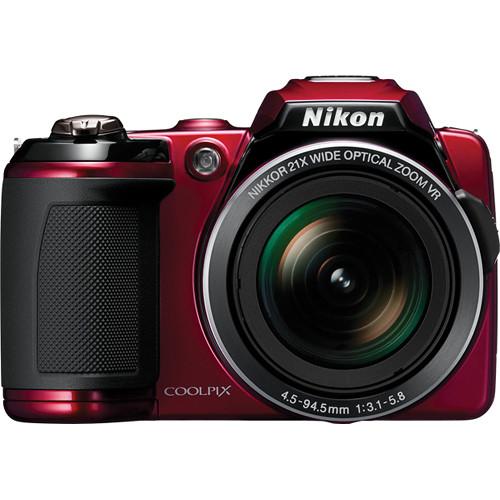 Contents of the user manual for the Nikon Coolpix L120 Digital Camera -
- Product category: Uncategorized Nikon
- Brand: Nikon
- Description and content of package
- Technical information and basic settings
- Frequently asked questions – FAQ
- Troubleshooting (does not switch on, does not respond, error message, what do I do if...)
- Authorized service for Nikon Uncategorized
 |
User manual for the Nikon Coolpix L120 Digital Camera - contain basic instructions
that need to be followed during installation and operation.
Before starting your appliance, the user manual should be read through carefully.
Follow all the safety instructions and warnings, and be guided by the given recommendations.
User manual is an integral part of any Nikon product,
and if it is sold or transferred, they should be handed over jointly with the product.
Following the instructions for use is an essential prerequisite for protecting
health and property during use, as well as recognition of liability on the part of the manufacturer
for possible defects should you make a warranty claim. Download an official Nikon user manual in which you will find instructions on how to install, use, maintain and service your product.
And do not forget – unsuitable use of a Nikon product will considerably shorten its lifespan!
|
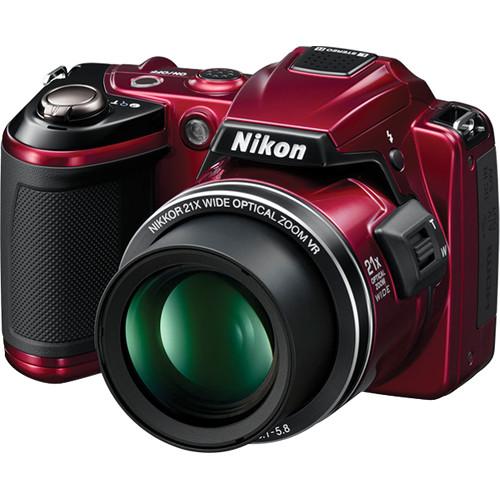
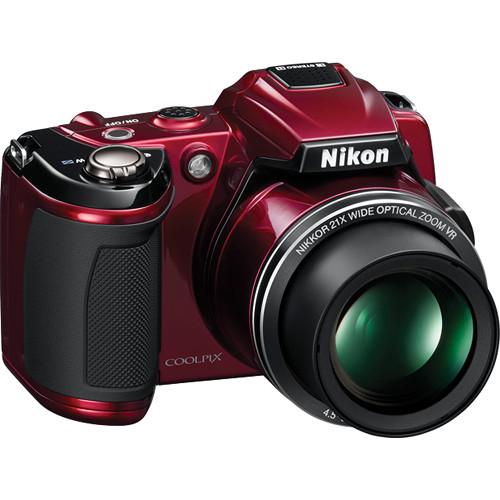
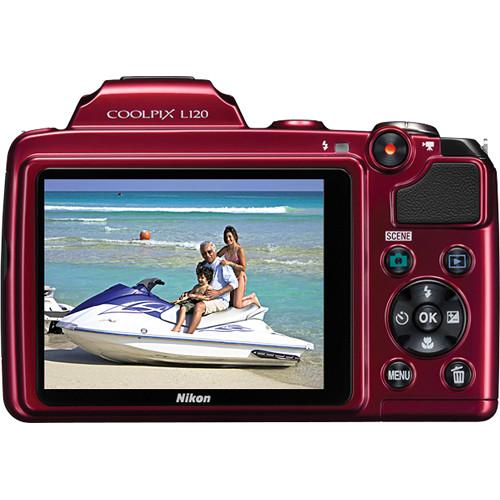
Product description For a camera that does it all, and makes it look easy, it's hard to beat Nikon's Coolpix L120 Digital Camera (Red) .You get a high resolution 14.1MP CCD sensor, a sharp Nikon 21x zoom lens that will carry you from a very wide-angle 25mm all the way to ultra telephoto 525mm (equivalent in 35mm format)--there's really no type of photography (landscape, portraits, parties, travel, wildlife, sports, etc.) that isn't possible with this range. And with 5-way image stabilization and sensitivity up to 6400 ISO, you'll get sharp pictures every time, even in low light or using the longest telephoto setting.Of course, 1280 x 720 HD video is included, with stereo sound--all you need to do is touch one button and you're shooting beautiful video without making any adjustments. A bright, high-resolution (921K dots) 3" LCD display helps you capture and view great images under any lighting conditions.Other great features include burst shooting at 15.3 frames per second for catching fast-moving subjects, modes that automatically detect and photograph a smile, warn you when your subject blinks, and correct redeye automatically. 17 Scene modes adjust the camera settings for different common photo situations, and there are 5 color options for increasing your creativity. - Zoom In on a High Powered Camera
- Great photos and superb HD movies begin with Nikon's high power 21x wide-angle optical Zoom-NIKKOR glass lens. This powerful zoom lens, with a 25-525mm range equivalent, closes the distance between you and your subjects. Capture your son firing off the game-winning lacrosse shot or your daughter's first ride on a two wheeler. Whether it's a panoramic shot of the entire family on a favorite sledding hill, or a photo of your children playing in the backyard, you'll shoot effortlessly and accurately with the COOLPIX L120.If you're new to photography, no worries, this camera has intelligent features to help you out. Five-way VR Image Stabilization uses sensor shift to minimize the effects of camera shake, virtually eliminating blurred images. Trick-or-treating with the kids? The COOLPIX L120 has a high ISO speed up to 6400 to capture fast moving or low-light scenarios.
- 14.1MP CCD Sensor
- High resolution 14.1 CCD sensor for superb image quality
- 21x Wide-Angle 25-525mm (Equiv) Lens
- Versatile 25-525mm lens ranges wide to capture landscapes, zooms in to get close for superb portraits and great action shots.
- Shoot Snowboarders, Frisbee Throwers and T-Ball Players With a Single, Versatile Camera
- Low-light conditions and fast action can defeat some cameras, but not the COOLPIX L120. With high ISO speeds up to 6400, you can be sure that still images and movies will be ideally captured. With Nikon's Sport Continuous Shooting mode, this camera takes photos continuously and in quick succession to capture fast moving objects.You'll get great use of the in-camera editing functions, including D-Lighting for adjusting contrast and fine details often lost when shooting in glaring or intense light. You can pick from five color options: Standard, Vivid, Black & White, Sepia and Cyanotype. And when you want to take close up photos, the COOLPIX L120 will zero in as close as 0.4 inches. Don't hesitate to click away, because you'll get about 330 stills from the four AA alkaline batteries that come with the camera.
- 5-Way VR Image Stabilization System
- Hybrid VR Image Stabilization--by combining sensor shift and electronic stabilization minimizes the effect of camera shake.
VR Image Stabilization--by sensor shift minimizes the effects of camera shake.
Motion Detection--automatically detects moving subjects and adjusts shutter speed and ISO to compensate for camera shake and subject movement.
High ISO--up to 6400 for optimum results when shooting in low light or photographing fast-moving subjects. (reduced resolution).
Nikon's Best Shot Selector (BSS)--automatically takes up to ten shots while the shutter is pressed, then selects and saves the sharpest image. - A Dazzling 3" Color Display Brings Your Stills and HD Movies to Life
- You'll enjoy composing images from the COOLPIX L120's bright three-inch LCD color display, which features a dazzling 921,000-dot screen that showcases still images and HD movies in rich detail and enhanced contrast. And for easy photo composition, improved picture viewing, and instant sharing, the LCD monitor's wide viewing angle and anti-glare coating lets you capture and view high quality images in virtually any lighting condition, every time.
- EXPEED C2 Processor
- EXPEED C2 continues to expand the possibilities of photography with improved levels of image quality, fine detail and processing speed. Custom-optimized for each COOLPIX model, Nikon's renowned digital image processing engine ensures outstanding images.
- Creative Control
- ISO can be set as high as 6400
In-camera editing functions include Quick Retouch, and D-Lighting
5 Color options Standard, Vivid, Black & White, Sepia, Cyanotype
In camera movie editing - One-Touch HD Movie Recording Puts Friends and Family in Motion.
- As photo keeper of family memories, you can rely on the COOLPIX L120 to capture great still images that you can print and save. But a band concert without sound is incomplete and a 60-yard touchdown drive without the fleet-footed runs isn't as exciting. That's where the COOLPIX L120's advanced One-Touch HD Movie recording capabilities come in. With the push of a button you'll instantly be shooting 720p HD movies in full stereo. While shooting you can activate the camera's zoom function to capture tight shots and close ups. And when you're ready to share your movies with family and friends, you can use in-camera playback or the convenient HDMI output for simple hookup to an HDTV or computer.
- High Speed Performance
- Sport Continuous Shooting to capture fast action approx 15.3 fps up to 20 frames (3M resolution)
Convenient Features - It Knows When Your Subject Smiles, Warns You if Someone Blinks, and Gets the Red Out of Eyes
- Behind every great photo and HD movie is the COOLPIX L120, a camera brimming with technological advances. Smile Timer detects when a subject smiles and automatically takes the photo. Blink Warning identifies when a subject may have blinked and signals you to retake the shot. Face-Priority AF is an innovative face-identifying technology that detects and focuses up to 12 faces automatically.Red-eye will no longer ruin family photos. In-camera Red-Eye Fix automatically fixes the problem before it occurs. Blotchy, uneven complexions are also a thing of the past with COOLPIX L120's Skin Softening, which smoothes skin tones. This versatile camera also has 17 Scene Modes that adjust camera settings to selected scenes, assuring great pictures at school plays, backyard barbecues, or athletic events.
- 17 Scene Modes
- Automatically adjusts camera setting to specific scenes just point and shoot, and includes New PET scene mode which finds the face of dog or cat and tracks and focuses automatically.
- Macro Shooting
- As close as 0.4" (1 cm)
In the Box Nikon Coolpix L120 Digital Camera (Red) LC-CP22 Replacement Lens Cap for Coolpix L120 Digital Camera Strap AN-CP22 UC-E6 USB Cable (4.5') EG-CP16 Nikon Audio/Video Cable 4 x AA Alkaline Battery NIkonView NX 2 CD-ROM 90-Day Refurbished Warranty Table of Contents
|
Upload User Manual
Have you got an user manual for the Nikon Coolpix L120 Digital Camera - Refurbished in electronic form? Please send it to us and help us expand our library of instruction manuals.
Thank you, too, on behalf of other users.
To upload the product manual, we first need to check and make sure you are not a robot. After that, your "Submit Link" or "Upload File" will appear.
Technical parametersNikon 26254B Specs | | | Pixels | Actual: 14.48 Megapixel
Effective: 14.1 Megapixel | | Sensor | 1/2.3" CCD | | File Formats | Still Images: JPEG
Movies: AVC/H.264
Audio: AAC | | Max Resolution | 14 MP: 4320 x 3240 | | Aspect Ratio | 4:3 | | Image Stabilization | Digital | | | | Lens | NIKKOR, 12 Elements in 9 Groups
Effective Focal Length: 4.5 to 94.5mm (35 mm Equivalent: 25 to 525mm)
Aperture: f/3.1 (W) to f/5.8 (T) | | Zoom | Optical: 21x
Digital: 4x | | Focus Range | Wide: 1.64' to Infinity / 49.99 cm to Infinity
Telephoto: 4.92' to Infinity / 1.5 m to Infinity
Macro: 0.39" to Infinity / 0.99 cm to Infinity | | | | ISO Sensitivity | 80 to 6400 | | Shutter | Type: Electronic & Mechanical
Speed: 4 to 1/4000 | | Exposure Metering | Center-Weighted, TTL 256-Zones | | Exposure Modes | Modes: Program
Compensation: -2 EV to +2 EV (in 1/3 EV Steps) | | White Balance | Auto, Manual | | Continuous Shooting | Up to 0.7 fps at 14 MP for up to 19 Exposures | | Self-Timer | 2 Sec | | | | Flash Modes | Auto | | Effective Flash Range | Wide:1.64 to 19.69' / 0.50 to 6.00 m
Telephoto:4.92 to 9.84' / 1.50 to 3.00 m | | | | Built-In Memory | 102 MB | | Memory Card Type | SD
SDHC
SDXC | | | | Video Recording | Yes, NTSC/PAL | | | | Audio Recording | With Video (Stereo) | | | | Screen | 3" LCD Rear Screen (921,000 Pixels) | | | | Connectivity | HDMI C (Mini)
DC Input
USB 2.0
HDMI C (Mini) | | | | Dimensions (W x H x D) | 3.1 x 4.4 x 3.1" / 7.9 x 11.2 x 7.9 cm | | Weight | 15.20 oz / 430.92 g With Battery and SD Memory Card | | | | Package Weight | 1.95 lb | | Box Dimensions (LxWxH) | 7.7 x 5.3 x 5.1" |
Rating88% users recommend this product to others. And what about you?

This product has already been rated by 02 owners. Add your rating and experience with the product.
Discussion
 Ask our technicians if you have a problem with your settings,
or if anything is unclear in the user manual you have downloaded.
You can make use of our moderated discussion.
The discussion is public and helps other users of our website who may be encountering similar problems.
Ask our technicians if you have a problem with your settings,
or if anything is unclear in the user manual you have downloaded.
You can make use of our moderated discussion.
The discussion is public and helps other users of our website who may be encountering similar problems.
The discussion is empty - enter the first post
Post a new topic / query / comment:
|
|
|
| Request for user manual |
You can’t find the operation manual you are looking for? Let us know and we will try to add the missing manual:
I’m looking for a manual / Request for manual
Current requests for instruction manuals:
Call Of Duty World War Two For Xbox...
controller stratus XL...
stratus XL...
smart whatch serie S11 42mm...
Allen & Heath SQ-6 manual...
|
| Discussion |
Latest contributions to the discussion:
AEW R 4100
Name: MAURICIO ANGARITA
Audio-Technica AEW-R4100 UHF Diversity Receiver for
AEW R 4100 has the mute function blocked and does not allow audio to pass. I tried several times to turn off the mute from the transmitter but it does nothing, the mute stays on. Solution?
Thank you...
Instructions for assembling the 2015 Forecast Image Master Consoles GC3-A
Name: mike elam
Forecast Consoles GC3-A ImageMaster Editing Console
Looking for instructions for assembling this console. ...
EMPTY TONER ERROR MESSAGE AFTER REPLACING TONER
Name: LINDA BAD YELLOW EYES
Brother TN223BK Standard-Yield Toner
I HAD TO CHANGE OUT ALL THREE TONERS DUE TO LEAKS IN THE YELLOW AND CYAN. AFTER I REPLACED THEM, THE MACHINE KEEPS GIVING ME AN EMPTY TONER ERROR MESSAGE. HELP!!...
PS480D 20/24 pin Switching 480W Power Supply
Name: swkargo
Logisys 480W Power Supply
This item states in can run -5vdc .It is NOT listed on the board or I beleive is r4 is missing the resitior. Any body have thid issue. Shawn
...
Help needed
Name: Ann Carter
SanDisk 1TB Extreme Portable USB 3.1
When I click the link to download the user manual for my Sandisk Extreme external hard drive, it gives me the manual for the LG Cricket. Can you please change the link so I can download the Sandisk manual and begin using this drive? Thank you....
|
|


