User Manual for Nikon CoolPix S1200pj Digital Camera With Built-In Projector - Refurbished Click to enlarge the picture
 Contents of the user manual for the Nikon CoolPix S1200pj Digital Camera With
- Product category: Uncategorized Nikon
- Brand: Nikon
- Description and content of package
- Technical information and basic settings
- Frequently asked questions – FAQ
- Troubleshooting (does not switch on, does not respond, error message, what do I do if...)
- Authorized service for Nikon Uncategorized
 |
User manual for the Nikon CoolPix S1200pj Digital Camera With contain basic instructions
that need to be followed during installation and operation.
Before starting your appliance, the user manual should be read through carefully.
Follow all the safety instructions and warnings, and be guided by the given recommendations.
User manual is an integral part of any Nikon product,
and if it is sold or transferred, they should be handed over jointly with the product.
Following the instructions for use is an essential prerequisite for protecting
health and property during use, as well as recognition of liability on the part of the manufacturer
for possible defects should you make a warranty claim. Download an official Nikon user manual in which you will find instructions on how to install, use, maintain and service your product.
And do not forget – unsuitable use of a Nikon product will considerably shorten its lifespan!
|
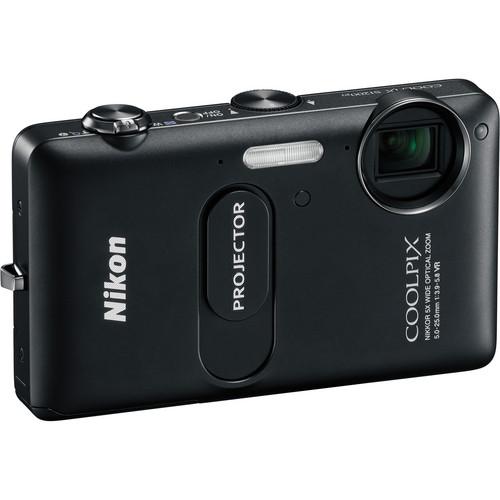
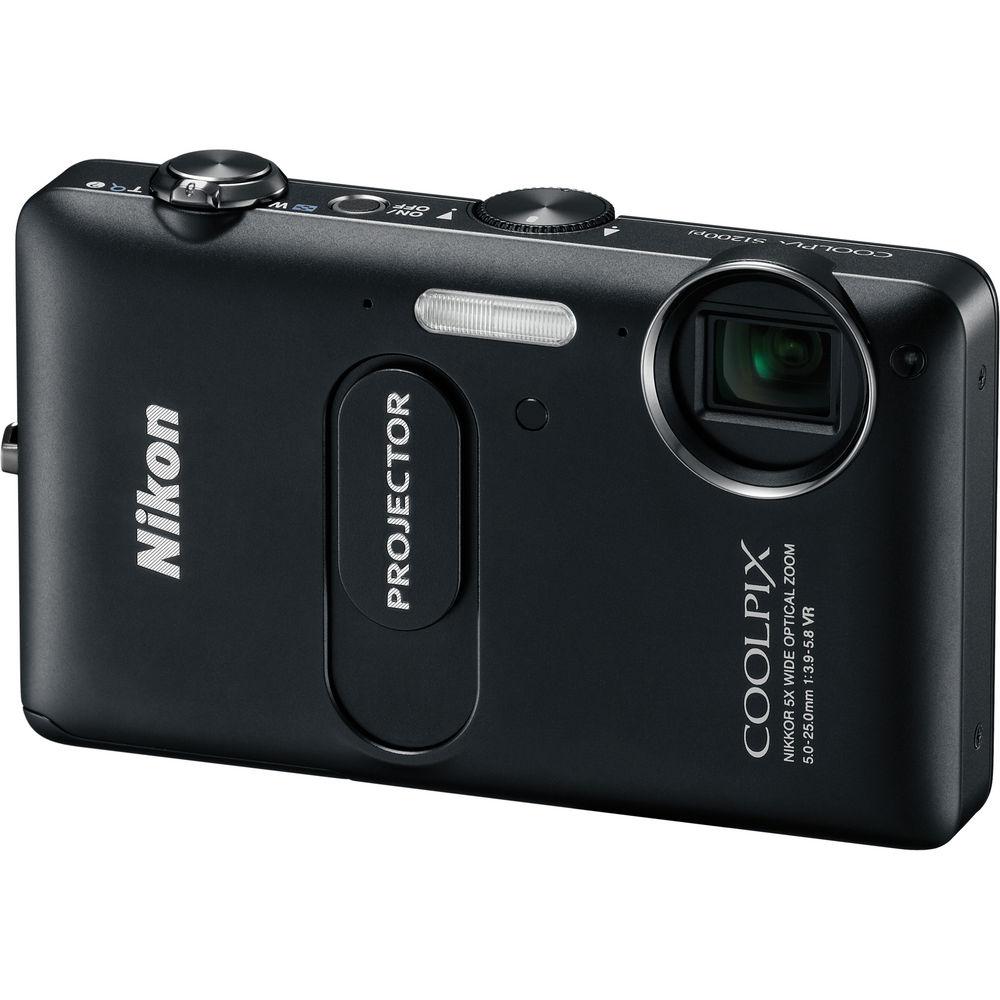
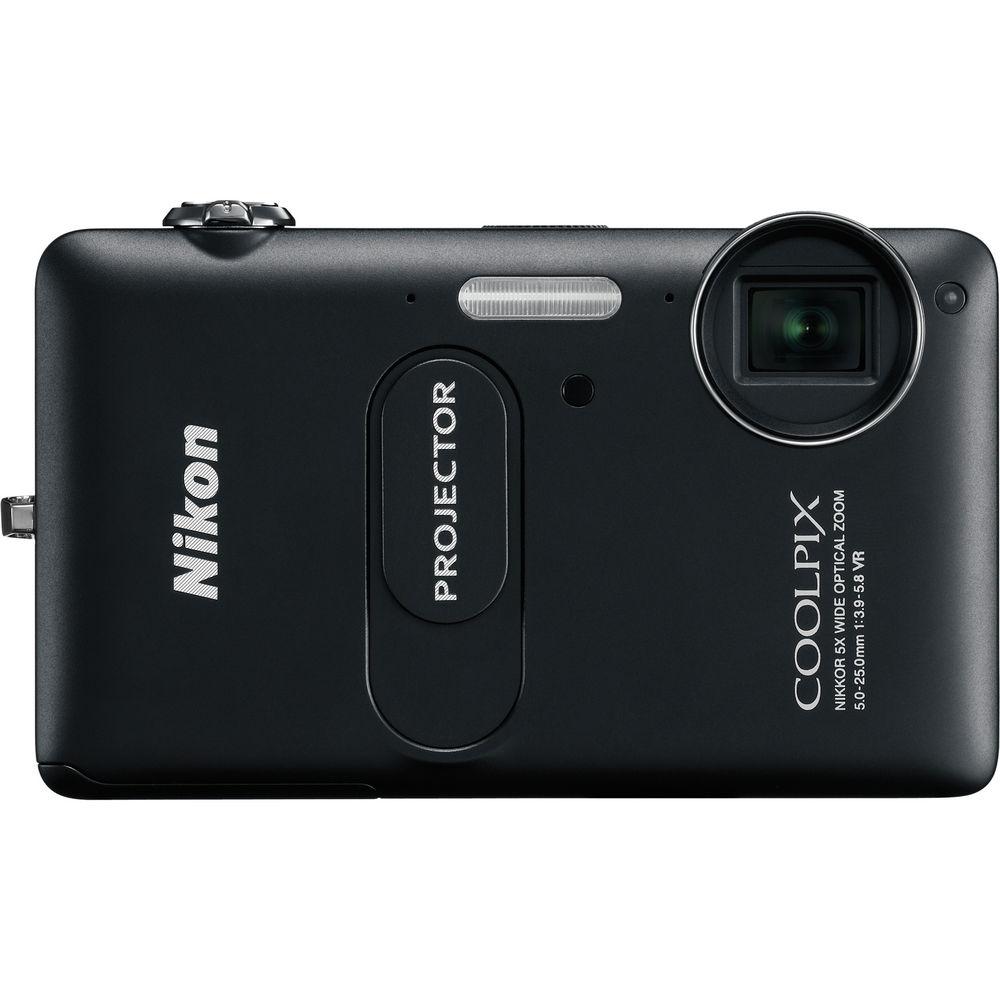
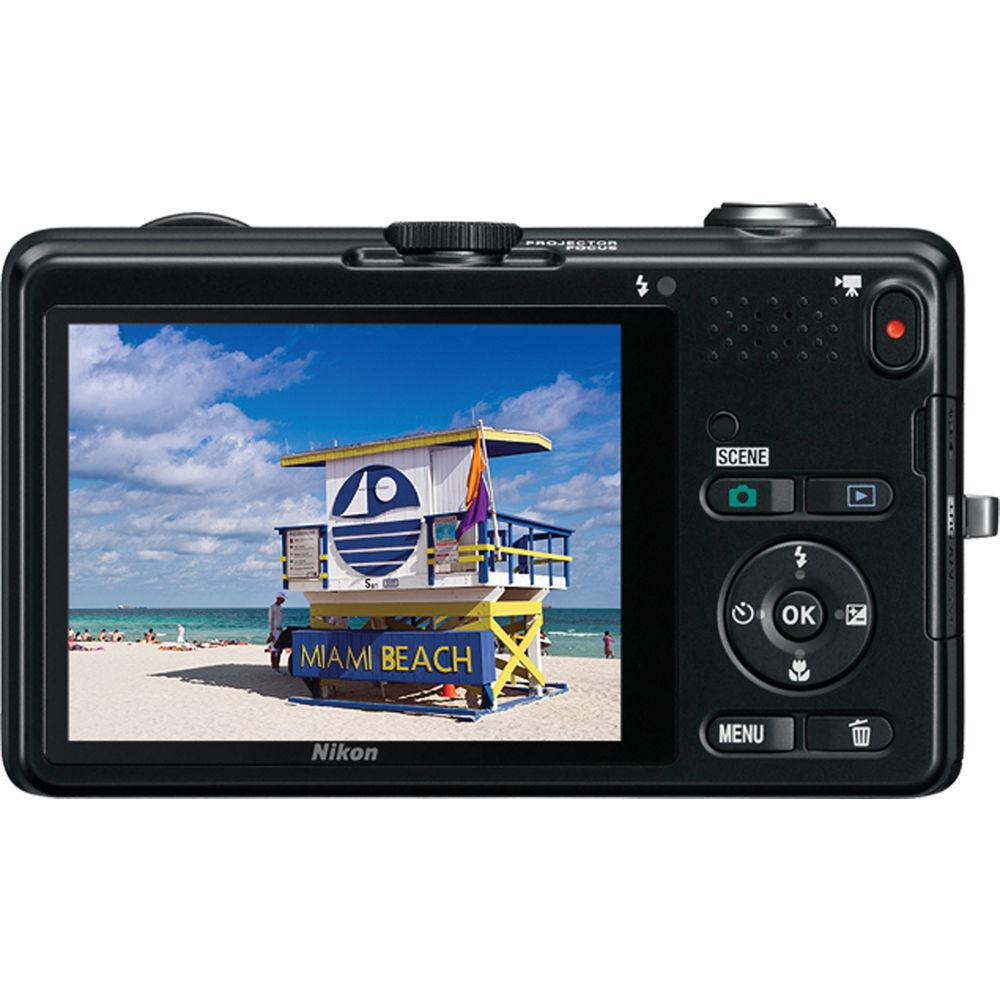
Product description Nikon's CoolPix S1200pj Digital Camera With Built-In Projector (Black) is a 14.1MP compact digital camera with a 5x 28-140mm (35mm equivalent) lens, that records 720p HD video at the touch of a button. But the real crowd-pleasing feature of this little image-maker is the built-in 20-lumen projector that makes it possible to project your photos or video on any light-colored wall or surface immediately after shooting it. The S1200pj is compatible with iPhones, iPads, and iPods to project content from your device as well.It also has a high-resolution 460,000-dot 3" LCD monitor with anti-reflection coating. The EXPEED C2 image processing engine provides enhanced image quality and processing speed, and 5-way (VR) image stabilization minimizes camera shake, so you always have sharper, clearer images. There are 19 scene modes, including Easy Auto, which selects the optimal settings automatically, and a Smart Portrait system which makes beautiful portraits easy to create. This is an easy-to-use camera with serious tech stuff everywhere you look. - Featuring a powerful built-in projector that can project photos and movies up to 60" (1.5 m) diagonally onto any flat surface, the 14.1MP S1200pj is sure to be the center of attention at your next gathering. Its versatile 5x zoom lens provides wide and close-up options. Plus, the S1200pj can connect to an iPhone, iPad, iPod touch, iPod nano and iPod photo and project images, movies and web content from the device. Simply shoot, project and instantly bring the wow factor to any party.
- You can shoot and show multimedia presentations that incorporate music and movies or just present your images in big and bright colors. The S1200pj features illuminated buttons for quick and easy control in the dark plus a handy wireless remote (optional) for hands-free operation. There's even a built-in stand that tilts it on an angle for optimal projection.
- The perfect way to break the ice and spice up any party, the S1200pj can capture those once in a lifetime moments and immediately share them larger than life with friends and family. It offers a 14.1MP image sensor and an optically stabilized 5x wide-angle optical zoom lens (28mm to 140mm equivalent) that allows you to capture wide group shots and landscapes as well as close-ups with razor-sharp results. And the S1200pj's vivid, 3" high-resolution (460,000-dot) display brings action alive with crisp detail and contrast.
- Imagine projecting movies, photos or web content onto any flat surface-right from your iPhone, iPad, iPod touch, iPod nano, and iPod photo. The S1200pj also has onboard music and graphics, so you can create multimedia slideshows of your photos and videos. Sharing your photos, videos or that hilarious clip of the day has never been easier.
- Don't miss a moment of the fun and festivities. With one touch of the S1200pj's movie recording button, you'll be shooting HD (720p) movies with full stereo sound. You can even use the optical zoom while recording to bring you as close as possible to all the action. And once you've shot your high-quality stills and HD movies, you can instantly project them on any flat surface. Find a blank wall, push a button and let the show begin.
- The S1200pj is designed to be easy and fun to use, thanks in part to its various scene modes. Find new creative ways to tell and show your story on a larger scale. An Easy Auto mode automatically adjusts camera settings to the photo situation you find yourself in. Smart Portrait mode is ideal for getting great people shots at parties. The S1200pj also features a variety of in-camera photo editing features and special effects that will add additional fun and creativity to your image-sharing experience.
- The S1200pj's four advanced Vibration Reduction (VR) Image Stabilization features automatically reduce the streaky images associated with shaky cameras.
- Nikon's Smart Portrait System includes Smile Timer, which automatically recognizes when a subject is smiling and releases the shutter, Face-Priority AF, which finds and focuses on up to 12 faces, Blink Warning, Red-Eye Fix, Skin Softening and more.
- The S1200pj lets you apply a host of filter effects to the photos you've taken so you can add pizzazz to your presentations.
- To ward off motion blur, the S1200pj's motion detector automatically tracks moving subjects and adjusts the camera's settings to keep them in focus.
- Image processing engine EXPEED C2 for enhanced image quality and processing speed
- Large, high-resolution 3" LCD monitor with 460,000-dot Clear Color display and anti-reflection coating
- 19 Scene modes (including Easy Auto mode)
- PC connection function provides projection of computer data
- Scene modes: Back Light, Beach, Black and White Copy, Close Up, Dusk/Dawn, Fireworks Show, Food, Landscape, Museum, Night Landscape, Night Portrait, Panorama Assist, Party/Indoor, Pet Portrait, Portrait, Snow, Sports, Sunset
- Autofocus (AF) Focus-area selection: Auto (9-area automatic selection), Center Face priority, Manual with 99 focus areas, Subject tracking Maximum Autofocus Areas/Points 99
- Other features:
Focus Lock: Yes
Exposure Lock: Yes
Autofocus: Contrast-detect TTL AF
In-Camera Image Editing: Crop, D-Lighting, Filter Effects, Glamour Retouch, Quick retouch, Skin softening, Small Pic
Continuous Shooting Options: Best Shot Selector, Continuous, Multi-shot 16, Single
Aperture: Electronically-controlled ND filter (-2 AV) selection
Interface Data transfer protocol: MTP, PTP
Battery Life (shots per charge): Still pictures: Approx. 220 shots - Supported languages:
Arabic, Czech, Chinese (Simplified and Traditional), Danish, Dutch, English, Finnish, French, German, Greek, Hindi, Hungarian, Indonesian, Italian, Japanese, Korean, Norwegian, Polish, Portugese (European and Brazilian), Romanian, Russian, Spanish, Swedish, Thai, Turkish, Ukranian, Vietnamese In the Box Nikon CoolPix S1200pj Digital Camera With Built-In Projector (Black) Strap USB Cable EN-EL12 Rechargeable Lithium-Ion Battery (3.7V, 1050mAh) EH-69P AC Adapter Charger NikonView NX 2 CD-ROM Reference Manual CD 90-Day Refurbished Warranty Table of Contents
|
Upload User Manual
Have you got an user manual for the Nikon CoolPix S1200pj Digital Camera With Built-In Projector - Refurbished in electronic form? Please send it to us and help us expand our library of instruction manuals.
Thank you, too, on behalf of other users.
To upload the product manual, we first need to check and make sure you are not a robot. After that, your "Submit Link" or "Upload File" will appear.
Technical parametersNikon 26278B Specs | | | Pixels | 14.1 Megapixel | | Sensor | 1/2.3" (4320 x 3240 mm) CCD | | File Formats | Still Images: JPEG
Movies: AVC/H.264
Audio: AAC, WAV | | Max Resolution | 14 MP: 4320 x 3240 | | Aspect Ratio | 4:3 | | Image Stabilization | Optical | | | | Lens | NIKKOR, 13 Elements in 9 Groups
Effective Focal Length: 5.0 to 25.0mm (35 mm Equivalent: 28 to 140mm)
Aperture: f/3.9 (W) to f/5.8 (T) | | Zoom | Optical: 5x
Digital: 4x | | Focus Range | Wide: 0.98' to Infinity / 29.87 cm to Infinity
Telephoto: 19.69" to Infinity / 50.01 cm to Infinity
Macro: 1.18" to Infinity / 3 cm to Infinity | | | | ISO Sensitivity | 80 to 6400 | | Shutter | Type: Electronic & Mechanical
Speed: 4 to 1/500 | | Exposure Metering | Center-Weighted, TTL 256-Zones | | Exposure Modes | Modes: Auto
Compensation: -2 EV to +2 EV (in 1/3 EV Steps) | | White Balance | Auto, Cloudy, Daylight, Flash, Fluorescent, Incandescent, Manual | | Continuous Shooting | Up to 0.8 fps at 14 MP for up to 18 Exposures | | Self-Timer | 2 Sec | | | | Flash Modes | Auto | | Effective Flash Range | Wide:1.0 to 14' / 0.3 to 4.27 m
Telephoto:1.64 to 11.48' / 0.50 to 3.50 m | | | | Built-In Memory | 94 MB | | Memory Card Type | SD
SDHC
SDXC | | | | Video Recording | Yes, NTSC/PAL | | | | Audio Recording | With Video + Voice Memo (Stereo) | | | | Screen | 3" LCD Rear Screen (460,000 Pixels) Monitor Frame coverage (shooting mode): 98% horizontal (approx.), 98% vertical (approx.)
Monitor Frame coverage (playback mode): 100% horizontal (approx.) | | | | Connectivity | AV Output
USB 2.0 | | | | Battery | EN-EL12 Rechargeable Lithium-Ion Battery Pack | | AC Power Adapter | EH-69P AC Adapter (Included) | | | | Projector Brightness | Up to 20 Lumens | | Projector Contrast Ratio | 200:1 | | Projector Endurance (Battery Life) | 1.0 Hour | | Projector Image Size | 5 to 60" / 12.70 to 152.40 cm | | Projector Light Source | LED | | Projector Resolution (Output) | VGA Equivalent | | Projector Throw Distance | Approx. 0.85 to 10.17' / 0.3 to 3.1 m | | Projector Lens | 13mm f/2.1, Manual Focus | | | | Dimensions (W x H x D) | 2.5 x 4.3 x 0.9" / 6.3 x 10.9 x 2.3 cm | | Weight | 6.56 oz / 185.98 g With battery and memory card | | | | Package Weight | 1.2 lb | | Box Dimensions (LxWxH) | 8.0 x 5.3 x 3.4" |
Rating80% users recommend this product to others. And what about you?

This product has already been rated by 99 owners. Add your rating and experience with the product.
Discussion
 Ask our technicians if you have a problem with your settings,
or if anything is unclear in the user manual you have downloaded.
You can make use of our moderated discussion.
The discussion is public and helps other users of our website who may be encountering similar problems.
Ask our technicians if you have a problem with your settings,
or if anything is unclear in the user manual you have downloaded.
You can make use of our moderated discussion.
The discussion is public and helps other users of our website who may be encountering similar problems.
The discussion is empty - enter the first post
Post a new topic / query / comment:
|
|


