|
User Manual for Nikon Coolpix S52c Digital Camera - Refurbished Click to enlarge the picture
 Contents of the user manual for the Nikon Coolpix S52c Digital Camera -
- Product category: Uncategorized Nikon
- Brand: Nikon
- Description and content of package
- Technical information and basic settings
- Frequently asked questions – FAQ
- Troubleshooting (does not switch on, does not respond, error message, what do I do if...)
- Authorized service for Nikon Uncategorized
 |
User manual for the Nikon Coolpix S52c Digital Camera - contain basic instructions
that need to be followed during installation and operation.
Before starting your appliance, the user manual should be read through carefully.
Follow all the safety instructions and warnings, and be guided by the given recommendations.
User manual is an integral part of any Nikon product,
and if it is sold or transferred, they should be handed over jointly with the product.
Following the instructions for use is an essential prerequisite for protecting
health and property during use, as well as recognition of liability on the part of the manufacturer
for possible defects should you make a warranty claim. Download an official Nikon user manual in which you will find instructions on how to install, use, maintain and service your product.
And do not forget – unsuitable use of a Nikon product will considerably shorten its lifespan!
|
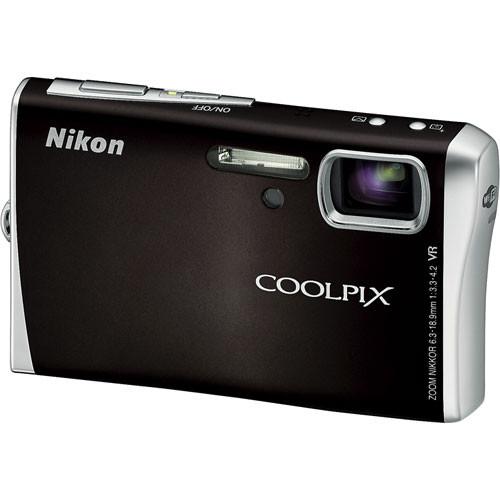
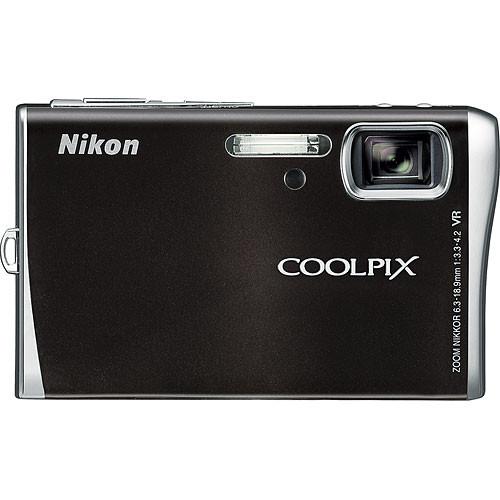
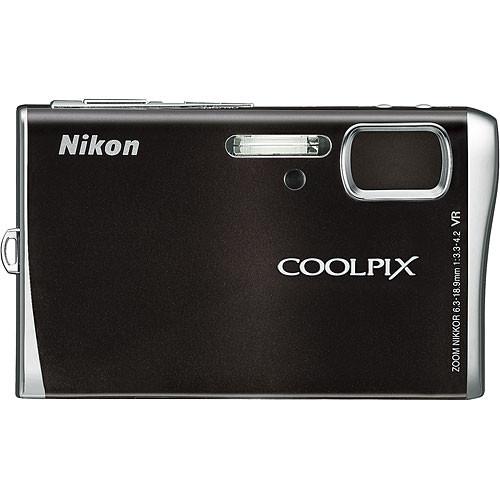
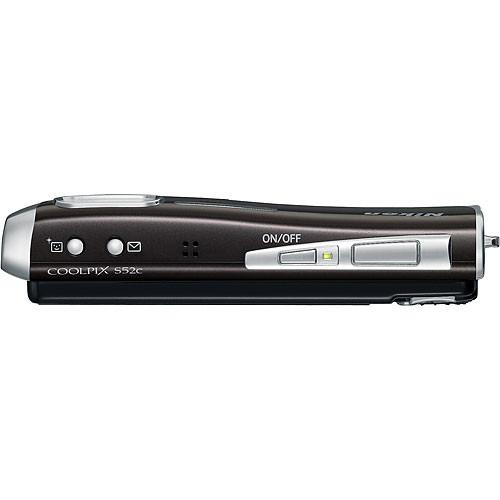
Product description The Nikon Coolpix S52c Digital Camera combines 9.0 effective megapixels of imaging performance with a 3x Zoom-Nikkor ED lens to capture everything from wide-open landscapes to tight portraits with outstanding clarity and true-to-life color. It features a large, bright 3" LCD monitor with a wide 170° viewing angle, enabling easier composition and high-quality image playback. It also incorporates Nikon's optical lens shift VR (Vibration Reduction) system, which compensates for camera movements to produce sharper, steadier images, and a High-Sensitivity mode selects the optimal setting up to ISO 3200 when shooting fast-moving or poorly lit subjects. With a Wi-Fi antenna set unobtrusively into its stylish body, the Coolpix S52c supports wireless image transfer that can send pictures to a computer instantly. - 9.0 Megapixel Resolution
- With 9.0 million pixels of image information, the Nikon Coolpix S52c can produce stunning, photo quality prints up to 16 x 20".
- 3x Optical Zoom-Nikkor ED Glass Lens
- The Zoom Nikkor Lens incorporates exclusive ED lens elements and provides a 3x optical zoom (38 - 114mm equivalent) while the Macro capability lets you get as close as 1.6" to your subject inch. This combination is supported by Nikon's world-renowned optical technology delivering crisp, clear images.
- VR (Vibration Reduction) Image Stabilization
- The lens of the Coolpix S52c incorporates Nikon's optical lens shift VR (Vibration Reduction) system, which compensates for camera movements to produce sharper, steadier images and video clips. And because the VR system remains active whenever the camera is on, images also appear more stable on the LCD monitor, making it much easier to judge the right moment to take the shot.
- Slim, Stylish, All-Metal Design
- With a slim, sophisticated design this ultra-compact digital camera easily slips right into your shirt pocket or purse, and its good looks are complemented by incredible durability due to the all-metal casing.
- Auto Adjust Sensitivity up to ISO 3200
- High light sensitivity up to ISO 3200 opens up a whole new world of photo opportunities. Allowing you to tackle scenes and situations far beyond the capabilities of conventional compact cameras, it offers you new power to capture fast-moving objects with outstanding clarity and gives you great exposures in significantly lower light.
- Nikon In-Camera Red-Eye Fix
- The Red-Eye Fix system automatically corrects for most instances of the red-eye effect that is commonly caused by the use of a built-in flash on a compact camera.
- Nikon D-Lighting
- The Nikon D-Lighting feature can rescue underexposed images or shots taken with too much backlight by automatically brightening the dark areas in the picture, while maintaining the brighter areas of the image.
- Nikon Face-Priority AF
- The Face-Priority AF system automatically detects and achieves sharp focus on people's faces wherever they are in the frame for crisp, sharp portraits.
- One-touch Portrait Mode
- The handy Portrait button provides one-touch direct access to Face-priority AF, In-Camera Red-Eye Fix, and Nikon's D-Lighting, to ensure that users have the simplest path to astounding portraits and posed group shots.
- Scene Modes
- The Coolpix S52c incorporates user-friendly scene modes that cover some of the more common difficult shooting situations. The scene modes automatically adjust focus, exposure, white balance and other settings to make getting a good exposure easy.
- Movie and Voice Recording
- Shoot QuickTime movies with sound at 30 frames per second at a length that is only limited by the available space on the internal memory or your SD memory card. The Voice Memo Function Records up to 5 hours of sound that can then be attached to an image, or played back by itself.
- Auto Image Rotation
- The Auto Image Rotation feature detects pictures that have been taken with the camera held vertically and automatically rotates the image for in-camera LCD playback or for slide shows.
- Nikon In-Camera Innovations
- The Nikon Coolpix S52c includes a number of in camera innovations in addition to what has been described above, including In-Camera Cropping, which allows you to crop out the part of the image you don't want and keep the part you like. There is also a Saturation Mode that allows you to control the color saturation; Blur Warning alerts you to a blurry image; Noise Reduction Mode minimizes digital artifacts in long exposures; Voice Memo Function records up to 20 seconds of sound that can then be attached to an image; Best Shot Selector enables the camera to take a series of photos and automatically select the one with the sharpest focus; and Date and Time Imprinting is available to document the exact time and date that your photo is taken.
- Rotary Multi Selector
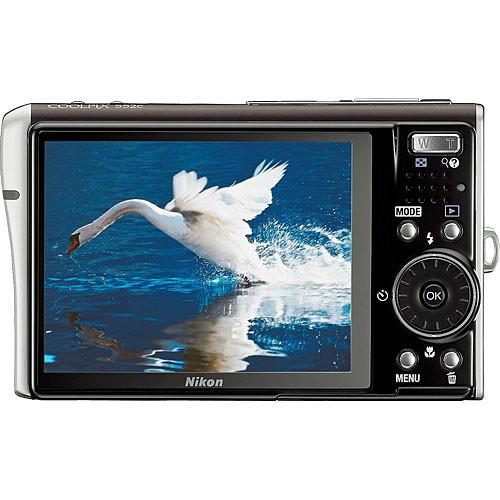
- The Rotary Multi Selector enables easier camera use. Swift circular scrolling action allows speedy image browsing at up to 10 pictures per second, and a range of buttons ensures intuitive operation. An onscreen icon with a cursor that tracks Rotary Multi Selector scrolling makes it easy to select various features.
- In-Camera Help Button
- The In-Camera Help button on the Coolpix S52c instantly displays an explanation for all the functions within all menus.
- Built-in and Expandable Memory
- The camera includes 38MB of built-in memory so you can begin taking shots immediately without having to purchase a memory card, and the memory capacity can be expanded dramatically with Secure digital (SD) or Secure Digital High Capacity (SDHC) memory cards.
- WiFi Interface
- Do away with troublesome cables and revel in wireless freedom thanks to a built-in WiFi (IEEE 802.11b/g) Interface. With a Wi-Fi antenna built into its stylish body, the Coolpix S51c lets you send shots through thin air, straight to your computer.
- My Picturetown with Wireless E-mail and Storage
- Built-in Wi-Fi provides access to Nikon's exciting new my Picturetown service, comprising Picture Mail that, without connecting to a computer, can trigger an email notification to friends when new pictures are available to download and view, and Picture Bank that can automatically upload all images to the Nikon safe, secure server (up to 2GB is always free), or send pictures directly to your Flickr account right from the camera in Wi-Fi open access hotspots with the Picture Mail button. Plus receive 6 months of complimentary T-Mobile HotSpot Wi-Fi service.
- Huge, Bright 3.0-inch LCD
- The Coolpix S52c is equipped with a huge 3" LCD great for viewing images anywhere, anytime. The impressive 170° wide viewing angle makes it easier for everyone to see and enjoy images. The larger 230,000-dot LCD lets you make the most of smooth, sharp movies, fantastic looking stills and exciting Pictmotion shows.
- Pictmotion On-camera Entertainment
- With the Pictmotion feature, you can create sophisticated multimedia presentations right on your camera. Simply select your favorite images (up to 200 still images) and movies, decide on a style (5 styles selectable), and pick a music file (there are 5 pre-installed music files, load up to 10 music files). The Pictmotion feature will then automatically combines your elements into a professional looking presentation, using appropriate transitions and style that are synced to your music.
- Print Directly to a Printer or Show Pictures on a TV
- You can send images directly to print, without the need of a PC, when using PictBridge and USB Direct Print compatible printers, or connect directly to your TV for family slide shows and presentations.
In the Box Nikon Coolpix S52c Digital Camera (Black) EN-EL8 Rechargeable Lithium-Ion Battery EH-63 AC Adapter/Charger AV/USB Cable Wrist Strap Printer Dock Accessory Insert (PV-12) PictureProject Software CD-ROM User Guide 90-Day Refurbished Warranty Table of Contents
|
Upload User Manual
Have you got an user manual for the Nikon Coolpix S52c Digital Camera - Refurbished in electronic form? Please send it to us and help us expand our library of instruction manuals.
Thank you, too, on behalf of other users.
To upload the product manual, we first need to check and make sure you are not a robot. After that, your "Submit Link" or "Upload File" will appear.
Technical parametersNikon 26104B Specs | Camera Type | Ultra Compact Point-and-shoot Digital Camera with Wireless Capability | | | | Image Sensor | 1/2.5" 9.3 Megapixel CCD | | Effective Resolution | 9.0 million pixels | | Color Depth | 24-Bit RGB | | Color Modes | Standard, Vivid Color, Black and White, Sepia, Cyanotype | | Image File Formats | JPEG (High, Normal) | | Recorded Resolution | 9M (3456 x 2592)
5M (2592 x 1944)
3m (2048 x 1536)
PC (1024 x 768)
TV (640 x 480) | | Video Recording | AVI Moton JPEG with sound
TV movie (640 x 480 @ 30fps)
Pictmotion (640 x 480 @ 10fps)
Small size (320 x 240 @ 30fps)
Smaller size (160 x 120 @ 15fps)
Time-lapse movie (30fps without sound)
Stop-motion movie (640 x 480 @ 5, 10, 15fps without sound)
Clip length limited only by available memory | | Audio Recording | WAV format (monaural)
Records up to 5 hours with or without image, further limited by available memory | | | | Lens Type | Zoom-Nikkor Lens (12 elements in 9 groups) | | Optical Zoom | 3x | | Lens Focal Length | 6.3 - 18.9mm (38 - 114mm equivalent) | | Digital Zoom | 4x | | Minimum Focus Distance | 1.6" (4cm) | | Maximum Aperture | f/3.3-4.2 | | Optical Image Stabilization | Yes (Optical lens shift VR) | | Accessory Lens/Filter Mount | No | | | | Focus Type | Contrast-detect AF (up to 5-area) with AF assist lamp | | Focus Modes | Autofocus (Auto area, 5-area, Single point) Face-Priority AF, Focus lock | | Focus Range | Normal: 12" (30cm) - infinity
Macro: 1.6" (4cm) - infinity | | | | Sensitivity | Auto Gain ISO (100-800)
High Sensitivity Auto ISO (100-2000)
Selectable ISO (100, 200, 400, 800, 1600, 3200) | | Shutter Type | Not Specified by Manufacturer | | Shutter Speed | Not Specified by Manufacturer | | Aperture Range | f/3.3-4.2 (max.) | | Exposure Metering | Not Specified by Manufacturer | | Exposure Modes | Auto, High Sensitivity (up to ISO 1600), Scene Modes (4 with Scene Assist), Exposure Compensation (±2EV in 1/2EV increments), Exposure Lock | | White Balance Modes | Auto with TTL control, Daylight, Cloudy, Fluorescent, Incandescent, Flash, White Balance Preset | | Scene Modes | Portrait, Night Portrait, Sports, Landscape, Party, Beach/Snow, Sunset, Dusk/Dawn, Night Landscape, Museum, Fireworks Show | | | | Built-in Flash | Yes (Auto, Red-eye Reduction (In-Camera Red-Eye Fix), Flash cancel, Anytime flash, Slow sync.) | | Effective Flash Range | 1' (0.3m) - 18' (5.5 m) | | External Flash Connection | No | | External Flash Control | Not Applicable | | | | Start-Up Time | Not Specified by Manufacturer | | Shutter Lag | Not Specified by Manufacturer | | Time Between Shots | Not Specified by Manufacturer | | Burst Capability | Continuous @ 0.9 fps
Multi-shot 16 @ 1.6 fps (only available at 5M/normal image size) | | Self Timer | 3 seconds or 10 seconds | | Interval Recording | No | | Date & Time Stamp | Yes | | | | Built-in Memory | 38MB | | Compatible Memory Cards | Secure Digital (SD/SDHC) Card | | Recording Capacity | Not Specified by Manufacturer | | Battery Type | EN-EL8 Rechargeable Lithium-ion Battery | | Power Adapter | EH-63 AC Adapter (optional) | | | | Computer Interface | USB 2.0 (Hi-Speed)
Wi-Fi (IEEE 802.11b/g) | | Direct Print Capable | Yes (PictBridge, ImageLink) | | Remote Control | No | | Video Output | Yes (NTSC & PAL) | | Web-Cam Capable | No | | System & Software Requirements | Windows XP, Vista (32bit)
Macintosh OS X (10.3.9, 10.4.x) | | | | Viewfinder | No | | LCD Display | 3" TFT color LCD (230,000 pixels) with wide viewing angle and anti-reflection coating | | Language Options | Chinese (Simplified and Traditional), Czech, Danish, Dutch, English, Finnish, French, German, Greek, Hungarian, Indonesian, Italian, Japanese, Korean, Norwegian, Polish, Portuguese, Russian, Spanish, Swedish, Thai, Turkish | | Playback Options | 1 frame, Thumbnail (4, 9 or 16 up), Slide show, Zoom playback, Shooting information display, Delete Function (Delete all frames, delete selected frames, protect function available, card format), Image adjustment (Image sharpening, Saturation control, In-camera crop), Pictmotion (5 styles selectable to playback movies or up to 30 still images, 5 music files pre-installed, max. 5 music files loadable) | | | | Dimensions | 3.8 x 2.3 x 0.8" (98 x 59 x 21mm) | | Weight | 4.4 oz (125g) without battery | | | | Package Weight | 1.6 lb | | Box Dimensions (LxWxH) | 7.8 x 5.2 x 3.4" |
Rating100% users recommend this product to others. And what about you?

This product has already been rated by 59 owners. Add your rating and experience with the product.
Discussion
 Ask our technicians if you have a problem with your settings,
or if anything is unclear in the user manual you have downloaded.
You can make use of our moderated discussion.
The discussion is public and helps other users of our website who may be encountering similar problems.
Ask our technicians if you have a problem with your settings,
or if anything is unclear in the user manual you have downloaded.
You can make use of our moderated discussion.
The discussion is public and helps other users of our website who may be encountering similar problems.
The discussion is empty - enter the first post
Post a new topic / query / comment:
|
|
|
| Request for user manual |
You can’t find the operation manual you are looking for? Let us know and we will try to add the missing manual:
I’m looking for a manual / Request for manual
Current requests for instruction manuals:
Call Of Duty World War Two For Xbox...
controller stratus XL...
stratus XL...
smart whatch serie S11 42mm...
Allen & Heath SQ-6 manual...
|
| Discussion |
Latest contributions to the discussion:
AEW R 4100
Name: MAURICIO ANGARITA
Audio-Technica AEW-R4100 UHF Diversity Receiver for
AEW R 4100 has the mute function blocked and does not allow audio to pass. I tried several times to turn off the mute from the transmitter but it does nothing, the mute stays on. Solution?
Thank you...
Instructions for assembling the 2015 Forecast Image Master Consoles GC3-A
Name: mike elam
Forecast Consoles GC3-A ImageMaster Editing Console
Looking for instructions for assembling this console. ...
EMPTY TONER ERROR MESSAGE AFTER REPLACING TONER
Name: LINDA BAD YELLOW EYES
Brother TN223BK Standard-Yield Toner
I HAD TO CHANGE OUT ALL THREE TONERS DUE TO LEAKS IN THE YELLOW AND CYAN. AFTER I REPLACED THEM, THE MACHINE KEEPS GIVING ME AN EMPTY TONER ERROR MESSAGE. HELP!!...
PS480D 20/24 pin Switching 480W Power Supply
Name: swkargo
Logisys 480W Power Supply
This item states in can run -5vdc .It is NOT listed on the board or I beleive is r4 is missing the resitior. Any body have thid issue. Shawn
...
Help needed
Name: Ann Carter
SanDisk 1TB Extreme Portable USB 3.1
When I click the link to download the user manual for my Sandisk Extreme external hard drive, it gives me the manual for the LG Cricket. Can you please change the link so I can download the Sandisk manual and begin using this drive? Thank you....
|
|


