|
User Manual for Nikon Coolpix S620 Digital Camera - Refurbished Click to enlarge the picture
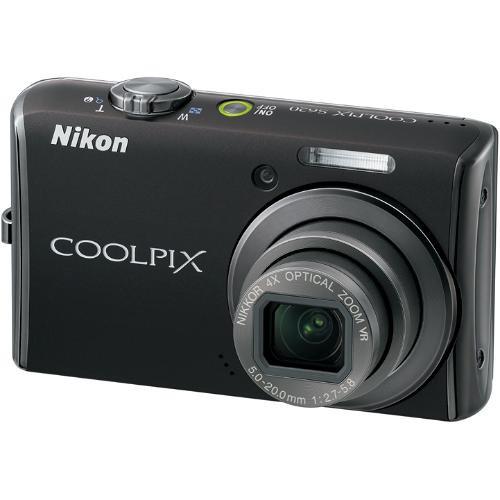 Contents of the user manual for the Nikon Coolpix S620 Digital Camera -
- Product category: Uncategorized Nikon
- Brand: Nikon
- Description and content of package
- Technical information and basic settings
- Frequently asked questions – FAQ
- Troubleshooting (does not switch on, does not respond, error message, what do I do if...)
- Authorized service for Nikon Uncategorized
 |
User manual for the Nikon Coolpix S620 Digital Camera - contain basic instructions
that need to be followed during installation and operation.
Before starting your appliance, the user manual should be read through carefully.
Follow all the safety instructions and warnings, and be guided by the given recommendations.
User manual is an integral part of any Nikon product,
and if it is sold or transferred, they should be handed over jointly with the product.
Following the instructions for use is an essential prerequisite for protecting
health and property during use, as well as recognition of liability on the part of the manufacturer
for possible defects should you make a warranty claim. Download an official Nikon user manual in which you will find instructions on how to install, use, maintain and service your product.
And do not forget – unsuitable use of a Nikon product will considerably shorten its lifespan!
|
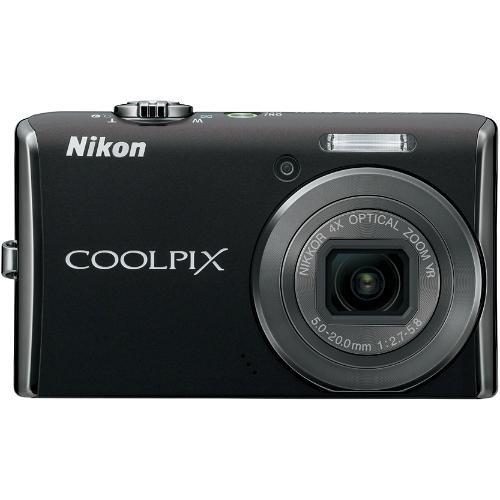
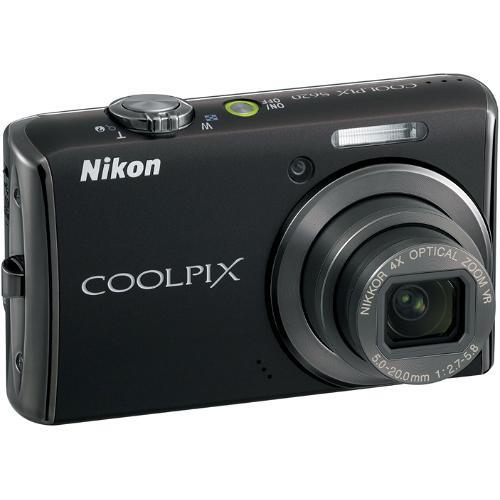
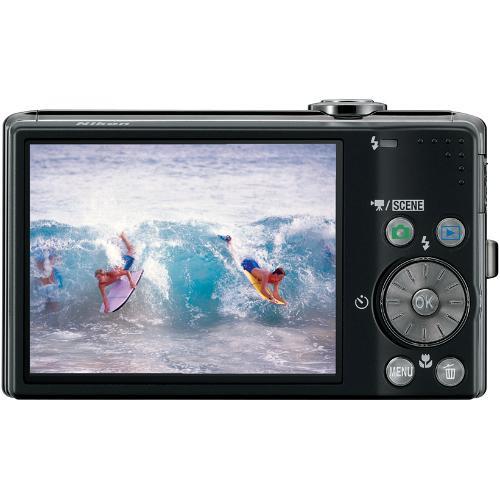
Product description The Nikon Coolpix S620 Digital Camera (Jet Black) provides images with up to 12.0 megapixel of resolution and incorporates a 4x Wide-angle Zoom-NIKKOR glass lens in a slim camera body that is quality-crafted in aluminum, and delivers high performance and ease-of-operation in a package that you can easily carry around with you at all times. Nikon,s exclusive 4-way VR Image Stabilization technology utilizes sensor-shift Optical Image Stabilization, along with the cameras high sensitivity equivalent of ISO 6400, Motion Detection, and the exclusive Best Shot Selector (BSS), to ensure that your photos will always look great - regardless of lighting conditions or subject movement. And Nikon's Smart Portrait System ensures beautiful portrait and people shots by combining Nikon's innovative smile mode, In-Camera Red-Eye Fix, D-Lighting, and Face Priority AF technologies. Furthermore, the S620 includes Nikon's Coolpix Software Suite for organizing, editing and sharing your photos. The bright, high resolution 2.7-inch LCD monitor provides a wide viewing angle and an anti-reflective coating that allows for easy composition and viewing of photos even in direct sunlight. The camera also boasts improved menu displays, as well as revised menu icons that will make framing photos easier than ever before. - 12.2 Megapixel Resolution
- With 12.2 million pixels of image information, the Nikon Coolpix S620 can produce stunning, photo quality prints up to 20 x 30" without any loss of image quality
- 4x Wide-angle Optical Zoom
- The Zoom Nikkor Lens incorporates exclusive ED lens elements and provides a 4x wide-angel optical zoom (28-112mm equivalent), that is ideal for shooting sweeping landscapes, group photos in tight spaces, or architectural elements, while the Macro capability lets you get as close as 0.8" to your subject
- 4-way Optical VR Image Stabilization
- The Optical VR (Vibration Reduction) Image Stabilization system utilizes a sensor-shift mechanism to compensate for camera shake while the cameras automatically controlled high sensitivity of up to ISO 6400 allows for sharper images when shooting under low light conditions. The Motion Detection system helps to further compensate for subject motion and Nikon's exclusive Best Shot Selector ensures that your images will always be sharp and crisp
- Movie and Voice Recording
- Shoot Broadcast quality QuickTime movies with sound at VGA or QVGA resolution with a frame rate of 30 fps for smooth motion, plus your clip length is only limited by the available space on the internal memory or your SD/SDHC memory card up to a maximum of 2GB
- Light Sensitivity up to ISO 6400
- High light sensitivity up to ISO 6400 allows you to tackle scenes and situations that many compact cameras cannot, with the power to capture fast-moving objects with outstanding clarity and gives you great exposures in lower light
- 16 Scene Modes with Scene Auto Selector
- The Coolpix S620 incorporates 16 scene modes that cover some of the more common difficult shooting situations to maximize the image quality. The scene modes automatically adjust focus, exposure, white balance and other settings to make getting a good exposure easy. The Scene Auto selector automatically selects the best fit from 6 commonly used scene modes - making the camera ideal for the quick shooter
- Subject Tracking
- The exclusive subject tracking feature uses the cameras powerful processor to track a moving subject and continuously adjust the focus to ensure that the subject in clear and sharp. It can maintain tracking even if the subject of your photo temporarily moves out of the frame. This is ideal for taking pictures of children, pets, and wildlife; or when shooting covertly
- Smart Portrait System
- The Smart portrait system combines the functions of several exclusive Nikon technologies to ensure that portraits and group shots will always look their best. The smart portat system encomases Nikon's innovative smile mode that automatically releases the camera shutter at the moment that your subject smiles, In-Camera Red-Eye Fix which automatically detects and corrects for red eye, D-Lighting which compensates for excessive backlight or insufficient flash in images, and Face Priority AF which automatically finds and focuses on up to 12 people's faces within one frame
- Built-in and Expandable Memory
- The camera includes 44MB of built-in memory so you can begin taking shots immediately without having to purchase a memory card, and the memory capacity can be expanded dramatically with Secure Digital (SD/SDHC) memory cards
- Bright 2.7-inch LCD
- The Coolpix S620 is equipped with a bright 2.7" LCD that is great for viewing images anywhere, anytime. The impressive 170 degree wide viewing angle makes it easier for everyone to see and enjoy images
- Print or Show Pictures
- You can send images directly to print, without the need of a PC, when using PictBridge compatible printers, or connect directly to your TV for family slide shows and presentations
In the Box Nikon Coolpix S620 Digital Camera (Jet Black) Rechargeable Lithium-Ion Battery (EN-EL12) Battery Charger (MH-65) USB Cable Audio/Video Cable Camera Strap Coolpix Software Suite CD-ROM User Guide 90-Day Refurbished Warranty Table of Contents
|
Upload User Manual
Have you got an user manual for the Nikon Coolpix S620 Digital Camera - Refurbished in electronic form? Please send it to us and help us expand our library of instruction manuals.
Thank you, too, on behalf of other users.
To upload the product manual, we first need to check and make sure you are not a robot. After that, your "Submit Link" or "Upload File" will appear.
Technical parametersNikon 26162B Specs | Camera Type | Compact Point-and-shoot Digital Camera | | | | Resolution | Up to 4000x3000 (12.0 Megapixel) | | Sensor | 1/2.33" 12.39 megapixel CCD | | Bit Depth | 24-bit RGB | | File Formats | JPEG | | File Size | Not Specified by Manufacturer | | Color Spaces | Normal, Vivid, Portrait, Black and White, Sepia, Cool | | Image Stabilization | Optical VR Image Stabilization (Sensor-shift Type) | | Crop Factor | Not Applicable | | | | Lens | Wide-angle Zoom-Nikkor lens | | Zoom | 4x (28-112mm) | | Lens Mount | Not Applicable | | Focus Type | Contrast Detect AF | | Focus Range | Normal Mode: 24" (60cm) - infinity
Macro Mode: 0.8" (2cm) - infinity | | Accessory Lens/Filter Mount | No | | | | Sensitivity | ISO 64-6400 | | Shutter Speeds | Not Specified by Manufacturer | | Metering | Not Specified by Manufacturer | | Exposure Modes | Auto, Scene, Scene Auto Selector | | White Balance | Auto | | Mirror Lock-Up | Not Applicable | | Burst Capability | Continuous: 1.2 fps
Multishot 16: 1.2 fps
Sports Continuous: 11 fps up to 20 frames (3MP or smaller) | | Self Timer | 10 seconds or 2 seconds | | Interval Recording | No | | Remote Control | No | | | | Built-in Flash | Yes | | Effective Flash Range | Up to 18' | | External Flash Connection | No | | Dedicated Flash System | No | | Max Sync Speed | Not Specified by Manufacturer | | | | Built-in Memory | 44MB | | Memory Card Type | Secure Digital (SD/SDHC) | | Still Images per GB | Approx. 170 full resolution images | | | | Video Recording | AVI Motion JPEG with Sound | | Video Resolution | TV Movie (640x480 @ 30 fps)
Small Size (320x240 @ 30 fps) | | Video Clip Length | Clip length limited by available memory up to 2GB | | Audio Recording | Record with or without video | | | | Viewfinder Type | LCD Display used as Viewfinder | | Viewfinder Coverage | 100% | | Display | 2.7" TFT Color LCD (230,000 pixels) | | | | Connectivity | USB 2.0 | | System & Software Requirements | Microsoft Windows (2000, XP, Vista)
Macintosh OS X (10.3.9, 10.4.x) | | | | Operating/Storage Temperature | Not Specified by Manufacturer | | Weatherproofing | Not Specified by Manufacturer | | Durability | Not Specified by Manufacturer | | | | Battery Type | Rechargeable Lithium-ion battery (EN-EL12) | | Power Adapter | EH-62F AC Adapter (optional) | | | | Dimensions | 2.1 x 3.5 x 0.9" (54 x 90 x 23mm) | | Weight | 4.2 oz (120g) | | | | Package Weight | 1.7 lb | | Box Dimensions (LxWxH) | 8.4 x 6.2 x 3.4" |
Rating90% users recommend this product to others. And what about you?

This product has already been rated by 90 owners. Add your rating and experience with the product.
Discussion
 Ask our technicians if you have a problem with your settings,
or if anything is unclear in the user manual you have downloaded.
You can make use of our moderated discussion.
The discussion is public and helps other users of our website who may be encountering similar problems.
Ask our technicians if you have a problem with your settings,
or if anything is unclear in the user manual you have downloaded.
You can make use of our moderated discussion.
The discussion is public and helps other users of our website who may be encountering similar problems.
The discussion is empty - enter the first post
Post a new topic / query / comment:
|
|
|
| Request for user manual |
You can’t find the operation manual you are looking for? Let us know and we will try to add the missing manual:
I’m looking for a manual / Request for manual
Current requests for instruction manuals:
Call Of Duty World War Two For Xbox...
controller stratus XL...
stratus XL...
smart whatch serie S11 42mm...
Allen & Heath SQ-6 manual...
|
| Discussion |
Latest contributions to the discussion:
AEW R 4100
Name: MAURICIO ANGARITA
Audio-Technica AEW-R4100 UHF Diversity Receiver for
AEW R 4100 has the mute function blocked and does not allow audio to pass. I tried several times to turn off the mute from the transmitter but it does nothing, the mute stays on. Solution?
Thank you...
Instructions for assembling the 2015 Forecast Image Master Consoles GC3-A
Name: mike elam
Forecast Consoles GC3-A ImageMaster Editing Console
Looking for instructions for assembling this console. ...
EMPTY TONER ERROR MESSAGE AFTER REPLACING TONER
Name: LINDA BAD YELLOW EYES
Brother TN223BK Standard-Yield Toner
I HAD TO CHANGE OUT ALL THREE TONERS DUE TO LEAKS IN THE YELLOW AND CYAN. AFTER I REPLACED THEM, THE MACHINE KEEPS GIVING ME AN EMPTY TONER ERROR MESSAGE. HELP!!...
PS480D 20/24 pin Switching 480W Power Supply
Name: swkargo
Logisys 480W Power Supply
This item states in can run -5vdc .It is NOT listed on the board or I beleive is r4 is missing the resitior. Any body have thid issue. Shawn
...
Help needed
Name: Ann Carter
SanDisk 1TB Extreme Portable USB 3.1
When I click the link to download the user manual for my Sandisk Extreme external hard drive, it gives me the manual for the LG Cricket. Can you please change the link so I can download the Sandisk manual and begin using this drive? Thank you....
|
|


