|
User Manual for Nikon D4 Digital SLR Camera - Refurbished Click to enlarge the picture
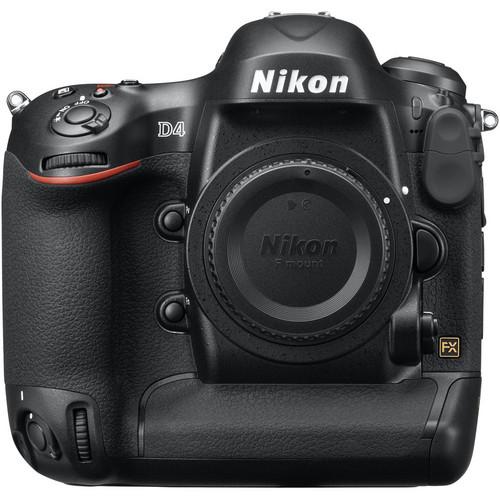 Contents of the user manual for the Nikon D4 Digital SLR Camera -
- Product category: Uncategorized Nikon
- Brand: Nikon
- Description and content of package
- Technical information and basic settings
- Frequently asked questions – FAQ
- Troubleshooting (does not switch on, does not respond, error message, what do I do if...)
- Authorized service for Nikon Uncategorized
 |
User manual for the Nikon D4 Digital SLR Camera - contain basic instructions
that need to be followed during installation and operation.
Before starting your appliance, the user manual should be read through carefully.
Follow all the safety instructions and warnings, and be guided by the given recommendations.
User manual is an integral part of any Nikon product,
and if it is sold or transferred, they should be handed over jointly with the product.
Following the instructions for use is an essential prerequisite for protecting
health and property during use, as well as recognition of liability on the part of the manufacturer
for possible defects should you make a warranty claim. Download an official Nikon user manual in which you will find instructions on how to install, use, maintain and service your product.
And do not forget – unsuitable use of a Nikon product will considerably shorten its lifespan!
|
Product description - Nikon D4 Demo
- Features of DSLR
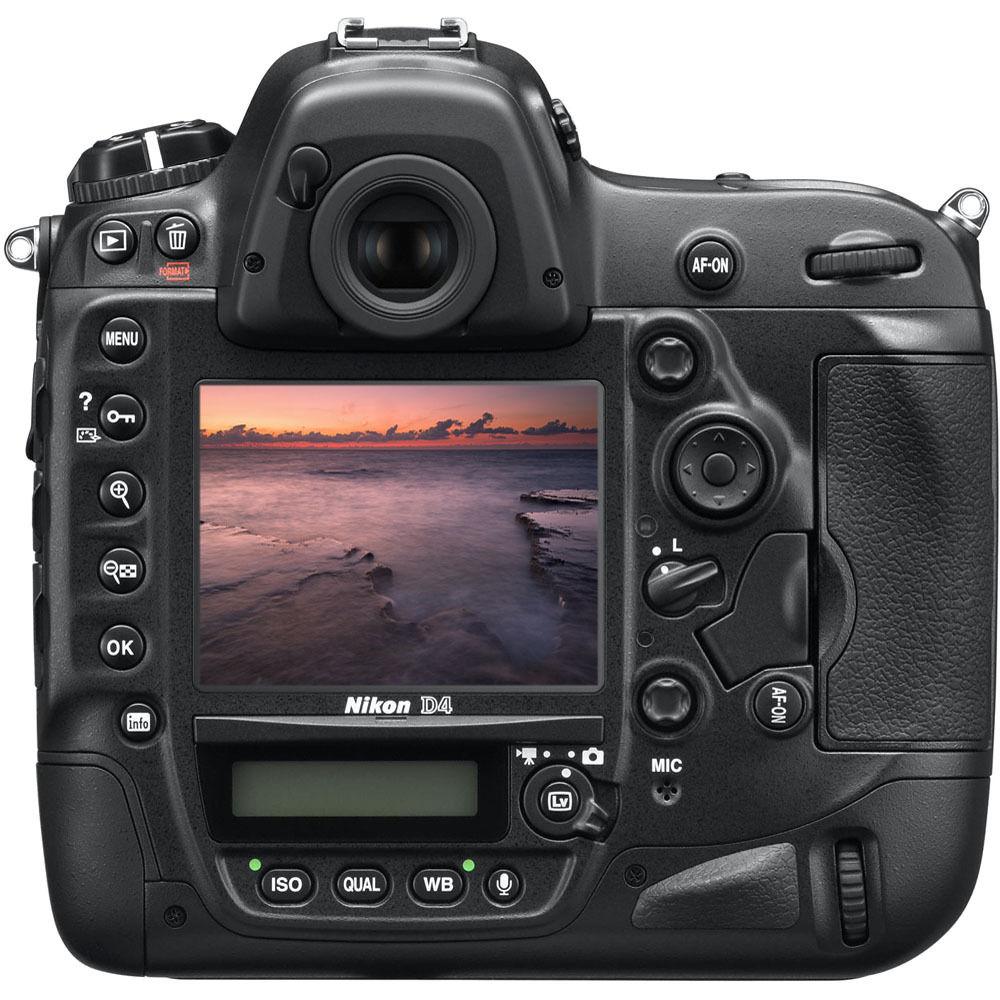
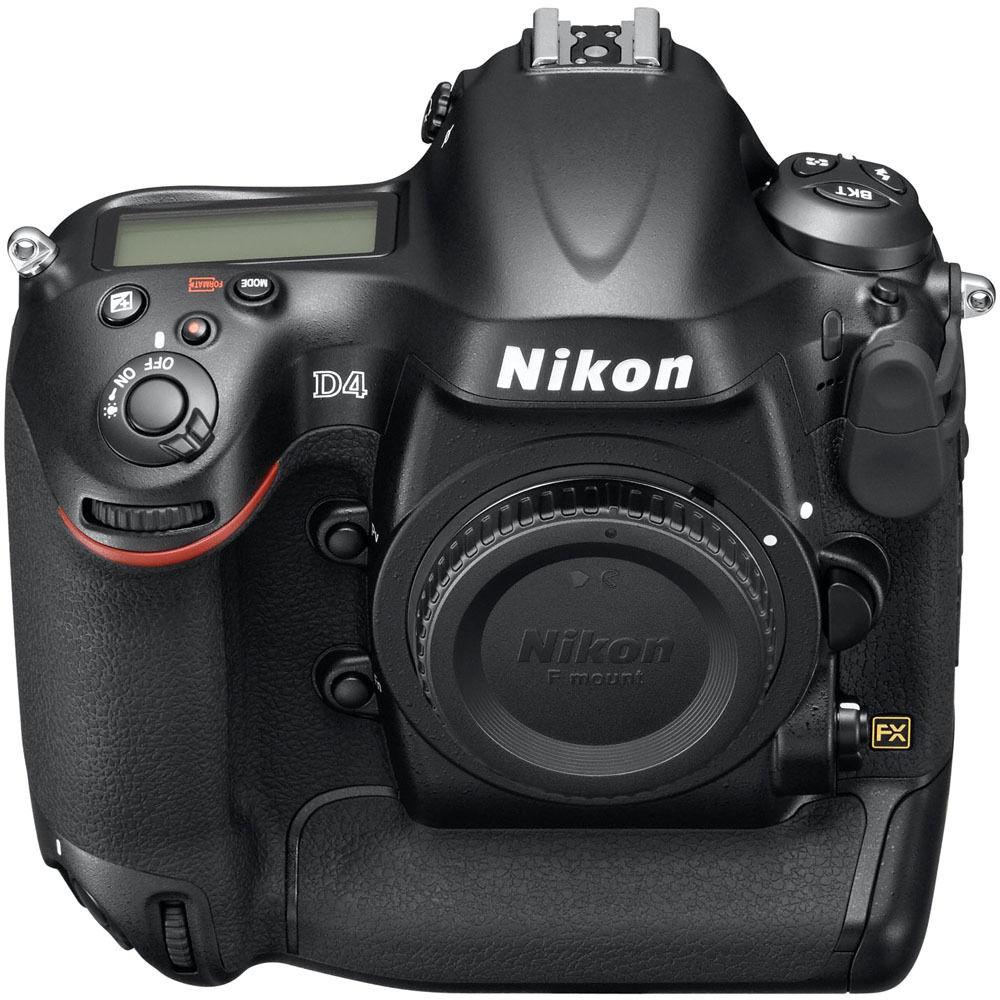
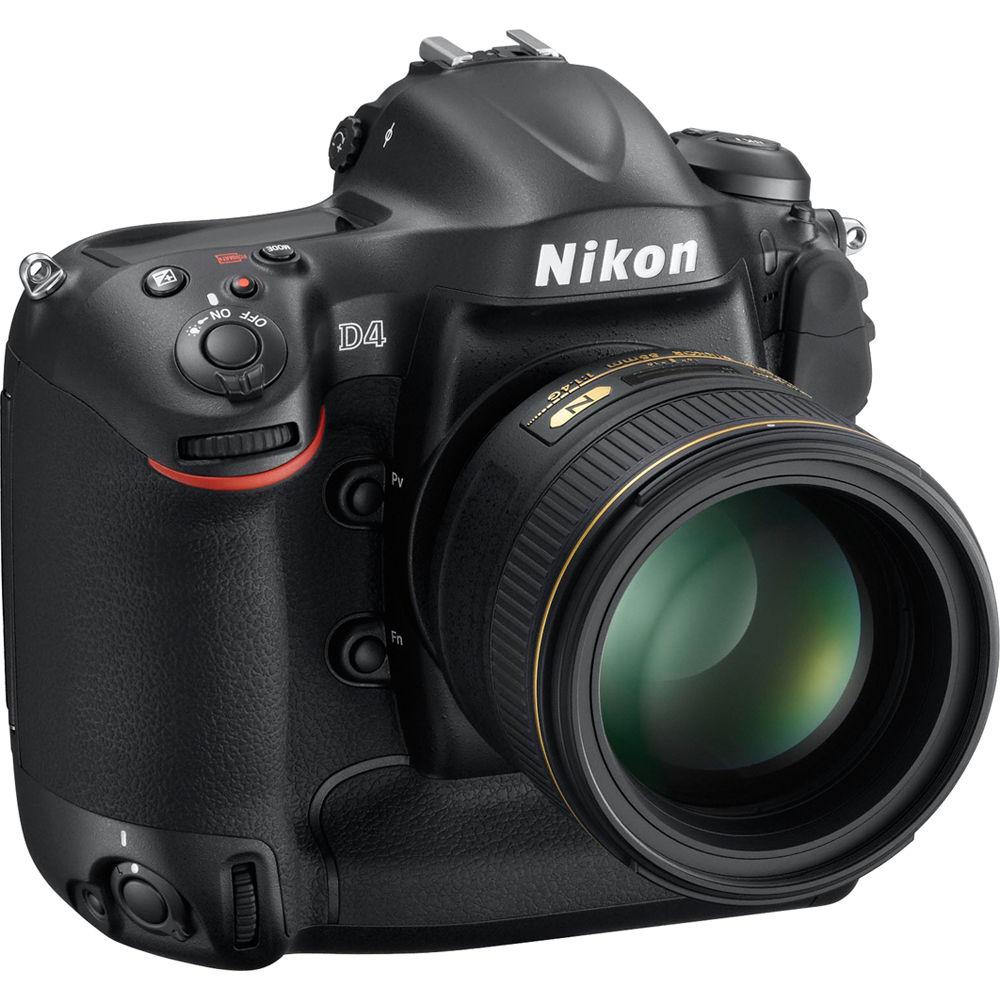
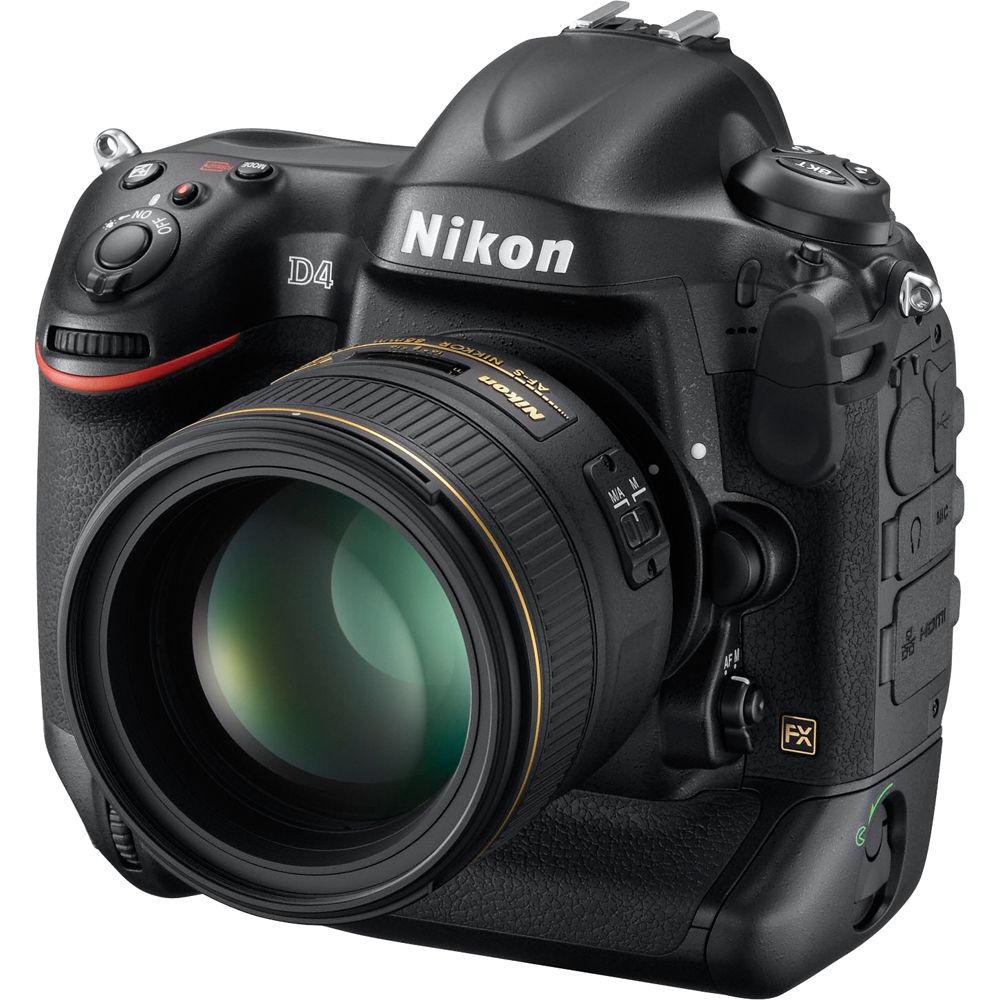
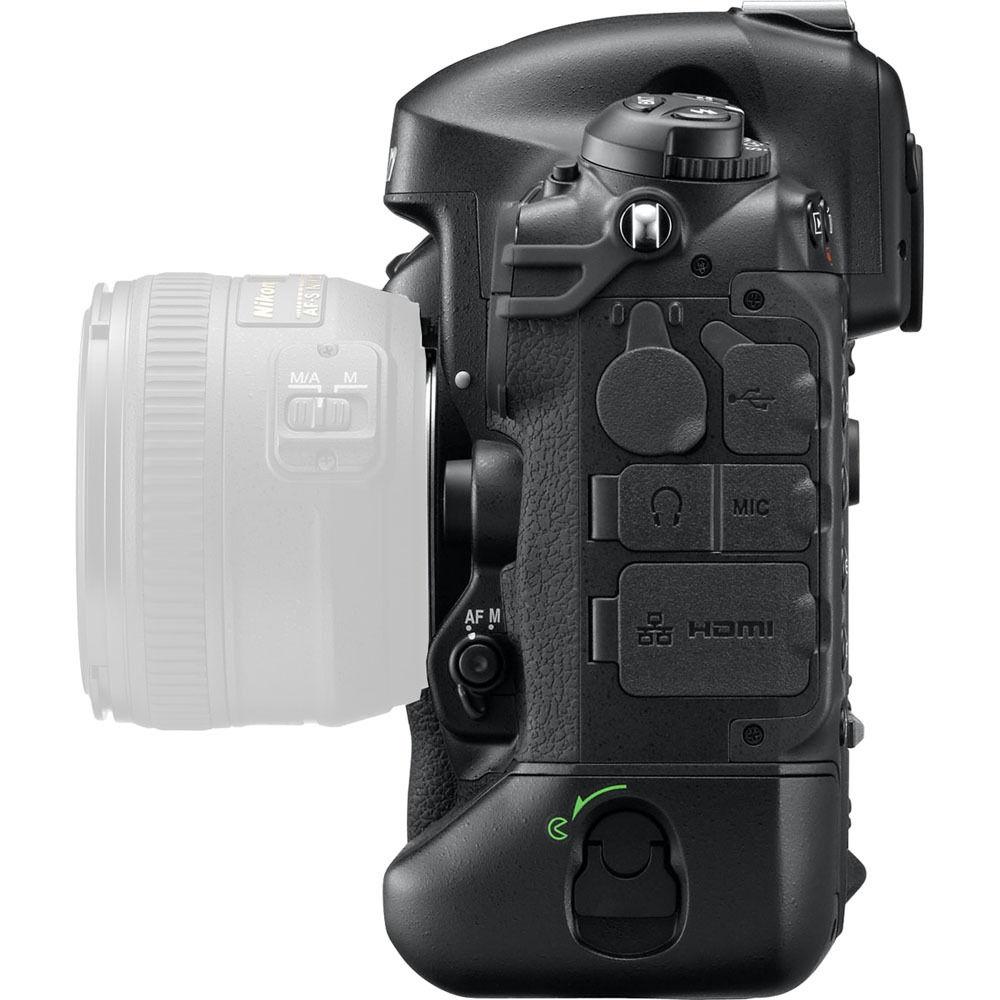
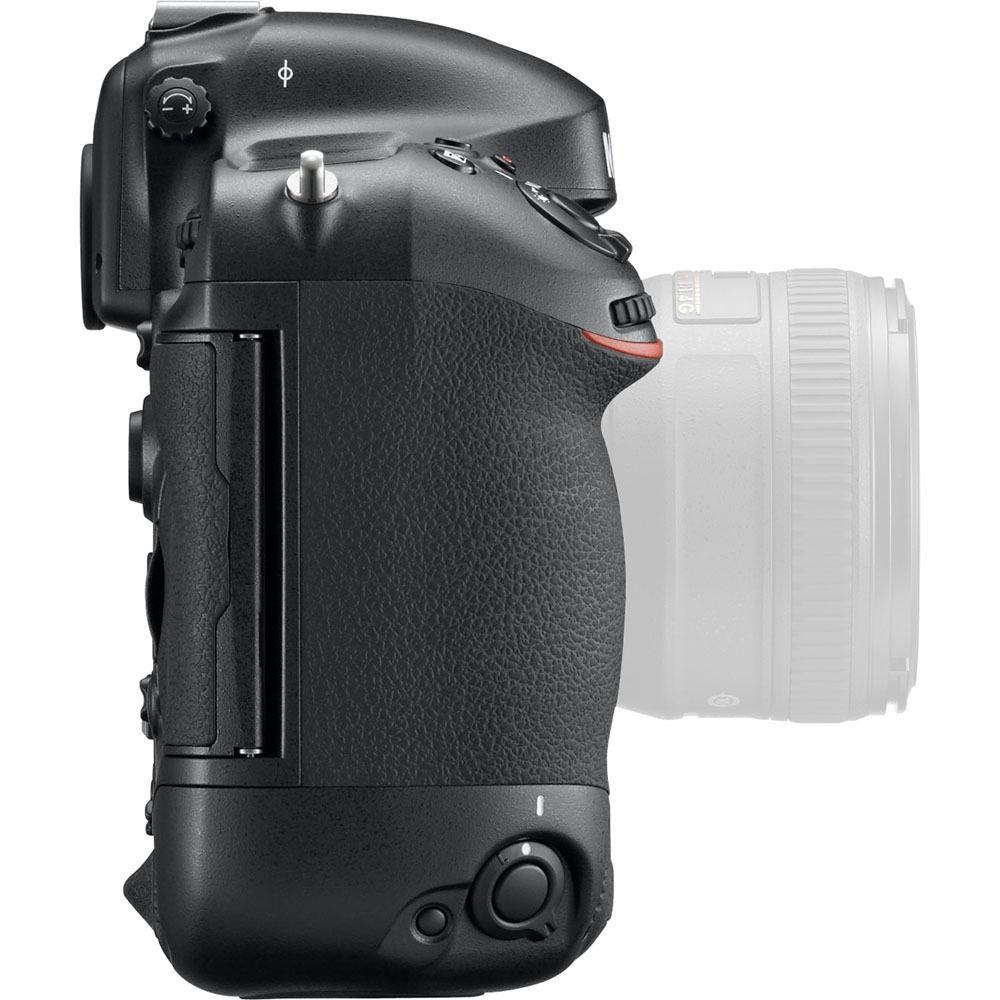
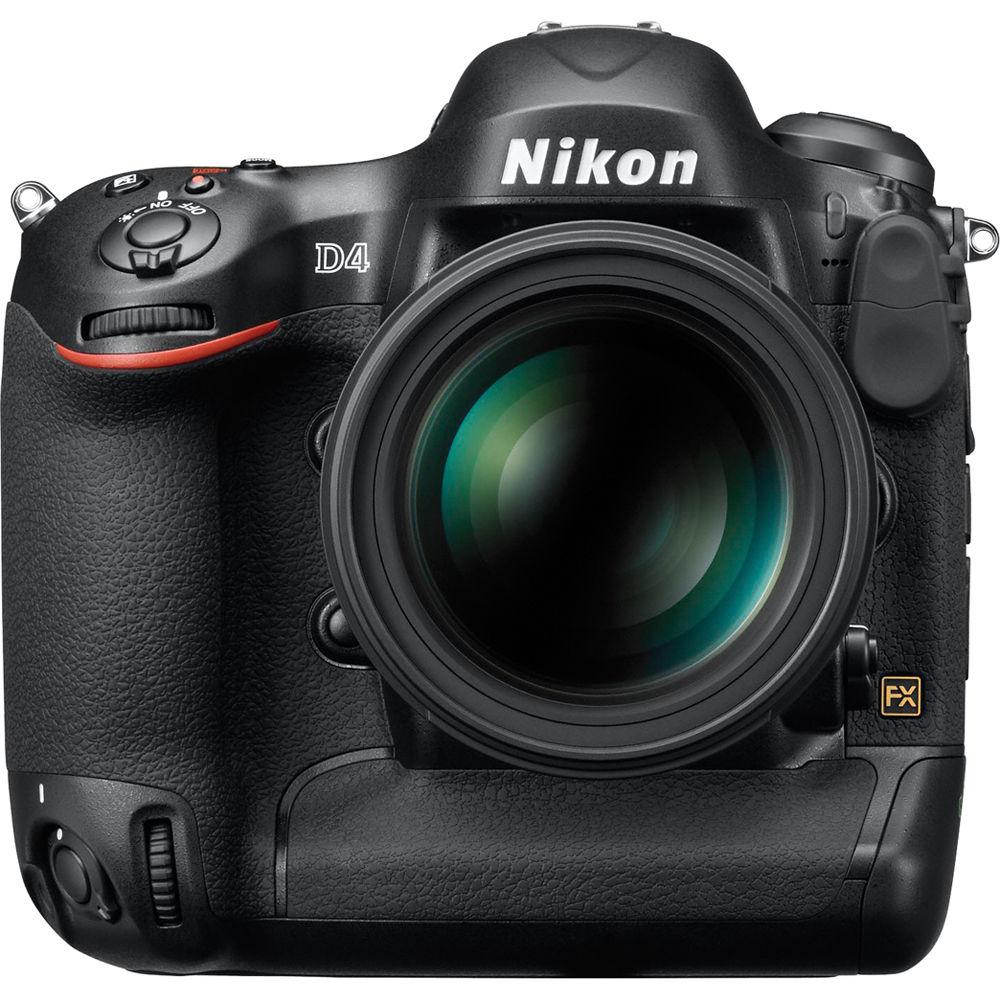
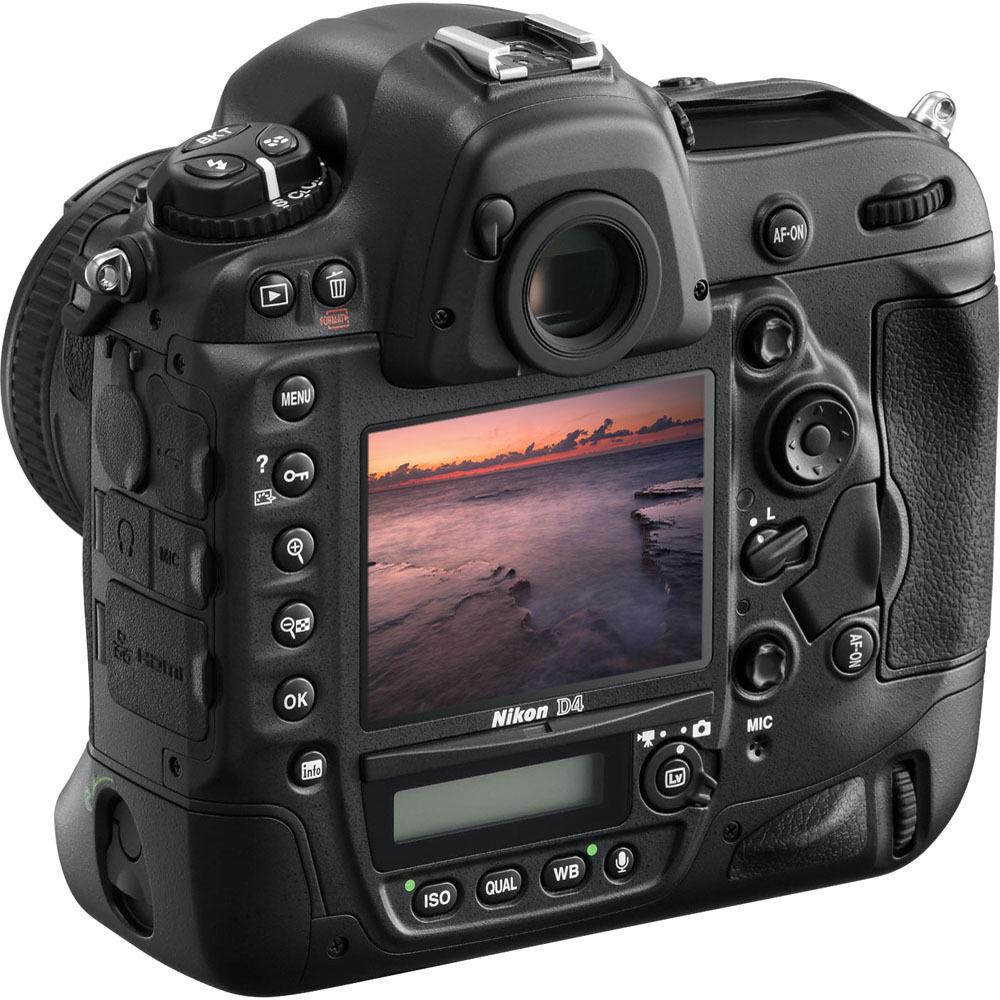
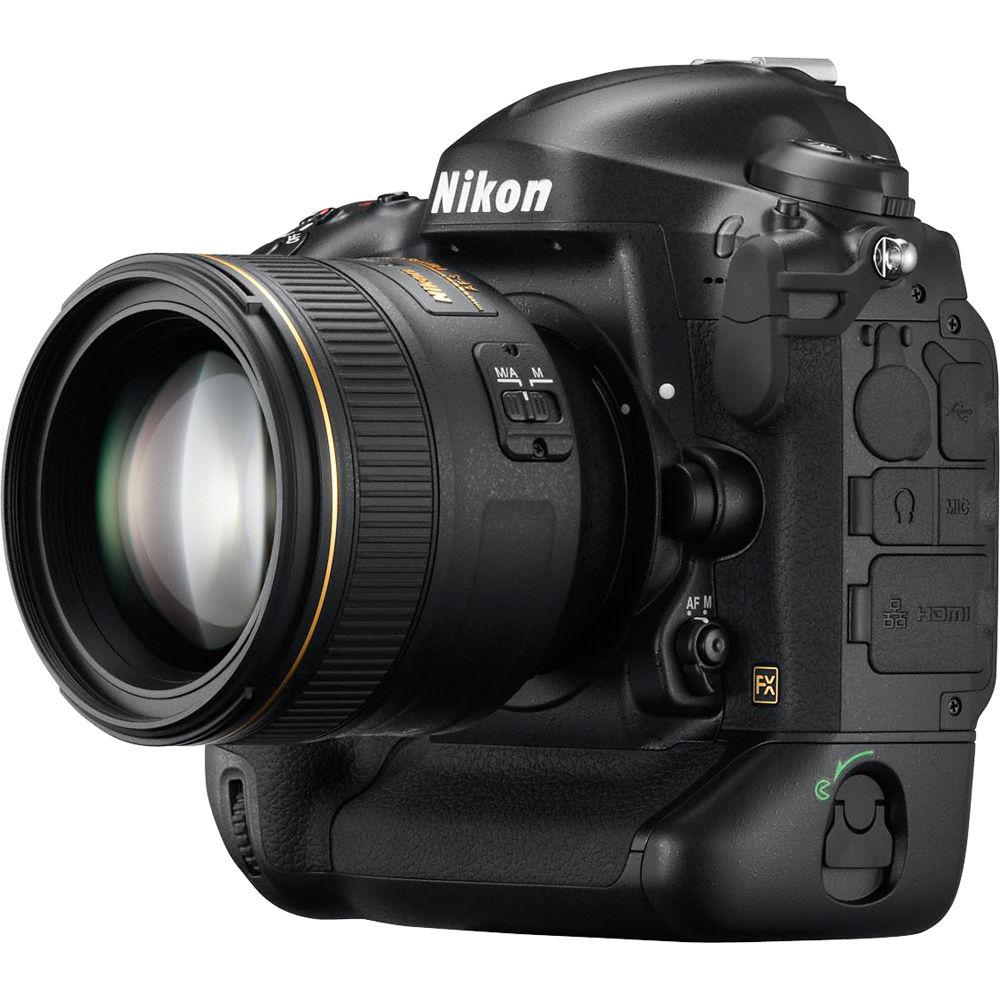
Nikon calls their D4 Digital SLR Camera a "total professional imaging machine". They would be correct in doing so. Designed for the working photographer, the D4 meets the most-demanding photog's needs and then some. Packed with features essential to getting the job done, and getting it done well this rig is more than a digital camera, it's a shooter's bread and butter. Building off the basic structure of its predecessor, the D4 goes big in a number of ways which are sure to be appreciated. The camera features a 16.2Mp 36 x 23.9mm CMOS sensor with Nikon's FX-format and the EXPEED3 image processor. ISO sensitivity can now be extended as low as ISO 50 or as high as 204,800 with a standard range of 100-12,800 ISO. Additionally, 10 frames per second continuous shooting in FX-format for up to 200 shots ensures the decisive moment will not be missed. The D4 records in RAW, JPEG, TIFF, and RAW + JPEG files. Metering options include RGB 3D Color Matrix III metering, center-weighted, and spot. Additionally, compatible storage media includes the future of professional storage, XQD memory cards, and Type I CompactFlash memory cards (UDMA compliant). Of course, NIKKOR AF-S and AF-I lenses are compatible with the D4 body, putting an extensive line of lenses at the photographer's disposal. Another improvement on D4's little brother would be the slightly bigger LCD screen. Up from 3", the D4 has a 3.2" LCD monitor with a 170° viewing angle, approximately 100% frame coverage, automatic monitor brightness control, and Live View. In Live View the image can be enlarged up to 46x to make on the spot focus confirmation. Surrounding the monitor are illuminated buttons for ease of use even in low light. Additionally, quick access Live View confirms exposure, white balance, monitor hue, histogram, focus mode, AF area mode, and focusing accuracy with ease. The D4 also boasts stellar auto focus features - like 51 AF points, an AF mode selector switch, and fast AF point selection. All three of these components of the AF system ensure accurate, fast shooting whether the subject is a room full of children or a high-speed sporting event. Of course, the D4 wouldn't be a professional level DSLR if it didn't include full HD video capture. The D4 does so, making it equally a pro videographer's tool as much as a pro photographer's. From 1080p broadcast quality video at 30 or 24 fps to full manual control to the option to add an external mic for stereo audio capture, the D4 isn't just a digital camera that also captures video. Features like the aforementioned Live View allow the videographer to confirm capture of their footage on the camera's LCD and an external (optional) monitor simultaneously. It also gives you access to Picture Controls to handle the look and feel of the video, in-camera. Peak audio meters also allow the videographer to adjust sound levels manually in 20 incremental steps. Remote start and stop of view using wired and wireless remote accessories is also an option, among many others. - Nikon FX-format (36 x 23.9mm) CMOS Sensor with 16.2 Effective Megapixels
- D4 achieves an ideal balance of high pixel count and FX-format sensor size, producing exceptionally sharp, clean and well-saturated images and offers flexibility in post-production cropping for magazine-quality print and web publishing
- 3.2" Super-Sharp 921,000-Dot LCD Monitor with Automatic Monitor Brightness Control
- Ambient brightness sensor automatically adjusts LCD visibility according to environment for bright, crisp image playback, menu adjustment and Live View shooting. Enlarge images up to 46x to make on the spot focus confirmation - crucial for high resolution shooting
- Full 1080p HD Broadcast Quality Video
- Create true broadcast quality video using Full 1080p video at 30 or 24fps in H.264/MPEG-4 AVC HD format. D4's 16.2Mp sensor combined with B-frame data compression delivers high quality video ensuring unmatched moving image integrity for clips up to 29 min. 59 sec. in length. Fast sensor readout enables reduced rolling shutter - especially useful during panning sequences
- View Simultaneous Live View Output on External Monitors & Record Uncompressed Video Via HDMI
- Check video recording on the camera's LCD and external monitor simultaneously; ideal for focus pullers and camera operators. When the highest possible image quality is required you can bypass memory cards and record uncompressed footage directly from the image sensor onto an external storage device. The clean HDMI output signal is 1080p video in 4:2:2 color space (8-bit). Options to customize the signal are also included
- Full HD Recording with FX, DX (1.5x crop) and 1920 x 1080 (2.7x) Crop Mode Settings
- The FX-based format renders exquisitely shallow depth of field (DOF) as well as wide-angle shooting. The DX-based format offers a picture angle that is 1.5x crop to the focal length and is ideal when you can't get close enough to the action when an existing lens is used. For even more of a telephoto effect, the 1920 x 1080 crop format gives you a 2.7x. Versatility like this lets you explore different moods with the large and comprehensive selection of NIKKOR lenses. All three modes deliver exceptional Full HD 1080p output
- Standard ISO 100 to 12,800, Expandable from ISO 50 Up to ISO 204,800 Equivalent
- The 16.2 megapixel D4 offers similar clean, low-noise performance as its predecessor D3s at ISO 12,800 and expands the range by one EV, making ISO 100 standard. For more extreme/challenging conditions, drop to ISO 50 equivalent or raise sensitivity to as high as ISO 204,800 equivalent. With the D4, shoot confidently in nearly any light - even in places where the human eye has difficulty focusing
- 10/11 Frames Per Second Continuous Shooting in FX-format for Up to 200 Frames
- Realize 10 fps shutter bursts with full AF and AE performance in FX-format. Boost the frame rate up to 11 fps in FX-format, locking focus on the position detected in the first frame
- Faster, More Responsive 51-Point AF System
- D4's AF sensor utilizes 51 strategically placed AF points that are designed to capture subjects as you choose: by working together like a net to capture moving subjects or for pinpoint accuracy. Use a single AF point to home in on the exact place on your chosen subject. Each of the 51 AF points delivers fast and accurate AF detection to an impressive low light level of -2 EV (ISO 100, 20ºC) with every AF NIKKOR lens - expect to shoot more smoothly at night stadium assignments, poorly lit indoor arenas, cathedrals, theaters and any other low-lit venues
- AF Detection Up to f/8
- D4 aligns its 15 cross-type sensors in the center to detect contrast for both vertical and horizontal lines with lenses f/5.6 or faster. The five central points and three points to the left and right of them in the middle line are compatible with f/8
- EXPEED 3 for Faithful Colors, Fine Tones and Wide Dynamic Range: Optimized for Stills and HD Video
- EXPEED 3 results in still images with faithful, well-saturated color and natural depth. Tones are subtle and nuanced, from pure pitch black to pure white. For images produced even under harsh light, the D4 output preserves smooth color gradation with abundant tone and detail. When shooting in dim lighting at high ISOs, the camera's intelligent noise reduction lowers noise without degrading image sharpness. Full HD 1080p video is rendered with reduced moiré, false colors, jaggies, and sharp edges. Noise reduction technology specifically designed for video preserves clarity
- Comprehensive High Fidelity Audio Recording and Playback Control
- Built-in external stereo microphone input allows for recording crystal clear sound using the optional ME-1 Stereo Microphone and can be precisely controlled in 20 incremental steps. Check audio in isolation as you record using headphones directly connected to the camera. Preview adjustments before or during Live View recording
- Time Lapse Shooting: Capture a Variety of Scenes of Subjects at a Breathtaking Pace
- The D4's time-lapse shooting lets you set intervals and frame rates in order to dramatically relay slow-moving activity at dramatic speeds. The D4 allows you to shoot time-lapse photography with replaying rates from 24 times to 36,000 times faster than normal. Time-lapse shooting files can also be saved as movie files
- 91,000 Pixel RGB 3D Color Matrix Metering III with Advanced Scene Recognition System
- Face detection using the optical viewfinder and detailed scene analysis using the 91K RGB sensor enables superior auto exposure, auto white balance detection, AF performance and i-TTL flash exposure
- Two Live View Shooting Modes
- Photography Live View and Movie Live View modes add flexibility; exposure, white balance, monitor hue, histogram, focus mode, AF area mode and focusing accuracy are easily confirmed
- Expand Dynamic Range Using Built-In HDR
- Combines two exposures at up to 3EV to create a single image revealing an extremely wide dynamic range, but with less noise and richer color gradation than ever before
- Flash Compensation and Exposure Compensation Separated for Better Creative Control
- With the D4, in addition to conventional global flash and background exposure compensation, as well as flash exposure compensation, there is a new function that allows you to compensate only the background exposure independently from the subject illuminated by Nikon Speedlights
- Dedicated Nikon Picture Control Button
- Convenient Picture control button provides six preset options: Standard, Neutral, Vivid, Monochrome, Landscape and Portrait for stills and video while 9 customizable settings provide advanced, personalized color control
- Two Axis Virtual Horizon Graphic Indicator
- Use either LCD monitor or viewfinder to check if camera is level; horizontally or with forward or rear rotation
- Improved Vertical Shooting Operation
- One unique set of controls for both horizontal and vertical shooting. Comprised of a main-command dial, an AF-ON button and a joystick style AF selector, each set is laid out identically for a more intuitive operation regardless of camera orientation
- Speedier AF Point Selection
- In addition to the round multi-selector used for AF point selection, the D4 incorporates a new joystick style sub-selector made of rubber that's more responsive to your finger's touch. Positioned for optimal control during both horizontal and vertical shooting, this new button permits a speedier shift of AF points
- Illuminated Buttons Let You Set Functions in Low-Lit and Even Dark Shooting Situations
- D4 uses back-illuminated operation buttons and release mode dials for clear visibility in the dark
- Magnesium Alloy Body with Weather Sealing
- To sustain peak performance, even in the most demanding environmental conditions, the body, exterior, and mirror box of the D4 are comprised of strong-yet-lightweight magnesium alloy. This assures the camera's superb reliability and extra long life. Thorough measures are taken to seal and protect against invasive moisture, dust and even electromagnetic interference. A comprehensive weather and dust sealing, combined with additional Nikon engineering, further ensure integrity of the camera body
- 400,000 Cycles Durable, Accurate Shutter Unit with Mirror Balancer
- For the utmost reliability and rigorous performance, the D4's shutter has been tested for 400,000 cycles on fully assembled cameras at extreme continuous burst rates for extended time periods. The camera's mirror balancer minimizes the bounce of the mirror's down movement with such finesse that it extends viewing time and allows more time for AF operation - one reason why the D4 can offer autofocus and focus tracking even during high-speed continuous shooting
- Self-Diagnostic Shutter Monitor
- To sustain precision shutter operation throughout the mechanism's lifespan, the D4 incorporates intelligent shutter monitor technology. Should any shutter speed variance be detected, the camera automatically corrects to adjust between actual speed and correct shutter speed
- WT-5A Wireless Transmitter Compatibility
- With Image transmission mode you can transmit images to an FTP server or computer, either automatically or by manually selecting images. With PC mode you can operate the D4 via Camera Control Pro 2. For HTTP mode: You can use a web browser via computer or smart phone, show thumbnails of images stored in the camera's memory cards, or make slide shows, view images, operate simple camera controls for remote shooting or begin live view shooting, including video, which is new to the WT-5A. From one master camera, release up to 10 remote D4 camera and WT-5A combinations. An optional iPhone application for remote control is also available for the WT-5A
- Intelligent Power Management
- Power consumption and power management systems are engineered throughout the D4 for even greater operating efficiency using a new, small and high-capacity EN-EL18 rechargeable Li-ion battery. Expect long battery life and the ability to shoot up to approx. 2,600 images per charge
- Flash Modes
- First curtain shutter; Auto; Red-eye reduction; Slow rear curtain sync; Second curtain sync; Slow sync; Slow sync / red-eye reduction
UPC: 018208104093 In the Box Nikon D4 Digital SLR Camera (Body Only) AN-DC7 Strap EN-EL18 Rechargeable Lithium-Ion Battery MH-26 Battery Charger USB Cable USB Cable Clip Body Cap BS-2 Accessory Shoe Cover UF-2 Connector Cover for Stereo Mini Plug Cable UF-1 Connector Cover for USB Cable Nikon View NX2 CD-ROM Transmitter Utility CD 90-Day Refurbished Warranty User Manual PDF 24.4mbfdauxssxwtydqwy Table of Contents
|
Upload User Manual
Have you got an user manual for the Nikon D4 Digital SLR Camera - Refurbished in electronic form? Please send it to us and help us expand our library of instruction manuals.
Thank you, too, on behalf of other users.
To upload the product manual, we first need to check and make sure you are not a robot. After that, your "Submit Link" or "Upload File" will appear.
Technical parametersNikon 25482B Specs | | | Pixels | Actual: 16.6 Megapixel
Effective: 16.2 Megapixel | | Aspect Ratio | 3:2, 4:5 | | | | Focus Mode | Single-Servo AF (S), Continuous-Servo AF (C), Manual Focus (M) | | Autofocus Points | 51 | | | | Viewfinder Coverage | 100% | | Viewfinder Magnification | Approx. 0.7x | | Diopter Adjustment | -3 to +1 m | | | | Mirror Lock-Up | Yes | | Metering Method | 3D Color Matrix, Center-Weighted Average, Spot | | White Balance | Auto, Cloudy, Daylight, Flash, Fluorescent, Fluorescent (Day White), Fluorescent (Natural White), Fluorescent (White), Fluorescent H, Incandescent, Kelvin, Preset Manual, Shade | | | | Flash Modes | First-Curtain Sync, Red-Eye Reduction, Second-Curtain Sync, Slow Sync, Slow Sync/Red-Eye Reduction | | External Flash Connection | Hot Shoe, PC Terminal, Wireless | | | | Battery | 1 x EN-EL18 Rechargeable Lithium-Ion, 10.8 VDC, 2000 mAh | | | | Package Weight | 7.05 lb | | Box Dimensions (LxWxH) | 10.9 x 8.4 x 6.3" |
Rating96% users recommend this product to others. And what about you?

This product has already been rated by 96 owners. Add your rating and experience with the product.
Discussion
 Ask our technicians if you have a problem with your settings,
or if anything is unclear in the user manual you have downloaded.
You can make use of our moderated discussion.
The discussion is public and helps other users of our website who may be encountering similar problems.
Ask our technicians if you have a problem with your settings,
or if anything is unclear in the user manual you have downloaded.
You can make use of our moderated discussion.
The discussion is public and helps other users of our website who may be encountering similar problems.
The discussion is empty - enter the first post
Post a new topic / query / comment:
|
|
|
| Request for user manual |
You can’t find the operation manual you are looking for? Let us know and we will try to add the missing manual:
I’m looking for a manual / Request for manual
Current requests for instruction manuals:
Call Of Duty World War Two For Xbox...
controller stratus XL...
stratus XL...
smart whatch serie S11 42mm...
Allen & Heath SQ-6 manual...
|
| Discussion |
Latest contributions to the discussion:
AEW R 4100
Name: MAURICIO ANGARITA
Audio-Technica AEW-R4100 UHF Diversity Receiver for
AEW R 4100 has the mute function blocked and does not allow audio to pass. I tried several times to turn off the mute from the transmitter but it does nothing, the mute stays on. Solution?
Thank you...
Instructions for assembling the 2015 Forecast Image Master Consoles GC3-A
Name: mike elam
Forecast Consoles GC3-A ImageMaster Editing Console
Looking for instructions for assembling this console. ...
EMPTY TONER ERROR MESSAGE AFTER REPLACING TONER
Name: LINDA BAD YELLOW EYES
Brother TN223BK Standard-Yield Toner
I HAD TO CHANGE OUT ALL THREE TONERS DUE TO LEAKS IN THE YELLOW AND CYAN. AFTER I REPLACED THEM, THE MACHINE KEEPS GIVING ME AN EMPTY TONER ERROR MESSAGE. HELP!!...
PS480D 20/24 pin Switching 480W Power Supply
Name: swkargo
Logisys 480W Power Supply
This item states in can run -5vdc .It is NOT listed on the board or I beleive is r4 is missing the resitior. Any body have thid issue. Shawn
...
Help needed
Name: Ann Carter
SanDisk 1TB Extreme Portable USB 3.1
When I click the link to download the user manual for my Sandisk Extreme external hard drive, it gives me the manual for the LG Cricket. Can you please change the link so I can download the Sandisk manual and begin using this drive? Thank you....
|
|


