|
User Manual for Nikon D40 SLR Digital Camera Kit with 18-55mm Lens - Refurbished Click to enlarge the picture
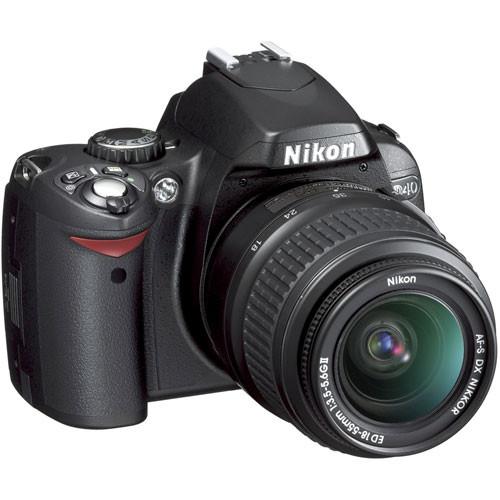 Contents of the user manual for the Nikon D40 SLR Digital Camera Kit
- Product category: Uncategorized Nikon
- Brand: Nikon
- Description and content of package
- Technical information and basic settings
- Frequently asked questions – FAQ
- Troubleshooting (does not switch on, does not respond, error message, what do I do if...)
- Authorized service for Nikon Uncategorized
 |
User manual for the Nikon D40 SLR Digital Camera Kit contain basic instructions
that need to be followed during installation and operation.
Before starting your appliance, the user manual should be read through carefully.
Follow all the safety instructions and warnings, and be guided by the given recommendations.
User manual is an integral part of any Nikon product,
and if it is sold or transferred, they should be handed over jointly with the product.
Following the instructions for use is an essential prerequisite for protecting
health and property during use, as well as recognition of liability on the part of the manufacturer
for possible defects should you make a warranty claim. Download an official Nikon user manual in which you will find instructions on how to install, use, maintain and service your product.
And do not forget – unsuitable use of a Nikon product will considerably shorten its lifespan!
|
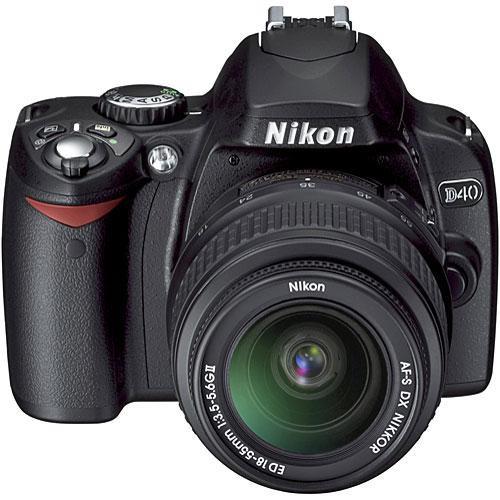
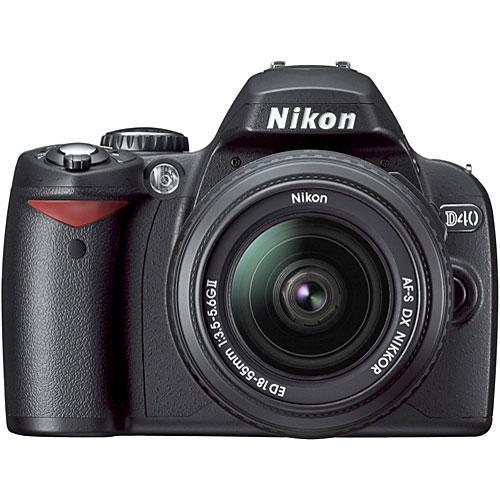
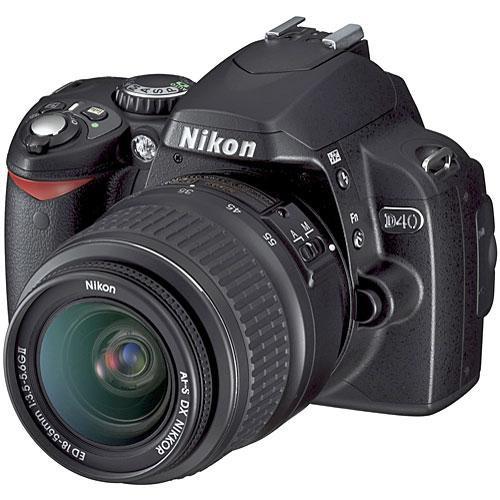
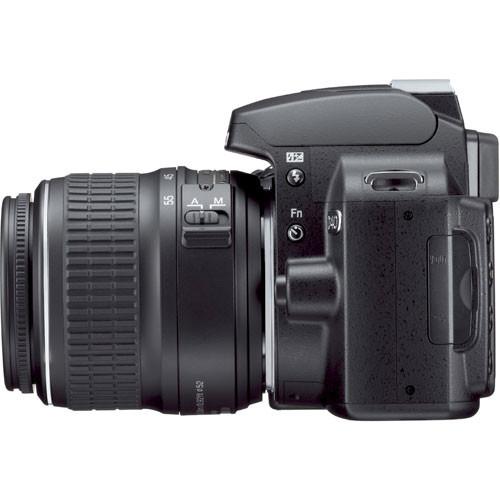
Product description The Nikon D40 Interchangeable-lens Digital SLR unites the brilliant performance of world-famous Nikkor lenses and the practicality of a remarkably small and light camera body. It boasts handling and performance advantages that do away with the frustrations often associated with compact digital cameras, making it ideal for anyone who wants to capture spectacular digital pictures without fuss or complication. It features a high-resolution 6.1-effective-megapixel Nikon DX Format CCD image sensor and a highly advanced Nikon Image Processing Engine. Furthermore, Nikon's exclusive 3D Color Matrix Metering II assures accurate exposure control even in difficult lighting conditions, and an AUTO ISO feature makes the most of available light by automatically setting the camera's light sensitivity from the available ISO range of 200 to 1600. Equipped with a specially designed 18-55mm f/3.5-5.6G ED II AF-S DX Zoom-Nikkor lens, it is light and compact, making it easy to carry anywhere. The camera's design also incorporates fewer potentially confusing controls and other distractions, allowing anyone to take breathtaking pictures while eliminating the need to "learn" photography. - Extraordinary Image Quality
- The Nikon D40's high-resolution image quality is made possible by Nikon's high-performance 6.1 megapixel Nikon DX format CCD imaging sensor and exclusive Nikon image processing engine which assures stunning sharpness and color. This camera's resolution of 6.1 megapixels is great for making beautifully detailed enlargements of 16 x 20 inches and beyond. High resolution also provides room for creative cropping.
- Compact and Lightweight
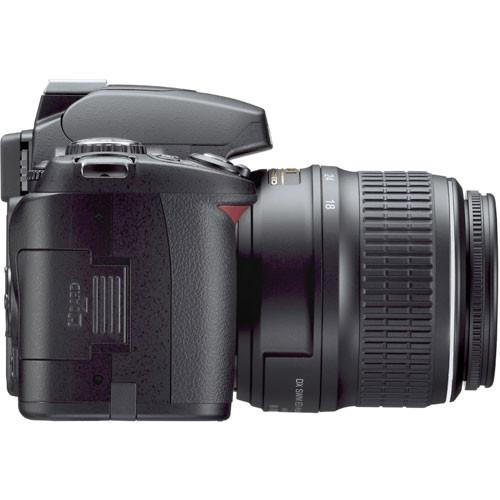
- At just over sixteen ounces, the beautifully styled and compact D40 makes high-performance digital SLR photography easier and more convenient than ever. The camera body fits your hand perfectly, with a well-balanced design and grip to ensure easy access to the camera controls.
- Eight Easy-to-use Digital Vari-Program Modes
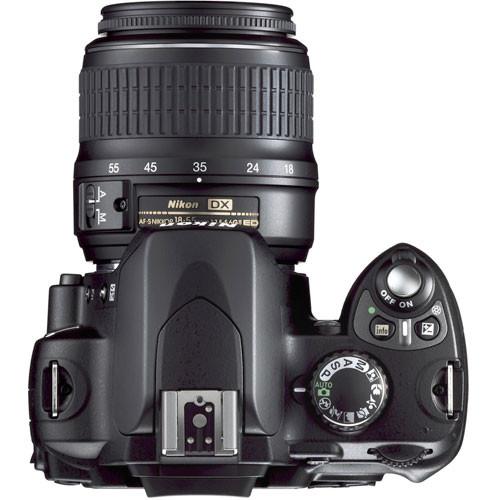
- Get better shots in almost any situation with the Digital Vari-Program modes. Each of the eight modes is designed to calculate the best settings for your scene automatically. Simply choose one of the modes (Auto, Auto Flash-OFF, Portrait, Landscape, Child, Sports, Close Up or Night Portrait), and the camera will adjust itself automatically for optimal results
- Compatible with Nikkor Lenses
- All Nikon AF-S/AF-I Nikkor lenses work seamlessly with the D40, and all Nikon lenses feature the finest optics and precision mechanisms to provides optimized performance for sharp, consistent results (Autofocus is supported only with AF-S and AF-I CPU lenses, which are equipped with an autofocus motor). The camera includes the 18-55mm f/3.5-5.6G ED II AF-S DX Zoom-Nikkor Lens which was designed exclusively for use with Nikon DX-format digital SLRs. This ultra-compact 3x zoom offers Nikkor sharpness and versatility in a wide variety of shooting situations.
- Built-in Speedlight with i-TTL Automatic Flash Control
- The auto pop-up Flash gives just the right light to make the scene look both beautiful and natural. Nikon's innovative i-TTL flash control evaluates flash exposure with incredible precision to achieve better automatic flash balance and deliver outstanding results. The built-in Speedlight brings beautiful exposures in darkened conditions as well as adding sparkle for fill flash in outdoor situations, enhanced twilight shots or an added impact to daylight images. To extend your flash shooting range and creativity, just add an optional Nikon Speedlight such as the Nikon SB-400.
- Nikon 3D Color Matrix Metering II
- The D40's 3D Color Matrix Metering II evaluates each scene for brightness, color, contrast, size and position of shadows and highlights, selected focus area and camera-to-subject distance, comparing that information against an onboard database of more than 30,000 actual photographic scenes.
- Fast and Accurate 3-Area Autofocus
- The D40's advanced 3-area AF system and the refined algorithms inherited from more advanced Nikon digital SLR cameras deliver fast, efficient and precise autofocus. AF refinements deliver greater precision with fast, more consistent subject acquisition and improved focus tracking for consistently sharper pictures.
- Broad ISO Sensitivity Range and Metering System Options
- The ISO sensitivity of the Nikon D40 can be set from 200 all the way to 1600, enabling beautiful images in many challenging low-light situations without using a flash. Furthermore, Nikon's exclusive 3D Color Matrix Metering II instantly evaluates the brightness, contrast and colors of any shooting scenario for optimum results. In addition, Center-weighted and Spot metering are also available to meet specialized applications.
- Superb Performance
- Fast startup combined with super-fast shutter response and rapid-action shooting at up to 2.5 frames per second makes it easy to freeze special moments instantly, and capture high-quality action sequences of children at play, sporting activities such as soccer or baseball, and much more.
- 2.5" Color LCD Monitor
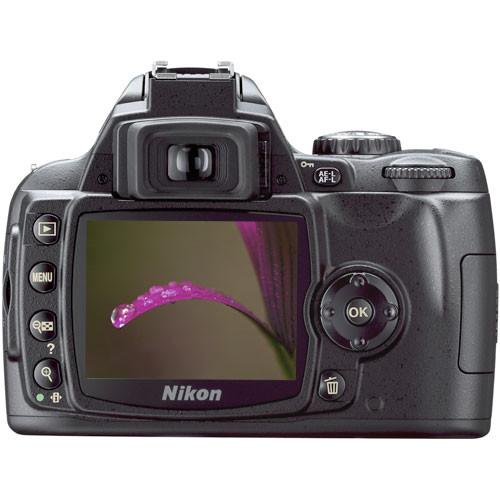
- Playback images are easy to see, and function menus are easier to use with a large and bright color LCD monitor. The 2.5-inch LCD monitor enables image preview at up to 19 times magnification and has large-type fonts and easy-to-view menus as well as three display options: Classic, Graphic and Wallpaper. Furthermore, the large LCD color monitor is perfect for viewing image details and for showing recently captured pictures to friends and family.
- Bright and Accurate SLR Viewfinder
- The large and clear viewfinder of the Nikon D40 provides 0.8x magnification, and helps to ensure precise composition, while the overall viewfinder brightness makes focusing in low-light conditions easier.
- Optional Infrared Remote
- Use the optional Wireless Remote Control ML-L3 as a remote shutter release for self-portraits or to prevent camera shake caused when releasing the shutter.
- Advanced HELP menu system with Assist Images
- The D40's "assist images" help you select the appropriate settings for many camera features by showing an example image typical of that setting as well as an advanced HELP Menu for the current item selected. The D40's Question Mark icon (?) indicates that help is available for the currently selected item; just press the help button beside the LCD monitor to see a context sensitive help page.
- In-Camera Image Editing
- Highly versatile in-camera editing features include Nikon D-Lighting, Red-Eye Correction, Image Trimming, Image Overlay, Monochrome (Black and White, Sepia and Cyanotype) along with Skylight, Warm Tone and Color Balance filter effects. These features provide greater creative freedom without the need for a computer, for those who prefer to send pictures directly to a printer.
- Long-lasting Battery
- The EN-EL9 Rechargeable Li-ion Battery lets you take up to 470 shots in single-frame shooting mode (CIPA standards), while the optional EH-5 AC Adapter can be used to power the camera for even longer periods (an AC Adapter Connector EP-5 is required, available separately).
- Includes PictureProject Software
- Supplied with the D40 and designed as a simple, intuitive and seamless experience, PictureProject is for digital photographers of any skill level. Its powerful tools let you truly explore digital imaging without having to study for it. It greatly simplifies image transfer and sharing, while giving you basic post-production enhancements on a personal computer. Data in your memory card can easily be uploaded to your computer, and images can be quickly printed, e-mailed or uploaded to an online photo community.
- Process your images like a Pro with Capture NX Software (optional)
- Nikon's revolutionary Capture NX software gives you an unprecedented degree of control over your images. Thanks to exclusive U Point Technology, by Nik Software, Capture NX does all the calculations for you, making it the first truly usable editing imaging software for all levels of photographers.
- Photo Printing Made Simple with Direct Printing
- The Nikon D40 supports PictBridge direct Printing. Simply connect the camera to a Pictbridge compatible printer using the included USB cable, and print pictures directly from your camera.
In the Box Nikon D40 SLR Digital Camera Kit with Nikon 18-55mm f/3.5-5.6G II ED AF-S DX Zoom-Nikkor Autofocus Lens 18-55mm f/3.5-5.6G ED II AF-S DX Zoom-Nikkor Lens with Front & Rear Lens Caps Front & Rear Lens Caps EN-EL9 Rechargeable Lithium-ion Battery MH-23 Quick Charger UC-E4 USB Cable Camera Strap BF-1A Body Cap DK-5 Eyepiece Cap BS-1 Accessory Shoe Cap DK-16 Rubber Eyecup PictureProject Software CD-ROM User Manual 90-Day Refurbished Warranty Brochure PDF 930.6kb Table of Contents
|
Upload User Manual
Have you got an user manual for the Nikon D40 SLR Digital Camera Kit with 18-55mm Lens - Refurbished in electronic form? Please send it to us and help us expand our library of instruction manuals.
Thank you, too, on behalf of other users.
To upload the product manual, we first need to check and make sure you are not a robot. After that, your "Submit Link" or "Upload File" will appear.
Technical parametersNikon 25420B Specs | Camera Type | Interchangeable Lens SLR Digital Camera | | | | Image Sensor | 23.7 x 15.6mm 6.24 Megapixel RGB CCD | | Effective Resolution | 6.1 million pixels | | Color Depth | 36-Bit RGB | | Color Modes | Ia (sRGB), II (Adobe RGB), IIIa (sRGB), Normal, Softer, Vivid, More Vivid, Portrait, B&W | | Image File Formats | Compressed NEF (RAW)
JPEG (Fine, Normal, Basic)
Exif 2.21, DCF 2.0 and DPOF compliant | | Recorded Resolution | Large (3008 x 2000)
Medium (2256 x 1496)
Small (1504 x 1000) | | Video Recording | No | | Audio Recording | No | | | | Lens Mount | Nikon F mount with AF coupling and AF contacts- AF-S, AF-I Lenses support all functions
- Other Type G or D AF Nikkor lenses support all functions except autofocus
- PC Micro-Nikkor 85mm f/2.8D Can only be used in mode M
- Other AF Nikkor/AI-P Nikkor lenses support all functions except autofocus and 3D Color Matrix Metering II
- Non-CPU lenses can be used in mode M, but exposure meter does not function
| | Focal Length Multiplier | 1.5x | | Optical Image Stabilization | Supports Nikon VR Lenses | | | | Focus Type | TTL phase detection by Nikon Multi-CAM 530 autofocus module with AF-assist and detection range of -1 to +19 EV (ISO 100 at 68°F), Focus area can be selected from 3 focus areas | | Focus Modes | Autofocus (Instant single-servo AF (AF-S); continuous servo AF (AF-C); auto AF-S/AF-C selection (AF-A); predictive focus tracking automatically activated according to subject status), Single Area AF, Dynamic Area AF, Dynamic Area AF with Closest Subject Priority, Manual focus (M), Focus lock | | | | Sensitivity | Auto ISO
Selectable ISO (200, 400, 800, 1600) | | Shutter Type | Combined mechanical and CCD electronic shutter | | Shutter Speed | 30 - 1/4000 seconds, Bulb | | Mirror Lock-Up | Yes (for sensor cleaning only) | | Exposure Metering | TTL full-aperture exposure metering system (3D Color Matrix Metering II (type G and D lenses); Color Matrix Metering II (other CPU lenses); Center-weighted, Spot); Exposure Metering Range of 0 to 20 EV (3D Color Matrix or center-weighted metering), or 2 to 20 EV (spot metering) | | Exposure Modes | Digital Vari-Program (Auto, Auto [Flash Off], Portrait, Landscape, Child, Sports, Close Up, Night Portrait), Programmed Auto (P) with flexible program, Shutter-Priority Auto (S), Aperture-Priority Auto (A), Manual (M), Exposure Compensation ±5 EV in 1/3 EV increments), Exposure Lock | | White Balance Modes | Auto (TTL white-balance with 420-pixel RGB sensor), six manual modes (Incandescent, Fluorescent, Direct sunlight, Flash, Cloudy, Shade) with fine-tuning and preset white balance | | Scene Modes | Portrait, Landscape, Child, Sports, Close Up, Night Portrait | | | | Built-in Flash | Yes (Auto flash with auto pop-up P/S/A/M: Manual pop-up with button release) | | Effective Flash Range | Up to 59' | | External Flash Connection | Standard ISO hot-shoe contact with sync, signal, and ground contacts and safety lock | | External Flash Control | i-TTL flash control by 420-segment RGB sensor, TTL Auto aperture, Non-TTL Auto, Range-priority manual, Flash Compensation (-3 to +1 EV in 1/3 EV increments) | | Maximum Flash Synchronization Speed | 1/500 second | | | | Start-Up Time | 0.18 seconds | | Shutter Lag | Less than 0.1 second | | Time Between Shots | Less than 1 second | | Burst Capability | 2.5 fps continuous | | Self Timer | 2, 5, 10 or 20 seconds | | Interval Recording | No | | Date & Time Stamp | No (time & date recorded onto metadata) | | | | Built-in Memory | No | | Compatible Memory Cards | Secure Digital SD card
SDHC card | | File Size | | | NEF (RAW) | Fine | Normal | Basic | NEF (RAW) + Basic | | Large | 5.0MB | 2.9MB | 1.6MB | 0.8MB | 5.8MB | | Medium | - | 1.5MB | 0.8MB | 0.4MB. | - | | Small | - | 0.8MB | 0.4MB | 0.2MB | - | | | Battery Type | EN-EL9 Rechargeable Li-ion Battery (7.4V) | | Power Adapter | EH-5 AC Adapter | | | | Computer Interface | USB 2.0 (High Speed) | | Direct Print Capable | Yes (PictBridge) | | Remote Control | ML-L3 Wireless Remote Control (optional)
MC-DC1 Remote Cord (optional)
Camera Control via PC with Camera Control software (optional) | | Video Output | Yes (NTSC & PAL) | | System & Software Requirements | Windows System - 300 MHz Pentium Processor or better (500 MHz Pentium III for muvee option)
- Windows 989SE Me, 2000 XP
- 60MB Hard Drive Space required for installation
- 64MB RAM or more (128MB or more with RAW images or muvee option)
- USB port
- 800 x 600 pixels, 16-bit color Monitor
- CD-ROM drive required for installation
- Write-capable drive required for "Burn Disc" function
- Internet connection required for some options
- E-mail option requires Internet connection and supported e-mail program
Macintosh System - Macintosh G3, G4 or G5 System
- Mac OS X (10.1.5 or later; 10.2.8 or later for "Burn Disc" function)
- 60MB required for installation
- 64MB or more (128MB or more with RAW images or muvee option)
- Built-In USB port
- 800 x 600 pixels, 16-bit color Monitor
- CD-ROM drive required for installation
- Write-capable drive required for "Burn Disc" function
- Internet connection required for some options
- E-mail option requires Internet connection and supported e-mail program
| | | | Viewfinder | Fixed-eyelevel penta-Dach mirror type with Type B BriteView Clear Matte screen Mark V and built-in diopter adjustment (-1.7-1 to +0.5m-1) | | Viewfinder Info | Focus indications, AE/FV lock indicator, Shutter speed, Aperture value, Exposure/Exposure compensation indicator, Exposure mode, Flash output level compensation, Exposure compensation, Number of remaining exposures, Flash-ready indicator | | Depth-of-Field Preview | No | | LCD Display | 2.5" low-temperature polysilicon TFT color LCD (230,000 pixels) with brightness adjustment | | Information Display | Shooting info can be displayed on Color LCD | | Language Options | Chinese (Simplified and Traditional), Dutch, English, Finnish, French, German, Italian, Japanese, Korean, Polish, Portuguese, Russian, Spanish, Swedish | | Playback Options | 1 frame, Thumbnail (4 or 9 segments), Magnifying playback, Slide show, Histogram indication, Highlight point display, Auto image rotation, Text Input (Up to 36 characters; stored in Exif header) | | | | Dimensions (HxWxD) | 3.7 x 5.0 x 2.5" (94 x 126 x 64mm) without lens | | Weight | 17 oz. (471g) without battery & lens | | | | Package Weight | 3.75 lb | | Box Dimensions (LxWxH) | 11.0 x 8.4 x 6.4" |
Rating94% users recommend this product to others. And what about you?

This product has already been rated by 57 owners. Add your rating and experience with the product.
Discussion
 Ask our technicians if you have a problem with your settings,
or if anything is unclear in the user manual you have downloaded.
You can make use of our moderated discussion.
The discussion is public and helps other users of our website who may be encountering similar problems.
Ask our technicians if you have a problem with your settings,
or if anything is unclear in the user manual you have downloaded.
You can make use of our moderated discussion.
The discussion is public and helps other users of our website who may be encountering similar problems.
The discussion is empty - enter the first post
Post a new topic / query / comment:
|
|
|
| Request for user manual |
You can’t find the operation manual you are looking for? Let us know and we will try to add the missing manual:
I’m looking for a manual / Request for manual
Current requests for instruction manuals:
Call Of Duty World War Two For Xbox...
controller stratus XL...
stratus XL...
smart whatch serie S11 42mm...
Allen & Heath SQ-6 manual...
|
| Discussion |
Latest contributions to the discussion:
AEW R 4100
Name: MAURICIO ANGARITA
Audio-Technica AEW-R4100 UHF Diversity Receiver for
AEW R 4100 has the mute function blocked and does not allow audio to pass. I tried several times to turn off the mute from the transmitter but it does nothing, the mute stays on. Solution?
Thank you...
Instructions for assembling the 2015 Forecast Image Master Consoles GC3-A
Name: mike elam
Forecast Consoles GC3-A ImageMaster Editing Console
Looking for instructions for assembling this console. ...
EMPTY TONER ERROR MESSAGE AFTER REPLACING TONER
Name: LINDA BAD YELLOW EYES
Brother TN223BK Standard-Yield Toner
I HAD TO CHANGE OUT ALL THREE TONERS DUE TO LEAKS IN THE YELLOW AND CYAN. AFTER I REPLACED THEM, THE MACHINE KEEPS GIVING ME AN EMPTY TONER ERROR MESSAGE. HELP!!...
PS480D 20/24 pin Switching 480W Power Supply
Name: swkargo
Logisys 480W Power Supply
This item states in can run -5vdc .It is NOT listed on the board or I beleive is r4 is missing the resitior. Any body have thid issue. Shawn
...
Help needed
Name: Ann Carter
SanDisk 1TB Extreme Portable USB 3.1
When I click the link to download the user manual for my Sandisk Extreme external hard drive, it gives me the manual for the LG Cricket. Can you please change the link so I can download the Sandisk manual and begin using this drive? Thank you....
|
|


