User Manual for Nikon D500 DSLR Camera Click to enlarge the picture
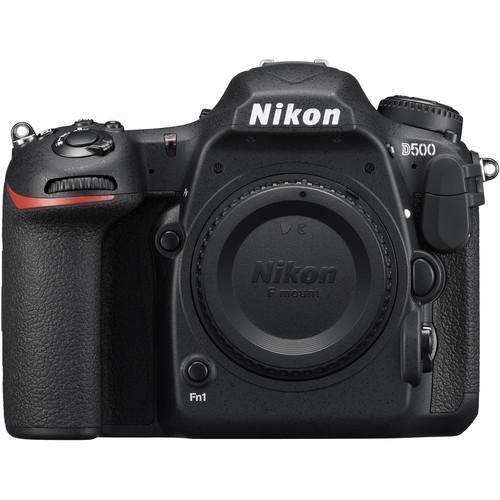 Contents of the user manual for the Nikon D500 DSLR Camera
- Product category: DSLR Cameras Nikon
- Brand: Nikon
- Description and content of package
- Technical information and basic settings
- Frequently asked questions – FAQ
- Troubleshooting (does not switch on, does not respond, error message, what do I do if...)
- Authorized service for Nikon DSLR Cameras
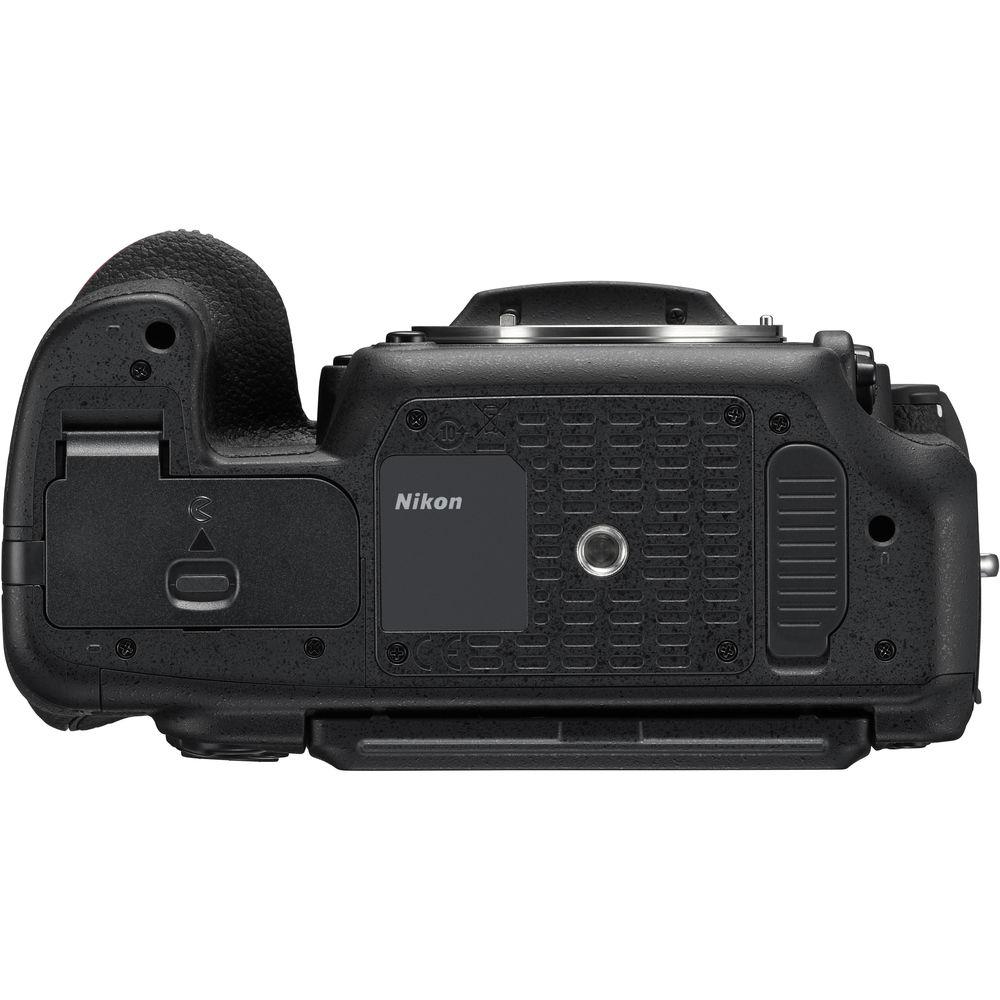
 |
User manual for the Nikon D500 DSLR Camera contain basic instructions
that need to be followed during installation and operation.
Before starting your appliance, the user manual should be read through carefully.
Follow all the safety instructions and warnings, and be guided by the given recommendations.
User manual is an integral part of any Nikon product,
and if it is sold or transferred, they should be handed over jointly with the product.
Following the instructions for use is an essential prerequisite for protecting
health and property during use, as well as recognition of liability on the part of the manufacturer
for possible defects should you make a warranty claim. Download an official Nikon user manual in which you will find instructions on how to install, use, maintain and service your product.
And do not forget – unsuitable use of a Nikon product will considerably shorten its lifespan!
|
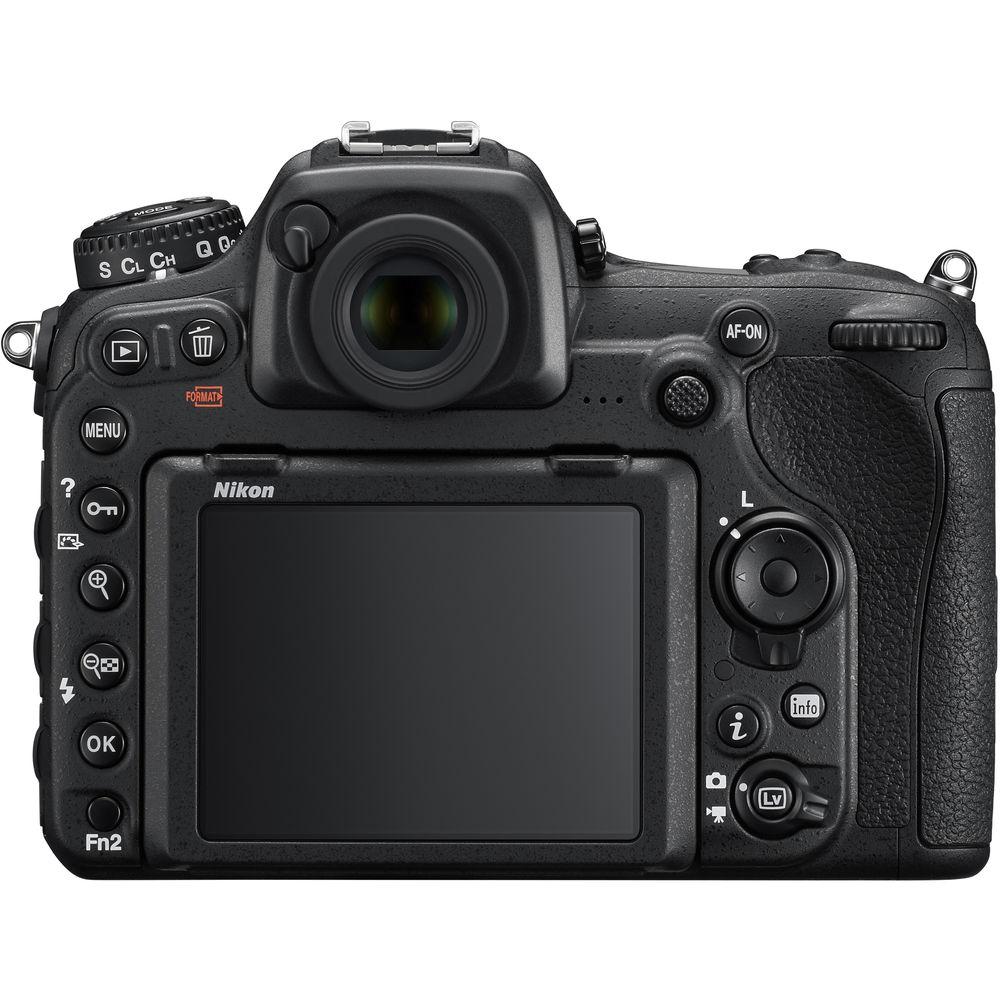
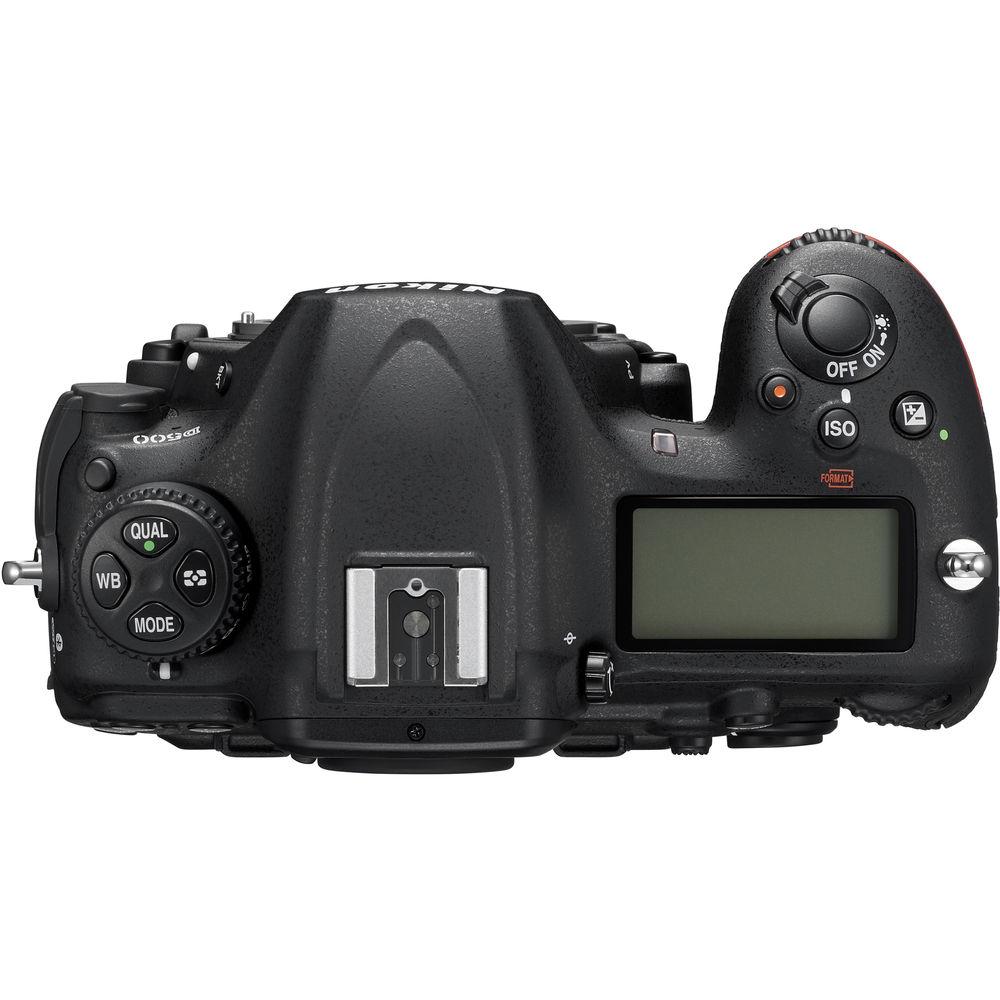
Product description As the flagship model within Nikon's DX-format DSLR line, the D500 is characterized by its robust physical construction, apt imaging capabilities, and a more compact, sleek form factor than its FX brethren. Revolving around a 20.9MP CMOS sensor and EXPEED 5 image processor, this camera appeals to both still and video shooters with its fast 10 fps continuous shooting rate and UHD 4K video recording capabilities. The sensor and processor also combine to avail a native sensitivity range up to ISO 51200, which can be further expanded to ISO 1640000 for working in dark and difficult lighting conditions. Benefitting the fast shooting performance, the D500 is also characterized by its expansive Multi-CAM 20K 153-point AF system, which features 99 cross-type points for fast performance and accurate subject tracking capabilities. While sleek in stature, the D500 is by no means slim on functionality and versatility.
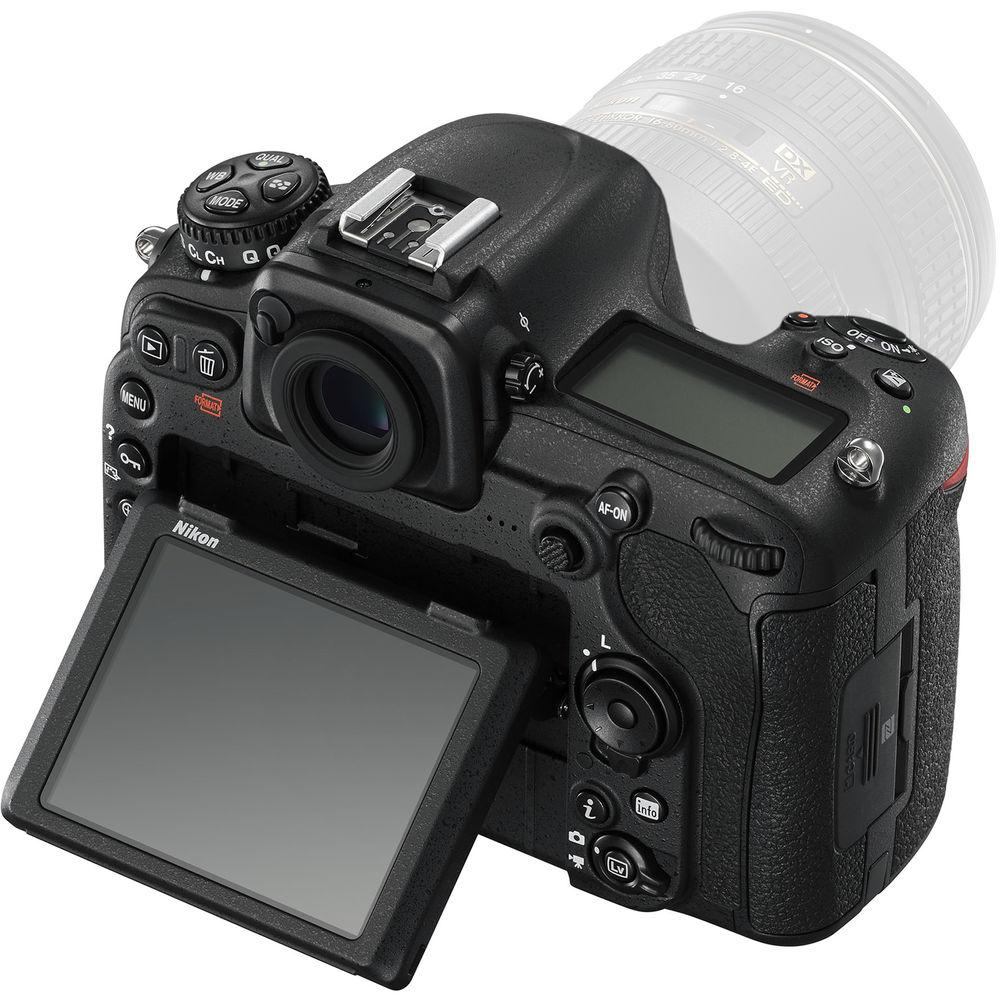
Besides the imaging assets, this advanced DSLR also features an impressive handling design that incorporates a 3.2", 2.36M-dot, tilting LCD touchscreen which affords a comfortable means for working from high and low angles. An updated version of SnapBridge is also featured, providing Wi-Fi connectivity with NFC, as well as Bluetooth Low Energy technology for linking your mobile device for wireless image sharing. In addition to the convenience features, the D500 is housed within a durable magnesium alloy chassis that is both dust and weather-sealed for working in inclement conditions and harsh environments.
This is a refurbished item and comes with a 90-day warranty. - 20.9MP DX-Format CMOS Sensor and EXPEED 5 Image Processor
- The DX-format 20.9MP CMOS sensor is paired with the EXPEED 5 image processor to provide an esteemed mixture of high sensitivity, nuanced image quality, and fast overall performance. At native values, a sensitivity range from ISO 100 to 51200 permits working in a broad array of lighting conditions, and can be further expanded to ISO 50 to 1640000 (Lo 1 to Hi 5) to handle the most challenging of situations. The mixture of resolution and sensor size also contributes to clean image quality and smooth color transitions, with reduced noise throughout the sensitivity range.
In addition to benefitting image quality, the EXPEED 5 processor also affords a wealth of speed throughout the camera system, including a top continuous shooting rate of 10 fps with full-time autofocus and exposure metering. Up to 200 frames can be recorded in a single burst, even when shooting 14-bit lossless compressed NEF files. Additionally, slower continuous shooting rates are available, as well as a Quiet Continuous Mode for shooting 3 fps in noise-sensitivity areas. - UHD 4K Video Recording
- Capable of recording more than just stills, the D500 supports UHD 4K video recording at 30, 25, and 24 fps, and Full HD/HD recording at up to 60 fps. It offers the ability to save movie files to the in-camera memory cards, or as uncompressed files to an optional external recorder via the HDMI out. For maintained quality and versatility in how your movies look, three image area options are available:
- UHD 4K movie image format is an area that provides a 1.5x increase in the effective focal length of the lens and is reserved for 4K 3840 x 2160 recording.
- 1.3x-based movie image area provides a 1.3x crop of the DX sensor, and is used for recording Full HD and HD video.
- DX-based movie image format utilizes the full width of the DX-format sensor, and is used to record Full HD 1920 x 1080, and HD 1280 x 720 video. This setting is well suited for shallow depth of field effects and provides the widest field of view.
As with still shooting, the wide range of sensitivities is available for recording in low and bright-light conditions, ranging from expanded ISO 100–1640000; sensitivity values are manually adjustable via the dedicated movie-shooting menu. Also, a video-optimized Flat Picture Control mode can be used during recording to flatten the overall contrast curve for more control during post-production and color grading.
Benefitting handheld shooting, an Electronic Vibration Reduction feature can be used during Full HD and HD recording, minimizing the appearance of camera shake across three axes to control horizontal, vertical, and rotational movements. Additionally, Active D-Lighting can also be employed during Full HD/HD shooting to preserve highlight and shadow detail when working in high-contrast situations.
Regarding handling, a dedicated power aperture button (Pv) makes it possible to achieve smooth, continuous exposure transitions when switching from light to dark areas, and Auto ISO can also be used to maintain consistent brightness when working in changing light situations. Audio recording can be handled using the built-in stereo microphone, or an optional external mic can be added via the 3.5mm stereo jack for greater control over quality. Regardless of whether the in-camera mic or an external mic is being used, audio levels can be adjusted in 20 increments, and live monitoring is possible via the headphone jack, which affords 30 different volume levels for playback.
In addition to straight movie recording, time-lapse recording for up to 9999 consecutive frames, shot over the course of up to one week, is also possible with up to UHD 4K/30p output from the camera. - 153-Point Multi-CAM 20K Autofocus System
- Matching the speed and imaging capabilities is the apt Multi-CAM 20K AF system, which features 153 total phase-detection points, including 99 cross-type sensors for improved subject recognition, and 55 selectable points for greater compositional freedom. Benefitting the use of super telephoto lenses and teleconverters, 15 of the points, including 9 selectable points, are compatible with an effective aperture of f/8, and all 153 points support working with effective apertures of f/5.6 or brighter.
Complementing the abundance of focusing points is a dedicated AF engine offering quick response times benefiting the tracking of fast and randomly moving subjects, even at the top 10 fps shooting rate. The AF engine also contributes to enhanced focusing sensitivity, with all points capable of focusing -3 EV, and the center point capable of reading at -4 EV for working in very dark, low-contrast situations.
Furthering the versatility of the focusing system, seven different AF-area modes can be selected to support varying types of subject matter:
- Single-Point AF: The camera uses a single point to find focus.
- Dynamic-Area AF: Available with 25, 72, or 153-point selections, this mode uses a primary single focus point to lock onto focus, and then makes use of the surrounding points for maintaining focus while tracking erratically-moving subjects.
- Group-Area AF: This mode treats smaller groups of AF points as a single point for a wider field of recognition, and is well suited to tracking faces or other detailed subjects.
- 3D-Tracking: Using a subject's color information, this mode utilizes all 153 points to maintain focus on a moving subject while half-pressing the shutter button.
- Auto-Area AF: This mode makes use of all 153 points to quickly identify the main subject, and then prioritizes recognized faces as portrait subjects in any AF servo mode.
In addition to the range of AF-area modes, an AF lock-on function can also be used to improve subject tracking performance, and can be adjusted by two parameters—quick or delayed blacked shot AF response, and erratic or steady subject movement. By configuring these settings, the AF performance can be optimized to handle a wide variety of subject movement types.
Lastly, a unique auto AF fine-tune function can be employed to ensure the best possible focus for each mounted lens. Rather than relying on photographing distance charts, this function lets you achieve precise focus manually in live view, and then have the AF system calibrate itself to the fine-tuned focus position, to alleviate front and back-focusing issues. - Body Design
-
- A large 3.2" rear LCD monitor features a high 2,359K-dot resolution for clear, vivid playback and live view shooting. The monitor is also a touchscreen for more intuitive menu navigation and settings control, and is usable while shooting, giving you the ability to choose a focus point or an area to set the white balance from. The screen can also be used as a keyboard for quickly entering notes, copyright info, or IPTC information. Additionally, it features a tilting design for easier visibility when shooting from high and low working angles.
- A bright pentaprism optical viewfinder offers 100% frame coverage and 1.0x magnification, and incorporates an organic EL display system to provide shooting information, for seamless adjustment over camera settings without removing your eye from the viewfinder. Additionally, the optical glass features enhanced coatings for increased brightness, contrast, and color neutrality, for more lifelike viewing.
- Extending file saving capabilities by permitting overflow recording, in-camera file duplicating, or the ability to segregate raw and JPEG files between two cards, the D500 is configured with both SD and XQD memory card slots.
- A robust magnesium alloy chassis is both dust and weather-resistant to benefit working in harsh climates and inclement conditions.
- The ergonomic grip and overall form factor are shaped to benefit handling for extended periods of time and are further accentuated by anti-slip, textured controls and easy-to-open card slot covers. Additionally, most of the buttons on the rear of the camera are illuminated, for greater visibility when working in dim lighting conditions. Two configurable Fn buttons, one front-facing and the other rear-facing, may be assigned for checking depth of field, or used for other shooting controls.
- The included EN-EL15 rechargeable lithium-ion battery is CIPA-rated to last for approximately 1240 shots per charge in single-frame release modes. The optional MB-D17 Multi-Power Battery Pack can also be added to further extend shooting times.
- SnapBridge Wi-Fi Connectivity
- Supporting a wealth of sharing and tagging possibilities, the D500 features built-in SnapBridge Wi-Fi connectivity to enable seamless transfer of imagery as well as remote shooting capabilities. BLE (Bluetooth Low Energy) technology enables communication between the camera and a smart device. Additionally, the mobile device can remotely trigger the shutter and display a live view image from the camera to enable working from a distance. NFC (Near Field Communication) is also supported to provide a quick and simple tap-to-connect method for linking your mobile devices with the camera.
For faster wireless performance, the D500 is also compatible with the optional WT-7A Wireless Transmitter, enabling transmission of image files via FTP server or computer at speeds up to 866.7 Mbps. - Scene Recognition System and Exposure Metering
- The intelligent Scene Recognition System with 3D Color Matrix Metering III utilizes a 180K-pixel RGB sensor to evaluate and analyze all aspects within a scene, including brightness, contrast, subject distance, and the scene colors, to quickly determine an accurate exposure and white balance setting to best render the scene at hand. The information gathered is also checked against onboard reference images to ensure consistency from image to image regarding exposure, white balance, i-TTL flash settings, and subject-tracking AF performance.
- Other Camera Features
-
- Three types of auto white balance are available: Auto 0, which maintains natural white values under any lighting condition; Auto 1, which maintains a balance of color between the subject and ambient light conditions; and Auto 2, which renders colors with a natural warmth and retains the colors of various types of lighting.
- In-camera flicker reduction is available for both stills shooting and movie recording.
- Three different sizes of raw files can be used depending on your output needs; raw size medium and small are 12-bit lossless compressed NEF files, while the large file size is a 14-bit lossless uncompressed or compressed NEF file.
- Spot White Balance control for live view shooting makes setting the white balance as easy as pointing to the area in the frame that should be white. Additionally, 1-6 preset white balance settings can be stored for easier switching between different light sources.
- The D500 is compatible with the radio-controlled Advanced Wireless Lighting system, which permits working with the optional WR-R10 Controller and WR-A10 Receiver, along with the SB-5000, for intuitive, controllable wireless flash shooting.
- Picture Control modes allow you to set predefined looks to imagery in-camera and include Landscape, Monochrome, Neutral, Portrait, Standard, Vivid, Flat, and user-customizable settings.
- Language support: Arabic, Bengali, Bulgarian, Chinese (simplified and traditional), Czech, Danish, Dutch, English, Finnish, French, German, Greek, Hindi, Hungarian, Indonesian, Italian, Japanese, Korean, Marathi, Norwegian, Persian, Polish, Portuguese (Portugal and Brazil), Romanian, Russian, Serbian, Spanish, Swedish, Tamil, Telugu, Thai, Turkish, Ukrainian, and Vietnamese.
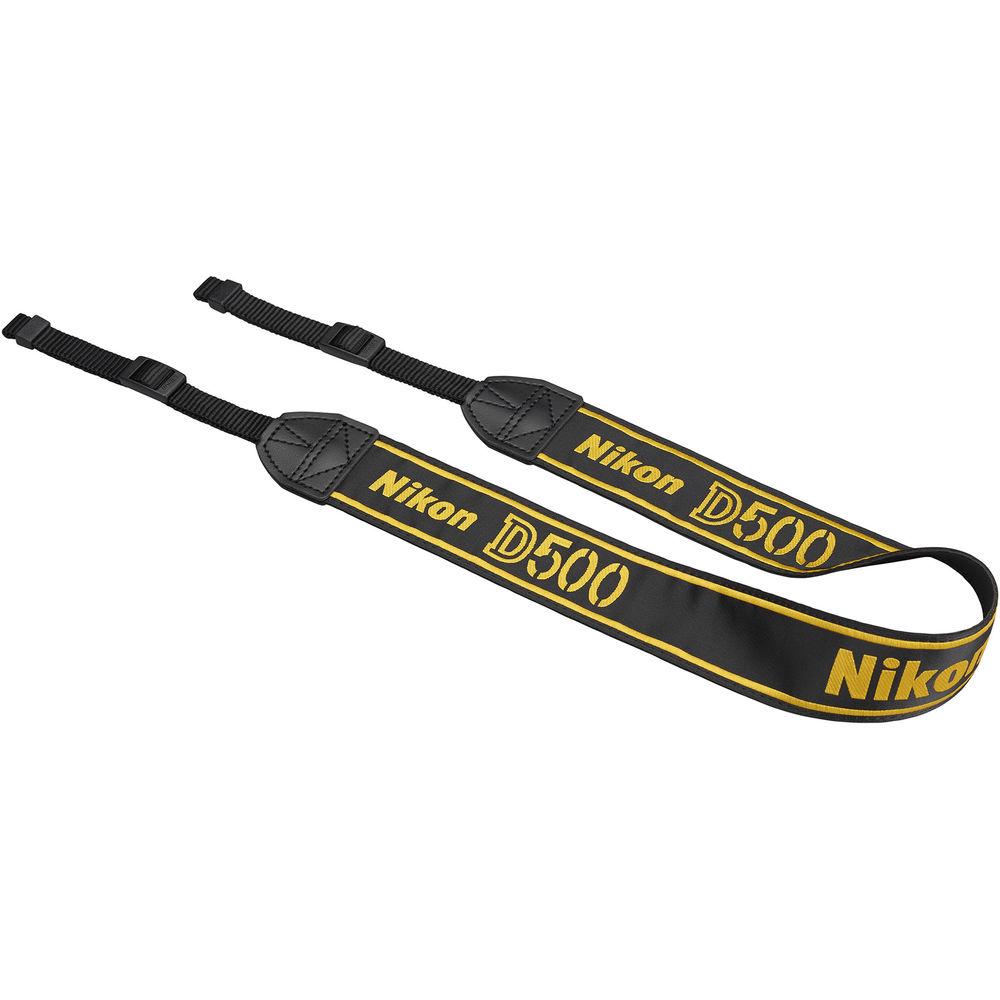
UPC: 018208105953 In the Box Nikon D500 DSLR Camera (Body Only, Refurbished) EN-EL15 Lithium-Ion Battery (1900mAh) MH-25A Battery Charger for EN-EL15 Li-Ion Battery DK-17F Fluorine-Coated Finder Eyepiece UC-E22 USB 3.0 Cable zrcdyqysuqxdasedxwdfxsrwfbdcctwdufbq USB Cable Clip HDMI Cable Clip AN-DC17 Replacement Camera Strap for D500 DSLR BF-1B Body Cap Limited 90-Day Warranty User Manual PDF 21.5mb Table of Contents
|
Upload User Manual
Have you got an user manual for the Nikon D500 DSLR Camera in electronic form? Please send it to us and help us expand our library of instruction manuals.
Thank you, too, on behalf of other users.
To upload the product manual, we first need to check and make sure you are not a robot. After that, your "Submit Link" or "Upload File" will appear.
Technical parametersNikon D500 Specs | | | Lens Mount | Nikon F | | Camera Format | APS-C (1.5x Crop Factor) | | Pixels | Actual: 21.51 Megapixel
Effective: 20.9 Megapixel | | Maximum Resolution | 5568 x 3712 | | Aspect Ratio | 3:2 | | Sensor Type | CMOS | | Sensor Size | 23.5 x 15.7 mm | | Image File Format | JPEG, RAW, TIFF | | Bit Depth | 14-Bit | | Image Stabilization | None | | | | ISO Sensitivity | Auto, 100 to 51200 (Extended: 50 to 1640000) | | Shutter Speed | Electronic Front Curtain Shutter
1/8000 to 30 Seconds | | Metering Method | 3D Color Matrix, Center-Weighted Average, Spot, Highlight Weighted | | Exposure Modes | Aperture Priority, Manual, Program, Shutter Priority | | Exposure Compensation | -5 to +5 EV (1/3, 1/2, 1 EV Steps) | | Metering Range | -4 to 20 EV | | White Balance | Auto, Cloudy, Color Temperature, Direct Sunlight, Flash, Fluorescent, Incandescent, Preset Manual, Shade | | Continuous Shooting | Up to 10 fps at 20.9 MP for up to 200 Exposures (Raw Format) | | Interval Recording | Yes | | Self Timer | 2/5/10/20-Second Delay | | Mirror Lock-Up | Yes | | | | Recording Modes | MOV/H.264
UHD 4K (3840 x 2160) at 24p/25p/29.97p
Full HD (1920 x 1080) at 24p/25p/29.97p/50p/59.94p
HD (1280 x 720) at 50p/59.94p | | External Recording Modes | UHD 4K (3840 x 2160)
Full HD (1920 x 1080)
HD (1280 x 720) | | Recording Limit | Up to 29 Minutes, 59 Seconds for UHD 4K (3840 x 2160)
Up to 29 Minutes, 59 Seconds for Full HD (1920 x 1080)
Up to 29 Minutes, 59 Seconds for HD (1280 x 720) | | Video Encoding | NTSC | | ISO Sensitivity | Auto/Manual: 100 to 51200 (Extended: 1640000) | | Audio Recording | Built-In Microphone (Stereo)
External Microphone Input | | Audio File Format | Linear PCM (Stereo) | | | | Focus Type | Auto and Manual Focus | | Focus Mode | Continuous-Servo AF (C), Manual Focus (M), Single-Servo AF (S) | | Autofocus Points | Phase Detection: 153 (99 Cross-Type) | | Autofocus Sensitivity | -4 to +20 EV | | | | Viewfinder Type | Optical (Pentaprism) | | Viewfinder Eye Point | 16 mm | | Viewfinder Coverage | 100% | | Viewfinder Magnification | Approx. 1x | | Diopter Adjustment | -2 to +1 m | | Monitor Size | 3.2" | | Monitor Resolution | 2,359,000 Dot | | Monitor Type | Tilting Touchscreen LCD | | | | Built-in Flash | None | | Flash Modes | First-Curtain Sync, Hi-Speed Sync, Off, Rear Curtain/Slow Sync, Rear Sync, Red-Eye Reduction, Slow Sync, Slow Sync/Red-Eye Reduction | | Maximum Sync Speed | 1/250 Second | | Flash Compensation | -3 to +1 EV (1/3, 1/2, 1 EV Steps) | | Dedicated Flash System | iTTL | | External Flash Connection | Hot Shoe, PC Terminal | | | | Memory Card Slot | 1 x SD/SDHC/SDXC
1 x XQD | | Connectivity | 3.5mm Headphone, 3.5mm Microphone, HDMI C (Mini), USB 2.0 Micro-B, Nikon 10-Pin, USB 3.0 | | Wireless | Wi-Fi
Bluetooth | | GPS | None | | | | Operating Temperature | 32 to 104°F / 0 to 40°C | | Operating Humidity | 0 to 85% | | | | Battery | 1 x EN-EL15 Rechargeable Lithium-Ion, 7 VDC, 1900 mAh | | Dimensions (W x H x D) | 5.8 x 4.5 x 3.2" / 147.0 x 115.0 x 81.0 mm | | Weight | 1.89 lb / 860 g (Body with Battery and Memory) | | | | Package Weight | 2.7 lb | | Box Dimensions (LxWxH) | 8.5 x 7.7 x 6.5" |
Rating88% users recommend this product to others. And what about you?

This product has already been rated by 89 owners. Add your rating and experience with the product.
Discussion
 Ask our technicians if you have a problem with your settings,
or if anything is unclear in the user manual you have downloaded.
You can make use of our moderated discussion.
The discussion is public and helps other users of our website who may be encountering similar problems.
Ask our technicians if you have a problem with your settings,
or if anything is unclear in the user manual you have downloaded.
You can make use of our moderated discussion.
The discussion is public and helps other users of our website who may be encountering similar problems.
The discussion is empty - enter the first post
Post a new topic / query / comment:
|
|


