User Manual for Nimar Water Sports Housing for Canon EOS 5D Mark IV Click to enlarge the picture
 Contents of the user manual for the Nimar Water Sports Housing for Canon
- Product category: Still Cameras & Housings Nimar
- Brand: Nimar
- Description and content of package
- Technical information and basic settings
- Frequently asked questions – FAQ
- Troubleshooting (does not switch on, does not respond, error message, what do I do if...)
- Authorized service for Nimar Still Cameras & Housings


 |
User manual for the Nimar Water Sports Housing for Canon contain basic instructions
that need to be followed during installation and operation.
Before starting your appliance, the user manual should be read through carefully.
Follow all the safety instructions and warnings, and be guided by the given recommendations.
User manual is an integral part of any Nimar product,
and if it is sold or transferred, they should be handed over jointly with the product.
Following the instructions for use is an essential prerequisite for protecting
health and property during use, as well as recognition of liability on the part of the manufacturer
for possible defects should you make a warranty claim. Download an official Nimar user manual in which you will find instructions on how to install, use, maintain and service your product.
And do not forget – unsuitable use of a Nimar product will considerably shorten its lifespan!
|
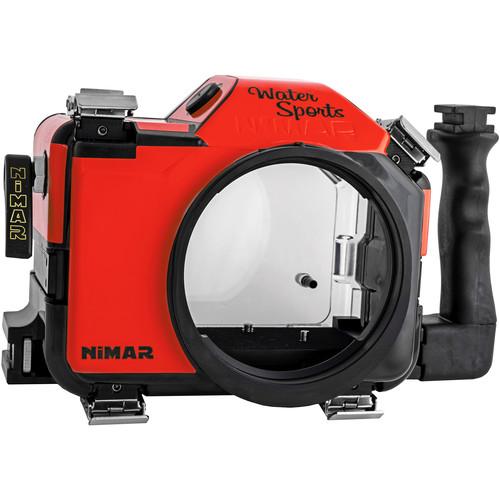
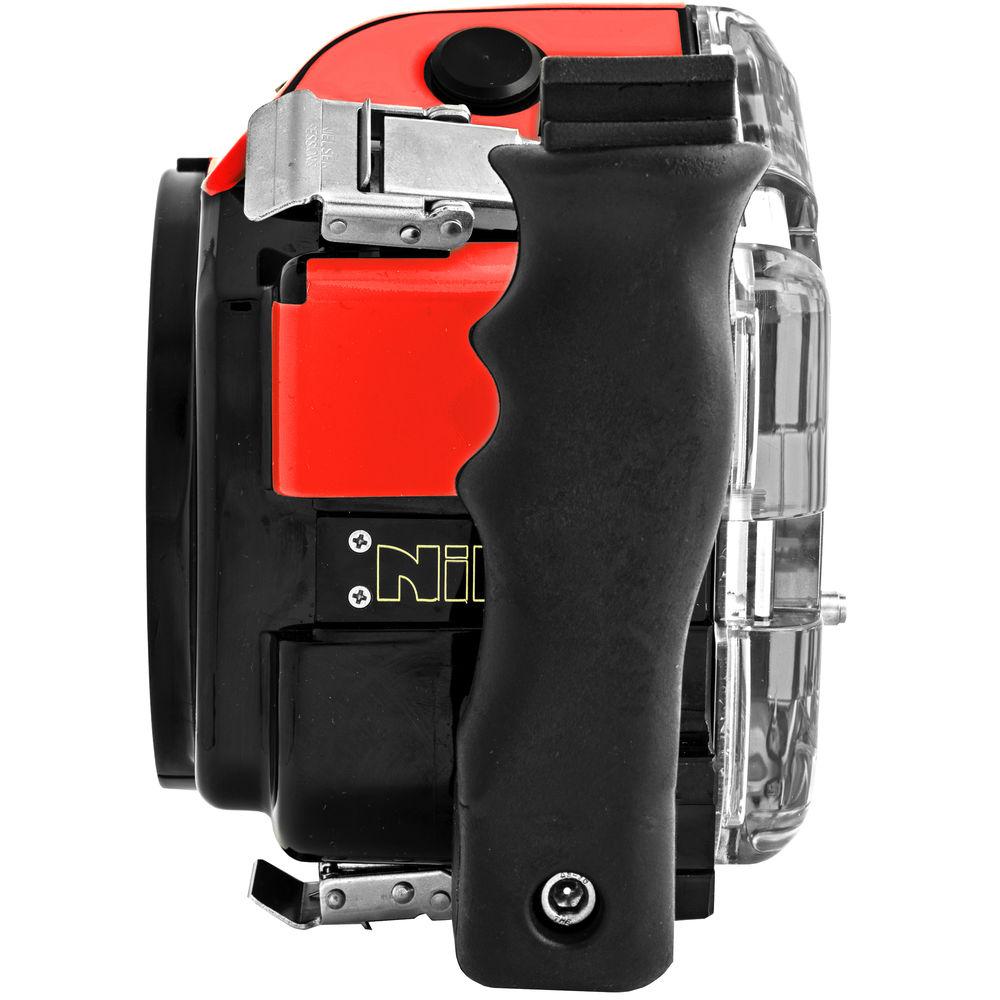
Product description Sharp, eye-catching photos and HD video above, on, and below the surface are yours with Nimar's Water Sports Housing for the Canon EOS 5D Mark IV DSLR camera. Like Nimar's original line of dive housings, this enclosure features a depth rating of 200'; however, it is designed especially for active shooting in shallower depths and when capturing water-based activities, such as surfing or water-skiing. Stripped down to just the essentials for ease of use, it is roughly half the weight of the original dive housings and features one side grip handle instead of the traditional two.
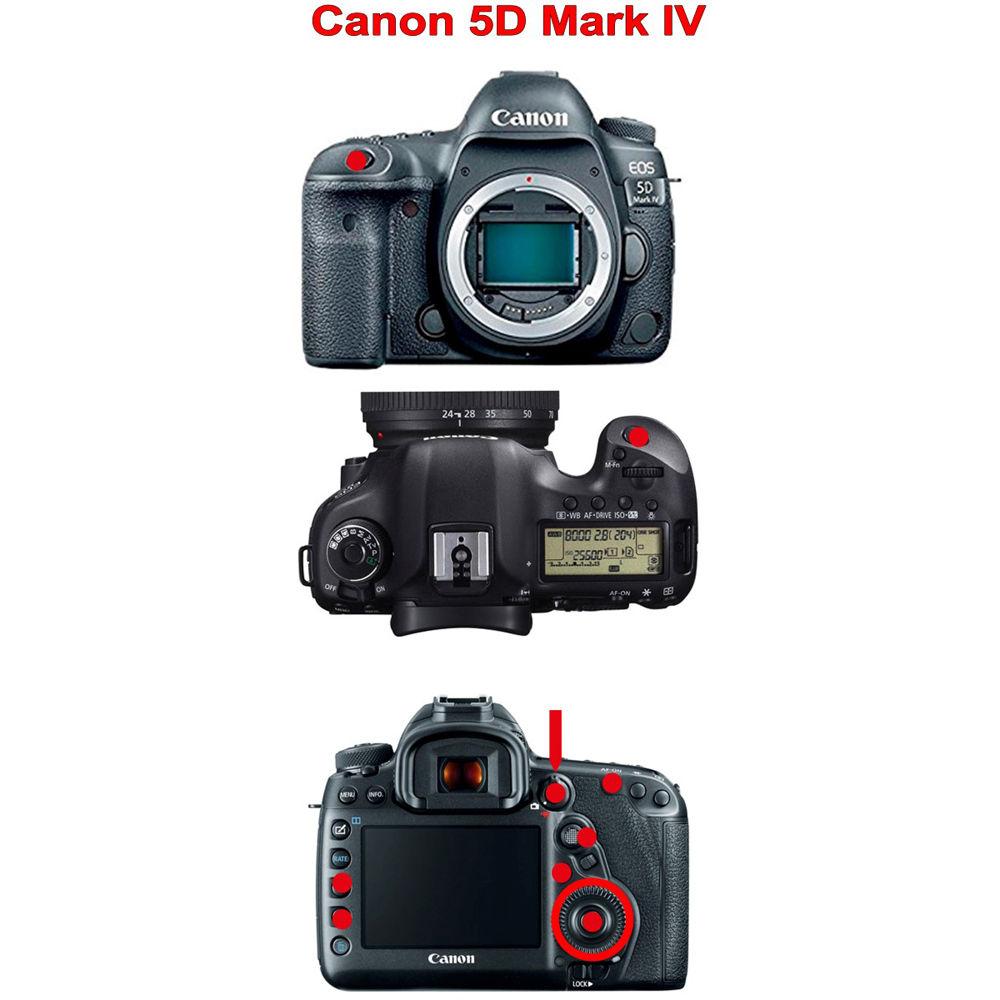
Mechanical controls, including push buttons, dials/knobs, and a lever, enable access to the following camera functions: shutter, start/stop video recording, AF-on, magnify, joystick, playback, set, rear control dial, and Q button. This reduced control set gives you what you need while simplifying the setup and shooting process, which can be a benefit when capturing water sports.
Designed for durability, the Water Sports Housing is constructed from corrosion-resistant polycarbonate that's red on the top, front, and sides, but clear in the back to allow you to monitor the O-ring seal and the camera. It ships without a required lens port, and accepts interchangeable ports for a broad array of lenses. Additionally, an optional sync connector can be installed to allow for the attachment of an external strobe for increased brightness and color correction. - Construction Details
-
- Depth rating of 200'
- Made from durable, corrosion-resistant polycarbonate that's red on top, front, and sides, but clear in back to allow you to monitor O-ring seal and camera
- Camera plate bolts to bottom of camera and slides into mount inside housing for secure installation
- Features 4 stainless-steel AISI 316 hooks with safety clips for secure closure
- Controls and Handling
-
- Mechanical controls, including push buttons, dials/knobs, and a lever, enable access to the following camera functions: shutter, start/stop video recording, AF-on, magnify, joystick, playback, set, rear control dial, and Q button
- Reduced control set gives you what you need while simplifying the setup and shooting process, which can be a benefit when capturing water sports
- Pole extension also gives you extra reach when shooting at certain angles
- Stripped down to essentials, it's half the weight of original dive housings to afford easier maneuvering, and features one side grip handle instead of two
- T-mount on grip handle for attaching optional lighting arms
- Lens Port System
-
Ships without required lens port and accepts series of interchangeable ports for a broad array of Canon lenses:- Flat Acrylic Port for EF 24mm f/2.8 IS USM, 24mm f/1.4 L USM, 28mm f/2.8 IS USM, 35mm f/2 IS USM, and 50mm f/1.4 USM
- 6" Polycarbonate Dome for EF 15 mm f/2.8 Fisheye
- 5" Optical Glass Dome for 8-15mm f/4 L USM Fisheye
- Flat Acrylic Port for EF-S 18-135 mm f/3.5-5.6 IS, 18-135 mm f/3.5-5.6 IS STM, and 18-135 mm f/3.5-5.6 IS USM
- Flat Acrylic Port for EF 24-70mm f/2.8 L USM
- Flat Acrylic Port for EF 24-70mm F/2.8 L II USM
- 5" Optical Glass Dome for EF-S 10-22mm f/3.5-4.5 USM
- 5" Optical Glass Dome for EF 24mm f/1.4L II USM
- Flat Acrylic Port for EF 24-105mm f/4L IS USM
- Flat Acrylic Port for EF 16-35 mm f/2.8 L USM, 16-35 mm f/2.8 L II USM, and 16-35 mm f/4L IS USM
- 5" Optical Glass Dome for EF 16-35 mm f/2.8 L USM, 16-35 mm f/2.8 L II USM, and 16-35 mm f/4L IS USM
- Flat Acrylic Port for EF 17-40mm f/4 L USM
- 5" Optical Glass Dome for EF 17-40mm f/4L USM
- Flat Acrylic Port for EF-S 17-85 mm f/4-5.6 IS USM
- Flat Acrylic Port for EF 15-85mm f/3.5-5.6 IS USM
- Flat Glass Port for EF-S 18-55mm f/3.5-5.6 II, 18-55mm f/3.5-5.6 II USM, 18-55mm f/3.5-5.6 IS, 18-55mm f/3.5-5.6 IS II, 18-55mm f/3.5-5.6 IS STM, 18-55mm DC III, 60mm f/2.8 Macro USM, and 50mm f/2.5 Compact Macro
- 5" Optical Glass Dome for EF-S 10-18mm f/4.5-5.6 IS STM
- Flat Acrylic Port for EF 70-200mm f/4L USM and 70-200mm f/4 L IS USM
- Strobe Connection and Operation
-
- Optional sync cord connector can be installed to allow for attachment of external strobe for increased brightness and color correction
UPC: 810075021752 In the Box Nimar Water Sports Housing for Canon EOS 5D Mark IV (Red/Clear) Removable Side Grip Mounting Screws and Allen Key for Grip Set of O-Rings Silicone Grease for O-Rings Silica Gel Desiccant to Absorb Moisture Soft Storage Bag Camera Plate Limited 2-Year Warranty Table of Contents
|
Upload User Manual
Have you got an user manual for the Nimar Water Sports Housing for Canon EOS 5D Mark IV in electronic form? Please send it to us and help us expand our library of instruction manuals.
Thank you, too, on behalf of other users.
To upload the product manual, we first need to check and make sure you are not a robot. After that, your "Submit Link" or "Upload File" will appear.
Technical parametersNimar NI5DMK4WS Specs | Depth Rating | 200' / 60 m | | Control Type | Mechanical push buttons, dials/knobs, and lever | | Controls | Provide access to shutter, start/stop video recording, AF-on, magnify, joystick, playback, set, rear control dial, and Q button | | Material of Construction | Body: Bayer Makrolon polycarbonate
Hooks/Latches: AISI 316 stainless steel | | Lens Port | Accepts optional, interchangeable ports for various lenses
See compatibility list in Overview | | Buoyancy | Slightly positive, though may vary with choice of lens and port | | External Flash Connector | Optional 5-pin, chromed brass connector can be installed for attaching an external strobe via sync cord | | Mounting | T-mount on grip handle for attaching optional lighting arms | | Dimensions | 8.7 x 6.7 x 5.5" / 22 x 17 x 14 cm without grip | | Weight | 3.75 lb / 1.7 kg with grip | | | | Package Weight | 7.2 lb | | Box Dimensions (LxWxH) | 11.0 x 11.0 x 8.0" |
Rating70% users recommend this product to others. And what about you?

This product has already been rated by 18 owners. Add your rating and experience with the product.
Discussion
 Ask our technicians if you have a problem with your settings,
or if anything is unclear in the user manual you have downloaded.
You can make use of our moderated discussion.
The discussion is public and helps other users of our website who may be encountering similar problems.
Ask our technicians if you have a problem with your settings,
or if anything is unclear in the user manual you have downloaded.
You can make use of our moderated discussion.
The discussion is public and helps other users of our website who may be encountering similar problems.
The discussion is empty - enter the first post
Post a new topic / query / comment:
|
|


