|
User Manual for Nuance Dragon NaturallySpeaking 13 Premium Click to enlarge the picture
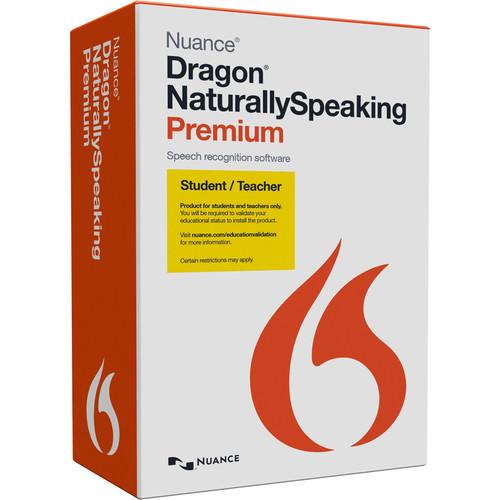 Contents of the user manual for the Nuance Dragon NaturallySpeaking 13 Premium
- Product category: Home & Office Nuance
- Brand: Nuance
- Description and content of package
- Technical information and basic settings
- Frequently asked questions – FAQ
- Troubleshooting (does not switch on, does not respond, error message, what do I do if...)
- Authorized service for Nuance Home & Office
|
User manual for the Nuance Dragon NaturallySpeaking 13 Premium contain basic instructions
that need to be followed during installation and operation.
Before starting your appliance, the user manual should be read through carefully.
Follow all the safety instructions and warnings, and be guided by the given recommendations.
User manual is an integral part of any Nuance product,
and if it is sold or transferred, they should be handed over jointly with the product.
Following the instructions for use is an essential prerequisite for protecting
health and property during use, as well as recognition of liability on the part of the manufacturer
for possible defects should you make a warranty claim. Download an official Nuance user manual in which you will find instructions on how to install, use, maintain and service your product.
And do not forget – unsuitable use of a Nuance product will considerably shorten its lifespan!
|
Product description Control your computer using only your voice with Dragon NaturallySpeaking 13 Premium from Nuance. This DVD-based Windows-compatible voice recognition software, which includes a standard headset and USB adapter, can open or close programs and transcribe what you say faster than you can type it. These capabilities let you work up to three times faster than if you were typing. The software may be used to compose and edit emails and documents in Microsoft Office, Word Perfect X7, and Open Office Writer 4.1, as well as surf the web, launch applications, select menu items, execute key functions, and more, all using your voice.
Several new features are built into Naturally Speaking 13 Premium. They include increased transcription accuracy, broader compatibility with web email tools, increased processing performance, simplified installation and audio setup, a redesigned user interface, the ability to use a computer's internal mic, and updated application support.
Dragon NaturallySpeaking 13 Premium includes transcription features. Aside from real time dictation using a mic, the transcription features allow you to use a separately sold digital recorder to record your voice, save it as an audio file, and Premium will transcribe that audio file into text. The Premium edition is also compatible with Bluetooth microphones and headsets and allows users to customize pre-defined commands to suit their specific needs.
Dragon NaturallySpeaking 13 Premium learns and adapts from working with you. The software learns the words and phrases you use the most and is able to spell difficult words and proper names correctly. By using the included Vocabulary Editor, single words or phrases can be added for a more accurate dictation.
Also included is Windows-compatible Password Genie software, which helps you store and manage your online login and password information. Proof of academic status is required to install this product. You will be required to validate your educational status. Features New to this Edition - Increased Accuracy
-
- 15% more out-of-the-box accuracy than Dragon 12
- Learn from Sent Email tool now works with Web-based email such as Gmail and Yahoo! Mail - you have more potential sources to let Dragon familiarize itself with the words and phrases you might write
- The Vocabulary Editor interface makes it easy to search Dragon's vocabulary, add new words and customize each word's unique properties
- The Vocabulary Editor lets you search on not only the written forms but also the spoken forms
- Smart Format Rules enhancements offer hints for alternative word written forms - now Dragon 13 better adapts upon detecting your format corrections - abbreviations, numbers, and more - so your dictated text looks the way you want it every time
- Increased Processing
- Faster processors yield faster performance: Dragon NaturallySpeaking 13 Premium continues to enhance its ability to choose models and parameters depending on your computer's resources to deliver the fastest performance
- Simpler Setup
- Dragon NaturallySpeaking 13 Premium features shorter setup time as compared to version 12:
- For the first profile, it assigns the profile name rather than asking you to enter a name. You can always rename the profile later
- Reading four minutes of text is no longer necessary. Dragon NaturallySpeaking 13 Premium is already accurate right out of the box. You can also go back later to read text to further train Dragon if necessary
- Dragon NaturallySpeaking 13 Premium no longer asks you to adapt its vocabulary based on documents and emails during profile creation. If you wish to launch the analysis later, you have that option
- Simplified Audio Setup
- Dragon NaturallySpeaking 13 Premium automatically detects the best audio devices available. You simply select one of the recommended devices that you wish to use and the microphone check takes a few seconds with just one screen of easy-to-read text
- Redesigned and Enhanced User Interface
-
- DragonBar: The DragonBar provides clearly indicated controls and automatically collapses when you're not using it. You can use the DragonBar menu to customize its behavior. If you're an existing Dragon user and you're more comfortable using the classic DragonBar, you can easily switch back to it
- Learning Center: Formerly called the Dragon Sidebar, the Learning Center has been redesigned and enhanced. The top panel, open by default, contains essential commands and advice which automatically change as you switch context to different applications
- Interactive Tutorial Enhancements: The Interactive Tutorial has been redesigned and augmented. Its short, progressive simulations now also introduce the DragonBar, the Learning Center, the Vocabulary Editor, and important options, as well as basic Web navigation and use of Web-based email. It is automatically presented at the end of the profile creation process
- Use the Internal Mic
- Dragon NaturallySpeaking 13 Premium now supports microphones built into many laptops for flexibility and convenience. You're now free to dictate documents and speak commands directly into your laptop without using a headset. For the most accurate results, we recommend keeping a consistent distance from the computer's mic and minimizing ambient noise so it does not pick up stray sounds
- Web Compatibility
- Dragon NaturallySpeaking 13 Premium supports dictation with Full Text Control, as well as enhanced Command and Control with Internet Explorer, Chrome, and Firefox. In order to use Dragon in these supported browsers, you must enable the Dragon 13 browser add-on. Full Text Control provides an enhanced experience when dictating, editing, and formatting. Command Control works with standard website controls, links, and buttons, including Gmail, Yahoo! Mail, iCloud, and more.
- Updated Application Support
- Dragon NaturallySpeaking 13 Premium now supports the following application versions with Full Text Control:
WordPerfect X7
Open Office Writer 4.1 Standard Features - Proofreading
- Using text-to-speech, your dictations will be proofread for errors
- Free Dragon Remote Mic App
- Using Dragon's Free Remote Mic App, turn your iOS or Android device into a wireless mic that is fully compatible with NaturallySpeaking 13 Premium
- Free Tutorials
- If you're not familiar with NaturallySpeaking 13 Premium, Dragon makes it easy to learn and master with a simplified setup and helpful tutorials
- Password Genie
- The included Free Password Genie software helps users store and manage their online login and password information
UPC: 780420129016 In the Box Nuance Dragon NaturallySpeaking 13 Premium (Student/Teacher) Installation DVD Standard Headset with a Nuance-Approved Mic and USB Adapter Password Genie Table of Contents
|
Upload User Manual
Have you got an user manual for the Nuance Dragon NaturallySpeaking 13 Premium in electronic form? Please send it to us and help us expand our library of instruction manuals.
Thank you, too, on behalf of other users.
To upload the product manual, we first need to check and make sure you are not a robot. After that, your "Submit Link" or "Upload File" will appear.
Technical parametersNuance NaturallySpeaking 13 Premium Specs | | | Supported OS Versions | Windows 10, 7, 8, 8.1, Server 2008 R2, Server 2012 | | Storage Requirements | 4 GB | | Processor Requirement | 2.2 GHz Intel
2.2 GHz AMD | | RAM Requirement | 2 GB | | | | Internet Connection Required | Yes | | | | Package Weight | 0.45 lb | | Box Dimensions (LxWxH) | 7.9 x 5.1 x 2.5" |
Rating90% users recommend this product to others. And what about you?

This product has already been rated by 93 owners. Add your rating and experience with the product.
Discussion
 Ask our technicians if you have a problem with your settings,
or if anything is unclear in the user manual you have downloaded.
You can make use of our moderated discussion.
The discussion is public and helps other users of our website who may be encountering similar problems.
Ask our technicians if you have a problem with your settings,
or if anything is unclear in the user manual you have downloaded.
You can make use of our moderated discussion.
The discussion is public and helps other users of our website who may be encountering similar problems.
The discussion is empty - enter the first post
Post a new topic / query / comment:
|
|
|
| Request for user manual |
You can’t find the operation manual you are looking for? Let us know and we will try to add the missing manual:
I’m looking for a manual / Request for manual
Current requests for instruction manuals:
Call Of Duty World War Two For Xbox...
controller stratus XL...
stratus XL...
smart whatch serie S11 42mm...
Allen & Heath SQ-6 manual...
|
| Discussion |
Latest contributions to the discussion:
AEW R 4100
Name: MAURICIO ANGARITA
Audio-Technica AEW-R4100 UHF Diversity Receiver for
AEW R 4100 has the mute function blocked and does not allow audio to pass. I tried several times to turn off the mute from the transmitter but it does nothing, the mute stays on. Solution?
Thank you...
Instructions for assembling the 2015 Forecast Image Master Consoles GC3-A
Name: mike elam
Forecast Consoles GC3-A ImageMaster Editing Console
Looking for instructions for assembling this console. ...
EMPTY TONER ERROR MESSAGE AFTER REPLACING TONER
Name: LINDA BAD YELLOW EYES
Brother TN223BK Standard-Yield Toner
I HAD TO CHANGE OUT ALL THREE TONERS DUE TO LEAKS IN THE YELLOW AND CYAN. AFTER I REPLACED THEM, THE MACHINE KEEPS GIVING ME AN EMPTY TONER ERROR MESSAGE. HELP!!...
PS480D 20/24 pin Switching 480W Power Supply
Name: swkargo
Logisys 480W Power Supply
This item states in can run -5vdc .It is NOT listed on the board or I beleive is r4 is missing the resitior. Any body have thid issue. Shawn
...
Help needed
Name: Ann Carter
SanDisk 1TB Extreme Portable USB 3.1
When I click the link to download the user manual for my Sandisk Extreme external hard drive, it gives me the manual for the LG Cricket. Can you please change the link so I can download the Sandisk manual and begin using this drive? Thank you....
|
|


