|
User Manual for Olympus E-P1 Pen Digital Camera w 17mm f 2.8 Lens & Optical Finder - Refurbished Click to enlarge the picture
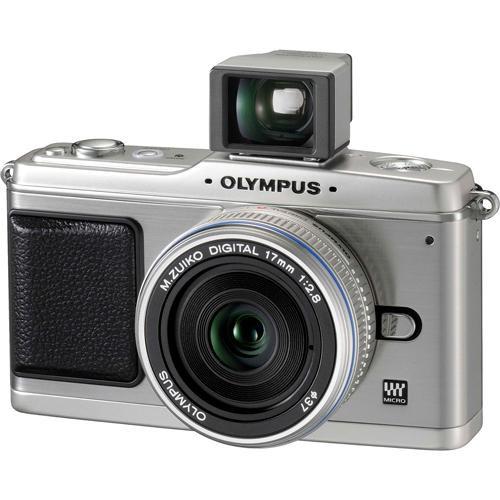 Contents of the user manual for the Olympus E-P1 Pen Digital Camera w
- Product category: Uncategorized Olympus
- Brand: Olympus
- Description and content of package
- Technical information and basic settings
- Frequently asked questions – FAQ
- Troubleshooting (does not switch on, does not respond, error message, what do I do if...)
- Authorized service for Olympus Uncategorized
 |
User manual for the Olympus E-P1 Pen Digital Camera w contain basic instructions
that need to be followed during installation and operation.
Before starting your appliance, the user manual should be read through carefully.
Follow all the safety instructions and warnings, and be guided by the given recommendations.
User manual is an integral part of any Olympus product,
and if it is sold or transferred, they should be handed over jointly with the product.
Following the instructions for use is an essential prerequisite for protecting
health and property during use, as well as recognition of liability on the part of the manufacturer
for possible defects should you make a warranty claim. Download an official Olympus user manual in which you will find instructions on how to install, use, maintain and service your product.
And do not forget – unsuitable use of a Olympus product will considerably shorten its lifespan!
|
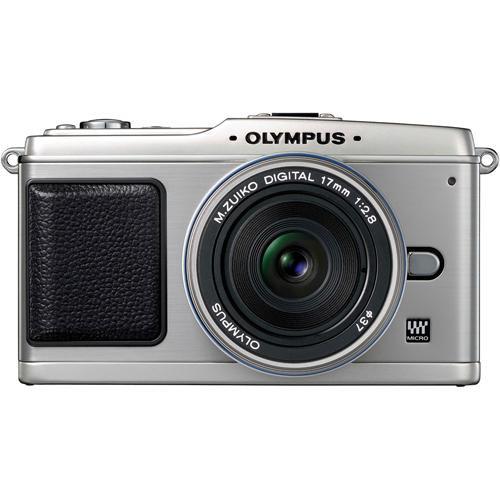
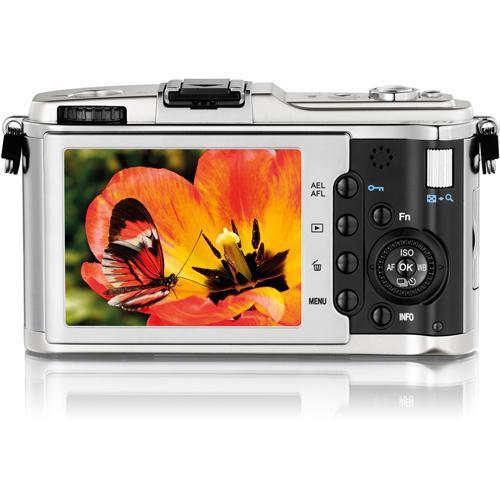
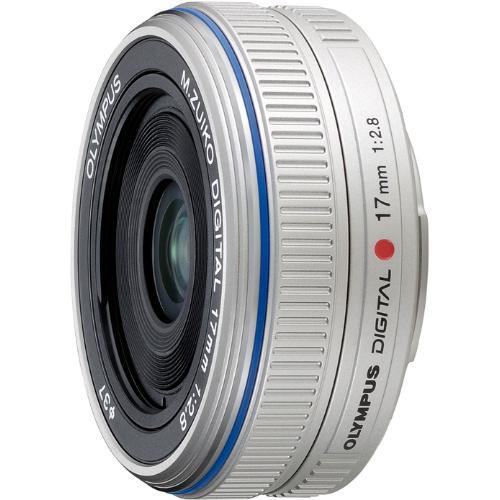
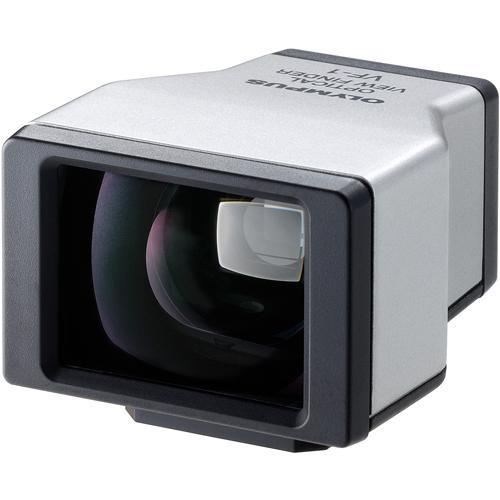
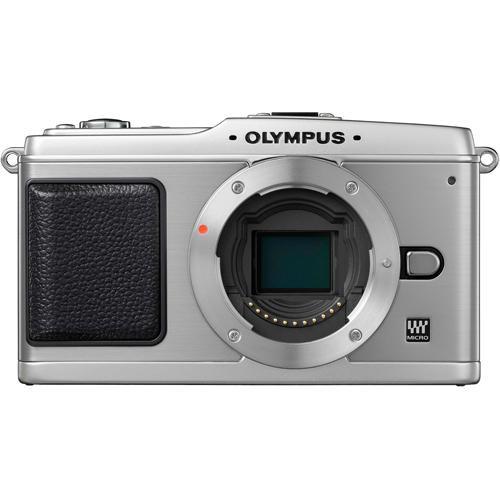
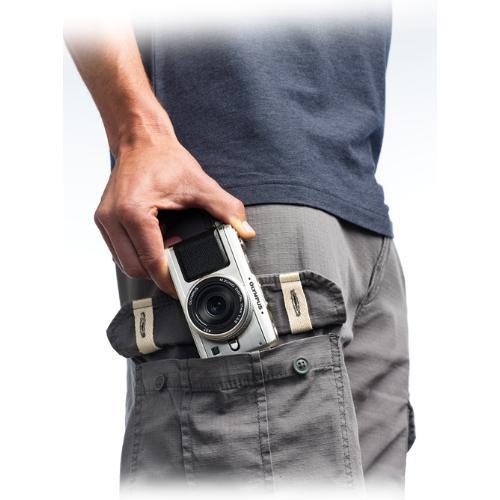
Product description The Olympus E-P1 marks the formal introduction of the Olympus Micro Four Thirds (4/3) camera system in the form of a high-quality, sub-compact digital camera. Designed around a 12.3-megapixel (17.3 x 13mm) Live MOS imaging sensor, the E-P1 enables pro-quality still and video imaging abilities in a small, unassuming package. Along with a new line of compact M.Zuiko Digital lenses, the new system is compatible with all existing 4/3-format fixed-prime and zoom lenses from 7mm through 800mm (114° to 1.5° AOV). Clad in ergonomically-designed stainless-steel body panels, the Olympus E-P1 takes many design queues from the Olympus Pen F, a popular half-frame SLR that made its initial debut in 1959. But unlike the original Pen F, the E-P1 has the ability to produce vividly-detailed still photographs and HD video with stereo sound, both of which can be enhanced post-capture using the E-P1's advanced in-camera retouching and audio dubbing tools. Essentially a 4/3-format DSLR minus the prism and mirror housing (hence the smaller body size), images can be composed and edited using the E-P1's 3" HyperCrystal LCD, which features anti-reflective coatings on its surface to enable Live viewing of 100% of the image area under the brightest of lighting conditions. When shooting in manual focus, a 5x magnification of the center of the frame pops up as a focusing aid each time you adjust the focusing ring. (This magnification can be can be manually increased up to 10x) This kit comes with a 17mm f/2.8 M.Zuiko Digital 'pancake' lens, which with an angle-of-view of approximately 62 degrees (34mm equivalent) and a profile of less than an inch, makes for an ideal travel / daytripping camera/lens combination. Also included in this kit is a matched optical finder, which allows for fast, 'journalism-style' street shooting. Other features found on the Olympus E-P1 include Dust Reduction technology, in-camera Image Stabilization, which enables low-light hand-held shooting with all 4/3-system lenses, advanced shooting modes, and creative post-capture editing tools. - Compact Design with Pro-system Capabilities
- The Olympus E-P1 combines the casual, easy-to-use persona of a pocket-size point-and-shoot camera with the imaging capabilities of a pro-level DSLR. As an extension of Olympus' proven 4/3 imaging system, the E-P1 can shoot casual stills and video as well as complex imagery with equal ease and precision
- High-Definition Stills and Video
- The Olympus E-P1 enables high-definition capture of still and video images while maintaining full auto-focus functionality and image stabilization with all 4/3-format optics. And unlike video-enabled DSLRs, the Olympus E-P1 maintains full AF in video mode
- 12.3 MP 4/3-Format Live MOS Sensor
- The E-P1 utilizes the same 12.3-megapixel Live MOS imaging sensor used in Olympus' 4/3-format DSLRs. Measuring 17.3 x 13mm, this sensor is half the size of 'full-frame' DSLR sensors (2x crop factor), but far larger than comparably-sized digital cameras, all of which lack the option of lens interchangeability
- Compatible with all 4/3-System Lenses
- Aside from the physically smaller M.Zuiko Digital lenses, the Olympus E-P1 is also compatible with all FourThird-format lenses, which enables you to take advantage of one of the widest angle-of-view (AOV) selections available today (114° to 1.5° AOV, or 14 to 800mm)
- Live View Mode
- Live View enables real-time viewing of your still and video images as you compose and capture them
- Advanced, Pro-Quality Autofocus & Metering System
- The camera's 11-point Imager AF autofocusing system ensures quick and accurate focusing under all lighting conditions. For equally accurate metering, the Olympus E-P1 utilizes a 324 segment ESP metering system. There's also the option of selecting Spot or Center-weighted metering as desired
- In-Body Image Stabilization
- An in-camera stabilization system allows for up to 4-stops EV of movement compensation with all 4/3 and Micro-4/3 format lenses
- Dust Reduction
- Olympus' Dust Reduction, which runs an ultrasonic cleaning cycle each time you power up the camera, helps keep dust particles out of the image path
- Advanced Shooting and Post-Capture Editing Modes
- Advanced shooting modes, including ePortrait for optimized portrait photography, iAUTO for decision-free shooting under most common shooting conditions, Shadow Adjustment Technology (SAT) for optimizing highlight and shadow details, and Art Filters (Soft Focus, Pale & Light Color, Light Tone, Grainy Film, and Pin Hole) are easily employed as needed. Other post-capture editing features include sound dubbing (in stereo) for still and video images
- High-Quality Stereo PCM Audio
- You can record video with linear, non-compressed sound, as well as add sound to images post-capture
- Manual Focus Assist
- When shooting in Manual Focus mode (MF) a 5x close-up of the center of the image is superimposed into a box at the center of the screen to aid in fine focusing. This magnification can be increased up to 10x magnification
In the Box Olympus E-P1 Pen Digital Camera w/ 17mm f/2.8 Lens (Silver) & Optical Finder M.Zuiko Digital 17mm f/2.8 Lens w/ Front & Rear Caps BLS-1 Battery BSCS-1 Battery Charger USB/Video Multi Cable Shoulder Strap Olympus Master CD-Rom Manual 90-Day Manufacture Warranty Table of Contents
|
Upload User Manual
Have you got an user manual for the Olympus E-P1 Pen Digital Camera w 17mm f 2.8 Lens & Optical Finder - Refurbished in electronic form? Please send it to us and help us expand our library of instruction manuals.
Thank you, too, on behalf of other users.
To upload the product manual, we first need to check and make sure you are not a robot. After that, your "Submit Link" or "Upload File" will appear.
Technical parametersOlympus 262817B Specs | Camera Type | Micro Four Thirds Digital Camera | | | | Resolution | Effective: 13.1MP, Recorded: 12.3MP | | Sensor | 17.3 x 13.0mm CMOS | | Bit Depth | 12-bit | | File Formats | RAW, JPEG, AVI | | File Size | RAW: Up to 13.9MB
JPEG: Up to 8.2MB
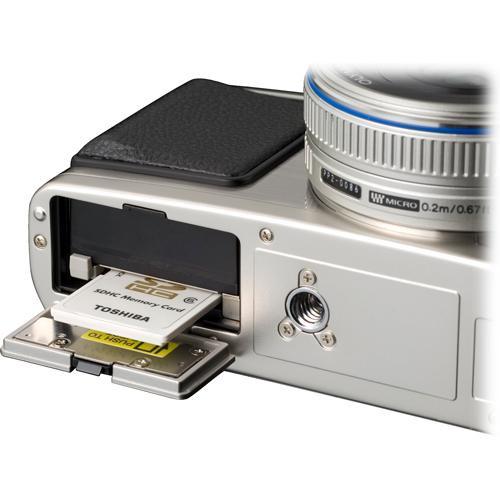
AVI: Up to 2.0GB | | Color Spaces | sRGB, Adobe RGB | | Image Stabilization | Yes | | Crop Factor | 2x | | | | Lens | 17mm f/2.8 M.Zuiko Digital Zoom (35mm film equivalent: 34mm) | | Zoom | N/A | | Lens Mount | Micro Four Thirds | | Focus Type | Autofocus and Manual Focus | | Focus Range | 0.66' (0.2m) - infinity | | Accessory Lens/Filter Mount | 37mm | | | | Sensitivity | ISO 100-6400 | | Shutter Speeds | 1/4000 - 60 sec, bulb Bulb exposure is limited to 30 minutes. | | Metering | 324-area Multi Pattern, Center Weighted, Spot | | Exposure Modes | iAUTO, Program, Aperture Priority, Shutter Priority, Manual, Scene | | White Balance | Auto, Lamp, Fluorescent 1 (4000K), Fluorescent 2 (4500K), Fluorescent 3 (6600K), Daylight, Flash, Cloudy, Shade, Custom | | Mirror Lock-Up | N/A | | Burst Capability | Up to 3fps | | Self Timer | 12 seconds or 2 seconds | | Interval Recording | N/A | | Remote Control | RM-UC1 Remote Cable Release (optional) | | | | Built-in Flash | No | | Effective Flash Range | N/A | | External Flash Connection | Hotshoe | | Dedicated Flash System | Olympus FL Series | | Max Sync Speed | 1/180 | | | | Built-in Memory | No | | Memory Card Type | SD/SDHC Class 6 cards are recommended for HD Video Capture. | | Still Images per GB | RAW: 73
JPEG: High Res: 124 - Low Res: 10,240 | | | | Video Recording | Yes | | Video Resolution | 1280x720 @ 30fps, 640x480 @ 30fps | | Video Clip Length | Up to 2GB (about 7 minutes in HD, 14 minutes in SD) | | Audio Recording | Stereo PCM/16-bit, 44.1kHz
Picture with Sound: Up to 30 sec
Audio with Video: dependent on clip length | | | | Viewfinder Type | None | | Viewfinder Coverage | N/A | | Display | 3" LCD | | | | Connectivity | USB 2.0, HDMI (Type C) | | System & Software Requirements | Windows 2000 (SP4), XP, Vista
Mac OS X (10.3 or later) | | | | Operating/Storage Temperature | Operating Temperature: 32-104°F/0-40°C
Storage Temperature: -4-140°F/-20-60°C | | Weatherproofing | None | | Durability | Not Specified By Manufacturer | | | | Battery Type | BLS-1 Li-ion Battery | | Power Adapter | None | | | | Dimensions | 4.75 x 2.75 x 1.43" (120.6 x 69.9 x 36.4mm) body only | | Weight | 0.7 lbs (335g) body only | | | | Package Weight | 2.2 lb | | Box Dimensions (LxWxH) | 7.0 x 5.5 x 4.1" |
Rating86% users recommend this product to others. And what about you?

This product has already been rated by 20 owners. Add your rating and experience with the product.
Discussion
 Ask our technicians if you have a problem with your settings,
or if anything is unclear in the user manual you have downloaded.
You can make use of our moderated discussion.
The discussion is public and helps other users of our website who may be encountering similar problems.
Ask our technicians if you have a problem with your settings,
or if anything is unclear in the user manual you have downloaded.
You can make use of our moderated discussion.
The discussion is public and helps other users of our website who may be encountering similar problems.
The discussion is empty - enter the first post
Post a new topic / query / comment:
|
|
|
| Request for user manual |
You can’t find the operation manual you are looking for? Let us know and we will try to add the missing manual:
I’m looking for a manual / Request for manual
Current requests for instruction manuals:
Call Of Duty World War Two For Xbox...
controller stratus XL...
stratus XL...
smart whatch serie S11 42mm...
Allen & Heath SQ-6 manual...
|
| Discussion |
Latest contributions to the discussion:
AEW R 4100
Name: MAURICIO ANGARITA
Audio-Technica AEW-R4100 UHF Diversity Receiver for
AEW R 4100 has the mute function blocked and does not allow audio to pass. I tried several times to turn off the mute from the transmitter but it does nothing, the mute stays on. Solution?
Thank you...
Instructions for assembling the 2015 Forecast Image Master Consoles GC3-A
Name: mike elam
Forecast Consoles GC3-A ImageMaster Editing Console
Looking for instructions for assembling this console. ...
EMPTY TONER ERROR MESSAGE AFTER REPLACING TONER
Name: LINDA BAD YELLOW EYES
Brother TN223BK Standard-Yield Toner
I HAD TO CHANGE OUT ALL THREE TONERS DUE TO LEAKS IN THE YELLOW AND CYAN. AFTER I REPLACED THEM, THE MACHINE KEEPS GIVING ME AN EMPTY TONER ERROR MESSAGE. HELP!!...
PS480D 20/24 pin Switching 480W Power Supply
Name: swkargo
Logisys 480W Power Supply
This item states in can run -5vdc .It is NOT listed on the board or I beleive is r4 is missing the resitior. Any body have thid issue. Shawn
...
Help needed
Name: Ann Carter
SanDisk 1TB Extreme Portable USB 3.1
When I click the link to download the user manual for my Sandisk Extreme external hard drive, it gives me the manual for the LG Cricket. Can you please change the link so I can download the Sandisk manual and begin using this drive? Thank you....
|
|


