User Manual for Olympus E-PL3 Mirrorless Micro Four Thirds Digital Camera with 14-42mm II f 3.5-5.6 Lens - Refurbished Click to enlarge the picture
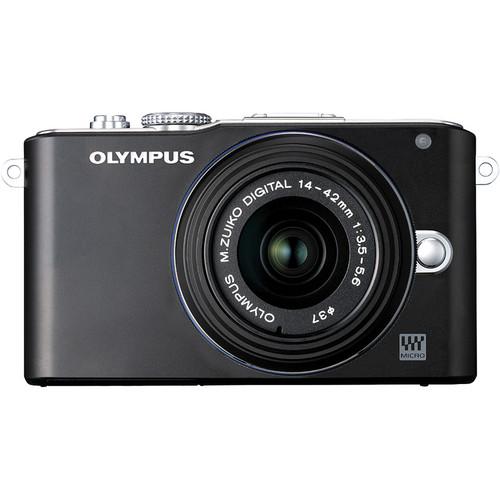 Contents of the user manual for the Olympus E-PL3 Mirrorless Micro Four Thirds
- Product category: Uncategorized Olympus
- Brand: Olympus
- Description and content of package
- Technical information and basic settings
- Frequently asked questions – FAQ
- Troubleshooting (does not switch on, does not respond, error message, what do I do if...)
- Authorized service for Olympus Uncategorized
 |
User manual for the Olympus E-PL3 Mirrorless Micro Four Thirds contain basic instructions
that need to be followed during installation and operation.
Before starting your appliance, the user manual should be read through carefully.
Follow all the safety instructions and warnings, and be guided by the given recommendations.
User manual is an integral part of any Olympus product,
and if it is sold or transferred, they should be handed over jointly with the product.
Following the instructions for use is an essential prerequisite for protecting
health and property during use, as well as recognition of liability on the part of the manufacturer
for possible defects should you make a warranty claim. Download an official Olympus user manual in which you will find instructions on how to install, use, maintain and service your product.
And do not forget – unsuitable use of a Olympus product will considerably shorten its lifespan!
|
Product description - Advanced Mirrorless Cameras
- Olympus E-PL3 Demo
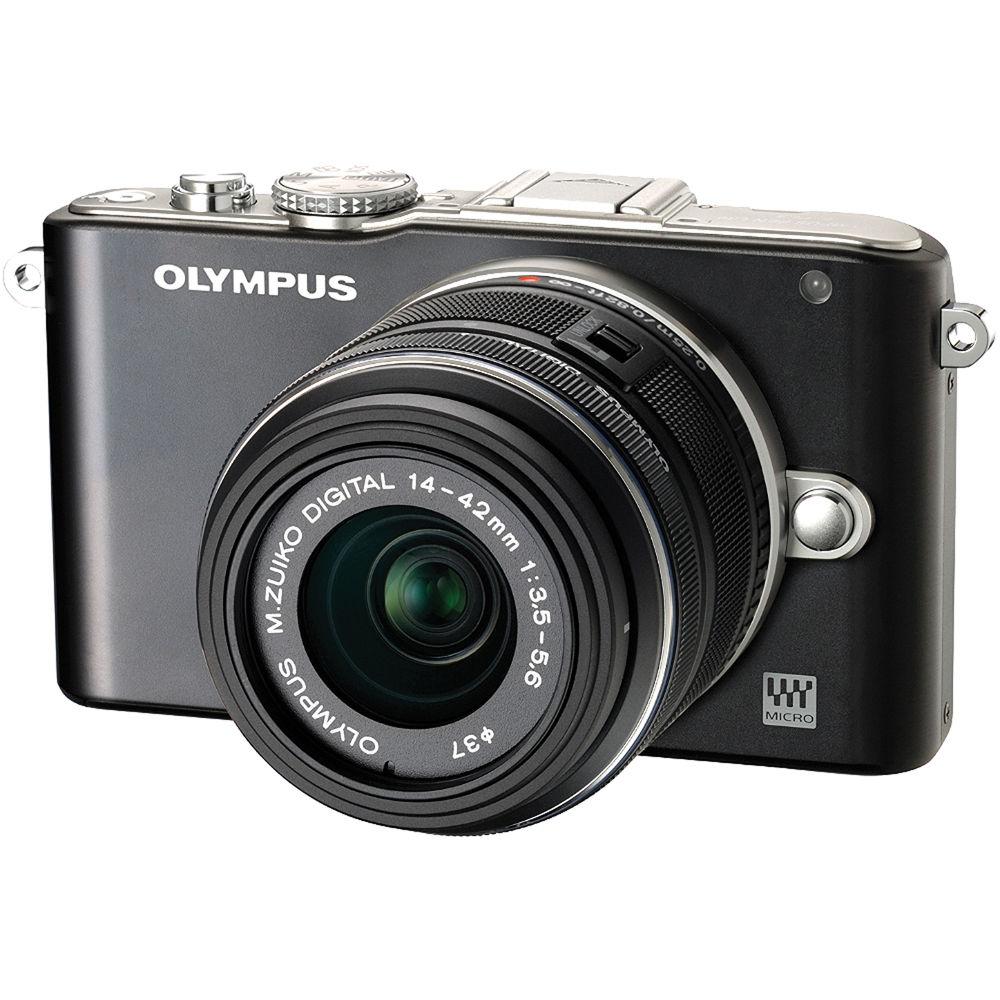
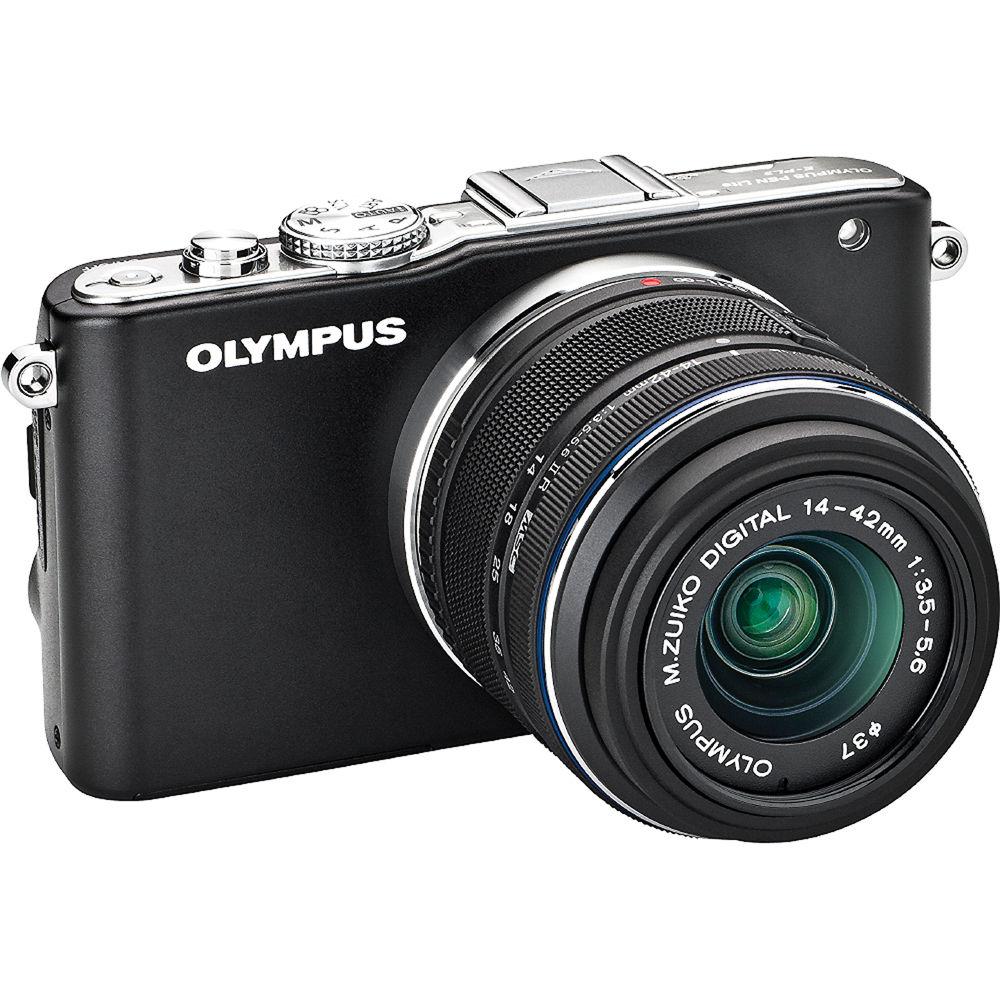
The Olympus E-PL3 Mirrorless Micro Four Thirds Digital Camera with 14-42mm II f/3.5-5.6 Lens puts the power to do more with your photos in the palm of your hand. Not only that, but the E-PL3 promises to do so, without weighing you down. Perhaps you're a die-hard Micro Four Thirds fan or you're simply looking for more versatility than a point-and-shoot can provide but without the weight of a DSLR rig. Olympus has heard the call and thus, has expanded their PEN line of cameras. This E-PL3 comes with an M.Zuiko MSC Digital ED m14-42mm II f/3.5-5.6 zoom lens. You can start shooting from day one with everything you need to make great photos. This versatile zoom gives you the coverage to shoot most subject matter, making it a great first lens. Using the Micro Four Thirds Mount, however, you can add any of the compatible lenses to the E-PL3 to customize the camera for the shooting you plan to do. In addition to the included lens, the camera also comes with an external flash for low light photography and a host of other essential accessories. Along with capturing RAW and JPEG images, the E-PL3 also takes 3D photos in the MPO format. And, as is one of the hallmarks of the Micro Four Thirds genre, the camera also records 1080/60i HD video in AVCHD or AVI Motion-JPEG formats. Up to 29 minutes of video can be recorded using the camera. Features like Live View and a generous 3.0", tiltable LCD screen help to capture even more dynamic footage with ease. Driving all this picture taking and movie making would be the 12.3Mp High speed Live MOS Sensor and the TruePic VI image processor. These two work in tandem to not only record remarkably detailed and bright images, but to do so quickly and efficiently, writing them to compatible SD/SDHC/SDXC, or UHS-I cards. Another helpful feature aiding in the image making process would be the in-camera image stabilization, which promises a cleaner image than image stabilization in the lens alone. Olympus' FAST AF System also does its part to help capture stunning images with its 35-point focus area; making it especially useful for shooting active subjects. Of course, art filters and other modes help add creativity to your memories, in camera. Additional in-camera editing features include the ability to make slideshows with sound, and the ability to preview effects as you adjust them. The E-PL3 also provides you the option to wireless transmit your photos or videos to email with optional, compatible cards, for computer-free transfer. What else you ask? Well, how about improved color reproduction, face detection with eye detect, 5 fps sequential shooting, and much more. Olympus wants you to enjoy picture taking without feeling weighed down or locked into point-and-shoot. With their E-PL3, you can do just that. - View the World From a Different Angle
- You love preserving memories, but you're ready for more creativity. More control. More options for capturing unforgettable images. The E-PL3 inspires innovation and is perfect for those who require a versatile, portable camera filled with advanced yet easy-to-use creative technologies. Its high-resolution 3" articulating LCD features an interface that makes it easy to access the effects you want from any angle
- 12.3Mp
- The 12.3Mp Live MOS sensor is optimized to maximize the performance of all M.Zuiko digital lenses in any shooting condition. Improvements to the sensitivity and read-out speed of the existing sensor makes ISO 12,800 shooting and Full HD movie recording possible
- Stabilization Technology in the Body, Not In the Lenses
- Say goodbye to blurry images. Olympus' in-body image stabilization technology makes it possible to use any Micro Four Thirds lenses (or Four Thirds lens), from wide-angle to telephoto, for perfectly clear, crisp photos no matter what the shooting situation, even in low light
- Improved Color Reproduction
- The TruePic VI Image Processor, designed specifically for the Olympus PEN, features Real Color Technology for improved color reproduction (especially colors such as emerald green, yellow, and gold) and color gradation. The faster processor also allows for a shorter recovery time between shots
- Face Detection with Eye Detect
- Nail the focus for every portrait photo, every time. The face detection AF employs an "Eye Detect AF" that adjusts focus automatically on the subject's eyes during portrait shooting and can even be adjusted to focus on the right, left or near-side eye. The Face Detection function captures up to eight faces, reducing the chance of blurred subjects when shooting several people at once
- Blazing Speed
- The FAST (Frequency Acceleration Sensor Technology) AF System is able to focus at an incredible speed and offers 35 separate focus points that are spread over nearly the entire sensor, which makes it possible for pin-point accurate focusing on small subjects wherever they appear in the frame. Selectable 3x3 groups within the 35-point area are especially effective when shooting active subjects
- 5 FPS Sequential Shooting
- With the E-PL3 you can take up to five photos a second, allowing you to easily capture that perfect shot, especially when your subject is moving
- Advanced Continuous AF and Tracking
- With the improved AF system, the AF Tracking function locks your subject into focus and continuously adjusts focus and brightness even if the subject disappears from view momentarily
- Improved Lens Technology
- High-precision engineering and an improved internal focusing mechanism have allowed the Olympus MSC (Movie+Still Compatible) lenses to auto focus quickly, smoothly and silently, perfect for stills and movies
- Full 1080 HD Video
- Shoot up to 29 minutes of 1080/60i HD video and stereo sound in either AVCHD or AVI formats. A Direct HD Movie Button switches you from still to movie mode with just the press of a button
- In-Camera Advanced Arts Filters
- Six in-camera Art Filters (Pop Art, Soft Focus, Grainy Film, Pin Hole, Diorama and Dramatic Tone) are enhanced by filter variations, art effects, and bracketing. Photographers can use Art Filters in all shooting modes as well as filming HD movies
- 3D Still Shooting
- Add a different dimension to your photographs in any mode from macro to landscape with Olympus' 3D technology. By simply selecting the 3D Photo Mode, releasing the shutter, and slowly panning, the camera will automatically take a second image from a slightly different perspective. The 3D data is processed in-camera resulting in an .MPO file, the universal industry 3D format, for easy display on 3D televisions or laptops
- In-Camera Slideshow with Sound
- Slideshows have never been easier or more fun to create. The E-PL3's enhanced playback functions allow you to employ effective fade-in/fade-out techniques, control the movie/still mix and speed, add captivating musical soundtracks, and much more
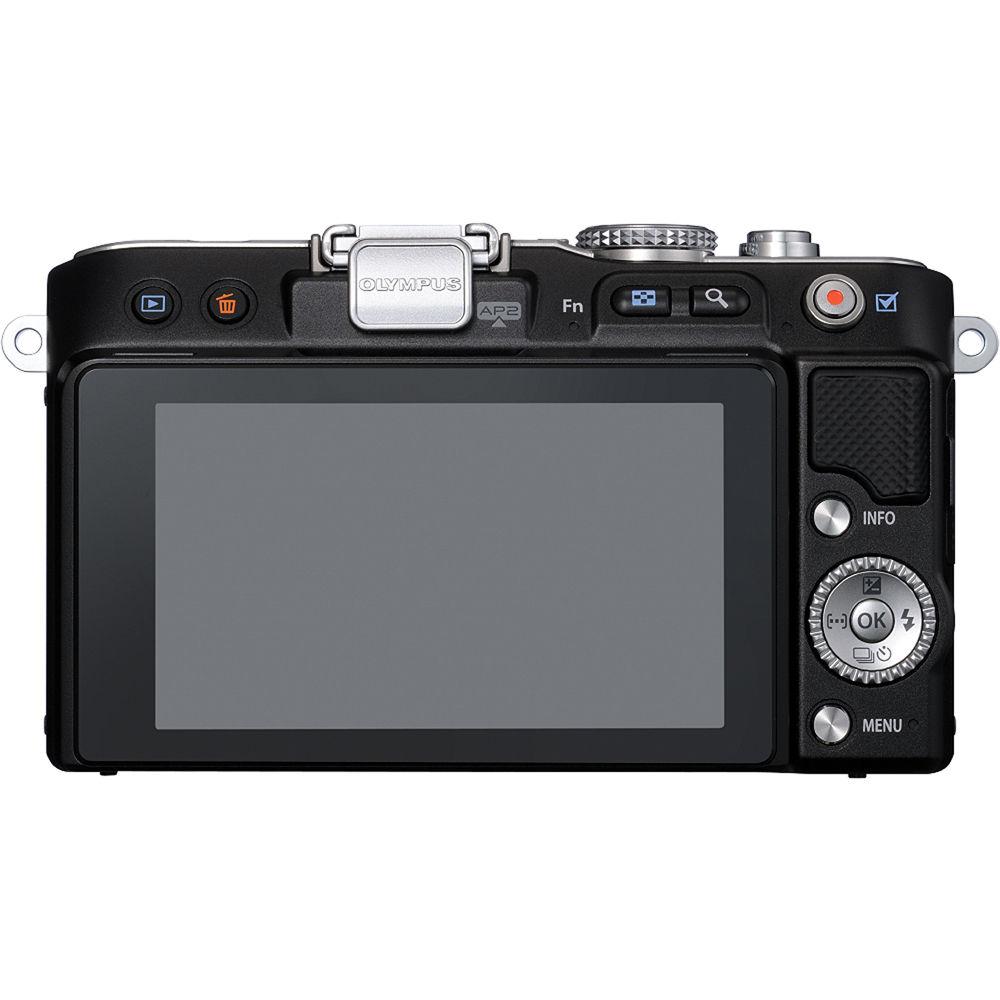
- 3.0" Tilting Widescreen LCD
- This bright, 460k dot high-resolution screen tilts up and down (from 80 degrees up to 45 degrees) to capture moments from a variety of angles. This tilting LCD can empower you to get flexible with your photography; to rise above the crowd to capture graduations, stoop to eye-level as babies take their first steps, and even lower to the ground to get an adorable shot of the family pet
- Excellent Shots - Effortlessly
- iAuto automatically identifies the scene you're shooting - portrait, landscape, night portrait, macro, or sport - and adjusts the settings to optimize results. The E-PL3 is also equipped with 23 Scene-Select modes for effortless picture taking, including Fireworks, Sunset, Children, Macro and Panorama, to name a few. There are even three scene modes that are specific to shooting with Olympus' conversion lenses to optimize the performance of those lenses
- Updated Screen Design and Live Guide
- The E-PL3's Live Guide system allows you to preview effects as you adjust them - before the image is even captured. Simply select Live Guide and turn the wheel on the back of the camera to slide through numerous photographic effects, such as brightness, color saturation, tone, etc. Operating the camera is more intuitive with the newly designed user interface. The on-screen graphics have also been updated with a sleeker font design and an automatic pop-up guide in the menu screen
- Get Wireless
- No need for cables or even a computer. Upload or email images directly from your camera with an optional PP-1 PENPAL or Eye-Fi card. The E-PL3 is also capable of recording stills and video to SD, SDHC, SDXC and UHS-I media cards
- AF Illuminator
- The addition of this super luminosity LED beam allows the camera to focus faster in low light up to almost 10 feet
- Increased ISO Sensitivity
- Stunning low light photos are a click away with an increased ISO sensitivity to 12,800
- Attachable Flash Included
- This camera provides the flexibility to attach a flash to your camera via the accessory port, or leave it at home for maximum portability
- Expandable System
- A range of interchangeable lenses, accessories and strobes are compatible with the E-PL3 to support all different types of photography needs
- Fast Shutter Response
- Never miss a shot again with the E-PL3's fast shutter response time of less than 60 milliseconds (60 - 1/40000 sec.). The TruePic VI feature allows for reduced shot-to-shot time by shortening the black-out time between shots
- Accessory Port
- The E-PL3 incorporates a port for connecting accessories including flashes, PENPAL, MAL-1 Macro Light, EMA-1 Microphone adapter and the VF-2 viewfinder
- Professional Audio Sound Capture
- Take videos that are able to capture uncompressed CD-quality 16bit/44.1kHz Linear PCM stereo recording or AC3 Dolby Digital audio
- Easy Photo and Video Playback On Your HDTV
- The E-PL3 makes sharing your content easy. Using the HDMI output, just connect the E-PL3 to your HDTV with an HDMI cable (not included) and navigate the camera's menus from the comfort of your couch. This is perfect for sharing your pictures and movies with an audience
- Multiple Exposure Shooting
- The Multiple Exposure function enables you to be creative right in the camera. Multiple images can be captured and combined to create one unique image. The creative possibilities are endless
- Additional Aspect Ratios
- The E-PL3 lets you select one of five aspect ratios (4:3 / 3:2 / 16:9 / 6:6 / 3:4) that frame your images to whatever proportions you'd like, for everything from conventional enlargements to viewing on widescreen monitors
- Proven Dust Reduction System
- Olympus' Dust Reduction System assures spot-free images, even after changing lenses. Every time you turn on the camera, the patented Supersonic Wave Filter silently vibrates, flinging and collecting dust so that it doesn't interfere with the picture imaging at any time
- ePortrait Mode
- Capturing beautiful portraits is easy with the ePortrait Mode that enables you to soften shadows and smooth your subject's complexion either before image capture or during post-capture edits
- Advanced Shadow Adjustment Technology
- You no longer need to worry about the extreme contrast between dark and bright areas in your images. The E-PL3's Shadow Adjustment Technology corrects for extreme light variations with high-tech efficiency either before image capture or during post-capture edits
- Live View Magnification
- For accurate manual focusing, MF Assist can be enabled during S-AF + MF operation. With it you can zoom in on the central part of the image by up to five times by turning the focus ring
- Super Control Panel
- Shooting information Battery information, Shooting mode, Shutter speed, Aperture value, Exposure compensation value, ISO sensitivity Exposure compensation indicator, Exposure indicator, Flash intensity compensation indicator, Date, Auto BKT setting NR setting, WB, WB compensation value, Record mode, Flash Status, Record mode, Image size Drive mode, Flash intensity compensation value, Metering mode, Recordable still image number, Focusing mode AF frame, Color space, Sharpness, Contrast, Saturation, Internal Temperature Warning Gradation, IS activating mode, Face detection, My Mode, Multi Exposure, Aspect Ratio, Super FP
- Live Control
- Shooting information Battery information, Shooting mode, Shutter speed, Aperture value, Exposure compensation value, ISO sensitivity Exposure compensation indicator, Exposure indicator, Flash intensity compensation indicator, Date, Auto BKT setting NR setting, WB, Record mode, Flash Status, Image size Drive mode, Flash intensity compensation value, Metering mode, Recordable still image number, Focusing mode AF frame, Internal Temperature Warning, IS activating mode, Face detection, My Mode, Multi Exposure, Aspect Ratio
- Live Guide
- Setting menu Color saturation, Color image, Brightness, Blur Background, Express Motion, Shooting Tips
- Reset and Custom Setting
- My mode: 4 setting recordable
- Image Overlay
- Up to 3 RAW images
- Print Function
- Print reservation (DPOF), Direct print (PictBridge compatible)
In the Box Olympus E-PL3 Mirrorless Micro Four Thirds Digital Camera with 14-42mm II f/3.5-5.6 Lens (Black) M.ZUIKO Digital ED 14-42mm f/3.5-5.6 Micro 4/3 Zoom (Black) Flash FL-LM1 USB/Video Multi Cable BLS-1 Lithium-Ion Battery BCS-1 Lithium-Ion Battery Charger Shoulder Strap Olympus Viewer 2/ib Software CD-ROM Instruction Manual 90-Day Refurbished Warranty User Manual PDF 3.8mbsbvdbaqacvzuwextevbfaatbrzyfxxac Table of Contents
|
Upload User Manual
Have you got an user manual for the Olympus E-PL3 Mirrorless Micro Four Thirds Digital Camera with 14-42mm II f 3.5-5.6 Lens - Refurbished in electronic form? Please send it to us and help us expand our library of instruction manuals.
Thank you, too, on behalf of other users.
To upload the product manual, we first need to check and make sure you are not a robot. After that, your "Submit Link" or "Upload File" will appear.
Technical parametersOlympus V205031BU00B Specs | | | Focus Mode | Single-Servo AF (S), Continuous-Servo AF (C), Manual Focus (M) | | | | Metering Method | Multi-Zone, Spot | | White Balance | Auto, Cloudy, Daylight, Flash, Fluorescent, Shade, Underwater | | | | External Flash Connection | Hot Shoe | | | | Battery | 1 x BLS-1 Rechargeable Lithium-Ion | | | | Angle of View | 75
Rating92% users recommend this product to others. And what about you?

This product has already been rated by 28 owners. Add your rating and experience with the product.
Discussion
 Ask our technicians if you have a problem with your settings,
or if anything is unclear in the user manual you have downloaded.
You can make use of our moderated discussion.
The discussion is public and helps other users of our website who may be encountering similar problems.
Ask our technicians if you have a problem with your settings,
or if anything is unclear in the user manual you have downloaded.
You can make use of our moderated discussion.
The discussion is public and helps other users of our website who may be encountering similar problems.
The discussion is empty - enter the first post
Post a new topic / query / comment:
|
|
|
| Request for user manual |
You can’t find the operation manual you are looking for? Let us know and we will try to add the missing manual:
I’m looking for a manual / Request for manual
Current requests for instruction manuals:
Call Of Duty World War Two For Xbox...
controller stratus XL...
stratus XL...
smart whatch serie S11 42mm...
Allen & Heath SQ-6 manual...
|
| Discussion |
Latest contributions to the discussion:
AEW R 4100
Name: MAURICIO ANGARITA
Audio-Technica AEW-R4100 UHF Diversity Receiver for
AEW R 4100 has the mute function blocked and does not allow audio to pass. I tried several times to turn off the mute from the transmitter but it does nothing, the mute stays on. Solution?
Thank you...
Instructions for assembling the 2015 Forecast Image Master Consoles GC3-A
Name: mike elam
Forecast Consoles GC3-A ImageMaster Editing Console
Looking for instructions for assembling this console. ...
EMPTY TONER ERROR MESSAGE AFTER REPLACING TONER
Name: LINDA BAD YELLOW EYES
Brother TN223BK Standard-Yield Toner
I HAD TO CHANGE OUT ALL THREE TONERS DUE TO LEAKS IN THE YELLOW AND CYAN. AFTER I REPLACED THEM, THE MACHINE KEEPS GIVING ME AN EMPTY TONER ERROR MESSAGE. HELP!!...
PS480D 20/24 pin Switching 480W Power Supply
Name: swkargo
Logisys 480W Power Supply
This item states in can run -5vdc .It is NOT listed on the board or I beleive is r4 is missing the resitior. Any body have thid issue. Shawn
...
Help needed
Name: Ann Carter
SanDisk 1TB Extreme Portable USB 3.1
When I click the link to download the user manual for my Sandisk Extreme external hard drive, it gives me the manual for the LG Cricket. Can you please change the link so I can download the Sandisk manual and begin using this drive? Thank you....
|
|


