User Manual for Olympus OM-D E-M1 Mark II Mirrorless Micro Four Thirds Digital Camera Click to enlarge the picture
 Contents of the user manual for the Olympus OM-D E-M1 Mark II Mirrorless
- Product category: Mirrorless System Cameras Olympus
- Brand: Olympus
- Description and content of package
- Technical information and basic settings
- Frequently asked questions – FAQ
- Troubleshooting (does not switch on, does not respond, error message, what do I do if...)
- Authorized service for Olympus Mirrorless System Cameras
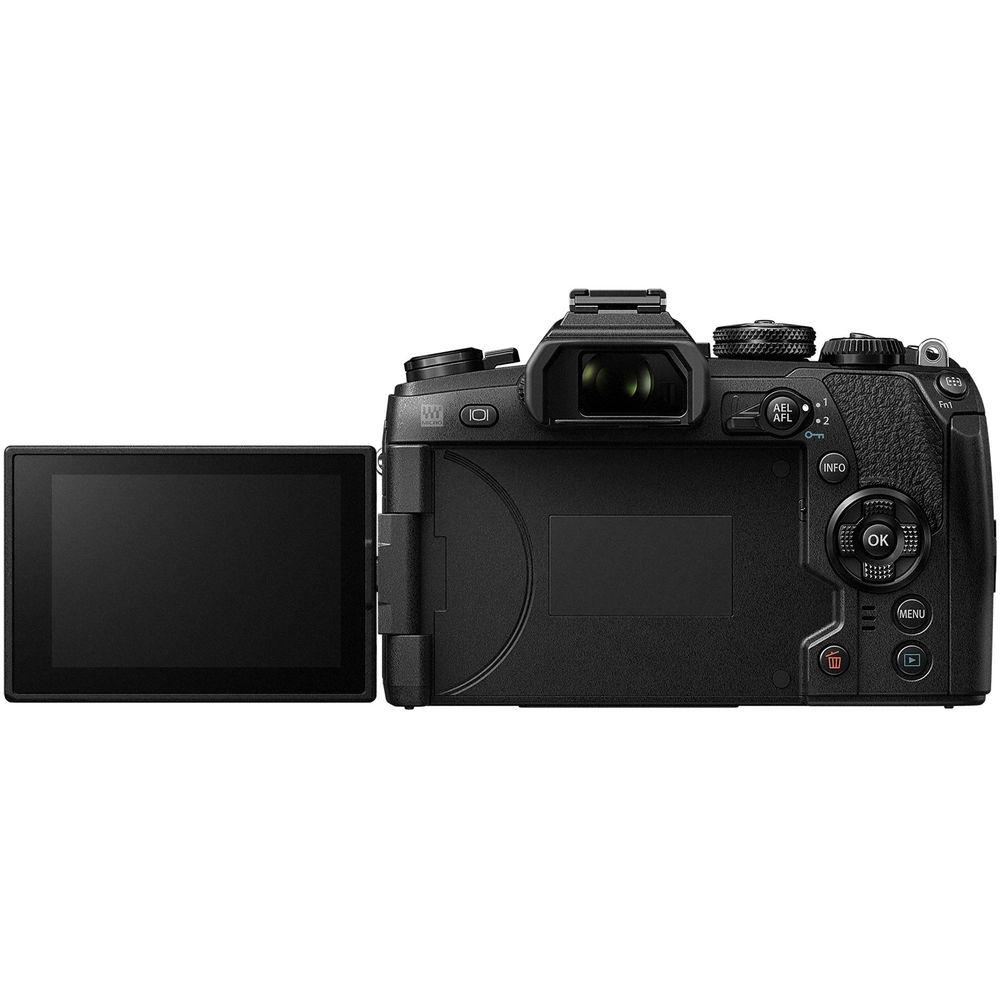
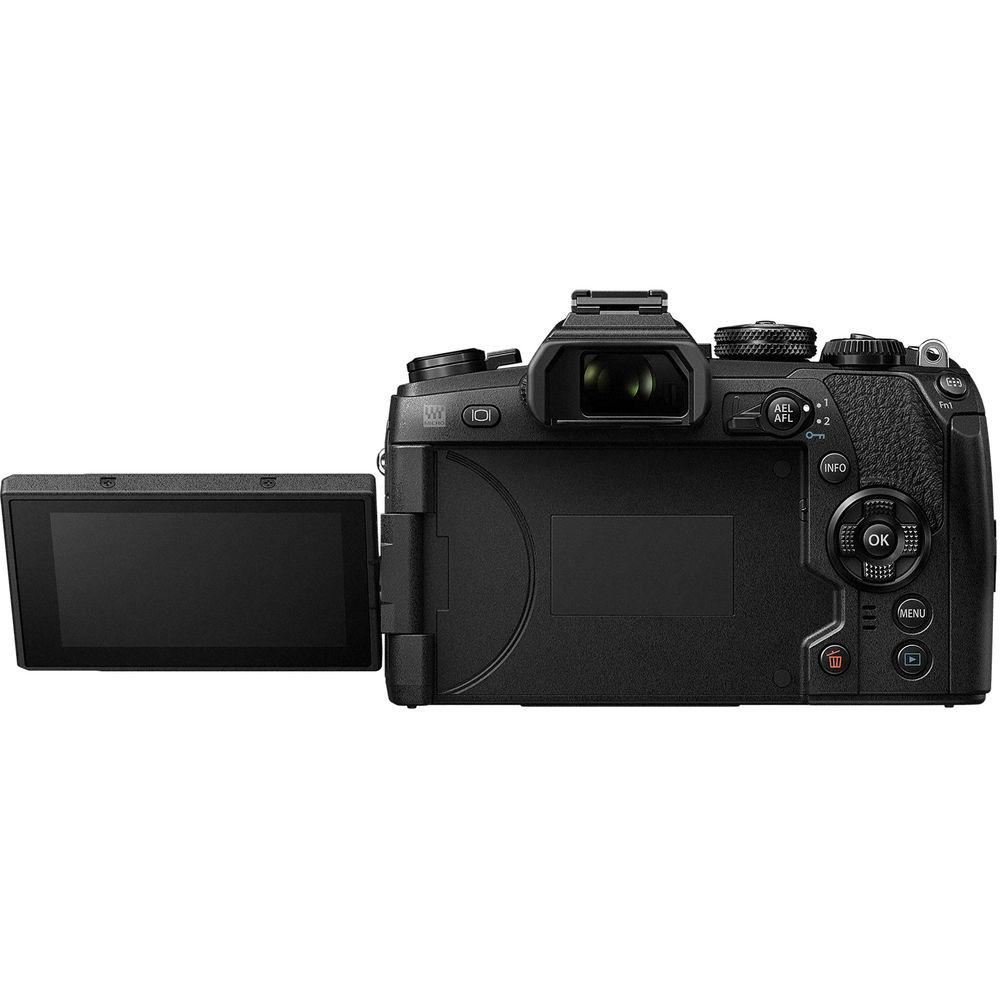
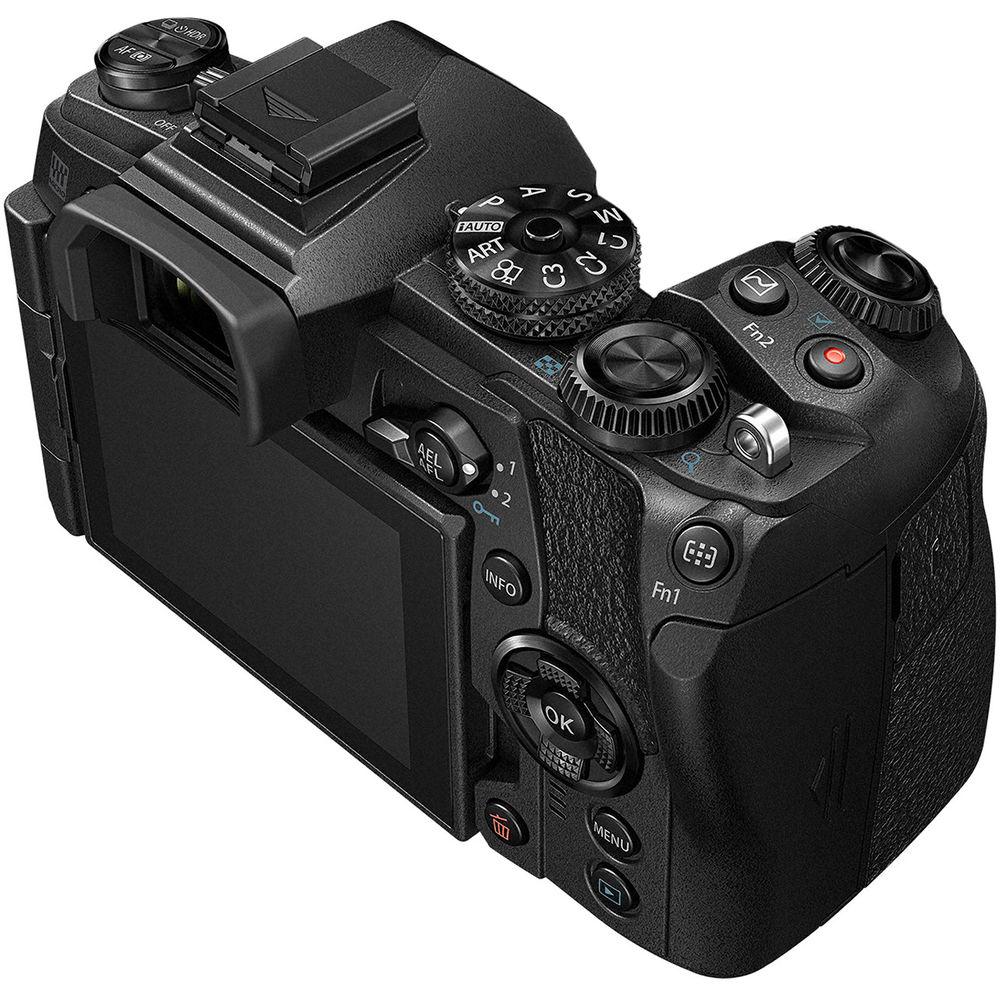
 |
User manual for the Olympus OM-D E-M1 Mark II Mirrorless contain basic instructions
that need to be followed during installation and operation.
Before starting your appliance, the user manual should be read through carefully.
Follow all the safety instructions and warnings, and be guided by the given recommendations.
User manual is an integral part of any Olympus product,
and if it is sold or transferred, they should be handed over jointly with the product.
Following the instructions for use is an essential prerequisite for protecting
health and property during use, as well as recognition of liability on the part of the manufacturer
for possible defects should you make a warranty claim. Download an official Olympus user manual in which you will find instructions on how to install, use, maintain and service your product.
And do not forget – unsuitable use of a Olympus product will considerably shorten its lifespan!
|
Product description Macro Imaging with Panasonic and Olympus Micro Four Thirds Cameras Read More - E M1 Mark II Feature Overview
- E M1 Mark II Product Overview Video
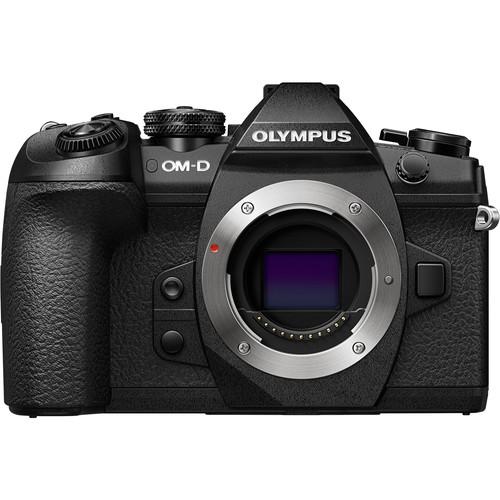
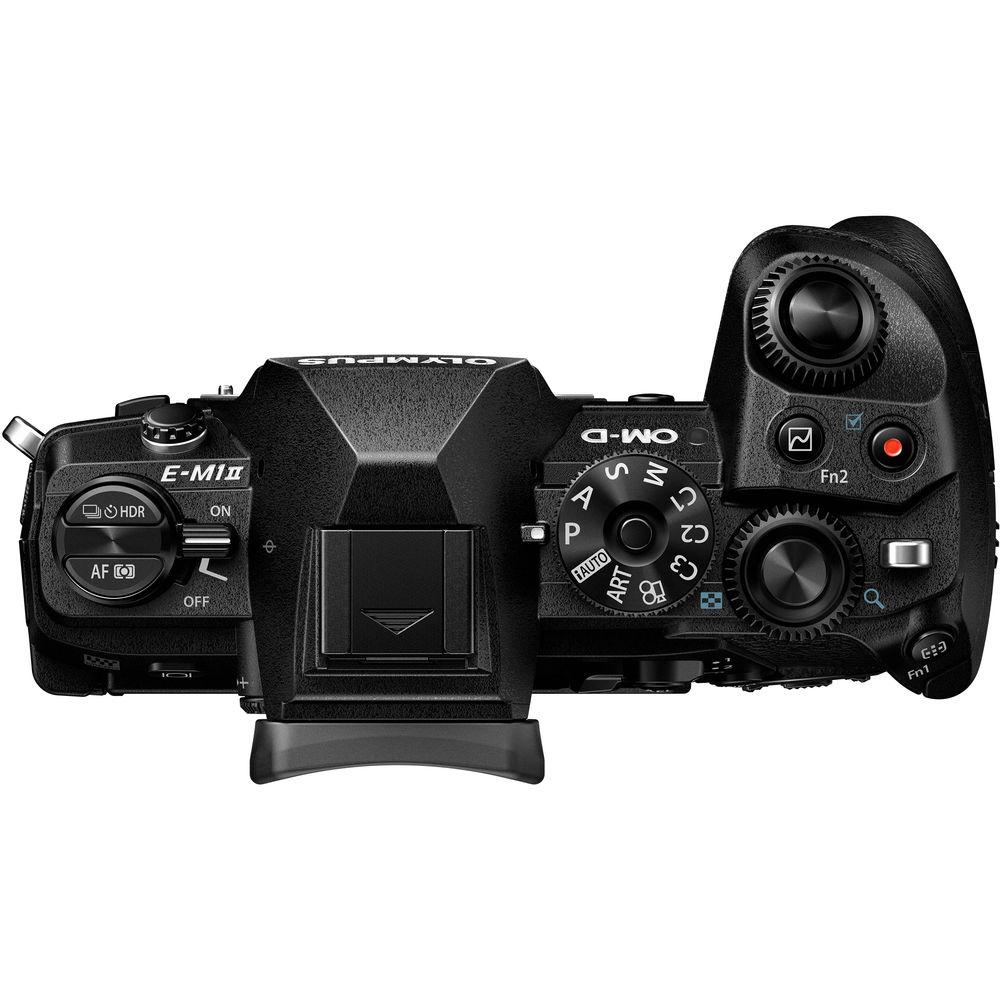
Fast, durable, and versatile, the black OM-D E-M1 Mark II from Olympus is a workhorse Micro Four Thirds mirrorless camera, offering a broad range of stills and video-minded functionality. Revolving around a high-resolution 20.4MP Live MOS sensor and TruePic VIII image processor, the E-M1 Mark II sports a truly fast 60 fps continuous shooting rate with an electronic shutter, 18 fps with continuous autofocus, and 15 fps with a mechanical shutter. For video shooters, both DCI and UHD 4K recording modes can be used, along with a Time-lapse Movie mode for producing in-camera 4K time-lapse sequences. The sensor and processor also avail a top expanded sensitivity of ISO 25600 to support shooting in difficult lighting conditions, and sensor-shift-type 5-axis image stabilization also helps to minimize the appearance of camera shake for sharper handheld shooting. Additionally, the sensor's design also incorporates 121 on-chip phase-detection points, all of which are cross-type, along with 121 contrast-detection areas for fast and precise focusing and subject tracking performance.
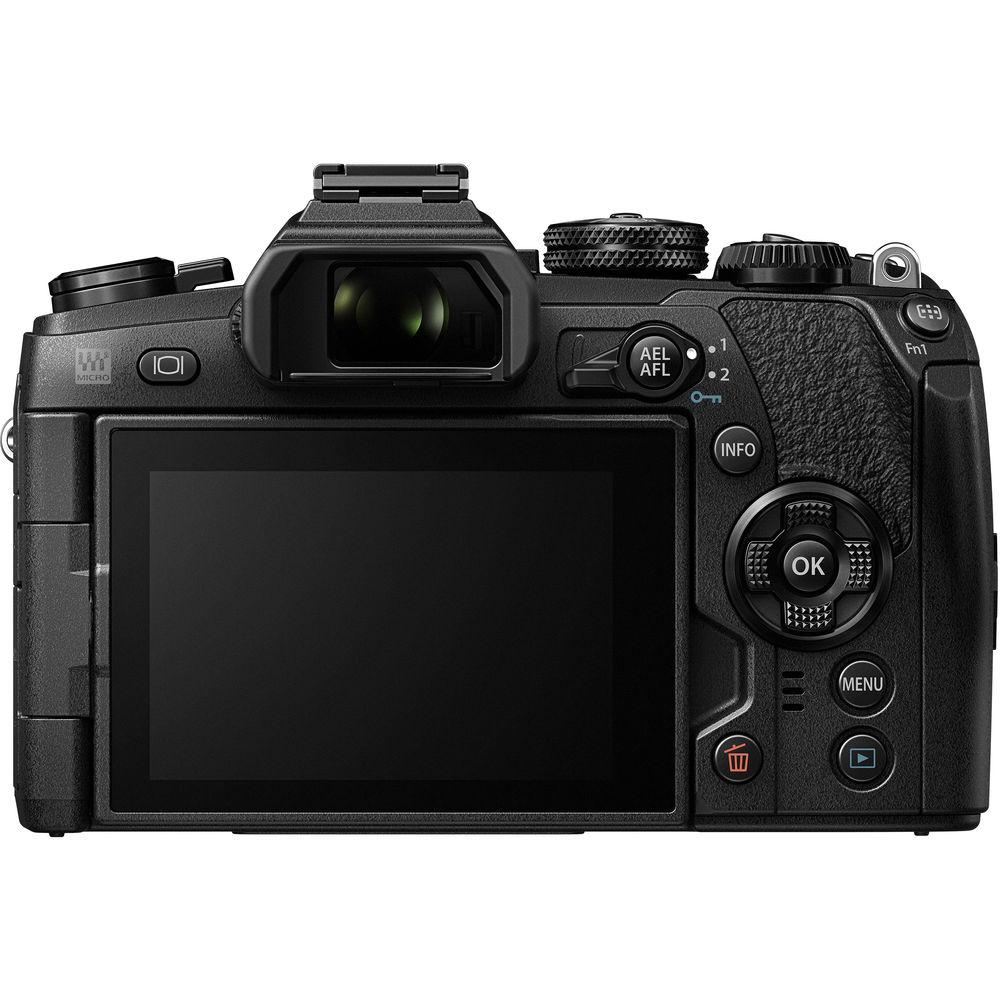
Complementing the imaging capabilities, the E-M1 Mark II also sports a durable magnesium alloy design that is weather-resistant for working in harsh climates. The body also features both a 2.36m-dot electronic viewfinder and 3.0" 1.04m-dot vari-angle LCD touchscreen for intuitive control and working from a variety of angles. Built-in Wi-Fi further expands sharing and remote shooting capabilities, and dual SD card slots and a USB 3.0 Type C port expand file saving and tethered shooting options. - 20.4MP Live MOS Sensor and TruePic VIII Image Processor
- A high-resolution 20.4MP Live MOS sensor and TruePic VIII image processor pair to avail notably fast shooting performance, along with impressive image quality, an expanded sensitivity range up to ISO 25600, and 4K video recording capabilities. Ideal for sports and wildlife shooting, the sensor and processor combination avails a full-resolution, raw file continuous shooting rate of 60 fps when working with the silent electronic shutter function and single-shot AF, or 18 fps with continuous autofocus. If working with the mechanical shutter, up to 15 fps with single-shot AF is possible.
- DCI and UHD 4K Video Recording and Time-Lapse Movie Mode
- The sensor and processor also support recording both DCI (4096 x 2160) and UHD (3840 x 2160) 4K movies. When working in DCI, a true 24.00 fps frame rate is used, along with IPB compression and a 237 Mbps bit-rate, and UHD 4K is available in frame rates up to 30p and a 102 Mbps bit-rate. Full HD 1080p and HD 720p recording is also supported. Audio recording is possible using the built-in stereo microphone, however both an external mic jack and headphone jack are available for improved audio monitoring.
In addition to video recording, a Time-lapse Movie mode is also available for recording up to 4K UHD resolution with a 5 fps shooting rate to highlight subject changes or movement over a longer period of time. Full HD and HD time-lapse settings are available, too. - Pro Capture Mode
- Helping to ensure you don't miss the shot, Pro Capture Mode is a unique setting that starts recording and buffering full-resolution JPEG or raw images prior to fully depressing the shutter. As soon as you press the shutter button halfway, frames will begin to be recorded, and once you fully press the shutter, the image will be saved in addition to the previous 35 frames. Additionally, you can hold the shutter button in this mode to keep shooting continuously using the silent electronic shutter function.
- Dual F.A.S.T. Autofocus and Focus Controls
- A Dual F.A.S.T. autofocus system combines both 121 on-chip phase-detection points and 121 contrast detection areas for focusing performance that is both quick and accurate. All 121 phase-detection points are cross-type, too, for improved precision in mixed lighting conditions, as well as enhanced subject tracking capabilities. A single button can be used to switch between focusing modes, including all point, single point, 9-point group, and 5-point cross, and a Subject Tracking Cluster Display utilized continuous AF for fast-moving subject tracking. In contrast, manual focus users are benefitted by live view magnification and focus peaking controls for greater accuracy.
- 5-Axis Sensor-Shift Image Stabilization
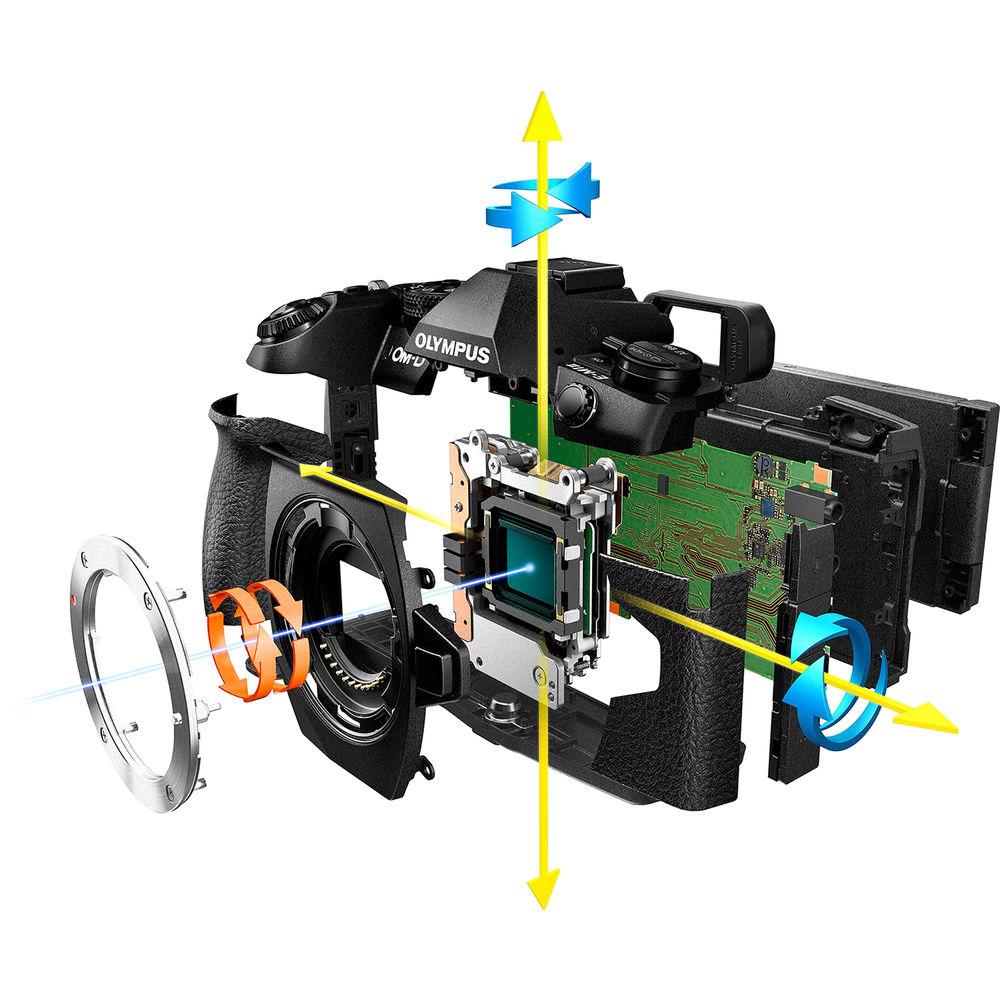
- In-body, sensor-shift image stabilization helps to minimize the appearance of camera shake by up to 5.5 stops with any lens in use and compensates for camera movements that become especially noticeable when working with telephoto shots, macro imagery, and long exposures. Furthermore, this unique image stabilization system works across five axes to compensate for vertical angle rotation, horizontal angle rotation, horizontal shift, vertical shift, and rolling camera shake movement. This range of detected movements serves to benefit traditional still image shooting as well as movie recording and working with moving subjects more effectively. Additionally, image stabilization can also be used when framing shots, for more accurate compositions, by half-pressing the shutter button.
- Body Design and Built-In Wi-Fi
-
- High-resolution 2.36m-dot electronic viewfinder is available for eye-level monitoring, and an S-OVF (Simulated Optical Viewfinder) mode can be used to expand the live view dynamic range to suit working in bright, contrast-rich lighting.
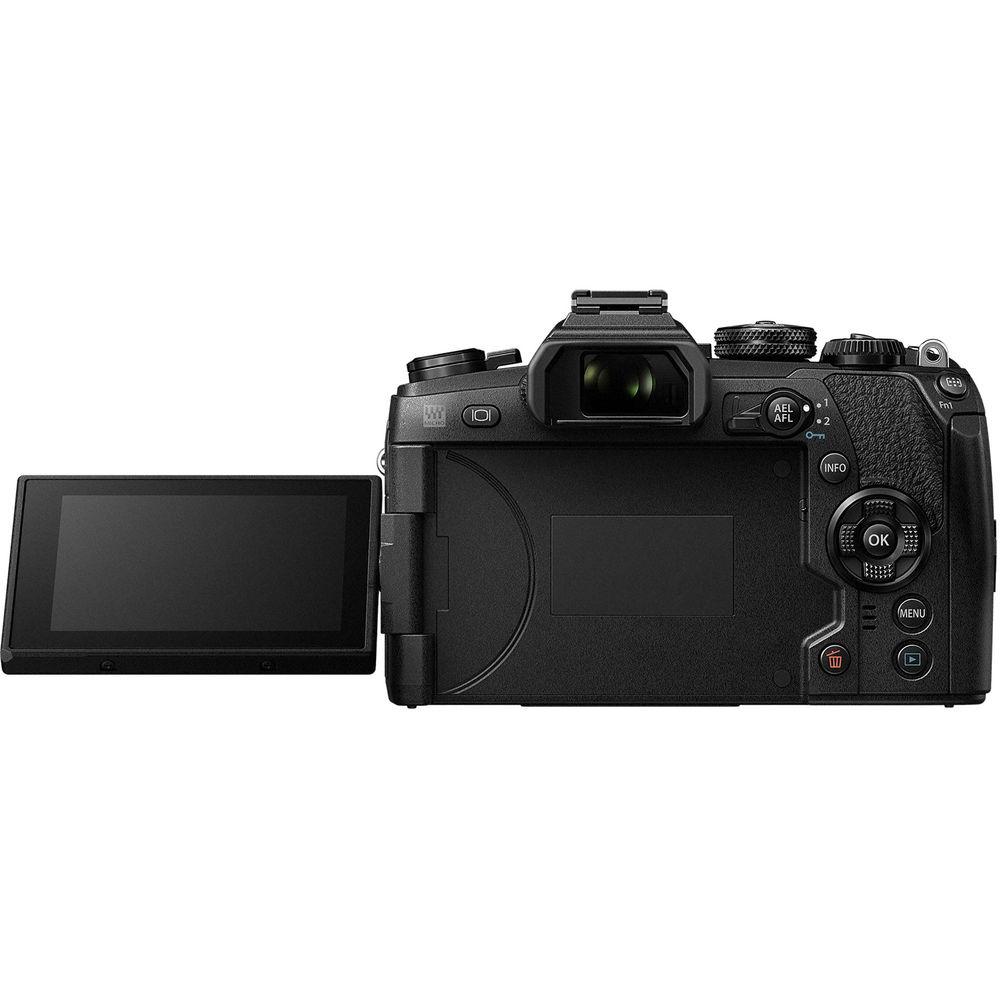
- Rear 3.0" 1.04m-dot touchscreen LCD features a vari-angle design to support working from a variety of angles, as well as making front-facing selfies.
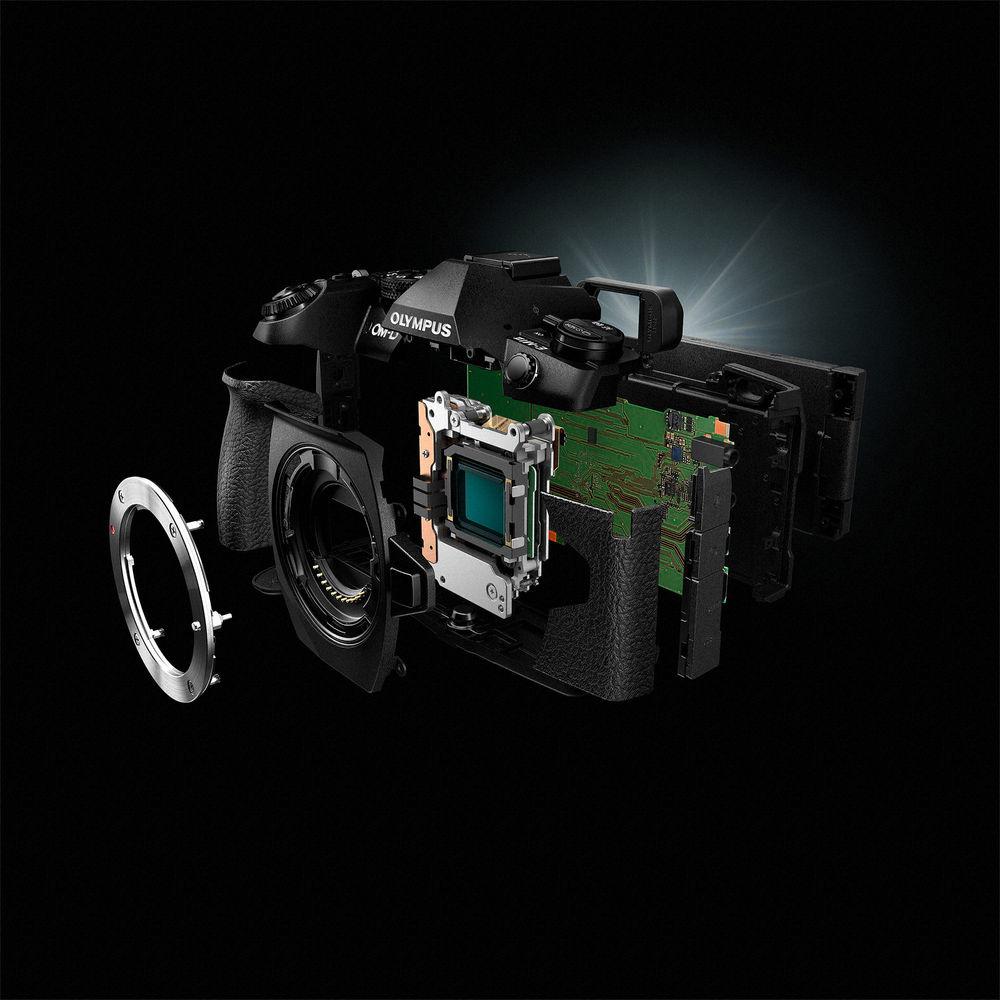
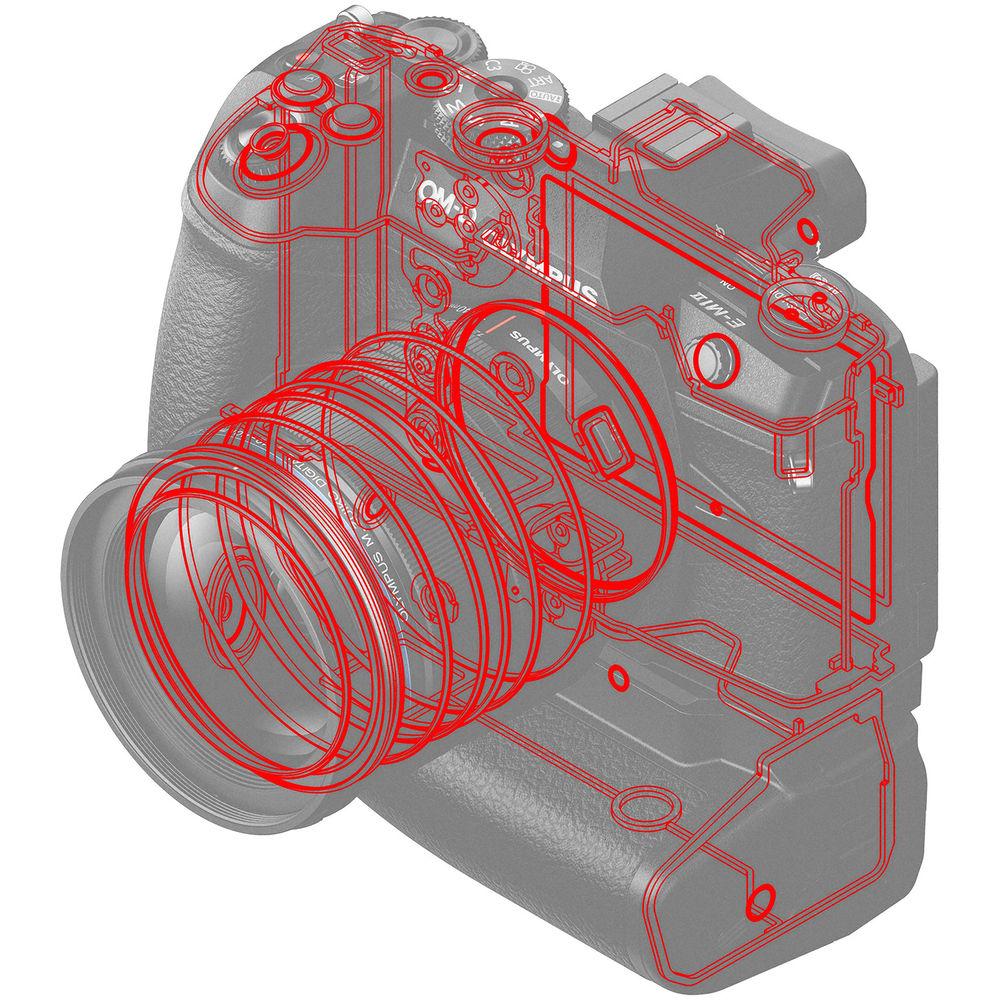
- Magnesium-alloy body design is hermetically-sealed for resistance against dust and moisture to better enable working in harsh environments, as well as freezing temperatures down to 14°F.
- The included FL-LM3 external flash is also dust and splashproof to match the camera's resistance to harsh weather.
- Dual SD memory card slots afford greater flexibility in regard to how files are saved, and also enable a greater overall capacity for longer shooting sessions.
- USB 3.0 Type-C port avails fast connection and transfer speeds, as well as enables tethered shooting capabilities with Olympus Capture.
- Built-in Wi-Fi permits wireless image sharing and remote camera control from a linked smartphone or tablet.
- Other Camera Features
-
- High Res Shot Mode offers the equivalent output of a 50MP image by combining eight single JPEG frames, which are recorded within one second, into a single, larger image. In between each of the eight exposures, the sensor-shift stabilization mechanism moves slightly in order to acquire more information than in a single exposure and these frames are then composited into a final JPEG with greater resolution and color detail. The TruePic VIII processor aids this process by compensating for any subject movement blur and this feature can also be configured to record 25MP images for file size flexibility.
- Silent Shutter Mode completely eliminates shutter noise and other electronic sounds to benefit working in nature, concert halls, or other sound-sensitivity locations.
- Live Bulb and Live Time settings can be used to produce creative long exposure imagery. Live Bulb lets you hold the shutter open for up to one minute and Live Time lets you press the shutter button once to open the shutter and then press again within a minute to end the exposure.
- Live Composite is a unique long exposure mode that allows you to gradually build up an exposure over time without overexposing key elements within the frame. This mode works to only record newly detected light sources over time, and allows you to watch as an image develops, making it ideally suited for photographing star trails or other moving light sources.
- Interval shooting is supported for up to 999 frames with 1 second to 24-hour exposure intervals.
- In-Camera Focus Stacking will automatically record eight images of a subject while shifting the plane of focus slightly, then composite these exposures into a single frame to exhibit an extended depth of field. Alternatively, Focus Bracketing allows you to record between 3-999 frames with adjustable focus steps in a 1-10 range for manual compositing during post-production. These modes are only available when working with M.Zuiko Digital ED 60mm f/2.8 Macro, 12-40mm f/2.8 PRO, 40-150mm f/2.8 PRO, 30mm f/3.5 Macro, 7-14mm f/2.8 PRO, 8mm f/1.8 Fisheye PRO, and 300mm f/4 IS PRO lenses.
- Picture Modes: i-Enhance, Vivid, Natural, Muted, Portrait, Monotone, Custom, e Portrait, Underwater, and Art Filters.
- Fourteen different in-camera Art Filters are available, and include Pop Art, Soft Focus, Pale & Light Color, Light Tone, Grainy Film, Pin Hole, Diorama, Cross Process, Gentle Sepia, Dramatic Tone, Key Line, Watercolor, Vintage, and Partial Color, and these modes can be further adjusted through the use of Art Effects, which include a Soft Focus Effect, Pin-Hole Effect, White Edge Effect, Frame Effect, Star Light Effect, Defocus Effect, B&W Effect (Yellow, Orange, Red, and Green), Picture Tone (Sepia, Blue, Purple, and Green), and Shade Effect (Top & Bottom, Left & Right).
- Keystone Compensation allows you to correct for convergence when working in live view.
- A multi-exposure mode blends two frames using an auto gain to maintain a controlled exposure value.
- Language support: English, French, German, Spanish, Italian, Japanese, Korean, Traditional Chinese, Simplified Chinese, Russian, Czech, Dutch, Danish, Polish, Portuguese, Swedish, Norwegian, Finnish, Croatian, Slovenian, Hungarian, Greek, Slovakian, Turkish, Latvian, Estonian, Lithuanian, Ukrainian, Serbian, Bulgarian, Rumanian, Indonesian, Malay, and Thai.
UPC: 050332191181 In the Box Olympus OM-D E-M1 Mark II Mirrorless Micro Four Thirds Digital Camera (Black, Body Only) FL-LM3 Flash sefwrbusbrbawsuvxbuycesc BLH-1 Lithium-Ion Battery BCH-1 Lithium-Ion Battery Charger Shoulder Strap USB Cable Cable Clip Limited 1-Year Warranty Olympus Officially Releases OM-D EM-1 Mark II and Accessories Shawn C. Steiner 09/20/2016 User Manual PDF 4.5mb Table of Contents
|
Upload User Manual
Have you got an user manual for the Olympus OM-D E-M1 Mark II Mirrorless Micro Four Thirds Digital Camera in electronic form? Please send it to us and help us expand our library of instruction manuals.
Thank you, too, on behalf of other users.
To upload the product manual, we first need to check and make sure you are not a robot. After that, your "Submit Link" or "Upload File" will appear.
Download User ManualThe user manual for the Olympus OM-D E-M1 Mark II Mirrorless Micro Four Thirds Digital Camera can be downloaded in PDF format at the link stated below.
Technical parametersOlympus E-M1 Mark II Specs | | | Lens Mount | Micro Four Thirds | | Camera Format | Micro Four Thirds (2x Crop Factor) | | Pixels | Actual: 21.8 Megapixel
Effective: 20.4 Megapixel | | Maximum Resolution | 5184 x 3888 | | Aspect Ratio | 4:3 | | Sensor Type | MOS | | Sensor Size | 17.4 x 13 mm | | Image File Format | JPEG, RAW | | Bit Depth | 12-Bit | | Image Stabilization | Sensor-Shift, 5-Axis | | | | ISO Sensitivity | Auto, 200 to 6400 (Extended: 64 to 25600) | | Shutter Speed | Mechanical Shutter
1/8000 to 60 Seconds
Electronic Shutter
1/32000 to 60 Seconds
1 to 30 Minutes in Bulb Mode | | Metering Method | Center-Weighted Average, Multi-Zone, Spot | | Exposure Modes | Aperture Priority, Auto, Manual, Program, Shutter Priority | | Exposure Compensation | -5 to +5 EV (1/3, 1/2, 1 EV Steps) | | Metering Range | -2 to 20 EV | | White Balance | Auto, Cloudy, Custom, Fluorescent, Incandescent, Shade, Sunlight, Underwater | | Continuous Shooting | Up to 15 fps at 20.4 MP
Up to 10 fps at 20.4 MP
Up to 8.5 fps at 20.4 MP
Up to 60 fps at 20.4 MP
Up to 18 fps at 20.4 MP | | Interval Recording | Yes | | Self Timer | 2/12-Second Delay | | | | Recording Modes | AVI/M-JPEG
DCI 4K (4096 x 2160) at 24p [237 Mb/s]
UHD 4K (3840 x 2160) at 23.976p/25p/29.97p [102 Mb/s]
Full HD (1920 x 1080) at 23.976p/25p/29.97p/50p/59.94p
HD (1280 x 720) at 23.976p/25p/29.97p/50p/59.94p
MOV/H.264
DCI 4K (4096 x 2160) at 24p [237 Mb/s]
UHD 4K (3840 x 2160) at 23.976p/25p/29.97p [102 Mb/s]
Full HD (1920 x 1080) at 23.976p/25p/29.97p/50p/59.94p
HD (1280 x 720) at 23.976p/25p/29.97p/50p/59.94p | | Recording Limit | Up to 29 Minutes | | Video Encoding | NTSC/PAL | | Audio Recording | Built-In Microphone (Stereo)
External Microphone Input | | Audio File Format | Linear PCM (Stereo), WAV | | | | Focus Type | Auto and Manual Focus | | Focus Mode | Continuous-Servo AF (C), Manual Focus (M), Single-Servo AF (S) | | Autofocus Points | Phase Detection: 121 (121 Cross-Type)
Contrast Detection: 121 | | | | Viewfinder Type | Electronic | | Viewfinder Resolution | 2,360,000 Dot | | Viewfinder Eye Point | 21 mm | | Viewfinder Coverage | 100% | | Viewfinder Magnification | Approx. 1.3x | | Diopter Adjustment | -4 to +2 m | | Monitor Size | 3" | | Monitor Resolution | 1,037,000 Dot | | Monitor Type | Articulating Touchscreen LCD | | | | Built-in Flash | None | | Flash Modes | Fill Flash, Manual, Off, Red-Eye Reduction, Second-Curtain Sync, Slow Sync, Slow Sync/Red-Eye Reduction | | Maximum Sync Speed | 1/250 Second | | Flash Compensation | -3 to +3 EV (1/3, 1/2, 1 EV Steps) | | Dedicated Flash System | TTL | | External Flash Connection | Hot Shoe, PC Terminal | | | | Memory Card Slot | 1 x SD/SDHC/SDXC | | Connectivity | 3.5mm Headphone, 3.5mm Microphone, 2.5mm Sub-Mini, HDMI D (Micro), USB 3.0, X-Sync Socket | | Wireless | Wi-Fi | | GPS | None | | | | Operating Temperature | 14 to 104°F / -10 to 40°C | | Operating Humidity | 30 to 90% | | | | Battery | 1 x BLH-1 Rechargeable Lithium-Ion | | Dimensions (W x H x D) | 5.3 x 3.6 x 2.7" / 134.1 x 90.9 x 68.9 mm | | Weight | 1.26 lb / 574 g (Body with Battery and Memory) | | | | Package Weight | 3.1 lb | | Box Dimensions (LxWxH) | 7.9 x 6.6 x 4.7" |
Rating96% users recommend this product to others. And what about you?

This product has already been rated by 94 owners. Add your rating and experience with the product.
Discussion
 Ask our technicians if you have a problem with your settings,
or if anything is unclear in the user manual you have downloaded.
You can make use of our moderated discussion.
The discussion is public and helps other users of our website who may be encountering similar problems.
Ask our technicians if you have a problem with your settings,
or if anything is unclear in the user manual you have downloaded.
You can make use of our moderated discussion.
The discussion is public and helps other users of our website who may be encountering similar problems.
The discussion is empty - enter the first post
Post a new topic / query / comment:
|
|



