User Manual for Olympus PEN-F Mirrorless Micro Four Thirds Digital Camera Click to enlarge the picture
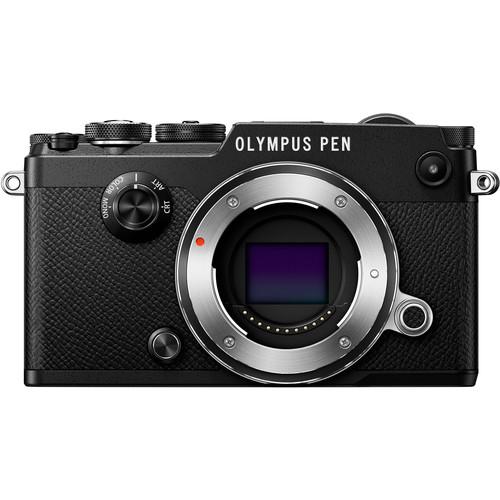 Contents of the user manual for the Olympus PEN-F Mirrorless Micro Four Thirds
- Product category: Mirrorless System Cameras Olympus
- Brand: Olympus
- Description and content of package
- Technical information and basic settings
- Frequently asked questions – FAQ
- Troubleshooting (does not switch on, does not respond, error message, what do I do if...)
- Authorized service for Olympus Mirrorless System Cameras
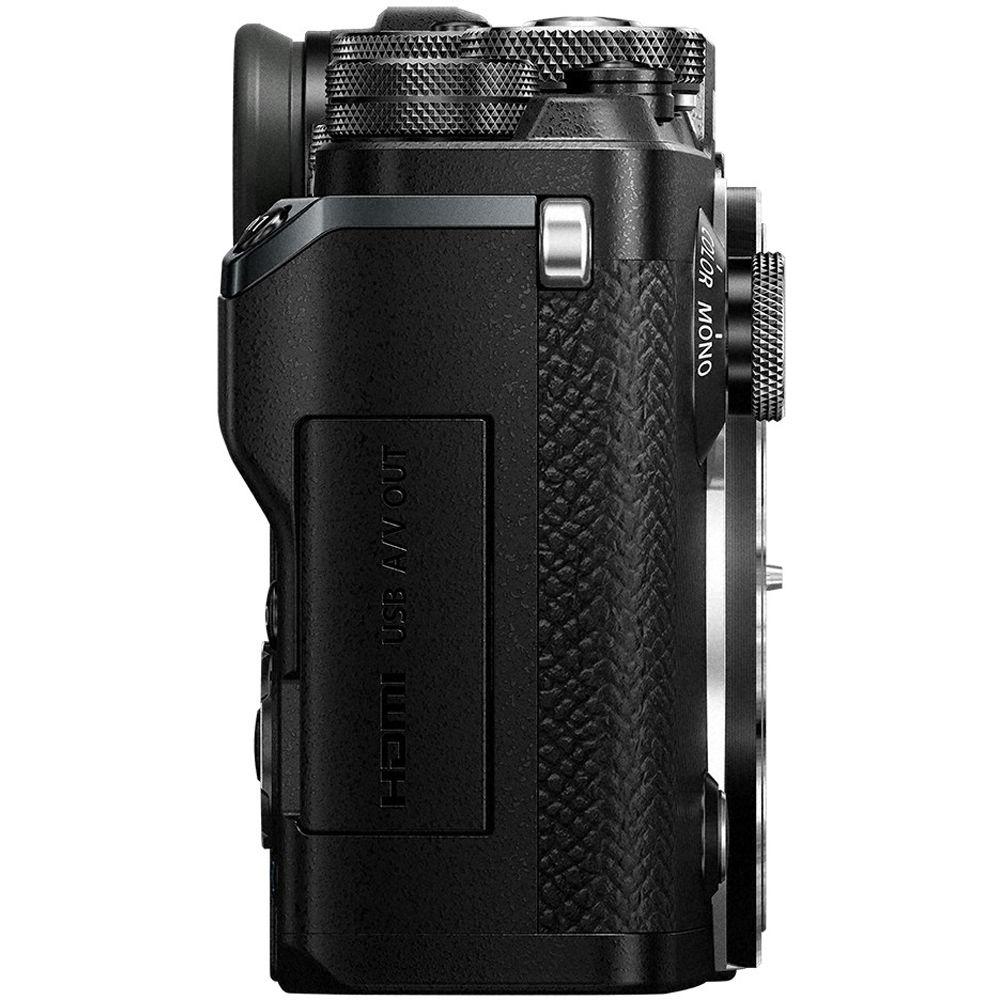
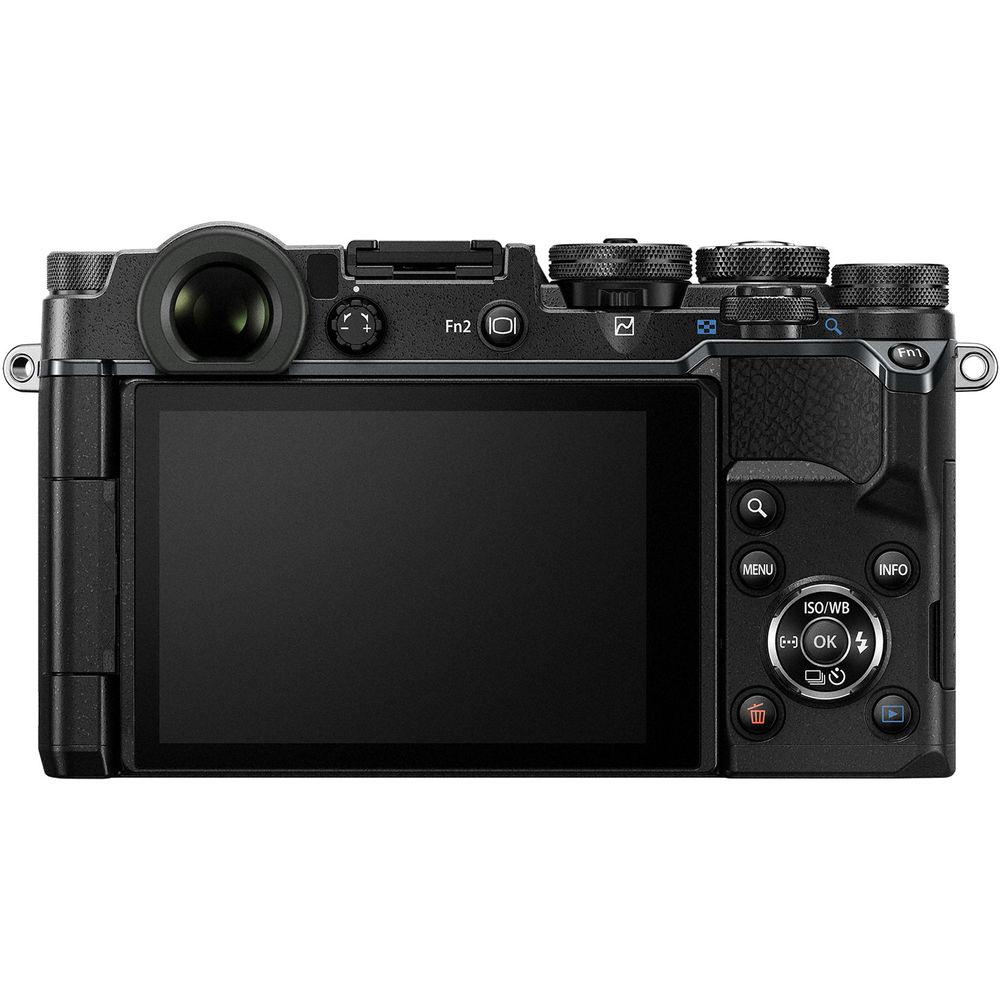
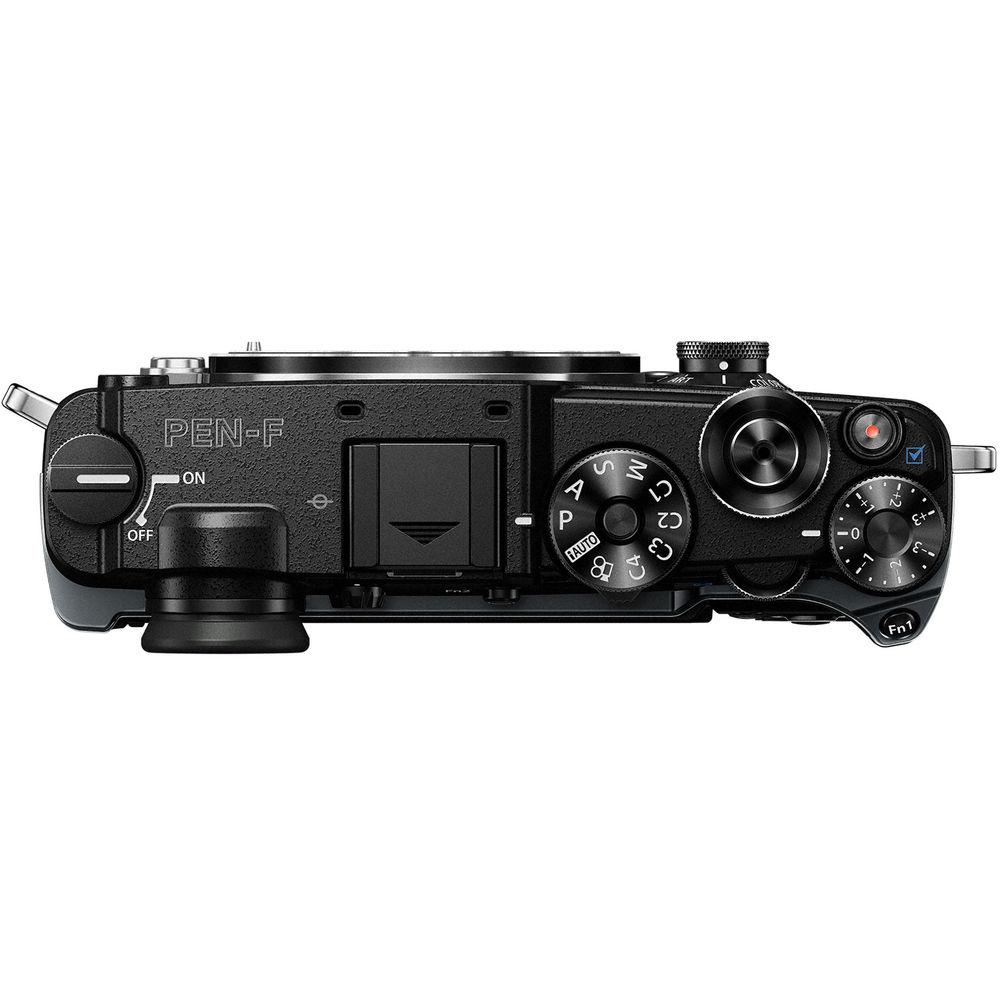
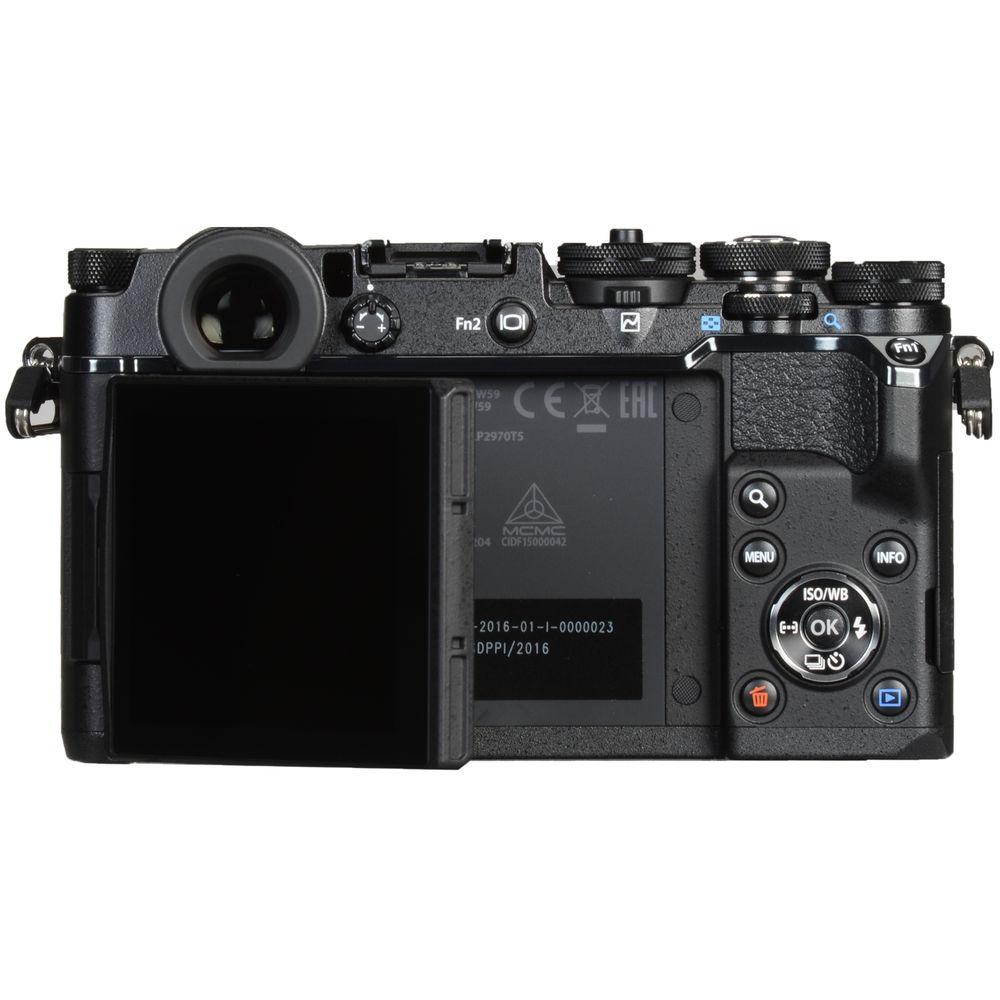
 |
User manual for the Olympus PEN-F Mirrorless Micro Four Thirds contain basic instructions
that need to be followed during installation and operation.
Before starting your appliance, the user manual should be read through carefully.
Follow all the safety instructions and warnings, and be guided by the given recommendations.
User manual is an integral part of any Olympus product,
and if it is sold or transferred, they should be handed over jointly with the product.
Following the instructions for use is an essential prerequisite for protecting
health and property during use, as well as recognition of liability on the part of the manufacturer
for possible defects should you make a warranty claim. Download an official Olympus user manual in which you will find instructions on how to install, use, maintain and service your product.
And do not forget – unsuitable use of a Olympus product will considerably shorten its lifespan!
|
Product description Unveiled: Olympus PEN-F Mirrorless Micro Four Thirds Digital Camera Read More - Olympus PEN-F: First Look
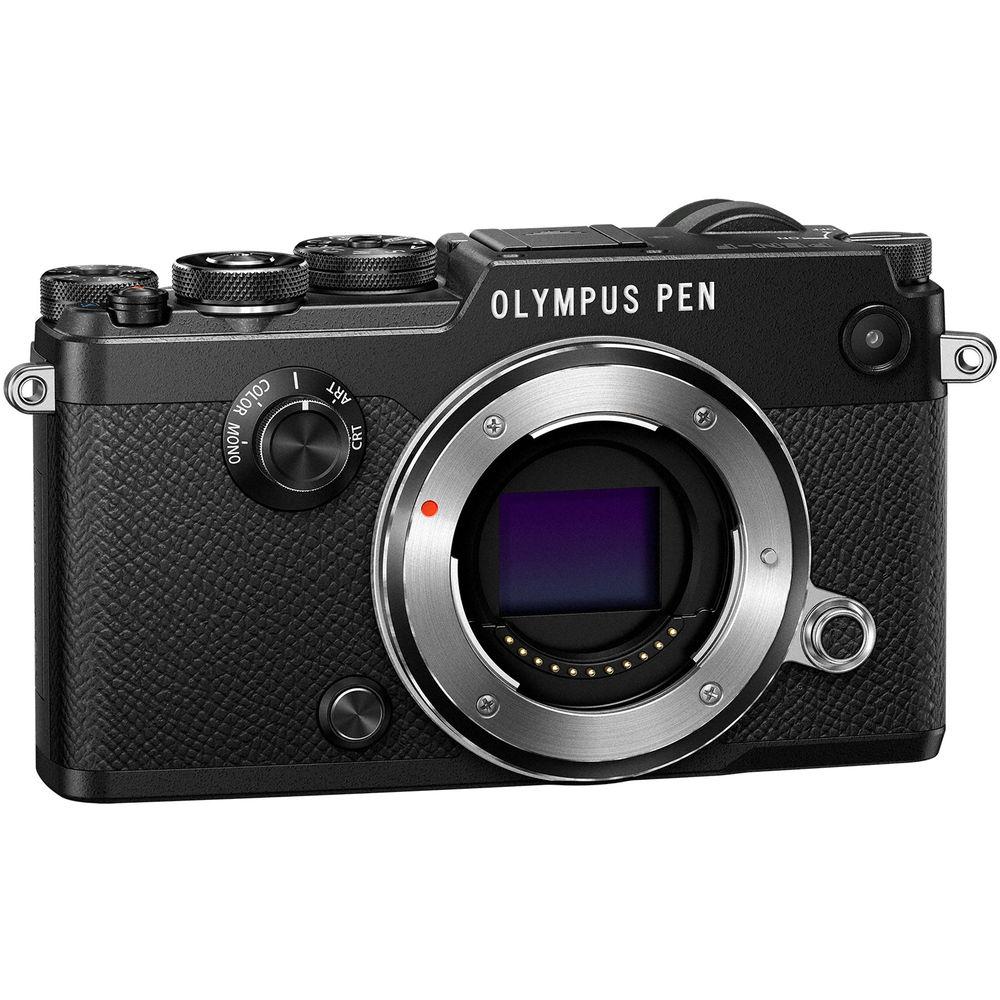
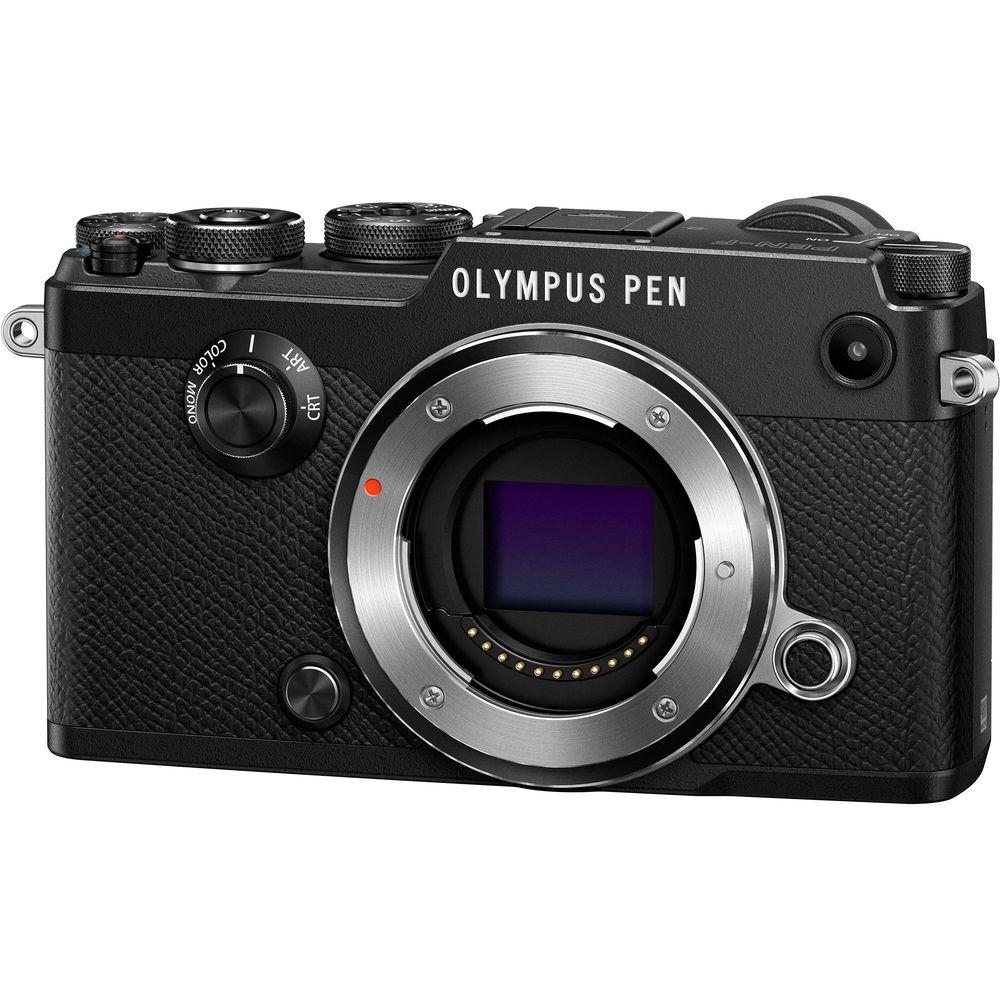
Recalling the beloved profile and form factor of the original Pen film cameras, the black Olympus PEN-F is a sleek, versatile mirrorless Micro Four Thirds camera that combines high-resolution imaging capabilities with advanced creative control. Revolving around a 20.3MP Live MOS sensor and TruePic VII processor, the PEN-F offers nuanced image quality with reduce noise, along with the ability to shoot at up to 10 fps with a mechanical shutter, record Full HD 1080p video, and a sensitivity range up to ISO 25600. In-camera sensor-shift-type 5-axis image stabilization helps to minimize the appearance of camera shake for sharper handheld shooting and the sensor and processor combination also avails a fast 81-area contrast-detection AF system for refined accuracy when working with a variety of subjects. Adjustment over the look and feel of imagery is encouraged by the dedicated Creative Control dial on the front of the camera, which offers direct access to black & white and color profiling, and a dedicated lever permits fine-tuning of exposure and contrast curves while shooting. Complementing these imaging assets, the camera body is physically characterized by its retro-styled design that incorporates a 2.36m-dot OLED electronic viewfinder and articulating 3.0" 1.037m-dot touchscreen LCD for intuitive control and handling. Classic in appearance yet technologically-inclined, the PEN-F marries a natural handling scheme with contemporary, multimedia recording abilities.
Making use of the redeveloped 20.3MP Live MOS sensor and sensor-shift image stabilization, the PEN-F also sees the inclusion of a High Res Shot mode that composites eight images into a single frame to effectively produce a 50MP image. An electronic shutter function can be used for completely silent performance, and also provides fast shutter speed times up to 1/16,000 sec. for working in bright conditions with wide aperture settings. An intervalometer function can be used to produce time-lapse movies, which can be exported at 4K UHD resolution, for recording up to 999 consecutive frames with up to 24-hour intervals. Additionally, built-in Wi-Fi is also available for wirelessly transferring imagery to or remotely controlling the camera from a linked smartphone or tablet. - 20.3MP Live MOS Sensor and TruePic VII Processor
- A redeveloped 20.3MP Live MOS Micro Four Thirds sensor pairs with the TruePic VII image processor to enable high-resolution stills shooting and Full HD video recording, along with a wide dynamic range, smooth color and tonal rendering, and a notable sensitivity range from ISO 200-25600 for working in a variety of lighting conditions. The sensor's design also omits a conventional optical low-pass filter in order to achieve higher apparent sharpness and resolution.
The sensor and processor combination avails quick performance throughout the camera system, too, including the ability to continuously shoot at up to 10 fps using the mechanical shutter for up to 39 12-bit raw files or 45 JPEGs in a burst. Infinite JPEGs can be recorded in a burst when shooting at 5 fps, or up to 250 raw files. And if working with the electronic shutter function, up to 20 fps shooting speeds are possible, along with a top shutter speed of 1/16,000 sec. In regard to video recording, Full HD 1080p is supported at up to 60 fps, as well as ALL-I and IPB shooting at 30 fps with a 77 Mbps bit-rate. In-camera time-lapse shooting is also possible, with the ability to export finished productions as 4K 3840 x 2160 movies at 5 fps. - Sensor-Shift 5-Axis Image Stabilization
- In-body, sensor-shift image stabilization helps to minimize the appearance of camera shake by up to 5 stops with any lens in use and compensates for camera movements that become especially noticeable when working with telephoto shots, macro imagery, and long exposures. Furthermore, this unique image stabilization system works across five axes to compensate for vertical angle rotation, horizontal angle rotation, horizontal shift, vertical shift, and rolling camera shake movement. This range of detected movements serves to benefit traditional still image shooting as well as movie recording and working with moving subjects more effectively. Additionally, image stabilization can also be used when framing shots, for more accurate compositions, by half-pressing the shutter button.
For increased stabilization when working with longer lenses that incorporate lens-shift type image stabilization, 5-axis sync IS is also supported, this combines the effectiveness of the sensor-shift image stabilization along with the lens-specific optical image stabilization. This helps to compensate for up to six stops of camera shake for more effective handheld shooting with telephoto focal lengths and slower shutter speeds. - Body Design and Built-In Wi-Fi
-
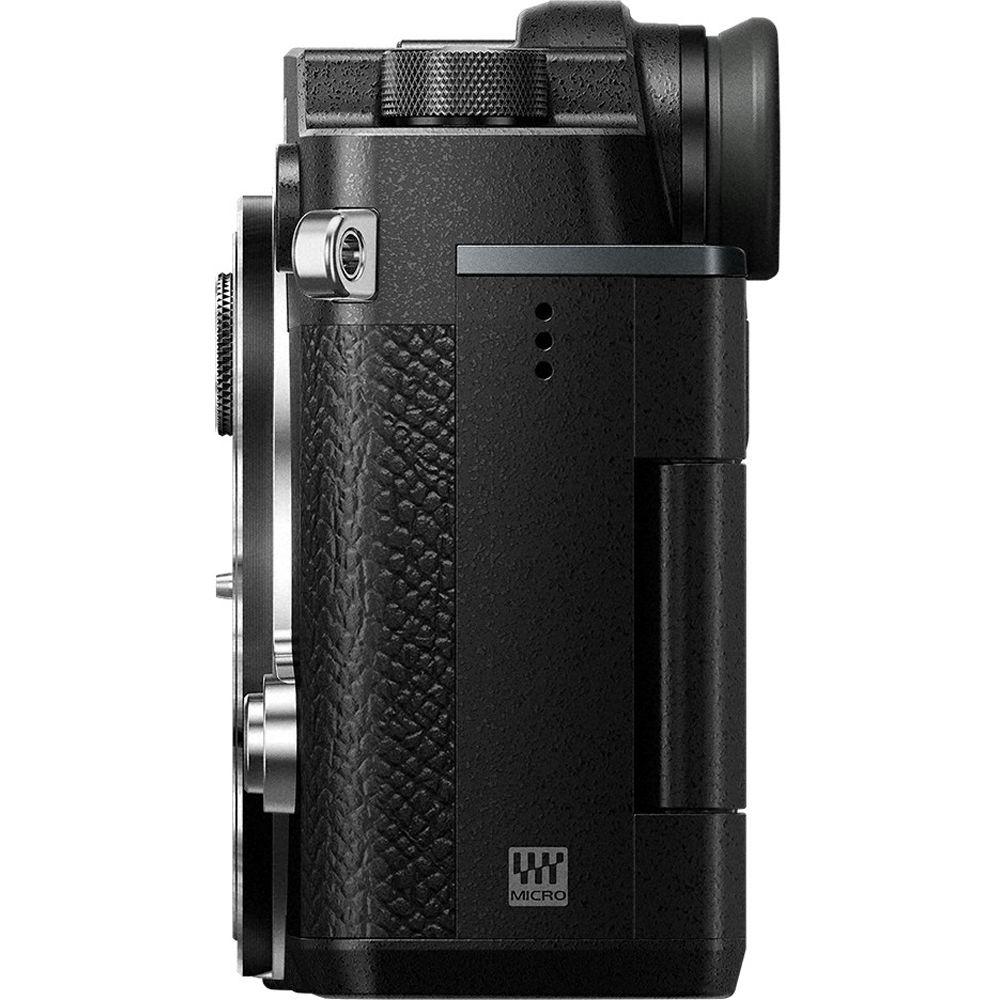
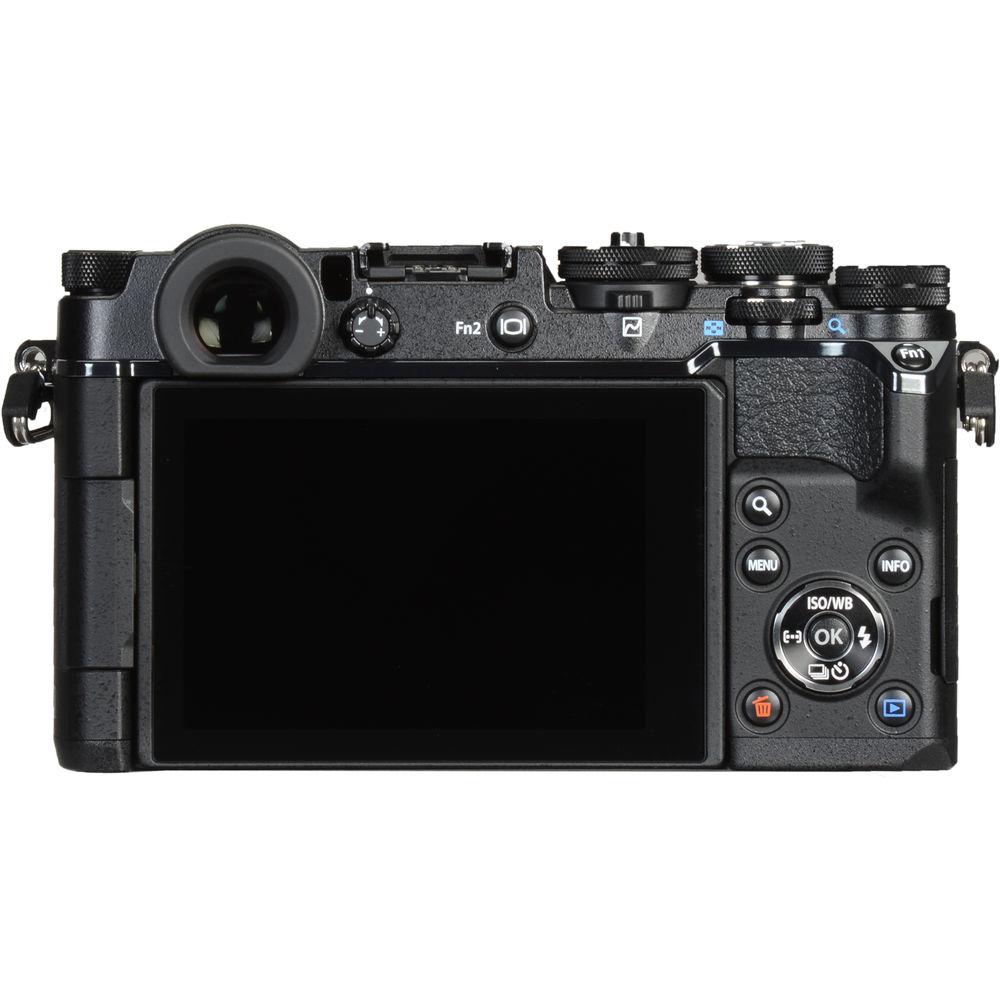
- For eye-level shooting, a high-resolution 2.36m-dot OLED electronic viewfinder is available and covers 100% of the image frame with a 1.08x magnification. A unique S-OVF setting can also be used with the viewfinder to expand the viewing dynamic range to better simulate working with an optical viewfinder.
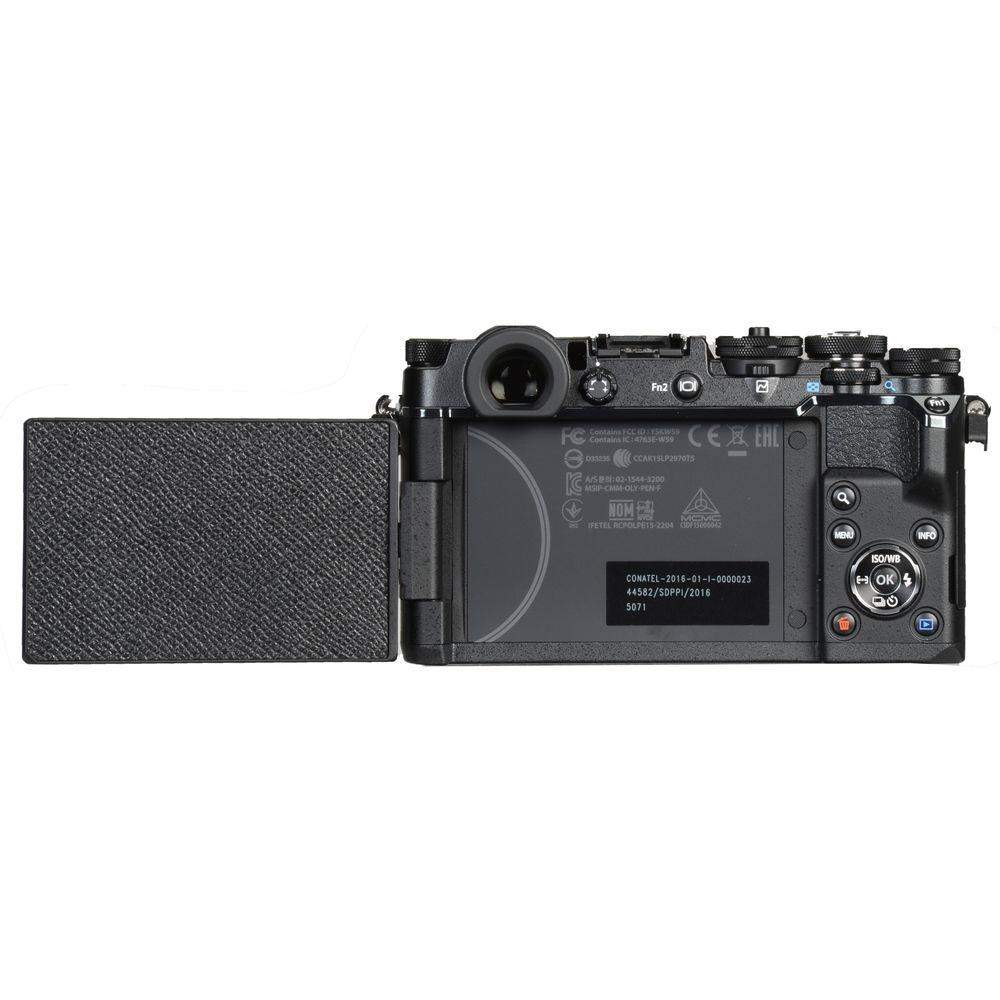
- Alternatively, a large 3.0" 1.037m-dot vari-angle touchscreen LCD is also available for clear image playback, menu navigation, and live view shooting. The tilting design better enables working from high, low, and front-facing angles, and the screen can also be closed facing inward to protect it while shooting with the EVF.
- Featuring a physical design inspired by the original Pen half-frame 35mm film cameras, the PEN-F's compact body design incorporates a range of manual control dials for intuitively adjusting exposure settings and modes.
- A dedicated Creative Control Dial on the front of the camera body offers direct access to four separate artistic functions—Mono, Art, Color, and CRT—and a lever on the rear of the camera avails access to curves adjustments to fine-tune contrast and brightness with shadow, mid-tone, and highlight points.
- A manual exposure compensation dial permits adjusting exposures by +/- 3 EV in 1/3 steps, and compensation can also be assigned to the front or rear control dials to avail +/- 5 EV adjustments in 1/3, 1/2, or 1 EV steps.
- A hot shoe permits working with an external flash, such as the included FL-LM3, to provide additional illumination to the scene.
- The included BLN-1 rechargeable lithium-ion battery is rated to provide approximately 330 shots per charge.
- Built-in Wi-Fi allows you to pair the PEN-F with a smartphone or tablet, and a QR code system lets you quickly and easily connect devices. Once paired, you can wirelessly transfer imagery to the mobile device for sharing online, or the device can be used to remotely control the camera.
- Creative Control
- Aided by the dedicated Creative Control Dial, a slew of aesthetic adjustments can be made to imagery in-camera:
- Monochrome Profile Control records black & white imagery and the overall look can be fine-tuned using color filter settings for adjusting contrast response; vignetting can be applied; and curves can be used to adjust contrast and brightness irrespective of independent colors. A film grain effect can also be added and presets are available to mimic the look of specific film types, such as Classic B&W or Classic Infrared films, and these presets can be further customized.
- Color Profile Control offers a similar range of creative adjustment capabilities, such as the ability to globally fine-tune color saturation or independently adjust saturation levels across 12 individual colors for selective color imagery. Curves settings are available, too, and three presets can be saved.
- Art Filter lets you apply a range of pre-developed looks to your imagery, including Pop Art, Soft Focus, Pale & Light Color, Light Tone, Grainy Film, Pin Hole, Diorama, Cross Process, Gentle Sepia, Dramatic Tone, Key Line, Water Color, Vintage, and Partial Color. Many of these looks are available in varying degrees of strength, and modes can be combined or refined for more personalized control.
- CRT lets you apply one of 12 global color casts across the image, and the strength of the color can be controlled across eight steps from -4 to +3
- Other Camera Features
-
- A high-speed contrast-detection AF system uses 81 focusing areas to quickly and accurately acquire focus with single or continuous modes. Face-detection and eye-detection settings benefit portraiture applications and group targeting benefits tracking moving subjects.
- Manual focus is also possible, and is complemented by manual focus assist functions such as image magnification and focus peaking.
- High Res Shot mode offers the equivalent output of a 50MP image by combining eight single JPEG frames into a single, larger image. In between each of the eight exposures, the sensor-shift stabilization mechanism moves slightly in order to acquire more information than in a single exposure; these frames are then composited into a final JPEG with a resolution of 8160 x 6120 or a raw file with a resolution of 10368 x 7776 pixels. This feature can be used with P/A/S/M exposure modes, and raw data can be developed in-camera or with the included Olympus Viewer 3 software.
- Interval shooting is possible for up to 999 sequential frames, with 1 second to 24 hour intervals, and automatic time lapse processing can save your individual images into a movie for playback. Time lapse movies can also be saved at 4K resolution for greater detail and resolution.
- A dedicated Silent Mode utilizes and electronic shutter for quiet, undetectable shooting. When working in this mode you have a range of shutter speeds from 1/16,000 to 60 seconds.
- Live Bulb and Live Time settings can be used to produce creative long exposure imagery. Live Bulb lets you hold the shutter open for up to one minute and Live Time lets you press the shutter button once to open the shutter and then press again within a minute to end the exposure.
- Live Composite is a unique long exposure mode that allows you to gradually build up an exposure over time without overexposing key elements within the frame. This mode works to only record newly detected light sources over time, and allows you to watch as an image develops, making it ideally suited for photographing star trails or other moving light sources.
- A two-axis electronic level helps to ensure consistently level horizons and plumb verticals.
- Keystone Compensation allows you to correct for convergence when working in live view.
- An anti-shock mode prevents unwanted vibrations by introducing a delay from when you release the shutter button to when the shutter is opened, helping to achieve greater sharpness with longer focal length lenses or when working at higher magnifications.
- A multi exposure mode blends two frames using an auto gain to maintain a controlled exposure value.
- Photo Story lets you capture sequential shots of a scene from varying angles, and then composite them into a single image. When working in this mode, you can record sequential images by sliding a finger across the screen, zoom in or out between two photos, apply unique frames or borders, or arrange multiple images in different compositions.
- Language support: English, French, German, Spanish, Italian, Japanese, Korean, Traditional Chinese, Simplified Chinese, Russian, Czech, Dutch, Danish, Polish, Portuguese, Swedish, Norwegian, Finnish, Croatian, Slovenian, Hungarian, Greek, Slovakian, Turkish, Latvian, Estonian, Lithuanian, Ukrainian, Serbian, Bulgarian, Romanian, Indonesian, Malay, and Thai.
UPC: 050332190337 In the Box Olympus PEN-F Mirrorless Micro Four Thirds Digital Camera (Body Only, Black) BLN-1 Rechargeable Lithium-ion Battery cqtaqeawzzsfscatudyutfwwzrwyaa BCN-1 Battery Charger for BLN-1 FL-LM3 Flash USB Cable Shoulder Strap Software CD-ROM Limited 1-Year Warranty Manual PDF 4.5mb Table of Contents
|
Upload User Manual
Have you got an user manual for the Olympus PEN-F Mirrorless Micro Four Thirds Digital Camera in electronic form? Please send it to us and help us expand our library of instruction manuals.
Thank you, too, on behalf of other users.
To upload the product manual, we first need to check and make sure you are not a robot. After that, your "Submit Link" or "Upload File" will appear.
Technical parametersOlympus PEN-F Specs | | | Lens Mount | Micro Four Thirds | | Camera Format | Micro Four Thirds (2x Crop Factor) | | Pixels | Actual: 21.8 Megapixel
Effective: 20.3 Megapixel | | Maximum Resolution | 5184 x 3888 | | Aspect Ratio | 1:1, 3:2, 4:3, 16:9 | | Sensor Type | CMOS | | Sensor Size | 17.4 x 13 mm | | Image File Format | JPEG, MPO, RAW | | Bit Depth | 12-Bit | | Image Stabilization | Sensor-Shift, 5-Axis | | | | ISO Sensitivity | Auto, 200 to 25600 (Extended: 80 to 25600) | | Shutter Speed | Mechanical Shutter
1/8000 to 60 Seconds
1 to 30 Minutes in Bulb Mode
Electronic Shutter
1/16000 to 60 Seconds | | Metering Method | Center-Weighted Average, Multi-Zone, Spot | | Exposure Modes | Aperture Priority, Manual, Program, Shutter Priority | | Exposure Compensation | -5 to +5 EV (1/3, 1/2, 1 EV Steps) | | Metering Range | -2 to 20 EV | | White Balance | Auto, Cloudy, Color Temperature, Custom, Flash, Fluorescent, Incandescent, Shade, Sunlight, Underwater | | Continuous Shooting | Up to 10 fps at 20.3 MP for up to 39 Exposures (Raw Format)
Up to 10 fps at 20.3 MP for up to 45 Exposures (JPEG Format)
Up to 5 fps at 20.3 MP for up to 250 Exposures (Raw Format) | | Interval Recording | Yes | | Self Timer | 2/12-Second Delay | | | | Recording Modes | MOV
Full HD (1920 x 1080) at 50p/59.94p [18 to 52 Mb/s]
Full HD (1920 x 1080) at 23.976p/25p/29.97p [18 to 77 Mb/s]
HD (1280 x 720) at 23.976p/25p/29.97p/50p/59.94p [77 Mb/s]
HD (1280 x 720) at 23.976p/25p/29.97p/50p/59.94p [52 Mb/s]
AVI
HD (1280 x 720) at 29.97p
SD (640 x 480) at 29.97p | | External Recording Modes | 4:2:2
Full HD (1920 x 1080)
HD (1280 x 720) | | Recording Limit | Up to 29 Minutes | | Video Encoding | NTSC/PAL | | Audio Recording | Built-In Microphone (Stereo) | | Audio File Format | Linear PCM (Stereo) | | | | Focus Type | Auto and Manual Focus | | Focus Mode | Continuous-Servo AF (C), Manual Focus (M), Single-Servo AF (S) | | Autofocus Points | Contrast Detection: 81 | | | | Viewfinder Type | Electronic | | Viewfinder Resolution | 2,360,000 Dot | | Viewfinder Eye Point | 20 mm | | Viewfinder Coverage | 100% | | Viewfinder Magnification | Approx. 1.08x | | Diopter Adjustment | -4 to +2 m | | Monitor Size | 3" | | Monitor Resolution | 1,037,000 Dot | | Monitor Type | Articulating Touchscreen LCD | | | | Built-in Flash | None | | Flash Modes | Auto, Fill Flash, Manual, Off, Red-Eye Reduction, Second-Curtain Sync, Slow Sync, Slow Sync/Red-Eye Reduction | | Maximum Sync Speed | 1/250 Second | | Flash Compensation | -3 to +3 EV (1/3, 1/2, 1 EV Steps) | | Dedicated Flash System | TTL | | External Flash Connection | Hot Shoe | | | | Memory Card Slot | 1 x SD/SDHC/SDXC | | Connectivity | HDMI D (Micro), USB 2.0 | | Wireless | Wi-Fi | | GPS | None | | | | Operating Temperature | 32 to 104°F / 0 to 40°C | | Operating Humidity | 30 to 90% | | | | Battery | 1 x BLN-1 Rechargeable Lithium-Ion Battery Pack, 7.6 VDC, 1220 mAh | | Dimensions (W x H x D) | 4.9 x 2.8 x 1.5" / 124.8 x 72.1 x 37.3 mm | | Weight | 15.06 oz / 427 g (Body with Battery and Memory) | | | | Package Weight | 2.8 lb | | Box Dimensions (LxWxH) | 8.8 x 8.8 x 3.2" |
Rating92% users recommend this product to others. And what about you?

This product has already been rated by 34 owners. Add your rating and experience with the product.
Discussion
 Ask our technicians if you have a problem with your settings,
or if anything is unclear in the user manual you have downloaded.
You can make use of our moderated discussion.
The discussion is public and helps other users of our website who may be encountering similar problems.
Ask our technicians if you have a problem with your settings,
or if anything is unclear in the user manual you have downloaded.
You can make use of our moderated discussion.
The discussion is public and helps other users of our website who may be encountering similar problems.
The discussion is empty - enter the first post
Post a new topic / query / comment:
|
|


