User Manual for Ortery Photosimile 50 Software-Controlled Light Box for Product Photography Click to enlarge the picture
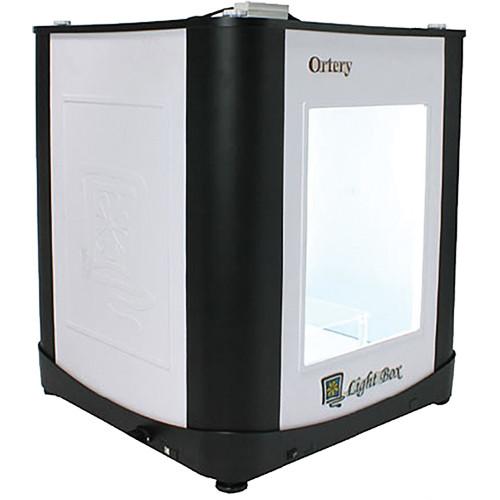 Contents of the user manual for the Ortery Photosimile 50 Software-Controlled Light Box
- Product category: Shooting Tents & Table Kits Ortery
- Brand: Ortery
- Description and content of package
- Technical information and basic settings
- Frequently asked questions – FAQ
- Troubleshooting (does not switch on, does not respond, error message, what do I do if...)
- Authorized service for Ortery Shooting Tents & Table Kits
 |
User manual for the Ortery Photosimile 50 Software-Controlled Light Box contain basic instructions
that need to be followed during installation and operation.
Before starting your appliance, the user manual should be read through carefully.
Follow all the safety instructions and warnings, and be guided by the given recommendations.
User manual is an integral part of any Ortery product,
and if it is sold or transferred, they should be handed over jointly with the product.
Following the instructions for use is an essential prerequisite for protecting
health and property during use, as well as recognition of liability on the part of the manufacturer
for possible defects should you make a warranty claim. Download an official Ortery user manual in which you will find instructions on how to install, use, maintain and service your product.
And do not forget – unsuitable use of a Ortery product will considerably shorten its lifespan!
|
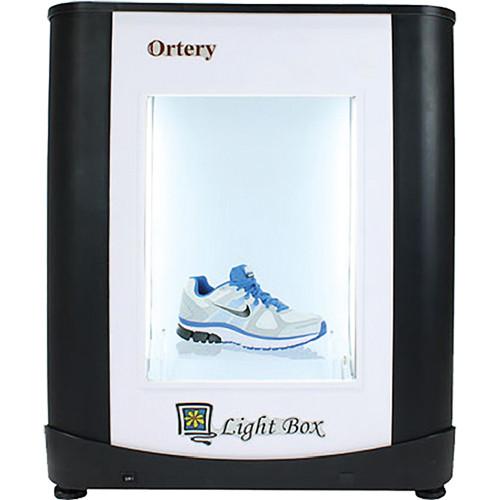
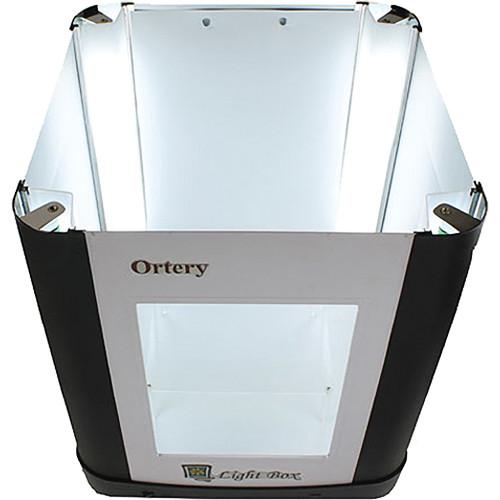
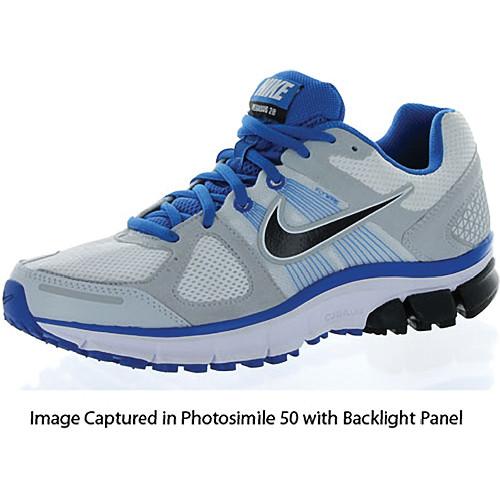
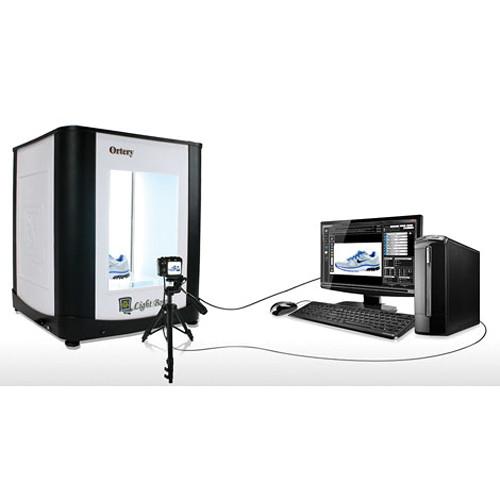
Product description Easily shoot professional product images for immediate use in eCommerce, print, or any application with the Photosimile 50 from Ortery. Consisting of a 24 x 24 x 28" photography light box, corner-mounted fluorescent lamps, and system control software, the Photosimile 50 works in conjunction with a compatible Canon or Nikon DSLR camera to simplify and automate the complete photography workflow including picture taking, batch image processing, editing, and saving. Simply place an object inside, use the software to compose, and then shoot, edit, and save your pictures. Quickly create product shots in JPG, PNG, TIFF, and raw formats on pure white backgrounds. - Software-controlled 24 x 24 x 28" photography studio
- Create product shots with pure white background
- Uniformly lit by corner-mounted 6500K fluorescent lamps
- Adjust camera settings via USB
- Automated image capture, processing, editing, and saving
- Raw, JPG, TIFF, and PNG output formats
- Full camera control via software for compatible Canon and Nikon DSLR cameras
- Advanced batch saving—save and edit images with one click
- Advanced batch image editing—includes editing tools such as Levels, Brightness, Contrast, Saturation, Sharpness, Auto White Balance, Hue, and Color Selector
- Save and reuse optimized camera settings
- AfterImage—overlay previous images on the preview to ensure consistency
- Pre-cropping—use real-time preview to crop before image capture
- Flexible camera positioning—side and top shots
- Easy to use—no previous experience necessary
- Free software upgrades for one year
In the Box Ortery Photosimile 50 Software-Controlled Light Box for Product Photography Base 4 x Pillars 2 x Wall Plates Front Plate with Opening 8 x 6500K Fluorescent Lamps 2 x Diffusion Plates Top Reflective Door Cover 2 x Camera-Mount Sponges 2 x Power Cords White Background for Side Shots Product Stand USB Cable Backlight Panel Large Diffusion Plate 8 x Screws RC Photoware Camera Control Software with Remote Controller Limited 1-Year Warranty Table of Contents
|
Upload User Manual
Have you got an user manual for the Ortery Photosimile 50 Software-Controlled Light Box for Product Photography in electronic form? Please send it to us and help us expand our library of instruction manuals.
Thank you, too, on behalf of other users.
To upload the product manual, we first need to check and make sure you are not a robot. After that, your "Submit Link" or "Upload File" will appear.
Technical parametersOrtery Photosimile 50 Specs | | | OS | Windows: 7 (with Service Pack 1), 8.1, 10
Mac: El Capitan (10.11), Sierra (10.12), High Sierra (10.13) | | CPU | Recommended: Intel i7 4790 / AMD FX 9590
Minimum: Intel i3 / AMD A4 | | Memory | Recommended: 16 GB RAM
Minimum: 8 GB RAM | | Storage | Recommended: 1TB
Minimum: 750 MB
For software installation | | Screen Resolution | Recommended: 1920 x 1080
Minimum: 1024 x 768 | | USB | Minimum: 2 x ports | | Other | Internet connection and active email account | | | | Compatible Cameras | Canon EOS:
1Ds Mark III, 1Ds Mark IV, 5D Mark II, 5D Mark III, 5D Mark IV, 5D S, 5D SR, 1DX, 1DX Mark II, 6D, 6D Mark II, 7D, 7D Mark II, 60D, 70D, and 80D
Rebel XS, XSi, T1i, T2i (focus stacking not supported)
T3 & T3i, T4i, T5, T5i & SL1, T6, T6i, T6s, T7, T7i, T100, Kiss X7, Kiss X7i, Kiss X7, Kiss X6, Kiss X6i, Kiss X5, Kiss X50, Kiss X4, Kiss F, Kiss X2, Kiss X8i, Kiss X80, Kiss X90, Kiss X9i, 2000D, 4000D, 8000D, 9000D, 100D, 700D, 1200D, 650D, 77D, 600D, 1000D, 1100D, 1300D, 550D, 450D, 750D, 760D, and 800D
Nikon (Nikon cameras do not support tethered video capture):
D800, D800E, D810, and D7000 include exposure simulation
D3x, D4, D90, D300, D300S, D600, D700, D750, D800, D800e, D5000, D5100, D5200, D5300, D7000, D7100, and D810 | | Maximum Object Shooting Size | Top Shots: 16 x 23" / 40.6 x 58.4 cm
Side Shots: 20 x 20 x 24" / 50.8 x 50.8 x 61.0 cm | | Image Formats | Raw, JPG, TIFF, and PNG | | Power Requirements | 110 V | | Dimensions | 24 x 24 x 28" / 61.0 x 61.0 x 71.1 cm | | Weight | 35 lb / 15.9 kg | | | | Package Weight | 59.15 lb | | Box Dimensions (LxWxH) | 32.5 x 29.0 x 29.0" |
Rating60% users recommend this product to others. And what about you?

This product has already been rated by 49 owners. Add your rating and experience with the product.
Discussion
 Ask our technicians if you have a problem with your settings,
or if anything is unclear in the user manual you have downloaded.
You can make use of our moderated discussion.
The discussion is public and helps other users of our website who may be encountering similar problems.
Ask our technicians if you have a problem with your settings,
or if anything is unclear in the user manual you have downloaded.
You can make use of our moderated discussion.
The discussion is public and helps other users of our website who may be encountering similar problems.
The discussion is empty - enter the first post
Post a new topic / query / comment:
|
|


