User Manual for Output REV SIGNAL Bundle - Virtual Instrument Collection Click to enlarge the picture
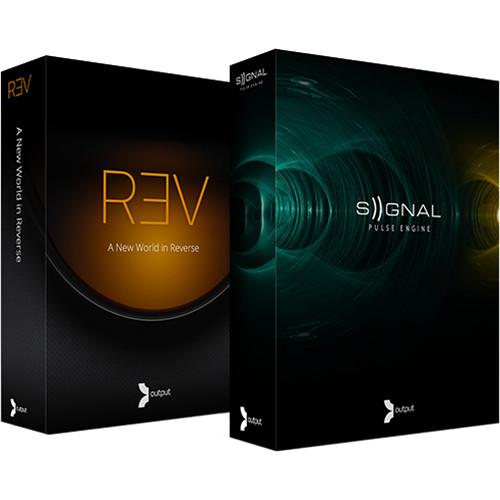 Contents of the user manual for the Output REV SIGNAL Bundle - Virtual
- Product category: Virtual Instruments Output
- Brand: Output
- Description and content of package
- Technical information and basic settings
- Frequently asked questions – FAQ
- Troubleshooting (does not switch on, does not respond, error message, what do I do if...)
- Authorized service for Output Virtual Instruments
|
User manual for the Output REV SIGNAL Bundle - Virtual contain basic instructions
that need to be followed during installation and operation.
Before starting your appliance, the user manual should be read through carefully.
Follow all the safety instructions and warnings, and be guided by the given recommendations.
User manual is an integral part of any Output product,
and if it is sold or transferred, they should be handed over jointly with the product.
Following the instructions for use is an essential prerequisite for protecting
health and property during use, as well as recognition of liability on the part of the manufacturer
for possible defects should you make a warranty claim. Download an official Output user manual in which you will find instructions on how to install, use, maintain and service your product.
And do not forget – unsuitable use of a Output product will considerably shorten its lifespan!
|
Product description This Output bundle combines the REV - Reverse Instrument Suite with the SIGNAL - Pulse Engine to create a powerful virtual instrument collection well suited for producers, composers and musicians. REV is a massive collection of instruments, loops, rises, and pads all based on reversed sounds and is packed with over 14GB of content including complex synths, multi-layered organic pads, real instruments, loops, rises, pulses, swells, stutters, and more.
SIGNAL combines 40GB of analog and digital synthesis with professionally recorded live instruments to create a powerful virtual instrument with vast sonic capabilities and an elegant, easy-to-use interface. Both instruments utilize the Native Instruments Kontakt 5 player with all content professionally recorded in a commercial recording. - REV - Reverse Instrument Suite REV - Reverse Instrument Suite from Output is a massive collection of instruments, loops, rises, and pads all based on reverse sound. Well suited for producers, composers and musicians, the REV suite utilizes the Native Instruments Kontakt 5 player and is packed with over 14 GB of content including complex synths, multi-layered organic pads, real instruments, loops, rises, pulses, swells, stutters, and more. All sounds were professionally recorded in a commercial recording facility.
REV can create a broad palette of sounds by way of its four engines: Instruments, Loops, Rises, and Timed Instruments. Each engine offers global effects, including distortion, bit-crush, filter, delay, reverb, and EQ. All of the effects can be engaged from the panel or played in real-time via a MIDI controller. Additionally, each engine offers a stutter effect, a multimode filter, and dedicated envelopes for the filter and amplifier.
There are nearly 500 presets available in Instrument and Timed Instrument engines, which are broken up into categories including, Fundamentals, Pads, Pulses, Swells, Plucked, ReTron, Simple, Sling-Shot, Sound Design, Stutter One-Shots, Aggressive, and Percussive. Each patch offers two layers with controls for volume, pan, and tuning and both are mixed in the main section. The Instruments engine offers a global sample start, which lengthens or shortens the reversed sound based on user preference. The Timed Instruments engine is controlled by note duration and include settings for whole, half, and quarter notes.
The Loops engine has a single window interface and utilizes recordings of real instruments, organized into categories including Acoustic Piano, Acoustic Guitar, Guitar Harmonics, Bells-Bowls-Glass, Cymbals-Shaker, Percussion, Aggressive, Pulses, Atmospheres, Swells, and Sound Design. Once a bank is pulled up, 24 loops are laid out across the keyboard, while another two octaves control what key the loops is played in. Additionally, the speed of the loop can run in half time or double time and all loops will stay in sync with the host tempo.
Similar to the Loops engine setup, Rise offers three banks of sounds, A, B, and C, which are separated by duration and type. Each bank offers durations from a quarter note to four bars, but the half and double settings effectively provide a range from an eighth note to eight bars. The three types offered include rises that end abruptly, rises with a tail, and electro rises, which include an effect such as a building filter sweep. - 1,000+ Reverse Instruments
-
- REV comes with over 1,000 presets all playable in reverse and in real time
- Use any of the built-in presets or start from scratch and build your own
- Play Free or Lock to Tempo
-
- All of REV’s instruments can either be played freely or locked to a tempo
- Notes can be set to whole note, half note, or quarter note duration
- Live Recorded Loops
-
- The REV loops engine gives you thousands of possibilities all of which were recorded live
- All loops lock to tempo, are adjustable by speed and are spread across two octaves
- Play multiple loops at once, add stutters, filters or FX to make it your own
- Perfectly Timed Rises
-
- Rises can be used in a variety of different genres and are very prominent in electronic music, trailer music or any song that needs a nice build up or transition
- Rises come in all forms and are adjustable by key and speed
- REV rises engine does all of the work for you by locking to tempo so you don’t have to do any manual editing
- Stutters, Filters & FX
-
- Break up and customize your patches significantly with built-in volume and pitch stutter FX
- Sync to tempo or adjusted freely
- REV also comes with built FX and FX presets which let you customize filters, envelopes, distortion, saturation, lo-fi, chorus, delays, reverb, EQ & more
- FX can be automated and triggered by keys on the keyboard
- SIGNAL - Pulse Engine Virtual Instrument (Download) SIGNAL - Pulse Engine from Output combines analog and digital synthesis with professionally recorded live instruments to create a powerful virtual instrument with vast sonic capabilities and an elegant, easy-to-use interface. Well suited for producers, composers and musicians, SIGNAL utilizes the Native Instruments Kontakt 5 player and is packed with over 40GB of professionally recorded content.
SIGNAL can create a broad palette of sounds by way of its pulse engines, which are broken into two layers, each with a channel strip and two rhythm generators. The source menu selects from a variety of sounds including sampled acoustic instruments or sampled synthesizer tones. For example, combining a distorted guitar and a cello creates a new and unheard sound source that is layered and can be further processed by the rhythm generators and built-in effects.
Selecting the rhythm tab opens options for selecting pulse type and pulse rate. Pulse types include selections for step-sequencer modulation, LFO wave-shaping modulations, an arpeggiator, and the infinitely repeating loop. There are several pre-made patterns for the arpeggiator and step sequencer and each can be used as is, modified, or cleared in order to make your own patterns from scratch.
The advanced tab offers access to additional parameters and modulation controls including volume, panning, filter type, distortion, saturation, and envelope settings. The four macro sliders can control up to six parameters simultaneously with offsets to dial in the perfect range for sound control. The sliders provide a simple way to transform sounds and each preset offers its own unique set of macros for manipulating sounds.
The effects section offers individual effects for each layer and includes EQ, Compression, Lo-Fi, Tape Saturation, Drive, Stereo Spread, Delay, Reverb, and Flutter. Additionally, the global effects process the sounds from both layers combined and include EQ, Compression, Phaser, Chorus, Limiter, Filter, Delays, and a high-quality Convolution Reverb.
All of the presets have been organized into the pulse instruments page. There is a list of over 500 presets and a tag list to help narrow the search for a particular type of sound. By selecting one or more tags, the full list is shortened to contain only presets with the selected attributes. -
- 500 Pulse Instruments for instant playability
- A massive array of content
- 40GB including analog synths, digital synths and organic instruments
- Up to 4 separate pulses at one time
- All pulses lock to tempo
- Rhythms: Looper, Step Sequencers, Arpeggiators, LFOs
- 4 central Macro sliders unique to each of the 500 Pulse Instruments
In the Box Bundle Items REV - Reverse Instrument Suite wrvfrscrdcudxtzdxtrtbxr SIGNAL - Pulse Engine Virtual Instrument (Download) Table of Contents
|
Upload User Manual
Have you got an user manual for the Output REV SIGNAL Bundle - Virtual Instrument Collection in electronic form? Please send it to us and help us expand our library of instruction manuals.
Thank you, too, on behalf of other users.
To upload the product manual, we first need to check and make sure you are not a robot. After that, your "Submit Link" or "Upload File" will appear.
Technical parameters - REV - Reverse Instrument Suite
| System Requirements | Mac
OS X 10.7, OS X 10.8 or higher is recommended
At least 4 GB of RAM
At least 15 GB of free drive space
Access to a stable internet connection for digital delivery
PC
Windows 7 or higher
At least 4 GB of RAM
At least 15 GB of free drive space
Access to a stable internet connection for digital delivery | | Kontakt Player Requirements | Mac
Intel Core 2 Duo
OS X 10.8, 10.9 or 10.10 (latest update)
4 GB RAM (6 GB recommended for large Kontakt Instruments)
PC
Intel Core 2 Duo or AMD AthlonTM 64 X2
Windows 7 or Windows 8 (latest Service Pack, 32/64-bit)
Supported Interfaces
Stand-alone, VST, Audio Units, ASIO, Core Audio, WASAPI, AAX Native (Pro Tools 10 or higher)
All new Native Instruments software requires a minimum of OS X 10.8 or Windows 7.
Output can provide an install of 10.7/ REV compatible Kontakt 5.3.0 upon request. | - SIGNAL - Pulse Engine Virtual Instrument (Download)
| System Requirements | Mac
OS X 10.7, OS X 10.8 or higher is recommended
Minimum 4 GB of RAM (8 GB recommended)
41 GB of free drive space
Access to a stable internet connection for digital delivery
PC
Windows 7 or higher
Minimum 4 GB of RAM (8 GB recommended)
41 GB of free drive space
Access to a stable internet connection for digital delivery | | Kontakt Player Requirements | Mac
Intel Core 2 Duo
OS X 10.8, 10.9 or 10.10 (latest update)
4 GB RAM (6 GB recommended for large Kontakt Instruments)
PC
Intel Core 2 Duo or AMD AthlonTM 64 X2
Windows 7 or Windows 8 (latest Service Pack, 32/64-bit)
Supported Interfaces
Stand-alone, VST, Audio Units, ASIO, Core Audio, WASAPI, AAX Native (Pro Tools 10 or higher)
All new Native Instruments software requires a minimum of OS X 10.8 or Windows 7.
Output can provide an install of 10.7/ REV compatible Kontakt 5.3.0 upon request. |
Rating70% users recommend this product to others. And what about you?

This product has already been rated by 21 owners. Add your rating and experience with the product.
Discussion
 Ask our technicians if you have a problem with your settings,
or if anything is unclear in the user manual you have downloaded.
You can make use of our moderated discussion.
The discussion is public and helps other users of our website who may be encountering similar problems.
Ask our technicians if you have a problem with your settings,
or if anything is unclear in the user manual you have downloaded.
You can make use of our moderated discussion.
The discussion is public and helps other users of our website who may be encountering similar problems.
The discussion is empty - enter the first post
Post a new topic / query / comment:
|
|


