User Manual for OWC Other World Computing Data Doubler Optical to SATA HD Converter Bracket for Mac Laptops Click to enlarge the picture
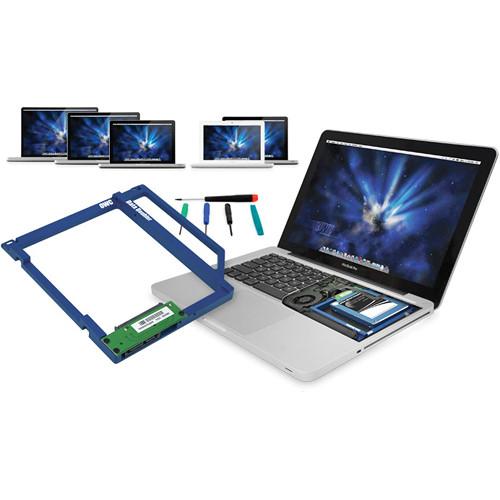 Contents of the user manual for the OWC Other World Computing Data Doubler
- Product category: Internal Hard Drive Trays OWC / Other World Computing
- Brand: OWC / Other World Computing
- Description and content of package
- Technical information and basic settings
- Frequently asked questions – FAQ
- Troubleshooting (does not switch on, does not respond, error message, what do I do if...)
- Authorized service for OWC / Other World Computing Internal Hard Drive Trays
 |
User manual for the OWC Other World Computing Data Doubler contain basic instructions
that need to be followed during installation and operation.
Before starting your appliance, the user manual should be read through carefully.
Follow all the safety instructions and warnings, and be guided by the given recommendations.
User manual is an integral part of any OWC / Other World Computing product,
and if it is sold or transferred, they should be handed over jointly with the product.
Following the instructions for use is an essential prerequisite for protecting
health and property during use, as well as recognition of liability on the part of the manufacturer
for possible defects should you make a warranty claim. Download an official OWC / Other World Computing user manual in which you will find instructions on how to install, use, maintain and service your product.
And do not forget – unsuitable use of a OWC / Other World Computing product will considerably shorten its lifespan!
|
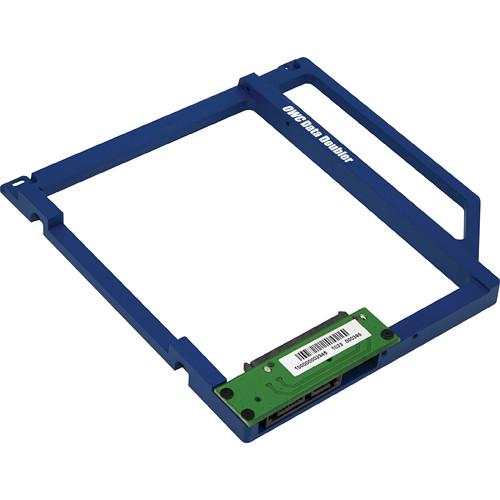
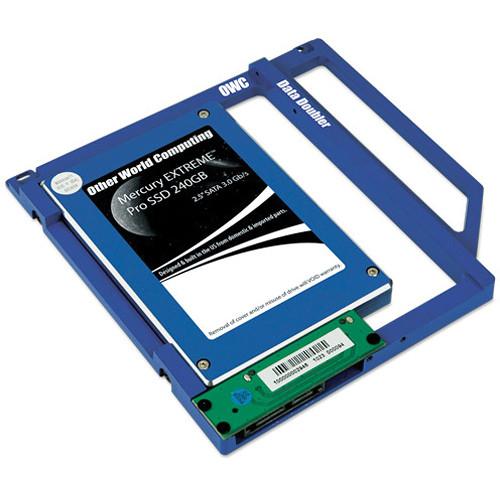
Product description The OWC Data Doubler Optical to SATA HD Converter Bracket for Mac Laptops is an exceptional tool if you want to replace your MacBook or MacBook Pro's internal SuperDrive with your own slim 2.5" SATA hard drive or solid state drive.* The converter bracket is made from black anodized aluminum and comes with a PCB circuit board. The circuit board can mount any 2.5" SATA HDD or SDD that's also 9.5 mm tall. It's compatible with SATA 1.5Gbps, 3Gbps, and 6Gbps drives.
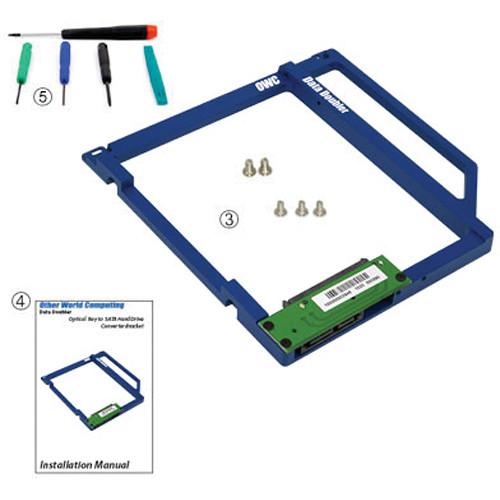
OWC makes the process of installing the converter bracket and replacing your Mac's original optical drive easy. The entire converter bracket assembly fits into a MacBook or MacBook Pro 5.25" optical drive bay. To facilitate installation, a five piece toolkit, a set of screws, and a detailed installation guide are included.
Once installed, your drive will be recognized like any other high speed SATA storage device and can be setup and partitioned using the Apple Disk Utility Program. You can also custom design how you want your internal storage to perform. Note: *Please refer to the specifications tab to carefully note whether or not your MacBook or MacBook Pro is compatible with the converter bracket. - Allows you to replace your MacBook or MacBook Pro's internal SuperDrive with your own slim 2.5" SATA hard drive or solid state drive 1
Please Note: *Please refer to the specifications tab to carefully note whether or not your MacBook or MacBook Pro is compatible with the converter bracket. close - The bracket is made from black anodized aluminum and comes with a PCB circuit board that can mount any 2.5" SATA HDD or SDD that's also 9.5 mm tall
- Your drive will be recognized like any other high speed SATA storage device and can be setup and partitioned using the Apple Disk Utility Program
- Configure your drive in a number of ways. For example, the below are a few options:
Creating an individual volume with its own desktop icon
Combining a new drive with the existing internal drive for one larger volume (SPAN)
Combining a new matching drive with existing internal for high-performance RAID-0 Stripe volume
Configuring a new drive as a Time Machine backup drive
Formatting one drive for the Mac OS and the other dedicated for Windows - To facilitate a fast, successful installation, a five piece toolkit, a set of screws, and a detailed installation guide are also included
UPC: 718122776276 In the Box OWC / Other World Computing Data Doubler Optical to SATA HD Converter Bracket for Mac Laptops Interposer Board Screws (5 pieces, 3x Phillips #00, 2x Phillips #1) Toolkit: Nylon Spudger, Phillips #00, Straight Blade 1.8 mm, Torx T8, Torx T6 Detailed Installation Guide w/ Model Specific Instructions & Step by Step Photos 1-Year Limited Warranty Table of Contents
|
Upload User Manual
Have you got an user manual for the OWC Other World Computing Data Doubler Optical to SATA HD Converter Bracket for Mac Laptops in electronic form? Please send it to us and help us expand our library of instruction manuals.
Thank you, too, on behalf of other users.
To upload the product manual, we first need to check and make sure you are not a robot. After that, your "Submit Link" or "Upload File" will appear.
Technical parametersOWC / Other World Computing OWCDDAMBS0GB Specs | | | Compatible | Supports the following drives:
SATA, SATA 3G, SATA 6G interface 2.5" hard drives or solid state drives of up to 9.5mm (Super Slim) height
Compatible MacBook Pro Models:
MacBook Pro 17" "Early 2009", "Mid 2009", "Early 2010", and "Early 2011"
Models include:
MacBookPro5,2 | 2.66GHz, 2.8GHz, 2.93GHz, 3.06GHz
MacBookPro6,1 | 2.53GHz, 2.66GHz, 2.8GHz
MacBookPro8,3 | 2.2GHz, 2.3GHz
MacBook Pro 15" "Late 2008", "Mid 2009", "Early 2010" "Early 2011" "Late 2011" and "Mid 2012"
Models include:
MacBookPro5,1 | 2.4GHz, 2.53GHz, 2.66GHz, 2.8GHz, 2.93GHz
MacBookPro5,3 | 2.66GHz, 2.8GHz, 3.06GHz
MacBookPro5,4 | 2.53GHz
MacBookPro6,2 | 2.4GHz, 2.53GHz, 2.66GHz, 2.8GHz
MacBookPro8,2 | 2.0GHz, 2.2GHz, 2.3GHz
MacBookPro8,2 | 2.2GHz, 2.3GHz
MacBook Pro9,1 | 2.3GHz, 2.6GHz, 2.7GHz
MacBook Pro 13" "Mid 2009" "Early 2010" "Early 2011" "Late 2011" and "Mid 2012"
Models include:
MacBookPro5,5 | 2.26GHz, 2.53GHz
MacBookPro7,1 | 2.4GHz, 2.66GHz
MacBookPro8,1 | 2.3GHz, 2.7GHz
MacBookPro8,1 | 2.4GHz, 2.8GHz
MacBookPro9,2 | 2.5GHz, 2.9GHz
MacBook 13" "Late 2008"
Models include:
MacBook5,1 | 2.0GHz, 2.4GHz
MacBook 13" "Late 2009" and "Early 2010"
Models include:
MacBook 6,1 | 2.26GHz
MacBook7,1 | 2.4GHz | | Dimension (DxWxH) | 5 x 5 x 3" / 12.7 x 12.7 x 7.62cm | | Weight | 2.4 oz / 68.03g | | | | Package Weight | 0.65 lb | | Box Dimensions (LxWxH) | 9.1 x 6.9 x 2.0" |
Rating94% users recommend this product to others. And what about you?

This product has already been rated by 84 owners. Add your rating and experience with the product.
Discussion
 Ask our technicians if you have a problem with your settings,
or if anything is unclear in the user manual you have downloaded.
You can make use of our moderated discussion.
The discussion is public and helps other users of our website who may be encountering similar problems.
Ask our technicians if you have a problem with your settings,
or if anything is unclear in the user manual you have downloaded.
You can make use of our moderated discussion.
The discussion is public and helps other users of our website who may be encountering similar problems.
The discussion is empty - enter the first post
Post a new topic / query / comment:
|
|


