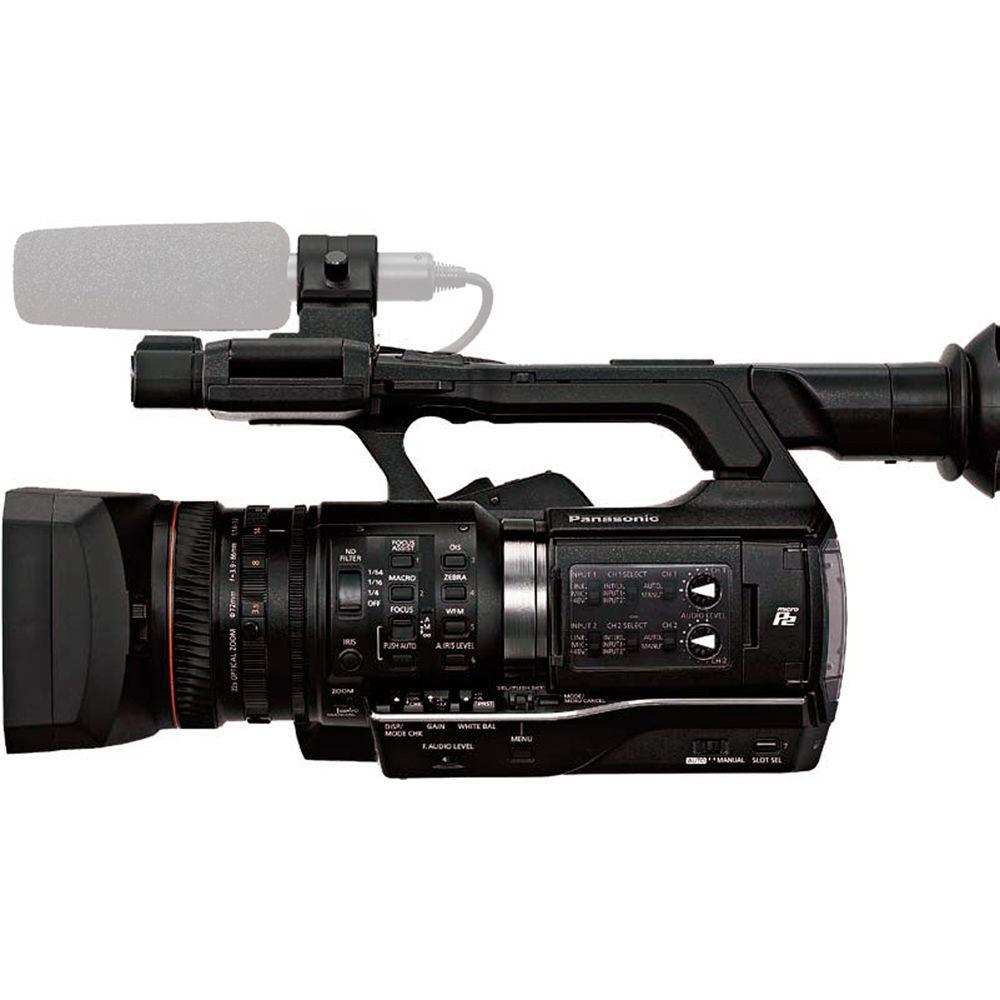
User Manual for Panasonic AJ-PX230 microP2 AVC-Ultra Camcorder Click to enlarge the picture
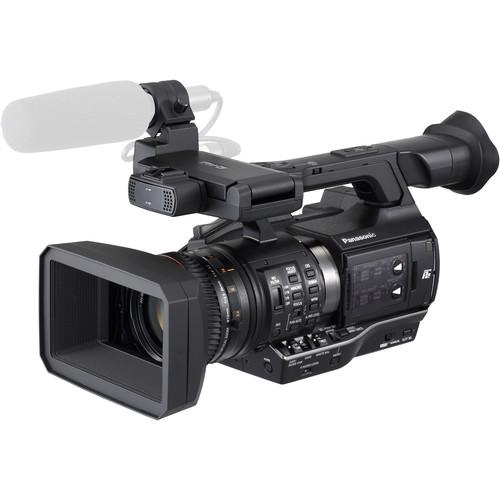 Contents of the user manual for the Panasonic AJ-PX230 microP2 AVC-Ultra Camcorder
- Product category: Camcorders Panasonic
- Brand: Panasonic
- Description and content of package
- Technical information and basic settings
- Frequently asked questions – FAQ
- Troubleshooting (does not switch on, does not respond, error message, what do I do if...)
- Authorized service for Panasonic Camcorders
 |
User manual for the Panasonic AJ-PX230 microP2 AVC-Ultra Camcorder contain basic instructions
that need to be followed during installation and operation.
Before starting your appliance, the user manual should be read through carefully.
Follow all the safety instructions and warnings, and be guided by the given recommendations.
User manual is an integral part of any Panasonic product,
and if it is sold or transferred, they should be handed over jointly with the product.
Following the instructions for use is an essential prerequisite for protecting
health and property during use, as well as recognition of liability on the part of the manufacturer
for possible defects should you make a warranty claim. Download an official Panasonic user manual in which you will find instructions on how to install, use, maintain and service your product.
And do not forget – unsuitable use of a Panasonic product will considerably shorten its lifespan!
|
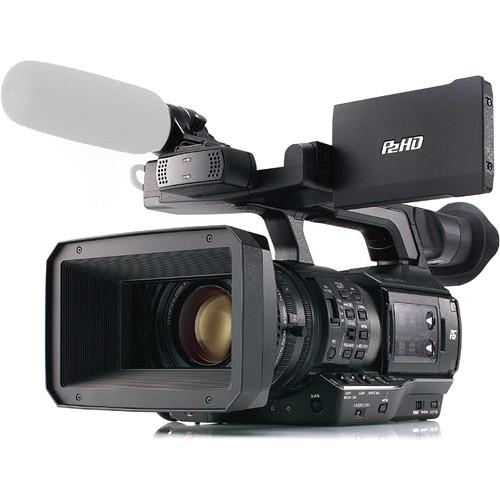
Product description Featuring a classic handheld form-factor and offering 10-bit, 1080p AVC-Intra and AVC-LongG recording up to 60 fps, the Panasonic AJ-PX230 is ready to fit the bill for a wide range of applications, including professional broadcast, documentary, and ENG work. The camera utilizes 1/3"-type 3MOS sensors that support a 600% dynamic range level to capture expanded highlight and shadow detail for more film-like images and post-production flexibility. Adding to the camera's versatility is multi-codec support, including the high-quality AVC-Intra200 codec, and variable frame-rate shooting for in-camera slow-motion and fast-motion effects.
The AJ-PX230 is equipped with a 22x optical zoom lens that offers a 28 to 616mm range (35mm equivalent), covering you from wide-angle to telephoto focal lengths. Built-in optical image stabilization helps to correct for shake and jitters when shooting handheld. Three rings on the lens give you full manual control over zoom, focus, and iris, providing a shooting experience similar to larger interchangeable-lens ENG cameras. For monitoring your shots and navigating through the menu system, the camera features a 0.5" OLED EVF and a 3.5" IPS LCD screen.
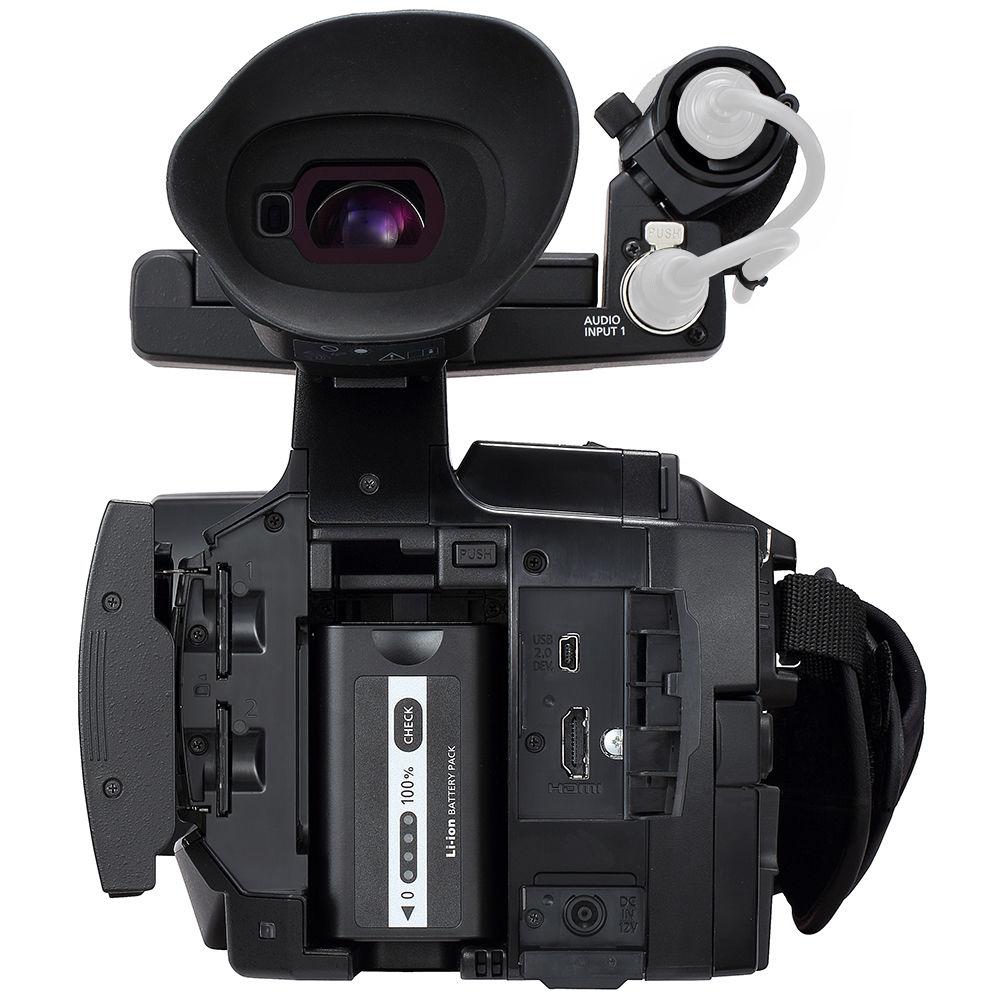
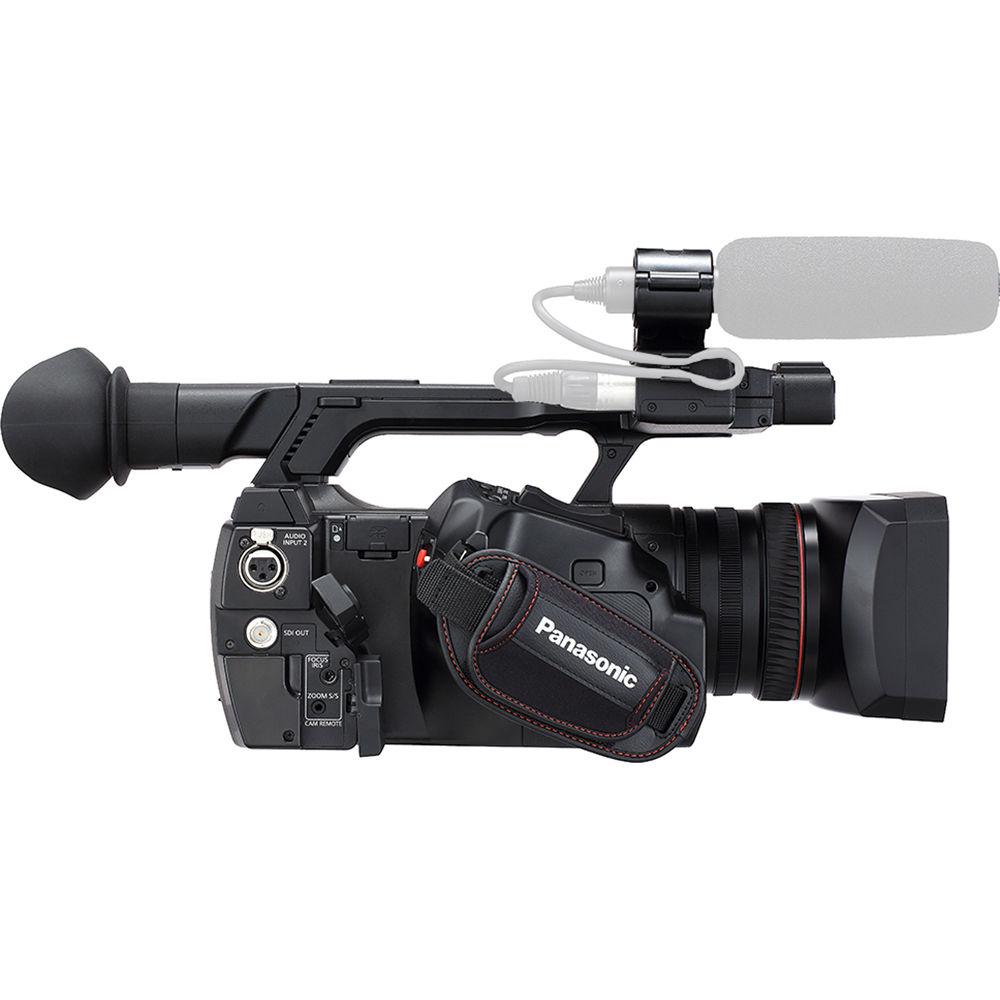
Taking a page from the larger shoulder mount rigs, the camera features a front XLR audio input, ideal for a camera-mounted mic, and a rear audio XLR input for a second microphone. Additional connectivity includes a 3G-SDI output, HDMI output, USB connection, and remote control ports. Video is recorded to microP2 cards, with two slots provided to support a variety of recording options, including simultaneous, relay, and background recording. - 1/3" 3MOS Image Sensors
- The 1/3"-type 3MOS sensors features 2.2 MP resolution, providing 1920x1080p images at up to 60 fps. It features two menu settings, the default setting and the High Sensitivity setting, which acts a gain boost with noise reduction, providing a cleaner image than just using the gain function. The sensor achieve a maximum 600% dynamic range level for expanded shadow and highlight detail capture.
- FILM-REC Gamma
- The FILM-REC gamma achieves a latitude that exceeds the CINE-LIKE D mode found on previous camcorders. Gamma curves can be selected from 7 modes: HD, SD, FILMLIKE 1, FILMLIKE 2, FILMLIKE 3, FILM-REC, VIDEO-REC.
- 22x Zoom Lens with Three Manual Rings
- The 22x optical zoom lens has a 35mm focal length equivalent of 28 to 616mm, so you have the focal range from wide to long covered. It features Optical image Stabilization (OIS), which is necessary when hand-holding with a long lens, as well as Chromatic Aberration Compensation (CAC) to minimize color bleeding at the fringes of the image area. Three individual lens control rings are provided for zoom, focus, and iris. This enables manual control of your lens (in addition to servo) that is similar to the control you get on full-sized shoulder mount camera. The servo zoom levers on the grip and handle support extra-slow zooming down to 180 seconds.
- AVC-ULTRA Recording
- To meet the needs of a variety of shooters, the AJ-PX230 features the AVC-ULTRA codec family that lets you select shoot in modes optimized for either quality or long recording times.
AVC-Intra: An intra-frame compression method for optimum image quality. In addition to the conventional AVC-Intra100/50 codec, the AJ-PX230 features the AVC-Intra200 codec with twice the bit rate (10-bit 4:2:2, with a bit rate of approximately 200 Mbps for 1080/59.94i).
AVC-LongG: An inter-frame compression method that achieves high-quality HD recording at a low bit rate. Ideal for providing on-air content direct from the shooting location and for workflows using content transferred over the internet. Three bit rates are available: AVC-LongG50/25/12 Mbps. AVC-LongG25 provide 10-bit/4:2:2 quality at a bit rate of approximately 25 Mbps. - Variable Frame Rate
- Inherited from the VariCam line, the variable frame rate function (available in AVC-Intra100) lets you select from frame rate between 1 to 60 fps to produce overcranked slow-motion or undercranked quick-motion effects.
- 24-Bit, 4-Channel Audio Recording
- AVC-Intra and AVC-LongG modes support 24-bit digital audio recording (16-bit for AVC-LongG12, DVCPRO HD, DVCPRO 50, DVCPRO, and DV). The AJ-PX230 offers 4-channel audio in all recording modes using the built-in microphone and the two XLR inputs (one located in front and one located in the rear, with both selectable from mic/line). The level volume control also supports four channels.
- OLED EVF and LCD Panel
- For shot monitoring, the AJ-PX230 features a viewfinder with a high-resolution OLED display (approximately 2.36 million dots; image display area: approximately 1.77 million dots) for deep blacks and rich color reproduction. Also available is an LCD monitor that uses a QHD IPS LCD panel (approximately 1.56 million dots).
- Two microP2 Card Slots
- Dual microP2 memory card slots support both microP2 cards as well as SDHC/SDXC cards.
Simultaneous Rec: Records simultaneously onto two microP2 cards
Background Recording: Slot 1 records with the Rec Start/Stop control, while slot 2 continues recording even while recording is stopped
Hot-Swap Rec: Thanks to the two card slots, you can hot-swap microP2 cards for continuous non-stop recording
One-Clip Rec Mode: Records up to 99 consecutive cuts as a single clip. A text memo is automatically attached to the Rec Start point for easy searching for the beginning of the cut
Pre Rec: This stores approximately 3 seconds of HD or 7 seconds of SD video and audio data in memory while in standby mode and lets you recover and use the data from the point before you started recording
Loop Rec: Maintains a recording of a certain time period through repeated loop recording
Interval Rec: Records intermittently based on a set interval time
One-Shot Rec: A frame-shot recording function for producing animations
Text Memo: Up to 100 memos can be posted onto a clip as bookmarks
Shot Marker: Used to mark clips as OK, NG, etc
Last Clip Delete: Deletes the last recorded clip with a single touch
Rec Check: This lets you run a quick playback check of the clip-end you have just recorded
Metadata: The metadata function attaches metadata (text memos tagged to time, GPS data, selected character strings and frames) to P2 files. Metadata can be used effectively for searching and management, facilitating the editing, distribution and archiving of video data - Interfaces
-
- 3G-SDI output
- HDMI output
- USB 2.0 for transferring files from microP2 card
- Remote ports for Focus, iris, zoom, and REC start/stop control
- Back tally, rear tally
- Headphone jack
- Additional Features
-
- 59.94 Hz / 50 Hz mode switchable
- Focus Assist Functions: One-Push AF, Focus-in-Red Display, Expand, Focus Bar
- Built-in ND filters (Clear, 1/4, 1/16, 1/64)
- Eight User Buttons
- Simplified waveform and vectorscope display
- +36 dB Super Gain: +24 dB/+30 dB/+36 dB Super Gain function enables extra-high sensitivity with subject luminance of as low as 0.02 lx (When set to F1.6, 18 dB gain, 1-second accumulation, HIGH SENS. mode)
- Electronic Shutter with Slow Shutter Capability: The shutter speed can be set in seven steps between 1/60 and 1/2000 second (60i/60p mode). It is also equipped with Slow and Synchro Scan (variable) modes. The shutter opening angle (deg value) can be set with Synchro Scan mode
- Advanced flash band compensation
- Built-in electronic level gauge
- Six preset scene files stored internal, up to eight stored on memory card
- One user file containing camera settings can be stored internally, up to eight stored on memory card
- Aspect Conversion: The aspect ratio can be selected from among Side Crop, Letter Box, or Squeeze mode when down-converting and outputting from the SDI OUT terminal.
UPC: 885170283206 In the Box Panasonic AJ-PX230 microP2 AVC-Ultra Camcorder VW-VBD58 Battery Pack (7.2V, 5800mAh) Shoulder Strap Battery Charger AC Adapter Microphone Holder Screw for Microphone Holder 2 x Power Cord Eye Cup Lens Hood Grip Belt Limited 1-Year Warranty Brochure PDF 3.5mb Table of Contents
|
Upload User Manual
Have you got an user manual for the Panasonic AJ-PX230 microP2 AVC-Ultra Camcorder in electronic form? Please send it to us and help us expand our library of instruction manuals.
Thank you, too, on behalf of other users.
To upload the product manual, we first need to check and make sure you are not a robot. After that, your "Submit Link" or "Upload File" will appear.
Technical parametersPanasonic AJ-PX230 Specs | | | Image Sensor | 3-Chip 1/3" MOS Sensor | | Sensor Resolution | 2.2 MP | | Gain | -3 to 36 dB | | Minimum Illumination | 0.02 lux at 1/1 Shutter Speed | | White Balance Range | 2000 to 15,000K | | | | Focal Length | 3.9 to 86mm | | 35mm Equivalent Focal Length | 28 to 616mm | | Optical Zoom Ratio | 22x | | Max Digital Zoom | 10x | | Maximum Aperture | f/1.6 to 3.2 | | Minimum Focusing Distance | Entire Zoom Range: 43.3" / 1.1 m
Macro: 2.4" / 6.0 cm | | Filter Size | 72 mm | | | | Shutter Speed | 1/1 to 1/2000 sec | | Shutter Angle | 3 to 360
Rating80% users recommend this product to others. And what about you?

This product has already been rated by 67 owners. Add your rating and experience with the product.
Discussion
 Ask our technicians if you have a problem with your settings,
or if anything is unclear in the user manual you have downloaded.
You can make use of our moderated discussion.
The discussion is public and helps other users of our website who may be encountering similar problems.
Ask our technicians if you have a problem with your settings,
or if anything is unclear in the user manual you have downloaded.
You can make use of our moderated discussion.
The discussion is public and helps other users of our website who may be encountering similar problems.
The discussion is empty - enter the first post
Post a new topic / query / comment:
|
|
|
| Request for user manual |
You can’t find the operation manual you are looking for? Let us know and we will try to add the missing manual:
I’m looking for a manual / Request for manual
Current requests for instruction manuals:
Call Of Duty World War Two For Xbox...
controller stratus XL...
stratus XL...
smart whatch serie S11 42mm...
Allen & Heath SQ-6 manual...
|
| Discussion |
Latest contributions to the discussion:
AEW R 4100
Name: MAURICIO ANGARITA
Audio-Technica AEW-R4100 UHF Diversity Receiver for
AEW R 4100 has the mute function blocked and does not allow audio to pass. I tried several times to turn off the mute from the transmitter but it does nothing, the mute stays on. Solution?
Thank you...
Instructions for assembling the 2015 Forecast Image Master Consoles GC3-A
Name: mike elam
Forecast Consoles GC3-A ImageMaster Editing Console
Looking for instructions for assembling this console. ...
EMPTY TONER ERROR MESSAGE AFTER REPLACING TONER
Name: LINDA BAD YELLOW EYES
Brother TN223BK Standard-Yield Toner
I HAD TO CHANGE OUT ALL THREE TONERS DUE TO LEAKS IN THE YELLOW AND CYAN. AFTER I REPLACED THEM, THE MACHINE KEEPS GIVING ME AN EMPTY TONER ERROR MESSAGE. HELP!!...
PS480D 20/24 pin Switching 480W Power Supply
Name: swkargo
Logisys 480W Power Supply
This item states in can run -5vdc .It is NOT listed on the board or I beleive is r4 is missing the resitior. Any body have thid issue. Shawn
...
Help needed
Name: Ann Carter
SanDisk 1TB Extreme Portable USB 3.1
When I click the link to download the user manual for my Sandisk Extreme external hard drive, it gives me the manual for the LG Cricket. Can you please change the link so I can download the Sandisk manual and begin using this drive? Thank you....
|
|


