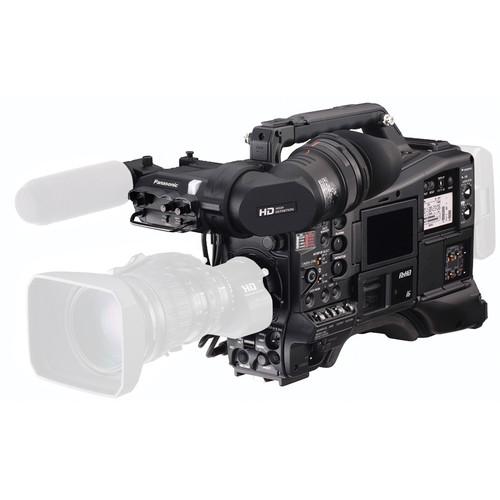
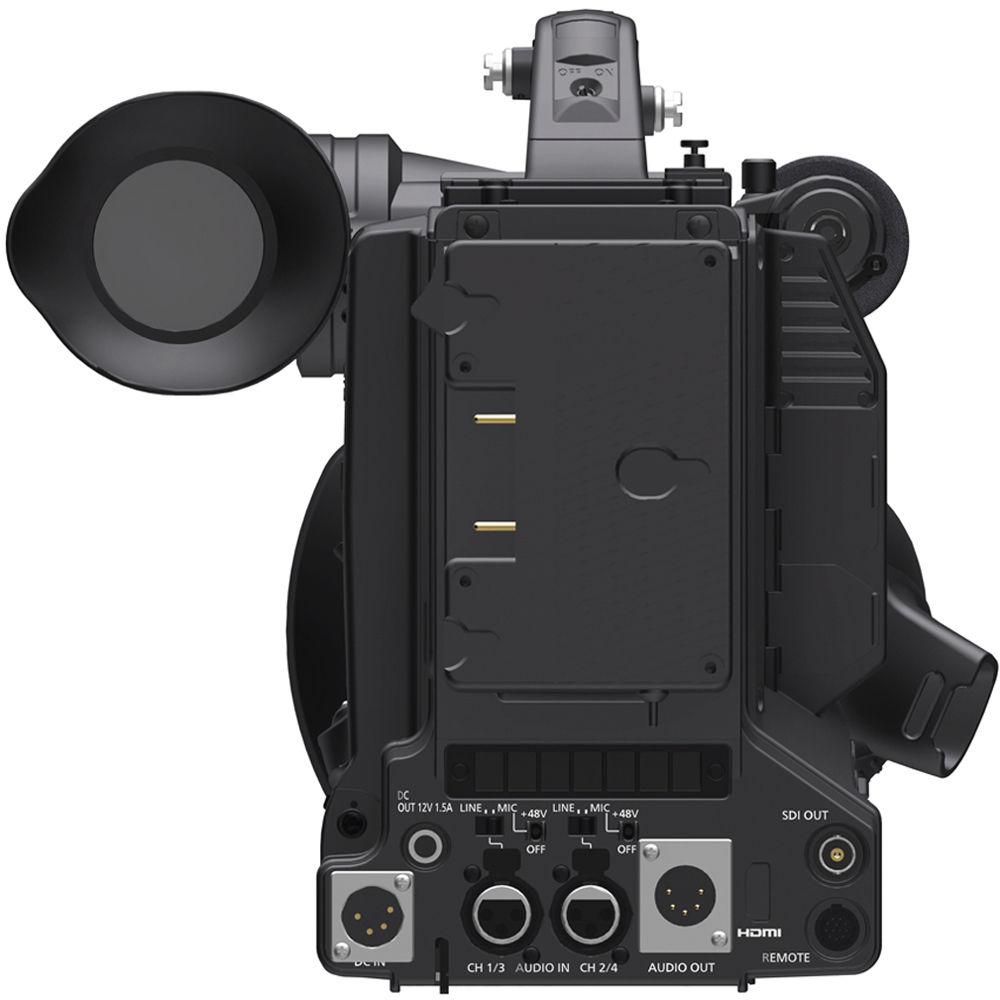
User Manual for Panasonic AJ-PX5000G 2 3" ENG Style Camcorder with P2 & microP2 Media Card Slots Click to enlarge the picture
 Contents of the user manual for the Panasonic AJ-PX5000G 2 3" ENG Style
- Product category: Camcorders Panasonic
- Brand: Panasonic
- Description and content of package
- Technical information and basic settings
- Frequently asked questions – FAQ
- Troubleshooting (does not switch on, does not respond, error message, what do I do if...)
- Authorized service for Panasonic Camcorders
 |
User manual for the Panasonic AJ-PX5000G 2 3" ENG Style contain basic instructions
that need to be followed during installation and operation.
Before starting your appliance, the user manual should be read through carefully.
Follow all the safety instructions and warnings, and be guided by the given recommendations.
User manual is an integral part of any Panasonic product,
and if it is sold or transferred, they should be handed over jointly with the product.
Following the instructions for use is an essential prerequisite for protecting
health and property during use, as well as recognition of liability on the part of the manufacturer
for possible defects should you make a warranty claim. Download an official Panasonic user manual in which you will find instructions on how to install, use, maintain and service your product.
And do not forget – unsuitable use of a Panasonic product will considerably shorten its lifespan!
|
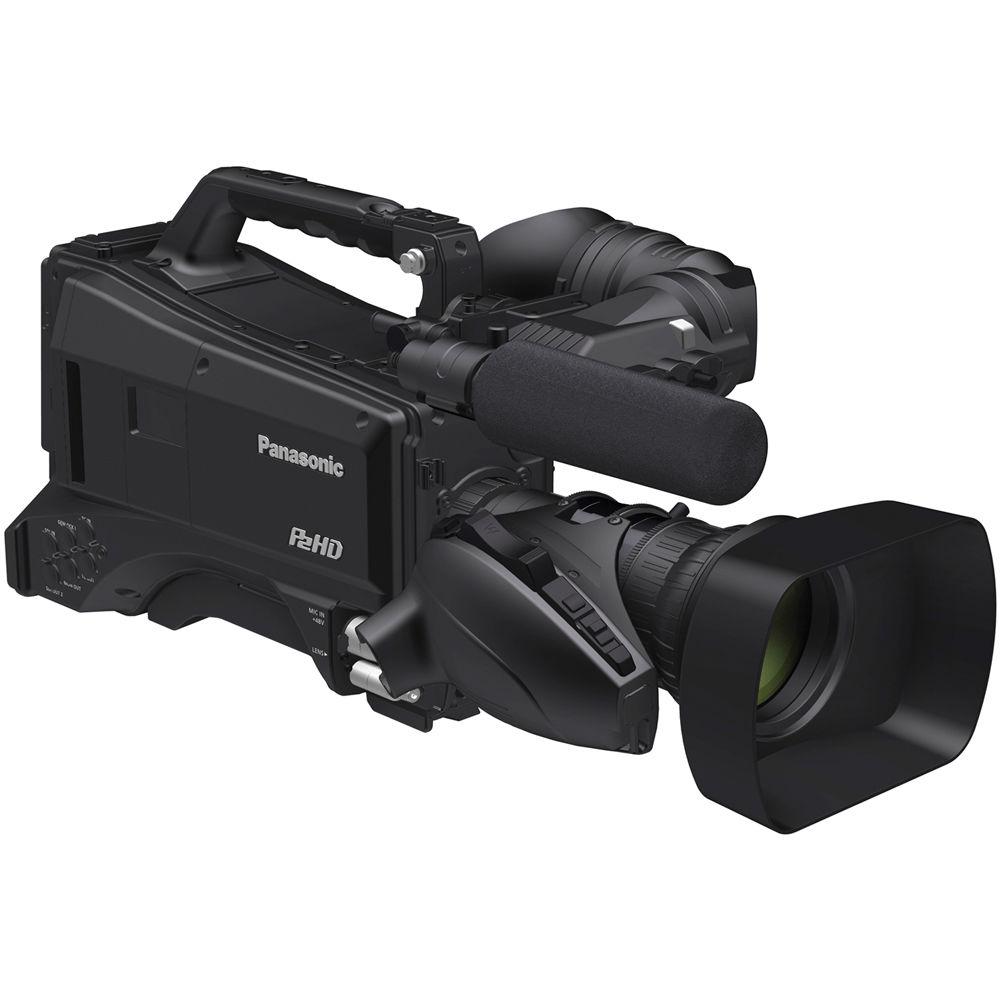
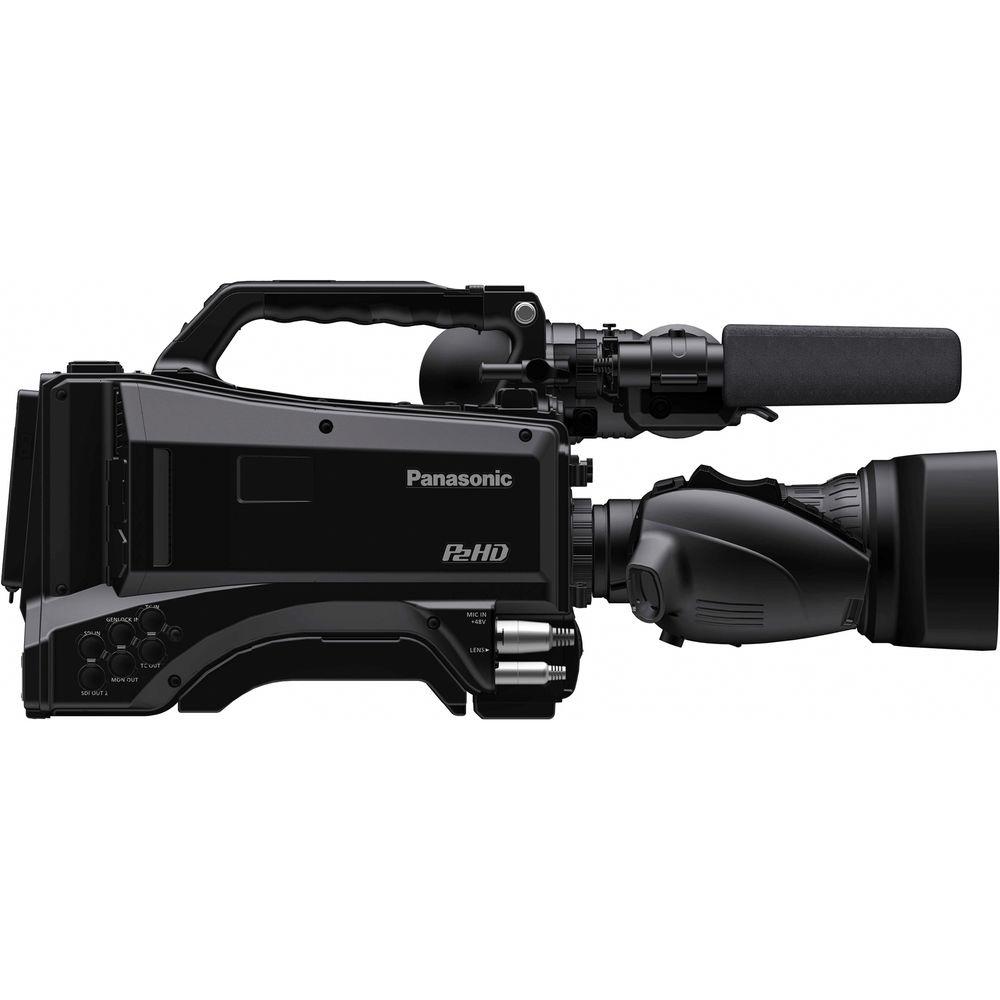
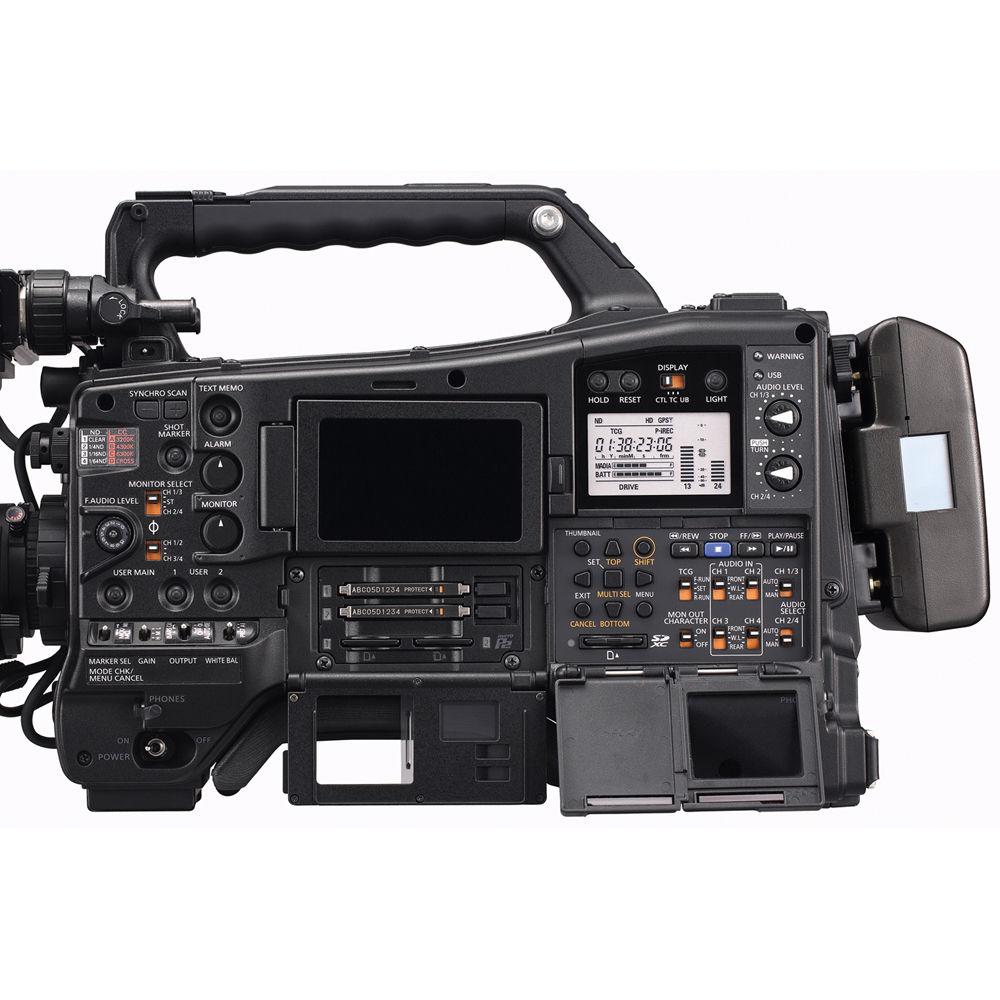
Product description The Panasonic AJ-PX5000G 2/3" ENG Style Camcorder with P2 & microP2 Media Card Slots is a full sized ENG style HD camcorder with an interchangeable lens system that captures Full HD video to P2 or micro P2 media cards. The camera records HD Video in either NTSC or PAL compatible frame rates, to the AVC-Ultra family of codecs. In addition to the two microP2 slots and two standard P2 card slots, the camcorder incorporates an SD card slot for proxy/metadata recording. The camera body incorporates a 3.45" flip out LCD screen and can accept optional B&W or Color Viewfinders.
The camera is well suited to capture breaking news as it records approximately 8 seconds of video in standby mode, so you can record about 8 seconds of video before pressing the record button. For long developing news situations, you can record in loop mode, letting the camera record to your data cards and then start recording over allocated space on the cards. It records using codecs that include AVC-Intra and 10-bit AVC-LongG50/25 and supports Dual Codec recording with the Full-HD resolution of 1920 x 1080. Incorporated image control tools include: CAC (Chromatic Aberration Compensation) when using a CAC compatible lens, DRS (Dynamic Range Stretch and a choice of 7 Gamma selections. The camera features digital zoom, an electronic shutter, two rotating optical filters, focus assist, Zebra, Y-Get, a simplified Waveform and Vectorscope display, and five user assignable function buttons. The camera features 3G-SDI inputs and outputs, allowing you to pass feeds from and to other cameras, and a slot for optional two channels wireless receivers. A wired network port allows you to remotely control the camera using an optional studio remote panel. The built-in USB 3.0 port allows high-speed file copying to compatible storage media of 2TB or less directly from the camera without requiring a computer. Note: Dual Codec recording is an optional function. Camera - The camcorder features a 2/3" lens mount that allows you to use a interchangeable lenses. No lens is included with the camera.
- The built-in 8.76 cm (3.45 inches) color LCD serves as a monitor when shooting, displays menus, and provides Waveform and Vectorscope displays. After recording, clips selected from clip and thumbnail displays can be played or deleted (single or multiple clips). In addition to VTR-like pause, fast-forward, and rewind functions, multiple clips can be consecutively played in any desired sequence for transmitting data from the shooting location.
- Optional color and black & white viewfinders are available for this camera.
- The camcorder records at interlaced compatible frame rates, allowing your video to play back on progressive and interlaced HD video systems, as well as be easily converted to play back on SD video systems.
- 2.2MP, 2/3-type MOS image sensor achieves F12 (at 59.94 Hz) or F13 (at 50 Hz) sensitivity and 60 dB signal-to-noise ratio.
- The camera supports two full sized P2 cards and two microP2 sized cards, providing you the flexibility to use your P2 cards or if you wish, migrate to the microP2 format.
- AVC-LongG50/25 and AVC-Intra100/50 codecs provided as standard features. AVC-LongG50/25 codecs achieve 10 bit/4:2:2 image quality at a data rate of approximately 50/25 Mb/s.
- The camera supports 23.98, 29.97, 59.94 frame rates, as well as 50p, 50i, and 25p.
- The frame rates of 23.98, 25, and 29.97 can be recorded as native frame rates, or as a pulldown recording which interpolates the data as a 60/50i recording.
- You can select to record 23.98 (24) fps with a 24PA (pulldown advanced) recording scheme, which alters the 3:2 pulldown sequence from 3:2:3:2 to 3:2:2:3 field order, which makes it less computing intensive to convert the pulldown sequence to a native 23.98 (24) fps sequence for editing. Please note that the 24PA pulldown sequence can result in jumpy looking images during normal playback and require that your footage be imported into your NLE correctly for viewing/editing.
- Simultaneous recording to two media cards creates an instant backup of your recording.
- The camera is capable of recording and playing 1080/59.94p and 1080/50p progressive images (AVC-Intra100 and AVC-LongG25 modes).
- While recording with the AVC-Intra100 or LongG50/25 codec, you can simultaneously record with the AVC-LongG6 low-bit-rate, HD codec.
- The 3G-SDI input and outputs allow you to daisy chain your camera with other cameras to share a single feed, useful when shooting press conferences that is providing a single feed.
- 3G-SDI output #1 supports 3 Gbps, providing 1080/60p and 50p progressive full frame image output. It allows Rec Start/Stop linked backup recording with an optional Panasonic recorder equipped with SDI input.
- 3G-SDI output #2 is separate from output #1 and supports HD-SDI or down-converted SD-SDI.
- The aspect ratio can be selected from among Side Crop, Letter Box, or Squeeze mode when down-converting and outputting from SDI OUT1/SDI OUT2 terminals.
- The HDMI connector allows digital A/V output to a wide range of devices with both professional and consumer specifications.
Audio - The camera does not include a microphone, but accepts a variety of optional, compatible, professional mics with a 3-pin XLR connector using an optional 3-pin XLR cable.
- The AJ-PX5000G offers 4-channel audio in all recording modes. Each channel input can be selected from FRONT (mic), REAR (line) and WL (wireless). The level volume control also supports 4 channels. The large audio dials (4 channel) feature a push lock function.
- The Audio Input level adjustment (front) can be switched ON/OFF and allocated to desired channels.
- The AVC-Intra or AVC-LongG modes support 24 bit digital audio recording.
Camera Functions - Built-in ND filters (Off, 1/4, 1/16, 1/64 ND)
- Zebra: Select any two levels from among 0% to 109%, in 1% steps. A mode also allows two patterns to be overlaid and displayed.
- Y-GET: Measures brightness at center and displays numerical data.
- Dynamic Range Stretch (DRS) provides a wider dynamic range with minimal blown highlights and blocked shadows.
- Chromatic Aberration Compensation (CAC) function works with a CAC-compatible lens.
- Focus Assist: Features Focus in Red, Expand, and Focus Bar display functions. Focus in Red and Expand can be allocated to User buttons for one-touch control.
- Shockless White Balance: A smooth transition occurs when switching White Balance modes. This is effective, for example, when moving from outdoors to indoors.
- WFM: Simplified Waveform and Vectorscope display.
- Five user assignable buttons on the camera body allow you to quickly access your most used functions.
- The USB port supports USB 3.0 as a host, and USB 2.0 as either a host or device. You can connect an optional (AJ-WM30) wireless module that allows wireless LAN (IEEE802.11 standard) connection for tablet or smartphones linking.
- Setup Files: Eight camera setup data files (including four scene files) can be saved on an SD/SDHC/SDXC memory card.
Camera Interface Connectors - The camera features a built-in Timecode generator/reader, and a Timecode in and Timecode out connector.
- The Genlock connector allows you to sync this camera with other optional cameras for multi-camera shoots.
- The UniSlot is compatible with available 2 channel wireless receivers.
- The XLR audio input supports 2 channel mic/line inputs providing +48V phantom power supply.
- Back tally, rear tally equipped. ON/OFF switchable.
- The camera is equipped with earphone terminals (stereo mini-jack) and speaker.
- An optional network function allows previewing, streaming, and metadata editing of proxy images with a PC or Mac.
- Lens Files: Stores settings for interchangeable lenses. Eight files can be stored in the camera unit, and 64 (8 x 8) files can be saved on an SD/SDHC/SDXC memory card.
- Built-in GPS function enables positioning data to be saved onto recorded files as metadata.
- Built-in CC filters (3200 / 4300 / 5600 / 6300 K).
- Production support with Scan Reverse and 7-mode Gamma.
- USB 3.0 (Host) for high-speed copying to an external HDD.
- One-clip recording function records multiple cuts in a single clip.
- Loop rec, pre-rec, interval rec, and one-shot rec capability.
In the Box Panasonic AJ-PX5000G 2/3" ENG Style Camcorder with P2 & microP2 Media Card Slots Limited 1-Year Warranty Guides & Manuals ybzvdsyqwcxb Table of Contents
|
Upload User Manual
Have you got an user manual for the Panasonic AJ-PX5000G 2 3" ENG Style Camcorder with P2 & microP2 Media Card Slots in electronic form? Please send it to us and help us expand our library of instruction manuals.
Thank you, too, on behalf of other users.
To upload the product manual, we first need to check and make sure you are not a robot. After that, your "Submit Link" or "Upload File" will appear.
Download User ManualThe user manual for the Panasonic AJ-PX5000G 2 3" ENG Style Camcorder with P2 & microP2 Media Card Slots can be downloaded in PDF format at the link stated below.
Technical parametersPanasonic AJ-PX5000 Specs | | | Image Sensor | 3-Chip 2/3" MOS Sensor | | Sensor Resolution | 2.2 MP | | Horizontal Resolution (TV Lines) | 1000 TV Lines or More | | Gain | -3 to 30 dB (Native)
-6 to 34 dB (Expanded) | | Signal-to-Noise Ratio | 62 dB | | Minimum Illumination | 0.0004 lux | | | | Lens Mount | B4 Mount | | Shutter Speed | 1/24 to 1/7200 sec | | Shutter Angle | 3 to 360
Rating80% users recommend this product to others. And what about you?

This product has already been rated by 62 owners. Add your rating and experience with the product.
Discussion
 Ask our technicians if you have a problem with your settings,
or if anything is unclear in the user manual you have downloaded.
You can make use of our moderated discussion.
The discussion is public and helps other users of our website who may be encountering similar problems.
Ask our technicians if you have a problem with your settings,
or if anything is unclear in the user manual you have downloaded.
You can make use of our moderated discussion.
The discussion is public and helps other users of our website who may be encountering similar problems.
The discussion is empty - enter the first post
Post a new topic / query / comment:
|
|
|
| Request for user manual |
You can’t find the operation manual you are looking for? Let us know and we will try to add the missing manual:
I’m looking for a manual / Request for manual
Current requests for instruction manuals:
Call Of Duty World War Two For Xbox...
controller stratus XL...
stratus XL...
smart whatch serie S11 42mm...
Allen & Heath SQ-6 manual...
|
| Discussion |
Latest contributions to the discussion:
AEW R 4100
Name: MAURICIO ANGARITA
Audio-Technica AEW-R4100 UHF Diversity Receiver for
AEW R 4100 has the mute function blocked and does not allow audio to pass. I tried several times to turn off the mute from the transmitter but it does nothing, the mute stays on. Solution?
Thank you...
Instructions for assembling the 2015 Forecast Image Master Consoles GC3-A
Name: mike elam
Forecast Consoles GC3-A ImageMaster Editing Console
Looking for instructions for assembling this console. ...
EMPTY TONER ERROR MESSAGE AFTER REPLACING TONER
Name: LINDA BAD YELLOW EYES
Brother TN223BK Standard-Yield Toner
I HAD TO CHANGE OUT ALL THREE TONERS DUE TO LEAKS IN THE YELLOW AND CYAN. AFTER I REPLACED THEM, THE MACHINE KEEPS GIVING ME AN EMPTY TONER ERROR MESSAGE. HELP!!...
PS480D 20/24 pin Switching 480W Power Supply
Name: swkargo
Logisys 480W Power Supply
This item states in can run -5vdc .It is NOT listed on the board or I beleive is r4 is missing the resitior. Any body have thid issue. Shawn
...
Help needed
Name: Ann Carter
SanDisk 1TB Extreme Portable USB 3.1
When I click the link to download the user manual for my Sandisk Extreme external hard drive, it gives me the manual for the LG Cricket. Can you please change the link so I can download the Sandisk manual and begin using this drive? Thank you....
|
|



