User Manual for Panasonic AK-UB300 4K Multi-Purpose Camera Click to enlarge the picture
 Contents of the user manual for the Panasonic AK-UB300 4K Multi-Purpose Camera
- Product category: Industrial & Multi-Purpose Cameras Panasonic
- Brand: Panasonic
- Description and content of package
- Technical information and basic settings
- Frequently asked questions – FAQ
- Troubleshooting (does not switch on, does not respond, error message, what do I do if...)
- Authorized service for Panasonic Industrial & Multi-Purpose Cameras
 |
User manual for the Panasonic AK-UB300 4K Multi-Purpose Camera contain basic instructions
that need to be followed during installation and operation.
Before starting your appliance, the user manual should be read through carefully.
Follow all the safety instructions and warnings, and be guided by the given recommendations.
User manual is an integral part of any Panasonic product,
and if it is sold or transferred, they should be handed over jointly with the product.
Following the instructions for use is an essential prerequisite for protecting
health and property during use, as well as recognition of liability on the part of the manufacturer
for possible defects should you make a warranty claim. Download an official Panasonic user manual in which you will find instructions on how to install, use, maintain and service your product.
And do not forget – unsuitable use of a Panasonic product will considerably shorten its lifespan!
|
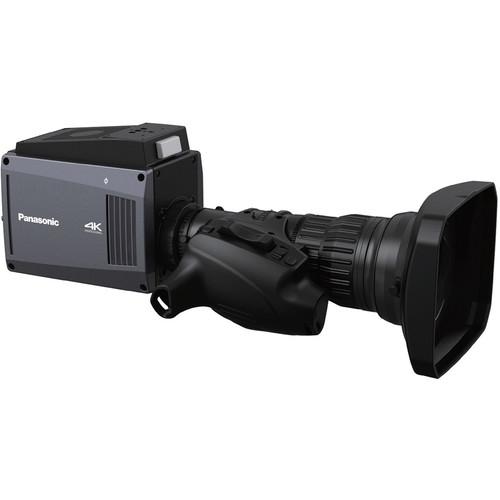
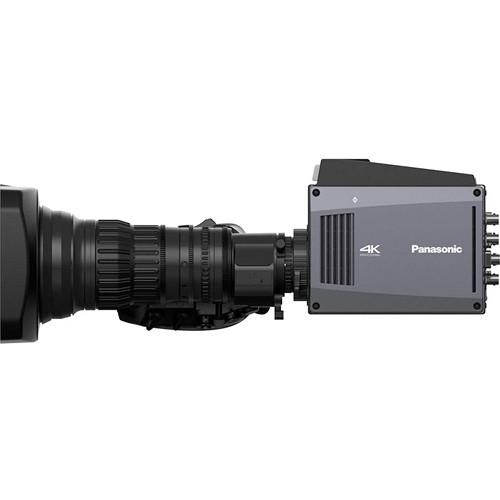
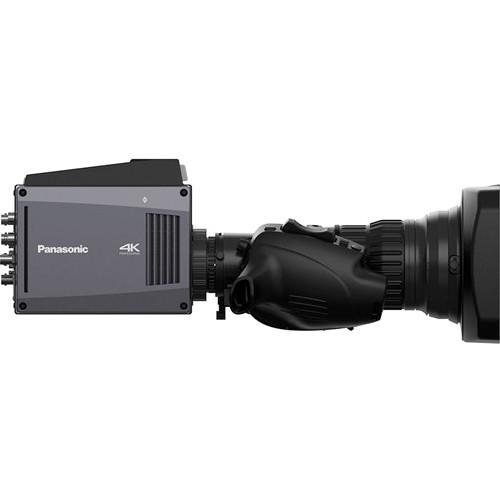
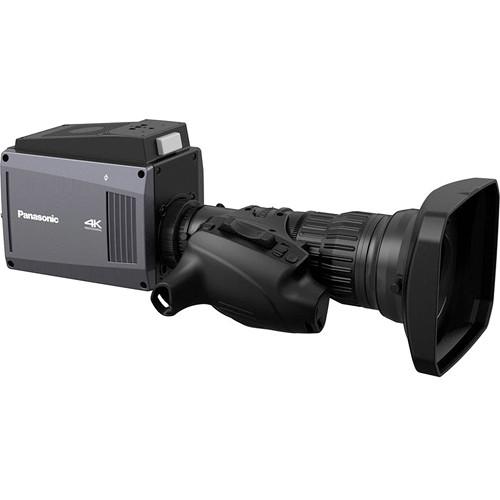
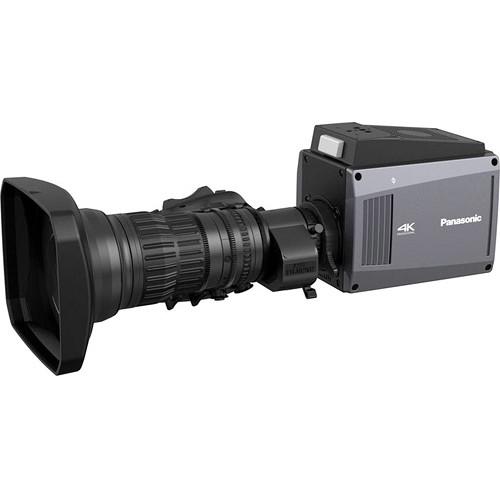
Product description The AK-UB300 4K Multi-Purpose Camera from Panasonic provides 4K image quality for sports and other live events. It also can achieve 4K image in remarkable choice for aerial shooting from a helicopter and more. To maximize flexibility and handle a wide range of needs, the AK-UB300 has a digital haze clear function to watch traffic of road or harbor. It provides 4K output (3G x 4) and HD-SDI output simultaneously, various focus assist functions and HD cut-out picture. In addition, HD-IP streaming and IP control enable system integration with AW series remote panels. - 4K Video
- Applying the built-in conversion lens, 2/3" lens type can be used with this 4K large-format camera without an adapter and achieves clear and crisp image quality. The new imaging system makes maximum use of incident light to achieve a wide dynamic range.
- Auto Tracing White Balance Function
- Automatically adjusts the white balance in even outdoor environments where the color temperature changes every second.
- Automatic Gain Control
- It not only has automatic iris control, but it also comes with a reduced shock, contiguous automatic variable gain control with a range of -6 dB to +36 dB. Moreover, the AGC allows you to choose between the normal mode, favor movement, and favor clarity.
In the Box Panasonic AK-UB300 4K Multi-Purpose Camera Limited 1-Year Warranty Table of Contents
|
Upload User Manual
Have you got an user manual for the Panasonic AK-UB300 4K Multi-Purpose Camera in electronic form? Please send it to us and help us expand our library of instruction manuals.
Thank you, too, on behalf of other users.
To upload the product manual, we first need to check and make sure you are not a robot. After that, your "Submit Link" or "Upload File" will appear.
Technical parametersPanasonic AK-UB300 Specs | Image Sensor | 11 million pixels, 1 x MOS | | Lens Mount | 2/3-type bayonet | | ND Filter | CLEAR, 1/4, 1/16, 1/64 | | Gain | -6, -3, 0, 3, 6, 9, 12, 15, 18, 21, 24, 27, 30, 33, 36 dB | | Total Gain | 6, 12, 18, 24 dB | | Sensitivity | Normal Mode:
F6 (2000 lux, 3200 K, when white reflectivity is 89.9%, 1080/59.94i)
F7 (2000 lux, 3200 K, when white reflectivity is 89.9%, 1080/50i)
High Mode:
F10 (2000 lux, 3200 K, when white reflectivity is 89.9%, 1080/59.94i)
F11 (2000 lux, 3200 K, when white reflectivity is 89.9%, 1080/50i) | | S/N Ratio | 60 dB typical (DNR ON) | | Horizontal Resolution | HD: 1000 TVL or above (center)
UHD: 1800 TVL or above (center) | | Synchronization System | Internal and external synchronization (Tri-level SYNC/Black Burst) | | Digital Extender | 2x | | Haze Output | On/Off | | Focus Assist | In RED, In GREEN, BAR, MAG (x2) | | Scan Reverse | H, V, H+V | | IP Streaming | H.264, MJEPG | | Control | IP, Serial | | Interface | Video
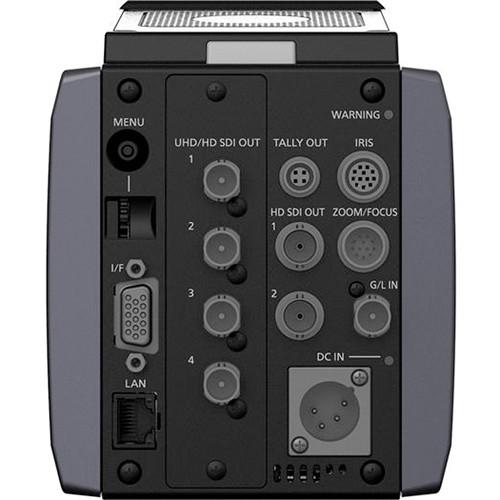
HD SDI OUT1: BNC x 1 3G/1.5G HD SDI: 0.8 V p-p, 75 Ohms
HD SDI OUT2: BNC x 1 3G/1.5G HD SDI: 0.8 V p-p, 75 Ohms
UHD/HD SDI OUT1: BNC x 1 3G/1.5G HD SDI: 0.8 V p-p, 75 Ohms
UHD/HD SDI OUT2: BNC x 1 3G/1.5G HD SDI: 0.8 V p-p, 75 Ohms
UHD/HD SDI OUT3: BNC x 1 3G/1.5G HD SDI: 0.8 V p-p, 75 Ohms
UHD/HD SDI OUT4: BNC x 1 3G/1.5G HD SDI: 0.8 V p-p, 75 Ohms
Other
GENLOCK IN: BNC x 1, 1.0 V p-p, 75 Ohms
I/F: D-SUB 15-pin
LAN: 100BASE-TX/10BASE-T
Tally OUT: 4-pin
Iris: 12-pin
Zoom/Focus: 12-pin
DC IN: 1 x XLR, 4-pin, 12 VDC (11 to 17 VDC) | | Power Supply | 12 VDC (11 to 17 VDC)
| | Operating Temperature | 14 to 113°F (-10 to 45°C) Preheating required at temperatures below 0°C. | | Operating Humidity (Relative) | 85% or less | | Storage Temperature | -4 to 140°F (-20 to 60°C) | | Dimensions | 4.3 x 5.6 x 6.3" (11 x 14 x 16 cm) excluding protrusions | | Weight | Approximately 3.5 lb (1.6 kg) |
Rating60% users recommend this product to others. And what about you?

This product has already been rated by 79 owners. Add your rating and experience with the product.
Discussion
 Ask our technicians if you have a problem with your settings,
or if anything is unclear in the user manual you have downloaded.
You can make use of our moderated discussion.
The discussion is public and helps other users of our website who may be encountering similar problems.
Ask our technicians if you have a problem with your settings,
or if anything is unclear in the user manual you have downloaded.
You can make use of our moderated discussion.
The discussion is public and helps other users of our website who may be encountering similar problems.
The discussion is empty - enter the first post
Post a new topic / query / comment:
|
|


