User Manual for Panasonic Compact HD SD Live Switcher Click to enlarge the picture
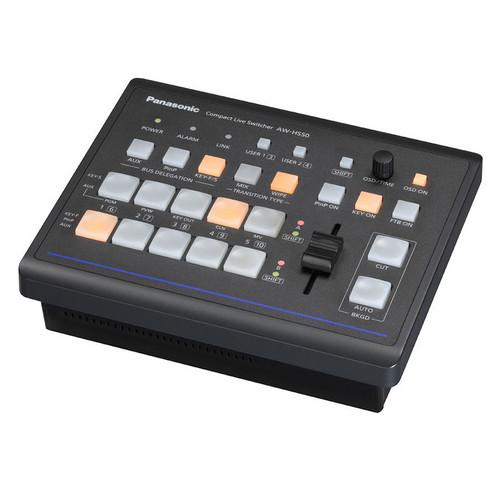 Contents of the user manual for the Panasonic Compact HD SD Live Switcher
- Product category: Production Switchers Panasonic
- Brand: Panasonic
- Description and content of package
- Technical information and basic settings
- Frequently asked questions – FAQ
- Troubleshooting (does not switch on, does not respond, error message, what do I do if...)
- Authorized service for Panasonic Production Switchers
 |
User manual for the Panasonic Compact HD SD Live Switcher contain basic instructions
that need to be followed during installation and operation.
Before starting your appliance, the user manual should be read through carefully.
Follow all the safety instructions and warnings, and be guided by the given recommendations.
User manual is an integral part of any Panasonic product,
and if it is sold or transferred, they should be handed over jointly with the product.
Following the instructions for use is an essential prerequisite for protecting
health and property during use, as well as recognition of liability on the part of the manufacturer
for possible defects should you make a warranty claim. Download an official Panasonic user manual in which you will find instructions on how to install, use, maintain and service your product.
And do not forget – unsuitable use of a Panasonic product will considerably shorten its lifespan!
|
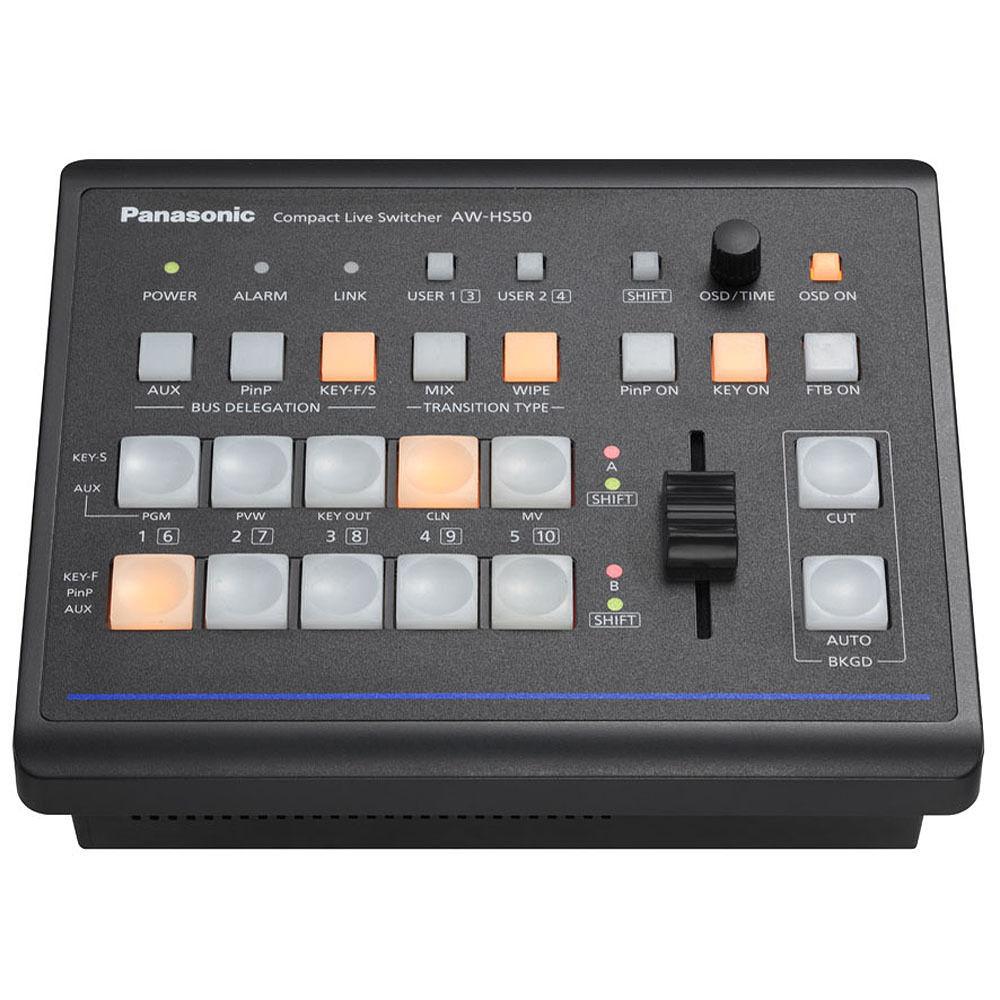
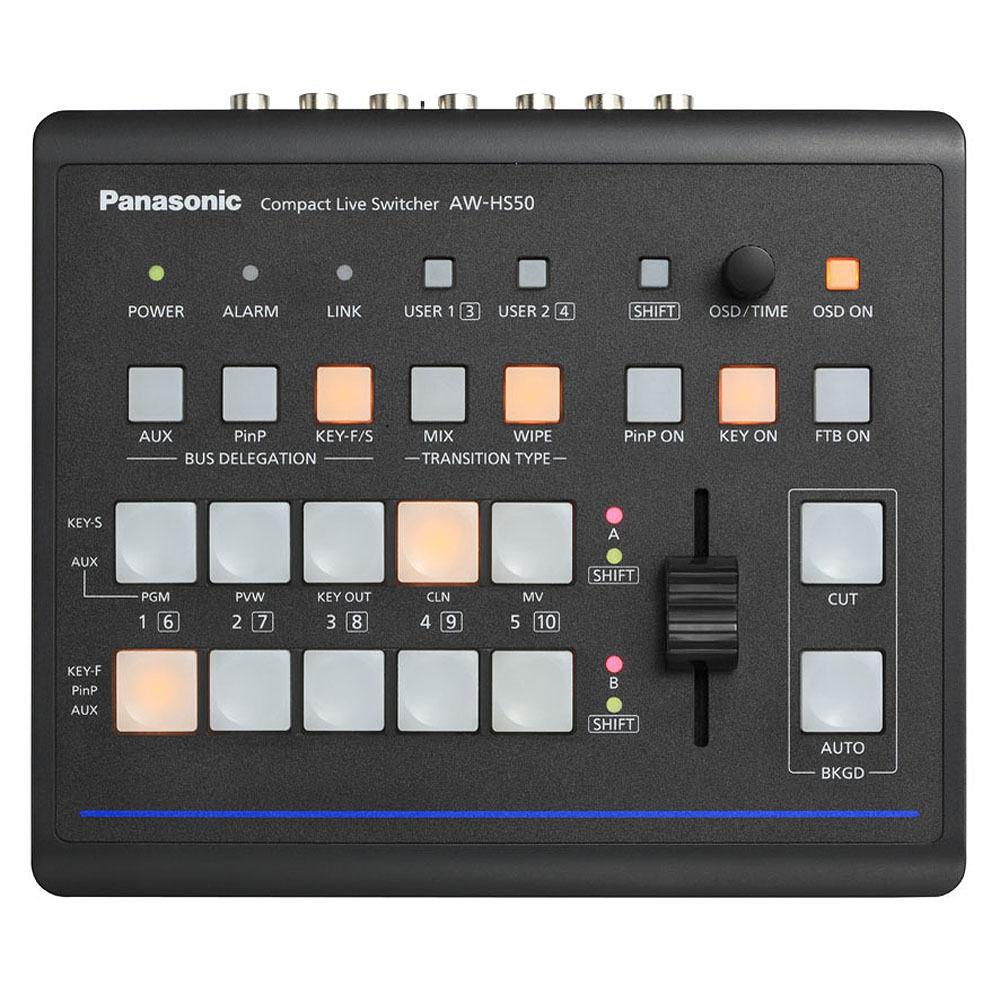
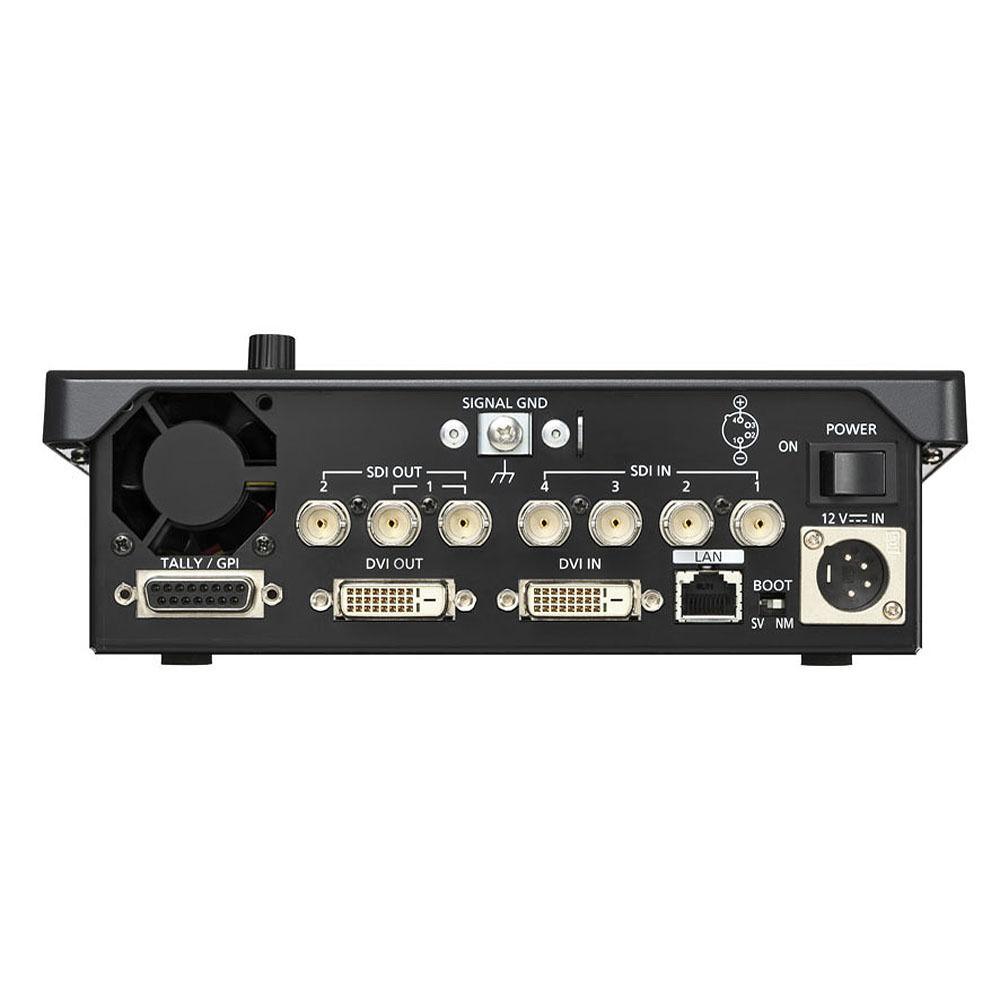
Product description The Panasonic Compact HD/SD Live Switcher offers 10-bit processing capacity and comes with 4 HD/SD-SDI inputs and 1 HD DVI-D input with 2 HD/SD-SDI outputs and 1 scalable DVI-D output. It also features a Chroma Keyer, GPI input, camera tally outputs, an Ethernet control interface, 4-pin XLR 12VDC input, and an AUX Bus for a versatile production workflow.
Providing a multi-image large-screen presentation display, the built-in multi-viewer allows you to view 4, 9, or 10 images on a single display, thereby minimizing the number of displays required. In addition to offering advanced functions like dedicated hardware for picture-in-picture with dissolve transitions, switchable up-conversion, color correction, the HD/SD Live Switcher also includes a chroma/linear keyer, a downstream keyer (DSK), auto or manual video transitions, wipe and PiP preset memories, and frame memories. The half-rack width switcher provides support for 1080/59.94i, 1080/23.98PsF, 1080/24PsF, and 720/59.94p resolutions. Being compact in size 8.25 x 2.625 x 6.94" (209.5 x 66.68 x 176.28 MM), the HD/SD Live Switcher is ideal for use in mobile video production and AV facilities.
Offering an IP link with the AW-RP50N remote camera controller, the complete internet protocol production system enables remote switching of the remote controlled camera video on the HS50's AUX bus. Built-in switchable 10-bit frame synchronizers on each input ensure reliable, glitch-free switching even with non-synchronous sources such as remote camera feeds, small camcorders, and computer graphics. An on-screen display allows you to view the switcher settings. - Offers 10-bit processing capacity
- Offers 4 HD/SD-SDI inputs and 1 HD DVI-D input and 2 HD/SD-SDI outputs and 1 scalable DVI-D output
- Features a Chroma Keyer, GPI input, camera tally outputs, an Ethernet control interface, 4-pin XLR 12VDC input, and an AUX Bus for versatile production workflow
- Provides a multi-image large-screen presentation display
- Built-in multi-viewer allows users to view 4, 9, or 10 images on a single display, thereby minimizing the number of displays required
- Offers advanced functions like a dedicated hardware for picture-in-picture with dissolve transitions, switchable up-conversion, and color correction
- Includes a chroma/linear keyer plus a downstream keyer (DSK), auto or manual video transitions, wipe and PiP preset memories, and frame memories
- Supports 1080/59.94i, 1080/23.98PsF, 1080/24PsF, and 720/59.94p resolutions
- Compact 8.25 x 2.625 x 6.94" (209.5 x 66.68 x 176.28 MM) and ideal for use in mobile video production and AV facilities
- Complete internet protocol production system
- Offers an IP link with the AW-RP50 remote camera controller
- Enables remote switching of the remote controlled camera video on the HS50's AUX bus
- Built-in switchable 10-bit frame synchronizers on each input ensure reliable, glitch-free switching even with non-synchronous sources
- On-screen display for monitoring viewing switcher settings
UPC: 885170023420 User Manual PDF 510kbsytttxzttddbudy Table of Contents
|
Upload User Manual
Have you got an user manual for the Panasonic Compact HD SD Live Switcher in electronic form? Please send it to us and help us expand our library of instruction manuals.
Thank you, too, on behalf of other users.
To upload the product manual, we first need to check and make sure you are not a robot. After that, your "Submit Link" or "Upload File" will appear.
Technical parametersPanasonic AW-HS50N Specs | Video Formats | HD :1080/59.94i, 1080/50i, 1080/23.98PsF, 1080/24PsF,720/59.94p, 720/50p SD :480/59.94i, 576/50i | | Video Processing | Y:Cb:Cr : 4:2:2 10 bit (8 bit for FMEM)
RGB : 4:4:4 8 bit | | Video Inputs | SDI Inputs : 4 (SDI-IN1 to 4)
DVI-D Input : 1 (DVI-IN), XGA (1024 x 768), WXGA (1280 x 768), SXGA (1280 x 1024), WSXGA+ (1680 x 1050), UXGA (1600 x 1200), WUXGA (1920 x 1200)
Vertical frequency: 60 Hz 1080/50p, 1080/59.94p | | Video Outputs | SDI Outputs : 2 (SDI-OUT1 to 2 each, 2 output distribution for SDI-OUT1)
DVI-D Output : 1 (DVI-OUT), XGA (1024 x 768), WXGA (1280 x 768), SXGA (1280 x 1024), SXGA+ (1680 x 1050), UXGA (1600 x 1200), WUXGA (1920 x 1200)
Vertical frequency: 60 Hz 1080/50p, 1080/59.94p | | | | LAN | 10BASE-T/100BASE-TX (for IP control/RJ45 x 1) | | TALLY/GPI | GPI Input : 5 channels
GPI Output : 7 channels
1 D-sub 15 pin(female) | | Power Supply | DC12 V/2 A ±10 % (AC adapter provided) | | Operating Temperature | 0°C to +40°C (32°F to 104°F) | | Operating Humidity | 10 % to 90 % (no condensation) | | Dimensions (WxHxD) | 8.25 x 2.6 x 6.9 " (210 x 67 x 177 mm) | | Weight | 3.1 lb (1.4 KG) | | Accessories | AC Adaptor
Power Cable | | BKGD | | | Wipe Patterns | 13 | | Transitions | Cut, Mix, Wipe (including DVE) | | Keyer | Number of Keys : 1
Key Type : Linear key, Luminance key, Chroma key
Transition Type : Mix | | PinP | Number of PinP : 1
Transition Type : Mix
BUS Transition : Yes | | AUX BUS | Number of AUX Bus : 1
Selectable Materials : SDI-IN1 to 4, DVI-IN, CBAR, CBGD, BLACK, FMEM1, FMEM2, PGM, PVW, KOUT, CLN, MV
BUS Transition : Yes | | Input Function | Frame Synchronizer : SDI-IN1 to 4, DVI-IN (DVI-IN is always-on)
Freeze : SDI-IN1 to 4, DVI-IN
Dot by Dot : SDI-IN1 to 4
Video Processing : SDI-IN1 to 4
Up-converter : SDI-IN3, IN4 | | Output Function | MultiViewer : Single Screen Display
Labels, Tally indication, Split-screen (the screen may be split into 4, 5a/5b, 6a/6b, 9 and 10a/10b sections) MV frames, Labels, Tally indications, camera setting information, and Audio Level Meters are not shown on SDI-OUT1
OSD : Single Screen Display, SDI-OUT2,DVI-OUT (unshown on SDI-OUT1)
Audio Level Meter : SDI embedded audio (group1/ 1 ch, 2 ch) | | Frame Memory | 2 channels
The image data in the Frame Memory is stored even when the power is off
Video processing for the Frame Memory is 8-bit
OSD, Frames, Labels, Tally indications, camera setting information, and Audio Level Meters for MultiViewer are not stored in the Frame Memory | | Memory Function | PinP Preset
Effect Dissolve Function | | | | Package Weight | 5.0 lb | | Box Dimensions (LxWxH) | 13.2 x 11.5 x 7.4" |
Rating98% users recommend this product to others. And what about you?

This product has already been rated by 50 owners. Add your rating and experience with the product.
Discussion
 Ask our technicians if you have a problem with your settings,
or if anything is unclear in the user manual you have downloaded.
You can make use of our moderated discussion.
The discussion is public and helps other users of our website who may be encountering similar problems.
Ask our technicians if you have a problem with your settings,
or if anything is unclear in the user manual you have downloaded.
You can make use of our moderated discussion.
The discussion is public and helps other users of our website who may be encountering similar problems.
The discussion is empty - enter the first post
Post a new topic / query / comment:
|
|


