User Manual for Panasonic ETYFB100G Digital Interface Box Click to enlarge the picture
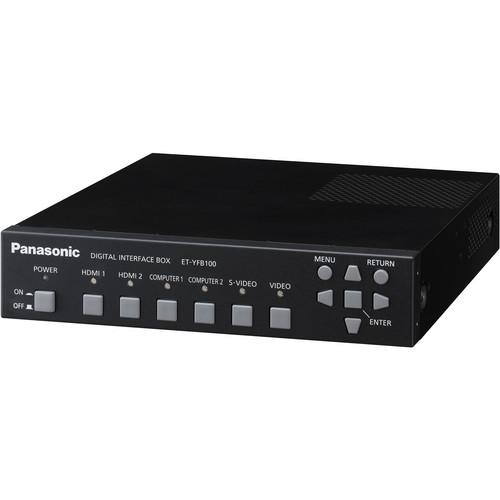 Contents of the user manual for the Panasonic ETYFB100G Digital Interface Box
- Product category: Projector Accessories Panasonic
- Brand: Panasonic
- Description and content of package
- Technical information and basic settings
- Frequently asked questions – FAQ
- Troubleshooting (does not switch on, does not respond, error message, what do I do if...)
- Authorized service for Panasonic Projector Accessories
 |
User manual for the Panasonic ETYFB100G Digital Interface Box contain basic instructions
that need to be followed during installation and operation.
Before starting your appliance, the user manual should be read through carefully.
Follow all the safety instructions and warnings, and be guided by the given recommendations.
User manual is an integral part of any Panasonic product,
and if it is sold or transferred, they should be handed over jointly with the product.
Following the instructions for use is an essential prerequisite for protecting
health and property during use, as well as recognition of liability on the part of the manufacturer
for possible defects should you make a warranty claim. Download an official Panasonic user manual in which you will find instructions on how to install, use, maintain and service your product.
And do not forget – unsuitable use of a Panasonic product will considerably shorten its lifespan!
|
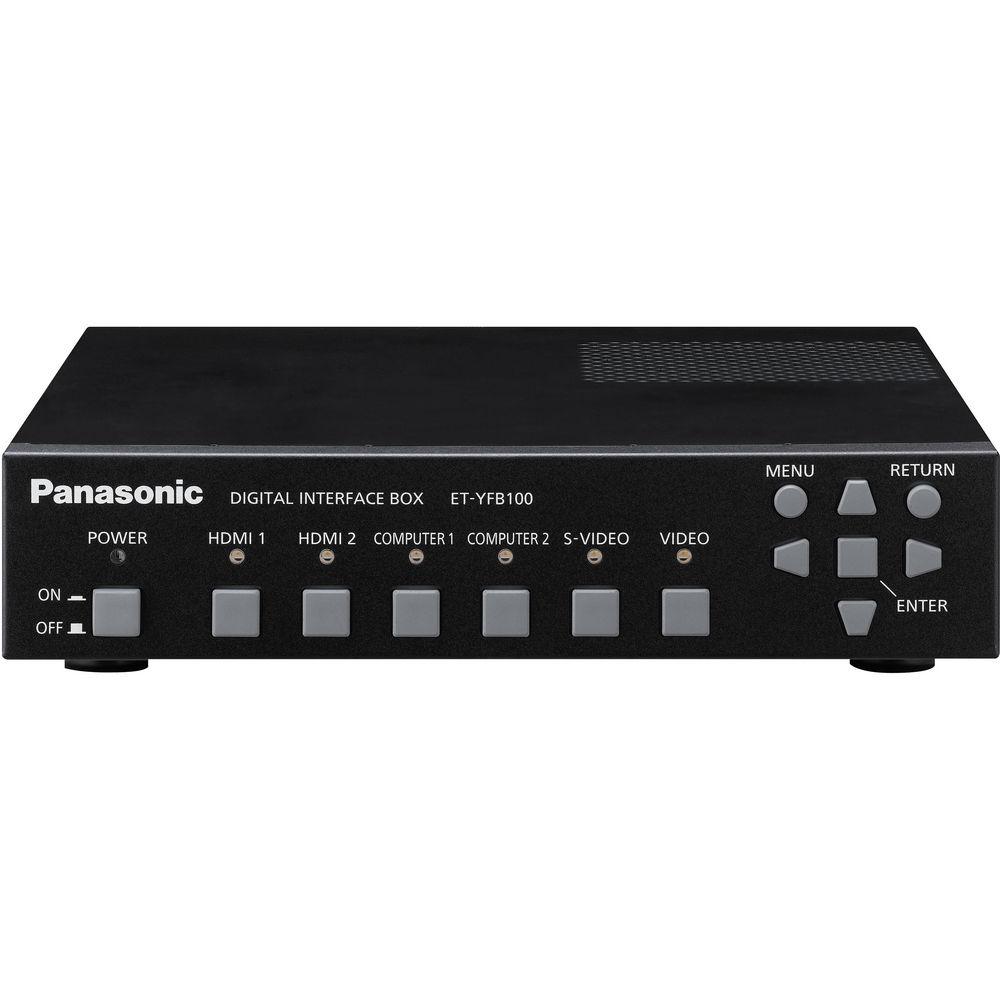
Product description The Panasonic ETYFB100G Digital Interface Box can transmit video, audio, and control signals over a single cable when combined with a DIGITAL LINK-ready projector. This simplifies cabling and system upgrades, making it ideal for ceiling-mounted and other permanent installations. - Transmits Digital Signals with a Single Cable
-
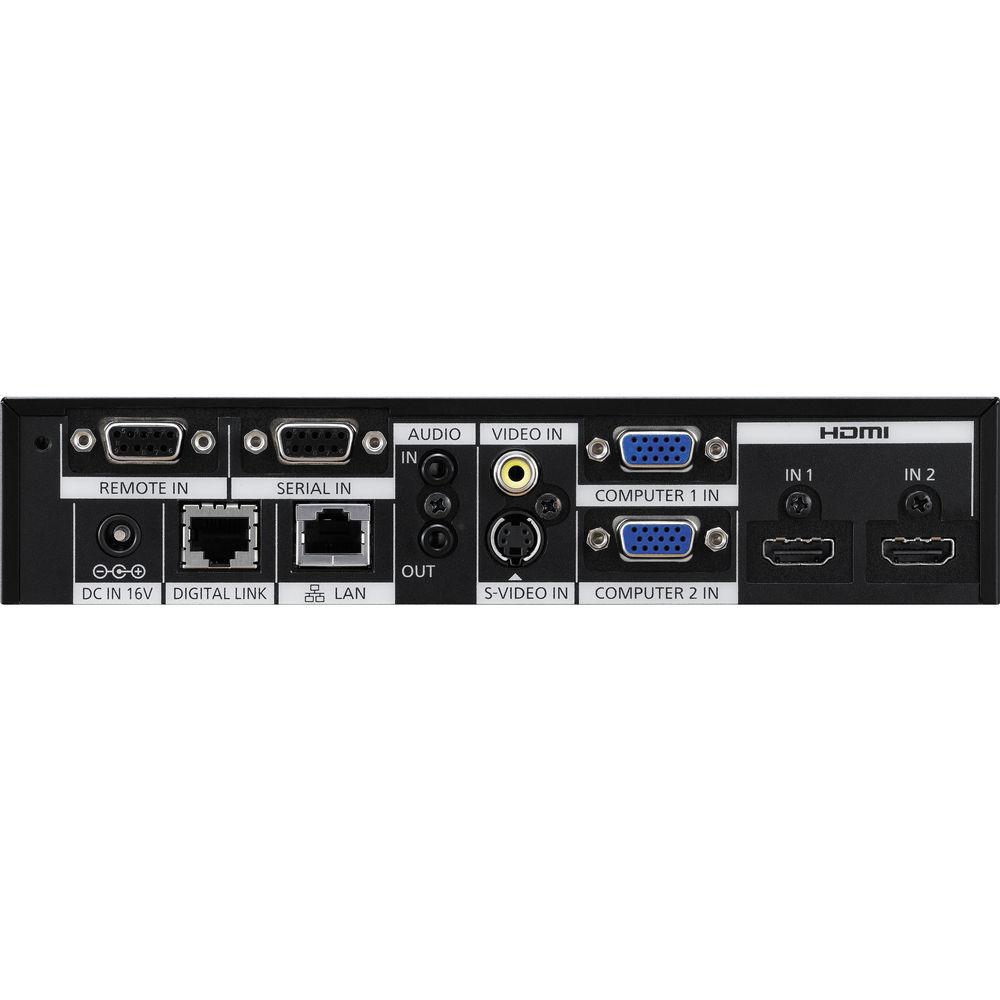
- Equipped with a DIGITAL LINK output terminal
- Allows transmission of HDMI, uncompressed HD digital video / audio and control signals (Ethernet, RS-232C) for up to 328’ (100 m ) through a single CAT5e (STP) cable or higher
- Abundant input terminals, including 2 sets of HDMI and RGB inputs
- A separate audio output enables sound to be output when the projector power is turned off
- ET-YFB100G input can be selected with the remote control of a Panasonic projector with DIGITAL LINK compatibility
1 Please Note: Applicable models: PT-VW431D, PT-RZ470/RW430, PT-RZ370/RW330. close - Outputting High-Quality Images in Their Optimal Form
-
- Digital transmission allows clear image and sound quality without any degradation even over long distances
- Digital Cinema Reality converts interlaced motion image signals into beautifully smooth progressive images
- PC signals are automatically resized and output in the optimal resolution to match the projector panel resolution
- The Auto Setup function automatically distinguishes the input signal and adjusts it to output the optimal angle of view
- 3D video format transmission is supported (pass through mode only)
2 Please Note: The output setting for the ET-YFB100G should be set to AUTO. This scaling/resizing function does not support some formats. close - Convenient Functions Expand System Configuration Potential
-
- DIGITAL LINK is an original function added to technology based on the transmission standards used in Crestron’s DigitalMedia 8G+, Extron’s XTP Systems, etc.
- Signals from the ET-YFB100G can also be relayed to a non-DIGITAL LINK-ready projector by using another manufacturer's equipment based on the same technology
- Brackets included for various installation needs, including server rack (EIA standards) mounting
- Eco mode automatically stops the DIGITAL LINK output when no input signal is detected
- Closed caption compatible
3 Please Note: Input selection and other ET-YFB100G operations can be performed only when connecting to a DIGITAL LINK compatible projector. For details on other manufacturers' equipment, see http://panasonic.net/avc/projector/support/digitallink_compatible_list/index.html
When using Eco mode, time and other menu settings must be made. close UPC: 885170092570 In the Box Panasonic ETYFB100G Digital Interface Box AC Adapter 3 x Power Cord (6.56'/2 m) AC Power Cord Holder AC Power Cord Holder Screw 2 x Mounting Bracket for Rack or Countertop Installation Mounting Bracket for Rack Installation 6 x Countersunk Screw 4 x Leg 4 x Screw for Installing Legs Limited 1-Year Warranty Table of Contents
|
Upload User Manual
Have you got an user manual for the Panasonic ETYFB100G Digital Interface Box in electronic form? Please send it to us and help us expand our library of instruction manuals.
Thank you, too, on behalf of other users.
To upload the product manual, we first need to check and make sure you are not a robot. After that, your "Submit Link" or "Upload File" will appear.
Technical parametersPanasonic ET-YFB100G Specs | Power Supply | 16 VDC (DC input terminal) | | Power Consumption | 16 W (when the power is off: 0.2 W) (including power consumption of the supplied AC adapter) | | AC Adapter | Input: 100 to 240 VAC, 0.8 to 1.5 A, 50/60 Hz
Output: 16 VDC, 3.75 A | | Scanning Frequency | HDMI In: 2 set, HDMI 19-pin, (HDCP, deep color compatible) 480p, 576p, 720/60p, 720/50p, 1080/60i, 1080/50i, 1080/24p, 1080/25p, 1080/30p, 1080/60p, 1080/50p, VGA (640 x 480)-WUXGA (1,920 x 1,200),
Audio Signal: Linear PCM (sampling frequencies: 48 kHz, 44.1 kHz, 32 kHz)
Computer In: 2 set, high-density D-Sub 15-pin (female) RGB/YPBPR/YCBCR x 2)
Video In Terminal: 1 set, RCA pin
S-Video In Terminal: 1 set, mini DIN 4 pin
Serial In Terminal: 1 set, D-Sub 9 pin female, for external control (RS-232C compatible)
Audio In Terminal: 1 set, M3 (L-R)
Audio Out Terminal: 1 set, M3 (L-R) (variable)
LAN Terminal: 1 set, RJ-45 network connection, 10Base-T/100Base-TX
Digital Link Terminal: 1 set, RJ-45 for DIGITAL LINK connection (video, audio and control signals)
Remote In Terminal: 1 set, D-Sub 9-pin female for external control (parallel) | | Terminals | HDMI In: 2 set, HDMI 19-pin, (HDCP, deep color compatible) 480p, 576p, 720/60p, 720/50p, 1080/60i, 1080/50i, 1080/24p, 1080/25p, 1080/30p, 1080/60p, 1080/50p, VGA (640 x 480)-WUXGA (1,920 x 1,200),
Audio Signal: Linear PCM (sampling frequencies: 48 kHz, 44.1 kHz, 32 kHz)
Computer In: 2 set, high-density D-Sub 15-pin (female) RGB/YPBPR/YCBCR x 2)
Video In Terminal: 1 set, RCA pin
S-Video In Terminal: 1 set, mini DIN 4 pin
Serial In Terminal: 1 set, D-Sub 9 pin female, for external control (RS-232C compatible)
Audio In Terminal: 1 set, M3 (L-R)
Audio Out Terminal: 1 set, M3 (L-R) (variable)
LAN Terminal: 1 set, RJ-45 network connection, 10Base-T/100Base-TX
Digital Link Terminal: 1 set, RJ-45 for DIGITAL LINK connection (video, audio and control signals)
Remote In Terminal: 1 set, D-Sub 9-pin female for external control (parallel) | | Operating Environment | Operating Environment Temperature: 32 to 104°F (0 to 40°C)
Operating Environment Humidity: 20 to 80% (no condensation) | | Dimensions (W x H x D) | 8.27 x 1.73 x 9.84" (210 x 44 x 250 mm) not including protruding parts | | Weight | Approximately 2.5 lb (1.15 kg) not including AC adapter | | | | Package Weight | 8.6 lb | | Box Dimensions (LxWxH) | 18.0 x 14.0 x 9.0" |
Rating80% users recommend this product to others. And what about you?

This product has already been rated by 57 owners. Add your rating and experience with the product.
Discussion
 Ask our technicians if you have a problem with your settings,
or if anything is unclear in the user manual you have downloaded.
You can make use of our moderated discussion.
The discussion is public and helps other users of our website who may be encountering similar problems.
Ask our technicians if you have a problem with your settings,
or if anything is unclear in the user manual you have downloaded.
You can make use of our moderated discussion.
The discussion is public and helps other users of our website who may be encountering similar problems.
The discussion is empty - enter the first post
Post a new topic / query / comment:
|
|


