User Manual for Panasonic LFV5 Series TH-47LFV5U 47" Full HD Widescreen Direct LED-Backlit IPS Video Wall Display Click to enlarge the picture
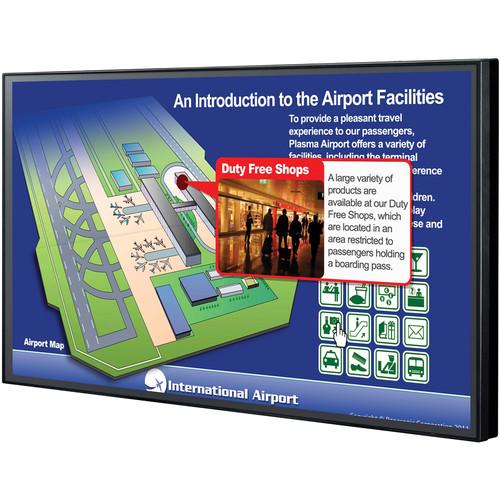 Contents of the user manual for the Panasonic LFV5 Series TH-47LFV5U 47" Full
- Product category: Commercial Monitors Panasonic
- Brand: Panasonic
- Description and content of package
- Technical information and basic settings
- Frequently asked questions – FAQ
- Troubleshooting (does not switch on, does not respond, error message, what do I do if...)
- Authorized service for Panasonic Commercial Monitors
|
User manual for the Panasonic LFV5 Series TH-47LFV5U 47" Full contain basic instructions
that need to be followed during installation and operation.
Before starting your appliance, the user manual should be read through carefully.
Follow all the safety instructions and warnings, and be guided by the given recommendations.
User manual is an integral part of any Panasonic product,
and if it is sold or transferred, they should be handed over jointly with the product.
Following the instructions for use is an essential prerequisite for protecting
health and property during use, as well as recognition of liability on the part of the manufacturer
for possible defects should you make a warranty claim. Download an official Panasonic user manual in which you will find instructions on how to install, use, maintain and service your product.
And do not forget – unsuitable use of a Panasonic product will considerably shorten its lifespan!
|
Product description The black LFV5 Series TH-47LFV5U 47" Full HD Widescreen Direct LED-Backlit IPS Video Wall Display from Panasonic features a super-narrow bezel for seamless multi-screen layouts. The bezel-to-bezel joints are only 0.19" (0.49 cm) in thickness, because of which the screen borders can barely be seen in large-screen configurations. The display is built with pre-calibrated uniformity for multi-screen usage so that installation is simple and fast. The display features an IPS panel that has a wide viewing angle of 178°, so colors don't change when the image is viewed from right or left angles. Information can be accurately displayed to groups of people in large areas, like public spaces. The direct-lit LED backlight helps maintain optimum black levels in dark areas while bright areas are displayed more brightly to achieve a high level of contrast. The anti-glare layer scatters light reflected from the sun or illumination to reduce glare. This provides greater visibility, thereby making this display suitable for surveillance stations high-traffic areas such as airports, museums, and retail stores. The use of a highly durable panel and electronic components allows for continuous 24-hour operation. A built-in cooling fan automatically operates (when set to Auto) depending on the temperature. This prevents overheating in the upper screens of a multi-screen installation, which are easily subject to heating. The Multi-Display function enlarges images up to five times their original size, both vertically and horizontally. It enlarges images by the same zoom ratio in both vertical and horizontal directions, such as 2 x 2, 3 x 3, 4 x4 and 5 x 5, or by different ratios in order to effectively use vertically or horizontally elongated spaces. LCD display versatility can be further enhanced by freely selecting the zoom ratio to match the installation space. - Video Wall Sizes to Match the Installation Location
- The video wall size can be customized to match the installation location. For example, a 2 x 2 configuration would yield a combined display size of 94". Likewise, a 3 x 3 configuration would yield a 141" video wall.
- Video Signals for up to 10 Displays and Control Signals for up to 25 Displays
- The terminal board of the monitor is equipped with DVI-I and serial output terminals. DVI signals for up to 10 displays and serial signals for up to 25 displays can be transmitted via a daisy chain connection. This enables a multi-screen system to be configured using only displays and video sources without the need of a video splitter. Using a Remote Control Kit (sold separately), up to 25 displays can be operated with a single remote control. 1
Please Note: To operate a single display within a multi-screen system, an ID number must be set with the remote control. close - Super Narrow Bezel for Seamless Large-Screen Layouts
- The super-narrow bezel results in joints that are only 0.19" (0.49 cm) wide for video wall installations. Even in large-screen configurations, the screen borders can barely be seen, so images appear more natural.
- Anti-Glare Layer to Suppress Ambient Light Reflection
- The anti-glare layer reduces glare by scattering the light reflected from the sun or illumination, thereby enhancing the visibility of text and images.
- Direct-Lit LED Backlight
- Optimum black levels are maintained in dark areas while bright areas are displayed more brightly to achieve a high level of contrast.
- Pre-Calibrated Colors
- The colors of the monitor are pre-calibrated prior to factory shipment to minimize color differences between displays for multi-screen use. This makes it possible to display a single image without any visible differences from display to display. The user can store color adjusted data in the main unit memory. By simply retrieving the stored data, the unit can be re-installed without bothersome calibration. 2
Please Note: There are cases, however, when the visual adjustments are needed once the video wall installed. close - User Memory Function
- The color adjusted data can be stored in the display's memory. By simple retrieving the stored data, the color settings can be restored without bothersome calibration.
- Wide Viewing Angle
- The IPS panel has a wide viewing angle, so colors don't change when the image is viewed from right or left angles. Information can be accurately displayed to groups of people in large areas, like public spaces.
- Seam Hides Video Mode
- When this mode is turned off, a full-screen image of the display panel is displayed, including edges (the entire width of the frame). This is especially suitable for displaying text information since text is not overlapped by the frame. The image areas that are hidden by borders can be adjusted in both vertical and horizontal directions.
- Multi-Screen System Dynamically Displays Images in Large Spaces
- The Multi-Display function enlarges images up to five times their original size, both vertically and horizontally. It enlarges images by the same zoom ratio in both vertical and horizontal directions, such as 2 x 2, 3 x 3, 4 x 4 and 5 x 5, or by different ratios in order to effectively use vertically or horizontally elongated spaces. LCD display versatility can be further enhanced by freely selecting the zoom ratio to match the installation space. 3
Please Note: Image enlargement causes some degradation. An air-conditioned environment is necessary. TY-RM50VW Remote Control Kit (not included) is necessary for one or a multi-display unit (up to 25 displays). close - High Reliability Enables Continuous 24-Hour Operation
- The use of a highly durable panel and electronic components allows continuous 24-hour operation, which makes the display suitable for installation in public places and surveillance stations. A built-in cooling fan automatically operates (when set to Auto) depending on the temperature. This prevents overheating in the upper screens of a multi-screen installation, which are easily subject to heating. 4
Please Note: A moving image is recommended to be displayed to prevent image retention caused by displaying a still picture for a long time. The image retention gradually disappears by displaying moving images. close - Cover Frame Kit for Additional Protection
- Attaching the 0.02" (0.4mm) metal cover frame to the unit provides even stronger protection against impact. The joints between the body and the cover are free from gaps. The screw holes for attaching the frame cannot be seen. 5
Please Note: The Cover Frame Kit is sold separately. close - Screen Saver
- The screen saver reduces the possibility of afterimages or image retention that can occur when displaying still images with constant, unchanging brightness for long periods of time. The Auto Power Off setting can also be set to automatically turn the power off when the screen saver operation ends
- Power-On Delay Function
- For video walls and other multi-unit applications, this function automatically shifts the power-on time slightly for each display unit in the system, so there is less load on the power supply.
- Automatic Picture Positioning
- Pressing the Auto Setup key on the remote control allows positioning the picture. This function automatically corrects the horizontal and vertical picture positions, the clock phase, and the dot clock when an RGB signal is input. The adjustment results in optimal standard values for horizontal and vertical picture sizes. 6
Please Note: When digital RGB signal input, dot clock and clock phase cannot be adjusted. close - 1:1 Pixel Mode
- The 1:1 Pixel mode maps the 1920 x 1080 video content to Full HD panel pixels to display the entire original content. By skipping the scaling process, this mode is able to produce high-definition images in their original, 1:1 pixel form. 7
Please Note: Compatible Signal Formats: 1125/50i, 60i, 24sF, 24p, 25p, 30p, 50p, 60p, 1250/50i close In the Box Panasonic LFV5 Series TH-47LFV5U 47" Full HD Widescreen Direct LED-Backlit IPS Video Wall Display (Black) 6.6' (2m) Power Cord DVI Cable Wire Clampers Remote Control Connector Cable L-Type Connector (HDMI, DVI‑D, DVI‑I) Limited 2-Year Warranty Table of Contents
|
Upload User Manual
Have you got an user manual for the Panasonic LFV5 Series TH-47LFV5U 47" Full HD Widescreen Direct LED-Backlit IPS Video Wall Display in electronic form? Please send it to us and help us expand our library of instruction manuals.
Thank you, too, on behalf of other users.
To upload the product manual, we first need to check and make sure you are not a robot. After that, your "Submit Link" or "Upload File" will appear.
Technical parametersPanasonic TH-47LFV5U Specs | | | Screen Size (Diagonal) | 46.9" | | Native Resolution | 1920 x 1080 | | Panel Type | IPS-Type LCD | | Brightness | 500 cd/m
Rating100% users recommend this product to others. And what about you?

This product has already been rated by 95 owners. Add your rating and experience with the product.
Discussion
 Ask our technicians if you have a problem with your settings,
or if anything is unclear in the user manual you have downloaded.
You can make use of our moderated discussion.
The discussion is public and helps other users of our website who may be encountering similar problems.
Ask our technicians if you have a problem with your settings,
or if anything is unclear in the user manual you have downloaded.
You can make use of our moderated discussion.
The discussion is public and helps other users of our website who may be encountering similar problems.
The discussion is empty - enter the first post
Post a new topic / query / comment:
|
|
|
| Request for user manual |
You can’t find the operation manual you are looking for? Let us know and we will try to add the missing manual:
I’m looking for a manual / Request for manual
Current requests for instruction manuals:
Call Of Duty World War Two For Xbox...
controller stratus XL...
stratus XL...
smart whatch serie S11 42mm...
Allen & Heath SQ-6 manual...
|
| Discussion |
Latest contributions to the discussion:
AEW R 4100
Name: MAURICIO ANGARITA
Audio-Technica AEW-R4100 UHF Diversity Receiver for
AEW R 4100 has the mute function blocked and does not allow audio to pass. I tried several times to turn off the mute from the transmitter but it does nothing, the mute stays on. Solution?
Thank you...
Instructions for assembling the 2015 Forecast Image Master Consoles GC3-A
Name: mike elam
Forecast Consoles GC3-A ImageMaster Editing Console
Looking for instructions for assembling this console. ...
EMPTY TONER ERROR MESSAGE AFTER REPLACING TONER
Name: LINDA BAD YELLOW EYES
Brother TN223BK Standard-Yield Toner
I HAD TO CHANGE OUT ALL THREE TONERS DUE TO LEAKS IN THE YELLOW AND CYAN. AFTER I REPLACED THEM, THE MACHINE KEEPS GIVING ME AN EMPTY TONER ERROR MESSAGE. HELP!!...
PS480D 20/24 pin Switching 480W Power Supply
Name: swkargo
Logisys 480W Power Supply
This item states in can run -5vdc .It is NOT listed on the board or I beleive is r4 is missing the resitior. Any body have thid issue. Shawn
...
Help needed
Name: Ann Carter
SanDisk 1TB Extreme Portable USB 3.1
When I click the link to download the user manual for my Sandisk Extreme external hard drive, it gives me the manual for the LG Cricket. Can you please change the link so I can download the Sandisk manual and begin using this drive? Thank you....
|
|


