User Manual for Panasonic Lumix DMC-ZS100 Digital Camera Click to enlarge the picture
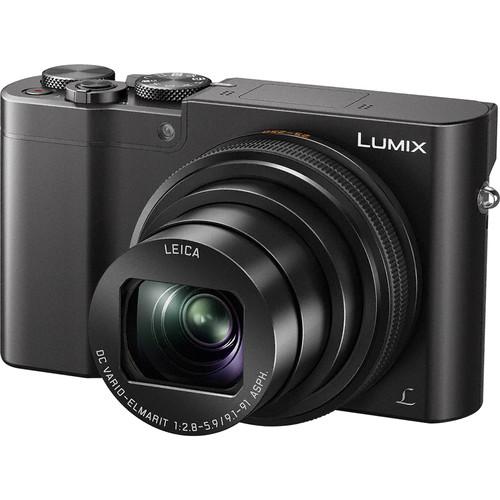 Contents of the user manual for the Panasonic Lumix DMC-ZS100 Digital Camera
- Product category: Point & Shoot Cameras Panasonic
- Brand: Panasonic
- Description and content of package
- Technical information and basic settings
- Frequently asked questions – FAQ
- Troubleshooting (does not switch on, does not respond, error message, what do I do if...)
- Authorized service for Panasonic Point & Shoot Cameras
 |
User manual for the Panasonic Lumix DMC-ZS100 Digital Camera contain basic instructions
that need to be followed during installation and operation.
Before starting your appliance, the user manual should be read through carefully.
Follow all the safety instructions and warnings, and be guided by the given recommendations.
User manual is an integral part of any Panasonic product,
and if it is sold or transferred, they should be handed over jointly with the product.
Following the instructions for use is an essential prerequisite for protecting
health and property during use, as well as recognition of liability on the part of the manufacturer
for possible defects should you make a warranty claim. Download an official Panasonic user manual in which you will find instructions on how to install, use, maintain and service your product.
And do not forget – unsuitable use of a Panasonic product will considerably shorten its lifespan!
|
Product description Advanced Point-and-Shoot Cameras Read More - Strolling Through Bushwick, Brooklyn with the with the Panasonic Lumix DMC- ZS100
- ZS100
- Panasonic LUMIX ZS100 Camera Overview
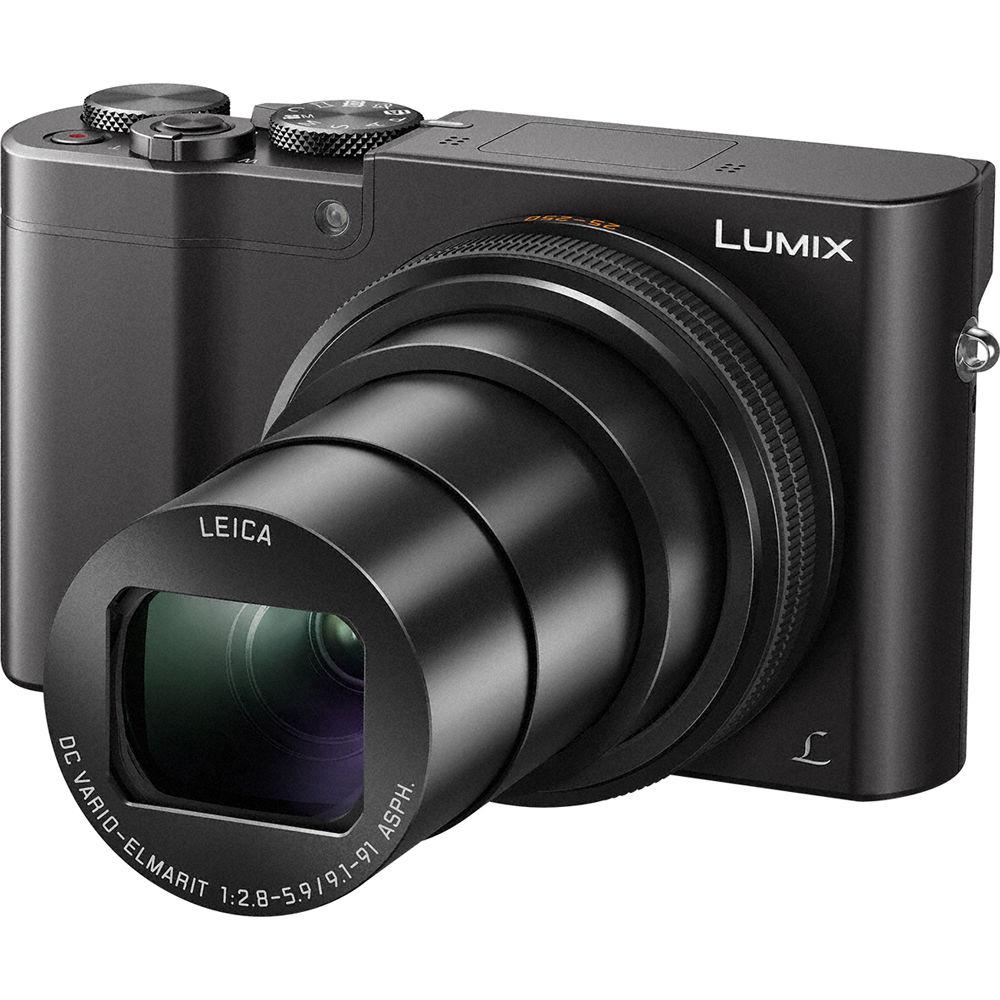
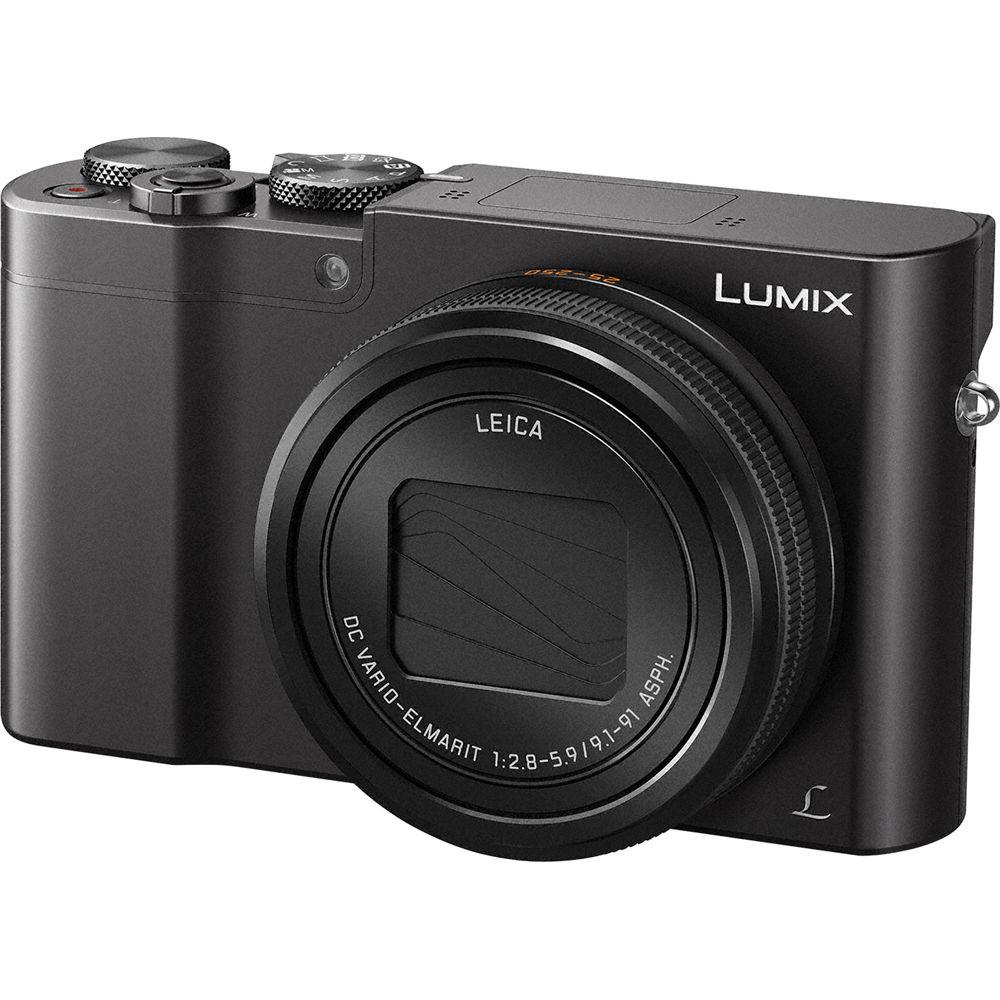
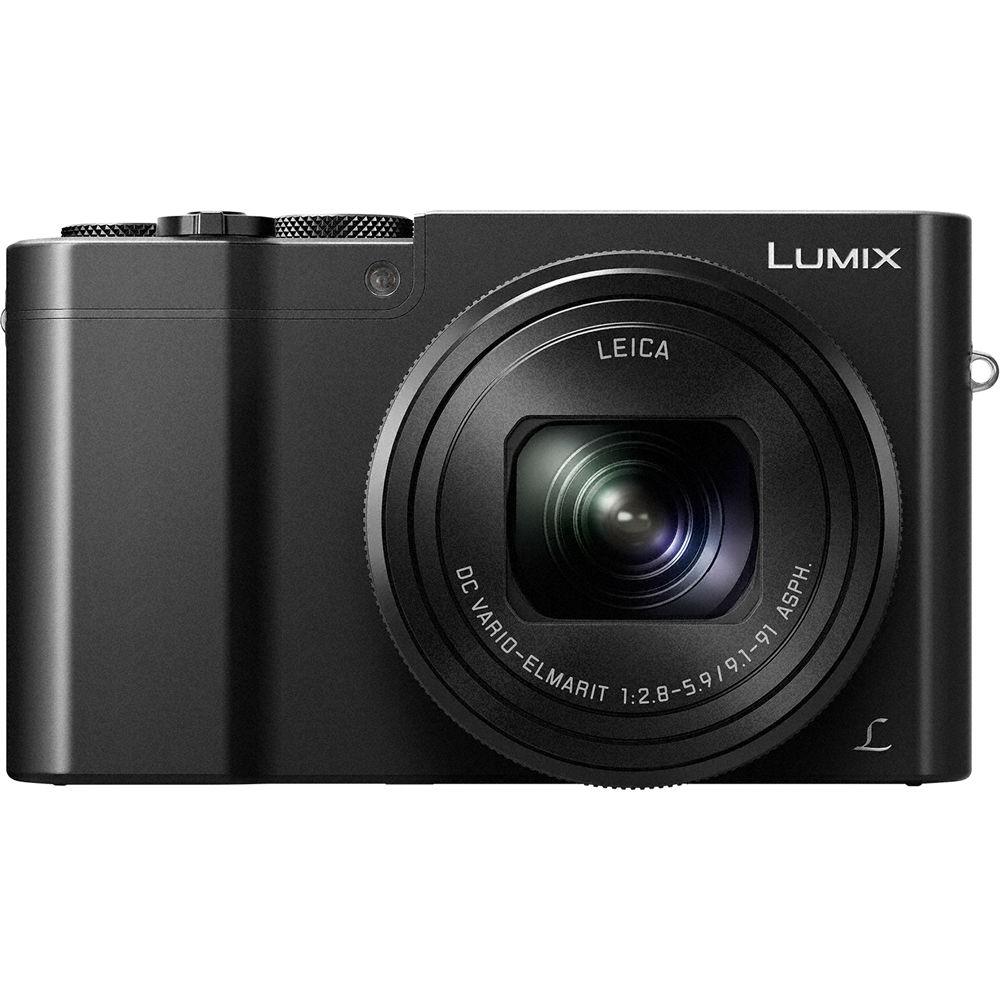
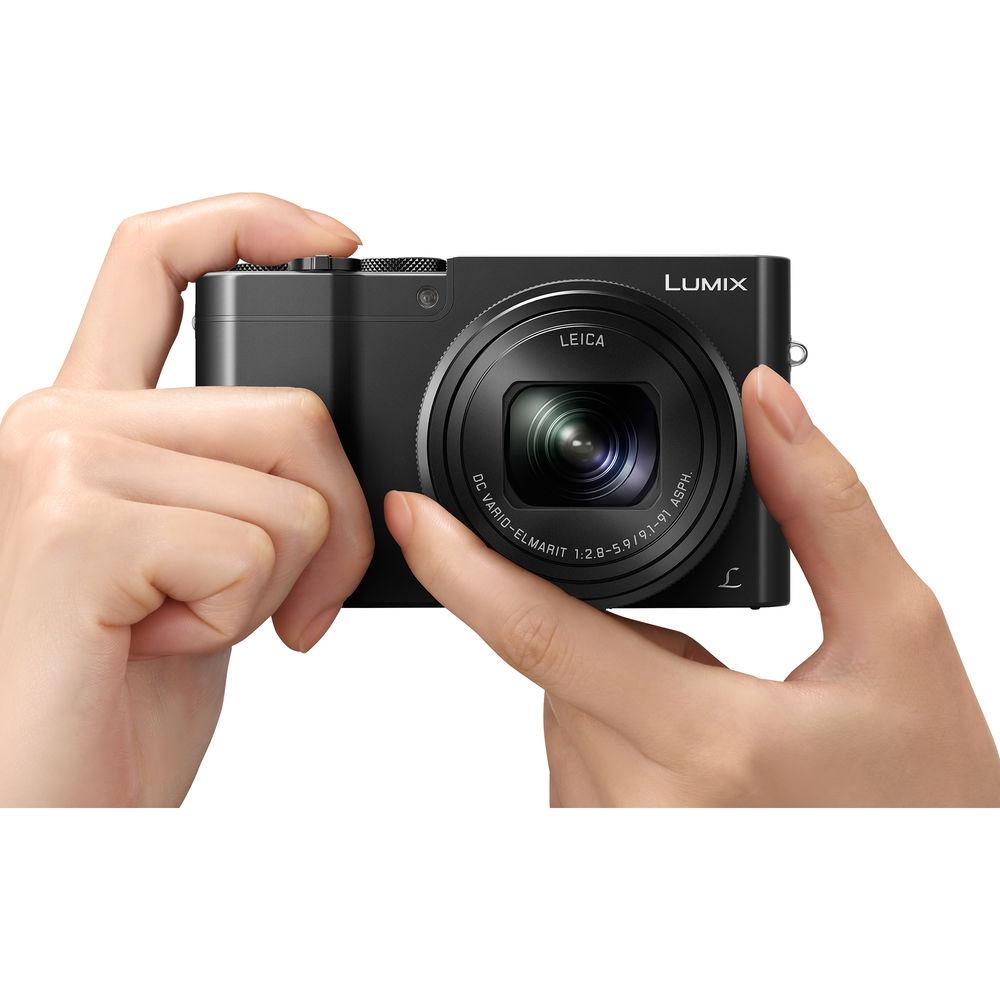
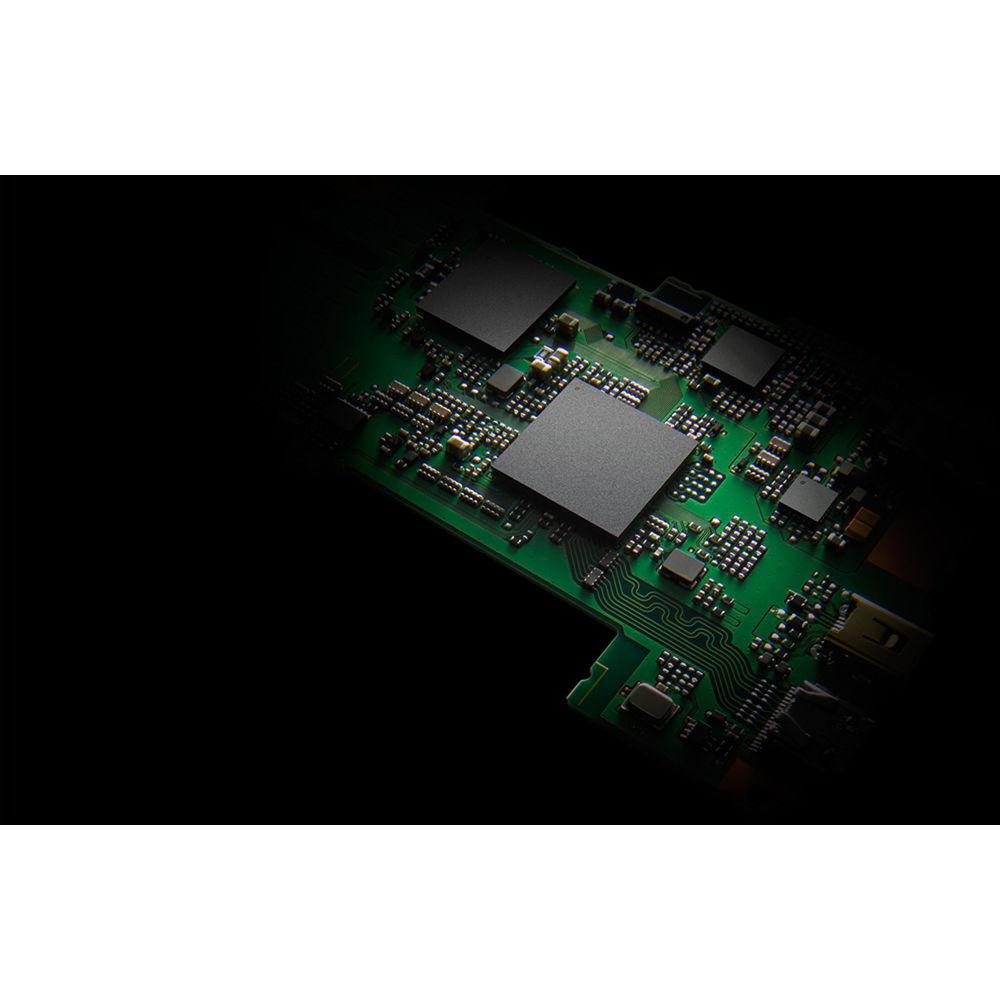
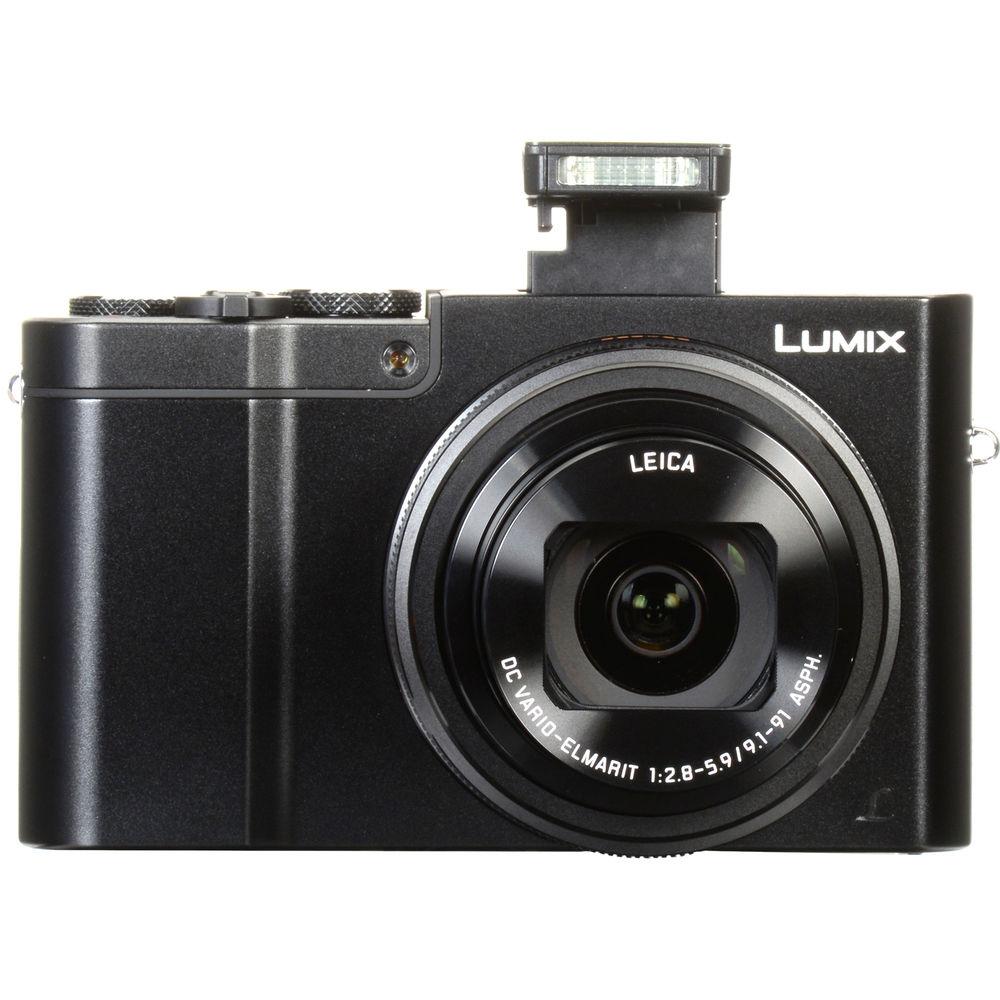
Built with travel in mind, the black Lumix DMC-ZS100 Digital Camera from Panasonic is a versatile point-and-shoot marrying both form and function. Designed to be as sleek as possible, the ZS100 still manages to incorporate a large 1-inch 20.1MP High-Sensitivity MOS sensor and 10x optical zoom lens. The sensor pairs with a Venus Engine image processor to realize clear, clean image quality with low noise and high sensitivity to an expanded ISO 25600. This processor and sensor also permit quick continuous shooting, up to 50 fps with an electronic shutter or 10 fps with a mechanical shutter, as well as 4K UHD video recording at 30p and 24p frame rates. The 4K capabilities are extended to stills applications, too, and allow for 30 fps shooting at 8MP as well as the ability to use Post Focus for choosing your specific point of focus after shooting. Complementing these imaging attributes is a Leica DC Vario-Elmarit lens, which provides a 25-250mm equivalent focal length range, along with 5-axis Hybrid O.I.S. to minimize the appearance of camera shake for sharper handheld shooting. Featuring more than your average pocket-sized point-and-shoot, the ZS100 is a capable camera for photographers and videographers on the move.
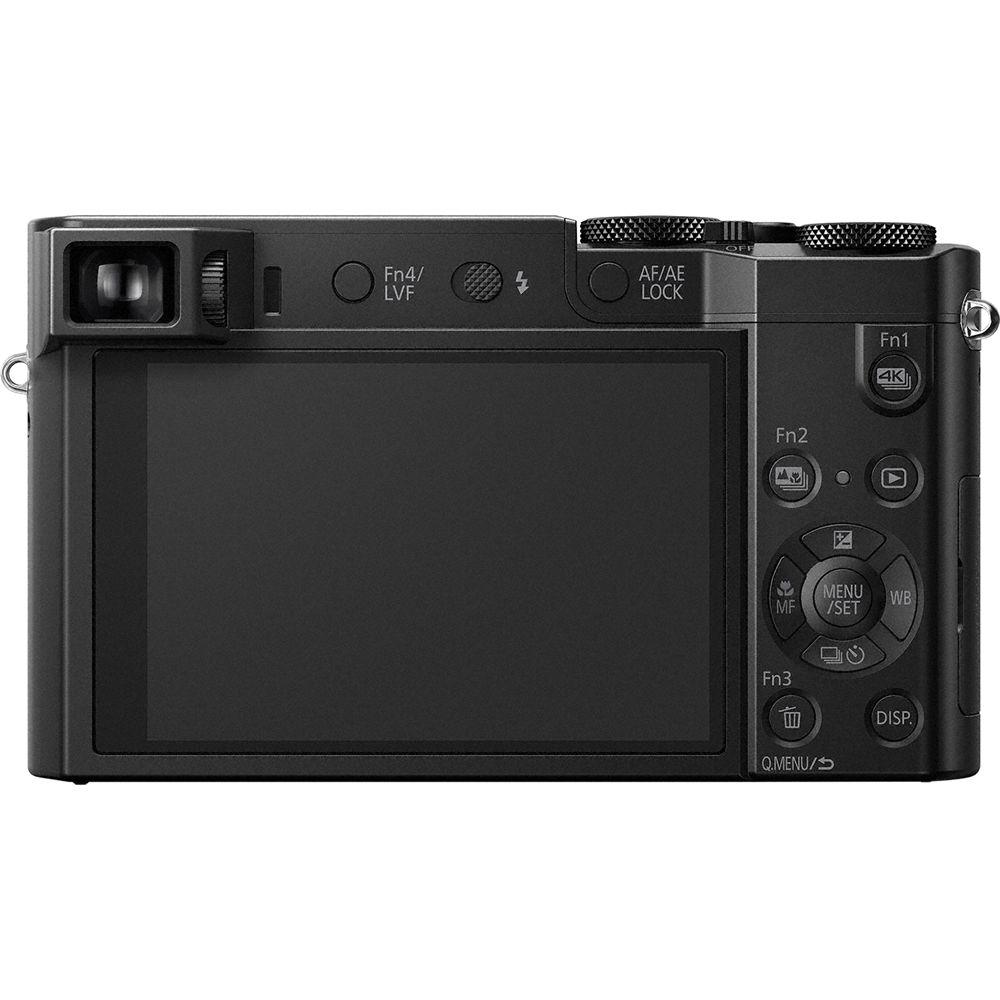
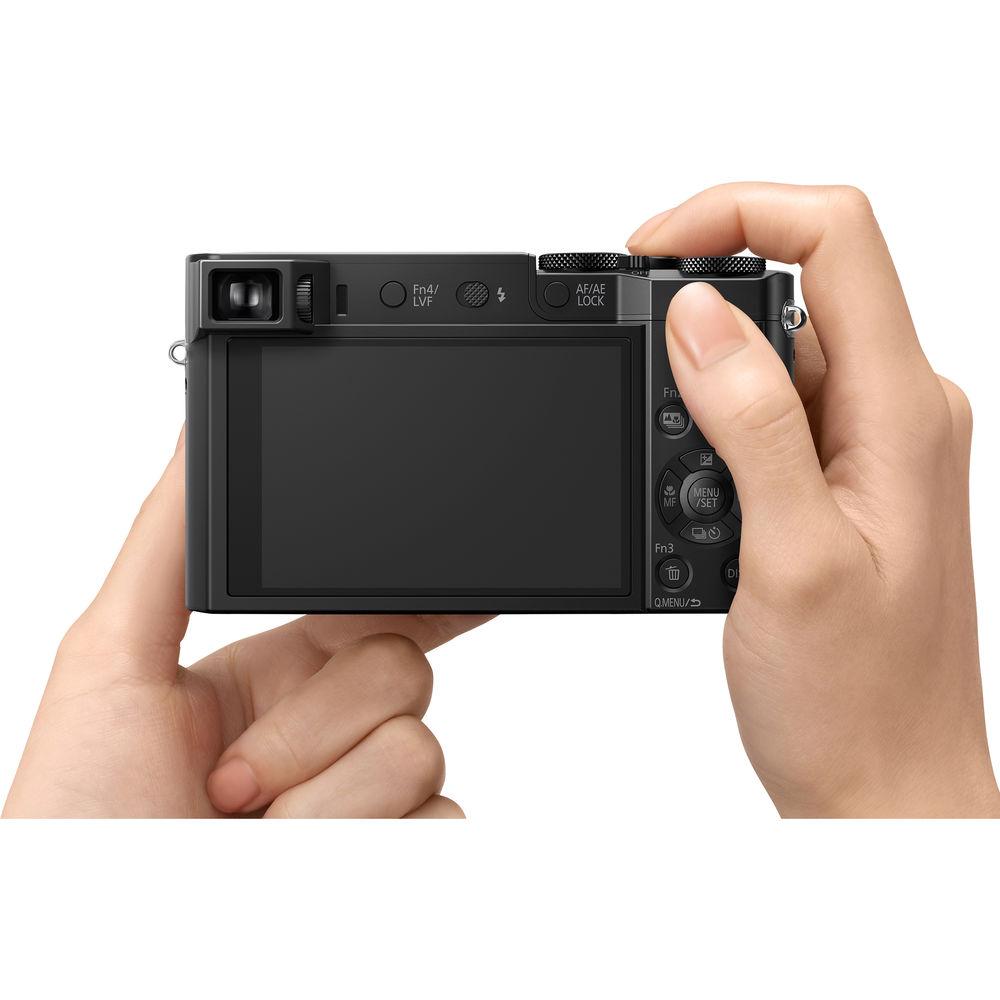
Equally as important as the stills and video components, the ZS100 is also characterized by its intuitive physical design and inclusion of both an electronic viewfinder and rear LCD screen. The Live View Finder is a 1166k-dot EVF that affords comfortable eye-level monitoring, and is especially well-suited to working in bright conditions. Contrasting this is the large rear 3.0" 1.04m-dot LCD touchscreen, which is best-suited for clear image review, menu navigation, and live view shooting. The camera body is also accentuated by a range of manual control dials, such as a lens-surrounding configurable control ring for direct control over zoom, focus, or exposure settings. Additionally, built-in Wi-Fi allows you to pair the ZS100 with a smartphone or tablet for wireless image sharing and remote camera control via the Panasonic Image app. - 20.1MP 1" MOS Sensor and Venus Engine
- A large 1" 20.1MP High-Sensitivity MOS sensor pairs with a Venus Engine image processor to realize rich image quality with reduced noise and high sensitivity to an expanded ISO 25600. The sensor and processor combination also avails continuous shooting rates of 50 fps when working with the electronic shutter, 10 fps with a mechanical shutter and single-shot AF, 6 fps with continuous AF, or 30 fps at 8MP in the 4K Photo modes.
- Leica DC Vario-Elmarit 10x Zoom Lens
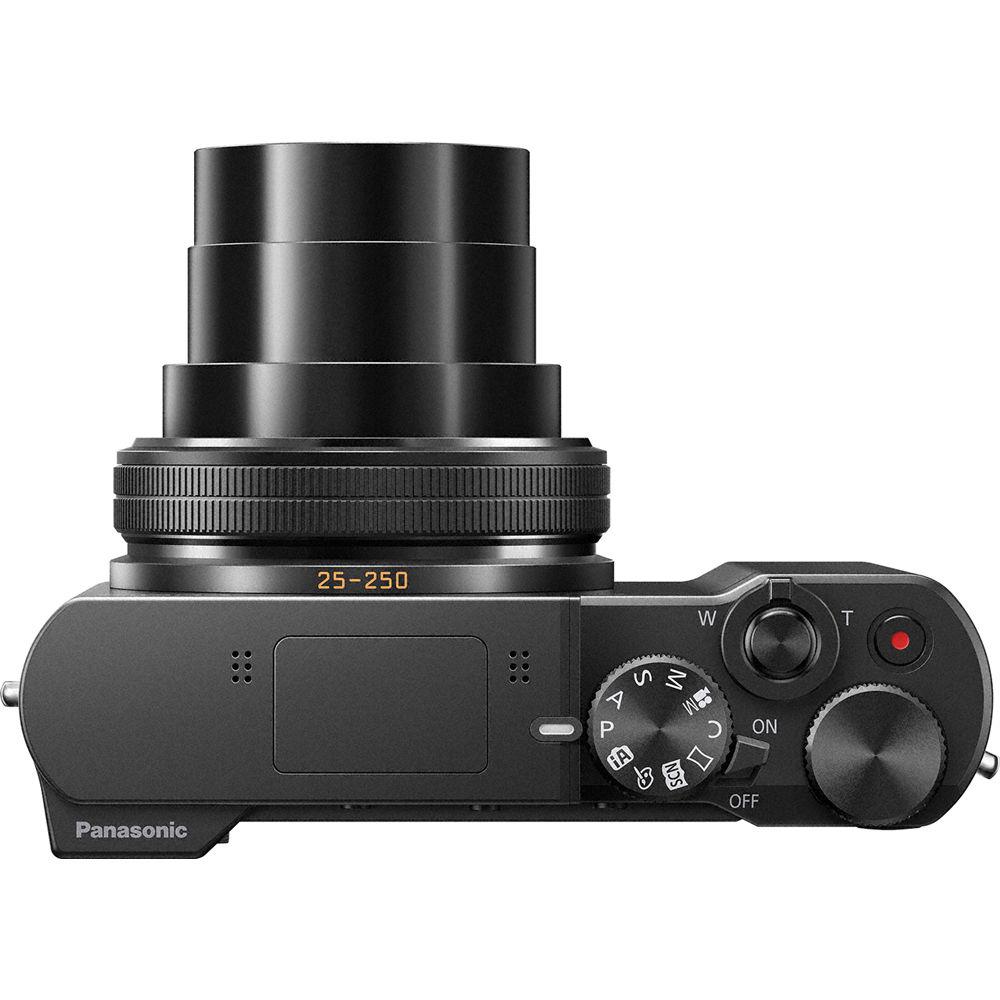
- A long-reaching 10x Leica DC Vario-Elmarit zoom offers a 25-250mm equivalent focal length range along with a maximum aperture range of f/2.8-5.9. The lens construction incorporates five double-sided aspherical elements to minimize spherical aberrations and distortions throughout the zoom range for increased image clarity and sharpness.
Benefitting the reach of the lens is a powerful 5-axis Hybrid O.I.S. system that compensates for a variety of camera movements for sharper handheld shooting in difficult lighting conditions. This image stabilization system also enables a unique Level Shot function that automatically detects the horizontal line of the recording image and keeps it level during shooting, regardless of camera tilt, helping to achieve greater shooting stability. - 4K Video and Photo Modes
- The sensor and processor combination also enables 4K video recording at both 30p and 24p frame rates in the MP4 format at 100 Mbps. Full HD 1080p and HD 720p recording is also possible, as well as high-speed Full HD recording with 120 fps slow-motion playback.
- Besides video, the 4K capabilities also permit recording 8MP stills at 30 fps in a trio of ways:
- 4K Burst: Just as with video recording, this mode will allow you to continuously record 8MP images at 30 fps for up to 15 minutes, making it ideal for instances where you need a fast frame rate in order to capture the best moment.
- 4K Pre-Burst: This mode is ideal for times when you're unsure of the critical moment to press the shutter button and will record 8MP images at 30 fps one second prior to and one second after pressing the shutter button in order to give you 60 frames to choose from.
- 4K Burst (S/S): This mode most closely follows the 4K video recording process, and allows you to playback your video, pause at the chosen moment, and use the shutter button to mark a chosen frame from the video and save it as a single 8MP frame.
- Post Focus and Light Speed AF
- Another attribute of the 4K capabilities is a unique focusing method called Post Focus. Working in conjunction with the 49-area contrast-detection focusing system, called Light Speed AF, and the intelligent Depth from Defocus (DFD) technology, Post Focus records imagery as a 4K MP4 file at 30 fps and shifts the specific point of focus throughout the burst shooting in order to offer a range of distinct focusing ranges to choose from. During playback, via the camera's touchscreen, you can then tap the specific region of the image you wish to be in focus and an 8MP JPEG file will be created. Multiple individual files with different points of focus can be created from the original burst, and focusing assist functions can also be used to gain even more precise control over the specific in-focus region.
The DFD technology also provides quick focusing performance when working in low-light conditions via the Starlight AF feature, which is specifically tuned to acquiring accurate focus during nighttime shooting. - Body Design and Built-In Wi-Fi
-
- A Live View Finder (LVF) is integrated into the sleek body design to permit comfortable eye-level monitoring. This electronic viewfinder has a 1,166k-dot resolution and covers 100% of the image frame while shooting.
- Alternatively, a rear 3.0" 1.04m-dot touchscreen LCD monitor is also available for live view shooting, image review, and intuitive menu navigation.
- A host of manual controls offer simple, direct control over a variety of oft-used camera settings, including a control ring surrounding the lens that can be configured to adjust zoom, shutter speed, manual focus, and ISO sensitivity.
- Built-in Wi-Fi allows you to wirelessly share photos and movies to linked smartphones and tablets for direct sharing online. A QR code system of pairing makes it simple to link mobile devices and, once paired, the device can also be used to remotely control the camera via the Panasonic Image app.
- Other Camera Features
-
- Light Composition is a dedicated processing mode that selects and recovers information from brighter regions in the image in order to produce more dramatic, yet controlled imagery in high-contrast situations, such as when photographing fireworks or nighttime scenery.
- 4K Live Cropping is dedicated to UHD video recording and allows the recording frame to move while the camera retains a fixed position in order to provide greater stability when panning or zoom during recording.
- In-camera raw file processing is possible, allowing you to adjust color space (Adobe RGB/sRGB), white balance, exposure compensation, Photo Style, Intelligent D-Range Control, contrast, highlight/shadow values, saturation, noise reduction, Intelligent Resolution, and sharpness.
- The Light Speed AF and DFD systems afford precise face- and eye-tracking for maintaining critical focus on moving subjects.
- Focus peaking is available for easier, more accurate manual focusing control.
- The included rechargeable lithium-ion battery provides you with 300 shots per charge when working with the rear LCD or 240 shots per charge with the electronic viewfinder.
- Wide Panorama lets you generate panoramic images in-camera by simply panning about the scene to record a broad field of view.
- Creative Control modes: Expressive, Retro, Old Days, High Key, Low Key, Sepia, Monochrome, Dynamic Monochrome, Rough Monochrome, Silky Monochrome, Impressive Art, High Dynamic, Cross Process, Toy Effect, Toy Pop, Bleach Bypass, Miniature Effect, Soft Focus, Fantasy, Star Filter, One Point Color, and Sunshine.
- Still Image Scene Guide modes: Clear Portrait, Silky Skin, Backlit Softness, Clear in Backlight, Relaxing Tone, Sweet Child's Face, Distinct Scenery, Bright Blue Sky, Romantic Sunset Glow, Vivid Sunset Glow, Glistening Water, Clear Nightscape, Cool Night Sky, Warm Glowing Nightscape, Artistic Nightscape, Glittering Illuminations, Handheld Night Shot, Clear Night Portrait, Soft Image of a Flower, Appetizing Food, Cute Dessert, Freeze Animal Motion, Clear Sports Shot, and Monochrome.
- Photo Style modes: Standard, Vivid, Natural, Monochrome, Scenery, Portrait, and Custom, as well as Cinelike D and Cinelike V when Creative Video mode is selected.
- Picture Adjustment settings: Contrast, Sharpness, Noise Reduction, Saturation, Color Tone, and Filter Effect.
UPC: 885170282681 In the Box Panasonic Lumix DMC-ZS100 Digital Camera (Black) DMW-BLG10 Li-ion Battery for Select Lumix Cameras (7.2V, 1025mAh) AC Adapter USB Connection Cable Hand Strap 2 x Shoulder Strap Adapters Limited 1-Year Warranty Unveiled: the Panasonic 4K-Capable ZS100 and ZS60 Point-and-Shoot Cameras Bjorn Petersen 01/05/2016 Guides & Manuals Table of Contents
|
Upload User Manual
Have you got an user manual for the Panasonic Lumix DMC-ZS100 Digital Camera in electronic form? Please send it to us and help us expand our library of instruction manuals.
Thank you, too, on behalf of other users.
To upload the product manual, we first need to check and make sure you are not a robot. After that, your "Submit Link" or "Upload File" will appear.
Download User ManualThe user manual for the Panasonic Lumix DMC-ZS100 Digital Camera can be downloaded in PDF format at the link stated below.
Technical parametersPanasonic DMC-ZS100 Specs | | | Pixels | Actual: 20.9 Megapixel
Effective: 20.1 Megapixel | | Sensor | 1" MOS | | File Formats | Still Images: JPEG, RAW
Movies: AVCHD 2.0, MP4
Audio: AAC, Dolby Digital 2ch | | Max Resolution | 20 MP: 5472 x 3648 | | Aspect Ratio | 1:1, 3:2, 4:3, 16:9 | | Image Stabilization | Optical & Mechanical, 5-Way | | | | Lens | Leica DC Vario-Elmarit, 12 Elements in 10 Groups
5 Aspherical
Effective Focal Length: 9.1 to 91mm (35 mm Equivalent: 25 to 250mm)
Aperture: f/2.8 (W) to f/5.9 (T) to f/8 | | Zoom | Optical: 10x
Extra Optical Zoom (EZ): 14x
Extra Optical Zoom (EZ): 20x
Intelligent Zoom: 20x
Digital: 4x | | Focus Range | Wide: 1.64' to Infinity / 50 cm to Infinity
Telephoto: 2.3' to Infinity / 70 cm to Infinity
Wide Macro: 1.97" to Infinity / 5 cm to Infinity | | | | ISO Sensitivity | Auto, 125 to 12800 (Extended Mode:80 to 25600) | | Shutter | Type: Mechanical
Speed: 60 to 1/2000 Second
Type: Electronic
Speed: 1 to 1/16000 Second
120 to 0 Second in Time Mode | | Exposure Metering | Center-Weighted, Multi, Spot | | Exposure Modes | Modes: Aperture Priority, Manual, Program, Shutter Priority
Compensation: -5 EV to +5 EV (in 1/3 EV Steps) | | White Balance | Auto, Cloudy, Color Temperature, Daylight, Flash, Incandescent, Shade, White Set 1, White Set 2, White Set 3, White Set 4 | | Continuous Shooting | Up to 50 fps at 20.1 MP
Up to 10 fps at 20.1 MP
Up to 6 fps at 20.1 MP
Up to 2 fps at 20.1 MP
Up to 30 fps at 8 MP | | Self-Timer | 2, 10 Sec | | | | Flash Modes | Auto
Auto/Red-Eye Reduction
Forced On
Forced On/Red-Eye Reduction
Off
Slow Sync
Slow Sync/Red-Eye Reduction | | Built-In Flash | Yes | | Effective Flash Range | Wide:2.0 to 26.2' / 0.6 to 8 m
Telephoto:2.30 to 12.5' / 0.7 to 3.8 m | | | | Memory Card Type | SD
SDHC
SDXC | | | | Video Recording | Yes, NTSC | | Resolution | 3840 x 2160p: 30 fps, 24 fps
1920 x 1080p: 60 fps, 30 fps, 24 fps
1920 x 1080i: 60 fps
1280 x 720p: 30 fps
640 x 480p: 30 fps | | | | Video Clip Length | Up to 29 Minutes 59 Seconds | | Audio Recording | Built-In Mic: With Video (Stereo) | | | | Viewfinder Type | Electronic | | Viewfinder Coverage | 100% | | Screen | 3.0" LCD Rear Touchscreen (1,040,000 Pixels) | | Screen Coverage | 100% | | | | Connectivity | HDMI D (Micro), USB 2.0 Micro-B, USB 2.0 | | Wi-Fi | Yes, Wi-Fi 4 (802.11n) Built In | | | | Battery | 1 x Rechargeable Lithium-Ion Battery Pack, 7.2 VDC, 1025 mAh | | | | Dimensions (W x H x D) | 4.4 x 2.5 x 1.7" / 110.5 x 64.5 x 44.3 mm | | Weight | 11.01 oz / 312 g with battery and memory card | | | | Package Weight | 1.15 lb | | Box Dimensions (LxWxH) | 5.4 x 5.0 x 2.6" |
Rating86% users recommend this product to others. And what about you?

This product has already been rated by 99 owners. Add your rating and experience with the product.
Discussion
 Ask our technicians if you have a problem with your settings,
or if anything is unclear in the user manual you have downloaded.
You can make use of our moderated discussion.
The discussion is public and helps other users of our website who may be encountering similar problems.
Ask our technicians if you have a problem with your settings,
or if anything is unclear in the user manual you have downloaded.
You can make use of our moderated discussion.
The discussion is public and helps other users of our website who may be encountering similar problems.
The discussion is empty - enter the first post
Post a new topic / query / comment:
|
|



