|
User Manual for Panasonic PT-EX16KU LCD Projector Click to enlarge the picture
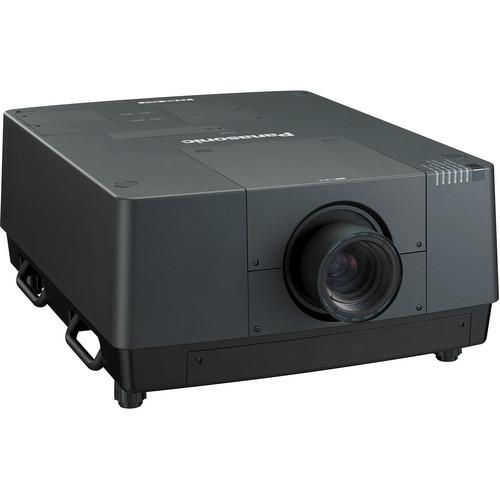 Contents of the user manual for the Panasonic PT-EX16KU LCD Projector
- Product category: Multimedia Projectors Panasonic
- Brand: Panasonic
- Description and content of package
- Technical information and basic settings
- Frequently asked questions – FAQ
- Troubleshooting (does not switch on, does not respond, error message, what do I do if...)
- Authorized service for Panasonic Multimedia Projectors
 |
User manual for the Panasonic PT-EX16KU LCD Projector contain basic instructions
that need to be followed during installation and operation.
Before starting your appliance, the user manual should be read through carefully.
Follow all the safety instructions and warnings, and be guided by the given recommendations.
User manual is an integral part of any Panasonic product,
and if it is sold or transferred, they should be handed over jointly with the product.
Following the instructions for use is an essential prerequisite for protecting
health and property during use, as well as recognition of liability on the part of the manufacturer
for possible defects should you make a warranty claim. Download an official Panasonic user manual in which you will find instructions on how to install, use, maintain and service your product.
And do not forget – unsuitable use of a Panasonic product will considerably shorten its lifespan!
|
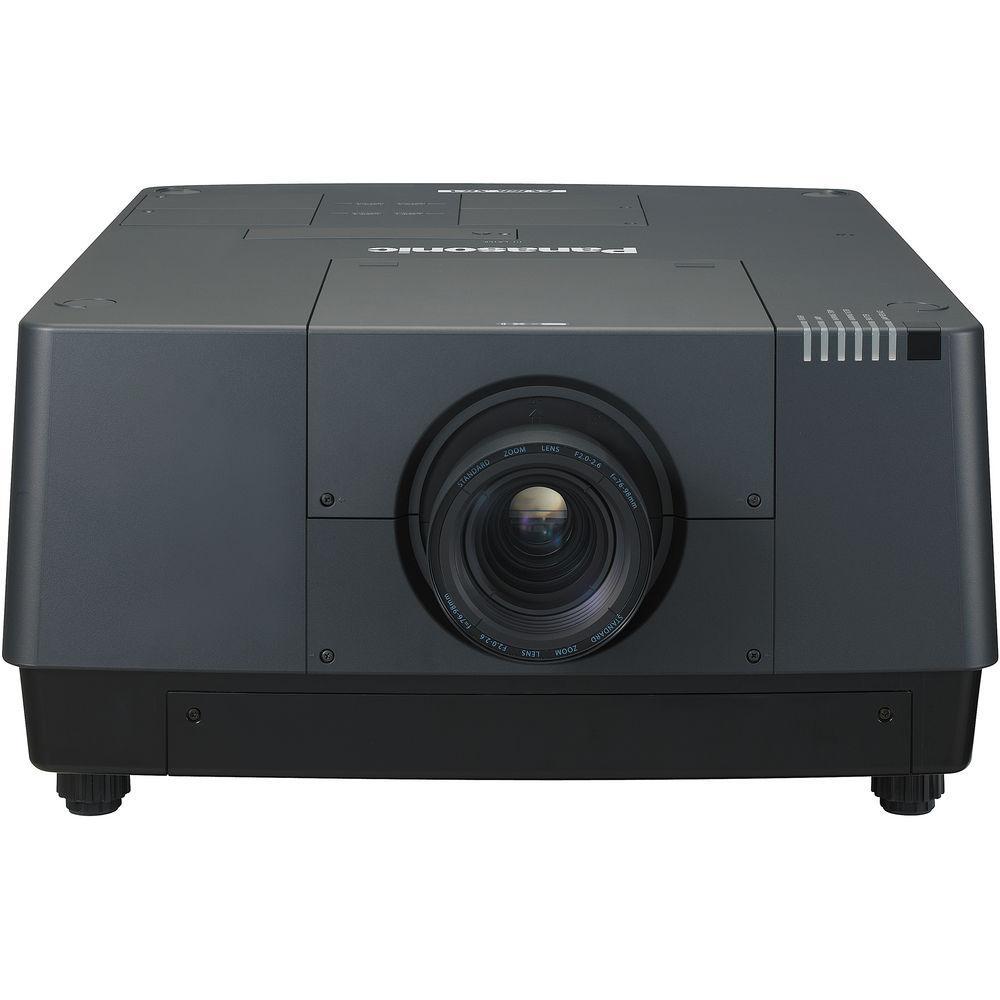
Product description The Panasonic PT-EX16KU LCD Projector is flexible and powerful enough to thrive in a variety of working conditions. With a brightness of 16,000 lumens working off quad lamp technology and a contrast ratio of 2500:1, the PT-EX16KU is encased in a ruggedized chassis for high reliability and durability. It has a 4:3 aspect ratio and XGA resolution of 1024 x 768 that are complimented by an increased functionality and a variety of features. Pure color control, which independently controls yellow brightness to improve color reproduction, attains this superb brightness with optimal coloring. The mechanical shutter lets you mechanically block the light to completely blackout the screen, and prevents light leakage from the lens. When closing the shutter, the projection image gradually fades out, then gradually fades in when opening, which brings more attractive stage effects. When installing the PT-EX16KU, plenty of features aide with proper installation. The horizontal and vertical lens shift will let you accommodate many room sizes and shapes and the zoom increases the chances that your existing ceiling mount will not need to be moved. The projector can be rotated 360° vertically for flexible installation. This allows projection from directly above or below, for exciting visual possibilities in art galleries, theaters and showrooms. Lastly, an iron base plate is mounted to the bottom of the main unit. Also, robust carrying handles attached to the base plate are designed for easy carrying of the projector, which is quite heavy. Lens Not Included! - Full 16,000 Lumens of Brightness and a 2500:1 Contrast Ratio
- The 4 lamp optical system uses high-output, 380W lamps to deliver remarkable 16,000 lumens of brightness. And the contrast ratio is a high 2500:1, to ensure bright, crisp, large-screen projection
- Excellent Colors with Pure Color Control
- It is inherently difficult for LCD projectors to attain both high brightness and superb color reproduction. For this reason, in addition to the three conventional LCD panels that control the light intensity for the red, blue and green primary colors, the PT-EX16K also features a pure color control function that independently controls the light intensity of yellow coloring. This provides rich overall color expression while maintaining brightness
- 4 Lamp Optical System Enables Stable, Extended Operation
- Even if one lamp goes out during use, the other lamps continue, so projection is not interrupted. Lamp relay mode also allows long time, continuous operation
- Highly Durable Optical Engine Ensures Excellent Long Time Image Quality
- The LCD panels and polarizers inside the LCD projector's optical block tend to degrade over time. Their degradation strongly and adversely affects image quality. The inorganic LCD panels and polarizers in the PT-EX16K resist time-related changes to achieve a replacement cycle of up to 10,000 hours. This maintains high image quality for a very long time
- Adverse Dust Effects Prevented by a Long-Lasting Air Filter
- The use of a large pleated air filter has made it possible to achieve a replacement cycle of up to 5000 hours. This greatly reduces maintenance hassles. The filter is also replaced from the front, so there is no need to detach the projector from its bracket in ceiling mounted applications
- Optional Smoke Cut Filter Provides Protection from Fine Smoke Particles
- The projector can be equipped with an optional smoke cut filter ET-SFE16 to prevent the entry of not only dust but also fine smoke particles, such as those used for special effects at events and stage performances
- Full 10-Bit Image Processing System
- The use of a full 10-bit image processing system provides smooth tonal expression. For example, skin tones appear natural and true to life
- The Horizontal/Vertical Lens Shift Function and a Variety of Lenses
- Both zooming and focusing can be done by remote control. The wide adjustment range of the powered horizontal/vertical lens shift function assures convenience and versatility during installation. A variety of lenses are also available, from short or long focus zoom lenses to fixed focus lenses for rear projection. This makes it possible to install the projector in a variety of locations
- Flexible Installation
- The projector can be rotated 360° vertically for flexible installation. This allows projection from directly above or below, for exciting visual possibilities in art galleries, theaters and showrooms
- Mechanical Shutter for a Total Screen Blackout
- The mechanical shutter lets you mechanically block the light to completely blackout the screen, and prevents light leakage from the lens. When closing the shutter, the projection image gradually fades out, then gradually fades in when opening, which brings more attractive stage effects
- Easy Remote Control and Observation
- A Web browser on a computer connected through a wired LAN system lets you remotely operate projectors and check their status. An e-mail messaging function can also notify you when a lamp needs replacement, and indicate the overall projector status. In addition, multi projector monitoring and control software is available for monitoring and controlling multiple Panasonic projectors from a single PC. The wired LAN terminal is compatible with PJLink (Class1), an open protocol that is used by many manufacturers, to enable integrated control of systems that contain different brands of projectors
- Corner Keystone Correction Enables Angled Projection
- All you need to do is designate four points as the corners of the projected image, and this function automatically carries out horizontal and vertical keystone correction
- Robust Carrying Handles
- An iron base plate is mounted to the bottom of the main unit. Also, robust carrying handles attached to the base plate are designed for easy carrying of the projector
- Multi-Screen Support System Seamlessly Connects Multiple Screens
- The multi-screen support system optimally adjusts multiple screens: Edge blending, color matching and multi-screen processor.
Edge blending
The edges of adjacent screens can be blended and their luminance controlled.
Color matching
This function corrects for slight variations in the color reproduction range of individual projectors - Versatile Interfaces and Illuminated Terminals and Control Panel
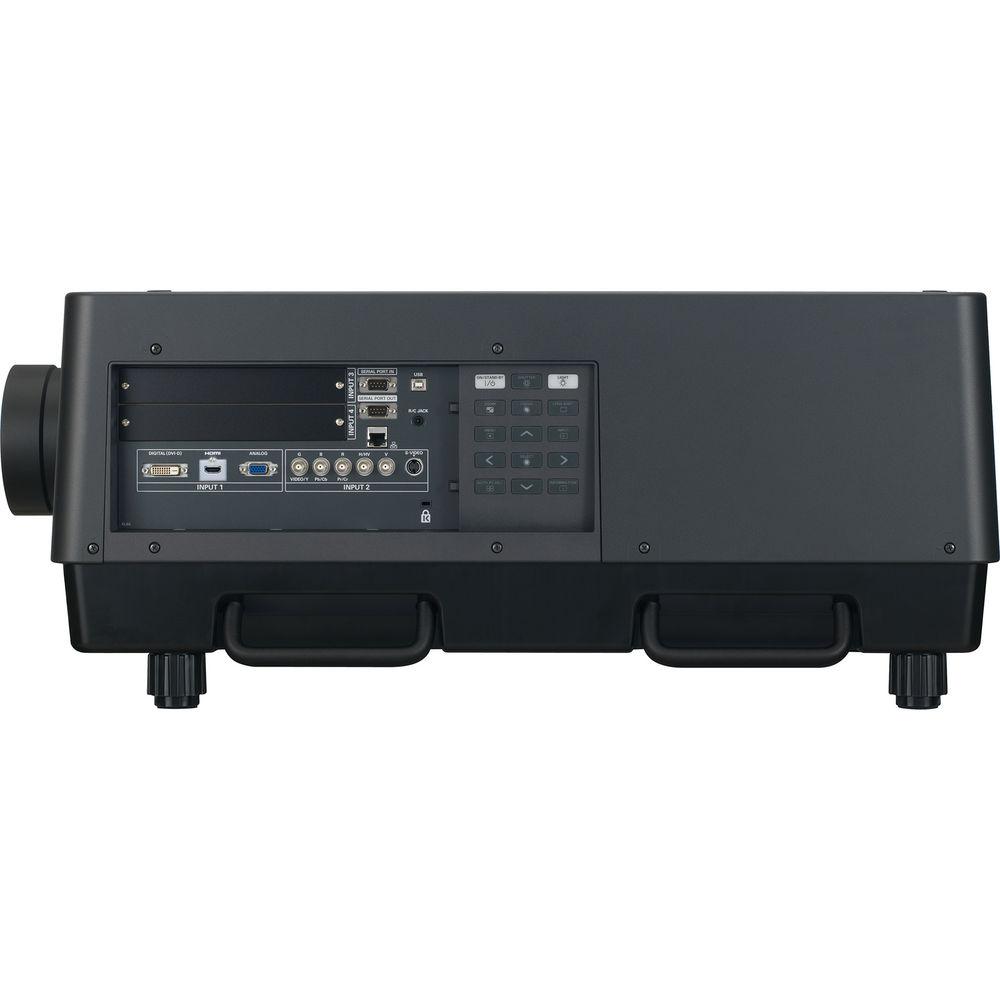
- The wide ranging terminals include two sets of RGB inputs, an HDMI input, and a DVI-D input. Mounting the optional interface board ET-MD16SD1 also accommodates HD/SD-SDI signal input. The terminal connection area is LED illuminated, and a backlight is provided for the control panel buttons, ensuring smooth and easy operation in the dark
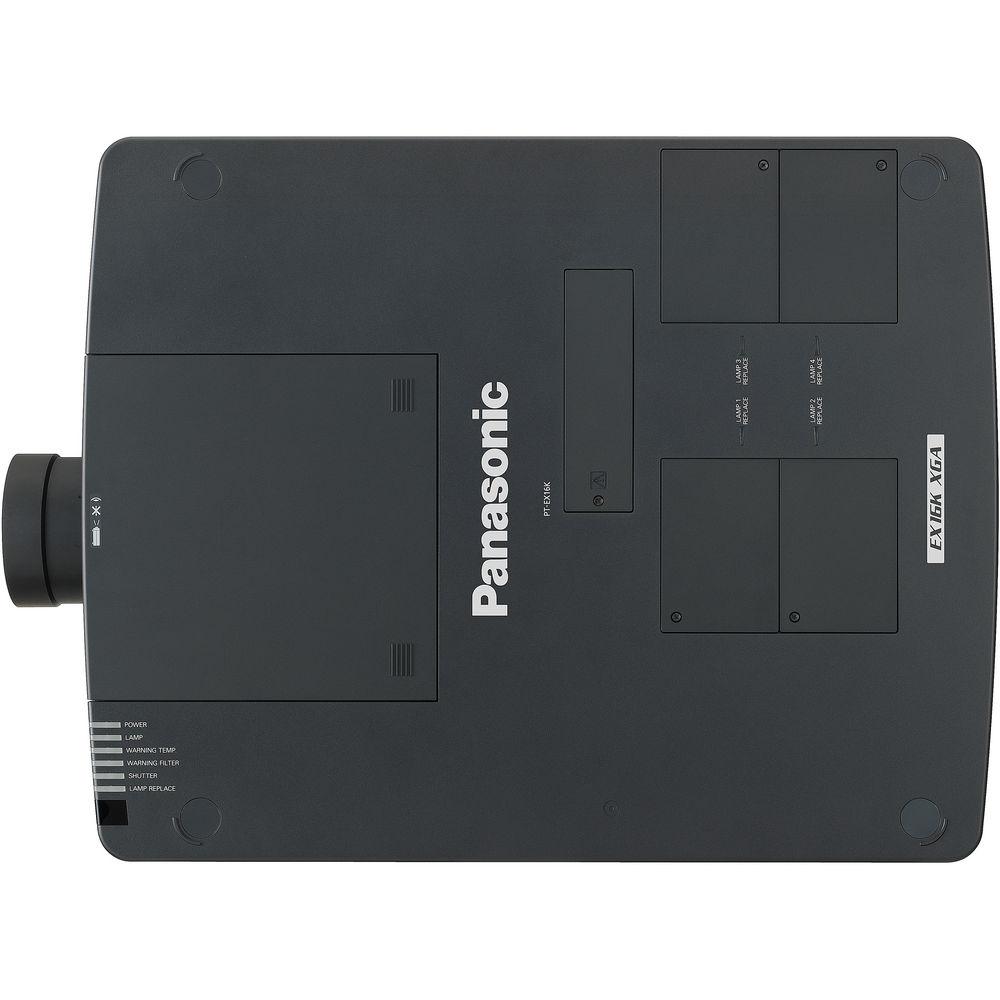
- Top Panel Lamp Replacement Simplifies Maintenance
- The lamp can be reached through the top panel for easy replacement. This eliminates the need to detach the projector from its ceiling bracket and greatly simplifies maintenance
- Additional Features
- Direct power off allows the power cord to be unplugged right after use.
Wireless and wired remote control that allows the allocation of up to 64 IDs.
Logo transfer software lets you upload any startup logo you want - Ecology Conscious Design
- No halogenated flame retardants are used in the cabinet.
Lead free glass is used for the lens.
Lamp power switching further reduces power consumption.
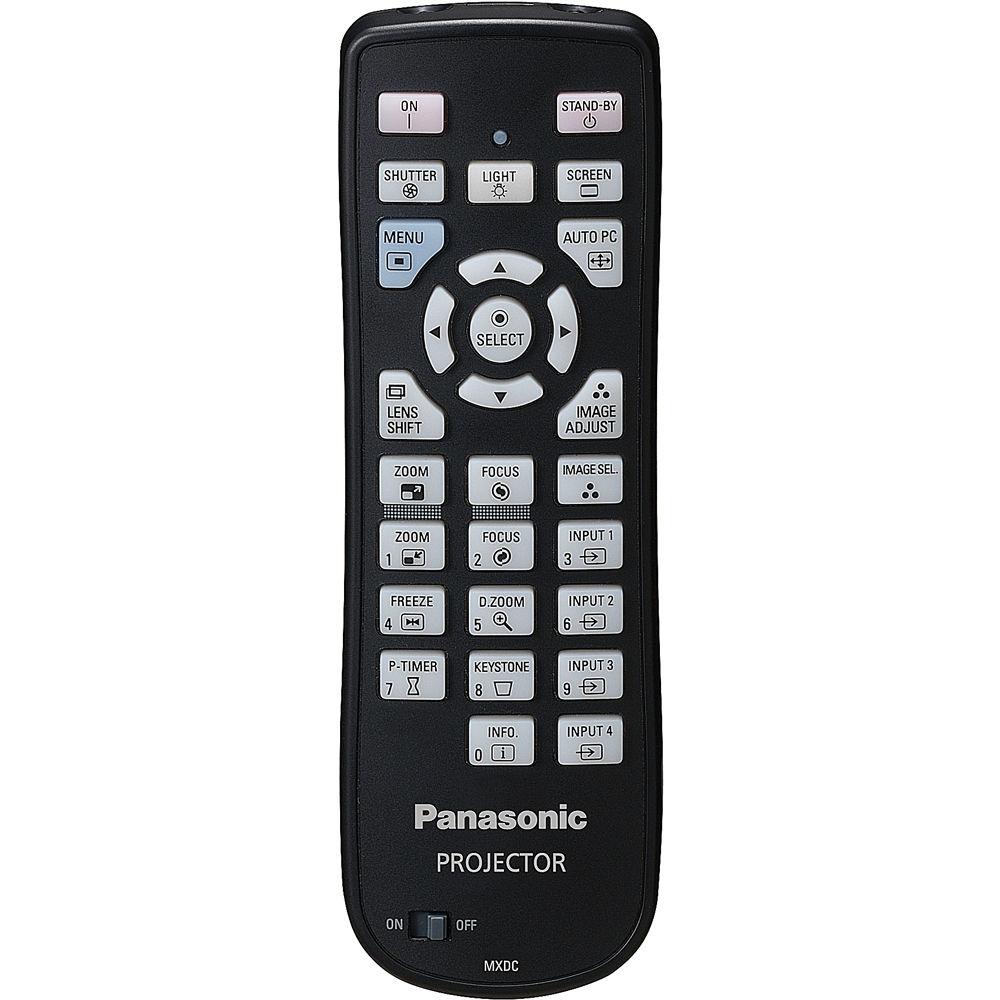
RoHS compliant UPC: 885170060685 In the Box Panasonic PT-EX16KU LCD Projector 9.8' ( 3 m) Power Cord Power Cord Secure Lock Remote Control 2 x R6/AA Type Batteries VGA Cable Software CD-ROM (Logo Transfer Software, Multi Projector Monitoring & Control Software, Real Color Manager Pro) Lens Attachment Lens Lock Lever Fixing Bracket 3 x Light Shielding Plate Spacer 3 x Cable Tie 3-Year Parts and Labor Warranty, 500 Hours Lamp Warranty User Manual PDF 5.3mb Table of Contents
|
Upload User Manual
Have you got an user manual for the Panasonic PT-EX16KU LCD Projector in electronic form? Please send it to us and help us expand our library of instruction manuals.
Thank you, too, on behalf of other users.
To upload the product manual, we first need to check and make sure you are not a robot. After that, your "Submit Link" or "Upload File" will appear.
Technical parametersPanasonic PT-EX16KU Specs | | | Display System | 3-Chip 1.8" LCD | | Native Chip Resolution | 1024 x 768 (XGA) | | Max Brightness | 16,000 Lumens | | Uniformity | 90% | | Aspect Ratio | Native: 4:3 | | Contrast Ratio | 2500:1 | | DLP Link 3D | None | | Color Depth | 10-Bit (1.07 Billion Colors) | | | | Projection Size | 40 - 600" / 1016.00 - 15240.00 mm | | | | Keystone Correction | Vertical: ± 40°
Vertical: ± 40° | | Ceiling Mountable | Yes | | Rear Screen Projection | Yes | | | | Inputs/Outputs | 1 x HDMI Audio/Video (Input)
1 x DVI-D Video (Input)
1 x VGA (DE-15) Video (Input)
1 x S-Video (4-Pin DIN) Video (Input)
1 x M3 Control (Input)
2 x Unspecified Signal (DE-9) Control (Input)
1 x Ethernet (RJ45) Control/Service (Input/Output)
1 x RS-232C (Unspecified Connector) Control (Input)
1 x USB Type-B Female (Input)
1 x 5BNC Video (Input)
1 x Composite (BNC) Video (Input) | | | | Lamp Power | 380 W | | Expected Lamp Life | Medium Brightness: 2000 Hours
Low Brightness: 3000 Hours | | Fan Noise | Medium Brightness: 51 dB
Low Brightness: 49 dB | | Power Consumption | Medium Brightness: 1850 W
Standby Mode (Lamp Off): 18 W | | Temperature | Operating
41 to 104°F (5 to 40°C)
Humidity: 20 - 80% | | Dimensions (W x H x D) | 25.6 x 13.7 x 32.1" / 65.0 x 34.8 x 81.5 cm | | Weight | 102.5 lb / 46.5 kg |
Rating80% users recommend this product to others. And what about you?

This product has already been rated by 12 owners. Add your rating and experience with the product.
Discussion
 Ask our technicians if you have a problem with your settings,
or if anything is unclear in the user manual you have downloaded.
You can make use of our moderated discussion.
The discussion is public and helps other users of our website who may be encountering similar problems.
Ask our technicians if you have a problem with your settings,
or if anything is unclear in the user manual you have downloaded.
You can make use of our moderated discussion.
The discussion is public and helps other users of our website who may be encountering similar problems.
The discussion is empty - enter the first post
Post a new topic / query / comment:
|
|
|
| Request for user manual |
You can’t find the operation manual you are looking for? Let us know and we will try to add the missing manual:
I’m looking for a manual / Request for manual
Current requests for instruction manuals:
Call Of Duty World War Two For Xbox...
controller stratus XL...
stratus XL...
smart whatch serie S11 42mm...
Allen & Heath SQ-6 manual...
|
| Discussion |
Latest contributions to the discussion:
AEW R 4100
Name: MAURICIO ANGARITA
Audio-Technica AEW-R4100 UHF Diversity Receiver for
AEW R 4100 has the mute function blocked and does not allow audio to pass. I tried several times to turn off the mute from the transmitter but it does nothing, the mute stays on. Solution?
Thank you...
Instructions for assembling the 2015 Forecast Image Master Consoles GC3-A
Name: mike elam
Forecast Consoles GC3-A ImageMaster Editing Console
Looking for instructions for assembling this console. ...
EMPTY TONER ERROR MESSAGE AFTER REPLACING TONER
Name: LINDA BAD YELLOW EYES
Brother TN223BK Standard-Yield Toner
I HAD TO CHANGE OUT ALL THREE TONERS DUE TO LEAKS IN THE YELLOW AND CYAN. AFTER I REPLACED THEM, THE MACHINE KEEPS GIVING ME AN EMPTY TONER ERROR MESSAGE. HELP!!...
PS480D 20/24 pin Switching 480W Power Supply
Name: swkargo
Logisys 480W Power Supply
This item states in can run -5vdc .It is NOT listed on the board or I beleive is r4 is missing the resitior. Any body have thid issue. Shawn
...
Help needed
Name: Ann Carter
SanDisk 1TB Extreme Portable USB 3.1
When I click the link to download the user manual for my Sandisk Extreme external hard drive, it gives me the manual for the LG Cricket. Can you please change the link so I can download the Sandisk manual and begin using this drive? Thank you....
|
|


